Сетевой адаптер TP-LINK TL-WN722N — 1381 отзывов, плюсы и минусы

1381 отзывов пользователей о TP-LINK TL-WN722N

Пользовались TP-LINK TL-WN722N?
Поделитесь своим опытом и помогите другим сделать правильный выбор

940
182
81
68
110
Profile no image

Плазмонавт-7KXBD

10.05.2012

10/10

Оценка пользователя

Великолепно

I read a number of reviews for USB Wifi adapters and found that this appeared to be one of the highest rated.The installation was relatively simple, but it should be noted that you do actually need the CD that comes with it to install it. Windows 7 64 bit does not have default drivers for this device.The installation was quick, but it did note that it would only install the driver, not the utility, in Windows 7 64 bit. This was fine, immediately after driver install the adapter saw the network and I was able to connect it.Excellent device.
источник
Profile no image

ТехноНаблюдатель-1NLSA

11.08.2012

2/10

Оценка пользователя

Ужасно

Died after 3 months. Not much more to say. Before it completely died, there was a period of a few weeks where it would work some days and other days it just wouldn't pick up networks that were in fact within range. Horrible.
источник
Profile no image

Кварковец-0IFNB

07.09.2012

2/10

Оценка пользователя

Ужасно

It sometimes doesn't startup when the computer is turned on. I have to disconnect and reconnect the USB plug to get it to work.
источник
Profile no image

Гелиос-4OQKB

17.04.2012

10/10

Оценка пользователя

Великолепно

Works great, comes with a 2-foot usb extension cable. You need to get the drivers and utilities from the website for 64-bit systems. Unfortunately, any links I add get censored. Just do a model # google search for the company site.Be sure to get the right driver version. If the serial number is printed on a black sticker, that is a newer one. The V_1 models have a blue/white sticker with the serial number on it and they require a special driver set. The DLs are separated by having V_1 in the links or not.If you want to spare yourself a potential headache, just pony up the extra $6 for the medialink adapter.
источник
Profile no image

Аргонавт-6GQSB

01.04.2012

10/10

Оценка пользователя

Великолепно

It worked out of the box, no drivers needed, for Zorin 5.2 (a Linux distribution meant to approximate Windows 7). I've read in several places that it works well with most modern versions of Linux.It does come with a USB extension cable, although it doesn't say that in the "What's In The Box" section, and it's a good idea to use it, because 1) it keeps it from jutting out of the computer and being at risk of breaking (or damaging the USB port); and 2) getting it away from the computer will probably help it get a better signal. I just ordered another one for another family member with a desktop machine that can't easily reach the router via ethernet cable.
источник
Profile no image

Квантум-2HAJW

05.03.2012

2/10

Оценка пользователя

Ужасно

The quick and dirty is that it worked about one time (after the first time I installed it) then never again. If I disable the TP-LINK software startup, it works. If I enable it the system hangs on startup. Not that it matters, but the system will also not shut down either. Simple fact, as others have said in their reviews is that this is bad. I have Vista 32 bit. The one time it did work, it was fine. It appears that the software is bad. I can't use it, so I can't vouch for the hardware. It looks nice and cute, but it is no good. Recommendation is to run away and do not buy it!p.s. I have just processed my return through Amazon and what a shock! The software is so bad that 'un-install' is failing to work properly either as I write these words...
источник
Profile no image

НаноПилигрим-7MLUM

02.06.2012

4/10

Оценка пользователя

Ужасно

I have used an old Belkin Wireless adapter for YEARS and never had any stability problems with it. It finally died after 8 years and I decided to buy this one instead, since I figured the cheapest now would be the best from 8 years ago.I was wrong, this wireless adapter frequently drops connection so bad that it won't see any wireless networks until you completely remove it and plug it back in. This makes it unacceptable for any online gamer.
источник
Profile no image

Астрономад-3WSHC

21.06.2012

10/10

Оценка пользователя

Великолепно

So I recently bought this wifi antenna and it works LIKE A FREAKING CHARM! I mean I got the strongest signal possible, like 99% from a distance of 10 mts from my home modem!Its really easy to use, very intuitive, a really useful gadget for the non techy guy too. Just connect, start, aim and voila! perfect signal strength.I love this antenna and would defenetly buy it again!
источник
Profile no image

Эксопилот-7RFLM

06.07.2012

10/10

Оценка пользователя

Великолепно

This wireless Wi-Fi adapater is very easy to install. Simply plug into an available USB port and run the installation software on the provided mini-disk. Because of the length of the wire you have a lot of flexibility in the placement of the dual external antennae. We are able to establish an excellent Wi-Fi connection.
источник
Profile no image

Аргонавт-2NFDJ

04.10.2011

8/10

Оценка пользователя

Хорошо

Bought this device to allow my desktop PC to connect wirelessly to my wireless router. So far this product is working great and better than I expected. I have a wireless router on the 1st floor of my house and my desktop PC is located on the second floor. I was looking at options on how to connect the two and this was the cheapest. I am very pleased with my purchase as the adapter is performing great. I have an 18Mbps cablem modem and using a speed test I was getting 16Mbps downloads. I decided to on a 4 star review due to the fact it only comes in white. It also comes with a USB extension cable, about 3 feet long, if you need to relocate the adapter to get a better signal.Few Notes: I tested the wireless signal strength of where my desktop PC was before I bought this adapter. I used one of the andriod apps for my phone which can determine how strong the 802.11n signal strength is in different parts of the house. Since it was fairly strong with the test I decided to purchase this device.You don't need to buy the 300Mbps adapter unless you have multiple computers/devices usings the same wireless network. Even then you probably only need this model. I have a desktop PC I use for gaming and an Xbox (hardwired to the router) and both are running great.
источник
Profile no image

Дроид-7APBW

20.07.2012

10/10

Оценка пользователя

Великолепно

This is the only product I've ever bothered to review on Amazon. But it deserves it. I took a shot at upgrading from a Cisco USB adapter to see if I could get any speed improvement. Per Comcast's server ping speed test, the TP-Link tripled my download speeds. Amazing.
источник
Profile no image

Вояджер-2ACPF

14.05.2012

10/10

Оценка пользователя

Великолепно

I bought this product to help with the bad connection i was getting with my laptop. i do a a lot of gaming on my laptop ( see bottom for link)and the connection in the back of my house about 50ft from my router was not doing to well. Once i got this in the mail the setup was easy and took about a minute. Before i got it i only got 1-2 bar and now i get 5 bars! I suggest this product to anyone who does want to spend a lot of money!laptop:[...] my laptop can run left 4 dead 2 on the highest settings
источник
Profile no image

НаноПилигрим-7YNIA

03.07.2012

10/10

Оценка пользователя

Великолепно

Order process and shipping was perfect!Product works out of the box in Arch Linux for a system updated system thru 7/3/2012. I have not tried it with any other OS.So far, reliability and performance have been great. Range seems good also.The antenna appears well built, and is detachable in case you want to connect another type.
источник
Profile no image

Нейрон-7SJNS

29.08.2012

8/10

Оценка пользователя

Хорошо

So far so good. I am happy with my order and it seems to be working just fine. This is my first purchase through Amazon.
источник
Profile no image

Эксопилот-2WSXJ

23.07.2012

10/10

Оценка пользователя

Великолепно

Bought this in lieu of the Onkyo WiFi adapter. Had zero issues getting my TX NR-515 to connect to my network. Easy setup, works better than I had expected, strong signal strength despite close proximity to other wireless devices. Highly recommended.
источник
Profile no image

Кронос-4ZKYJ

10.07.2012

10/10

Оценка пользователя

Великолепно

I have only had this hooked up for a few hours, but so far it has been amazing. It was incredibly easy to install and gets a great signal about 70 feet away through several walls. if you need a wireless signal to a desktop or laptop and don't feel like running a wire, this is the way to go.
источник
Profile no image

Аэронавт-5VGXP

21.05.2012

10/10

Оценка пользователя

Великолепно

I needed a cheap USB wireless adapter, and this one fit the bill perfectly. I am using this on a small custom Linux HTPC, and without any hassle, I was able to connect it to my router. I have not bothered running any speed tests, but it has no issues streaming HD videos off of my local NAS. The only thing I might be able to gripe about would be the size of the adapter. It is a little large, but I knew this before I bought it. Overall I am very happy with it.
источник
Profile no image

Туманник-3FYNT

07.03.2012

10/10

Оценка пользователя

Великолепно

I bought this little device for my recently built HTPC (Home Theater PC). I decided to go with an external usb adapter vs the internal PCI card and am very glad I did. It was about half the price, and the range and speed is great. It was also super easy to set up:1) plug in2) install software from the included mini disc (Make sure your disc drive is mini disc compatible, most are)3) you have internetI have used it to download all the software for the HTPC and the source of my internet is my grandparents house (almost half a block away) and I never had any connection issues. This is a great purchase that I am very pleased with.*The adapter does use a usb cord to connect to your computer, this is not a usb stick.
источник
Profile no image

Квантум-0JJOQ

27.05.2012

10/10

Оценка пользователя

Великолепно

I bought this as an alternative to the Onkyo branded mini USB Wifi that so many others have complained about. My Onkyo recognized this guy right away and I currently have a 92% signal rate with it. I was streaming Pandora within minutes of plugging it in. Other than not being the most compact of designs, it works great and I'll eventually use the USB extender to move the device off the front the reciever to make it a bit more discreet.
источник
Profile no image

Дроид-4AYBG

16.06.2012

10/10

Оценка пользователя

Великолепно

I use this card on my HTPC/home file server and it works like a dream, I have it connected to a tp-link tl-wr1043nd which I flashed to use DD-WRT (Only reason I did it was becasue I needed the VPN support, the stock software is great otherwise). It can handle whatever I throw at it. Great device for the money. From a former diehard Linksys/Cisco guy, I love TP-LINK!
источник
Profile no image

Квантум-2RBOY

18.06.2012

6/10

Оценка пользователя

Плохо

I bought this, worked okay. Installed with no problems on my Windows XP machine. The software included is overcomplicated and is an eyesore. It's better to just let Windows configure the hardware.I also had problems with it not picking up certain networks and disconnection and reconnecting to certain networks.You'd probably be better off buying another brand.
источник
Profile no image

Пульсар-0ACAW

25.12.2011

10/10

Оценка пользователя

Великолепно

After my Onkyo UWF-1 adapter turned out to be completely unable to establish a reliable wireless connection for my Onkyo TX-NR609 receiver(signal showed 30-40%), I tried this one, based on other Amazon reviews that said it used a compatible chipset and had a better antenna. It has worked perfectly, plug and play, from the start - just plugged it into the USB port, went back to the Onkyo wireless network setup screen, waited for it to see my home network SSID, typed in the WPA-PSK2 key, and bam! all the built-in Internet radio services and DLNA streaming service that had said "no item" or "server unavailable" with the UWF-1 suddenly had content. Hello, Norwegian Christmas channels! Onkyo recommends a wired (Ethernet cable) hookup, and the TL-WN722N connection occasionally hiccups and has to rebuffer when there is too much competing network traffic, but it's otherwise been smooth and uninterrupted. For half the price of the UWF-1, it's a clear winner.
источник
Profile no image

Спектроник-0HATR

18.04.2012

10/10

Оценка пользователя

Великолепно

I have a very unreliable Internet connection in my apartment. Sometimes I can't get online for days. I was previously using Iogear's USB GWU523 802.11g/b adapter, which worked well in other settings but didn't cut it in my apartment. Now I consistently get several bars (versus one if I'm lucky) and connect at 54 Mbps (versus 1 Mbps). It detects 20 other networks near my apartment. We're talking the entire floor and several other stories. And the walls are very thick here. Also, it includes a USB extension cord so you can place the adapter closer to your router.
источник
Profile no image

Эксопилот-1FGQG

18.11.2011

10/10

Оценка пользователя

Великолепно

I got this item today. Seems to be working fine. My net book doesn't have a disk disk drive but lucky me if I didn't find the driver, and disk utility on TPLINK's website... I tried to plug n play but that didn't work so I installed (just) the driver and was online. I don't think there was any change in bar strength...but I did notice the signal itself felt stronger and was more qualitative...that meaning I could play my FPS games and stream youtube in 360 HD without lags and buffers... And the router I connect to is about 50-70 feet away so...I'm pretty happy with this, esp. for the price. Side notes: flashy green light(annoying for the sake of something that does - should not), awkward to use considering all my USB ports are on the side. I haven't used it without the antennae either...not gonna bother with it. The antennae seemed loose upon unboxing but if you rotate it around, it tightens back up. The stick feels (on my netbook that is) loose in the USB slot. I have it propped with its end cap, elsewise it just sags..but I don't believe it affects performance any.
источник
Profile no image

Капеллан-5FKRF

30.05.2012

10/10

Оценка пользователя

Великолепно

I bought this for an Onkyo receiver. The Onkyo adapter got mixed reveiws with many people not happy with how it functioned plus it cost nearly $10 more. This adapter uses the same chip set so it was as simple as plugging it in entering my router info and I was streaming music. My receiver is at least 70 feet and 4 walls away from my router which is set on low and I get nearly 60% signal strength with little buffering.
источник
Profile no image

Капеллан-3BAUT

24.06.2012

10/10

Оценка пользователя

Великолепно

I ordered this device to improve reception in a room approximately 30ft from the wireless router. The wifi card that came with my desktop sometimes lost its connection. This usb adapter works great. No issues with connections now. With windows 7 you need to use the included software. I was up and connected in a few minutes.
источник
Profile no image

Аэронавт-8DEYT

22.08.2012

10/10

Оценка пользователя

Великолепно

Simply put...it just works.Plug it in, and done.I get great reception from across the house, streaming media works perfectly.
источник
Profile no image

НоваГость-6GLSM

24.08.2012

10/10

Оценка пользователя

Великолепно

these are cheap and great - I own 2 of them, they get better signals than my laptop's built in wireless connector
источник
Profile no image

Небулоид-0BLMO

17.07.2012

10/10

Оценка пользователя

Великолепно

The item was delivered within the time expected. Once delivered very easy installation, was able to use product with in 5 minutes of getting it unpacked. The wireless connection is more stable compared to the built in wireless card on my pc.
источник
Profile no image

Туманник-9ULOT

12.01.2012

2/10

Оценка пользователя

Ужасно

I spent a lot of time researching wireless adapters before purchasing this one and I felt pretty comfortable with my purchase based on the reviews as well as the price. The adapter worked fine for me until today when I found I had no Internet access and discovered the adapter had died. I am just far enough outside of the 30 days from purchase that I don't qualify for a full refund, but it does appear that I do qualify for a partial refund according to Amazon. I am taking my chances and ordering another TP-Link branded adapter (different model) based on the good reviews and price. I sure hope I don't get burned again by buying a TP-Link adapter.I am an Amazon Prime member and purchase here several times a week. I am very please with Amazon's customer service and that's why I keep coming back. I can't say I recommend this adapter, but maybe I just received a dud.
источник
Profile no image

Астрономад-9NTTO

03.07.2012

10/10

Оценка пользователя

Великолепно

My desktop doesn't have built in wireless so I've always used a wireless adapter. I bought this one to replace a slower adapter. I've given it heavy daily use for over a year now and it's still working great. Have not had any problems at all. Set up was simple. Recommended.
источник
Profile no image

Интеллектор-5AVMB

23.02.2012

10/10

Оценка пользователя

Великолепно

After reading another review (and wanting to save some $$), I ordered the TL-WN722 to network my Onkyo TX-NR609 receiver (Onkyo TX - NR609 7.2 Channel Network THX Certified A/V Receiver) via the receiver's USB port in the front. It is significantly less expensive than the Onkyo option (Onkyo UWF-1 Wireless LAN Adapter). Using a 9' USB extension cable (AmazonBasics USB 2.0 A-Male to A-Female Extension Cable (9.8 Feet/3.0 Meters)), I have the TL-WN722 behind and above the receiver (located on the first floor of the house). Setup was extremely quick and I have a good connection (70%) even though the router is on the second floor of the house. I have been streaming Pandora music with no cutouts or delays. Very impressed!
источник
Profile no image

МехаРейнджер-5TOES

08.12.2011

8/10

Оценка пользователя

Хорошо

Works well but had install problems with Win7 (64) as some people have mentioned. In addition to various antivirus comflicts which TP-link covers in their FAQs, there is also a conflict with ZoneAlarm. Turning off ZoneAlarm does NOT work. It has to be UNINSTALLED for some reason. Drivers and utility from both included CD and online were used. The latest driver dated Nov. 2011 still conflicted: Windows showed no connections, and their utility options were locked. Once ZoneAlarm was uninstalled, the adapter immediately saw several wireless connections. and connected easily to my router. I did not reinstall ZoneAlarm to see if there is a further conflict. Interesting that it was ok with the same version of ZoneAlarm in WinXP.Really could have smoother and cleaner installation procedure. If you have trouble with this, there probably is a software conflict going on. Otherwise, it performs well in Win7.TP-Link TL-WN822N 300 Mbps High Gain Wireless N USB Adapter with 2x 3dBi Antennas
источник
Profile no image

Зета-Орион-1UTYH

27.04.2012

8/10

Оценка пользователя

Хорошо

I was impressed, I thought I was just getting some cheap generic USB adapter apparently I was wrong. This item to works better then the N150 Netgear adapter. It icks up a lot of WIFI routers. Signal strength May vary depending where you live. I was able to pickup 40 WIFI access points in my Apartment complex.Works well with Backtrack 5 R2. You may need to update drivers or Firmware. I had small issue with it disconnecting frequently but firmware fixed itExpert: 15 years experiance Apple and PC
источник
Profile no image

Квазар-2SFMA

29.05.2012

10/10

Оценка пользователя

Великолепно

I've been using this adapter on my main desktop for about a month and it's been a dream. Was a bit worried with some of the reviews saying it wouldn't work well with Windows 7 x64, but it works great for me.All in all I'd recommend this card to anyone in the market for a USB wireless network adapter with a positionable antennae and who's on a budget since it didn't cost much either.
источник
Profile no image

Плазмонавт-0ZKSK

04.06.2012

10/10

Оценка пользователя

Великолепно

So I received this today and plugged it into my over 10 year old PC. It was so easy to get it going. It is essentially plug and play. My router is in my living room (60 ft. away approx.) and I get a signal of 65MPS with no drop off. This is very good compared to my Toshiba laptop that is barely getting 10-24mps intermittently. I highly recommend this product.
источник
Profile no image

Пульсар-1IEDW

23.05.2012

10/10

Оценка пользователя

Великолепно

I own a computer repair business that does alot of networking. These are THE most powerful USB adapters I have ever used. I have had none bad out of the box like so many other manufacturers. In fact, because of my positive experience with these adapters, I am using all TP link equipment for most of our networking needs - switches, routers, range extenders - it is all really good stuff for a fair price.
источник
Profile no image

Гравитон-0YJGY

16.03.2012

10/10

Оценка пользователя

Великолепно

I bought this adapter because the built-in wireless chipset on my older laptop doesn't work right with the Windows 8 consumer preview.I plugged it in and nothing popped up, so I went into device manager and found the "USB 2.0 WLAN" device, clicked update driver, and navigated to the right folder on the included driver disk.It works perfectly, providing a good N connection and nice speeds.The USB cable is a nice bonus too, considering the low price. If you need to adjust your position for maximum signal it's great to have. My bars went from 3 to 5 when I switched from another brand of adapter that I plugged directly into the laptop.
источник
Profile no image

Дроид-9ESVJ

01.08.2012

10/10

Оценка пользователя

Великолепно

This adapter works perfectly with my Raspberry Pi. It's bigger than I would like for the Pi, but nonetheless, it works flawlessly powered directly from the Pi.
источник
Profile no image

Кварковец-6ZILF

14.05.2012

10/10

Оценка пользователя

Великолепно

after reading so many good review i bought this usb wifi adapter for my old desktop.i'm really happy with the signal strength it produce ,i have place it at about 30 feet away from the router and it always shows full signal.Most important for me is that it runs flawlessly with linux OS ,i'm running linux mint11 on my desktop and no need to install any software at all, just plug and select your wifi ,very simple.great product.
источник
Profile no image

Пандорец-4VWRX

19.04.2012

10/10

Оценка пользователя

Великолепно

I am impressed with how well this thing works. I like having the antenna, although not a necessary item on USB wireless cards, I do feel a little better being able to angle it in what I feel is a better direction.Only thing to take note of is to make sure you have the driver, even with an up to date Windows 7 machine I needed the driver disc (Included in box) to install it.Used to be you had to do that all the time, I guess I have been spoiled lately with not needed to find drivers all the time for USB devices.
источник
Profile no image

Гелиос-3VLKE

01.08.2012

10/10

Оценка пользователя

Великолепно

Cheap, works great, fast shipping. All that needs to be said about this item that I have purchased a few weeks back. If you want to purchase this go for it.
источник
Profile no image

Аргонавт-8XIVR

21.09.2011

10/10

Оценка пользователя

Великолепно

I bought this because my new HP desktop had an internal wireless card but did not have an external antenna. The placement in the house gave it lousy reception of the ATT DSL wireless modem (2Wire). This was the cheapest solution I found on Amazon and I was skeptical. Installation was pretty easy. The drivers come on a mini CD. The instructions said to plug in the hardward first, unlike most hardware where you are told NOT to do that but to install the drivers first. On Win7 64 bit, drivers installed automatically when I plugged it in. I deleted them but it probably wasn't necessary. During the driver installation, the drivers that I deleted showed up again on the Device Manager window under Network Adapters until the TP-Link drivers installed. If you have WEP secruity, using the QSS option on the configuration software won't work since there are not enough characters available to type in the WEP key. Go to the Network page of the TP-Link software and hit the Rescan button at the bottom. Click on your Network Name and then connect and then you can put in the key. I then disabled the driver for the internal network card.Reception is amazing. I get the full DSL speed that I couldn't get before. A well spent $21.
источник
Profile no image

Странник-8KJEQ

05.06.2012

10/10

Оценка пользователя

Великолепно

My girlfriend says I should be "getting ready" and not writing this review, so I'll be quick. This USB dongle gets amazing reception and sustains download speeds of 2mb/s. It was a breeze to setup after installing the driver (don't need the management utility software) and it has been holding the connection without any drops for about a week now.
источник
Profile no image

Капеллан-0QOXV

06.12.2011

10/10

Оценка пользователя

Великолепно

I installed two of these, both of them from the supplied CD. (1) On an old XP machine, separated from the router by a stove and refrigerator, cabinets, and two garage walls. The signal went from 0-1 to 4 bars instantly. Speedtest download says 6 Mbps, where it was around 1 before, when it was even working. Installation took 4 minutes, including setting my WPA password. (2) Also installed on a newer Windows 7 machine, closer to the router: no troubles at all on going to the WiFi connection icon and entering the PW there. Speedtest download went from 7-8 to 18-20 Mbps.HOWEVER--NOTE--I did make sure to disable my previous wimpy Netgear USB adapter drivers before installing the TP-Links. In XP, I used Windows Defender (under Tools) to disable, and in 7, I used System Configuration (under Startup). Then restart the machine before adapter installation. (I wonder if that accounts for some of the problems others have found?)Incredible value, and they work (so far!).
источник
Profile no image

Супернова-0NBWG

29.07.2012

8/10

Оценка пользователя

Хорошо

This works fine except occassionally I get a message to plug in the Adapter when I boot up. I unplug it, plug it in and everything is fine again. Go figure.
источник
Profile no image

Туманник-8FURU

22.06.2012

10/10

Оценка пользователя

Великолепно

Had this a few months now, I must say at this price and with this specification it was a wonderful purchase. It has stopped a couple (maybe 2 or 3 only) of times but simply pull the plug and pop it back in its fine. Hi speed and does exactly what I need it to do, highly recomended.
источник
Profile no image

Плазмоид-7JDPT

04.05.2012

8/10

Оценка пользователя

Хорошо

The TP-Link installed on my Windows 7 64bit system without problem. I disabled the internal wireless card and the TP-Link picked up many more networks than my internal wireless card, and showed more bars on networks already detected. However, in trying to reach my wireless router at the other end of the building, it increased reception from 1 to 2 bars but it was slower. I have a difficult application. Something is attenuating my signal.
источник
Показаны отзывы 825-872 из 1381.

Альтернативы с более высокой оценкой
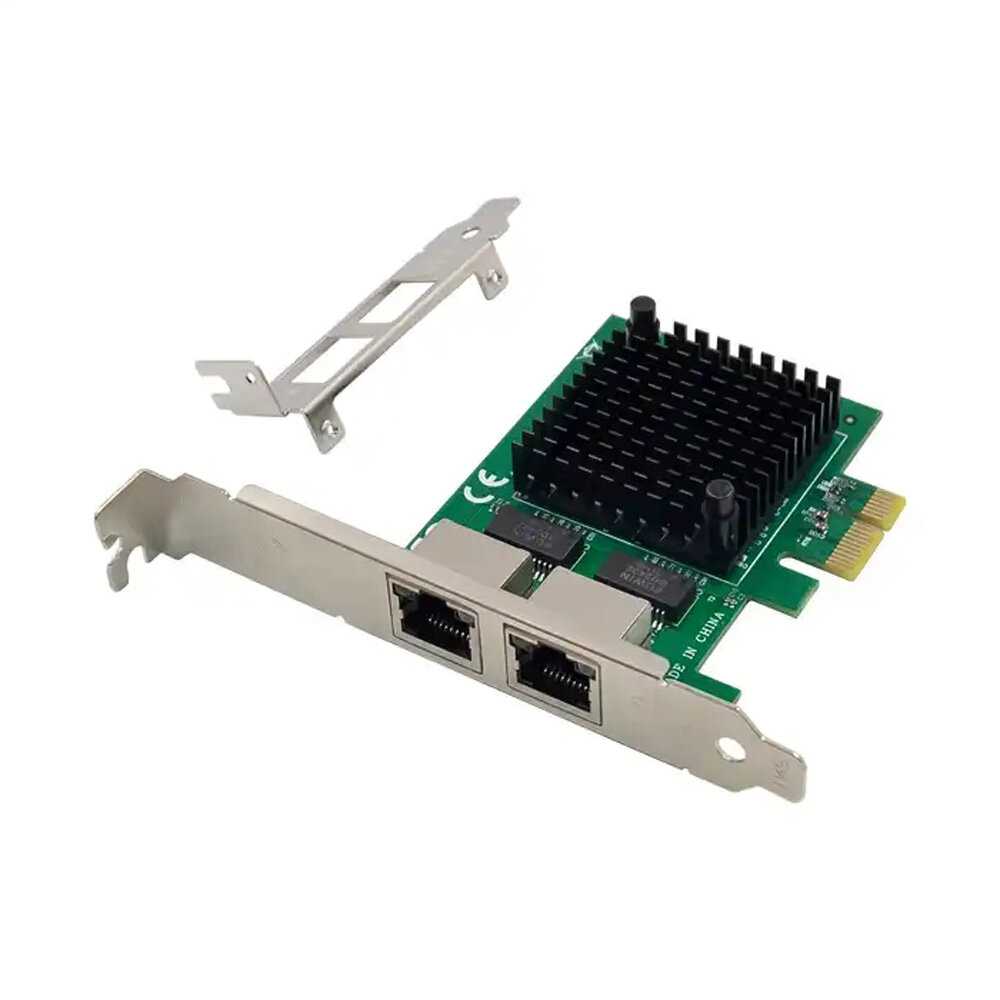
Silicom PE2G4i35L

0 отзывов

от 12615.00 руб.

VERTELL VT-AD3-M.2

1 отзывов

от 1914.00 руб.

LR-LINK LRES2006PT

0 отзывов

от 19044.00 руб.

Intel EX710DA2G1P5

0 отзывов

от 33600.00 руб.

HP NC110T

0 отзывов

от 2890.00 руб.

ASUS MCI-1G/350-2T

0 отзывов

от 13577.00 руб.