5-star product! Utter "Hell" (1-star, if none at all) for set-up!Folks, I hope you have better luck with your set-up - and I hope my experience was an anomaly!My Provider: Comcast (Harris County, TX) - very good service and signal strength for my area. Typical hang-ups during the weekday hours of 6Pm to 8PM. Over all, very pleased with Comcast.Modem: New high-speed Motorola 2010 model year, installed November 2010. This new modem is to compensate Comcast's broadband speed improvement/upgrade in early 2010. This modem was an improvement from the older modem, 2006 version. Noticeable Wi-Fi sped on my old Netgear G-router, about 2x.Replacing Old Router: Netgear RangeMax VPN v2, single band G. I had no problem with this router - my thought was - with a new upgraded/improved modem, I would benefit with a duel-band N-band.So here goes...530PM: I unplugged my old Netgear and replaced with the new E3000. I followed the USER FRIENDLY (my arse!) guide using my Mac as the installation platform. During the installation, the Mac indicated that it was NOT picking up the router signal. Of course, I tried again... and again... nothing. Confusion set it (we've all been there!) - the dreaded `personal doubt on one's ability to perform a USER FRIENDLY task' began to rear its' ugly head. I consulted the Linksys website - with (of course no answer) and no 1-800 technical support (keep reading)...600PM: I set the Mac aside - now using my Sony Vaio (the dreaded Windows product!) as the installation platform, no difference! Not pick up a router signal! My mental thought pattern was now looping the initials "WTF" again and again... and again! I performed this task repeatedly on the Sony several times causing elevated depression and anger (the proverbial first to steps of grief DABDA) - and I'm sure a spike in blood pressure.620PM: I have now given up! I disconnected the E3000 and reinstalled the old Netgear RangMax. A new problem! Now what? Both laptops were not picking up any signal from the Router. Again, looping initials "WTF", etc! I hard wired (Ethernet cable) from the Motorola Modem to the Sony. Yes! Internet still works - but no Wi-Fi.630PM: Thoughts of the moniker USER FRIENDLY, now a figment of someone's imagination. I contacted Comcast, and a very kind `American', English-speaking Houstonian (in fact) helped me out. "Kudos" to Comcast's training - because this young lady was very (1) patient with me and (2) technically proficient. Apparently the new Motorola Modem is finicky when unplugging the existing router and installing a router - in this case the E3000. She circumvented the issue by `pinging' my Modem using a re-set function (2-3 minutes). Now, my Netgear (old router) works again. Images of retuning the E3000 was now introduced to semi-logical sequence of thought. We then tried the new E3000 set-up. Verdict: Nothing! No signal from the new router. Now about this time, thoughts of (1) returning to the Amazon site, (2) printing out the return package UPS form and (3) driving past the UPS store to drop off the package - was about to be introduced to my `things to do list'. Just about the time I was going to hang up with the Comcast agent, I asked her for the Linksys 800, if indeed she had it. And she did! So (readers of this blog - get your paper and pencil ready) the technical support for Linksys is 800-326-7114. This is not available in the Linksys website. Again, Kudos to Comcast.720PM: I called Linksys (on hold for a mere 5-minutes). During this holding period, thoughts of a dreaded Bollywood sounding technical support person kept me on edge. The person who actually answered the call was a very good, English speaking Filipina. Again, luck was on my side today: She was patient and technically proficient. The culprit to this (going on 2-hour) fiasco was the IP address. Apparently, disconnecting the Old Router from the finicky Modem re-initialized the IP address. Why? Who knows? "Death to the firmware architect"! Using the Mac as the install platform, we hard-wired the Ethernet cable from Modem-to-Router and Router-to-Mac. Using the Safari web browser, I typed in the IP address (Mac: found in Settings, internet access). The address was a back-door to the E3000 firmware. This sounds complicated. And Yes... it is complicated! At this point I'm just following orders - similar to me commanding my dog to `sit'! NOTE: this was NOT in the USER FRIENDLY instructions.820PM: After running the gambit and going to the gyrations (I'm not going write the details on this one) my Mac finally picked up the router. She stayed on the line as I performed the set-up, etc. I also tried the signal on the Sony. Yippee! Wi-Fi once more! Overall speed (none to quantify) was noticeably much better going from G to N-band.LESSONS LEARNED: (1) Have the phone number of your internet provider and (2) Linksys on hand during set-up, just in case. You never know! Here's the Linksys number
Интеллектор-6FHVO
14.11.2010
10/10
Оценка пользователя
Великолепно
The ease of setup of the Cisco-Linksys E3000 router astonished me! I had a studio and household FILLED with multiple PC's and Macs, both desktop and notebook computers, and a PC server plus Mac G5 server for my AppleTV Library, iTunes Library, and this router self-configured itself with each and every computer/device/system that I own, some 12 machines in total, in less than 7 minutes for the full cycle of the auto-connect feature to take place.That FLOORED me totally, and I'm an advanced networking expert, who was prepared for a completely tough, manual install of this router but figured I'd give it a go with the Auto-Connect Feature of this router, by simply inserting the Cisco-Linksys CD ROM into my PC server's optical drive, and followed the prompts to the letter (to a point), let the router Auto-Configure each and every PC and Mac in my mixed-stable of computers here in my studio and throughout the house, 8 computers here in my studio near the router's plug-in to my Time-Warner RoadRunner HS Turbo Modem, and 4 other computers elsewhere in the house, and I'll be danged if the new E3000 didn't pull off the complete connection routing in less than 7 minutes actual time! CRAZY GOOD!I immediately fired up the router's web interface and went into the Advanced settings, and renamed the System from default to my regular/normal System's name, set up the web interface for my network Hard Drive and plugged in a 1TB USB external HD for network sharing and backup services, reconfigured the password to my rather complex 26-digit and symbol password for ultimate security purposes, set the "renew DHCP Lease" to my own specific schedule apart from default, adjusted Media and FTP Server setting to active, and a lot of other "host services" to manual settings vs the default settings, and in less than 30 minutes total time I disconnected my former "N-Spec" router, and turned the duties over to the new E3000.Suffice to say it's been literally plug and play since then, with only a minor glitch to report, and that was perhaps my own fault but it involved updating the firmware to the latest and greatest, and my update went awry somewhat...I ended up having to re-apply the new patch TWICE before it took and set up correctly, and BAM!! All was well again, settings were intact, and when I restarted the System it fired right up, everything popped up green, blue, and yellow LED's like it's supposed to do, and voila! Firmware update a success, all was well, and the system @ 100%.The Dual-Band aspect of this router gives it a special character, with the ability to transmit and receive signals and data simultaneously, at the same time literally, and maintain its incredible bandwidth in both the 2.4Ghz and 5.8Ghz channels without fault of any sort, and that's an amazing feature! My AppleTV system works significantly better than it did with the old MaxPower N-Spec Routerat full speed ahead, it being a single-band router and some 5 years old at the time I replaced it with the E3000.I find the web interface to be simple, and simplistic too, a nice interaction to work with when you want to customize any features, or change any settings manually vs the router's automatic setups. I have yet to have to restart or "recycle" this router after some 5 months of use thus far, which I consider to be very, very unusual given the nature of routers in general, but the Cisco-Linksys E3000 seems to be in a class by itself with respect to sustainability. It is also a router that you can place ANYWHERE with respect to its antennas being all internal (6 of them!), as I have placed it UNDER MY WORK STATION now, and there's no difference in the signal being all-pervasive and strong throughout my studio, and home to boot!I also use the router to handle the Administration of my twin RAID system's web interface, and that uses one of the Gigabit Ethernet Ports of the E3000 and plugs directly into the Areca 1680IX-8 Hardware RAID Controller, and that feature of the router has also worked without fail thus far, no issues at all! I have searched and tried to figure out S*O*M*E* weakness that this new E3000 router has, but alas there is nothing left to write or say with respect to things that are wrong with it, because the dang thing just works 100% for the good!Every day that I use my system here in the studio and throughout my home I marvel at its consistency, it steadfastness, and its power, just incredible in all those aspects of use with my heavy, heavy needs placed upon it, and it's just fantastic. It would be hard to say "it could be better", because I just don't know HOW or WHAT we could do so as to make it better than it is right now.I am transmitting millions and millions of bytes of critical information up to Standford University in the Folding@Home program, with 5 active computers in the program here in my home and studio, and it's IMPORTANT that each and every byte gets transmitted up there for the benefit of mankind, and the critical research that th
Альфа-Юнит-1KGOX
07.09.2010
2/10
Оценка пользователя
Ужасно
Well, all the reviews are correct. The 5* and the 1*. An absolute nightmare of a product, nightmare of setup, and nightmare of Cisco support. There was no instruction manual, on the CD. The Cisco Connect software was hit or miss, it always assumes that you are starting right out of the box, so in effect it only works (partially) the first install or after you have to reset the device (and trust me you will have to reset the device). After 6 hours over 2 successive days I have managed to get it going and after several runs at Tech Support. All features work but not all the time. And yes, I did install two firmware upgrades (you cannot do a thing with either of the older firmware nor the original level from the factory). My advice, avoid the product. I am considering after 48 hours going back to my old D-Link.In summary.....you can get it to work. It will reboot once and awhile. Signal for the high end A or N is poor if any more than a few feet, though the B or G signal may be better than other regular G. The claim to be HIGH PERFORMANCE is a joke unless you are running a wired setup or exclusively 2.4Ghz wireless and running everything on G. Signal range is very weak and worse than most older G, Extreme-G routers. Signal range for the N supprot on the router at 5.0 Ghz is VERY VERY VERY POOR....range of a few feet, certainly no more than 40 feet open space or 20 feet with walls and doors.The only way to make some progress is to do the following:1.) open box, run CD, install the device to your cable/DSL modem, power on unit and connect to your 'install' computer via CAT5 cable. You might get lucky and get wireless to work off the initial power on but good luck2.) immediately get to the router administration function via hard wire network connection via CAT5 and bring up router control panel in a browser via //192.168.1.1 and try use the USERID: admin and PASSWORD: admin to immediately upgrade firmware3.) once firmware upgrade complete (assuming you have it on your computer already or get lucky and the out-of-the-box config works), you can start to do the ADVANCED OPTIONS 'tuning' to get something going.4.) Using ADVANCED ADMINISTRATION (192.168.1.1 and ADMIN/ADMIN for userid and password) you can start to try some settings to get things to work5.) try click on Applications and Gaming Tab thenClick on the sub tab QoS thenDisable WMM support thenClick on save settings thenwait 4-5 minutes for browser to respond with SAVED setings and return to administrations screen(This course of action Disables the Windows Multimedia protocols but ou can still use the USB storage for music, etc.)6.) set up security as you like, recommend WPA2-PERSONAL for all systems7.) recommend setting up (2) different SSIDs for your 2.4Ghz signal and another for your 5.0Ghz signal so if you have extended issues you can figure out where things might have gone wrong. I will suggest most of the issues with the E3000 (other than the CISCO CONNECT software for adminstration) is the 5.0 and N support..........2.4Ghz and G support seems to work well enough8.) In the Advanced Administration, try to change the CHANNELS for each of your SSIDs to Channel 161 for N or A/N or mixed A/N and the same for B/G or mixed or G to Channel 9 om order to maximize signal range and strength....you might have to experiment with Channels for best results in your home/office.....you can wait the 4-5 minutes for saving of the settings each on e you want to try.9.) if you decide to use the USB storage, do not hook anthing up until you have gottent he router to function as best ou could, then install the USB into the back panel. Once you do that chances are that your router will stopp sending signals or reboot. You may have to rediscover the SSIDs on your computers and any other wireless devices (printer, iPod Touch, etc.) after you install the USB storage. the Router may even reboot.....I recommended that after a few minutes after the USB stoarge is attached and you restart the router and redicsover the network on each computer/device that you reboot the router again to ensure it picks up all setting changes and recognizes the USB storage.If you have only basic WINDOWS XP, Vista or Windows 7 skills, chances are you will be very frustrated with getting the router to get going and use of the functions....or pay Best Buy to get it going and make sure they config all the functions.If you do not need multi-channel, dual band or the SUB storage..........buy the CISCO 1000 for 60% less or get a D-LINK 655.in summary....N is poor, G is okay, USB storage is a challenge, you need to do some netork adminstration to get things working.........if none of this is okay, buy an older D-Link 655or a more basic CISCO E1000 or wait until a router manufacturer has all the bugs worked out for dual band and better signals for N(middle of 2011?). Remember this router has no external antennas and the range suffers for N beacuse there are no antennas.
Гелиос-6LJHO
06.12.2011
10/10
Оценка пользователя
Великолепно
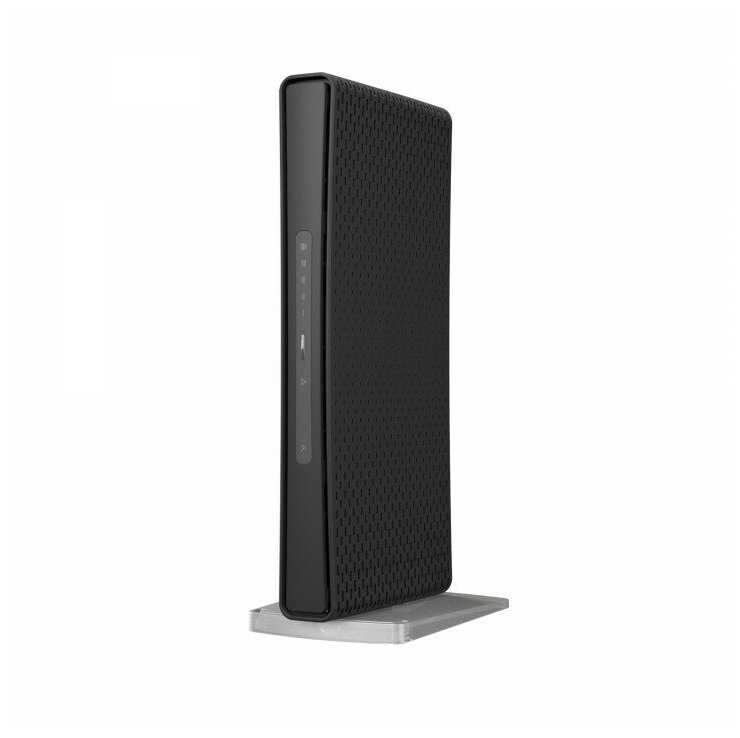
The reason I bought the router was mainly that I wanted to upgrade from my Netgear Wireless-G router because it just wasn't built for gaming. So I purchased this router and I must say that it is impressive, but the router isn't as small as I had hoped, but it doesn't look clunky or out of place either. This router can go anywhere in your home because it doesn't take up that much space at all. This is basically one of the best looking routers I have seen despite it being a tad bigger than my old router.The setup was simple, but not without any hiccups. Before I began to setup the router itself, I turned off my modem and my desktop. After I had everything plugged in I turned on my modem and let it establish its connection and then I fired up the router and also let it establish a connection with my modem. First, I tried running the setup disc that the router comes with from my MacBook Pro (running OS X Lion version 10.7.2). Unfortunately, I was receiving a message saying that I was not running the current Mac operating system even though I am running the latest one. I read the box and it seems that the setup disc is compatible with OS X Leopard, Tiger, Snow Leopard but OS X Lion wasn't listed. So I just ran the setup through my desktop running Windows XP and it worked without a problem. From the setup disc you can change the SSID as well as the password to your network. Also, you can change the parental controls, guest account settings, attach new devices, etc from this setup disc.The guest network feature is very useful since guests won't be able to fool around with your router settings via HTTP interface. Something to note, the only way to change the guest account password is to do it from the setup disc that the router comes with.After I had everything setup, I wanted to test the new router especially for gaming over Xbox Live. Unsurprisingly, my old router (Netgear WGR614 Wireless-G Router) wasn't able to handle a direct connection with my PC and Xbox 360 simultaneously and usually the PC would stop connecting to the internet. My download speed with my old router was about 15 mbps and after connecting the Cisco-Linksys E3000 my download speed went to 20-25 mbps over wifi and close to 40 mbps when connected directly to the router (ISP: Comcast). This router can handle a direct connection from both my PC and Xbox 360 simultaneously without a problem. Like I said, I have my Xbox 360 and PC connected directly to the router and my wireless devices include 3 laptops, 3 mobile devices, a Wii, and another Xbox 360 connecting wirelessly. I am glad that I did not have to go through customer service with Linksys or Comcast for my setup as I saw some other reviewers do, but I will see if any problems arise in the coming months. I have also heard of overheating problems that reviewers have commented on. I must admit that the router does get warm, but not it doesn't overheat where it causes a router shuts down or interferes with the wireless connection (Note: I have my router running 24 hours a day).Everything seems to be running smoothly so far, but this has only been the first few days of owning this router. Since this is the case, I will update this review in a few months to report any problems that arise if any. Hopefully this router still goes strong after several months and lasts me longer then my Netgear router.
Интеллектор-2XGWG
23.01.2011
4/10
Оценка пользователя
Ужасно
Before I start let me first explain that I am not computer illiterate. I have been involved with computers for 45 years, and an IT manager for 10 years. Built about 10 of my own computers and maintained several million's of dollars in computer software and hardwware for a Major fortune 100 company. I am an a Systems amdinistrator and programmer. So now that my bonnifides have been established, let me continue:I had the E3000 router for about 1 month before I even opened it due to being undecided about it - whether I wanted to use this router because of the reviews. I finally decided to give it a try and opend the package and took it out and set it up. 2 to 3 hours on the phone with customer service, finally got someone who was actually informed about what was going on rather than the Information Taker. Finally got the router up and running. First time the software told me that there was an update to my router (E3000) Downloaded it. Long story short it - fried the Firmware and I had to spend another 3 to 4 hours on the phone with "TECH SUPPORT" - right, Script Readers with no real experiance. Most of the time was spent on hold while the "Level 1 Tech" spoke with his/her supervisors'. When they finally decided to forward the call upline, and five more min on hold, I was informed the SUPERVISER was not taking any more calls. Go figure! Anyway they fuinally gave me an RMA nunber and sent me a new router (Which I had to pay for in Advance - or wait two weeks for sending it back thru the mail and waiting for a credit to be issued, before they would send out my replacement routwer.) Long time to be without a Router. NOTE: I Bought a NEW Router from amazon.com and was send a REFURBISHED Router from CISCO as a replacement router. WONDERFULL !!I finally got my replacement router yesterday and and more trouble right out of the box. Would not install corectly. Called CustomerService/Tech Support and was bounced around from piller to post and had to call back twice for more the same routine. Finally after 3 more long (and frustating hours) I was told my router was out of warantee, and that I would have to pay for any more help or service. Even though I just received yesterday. The problem was that they updated the new serial number - from the replacement router - without changing the purchase date to the date theuy sent me the new router. The particular folks I had been speaking with were from India and could not get it thru thir heads what the "snafu" was. While I was explaining everything for the 12th time I lost connection again. No satisfaction and much frustration. Now, enen more hours ahead, writing this evaluationn to you folks and again to the Cisco/Lynsksys Managment. And probably getting ingnored. With all of my disconnects, no one every called md back . I had To reinitate all the calls and start ffrom scratch and answer all the questions againand again. No one, it seems, had bothered to save the notes they were typing all the time i was talking to them before. VERY DISATISFIED.. I will never do business with these folks again. With a bad product, atrousious customer service, and non existant Tech Suppoort. And the gall of sending me a "Refurbished" replacement router (for a new one) is unconcionable. I will guote here a famous line "Buyer Beware"Finally they had the wrong phone munber for me and I have changed it to the correct one 6 Times in the last to weeks - to no avail. They still lhave the wrong number. It is evident that one hand is not letting the other hand let the other hand know anything. The varrious departments are not talking to each other - and neither are their computers. Their policies and proceedures need a serious revamping . Everthing appears to be written in stone with no room for contingencies or special circumstanses. No such thing as a supervisors override to policy . No one has any authority to make a decision, and those tha do are not there and will have to hake that decision later. Which they never seem to do. I was told I would be called back several times, and never was. So thats my story, and I am sticking to it. All in all a very unsatifsactory experience. Don't deal with this company until they change their current policies and proceedures !!!!!!!!!!
ТехноНаблюдатель-3WDGZ
16.02.2011
2/10
Оценка пользователя
Ужасно
Nothing positive to say about this router after using it for 10 months.Very hard to set up, it's CD is lousy and useless, and you WILL be calling Linksys India to get the help in setting this up, and it's not even easy for them. They come up with one or two things that you, the user, would never, ever have come up with to set this thing up.Once set up, it is slower--yes, slower--than my older Linksys wi-fi. I was gravely disappointed in this, noticing youtube videos, etc. would download slower than my past experience with wi-fi (and yes, I set it up right--remember, I spent 30 minutes on the phone with Linksys setting it up for me). The passcode and guest codes are complex and prone to failure, and are so much a boondoggle that many turn off the security altogether rather than struggle with it day in and day out.The final straw was about 9 months of ownership, the thing would need resetting frequently, and I spoke with Linksys (India) and they wouldn't even help me over the phone without a credit card and payment! I told them I was within the one year warranty and was having warranty related issues, and they said they could not even speak to me without tech support payment, which kicks in after 90 short days! You'd better get all your questions answered in three months, or the Cisco giant will turn your pockets inside out just to figure out their overly complex and poorly engineered device. If I agreed to pay them on a credit card, and if the problem was THEN determined to be hardware related, they'd reimburse me for the payment. If not, tech support would be billed to me.The problem IS hardware, as I limped along for another month with this piece of junk and it disconnected 2-3 times daily (even though direct line Ethernet working on my main PC throughout, so it's not my cable internet provider or the modem) and I can't even get them to think about honoring their warranty without paying on my credit card. I called Cisco back and told them to assume it's hardware, because I know it is, and I want a replacement under one year warranty. They said they'd approve a return with email validation and I would get an email in one day. I never, ever got any email from them.As other reviewers below, and especially those at the online Forums note, the Cisco series runs hot, and has known issues with "dropped signals"--it's bad engineering, backed by useless tech support.Just to prove the point, I bought a D-Link Xtreme 655 router, installed it two days ago, and it is an absolute breeze to install, and a complete pleasure, actually, and is much faster than the Linksys even when running 5-6 devices simultaneously. And I have not had any cut outs/lost signals and resets in the 48 hours I've been running the D-Link, which is seventy dollars on Amazon. Simple, effective, easy setup, long range, and a fantastic device that I wish I had known of earlier. See the D-link 655 on youtube, plenty of gamers love it's speed and versatility. So far, heavenly.Not only will I not buy another Cisco product, I have sold their stock from my portfolio--their stock, when the entire market and esp tech is running like angels, is down for the year. I know Cisco is cutting corners now, buyers know it, the stock price reflects it, and the once "horseman" of the tech industry has competition with servers from so many angles now, and makes inferior routers, the heyday for Cisco and CEO John Chambers is over. The sun has set on Cisco. Mark my words, CEO Chambers will get sacked by Cisco in 2011-2012. He has lead the Cisco airplane right into the ground.D-Link 655 is great (so far), and after a few months I'll jot a review on it. Hope this helps someone thinking about this device, and stay away from Cisco. Even when it was working, it was a bear to set up, and was slow as a school zone bus stop. Run away!Addendum: D-link still great after 5 weeks, and fast and glitch free. I do not work for D-link, never even heard of it before I did a net search, but rave reviews and youtube videos were correct: the D-link is better than the Cisco ever was, even when the Cisco worked. Thanks.
Кварковец-3BJEK
08.03.2013
2/10
Оценка пользователя
Ужасно
I wanted to use this as a range extender to a Smart TV for Netflix and Roku.I was able to set up easily enough, but could not get it to broadcast.After 1 12/ HOURS on a chat line with their technical support, they finally decided I was applying it correctly and needed a RE1000 by LinkSys.According to them, this product is only for games and streaming video. Not a Smart TV (which receives its signal by wifi).I read over 50 reviews on this site and their were a few who specifically claimed they used this as an extender.I will return this product, and purchase a Range extender from another company due to their tech support. It shouldn't take 45 minutes to discover that "I am eligible for 299 days of free chat line support". I have the chat windows emailed to me - actually pretty funny now that I look at it. They ask a question, I answer it. They ask another question, I answer it. Then they repeat the first question, I answer it, they claim I mixed up the IP addresses (I didn't it was only 5 lines above, you can check that). Then they want the whole set up described. Did that. Then they need the serial number. Gave them that. Then they want all my personal info - phone,address so on. Gave them that. Then they wanted the whole set up described again. (Again, it was about 25 lines above, but apparently that was too complicated for them to understand.)I have had more meaningful technical conversations with 3rd graders (and way less frustrating). Good job guys. Really.
МехаРейнджер-0CGBS
03.03.2013
8/10
Оценка пользователя
Хорошо
I'll start by saying this thing performs even better than I expected. The connection is phenomenal, and it truly seems like I am plugged into a LAN. It's advertised on the box for applications like a Hulu remote box of Play Station connection, but I use it to connect regular old desktop computer on the other side of my house from the wireless router. I had problems with a wireless PCI card I installed that only functioned half the time and had apparent driver conflict issues with the computer. Instead of opening the computer again to replace it, I just bought this adapter and plugged in the computer.The difficult part was the setup. The setup "wizard's" magic was not potent enough to conquer my Verizon Fios router automatically after I entered the network name and key. I am mid-range computer savvy and I searched through the instruction CD and used some Google-fu to piece together how to access the actual Cisco adapter IP address and configure it with my network name + key on the actual adapter control page in the web browser. I can picture many people (my parents especially) who would absolutely not be able to get this thing running given the obstacles I faced. I can picture the less savvy thinking it's just broken, or spending hours on some customer support line.Bottom line is that this adapter really rocks the performance and I am glad I got it. I'm also glad I was knowledgeable enough to continue with setup when the standard Wizard method kept failing.
Гиперион-1NUPB
14.01.2013
10/10
Оценка пользователя
Великолепно
I got tired of videos stuttering and in-game voice chat cutting out while my PS3 was connected to my network with the built-in wireless G adapter. After trying a few other products I eventually settled on the Cisco-Linksys WET610N. It was a breeze to set up using a Windows PC - just insert the included CD and it walks you step-by-step through the process of connecting the bridge to your network, then plugging it into the device you want to connect (in my case, the PS3). Now I get wireless N speeds, and the video stutter/voice chat issues I had with wireless G are all but gone.Once it's configured and connected to the PS3, you'll need to reconfigure your network settings on the PS3 - just use the "Easy" configuration and the PS3 will sort it out (at least it did for me). Configuring the adapter after the fact is simple as well, with a pretty straight-forward web interface. If you've used other Linksys networking products, things will look pretty familiar.Note: There's a "newer version" of this device with 4 ports, but since all I use this for is the PS3, the one port was fine for me. (I imagine if I ever needed to I could just connect a simple 4-port hub to the adapter for more access...but I don't plan on it.)UPDATE: I purchased two of these (one for upstairs, one for downstairs), and was surprised to find that while one included a very helpful setup wizard, the other included a CD with documentation only. Fortunately the setup wizard and a firmware update are both available for download on Cisco's website for the product (just google "WET610N support").
Гелиос-4MCEE
13.12.2010
2/10
Оценка пользователя
Ужасно
Apologies for the curt Pros (it's "pretty")/Cons (everything else), but after 5+ hours spread over 2 days, this product is only working on my wired desktop, I have no laptops (wireless) connected after all of this time.There is absolutely no documentation with this product. On the CD there is an FAQ file containing 6 pages of one-line Q & A's; there is supplemental.information.pdf which has 2 pages of Warranty Information, 3 pages of Regulatory Information, and 23 (!!) pages of the End User License only. There is also a link to a User Manual, but there is no User Manual at that url! E.g , while the lights/buttons are quite simple, there is no explanation anywhere describing what they are and what they do. An explanation of the only button on the front of the unit came from Tech Support, but, even though it was repeated a couple of times, the Mumbai English it was presented in, leaves me still wondering why it should be used only when a single computer is used. I know, this doesn't sound right to me either.This is a bit of redundant grousing though, as there should be no need for documentation if things go as easily as they claim they do with this product.This product is supposed to accommodate NAS via a hard drive connected to its USB port. Nowhere in the (lack of) documentation does it even mention this feature, let alone advice on doing it successfully.The review I read said it came with a dedicated USB thumb drive. So, I thought "cool", they were really focusing on simplicity here. When there wasn't one in the box, the FAQ list said that some were shipped with one, some were not. OK, I had an extra one I could use, but then the (4th) support person said it should be setup without one, using only the features from Windows' Control Panel. This was typical of poor documentation and contradictory info from one support rep to another, to what little print/online information I saw - right hands don't know what left hands are doing.I have a Computer Science B.A. Degree and have worked in IT for 20 years, having setup and administered a dozen networks. So, I thought with all of the ease of setup that were claimed in reviews on this product, I should be able to have it up and running in a jiffy and I have an edge on the "average" user. I feel stupid after 4 phone hours today with Cisco/Linksys.This is the 3rd Linksys router I have used at home. The difference? This is the first to carry both the Linksys and Cisco name on the same unit. The previous models' setup also involved chats with Support, but minimal time at that. After over 4 hours on the phone today, I'm returning this E3000 before I throw it against a wall with great gusto and fervor. I cannot help but think the advantages of dealing with a smaller, hungrier, more accommodating company like l'il ol'Linksys (alone) are gone.I would love to have a good reference for a good N router. I pay the highest attention to the User Opinions, paying lesser regard to the Editor's rating (as it seems to me to be a significant conflict of interest to accept advertising revenue and to review products from companies which are giving you advert $). Users are not swayed by financial factors, and they tend to be regular folks looking for easy, good solutions to practical applications. This is unlike editors, who test the product one time only, have a varying degree of skill in test subjects, and who are employed by the site/magazine.Alas, I can't get back my time on this though, which is greater than the amount I paid for the product. Besides my time, I don't understand how a company can sell a product that requires so much time to troubleshoot. The last (elevated) support person had to take control of my computer remotely to try and fix the issues. That was the first time I ever had been asked that by a vendor. Reluctantly, I allowed it. However, with no success from that, I will never allow that again.If someone can direct me on purchasing a quality router (N technology), that would be great. Otherwise, I'm sticking with my G technology for now. Excuse me while I run to Big Box Store and get my money back.Extremely disappointed, johnqzsmith from hotmail.
Фотон-4YNMZ
20.09.2012
4/10
Оценка пользователя
Ужасно
(The only reason I gave this item a '2' star is because it worked good while it worked). Cisco/linksys routers are the only routers Ive ever had and have always wanted their next new thing. But this item 'crapped' out on me within 6 months after purchasing (heats up to the point where you can not touch the unit and will start rebooting under any normal use). I called the company to claim it (1 year standard warranty). The first person told me that she was unable to assist me because they only offer 3 months of phone support (WTF really......). So after I helped her understand there was no way for me to handle this without talking to someone I got in touch with another one of their customer service representatives. She asked me to run some diagnostics from my computer which led her to figure out my router was "defective." (Here's the best part). They told me they would replace the item for free but I would have to pay for the shipping for the old item to their location as well as the shipping cost for the replacement to be shipped from their location to mine. WTF!!! Really!? So you tell me that your product is defective and I have to pay close to $40 to ship items both ways plus pay for insurance for the item. And while I wait for the item to be shipped there and back I have to be without wireless internet in my home (oh, they gave me the option to put a $200 refundable deposit so I can receive the new item first; instead of me sending the bad one out so I won't be without wireless internet. THANKS!). Cisco/Linksys has lost me as a customer for life. Most (if not all) other companies offer phone support for the life of the product and the 1 year warranty includes return shipping if deemed defective. Do your homework about the company before you purchase.[...]UPDATE: AS OF 10/07/12 THIS UNIT HAS '119' 1STAR REVIEWS OUT OF 596 REVIEWS. DO YOU SEE SOMETHING WRONG HERE CISCO??
Гиперион-5RQTE
24.10.2012
2/10
Оценка пользователя
Ужасно
I bought this router in early 2011 based on the reviews and excellent reputation of Linksys, and my previous 6 linksys products. After 1 year the product is still working flawlessly. Hovever in late 2011 a security flaw in this router came to light which effects this and other routers in the cisco/linksys line (copy and paste address to browser to see) [...]Since this serious flaw came to light I have been waiting for over a year for linksys to patch this flaw and close a potentially disasterous security flaw which can allow a hacker to take control of your entire network wirelessly. As of the date of this review the flaw has not been fixed or addressed by Linksys/Cisco. In a fit of frustration I chatted with a Cisco/Linksys customer service rep and inquired as to whether this flaw will be patched or not after over a year and a half. The customer service rep was only able to express his sorrow and empathize with me and as to a response or fix the only stated it was being worked on and the best fix is turn off the wireless on the router (and disable all wireless devices in my house). I ended the conversation in disgust! About 1 hour later the moderator of the forum on the linksys site informed me that this router is considered obsolete and a patch will not be written...i.e. best of luck. I will paste the appropriste links to Linksys in this review. My best advice is: DO NOT BUY THIS ROUTER...IT IS CONSIDERED BY LINKSYS AS OBSOLETE!!![...]
Сириус-4UHYG
26.09.2012
8/10
Оценка пользователя
Хорошо
So, I purchased this router a little over a week ago and hooking it up was a breeze. However, I went to speedtest.net and checked my download speed...and I was supposed to be getting up to 20mbps download speed...but I was only getting around .80 mbps. Not good. I hooked my computer up directly to the cable to test and make sure it wasn't my internet provider. I got around 24mbps. So, it was the router. After troubleshooting it for a while over the phone with my brother (who is very good with computers and this kind of stuff...I'm terrible) we were about to call it quits and accept that I received a faulty router. But, we tried one last thing and now I really like this router!If you are having a similar problem as I described above...try this.Open up the Cisco Connect program that came with the router. Click on Router Settings. Then, under Other Options click Advanced Settings. This will open a new page. On the menu bar at the top click on Applications and Gaming. Then, in that sub-menu click on the QoS link. The very first setting should be called WMM support. If this is enabled...disable it. Save your settings. And then go test your internet speed. Speedtest.net is a good site if you don't already know another one.I guess that the WMM setting is there to help enhance games/applications (?), but lots of people have problems with it interfering with the internet speed/causing problems. So, it totally fixed my problem...I hope that this feedback can fix others problems as well!
Странник-7FHFD
04.07.2010
4/10
Оценка пользователя
Ужасно
Purchased one of these, along with two e2000's. One of the e2000's crashed when loading the firmware. When this occurs with the e1000, e2000, or e300, the router cannot be reset and must be discarded (or returned). I called Cisco technical support and spoke with Kashinath (#46193). What a rude, unknowledgeable, tech. I hope the Cisco people read the dialog (printed at the bottom) to see how their customers are treated by their support people.So, here;s my fair-balance:PROs:Easy setup (when it works)Fast transfer speedsNice Guest Network feaureCON'sExpensiveDifficult to install complex networks (e.g. using two routers)Terrible technical supportTheir PC-based software must be in proximity to the wiresless device (e.g. if you connect using an RJ45 and the e3000 is out of wireless range, you must configure it "by hand"If you change some of the advanced settings, the PC-based software utility will not work and you can't easily access the guest network.Here is my dialog with technical support on the "e series" firmware issue I had:Kashinath (46193) has joined this session.Hello ! Welcome to Live Chat Cisco Support for Linksys Products. How may I help you?from me:I purchased an e2000 router. I downloaded the firmware update and the update generated an error message in the middle of the update. I cannot reset the router or access it.from Kashinath (46193) (privately):Are you trying to install the router or trying to upgrade the firmware?from me:Upgrade the firmware.from Kashinath (46193) (privately):What's the current firmware running on the router?from me:Whatever came with the unit. I think it was version 6. Since I cannot access the router anymore, I can't give you more information.from Kashinath (46193) (privately):I am afgraid there is no version 6from me:Whatever came with the router your company sold.from Kashinath (46193) (privately):Who is your ISP (Internet Service Provider)?from me:The ISP is irrelevant. I never got to the poin where I plugged it into the network.from Kashinath (46193) (privately):First we have to configure the router with yuor cable or DSL Modem according to the Internet Connection Type of the ISP.from me:You do not understand the problem. Can you please connect me with 2nd level support?from Kashinath (46193) (privately):No, not possibel because we do the firmware upgrade when there is any issue like wireless disconnection or frequent disconnection or any other performcanc based issue with the router, as you are conencted to some other network, you need to be on wired computer to the router in order to download and upgrade the firmware and you donlt know the current firmware on the router, then how would you assume that the router has old firmware?from me:i purchased three of these, all configured the same way. I take them out of the box, connect them to the PC and download the current firmware first. The firmware that comes with it is build 6 created in January of 2010. The current version is 1.01-Build 7, which is what I downloaded. It worked fine for the other two. This one crashed and is now inaccessible.from Kashinath (46193) (privately):All E2000 router come with the latest firmware.from me:No they dont. The e2000 had 1.0.01 BUILD 6. If you go to your website, and look for firmware updates, the current version 1.01 BUILD 7. This is what I downloaded.from Kashinath (46193) (privately):So , download the 1.01 build 7 . So go to our website connect the computer to the routyer using a cable and then access the router web set up page and upgrade the firmwarehere is the link:[...]from me:You still don't understand, I downloaded the file you mentioned, the file did NOT correctly load onto your router and the router crashed. IT IS NOT ACCESSIBLE .NO RESPONSE FOR SOME TIMEfrom me:THE ROUTER IS NOT ACCESSIBLE.from Kashinath (46193) (privately):if you have already download then connect that computer to the port # 1 on the router, then reset the router for 60 minutes using a paperclip. Thhen access the router set up page and upgrade the firmwarefrom me:OK, so you are saying that I push the reset button for SIXTY MINUTES (ONE HOUR)?That was the extent of the meaningful dialog with Cisco support! I returned the e2000 unit to Amazon but kept the e3000. I hope you have better luck!
ИнфраГость-6CDZK
25.04.2011
8/10
Оценка пользователя
Хорошо
This router serves my purposes quite well. I bought it so I could broadcast both N and G networks throughout my house as I still have a number of G-only devices (such as a network printer). Personally, I didn't care about guest accounts or the Cisco software as I didn't intend to use either. I'm used to setting up routers via web interface, so I'd just as soon not touch a software package. Also, I've never had anyone over on my network that I felt needed to be quarantined. I haven't bothered to mess with the NAS but from what I've read it's not great. Just like every other router out there.Set-up on this router was pretty easy and par for the course. Initially, I just plugged a laptop into the router and configured the wireless settings how I wanted them. Once that was done, I plugged the cable modem into the wrong port, wondered why my internet didn't work for five minutes, and then switched ports and restarted it. Voila. This router takes your usual settings like SSID, WPA2, and some more advanced settings such as beacon interval and RTS threshold. For the most part, there's no need to touch any of that. Of course, the easiest way to learn how to use your new router is to look through all the headings and click through the tabs. I did not bother looking at the manual or CD. One of the things I did like about this router was that you could make changes via the web interface and apply them without having to restart the router and sit around for a minute (wirelessly too!). The comparable N600 makes you do this every time you touch something. One downside, is that when making changes through the wireless, the web interface is a little slow. Particularly, when you try to refresh the DHCP table...Now, I want to talk about the bands. The 2.4 GHz has great range, penetration and speed. G or N it seems to work really well. Like the N600, I received a full signal pretty much everywhere in my house with the router centrally located. A note about N - make sure you force it to use a channel width of 40 or you won't be able to go faster than 150 Mbps. This threw me off a little bit. Even setting it to auto, it seemed to me like it would use 20.Now, the 5 GHz band. I was pretty excited to be able to use this since it's been deemed superior to the 2.4 GHz band. The reason being that most other devices are on the 2.4 GHz band and can cause interference with each other and your router. On 5 GHz, you won't have to worry about it. As an added bonus, most people are still using 2.4 GHz, so you're pretty likely to be the only person around on 5 GHz. In practice, I found the 5 GHz band pretty underwhelming. For whatever negatives interference has on the 2.4 GHz band, they are far outweighed by the simple fact that I couldn't get a 5 GHz signal from downstairs into my office no more than 30 feet away with anything better than 3 bars (fair, 162 Mbps) of signal. That's with the N600 and the E3000 and trying two different adapters (AE1000 and WNDA 3100). I can't believe it's the hardware in this case and it has to be because of the engineering/scientific facts of using the 5 GHz spectrum. I would much rather use 2.4 GHz and get a full 300 Mbps signal than use 5 GHz and get half that.
Пульсар-0OTRJ
04.01.2013
10/10
Оценка пользователя
Великолепно
I purchased three of these Cisco devices on woot in Dec 2012 to use with my Netgear WNDR4500 dual band N router. My router is downstairs on the same floor as my xBox and main TV. My home office is upstairs.When I set one of the WET610Ns up, I connected it to my xBox and connected on the 5 GHz channel on my Netgear router.The second one I setup upstairs connected to a gigabit switch connected to the PCs in my home office and connected to the router on the 2.4 GHz channel.So far I can say there is a noticeable improvement in network performance, especially when there is concurrent use in the house. My kids can be upstairs streaming Netflix and I can be downstairs on the xBox streaming WMV files from the upstairs PC to the xBox..Before the Cisco device, I would have frequent pauses in this type of scenario..Just recently, I did about 3 hours of video streaming from my office PC to the xBox and my wife was streaming HD quality Netflix video upstairs. I did not experience a single pause or hiccup. I now feel that I am truly getting the value out of having the dual band N router.
Капеллан-9LKAS
23.08.2012
10/10
Оценка пользователя
Великолепно
I was a bit concerned with some of the bad reviews that this product has but I decided to take a chance and go with the reviewers who said that it is a decent device if it is set up manually. After setting up the WET610N I have to agree completely. Setup was fairly quick and painless and all the settings in the web interface were easy to find and set up. I paired it a 8-port miniswitch so that multiple devices could use it to connect to my network.For reference here is the process I used to get it set up:1. Connected the WET610N to a port on my router (Linksys E1200)2. Looked in my router settings for the IP address that the adapter was assigned.3. Entered the IP address in the web browser on my desktop.4. Updated the firmware on the WET610N.5. Changed the ip address from DHCP to static and entered the web interface from the new ip address6. Changed the admin password.7. Changed wireless setting from WPS to manual and entered the SSID, encryption type, and password for my wireless connection.8. Plugged the adapter into the miniswitch in my entertainment center.At this point the adapter immediately started working and the 5 devices connected to the switch were able to access my network.Pros:+ Straightforward setup+ Defaults to DHCP instead of making me change my ip address to be able to set it up.+ Does what it claims to do+ Somewhat attractive design+ Includes network cableCons:- Slow web interface. Changes take longer than they should to apply.- No alternate instructions for setting up using web interface
Фотон-7BLIS
04.01.2011
8/10
Оценка пользователя
Хорошо
it's now been several months since my earlier report, and now i'm updating a last time.i finally decided just to give up netflix streaming, and for a while the router would work well enough, more or less. but then about a month or so ago it began to drop out every day again. i got a time-warner cable tech to my house because i just couldn't see how all those routers could be bad (read below). as far as i can tell, it turns out that it wasn't the router. somehow, the power cord for the router had gotten switched from what it should be, i assume by me. it needed to be a 12 v plug, but it was only a 10 volt plug. you can find the plug voltage on the tiny description-label where at the plug end of the cord. this means that the plug i was mistakenly using would still fit into the router's power input slot, and would power the router. but because the cord was the wrong (lower) voltage, it would overheat and shut down BECAUSE OF THE WRONG POWER CORD. i have to assume that ALL MY PROBLEMS WERE BECAUSE OF THE WRONG POWER CORD. i put this in all caps because i know there are so many other pissed off people, and i'm hoping maybe this can help at least some of you (though keep in mind i'm no electrician). fact is, the router works fine, streams hd films, never shuts down, no problems.Cisco turns out to have been a good guy after all. they did their best. so to be fair i've upped my rating to 4 stars.______________________________________________________Below is my previous review. to follow up, i went to cisco support, where i had uneven help. one person hung up on me, when i politely asked some pointed questions, but the rest were ok. even got to a for real tech guy, who called me back. anyway, the problem of the e3000 just shutting down is evidently so common that the first support person suggested an RMA in about 5 minutes. they sent a refurbished one. i have no problem with that in general, but it had exactly the same problem as the first router. i got back to support, and they then sent me a brand new e3000, but it's still the same problem. i've tested the various possibilities on my copmputer set up, and the problem cannot be anything but the router. The problem is most pronounced when i try to stream from netflix, hd or not. when i try to load the film, the machine goes black for 5 minutes or so, then reboots. the second try to load works, but then it'll shut down 2-5 times at random during a given film, usually during the first hour or so. the thing is, i bought this machine specifically for hd streaming from netflix.i don't know what to make of this, but given the percentage of negative comments and my own experience, this product shouldn't be on the market.My original review:look hard at the stats before you buy. think about the percentage at 3 or lower. i've had mine maybe two months. when this thing works, it's fine, serving my one remote computer and streaming netflix of pandora to my samsung big screen. but you just can't depend on it to run consistently. as so many others have mentioned, it just cuts out, regularly, several times a day. it always comes back, but so what? it's not supposed to cut out to begin with. streaming netflix is really really frustrating, especially if you're streaming hd. the router will literally power itself down, go dark, not from overheating. i have no idea why, but then i shouldn't have to be wondering about this. no way would i recommend this or buy it again myself.
НаноПилигрим-8ULTP
20.01.2011
4/10
Оценка пользователя
Ужасно
Bought it for the USB disk interface, dual simultaneous radio, Quality of Service prioritization.Pro: The Single 2.4Ghz wireless radio is very solid.Cons:Dual Radios: read the print - one radio is 2.4Ghz and the other 5Ghz: Most devices don't have a 5Ghz wireless card in them. So, essentially, I still have only one useful radio...except for my Ipad! It'll do 5Ghz.My fault, assumed I'd get two equivalent and useful "N" radios transmitting on different channels - why would I assume otherwise? I've since compiled a list of devices that don't do 5Ghz: Iphone 4 and lower, Xbox 360, PS3's, WII's, HP DV6, Sony VGN-SZ 780, Samsung Laptops...etc..etc. If you want a 5GHZ or dual capability in your device...make sure you shop for it specifically...and good luck with that.USB Disk interface: Modest to poor. Copying large groups of files to the connected drive is maddening; 15ea 1GB files have copied TWICE to the drive with 0GB sizes...didn't work. Once the files are there...any disk management (movement of files on the disk, and attribute changing) is...hit and miss....mostly miss at this point...and takes days to MOVE 1GB files from one directory to another on the attached disk. I'm going to have to delete, and recopy the files to their new location...MAYBE...this will work.Interface with Media stations is Veeerrrry slow, especially if you have a large media library. I Can't blame this all on the E3000 though, I think allot has to do with Media Player Sofware on the laptop as well; I think they "cache" the information from the wireless, lose it and updateing again from the wireless...slow. The Media Server the E3000 sets up is hit or miss on appearing on the Media player, I'm sure settings have something to do with it...mostly miss. But even stations I can pick up the server on...it sometimes...disappears...freezes...lags...etc.Best results for media "streaming" are creating and mapping to a "shared drive" type deal then you get the results I mention in the previous paragraph. Firewalls may have something to do with some of my laptops not getting it(the media server), but not sure why the ones that do see the server...lose it from time to time...or should I say, can actually find it all from time to time.Quality of Service Prioritization: Get out your text books folks. NOT easy user set up...manual setup even. You have to know the details if the IP protocol ports for the devices and programs you are using to set this up. Maybe this had some type of automated set-up on the set-up disk that didn't work?Automated set-up was worthless to me. I didn't spend but a few seconds on that to get the the point of obvious failure...pitched the disk in the trash.Always wondered why Linksys has chosen to stay with this case; it gets HOT, can't stack it with anything else. I really miss the old school, stack-able Linksys model cases. This comment is a bonus "WTF" from when they switched years ago...finally venting my opinion.I initially planned on giving this one three stars...but after writing this...2. I paid way to much for this, bought when the price was $170 or so. Unless you are very familiar with the capabilities, and find something you REALLY need this router for...you'll be much happier spending less ($50-70) on a single radio N router with a USB Port.
НаноРейдер-9RTJD
17.02.2013
10/10
Оценка пользователя
Великолепно
This unit was the same as recommended in the Sony Bravia instructions. Definitely was not plug and play though. Eventually required a manual setup in order to be WPA-2 (security) useable with an Actiontec 500 modem/router from Century Link. If you are not comfortable with MAC addresses, proxy servers, etc. you may want to get assistance from a tech savvy friend.Performance is good though considering our rather slow DSL connection. Movies stream without pixelation or freezing, music (Pandora) plays easily, and our System 7 computers now appear on the cross bar menu of the TV so that we can play slide shows of our digital photos, etc.
ХроноГость-7QOOU
24.01.2012
4/10
Оценка пользователя
Ужасно
I had just purchased a D Link 655 (?) and realized it wasnt dual band. I decided to get this and return the d link because it had dual band..What a mistake.I am very computer savvy and was a little confused by the software the cisco came with.. the dlink software was much more user friendly, easier to use, and "did it all for me".I got it all hooked up, went in to the 198.168.1.1 and started tweaking the user settings to customize password, set up everything and maximize the router settings. I noticed the unit got HOT.. im talking REALLY hot. I moved it away from the DVR it was next to and sat it alone. It still was getting super hot with only ONE machine using the internet.. (i also tried wireless vs wired for streaming internet or even webpages and same thing)..Intermittently i found over 5 days 1 of my two laptops (work and home) would be dropped from the network and not allowed back in until i rebooted the laptop and the modem AND the router! it didnt matter if it was wired or wifi.. same thing! 5 days of my wife and i wondering if it was the modem going.I rehooked up the d link, got it working and have been FINE for 2 days now. So the search began.. i went online and looked up this unit - if you do enough looking you will see countless reviews about this product and items being dropped for no reason! Try working at home and having your laptop get dropped every 20-40 minutes whil writing important emails or reaching the vpn at work - to work on a document stored on the network..So after finding all the same complaints i called and said this POS needs to be returned and i wanted a refund.The d link is zippier, and much much cooler and more dependable.I think i got a bad unit?? And maybe dropping computers from the signal was a way to help cool it self down.. i dunno.Buyer beware - you may get a good unit or you may not.. Im not wasting my time again with this.Im gonna look for a d link dual band.
ТехноНаблюдатель-9OUHR
31.10.2012
10/10
Оценка пользователя
Великолепно
I bought this wired-to-wireless bridge because I moved my ethernet printer away from the router and didn't want to run a long cable, drill holes and deal with the mess.The installation CD probably works best if your router is also a Linksys. It didn't work with my D-Link. I ended up doing a manual install. Very easy to do. Physically connected the bridge to the router, found its IP address, accessed it and did the manual configuration. Along with updating the firmware, the installation took less than ten minutes.My all-in-one printer is now fifty feet away from the router and I am using it like normal. The signal strength is about 33%, but that is enough to print and scan. This bridge delivers what it is supposed to do and I am a happy user.Some reviews stated that the bridge gets hot with use and I can confirm that it does get warm with my limited use. I would imagine that it could get very hot if you're using it to stream video.
Пандорец-7UJNR
06.03.2013
4/10
Оценка пользователя
Ужасно
This adapter gets ok speeds and seems to access the network well, but it's not very stable during intensive usage. Mine crashes maybe once or twice a day, at which point I have to do anything from unplugging and replugging it, to restarting the computer to convince it to work again.It's cheap, but the connection is unstable, so if you are looking for a permanent solution it's ok for intermittent usage, but if you need the internet to be very stable, spend a bit more money.
Аргонавт-4FLXN
04.01.2013
6/10
Оценка пользователя
Плохо
First of all I switched from a Netgear wifi to the Linksys because I have a Linksys router and it makes the compatibility issue none existent (I had a problem with the Netgear stop functioning). Well the Linksys is now doing the same thing, it will work for about 5 to 10 days and then I have to reset and reinstall to get it to recognize the system all over again. I bought these two devices based on the input from the manufacture of the device I am using (Enphase envoy for tracking my solar panels on line). Not sure what my next alternative is going to be so maybe I will try running a cable direct to the envoy. I get the since I am throwing good money after bad results.
Спасибо за регистрацию на портале Wizemart, вам на почту пришло письмо с подтверждением регистрации, пожалуйста перейдите по ссылке внутри него для подтверждения вашего e-mail