So far it's performed perfectly. I have an Apple computer and I use this drive with Time Machine. When I bought it, it was definitely more expensive than other 1TB drives, but I wanted to spend the extra 30 bucks or so for 3 reasons:(1) It has all the different connection options (USB2, Firewire 400 & 800, eSATA).(2) I'm a sucker for the metal casing, which I find much more attractive than pretty much all the other options out there. Also worth noting is that the drive's feel matches its look -- it is heavy and very solid.(3) This hard drive's very similar predecessor, the LaCie 301827U d2 Quadra 1 TB eSATA/FireWire800/FireWire400/USB 2.0 External Hard Disk, had one of the best average star ratings of any hard drive (please note that when I bought this particular drive, there were only a few reviews up on this product page, so I trusted the 100+ positive reviews of the previous model).Since my purchase it looks like some 1-star reviews have been written about this drive (at the time f this writing, there are 4, 3 of which state that their drive has failed). The one-star reviews of this product make me nervous that my drive will crap out after a year -- but honestly, look at the reviews for ANY hard drive on the market, and you'll find those same 1-star reviews. I'll update this review if I do experience any problems in the future. For now, I couldn't be happier!
Спектроник-7YDTD
31.07.2010
8/10
Оценка пользователя
Хорошо
I installed this drive via eSATA cable to a new Dell Optiplex 980 running Windows 7 Enterprise. When I run a file backup (using Second Copy) from the C:\ root drive to the Lacie, the eSATA connection always gets dropped after a few minutes of backing up, and the computer no longer "sees" the LaCie. The Lacie has to be powered off and the eSATA plug detached and reconnected before it can be recognised again. The solution was to disable write caching on the disk, but you can leave Windows caching on. Might slow down backups a bit.FWIW: sometimes the cheap cables supplied by manufacturer are poor quality. Trying a better Tripp cable may help too. Also, connecting the SATA cable directly to the MB, rather than via an external eSATA, could also help.Follow up: After some weeks of ownership I have to conclude that this drive does not work well with Windows 7 (64 bit). The connection (eSATA on the drive to SATA port on the motherboard) keeps getting dropped unless all caching is turned off, including Windows caching. The Microsoft web site lists this LaCie drive as fully compatible with Win7 64 bit, but that is not correct for a SATA connection.Update, November 2011:After constant problems for a few months (drive not being recognised by Windows), it finally failed completely. I bought another power supply, but that was not the problem. I have bought Iomega drives for years, and decided to try LaCie because it was cheaper. Big mistake. Even when the drive was working properly it would regularly drop the SATA connection or have to be reformatted to be recognised by the system.
Спектр-9KDWE
17.07.2011
10/10
Оценка пользователя
Великолепно
I was running out of room on my original La Cie d2 Quadra 500GB drive and bought this 1 TB La Cie drive. I'm connected to my iMac with a firewire 800 cable.It works great with Apple's Time Machine. I now have 2 blinking blue eyes looking at me when the drives are working. Looks great.I'm very happy with the quality of these La Cie d2 Quadra drives The price was great also.Art
Пандорец-9NPRI
17.07.2011
10/10
Оценка пользователя
Великолепно
I was running out of room on my original La Cie d2 Quadra 500GB drive and bought this 1 TB La Cie drive. I'm connected to my iMac with a firewire 800 cable.It works great with Apple's Time Machine. I now have 2 blinking blue eyes looking at me when the drives are working. Looks great.I'm very happy with the quality of these La Cie d2 Quadra drives The price was great also.Art
ОмниКод-6DXOA
01.11.2010
10/10
Оценка пользователя
Великолепно
I'm not a tech geek or a gear head - I'm just a music lover who has a ton of songs to store and access. My last two external hard drives betrayed me - first: the Western Digital 250 GB started clacking hard 2 years in, so I replaced it with a G Technology Q Drive (500 GB) that, kid you not, died a week into use. I went to their customer support forums only to find most of their users were having the same problems - no matter what port you use - it just disconnects and drifts off at random like a toddler with ADD. I tried swapping all of the cables - but the problem was clearly in it's cro-mag port board.Salvation came in the form of LaCie's 1TB hard drive - recommended to me by a guy who is the personal computer concierge to Hollywood's A-list. The suggestion was spot on. A year in, it has been an all-star player for data storage and music. I house all of my iTunes files there and it plays and syncs like a charm. My Mac is old, 10.4 OS, so I am appreciative of the way this LaCie helps me keep it going strong.Plug and play set-up, durable and stylish. Super quiet and never over-heats. I love the comforting blue orb light that tells me it's doing fine. Unlike my previous two drives - it never disconnects when my lazy Mac falls asleep. Bliss.
Вояджер-3OXSD
01.11.2010
10/10
Оценка пользователя
Великолепно
I'm not a tech geek or a gear head - I'm just a music lover who has a ton of songs to store and access. My last two external hard drives betrayed me - first: the Western Digital 250 GB started clacking hard 2 years in, so I replaced it with a G Technology Q Drive (500 GB) that, kid you not, died a week into use. I went to their customer support forums only to find most of their users were having the same problems - no matter what port you use - it just disconnects and drifts off at random like a toddler with ADD. I tried swapping all of the cables - but the problem was clearly in it's cro-mag port board.Salvation came in the form of LaCie's 1TB hard drive - recommended to me by a guy who is the personal computer concierge to Hollywood's A-list. The suggestion was spot on. A year in, it has been an all-star player for data storage and music. I house all of my iTunes files there and it plays and syncs like a charm. My Mac is old, 10.4 OS, so I am appreciative of the way this LaCie helps me keep it going strong.Plug and play set-up, durable and stylish. Super quiet and never over-heats. I love the comforting blue orb light that tells me it's doing fine. Unlike my previous two drives - it never disconnects when my lazy Mac falls asleep. Bliss.
Пульсар-0OPLK
29.08.2011
8/10
Оценка пользователя
Хорошо
simple and easy to use, transfer speed is good. Only issue i had was it was not compatible with my wireless router so can only connect through PC/laptop instead of having it as a network back-up for my home network.
Эксопилот-0VVDQ
29.08.2011
8/10
Оценка пользователя
Хорошо
simple and easy to use, transfer speed is good. Only issue i had was it was not compatible with my wireless router so can only connect through PC/laptop instead of having it as a network back-up for my home network.
МехаРейнджер-3PNZP
24.01.2010
8/10
Оценка пользователя
Хорошо
I've had my LaCie 1 TB Big Disk Extreme hooked up to my iMac for a little over a year and I've had no problems with it other than vibrational noises. Having had external hard drives fail on me in the past makes me constantly nervous, waiting for the other shoe to drop. Since I'd had two other external hard drives fail on me, both much smaller capacity, cheaper and USB rather than Firewire, I decided to buy a more expensive, larger, Firewire device & settled on this one after doing extensive research.I've been pleasantly surprised by:The easy set up, it truly is plug and play.The lightening speed transfer rates, it's VERY, VERY quick, just drag and drop even very large files and it copies them in no time. I copied all of the files from another computer and it took less than an hour for years of work, tons of files, photo's, artwork, applications, etc. to be copied onto the external hard drive.It stays nice and cool at all times & I leave it on all the time.My favorite feature is the huge 1TB capacity. I have broken it down into 4 partitions so that it holds all the files from an older computer, all of my art, scans & photos, a clone of my hard drive prior to upgrading my OS to the new Snow Leopard after hearing that many older applications wouldn't work with Snow Leopard (I've found this to be completely false) and I use a fourth partition for my Time Machine back ups & I still have a lot of space left on the drive.My only complaint is that it makes a lot of vibration noises, it does this not only when I am booting from it, copying to it or otherwise "using" it, but also when I am downloading stuff to my computer, opening applications on my computer and performing other functions on my computer. It makes me very nervous, but from what I've read this is pretty much standard with this and other drives. I think what I'll probably do, just to ease my own mind, is buy another one of these hard drives to back up this one, that way, if one fails I won't lose any of my files. Having lost years of irreplaceable work on previous hard drives has made me super cautious with my back up devices. Overall, this hard drive is awesome, if it wasn't for the noises I would have given it a five star rating.
ТерраБот-4HUDP
20.09.2010
2/10
Оценка пользователя
Ужасно
I can only echo what many others have already posted here and in other forums. The LaCie brand and company isn't one you should trust your most valuable data to.I bought this drive at the time thinking it would be helpful to have multiple interfaces. In fact it was very helpful to have the multiple interfaces. And in case you have a computer that has a FireWire interface but not yet an eSATA port then making sure the external hard drive does come with a FireWire port should always be highest priority.Unfortunately the drive I received was very noisy and I only learned later that this was an entire batch apparently and a known issue. To make matters worse, shortly after the warranty expired the electronics, meaning the interface of the LaCie drive itself failed. The HD was no longer recognized by a Mac or a Windows computer. So I contacted support and this ultimately reassured me that LaCie is not a product one wants to own. The support operates via a website and they kept coming back with yet another question that I had to respond to and then it always took 24 hours or more for yet another support person to look at the case. So it took almost a week to only cover the basics in the support case. Needless to say in the end this support case was going nowhere, no repair, nothing.My time and my data is much to valuable to ever trust it to the LaCie brand EVER EVER again.
Эксопилот-4SEBC
27.04.2011
10/10
Оценка пользователя
Великолепно
Have been using the LaCie d2 Quadra, 500 GB, for about a month now, and I am very satisfied. It is extremely quiet--if it were not for the indicator light, one would not be aware that the drive is running. I also have an older d2, and the two drives work well together and are daisy chained with FireWire. Both drives are used for external back-up. Only one caution with the d2 Quadra: it has a 3-way switch, on, off, and auto (which will turn the drive on and off as the computer is on and off). The auto position in in the middle and difficult to detect, but it is not a problem once one has become familiar with it.
Астрономад-9ZKVA
27.04.2011
10/10
Оценка пользователя
Великолепно
Have been using the LaCie d2 Quadra, 500 GB, for about a month now, and I am very satisfied. It is extremely quiet--if it were not for the indicator light, one would not be aware that the drive is running. I also have an older d2, and the two drives work well together and are daisy chained with FireWire. Both drives are used for external back-up. Only one caution with the d2 Quadra: it has a 3-way switch, on, off, and auto (which will turn the drive on and off as the computer is on and off). The auto position in in the middle and difficult to detect, but it is not a problem once one has become familiar with it.
НаноРейдер-2FHCO
23.12.2009
10/10
Оценка пользователя
Великолепно
Pro's:* Easy to switch between RAID modes.* Presence of special "mixed" mode with combination of RAID1 and RAID0 partitions for people who need just small protected space and a lot of general unprotected storage.* Aluminum heatsink body design + fan seem to help to keep the device cooled. The body doesn't feel warm, and the stream of air from the fan doesn't either, although I operate it in quite warm conditions.* Bundled with pro versions of backup software for MacOS (Intego) and Windows (Genie). Haven't tried the Intego, but Genie is good.* Comes with data transfer cables for all the available types of ports.* Presence of power saving mode of operation.* Just looks great and sturdy.* I like the 3-year default warranty, because my previous external HDD (from WD) broke down just after the 1-year warranty expired. I hope the 3-year one means it was built to live at least about that time.Con's:* The weblinks that are embedded in the backup software for Windows don't work, so you'll have to search them online yourself. (the website is [...])* eSATA cable that comes with the drive is rather short (about 1m).* Printed manual is very short and covers only the two basic operations - installation and changing of the RAID mode. It wasn't a problem for me, but for other people it might be confusing if they get the package, open it, change the RAID mode to "safe" (RAID1), connect to the computer - and the drive won't show up, because you need to initialize it and format. If you encounter this situation - online or CD manual covers the steps you need to take.Other thoughts:* Fan is not completely silent, although I wouldn't call it loud at all.* The tradeoff for having aluminum sturdy+heatsinking design is the weight of the device. Two hard drives also add to it, making it quite significant. But it is to be expected.* The manufacturer's cardboard box was slightly damaged (a crack hole in the surface), although the shipping cardboard box wasn't at all. I haven't noticed any damage on the device, but it is just something to leave a note about.Resume: I did quite a bit of research of similar devices available for purchase, and I think this one is the best option - warranty, interfaces, convenience, design, etc. Although it costs slightly more than some others, but it appears to be worth it.
Аэронавт-8CAGH
23.12.2009
10/10
Оценка пользователя
Великолепно
Pro's:* Easy to switch between RAID modes.* Presence of special "mixed" mode with combination of RAID1 and RAID0 partitions for people who need just small protected space and a lot of general unprotected storage.* Aluminum heatsink body design + fan seem to help to keep the device cooled. The body doesn't feel warm, and the stream of air from the fan doesn't either, although I operate it in quite warm conditions.* Bundled with pro versions of backup software for MacOS (Intego) and Windows (Genie). Haven't tried the Intego, but Genie is good.* Comes with data transfer cables for all the available types of ports.* Presence of power saving mode of operation.* Just looks great and sturdy.* I like the 3-year default warranty, because my previous external HDD (from WD) broke down just after the 1-year warranty expired. I hope the 3-year one means it was built to live at least about that time.Con's:* The weblinks that are embedded in the backup software for Windows don't work, so you'll have to search them online yourself. (the website is [...])* eSATA cable that comes with the drive is rather short (about 1m).* Printed manual is very short and covers only the two basic operations - installation and changing of the RAID mode. It wasn't a problem for me, but for other people it might be confusing if they get the package, open it, change the RAID mode to "safe" (RAID1), connect to the computer - and the drive won't show up, because you need to initialize it and format. If you encounter this situation - online or CD manual covers the steps you need to take.Other thoughts:* Fan is not completely silent, although I wouldn't call it loud at all.* The tradeoff for having aluminum sturdy+heatsinking design is the weight of the device. Two hard drives also add to it, making it quite significant. But it is to be expected.* The manufacturer's cardboard box was slightly damaged (a crack hole in the surface), although the shipping cardboard box wasn't at all. I haven't noticed any damage on the device, but it is just something to leave a note about.Resume: I did quite a bit of research of similar devices available for purchase, and I think this one is the best option - warranty, interfaces, convenience, design, etc. Although it costs slightly more than some others, but it appears to be worth it.
Гравитон-9PEBY
09.11.2010
10/10
Оценка пользователя
Великолепно
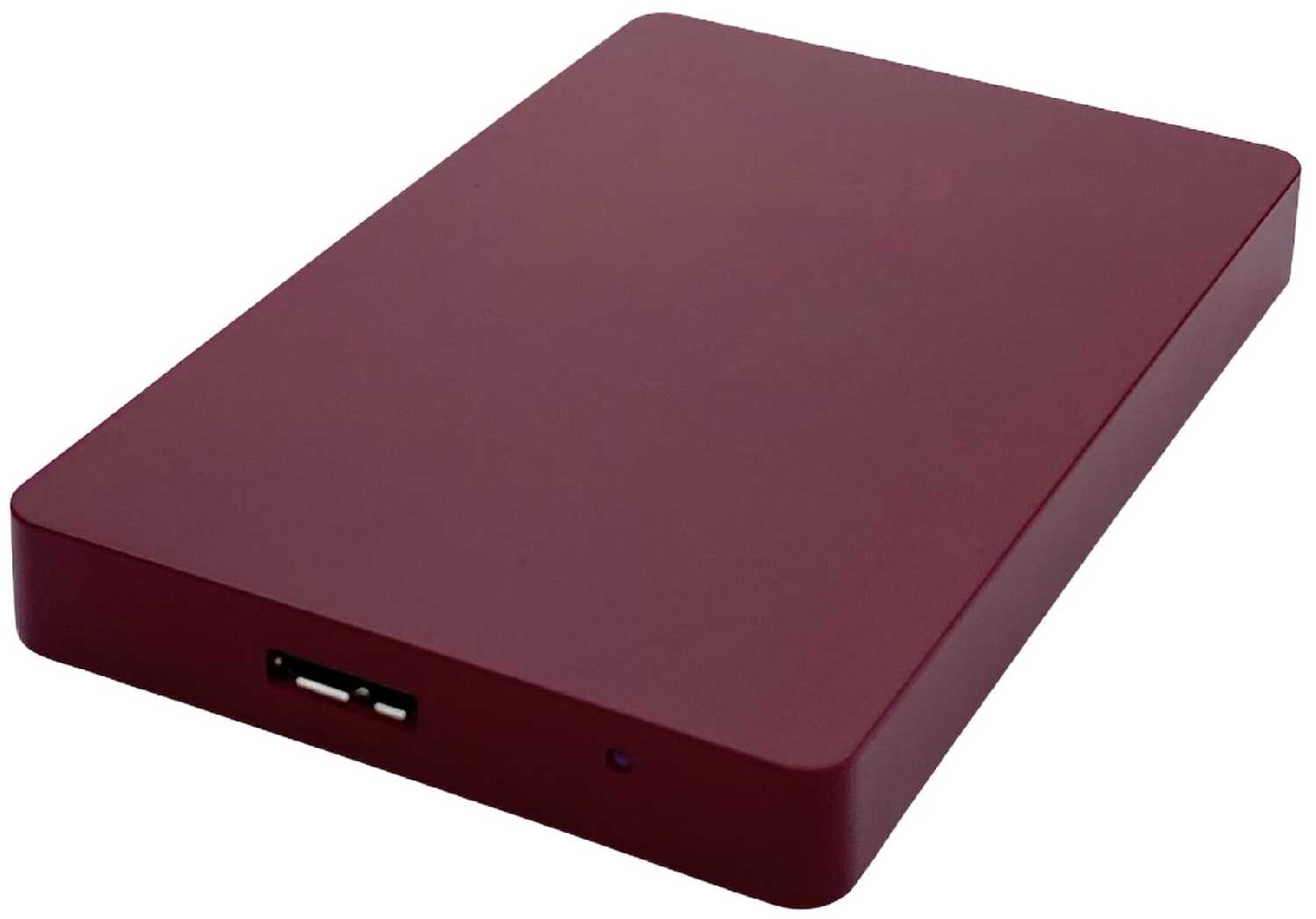
The measurements listed are not correct -- the height is ~0.7 in. It is thicker than the average slim external hard drive. This is due to the fact that it's a frickin' terabyte. I don't know how well padded it is internally because it has tamper-proof torx screws. There are not many enclosures out there that are metal and minimalistically attractive, the alternative I know being Iomega's Prestige Portable, but that series does not have USB 3.0 yet. Both series have plastic endcaps though. There is a power port left of the USB, power adapter is not included and not needed. There is a tiny hole right of the USB, that glows white when the drive is plugged in and blinks to indicate activity. Since it's recessed it's not an annoying strobe. The included USB 3.0 cable is 2 ft long, just right IMO.There is a simple utility on the drive to format for Windows or Mac and make one or several partitions. I would recommend formatting it yourself if you don't want a blue oval LaCie logo for an icon, it's system hidden.Performance test -- A solid 2 GB file transfered in 1:03 over USB 2.0, at a constant 33 MB/s. Transfers with many small files will be slower. Powered hard drives are generally faster.
ТехноНаблюдатель-3VEXN
09.11.2010
10/10
Оценка пользователя
Великолепно
The measurements listed are not correct -- the height is ~0.7 in. It is thicker than the average slim external hard drive. This is due to the fact that it's a frickin' terabyte. I don't know how well padded it is internally because it has tamper-proof torx screws. There are not many enclosures out there that are metal and minimalistically attractive, the alternative I know being Iomega's Prestige Portable, but that series does not have USB 3.0 yet. Both series have plastic endcaps though. There is a power port left of the USB, power adapter is not included and not needed. There is a tiny hole right of the USB, that glows white when the drive is plugged in and blinks to indicate activity. Since it's recessed it's not an annoying strobe. The included USB 3.0 cable is 2 ft long, just right IMO.There is a simple utility on the drive to format for Windows or Mac and make one or several partitions. I would recommend formatting it yourself if you don't want a blue oval LaCie logo for an icon, it's system hidden.Performance test -- A solid 2 GB file transfered in 1:03 over USB 2.0, at a constant 33 MB/s. Transfers with many small files will be slower. Powered hard drives are generally faster.
Туманник-3CMXN
14.08.2011
2/10
Оценка пользователя
Ужасно
Lacie is bad news. We've had 2 of these up and die on us with no help or support from Lacie. In fact, Lacie customer service is almost non-existant.Do yourself a favor and go with WD or anything else when considering an external HD.
НоваГость-1MRJU
04.04.2011
6/10
Оценка пользователя
Плохо
Overall, this external hard drive is good. It seems to be working well so far. Initially, when I first got it, the software that was included with the hard drive (LaCie Setup Assistant) did not work. I had to completely erase what was on there and reformat it for my needs. The Intego backup assistant software was usless to me because it wouldn't let me backup files from a network drive. I was forced to buy the Intego Backup Manager Pro to do the job.Now that I have the necessary software, everything is fine and is working properly. I'm alittle upset that I had to pay additional money for something that should of been included right off the bat, but you live and learn.
Пульсар-0UZHC
04.04.2011
6/10
Оценка пользователя
Плохо
Overall, this external hard drive is good. It seems to be working well so far. Initially, when I first got it, the software that was included with the hard drive (LaCie Setup Assistant) did not work. I had to completely erase what was on there and reformat it for my needs. The Intego backup assistant software was usless to me because it wouldn't let me backup files from a network drive. I was forced to buy the Intego Backup Manager Pro to do the job.Now that I have the necessary software, everything is fine and is working properly. I'm alittle upset that I had to pay additional money for something that should of been included right off the bat, but you live and learn.
Интеллектор-5TETQ
02.09.2011
10/10
Оценка пользователя
Великолепно
Love it! Totally had enough space to store all my junk from my laptop... and then some! I think I've even stored all my movie DL's , and that's over 100!
Странник-0NIUP
02.09.2011
10/10
Оценка пользователя
Великолепно
Love it! Totally had enough space to store all my junk from my laptop... and then some! I think I've even stored all my movie DL's , and that's over 100!
НеоВояжер-5DESD
05.09.2011
8/10
Оценка пользователя
Хорошо
Using it for TimeMachine. No problem everything is nice and small though cable is not part the structure like the old Lacie.
Квантум-3MTVN
05.09.2011
8/10
Оценка пользователя
Хорошо
Using it for TimeMachine. No problem everything is nice and small though cable is not part the structure like the old Lacie.
Туманник-1FKHK
26.06.2011
2/10
Оценка пользователя
Ужасно
For a hard drive... It's loud!This hard drive when reading or writing sounds like an Xbox 360 with the additional fan assembly attached to the back.Also the big blue button on the front is annoying. Every hour my backup software kicks on and that blue light lights up my bedroom room.In retrospect I now wish I would have bought another Western Digital.
Спасибо за регистрацию на портале Wizemart, вам на почту пришло письмо с подтверждением регистрации, пожалуйста перейдите по ссылке внутри него для подтверждения вашего e-mail