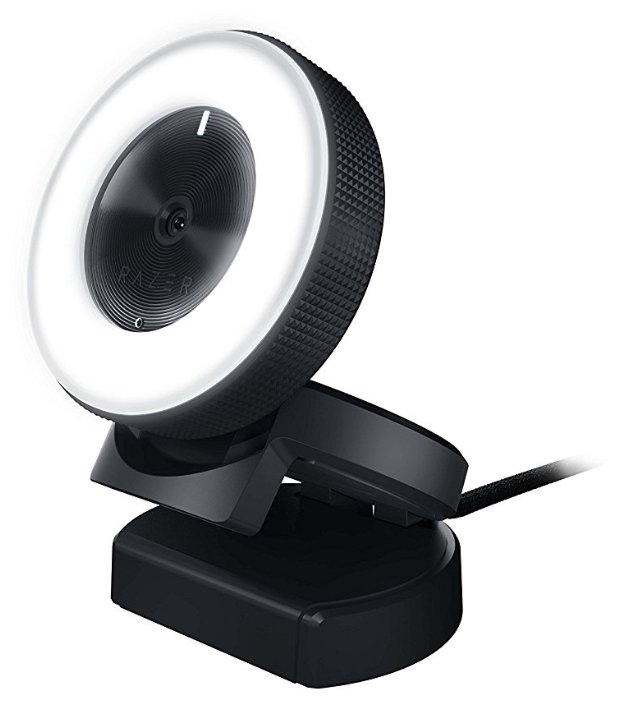
436 отзывов пользователей o Razer Kiyo X

Пользовались Razer Kiyo X?
Поделитесь своим опытом и помогите другим сделать правильный выбор

292
82
25
16
21
Profile no image

IWYWH

29.01.2023

8/10

Оценка пользователя

Хорошо

One of the best webcams I've tried
I've tried quite a few webcams since the pandemic, and most have been garbage. Was happy to get a Razer Kiyo X through the Vine program as I am a fan of the company. Out of the box, I was surprised by how big and heavy it is. This is definitely not in the same league as Logitech's webcams. All the parts are wellmade, and the picture quality is one of the best I've seen. Auto-focus is pretty good, though I wish there was a manual focus option.

That being said, I do have some gripes. I knocked off a star because it doesn't have a privacy cover. It honestly should be standard for all webcams at this point. The weight of it could also be an issue if you're trying to use it with a laptop, but then you could use a tripod. And although it is Plug and Play, you do need the Razer Synapse app to fully customize picture settings and such, which is a bit annoying.

Overall, for the price, this is definitely a top-quality webcam. If you don't want a Logitech and are considering streaming, the Razer Kiyo X is a great option.
источник
Profile no image

R. Parthasarathy

29.01.2023

8/10

Оценка пользователя

Хорошо

Good but maybe oversold in quality
This is a good webcam. No two ways about it. But I do think it’s a tad oversold in its abilities esp in low light conditions. Maybe I am used to what new smartphones offer and it’s not fair comparison but in not so perfect lighting, the image has lot of noise. Generally speaking it is a solid webcam, breezy setup and just works out of the box. I think it’s slightly pricey for what it offers but if budget is not a consideration, this is a good one to get.
источник
Profile no image

BMO

29.01.2023

10/10

Оценка пользователя

Великолепно

A more affordable version of the Kiyo
This is basically the same Webcam as the original Razer Kiyo(which is one of the best you can get for the price), just without the built in ring light. It has great camera quality and is a significant upgrade compared to webcams that come with most laptops, even expensive ones that cost over $1300. Most all laptop webcams tend to be low quality, except for a handful of models that actually prioritize giving you a good camera.

The image using this webcam was noticeably brighter and sharper compared the one in my MacBook Pro 13”. The Audi quality was decent, but I would recommend using a real microphone if you have one or are planning on doing a lot of video calls, just a small amount of money will go a long way to make you sound better. My laptop recognized the webcam automatically, but I had to use a USB C to USB A adapter because this uses the older USB connector type. I like that the stand allows the webcam to be propped up without needing a tripod or by needing to balance on the top of the laptop lid. Since the webcam is a large circular shape, it would’ve been difficult to get it to balance properly on the thin lid of my MacBook.

The webcam looks well built and solid, I think it will last a long time hopefully. I am a fan of the “X” products that Razer puts out, they’re basically a more affordable version of their more popular products, but they still live up to the quality that the brand is known for.
источник
Profile no image

eric

29.01.2023

10/10

Оценка пользователя

Великолепно

Better design than the original Kiyo
This Kiyo X has a much improved design over the Razer Kiyo which I've been using for about a year now and has completely fallen apart at the stand with no way to fix it. It's a shame because the video quality is great and it has the ring light built in. This version doesn't have the light, but it seems to have the same great camera which has a very clean 1080p lens. For streaming your face or for video conferencing, 30fps is fine and I use mine at full HD. If you need 60fps, the 720p mode still looks better than most webcams, thanks to the good quality optics Razer is using.

Ok so the camera is good, that's great. But what about the mount? I mentioned that the original Kiyo totally fell apart where the camera unit mounts to the base. Well thankfully this new design has a lightweight base that still clamps on to any monitor or sits on a table, but it's less prone to falling apart now. This to me is a huge improvement and makes the camera so much more usable to me. I don't miss the ring light that much, it only really works if you are very close to it anyway.

I already had the Razer Synapse software installed from my other Kiyo and this uses the same software. You don't need to install it, and any software like Zoom, Skype, OBS, etc will work fine with this camera in Windows. I haven't tested this with Mac, but it's plug and play on Windows X.

Overall, I'm happy with the improved base and the camera quality is great for a webcam at this price point. There are probably better webcams out there but this one has a nice sharp image with almost no setup required and the camera has been very impressive for a casual user like me.
источник
Profile no image

Miss Tinsley

29.01.2023

8/10

Оценка пользователя

Хорошо

Good Camera
First of all, Razer Customer Service is just not great and for that it makes it difficult to get assistance when your product has an issue. This comes into play in all aspects of a device.

This camera is well made and easy to set up - simply plug it in. It features Auto focus or manual focus and you can swtch from 1080p 30FPS or 720p 60FPS with ease. You can also set up profiles featuring Brightness, Contrast, Saturation, and White Balance all through Razer Synapse 3.

This fits well on my computer screen or sitting on my desk or even a small tripod that I have.

Quality - Decent
Video Quality - Good - Picks up detail with no issues or lag
Price - Higher Price Point
источник
Profile no image

PenKay

29.01.2023

10/10

Оценка пользователя

Великолепно

Color balance and contrast are impressive!
Razer Kiyo X Full HD Streaming Webcam

I can honestly say that Razer has never once disappointed me and some products, like this webcam, really deliver exceptional performance. The most remarkable thing is that the image quality is *much* better than I've seen in a comparably priced webcam. Not only does it adjust well to different light levels (and ambient colors!) the autofocus is responsive and doesn't keep hunting trying to lock on. Its housing is different than most, but it has a solid construction, and the base is heavier than just a piece of molded plastic and also has a standard 1/4" thread for a tripod if you prefer to use one. It hangs comfortably on the top edge of a monitor and the hinges adjust for a wide variety of thicknesses and angles. The heft of the base also lets you place it on any flat surface and the rubberized edges mean moving the cord doesn't move the camera. The only thing that I would change about it is the USB cable is surprisingly stiff and I can't imagine why they designed it that way other than possibly designing it to be coiled and uncoiled frequently and they don't want the wires breaking internally. I've been using it as my WFH camera for the past three weeks and my coworkers have even commented on how much better the image is than the one I was using (which itself was a higher quality camera). Highly recommend.
источник
Profile no image

Jonathan Tittle

29.01.2023

6/10

Оценка пользователя

Плохо

Great for PC :: Horrible for Mac
As a long-time user of various Razer products, from mice to keyboards to speakers, the opportunity to test out one of their cameras was well timed as my Logitech camera had recently stopped working.

My primary use-case for having a camera is for work and for work, MacOS is the primary operating system used by the entire company. While generally a non-issue, as was the case for the Logitech camera, for Razer, it presents a bit of an issue.

As much as I love Razer, support for MacOS is dreadful. While it's true, they do primarily target gamers and few dare play games on MacOS as it's simply not well-suited for such, however, for something as basic as a camera, I'd expect it to work well regardless of the OS. Having software comparable to Logitech's G Hub would be icing on the cake, if such existed.

For the Kiyo X, due to a lack of updated software for MacOS, the experience here is severely limited. While the Kiyo X is plug-n-play and it does work (as in, a picture is displayed), it's impossible to adjust settings to account for a lack of lighting. The picture is very dark on MacOS, whether due to the lack of a sensor, or lack of enabling the sensor due to a lack of software. The end result is a less than great experience out of the box.

Razer offers Synapse 2 for MacOS, however, the newer Synapse 3 is only available for Windows 10/11. It's a shame as the camera itself looks great and testing it on a Windows 10 machine, it works very well. Unfortunately, running the camera through a VM to pass through video from a VM to MacOS is a hacky workaround.
источник
Profile no image

D. Buxman

29.01.2023

10/10

Оценка пользователя

Великолепно

Works Great and Completely Plug and Play!
I was a little worried that in order to use this Razer webcam I would need to utilize the Razer software. This would be an issue as I would use the webcam on my work computer in addition to my personal computer. I was happy to find that this was not the case!

The webcam worked flawlessly out of the box and through the KVM switch I use to switch between computers. The L-clamp also works surprisingly well allowing you to place the webcam right on top of your monitor. I have a curved monitor that can give issues to other products like this, but the clamp allows for a wide thickness of supported monitors that works perfectly for my curved monitor. The L-clamp can also serve as a stand, if you would rather place the webcam on the desk.

The webcam itself can be adjusted up and down from the L-clamp giving you complete flexibility over the angle the webcam is operating from. The picture quality is really nice and comes through perfectly on zoom, but I am unsure what quality it defaults to without using the Razer app to configure it. I will also say that it's build is rather sleek and doesn't come off as a "gamer" accessory making it perfect for your WFH setup.

Overall, for the price point I would highly recommend this webcam for both business and personal use.
источник
Profile no image

uniq

29.01.2023

10/10

Оценка пользователя

Великолепно

Excellent camera
After plugging the camera, my Windows 10 desktop recognized it and installed the correct driver automatically. However, Zoom did not “see” the camera. After trying this and that, I went to the manufacturer’s web site and chatted with support. In a couple of minutes I was back on track. The problem was in permissions for the apps to use the camera, and suggestion from the support to troubleshoot with Windows’ Camera app definitely helped. Now everything works well with Zoom, Camera app, and Google Duo. Image quality is superb.

After the camera was plugged in, a software installation dialog popped up. I ended up not needing this software, I.e. for using video apps it’s plug and play.
источник
Profile no image

Nick Mayer

29.01.2023

8/10

Оценка пользователя

Хорошо

Great Value
Truly plug and play, did install the software so I could configure angle and FPS, but you could easily skip that step and within seconds be using this for Zoom/etc. A bit bulky for my taste, but it does have a cool look.
источник
Profile no image

Herschel Greenberg

29.01.2023

10/10

Оценка пользователя

Великолепно

Completes the trilogy
The Razer Kiyo X is the third webcam in the Kiyo series, and now the third one I own. This Kiyo X is the cheapest in the line, but that does not deter from the overall quality of the camera. Since I teach, I use the Kiyo with the light ring in order to appear bright and vivid on camera. The Kiyo X will be used for my laptop because this is a huge upgrade overall the laptop built-in webcam. The Kiyo X’s software is easy to use, and it works with all of my programs so far (Zoom, Webex, etc). Although the video is sharp, it will appear a bit darker than the Kiyo with the light ring. Overall, I am happy with Razer Kiyo lineup, and I recommend this webcam if you need to improve your built-in webcam or need something with HD quality.
источник
Profile no image

Shaun Tabatt

29.01.2023

10/10

Оценка пользователя

Великолепно

A versatile and highly configurable webcam. Perfect for meetings, podcasts, and live streams.
Between Zoom meetings and podcasts, I often use my web came anywhere from 2-5 hours a day. I've been very pleased with other hardware I've used from Razer, so I was eager to give the Razer Kiyo X Full HD Streaming Webcam a try.

Setup and driver/software configuration took less than 15 minutes. I especially love that the companion software allows you to adjust the Zoom level of the camera. This is critical for me because I regularly use a green screen and these wide-angle webcams tend to capture too much of the background. Being able to control the zoom level is a game-changer for me, allowing me to get the perfect shot every time.

I've been using this as my primary web came for close to two months now. Overall, I'm very pleased.

Rating: 5 Stars, Highly Recommended.
источник
Profile no image

Amazon Customer

29.01.2023

10/10

Оценка пользователя

Великолепно

Great webcam
I'm not a gamer, but I had to give a presentation via Zoom, and I wanted to up my audio/video game, so I picked up an AmazonBasics USB mic and this Razer webcam. I love them both. I did A/B comparisons with my MacBook mic & camera and the difference was easily noticeable. Watching others' presentations, you can tell who is using their laptop mics/cameras versus an outboard model and you wonder why they're too cheap to spend $80 for a camera and $43 for a mic. It makes a big difference.

It was super easy to set up (just clips onto my laptop) and use (plug and play).
источник
Profile no image

Kaley Ariel

29.01.2023

10/10

Оценка пользователя

Великолепно

If you don't know how to choose a streaming webcam, please see this.
I have seen a lot of cheaper cameras marked with 1080p 60fps. Those are absolutely trap information. It’s 60FPS only when you turn off HDR.

The advantage of this web camera is that it has autofocus function and stronger light sensitivity compared to cheaper cameras. The Logitech C922x Pro, which is similar, is $20 more than RAZER Kiyo X. So if you don't need to shoot a lot of action (RAZER KIYO PRO is recommended if you need to shoot action) and focus on product quality, this is the most cost-effective web camera on the market.

The web camera is also very easy to use. Just plug and play. The web camera is very nice designed and looks professionally, that’s the reason I like it. The only downside is the camera does not come with privacy cover.
источник
Profile no image

Pauline

29.01.2023

10/10

Оценка пользователя

Великолепно

Webcam
This webcam changes the game! It is very clear and you can stand it basically anywhere. It is easy to install and easy to use. Amazing! Great value for money! I highly recommend!
источник
Profile no image

Lexy

29.01.2023

10/10

Оценка пользователя

Великолепно

Good streaming camera
Been using this camara lately with no issues, quality is good. I like how u can adjust it on ur monitor. Great price ,it does the job.
источник
Profile no image

🌟 FilipinaShopaholic 🌟

29.01.2023

10/10

Оценка пользователя

Великолепно

Definitely an upgrade
The your camera is really nice and cool. I like how it has 60 FPS. There is no delay on the camera. On the razor app can change the brightness calibration and others. Overall I really liked the look of the camera and how smooth working it is.
You can tell the difference between my previous one and this new Razer.
источник
Profile no image

brayduvan

24.05.2023

10/10

Оценка пользователя

Великолепно

Мне нравится, что все по правильной цене
Profile no image

Аргонавт-9ZRUI

17.05.2024

8/10

Оценка пользователя

Хорошо

хорошая модель
  • +

    1. Относительно сносный лаконичный внешний вид. Имеются эргономика, материалы корпуса качественные, все прилажено без люфтов.

    2. Удобное тугое крепление, но на безрамочном мониторе Acer Nitro у меня теперь "бровь" из-за него, ибо больше не за что зацепиться, кроме как вернюю часть матрицы.

    3. Настраивается встроенными средствами Windows. Для стриминга или конференций с фреймом своего табла поверх видеоряда легко настраивается через OBS.

    4. Не глючит, инициализируется быстро, запоминает заданный параметр яркости подсветки, подрубается без костылей как к Windows, так и к Mac OS.

    5. Есть микрофон.

    6. Достаточно сносная цветопередача, но без какого-либо "вау-эффекта".

  • -

    1. FHD 30 FPS. Задолбали. Сколько поколений смартфонов с малюсеньким селфи-глазком по себестоимости $35 должно обновиться, чтобы технологии дошли до веб-камер? У меня и коллег по работе уже давно 2К/4К разрешение (а у кого-то и 6К на iMac), и для обеспечения плавности 720p@60fps, выдаваемых камерой, недостаточно.

    2. Светочувствительность сенсора посредственная, ввиду чего даже на минимальной контурной подсветке у меня лицо белое от отражающегося света. За $100 могли б и поудачнее матрицу запихать.

    3. Наличие микрофона - это круто, но, опять же - сколько поколений шумодавов в смартфонах должно пройти, чтобы и в веб-камеры помещали нормальные стереомикрофоны с задним шумодавом для гашения фоновых звуков? Неужели это такая дорогая неподъемная технология?

Более точные оценки, относящиеся конкретно к товару.

Качество картинки: 8/10

Качество микрофона: 5/10

Нагрев / длительность работы: 9/10

Светочувствительность: 4/10

Цветопередача: 7/10

Подсветка камеры: ?/10 (есть - и хорошо)

Цена / качество: 7/10

Итого - 5.7/10

Рекомендую тем, кому, как и мне, было влом тратить больше $100 за веб-камеру, но хотелось найти относительно качественное решение, которое покроет 75%+ задач.

источник
Profile no image

Туманник-6RGDU

17.05.2024

10/10

Оценка пользователя

Великолепно

отличная модель
  • +

    1) Световое кольцо. Если у Вас нет дополнительных источников света или они недостаточно яркие, то его наличие станет большим плюсом. Оно регулируемое, можно его как выключить полностью, так и осветить уголок дома.

    2) Возможность смонтировать её на штатив. Довольно удобно, особенно если есть необходимость в записи видео на улице.

    3) Картинка видео радует глаз. Меньше проблем с настройкой качества и вопросов "видео пикселями из-за веб камеры или из-за плохого интернета?". Свои заявленные 1080 выдаёт, правда не в приложениях наподобие дискорда (в нём, к примеру, качество видео зависит и от подписки. Без неё - дико режется).

    Автофокус - вещь хорошая, но если вы особо не двигаетесь - то лучше его настроить вручную и больше не трогать, т.к. иногда слегка замыливает изображение.

  • -

    Цена. К сожалению, хоть у Razer и качественные продукты, но цена у нас их достаточно кусучая.

Если у Вас по какой-то причине Kiyo отображается как USB video device (к примеру в дискорде), то может помочь следующее.

1) Идём в Диспетчер устройств (Находится легко - к примеру через Панель управления или через командную строку или RUN - devmgmt.msc).

2) В диспетчере находим вкладку Камеры (Cameras) и там видим Razer Kiyo (или, как сказано выше, USB video device). Тыкаем правой кнопкой мыши на неё и выбираем свойства.

3) В свойствах камеры идём во вкладку Драйвер (Driver) и тыкаем обновить драйвер.

4) Выбираем "Найти драйверы на этом компьютере". После нажимаем "Выбрать драйвер из списка доступных драйверов на компьютере".

5) В открывшемся окне с вариантами Razer Kiyo и USB видеоустройство выбираем ПОСЛЕДНИЙ! (USB-видеоустройство или USB videodevice). Устанавливаем его.

Вот и всё! Теперь ваша камера будет отображаться как Razer Kiyo. Надеюсь, что смог этим помочь!

P.S. Данная проблема присутствует не только у нас, но и у зарубежных друзей. Почему это так и не исправили - хз.

источник
Profile no image

Астероид-6XJAV

20.07.2025

10/10

Оценка пользователя

Великолепно

отличная модель
  • +

    Качественная сборка, стильный дизайн, хороший автофокус и качество видео

  • -

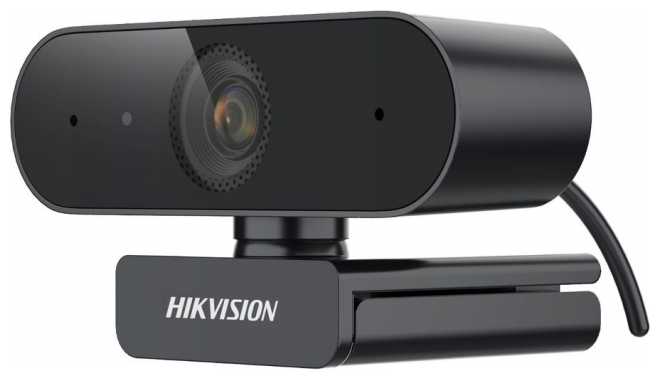
    Сравниваю с hikvision ds-ul2 которую брал себе ранее, и с ней прожил несколько лет:

    1 - у hikvision был отличный комплект - в комплекте еще и маленькая тренога шла

    2 - hikvision умеет магнитится (в комплекте подставка которая магнитится, на треноге специальная платформа для этого - очень удобно)

    3 - у hikvision есть на корпусе настройка освещения - в пару нажатий можно настроить интенсивность

    4 - для hikvision нет необходимости устанавливать кучу непонятного софта (а камера от Razer сразу пытается поставить, да еще и в автозагрузку пихает его. Да можно не ставить, да можно и отключить, но для чего это вообще нужно?!)

Если обобщить - нормальная камера, с хорошим качеством сборки и работы. Но, была бы в продаже hikvision ds-ul2 - взял бы лучше её.

источник
Profile no image

Астрономад-3MYTB

17.05.2024

8/10

Оценка пользователя

Хорошо

хорошая модель
  • +

    + Хорошая подсветка,

    + Софт ставится сам и быстро,

    + Качество съёмки и гибкая настройка,

    + Глубина фокусировки

  • -

    - Высокая апертура,

    - За такие деньги жёсткий и скрипучий пластик там, где регулировка (!) яркости подсветки,

    - Зернистость

Обо всём по порядку. Камера покупалась по её прямому назначению, а именно, как гласит описание, для стримеров. Так вот на стриме камера ведёт себя хорошо, в 720 рубасов и 60 кадрах в уголке экрана сидеть удобно, тёмные области обрабатываются и выравнивается яркость всей картинки. В 1080 рубасов 30 кадров ситуация чуть похуже, но в целом сидеть базарить с чатиком комфортно, главное, чтобы камера была сбоку, а то если перед лицом - ослепит нафиг. Подсветка хорошая, но жаль нет ещё чуть более плавной регулировки, а то пытаешься ещё маленько убавить, а она выключается. Но это всё мелочи. Самое плохое - регулировка подсветки (крутилка на объективе) выполнена из дешманского пластика, который при прокрутке чуть посвистывает и скрипит. Смазав это дело машинным маслом скрипы ушли, я думаю, навсегда, но осадочек остался. Глубины не хватает, лицо хорошо фокусирует, а вот микрофон, который также попадает в объектив - размыливает. "Так убери микрофон из области видимости камеры" - скажете вы. А вот нет у меня такой возможности, что грустно. В остальном (если брать по скидке) камера хороша, я остался доволен и многим порекомендую, но не за фул прайс

источник
Profile no image

НоваГость-3RDYC

09.12.2025

10/10

Оценка пользователя

Великолепно

Отличная модель
  • + Отличная камера, до сих пор работает уже спустя год покупки. Единственные проблемы, работает не во всех портах, в передних полный отказ, только далними пользуюсь
  • - Уже написал, не во всех портах работает. Начинает перезапускаться каждую секунду
Всё гуд, все указал в плюсах и минусах продукта
источник
Profile no image

Астрон-4RYCY

17.05.2024

10/10

Оценка пользователя

Великолепно

отличная модель
  • +

    Поддержка 60 фпс

    Отличное качество (при хорошей настройке камеры)

    Достойная цена, в таком диапазоне, конкуренции с данной вебкой нет ни у кого

  • -

    Их нет от слова совсем

Брал эту веб-камеру для стриминга, долго исследовал веб-камеры плюс/минус по такой же цене и могу сказать одно. Лучше вебки на данный момент в цене до 15к рублей скорее всего даже нет. Удобный софт от рейзер, очень удобная и понятная настройка, методом тыка покопавшись в настройках сможет разобраться даже тот человек который в этом никогда не разбирался. Больше половины видео-обзоров на ютубе - негативные. Это ошибочное суждение, тк большинство блогеров разбиравшие эту вебку не сделали абсолютно ничего, кроме подключения ее к пк. Если думаете ее брать, то берите даже не раздумывая. Если боитесь, что качество будет не то, которое вы ожидаете, то на ютубе вы найдете пару полных хороших гайдов на эту вебку, как добиться максимального качества и тд. Может возникнуть вопрос: "А зачем я должен настраивать качество когда я покупаю вебку просто для того, чтобы стримить/записывать видео/разговаривать по видео-связи?". А за тем, что это не профессиональный фотоаппарат, который будет снимать вас без всяких манипуляций. Причем настройка веб-камер - естественное дело, Ни одна вебка без вмешательств в настройки не даст той картинки, которую все хотят.

источник
Показаны отзывы 193-216 из 436.

Похожие товары с лучшей оценкой

9.9/10 баллов

Insta360 Link 2

98 отзывов

от 40990.00 руб.

9.6/10 баллов

Logitech BRIO 500

196 отзывов

от 10439.00 руб.

9.6/10 баллов

A4Tech PK-910P

330 отзывов

от 2385.00 руб.

9.4/10 баллов

Logitech C925e

38 отзывов

от 6890.00 руб.

9.4/10 баллов

Logitech MX Brio

65 отзывов

от 66609.00 руб.

9.2/10 баллов

Creative LIVE! CAM SYNC 1080P V3

110 отзывов

от 4470.00 руб.

9/10 баллов

Oklick OK-C016HD

50 отзывов

от 2442.00 руб.

9/10 баллов

Logitech C920

1199 отзывов

от 7992.00 руб.

9/10 баллов

Razer Kiyo

232 отзывов

от 14934.00 руб.

9/10 баллов

Logitech C922

649 отзывов

от 3700.00 руб.

8.9/10 баллов

Oklick Камера Web Оклик OK-C008FH

51 отзывов

от 1900.00 руб.

8.9/10 баллов

Oklick Камера Web Оклик OK-C21FH ч

168 отзывов

от 2515.00 руб.

8.9/10 баллов

Fifine K420

316 отзывов

от 3545.00 руб.

8.9/10 баллов

Logitech C930c

56 отзывов

от 6493.00 руб.

8.8/10 баллов

A4Tech PK-1000HA

68 отзывов

от 6277.00 руб.

8.8/10 баллов

Logitech Brio 300

59 отзывов

от 4911.00 руб.

8.8/10 баллов

A4Tech PK-935HL

168 отзывов

от 3515.00 руб.

8.8/10 баллов

Logitech C310

1026 отзывов

от 3220.00 руб.

8.7/10 баллов

Oklick OK-C013FH

45 отзывов

от 1880.00 руб.

8.7/10 баллов

Microsoft LifeCam HD-3000

609 отзывов

от 8445.00 руб.