Карта памяти Transcend TS*SDHC10U1 — 1030 отзывов, плюсы и минусы

1030 отзывов пользователей о Transcend TS*SDHC10U1

Пользовались Transcend TS*SDHC10U1?
Поделитесь своим опытом и помогите другим сделать правильный выбор

791
119
37
34
49
Profile no image

Астрономад-5TUTI

09.05.2012

10/10

Оценка пользователя

Великолепно

Transcend 16 GB High Speed Class 10 UHS Flash Memory Card TS16GSDHC10U1EOne cannot imagine the sheer sinking feeling of "wtf" at seeing an "Error -- card cannot be written to -- Reformat Card" on the camera screen when in the middle of shooting a major project -- i.e. BFF's wedding, family reunion, little Timmy's 1st steps, Mom's last Christmas with the Family, an EF5 Tornado!...and, then, no card reader will recognize the card as being in the slot, to possibly extract the photos before the "error" occurred and Reformat.But, I can. I've had this happen a couple of times with SanDisk Flash 16 GB SDHC. I still have the "dead as a doornail" 16gb cards on my desk, staring up at me. :| I keep them, hoping someday technology will create a simple way to get into the SD card and extract the photos.That said, I was very happy to try the Transcend 16 GB High Speed Class 10 UHS Flash Memory Card, with its "Built-in Error Correcting Code (ECC) to detect and correct transfer errors".The card locks into camera card slot with out fiddling around with it. *snap*I photograph anything from birds in flight to EF5 Tornados, and was able to take continuous photos (pulse mode) on camera without any writing problems, or slow downs.Transcend 16 GB High Speed Class 10 UHS Flash Memory Card TS16GSDHC10U1E also boasts of "Low Power Consumption and Fast Write Speeds Extend Battery Runtime".So, thinking *okay, show me your Moves, Transcend*, I did a bit of night photography (stars, lightning, incoming storm clouds) which would normally drain my camera battery in no time, as I use "bulb" mode exceeding 30 seconds of open shutter. The Transcend 16 GB High Speed Class 10 UHS Flash Memory Card TS16GSDHC10U1E card exceded all my expectations -- without giving Me, or my camera, any problems. The camera battery just wouldn't drain, shot after shot. *nice*Actually, I think my camera writes better to this particular card -- the colors seem more vibrant and the sharpness in detail seems a lot more evident in the photographs -- and I shoot in RAW and JPEG. See photo of Baby Cardinal at top of page, as an example.Does this sound like what you may be looking for? :) I'm off to buy a few more Transcend 16 GB High Speed Class 10 UHS Flash Memory Card TS16GSDHC10U1E, so I'll have plenty. Highly Recommended! --Katharena Eiermann, 2012
источник
Profile no image

Туманник-1GXAM

09.05.2012

10/10

Оценка пользователя

Великолепно

Transcend 16 GB High Speed Class 10 UHS Flash Memory Card TS16GSDHC10U1EOne cannot imagine the sheer sinking feeling of "wtf" at seeing an "Error -- card cannot be written to -- Reformat Card" on the camera screen when in the middle of shooting a major project -- i.e. BFF's wedding, family reunion, little Timmy's 1st steps, Mom's last Christmas with the Family, an EF5 Tornado!...and, then, no card reader will recognize the card as being in the slot, to possibly extract the photos before the "error" occurred and Reformat.But, I can. I've had this happen a couple of times with SanDisk Flash 16 GB SDHC. I still have the "dead as a doornail" 16gb cards on my desk, staring up at me. :| I keep them, hoping someday technology will create a simple way to get into the SD card and extract the photos.That said, I was very happy to try the Transcend 16 GB High Speed Class 10 UHS Flash Memory Card, with its "Built-in Error Correcting Code (ECC) to detect and correct transfer errors".The card locks into camera card slot with out fiddling around with it. *snap*I photograph anything from birds in flight to EF5 Tornados, and was able to take continuous photos (pulse mode) on camera without any writing problems, or slow downs.Transcend 16 GB High Speed Class 10 UHS Flash Memory Card TS16GSDHC10U1E also boasts of "Low Power Consumption and Fast Write Speeds Extend Battery Runtime".So, thinking *okay, show me your Moves, Transcend*, I did a bit of night photography (stars, lightning, incoming storm clouds) which would normally drain my camera battery in no time, as I use "bulb" mode exceeding 30 seconds of open shutter. The Transcend 16 GB High Speed Class 10 UHS Flash Memory Card TS16GSDHC10U1E card exceded all my expectations -- without giving Me, or my camera, any problems. The camera battery just wouldn't drain, shot after shot. *nice*Actually, I think my camera writes better to this particular card -- the colors seem more vibrant and the sharpness in detail seems a lot more evident in the photographs -- and I shoot in RAW and JPEG. See photo of Baby Cardinal at top of page, as an example.Does this sound like what you may be looking for? :) I'm off to buy a few more Transcend 16 GB High Speed Class 10 UHS Flash Memory Card TS16GSDHC10U1E, so I'll have plenty. Highly Recommended! --Katharena Eiermann, 2012
источник
Profile no image

Аргонавт-2MBUL

20.04.2012

6/10

Оценка пользователя

Плохо

DISCLAIMER: I DO NOT OWN THIS PRODUCTI just spent the last 1/2 hour trying to figure out if I wanted this product, and thought I would share what I learned - possibly saving others the same effort.I currently have a 16Gb Class 10 card in my Canon Digital Elph 100 HS camera. I saw this offer on Amazon and wondered if it would allow me to shoot with an even faster refresh rate. The speed rating of SD cards indicates how fast a device can read/write data to the card - but ONLY if the device supports the speed that the card can provide. Card's speed ratings have changed over the years; originally they werent rated, then they started rating them as "x" (number of times the speed of a CD-Rom,) i.e. x100 is 100 times the speed of a CD-Rom, finally they moved to "class" ratings (2 through 10.) In version 3.01 of the SD card specification UHS (ultra-high speed) was added. There are two types of UHS, UHS-I and UHS-II, but apparently only UHS-I actually exists.This card is a UHS-I card. To be rated UHS-I it has to support speeds up to 50MB/s **in a UHS-I compatible device**. By contrast, class 10 is "only" 10MB/s. So, this card is up to 5 times faster than a class 10 card. Thats good.However, if your device doesnt support UHS-I, then this is just a class 10 card (it is backwards compatible.) Its kinda like putting premium gas into a car that doesnt need premium - you pay extra for no benefit.I searched and searched to find the answer, but there is no info as to whether my Canon 100HS supports UHS. Since it doesnt say that it does, the presumption is that it doesnt. Furthermore, it looks as though UHS is only supported in "Pro" level cameras and equipment. Therefore, if I buy this chip (at a premium UHS price) it should perform identically to my standard class 10 card.Before buying this card, check to make sure that the device you want to use it in supports UHS-I. If you have a UHS-I device, it sounds like this is a great card. If not, there is no benefit to this card over a standard class 10 card (though there is no harm using this card other than the added cost.)
источник
Profile no image

ТехноНаблюдатель-4ZDSJ

20.04.2012

6/10

Оценка пользователя

Плохо

DISCLAIMER: I DO NOT OWN THIS PRODUCTI just spent the last 1/2 hour trying to figure out if I wanted this product, and thought I would share what I learned - possibly saving others the same effort.I currently have a 16Gb Class 10 card in my Canon Digital Elph 100 HS camera. I saw this offer on Amazon and wondered if it would allow me to shoot with an even faster refresh rate. The speed rating of SD cards indicates how fast a device can read/write data to the card - but ONLY if the device supports the speed that the card can provide. Card's speed ratings have changed over the years; originally they werent rated, then they started rating them as "x" (number of times the speed of a CD-Rom,) i.e. x100 is 100 times the speed of a CD-Rom, finally they moved to "class" ratings (2 through 10.) In version 3.01 of the SD card specification UHS (ultra-high speed) was added. There are two types of UHS, UHS-I and UHS-II, but apparently only UHS-I actually exists.This card is a UHS-I card. To be rated UHS-I it has to support speeds up to 50MB/s **in a UHS-I compatible device**. By contrast, class 10 is "only" 10MB/s. So, this card is up to 5 times faster than a class 10 card. Thats good.However, if your device doesnt support UHS-I, then this is just a class 10 card (it is backwards compatible.) Its kinda like putting premium gas into a car that doesnt need premium - you pay extra for no benefit.I searched and searched to find the answer, but there is no info as to whether my Canon 100HS supports UHS. Since it doesnt say that it does, the presumption is that it doesnt. Furthermore, it looks as though UHS is only supported in "Pro" level cameras and equipment. Therefore, if I buy this chip (at a premium UHS price) it should perform identically to my standard class 10 card.Before buying this card, check to make sure that the device you want to use it in supports UHS-I. If you have a UHS-I device, it sounds like this is a great card. If not, there is no benefit to this card over a standard class 10 card (though there is no harm using this card other than the added cost.)
источник
Profile no image

Квантум-7GDUK

08.04.2013

10/10

Оценка пользователя

Великолепно

I use 2 of these in my D600, one for raw photo and one for videos (we can debate about how to setup 2x SD cards in the camera but that's for another thread).I like that it's very fast (class 10) so I can take full 1080 videos without any issues. I also don't have to worry about bursting my camera shots since it's all written to the camera memory and then the SD cards very quickly.32GB is probably the biggest size I will go for an SD card. It can hold over 500 RAW image files that are 24MP and I can't imaging losing 500 photos if the SD car goes back. Anyway, make sure you import the photos often and quickly. If you want, you can also set your camera to write to both SD cards simultaneously if your camera supports it.Awesome, definitely recommended.
источник
Profile no image

Гелиос-2KQCW

08.04.2013

10/10

Оценка пользователя

Великолепно

I use 2 of these in my D600, one for raw photo and one for videos (we can debate about how to setup 2x SD cards in the camera but that's for another thread).I like that it's very fast (class 10) so I can take full 1080 videos without any issues. I also don't have to worry about bursting my camera shots since it's all written to the camera memory and then the SD cards very quickly.32GB is probably the biggest size I will go for an SD card. It can hold over 500 RAW image files that are 24MP and I can't imaging losing 500 photos if the SD car goes back. Anyway, make sure you import the photos often and quickly. If you want, you can also set your camera to write to both SD cards simultaneously if your camera supports it.Awesome, definitely recommended.
источник
Profile no image

Астрон-8GYPB

21.06.2012

10/10

Оценка пользователя

Великолепно

My plans for this card included testing it using an ExpressCard 34 card reader installed in my older MacBook Pro and using it for the DVR function in a stand-alone surveillance camera. Well, the laptop died and the surveillance cam uses a micro-SD card.I decided to try something completely different. I bought a Sony MRW-F3 card reader, which is specifically compatible with SD HC and SD XC cards. I then plugged the reader and card into my desktop Mac. Using Disk Utility, I reformatted the card as a bootable Mac OSX drive. I then installed Mac OSX 10.6 (Snow Leopard) on the card and ran Software Update until the installation was current (10.6.8). The desktop machine was booting from the card after the initial install. I copied some diagnostic software from my hard drive and did any setup needed for that software.What I ended up with is a bootable external drive with diagnostic software. It is recognized as a startup volume by both the Startup Disk system preference and choose boot volume (option key) at startup. The computer boots quickly from the SD card and I did not find any issues running it from the card. The installation of the OS and diagnostic software uses a little more than half of the 16GB capacity. Unfortunately, this did not help my defunct laptop, which does not recognize any kind of drive, internal or external. On the other hand, I now have a quick, easy method of running maintenance routines and diagnostics on the boot drives of my two desktop Macs and any other Mac that can boot into OS 10.6.This is not how this card is typically used, but I wanted a challenging situation for the card and turning it into a boot drive seemed to fit the bill. The card is fast and reliable in this unconventional application.
источник
Profile no image

Кронос-0TZWN

21.06.2012

10/10

Оценка пользователя

Великолепно

My plans for this card included testing it using an ExpressCard 34 card reader installed in my older MacBook Pro and using it for the DVR function in a stand-alone surveillance camera. Well, the laptop died and the surveillance cam uses a micro-SD card.I decided to try something completely different. I bought a Sony MRW-F3 card reader, which is specifically compatible with SD HC and SD XC cards. I then plugged the reader and card into my desktop Mac. Using Disk Utility, I reformatted the card as a bootable Mac OSX drive. I then installed Mac OSX 10.6 (Snow Leopard) on the card and ran Software Update until the installation was current (10.6.8). The desktop machine was booting from the card after the initial install. I copied some diagnostic software from my hard drive and did any setup needed for that software.What I ended up with is a bootable external drive with diagnostic software. It is recognized as a startup volume by both the Startup Disk system preference and choose boot volume (option key) at startup. The computer boots quickly from the SD card and I did not find any issues running it from the card. The installation of the OS and diagnostic software uses a little more than half of the 16GB capacity. Unfortunately, this did not help my defunct laptop, which does not recognize any kind of drive, internal or external. On the other hand, I now have a quick, easy method of running maintenance routines and diagnostics on the boot drives of my two desktop Macs and any other Mac that can boot into OS 10.6.This is not how this card is typically used, but I wanted a challenging situation for the card and turning it into a boot drive seemed to fit the bill. The card is fast and reliable in this unconventional application.
источник
Profile no image

Аэронавт-4KBOR

08.03.2013

10/10

Оценка пользователя

Великолепно

This card is pretty fast! It writes at 45mbps, but it reads more around 65mbps. I previously had a 20mbps card and it constantly stopped recording when recording video on my T3i doing 1080p @ 24fps. With this little gem, I've never had that problem. The buffer rate is better when shooting raw stills too. Previously I could get about 3 shots in and it's probably doubled.With MagicLantern installed, I'm able to over-crank the bitrate to 1.4x without any problems, 2x with minimal problems, and without recording sound I get fairly reliable results at 3x bitrate.
источник
Profile no image

Дроид-5BVCP

08.03.2013

10/10

Оценка пользователя

Великолепно

This card is pretty fast! It writes at 45mbps, but it reads more around 65mbps. I previously had a 20mbps card and it constantly stopped recording when recording video on my T3i doing 1080p @ 24fps. With this little gem, I've never had that problem. The buffer rate is better when shooting raw stills too. Previously I could get about 3 shots in and it's probably doubled.With MagicLantern installed, I'm able to over-crank the bitrate to 1.4x without any problems, 2x with minimal problems, and without recording sound I get fairly reliable results at 3x bitrate.
источник
Profile no image

Альфа-Юнит-5ZQLG

06.05.2012

10/10

Оценка пользователя

Великолепно

I tested this memory card in a Canon PowerShot A1100IS, which takes 12.1 megapixel still photos and 640X480 videos. If a memory card is too slow the camera will skip frames when recording video. For my speed test, I recorded a three-minute six-second video with sound and a two-minute nineteen-second video with sound. The videos recorded at a rate between 13,527 kbps and 13,940 kbps without skipping any frames. The files totaled 547 MB in size. My formatted capacity of this card was 7.49 GB.I then removed the memory card from my camera and put it into my computer's high-speed memory slot. I cut and pasted all files to my notebook computer's hard drive. It took me 2 minutes, 10 seconds to move the files, which worked out to 4 megabytes per second, which was respectable considering the age of my computer. I'm assuming that neither my camera nor computer are UHS-I compatible devices, which is why I did not achieve the 10 megabytes per second that is advertised.Based upon this limited test, this memory card used in my camera would have recorded about 74 minutes of video and it would have taken me about 29 minutes to transfer 7.49 GB of file(s) from the card to computer's hard drive. Testing this card with still photos, the card never missed a beat or delayed me from taking the next shot. It could take the pixels from the camera as fast as my camera could deliver them.Based upon my tests and experience with this memory card, it appears to offer a very good value for the money. It will store a massive number of still photos before it needs to be emptied.
источник
Profile no image

Эксопилот-1KMCQ

06.05.2012

10/10

Оценка пользователя

Великолепно

I tested this memory card in a Canon PowerShot A1100IS, which takes 12.1 megapixel still photos and 640X480 videos. If a memory card is too slow the camera will skip frames when recording video. For my speed test, I recorded a three-minute six-second video with sound and a two-minute nineteen-second video with sound. The videos recorded at a rate between 13,527 kbps and 13,940 kbps without skipping any frames. The files totaled 547 MB in size. My formatted capacity of this card was 7.49 GB.I then removed the memory card from my camera and put it into my computer's high-speed memory slot. I cut and pasted all files to my notebook computer's hard drive. It took me 2 minutes, 10 seconds to move the files, which worked out to 4 megabytes per second, which was respectable considering the age of my computer. I'm assuming that neither my camera nor computer are UHS-I compatible devices, which is why I did not achieve the 10 megabytes per second that is advertised.Based upon this limited test, this memory card used in my camera would have recorded about 74 minutes of video and it would have taken me about 29 minutes to transfer 7.49 GB of file(s) from the card to computer's hard drive. Testing this card with still photos, the card never missed a beat or delayed me from taking the next shot. It could take the pixels from the camera as fast as my camera could deliver them.Based upon my tests and experience with this memory card, it appears to offer a very good value for the money. It will store a massive number of still photos before it needs to be emptied.
источник
Profile no image

Кварковец-9GGGK

27.04.2012

10/10

Оценка пользователя

Великолепно

This is the first Transcend memory card I have ever owned and I am very happy with it.I have a Fujifilm FinePix T300 14 MP Digital Camera with Fujinon 10x Wide Angle Optical Zoom Lens (Black) in which I have been using a Fujifilm 4 GB SDHC Class 10 Flash Memory Card and a SanDisk 4GB Extreme HD Video SDHC Card Class 6 (Retail Package); these are the only two brands of Flash Memory Cards recommended by Fujifilm.Nonetheless, I decided to try this low-cost memory card and I can tell you that it works perfectly. Though the Fujifilm card is a Class 10 and the SanDisk is Class 6, I have never been able to observe any speed difference in them, either in writing images to the card or in transferring those images from the card to my computer. (Fujifilm recommends Class 4 or better for video with this camera; Class 2 is fine for still pictures.)This Transcend 8 GB High Speed Class 10 UHS Flash Memory Card TS8GSDHC10U1E works no differently than those other two I own.So why buy this one? The price! Take a look at Amazon's price for this 8 GB card as opposed to the prices for those 4 GB ones.I have no means of actually measuring read/write speeds as some other people do. I can only comment on what I observe when I'm taking pictures or transferring them under similar conditions.This Transcend 8 GB card is just as fast as those two others and certainly fills the bill in my camera. Obviously it holds twice as many pictures as those 4 GB ones. Thus I can highly recommend it to you.Thank you for reading this and for considering my opinions.Lawrence H. Bulk
источник
Profile no image

Плазмоид-7MAEE

27.04.2012

10/10

Оценка пользователя

Великолепно

This is the first Transcend memory card I have ever owned and I am very happy with it.I have a Fujifilm FinePix T300 14 MP Digital Camera with Fujinon 10x Wide Angle Optical Zoom Lens (Black) in which I have been using a Fujifilm 4 GB SDHC Class 10 Flash Memory Card and a SanDisk 4GB Extreme HD Video SDHC Card Class 6 (Retail Package); these are the only two brands of Flash Memory Cards recommended by Fujifilm.Nonetheless, I decided to try this low-cost memory card and I can tell you that it works perfectly. Though the Fujifilm card is a Class 10 and the SanDisk is Class 6, I have never been able to observe any speed difference in them, either in writing images to the card or in transferring those images from the card to my computer. (Fujifilm recommends Class 4 or better for video with this camera; Class 2 is fine for still pictures.)This Transcend 8 GB High Speed Class 10 UHS Flash Memory Card TS8GSDHC10U1E works no differently than those other two I own.So why buy this one? The price! Take a look at Amazon's price for this 8 GB card as opposed to the prices for those 4 GB ones.I have no means of actually measuring read/write speeds as some other people do. I can only comment on what I observe when I'm taking pictures or transferring them under similar conditions.This Transcend 8 GB card is just as fast as those two others and certainly fills the bill in my camera. Obviously it holds twice as many pictures as those 4 GB ones. Thus I can highly recommend it to you.Thank you for reading this and for considering my opinions.Lawrence H. Bulk
источник
Profile no image

Дроид-5SKCO

24.03.2013

10/10

Оценка пользователя

Великолепно

I have been using Transcend cards commercially for a while now. I've shot weddings, graduations, and other events, plus nature photography in the Great Smoky Mountains. I have never had a card failure or image corruption. I am quite impressed with the excellent quality of these relatively low-cost cards. This particular UHS-1 card works well in my Nikon D800. I use the 32GB card and highly recommend it!
источник
Profile no image

Гиперион-7WXJO

24.03.2013

10/10

Оценка пользователя

Великолепно

I have been using Transcend cards commercially for a while now. I've shot weddings, graduations, and other events, plus nature photography in the Great Smoky Mountains. I have never had a card failure or image corruption. I am quite impressed with the excellent quality of these relatively low-cost cards. This particular UHS-1 card works well in my Nikon D800. I use the 32GB card and highly recommend it!
источник
Profile no image

ОмниКод-5AXBW

06.10.2012

10/10

Оценка пользователя

Великолепно

I'm using this card as a flash memory, combined with Kingston MobileLite G3 card reader which supports USB 3.0CrystalDiskMark speed results when connected to my USB 3.0 port on my laptop:-----------------------------------------------------------------------CrystalDiskMark 3.0.1 x64 (C) 2007-2010 hiyohiyo Crystal Dew World : http://crystalmark.info/-----------------------------------------------------------------------* MB/s = 1,000,000 byte/s [SATA/300 = 300,000,000 byte/s] Sequential Read : 87.916 MB/s Sequential Write : 44.030 MB/s Random Read 512KB : 68.445 MB/s Random Write 512KB : 11.054 MB/s Random Read 4KB (QD=1) : 3.848 MB/s [ 939.3 IOPS] Random Write 4KB (QD=1) : 0.383 MB/s [ 93.6 IOPS] Random Read 4KB (QD=32) : 3.930 MB/s [ 959.4 IOPS] Random Write 4KB (QD=32) : 0.405 MB/s [ 98.8 IOPS] Test : 1000 MB [D: 0.0% (0.0/15.0 GB)] (x5) Date : 2012/10/06 15:40:46 OS : Windows 7 Home Premium Edition SP1 [6.1 Build 7601] (x64)Can't be happier :)
источник
Profile no image

Дроид-1RXFT

06.10.2012

10/10

Оценка пользователя

Великолепно

I'm using this card as a flash memory, combined with Kingston MobileLite G3 card reader which supports USB 3.0CrystalDiskMark speed results when connected to my USB 3.0 port on my laptop:-----------------------------------------------------------------------CrystalDiskMark 3.0.1 x64 (C) 2007-2010 hiyohiyo Crystal Dew World : http://crystalmark.info/-----------------------------------------------------------------------* MB/s = 1,000,000 byte/s [SATA/300 = 300,000,000 byte/s] Sequential Read : 87.916 MB/s Sequential Write : 44.030 MB/s Random Read 512KB : 68.445 MB/s Random Write 512KB : 11.054 MB/s Random Read 4KB (QD=1) : 3.848 MB/s [ 939.3 IOPS] Random Write 4KB (QD=1) : 0.383 MB/s [ 93.6 IOPS] Random Read 4KB (QD=32) : 3.930 MB/s [ 959.4 IOPS] Random Write 4KB (QD=32) : 0.405 MB/s [ 98.8 IOPS] Test : 1000 MB [D: 0.0% (0.0/15.0 GB)] (x5) Date : 2012/10/06 15:40:46 OS : Windows 7 Home Premium Edition SP1 [6.1 Build 7601] (x64)Can't be happier :)
источник
Profile no image

Зета-Орион-5LSWZ

09.12.2012

10/10

Оценка пользователя

Великолепно

I thought my first card was defective because it gave me random card errors during one of my photoshoots. When I received the second card and got the same errors, I decided I'd better do some research to find out if there was a compatibility issue with my camera, the Nikon D7000. Sure enough, one of the reviewers in Amazon was kind enough to point out that upgrading to the latest firmware was necessary to make this card work correctly. I did that and now it works great. Much faster than the regular version (blue label, rated at 20MB/s). Only slightly cheaper than the equivalent SanDisk, but I don't think Transcend is a lower quality card at any price. I've used several different ones for a couple years and never had any errors on any of my cameras.
источник
Profile no image

КиберНаблюдатель-3XHGQ

09.12.2012

10/10

Оценка пользователя

Великолепно

I thought my first card was defective because it gave me random card errors during one of my photoshoots. When I received the second card and got the same errors, I decided I'd better do some research to find out if there was a compatibility issue with my camera, the Nikon D7000. Sure enough, one of the reviewers in Amazon was kind enough to point out that upgrading to the latest firmware was necessary to make this card work correctly. I did that and now it works great. Much faster than the regular version (blue label, rated at 20MB/s). Only slightly cheaper than the equivalent SanDisk, but I don't think Transcend is a lower quality card at any price. I've used several different ones for a couple years and never had any errors on any of my cameras.
источник
Profile no image

НоваГость-9EUZF

19.03.2013

10/10

Оценка пользователя

Великолепно

The average BerryBoot image download speed is 21megabits/sec with this card.Having ready myriad opinion the next card will be (is) a Class_6 UHS_1 as it provides not as fast linear read/rewrite but faster random read/write than class_10 UHS_1.Class_10 UHS_1 does not provide as quick random R/W as Class_6 UHS_1
источник
Profile no image

Небулоид-5CSOQ

19.03.2013

10/10

Оценка пользователя

Великолепно

The average BerryBoot image download speed is 21megabits/sec with this card.Having ready myriad opinion the next card will be (is) a Class_6 UHS_1 as it provides not as fast linear read/rewrite but faster random read/write than class_10 UHS_1.Class_10 UHS_1 does not provide as quick random R/W as Class_6 UHS_1
источник
Profile no image

Квазар-0MIPN

17.04.2013

10/10

Оценка пользователя

Великолепно

Works great, very fast at saving pictures and being ready to shoot again. The Class 10 has a significant speed advantage to the lower class 4 that I replaced. Spend the extra few bucks, get the Class 10.
источник
Profile no image

Фотон-8RGXB

17.04.2013

10/10

Оценка пользователя

Великолепно

Works great, very fast at saving pictures and being ready to shoot again. The Class 10 has a significant speed advantage to the lower class 4 that I replaced. Spend the extra few bucks, get the Class 10.
источник
Profile no image

ТехноНаблюдатель-4LOMX

23.02.2013

10/10

Оценка пользователя

Великолепно

Do not be fooled by what retailers say about Ultra High Speed Memory for taking video this memory works just fine with no delay or hitches. They try to make you pay 60.00 to 120.00 for Ultra High Speed and its just a marketing ploy. I'm not saying that it isn't faster per a bench mark but in the real world while your out taking shots the cost vs gain is negligable.
источник
Profile no image

НоваГость-6OGBX

23.02.2013

10/10

Оценка пользователя

Великолепно

Do not be fooled by what retailers say about Ultra High Speed Memory for taking video this memory works just fine with no delay or hitches. They try to make you pay 60.00 to 120.00 for Ultra High Speed and its just a marketing ploy. I'm not saying that it isn't faster per a bench mark but in the real world while your out taking shots the cost vs gain is negligable.
источник
Profile no image

Вояджер-2LIFB

30.01.2013

10/10

Оценка пользователя

Великолепно

Although not purchased via amazon, Transcend's UHS SDHC cards are top knotch. I have a Canon t2i and use the card for both 18mp photos and full 1080p HD videos and transcends read and write speed are able to handle both without delay, where other cards like my old 8GB Sandisk have caused me to miss photos while the last one is "BUSY" being written. I highly recommend using any of transcends UHS SDHC cards. They are worth every penny.
источник
Profile no image

Лунатик-7RHCT

30.01.2013

10/10

Оценка пользователя

Великолепно

Although not purchased via amazon, Transcend's UHS SDHC cards are top knotch. I have a Canon t2i and use the card for both 18mp photos and full 1080p HD videos and transcends read and write speed are able to handle both without delay, where other cards like my old 8GB Sandisk have caused me to miss photos while the last one is "BUSY" being written. I highly recommend using any of transcends UHS SDHC cards. They are worth every penny.
источник
Profile no image

Странник-4KYNB

19.04.2012

10/10

Оценка пользователя

Великолепно

This is an ideal memory card for amateur photographers who typically take more than 400 photos on a regular photo shoot whether enjoying nature's bounty or just covering the good old family reunion. Professional photographers would generally step up to the 32GB cards, but for the serious hobbyist, this will do just fine.This card will hold more than 4,000 JPEG images at approx 3 MB each, or about 960 RAW images at around 14MB, so there's lots of room for you to take repeated shots of Uncle Carl and Cousin Luke until they get their smiles in sync, or keep shooting that beautiful sunset until the green flash.I have used two of these in a Nikon D7000 for almost a year without a problem or a lost photo. The 10 speed means that you can shoot continuous sequences without delays, so you'll never miss the kiss after the cake is cut, or the cute moment on the swing as your child soars in the air.Two tips to note are that your memory card will last longer and perform better if you delete your photos using the computer after you've saved them, rather than trashing them one by one through the camera. Secondly, format your cards through the camera before each new shoot so you start off fresh and clear each time. It's also recommended to change your cards after a reasonable period of use, so keep the page bookmarked.Highly recommended for serious hobby or amateur photographers.Amanda Richards, April 19, 2012
источник
Profile no image

Спектроник-2EDQM

19.04.2012

10/10

Оценка пользователя

Великолепно

This is an ideal memory card for amateur photographers who typically take more than 400 photos on a regular photo shoot whether enjoying nature's bounty or just covering the good old family reunion. Professional photographers would generally step up to the 32GB cards, but for the serious hobbyist, this will do just fine.This card will hold more than 4,000 JPEG images at approx 3 MB each, or about 960 RAW images at around 14MB, so there's lots of room for you to take repeated shots of Uncle Carl and Cousin Luke until they get their smiles in sync, or keep shooting that beautiful sunset until the green flash.I have used two of these in a Nikon D7000 for almost a year without a problem or a lost photo. The 10 speed means that you can shoot continuous sequences without delays, so you'll never miss the kiss after the cake is cut, or the cute moment on the swing as your child soars in the air.Two tips to note are that your memory card will last longer and perform better if you delete your photos using the computer after you've saved them, rather than trashing them one by one through the camera. Secondly, format your cards through the camera before each new shoot so you start off fresh and clear each time. It's also recommended to change your cards after a reasonable period of use, so keep the page bookmarked.Highly recommended for serious hobby or amateur photographers.Amanda Richards, April 19, 2012
источник
Profile no image

Странник-7ABVH

23.03.2013

10/10

Оценка пользователя

Великолепно

This is one of the best deals in SD cards in the market. A well-known manufacturer, good size (for now, 2013) and a reasonable price. This is a no-brainer: you need a SD card, this is it. Put it in your camera and forget about it.
источник
Profile no image

ТерраБот-2NZUC

23.03.2013

10/10

Оценка пользователя

Великолепно

This is one of the best deals in SD cards in the market. A well-known manufacturer, good size (for now, 2013) and a reasonable price. This is a no-brainer: you need a SD card, this is it. Put it in your camera and forget about it.
источник
Profile no image

НаноРейдер-1SOGH

10.04.2013

10/10

Оценка пользователя

Великолепно

Haven't made the plunge into the expensive super fast cards, and have had no reading writing problems yet on my mark iii. I am no professional, granted.
источник
Profile no image

ТехноНаблюдатель-1CCPP

10.04.2013

10/10

Оценка пользователя

Великолепно

Haven't made the plunge into the expensive super fast cards, and have had no reading writing problems yet on my mark iii. I am no professional, granted.
источник
Profile no image

ОмниКод-2ADDV

26.11.2012

10/10

Оценка пользователя

Великолепно

No, it's not the fastest UHS-1 card out there. But it's definitely faster than a normal class-10 card, and at this price, you can't argue! It provides a bit of a speed boost emptying the buffer in my NEX-7 camera, and makes importing faster on the computer if you have one equipped with a PCI-bus or USB 3.0 reader. Over USB 2.0, the difference between this and a normal Class 10 card is negligible, but the small price difference is worth it to me just for the future speedups with newer equipment.I've used various Transcend SD cards for a few years now and haven't had any quality problems. That's enough for me!
источник
Profile no image

Квазар-1OGQK

26.11.2012

10/10

Оценка пользователя

Великолепно

No, it's not the fastest UHS-1 card out there. But it's definitely faster than a normal class-10 card, and at this price, you can't argue! It provides a bit of a speed boost emptying the buffer in my NEX-7 camera, and makes importing faster on the computer if you have one equipped with a PCI-bus or USB 3.0 reader. Over USB 2.0, the difference between this and a normal Class 10 card is negligible, but the small price difference is worth it to me just for the future speedups with newer equipment.I've used various Transcend SD cards for a few years now and haven't had any quality problems. That's enough for me!
источник
Profile no image

ТерраБот-3XYIZ

15.04.2013

10/10

Оценка пользователя

Великолепно

Fast, inexpensive, works with anything even the old stuff. I used mine for pictures in a portable frame. Easy and good.
источник
Profile no image

Аргонавт-5LAQT

15.04.2013

10/10

Оценка пользователя

Великолепно

Fast, inexpensive, works with anything even the old stuff. I used mine for pictures in a portable frame. Easy and good.
источник
Profile no image

НеоВояжер-9QALU

30.03.2013

10/10

Оценка пользователя

Великолепно

Indeed very fast in both modes, unlike most of the competitors advertizing equal speeds, and are usually more expensive. Reliable and well-priced. Highly recommended!
источник
Profile no image

Аэронавт-5HIOJ

30.03.2013

10/10

Оценка пользователя

Великолепно

Indeed very fast in both modes, unlike most of the competitors advertizing equal speeds, and are usually more expensive. Reliable and well-priced. Highly recommended!
источник
Profile no image

Интеллектор-1IIMF

04.06.2012

8/10

Оценка пользователя

Хорошо

The Transcend 16GB High Speed Class 10 UHS-1 SDHC memory card is one of the fastest SDHC-type memory cards you can currently find on the market. This is great for transferring images from your card to your PC or Mac using your computer's SD card reader. However, this memory card may or may not be any faster inside your camera than a slower memory card. The Ultra-High Speed (UHS-1) standard supports a clock frequency of 100 MHz (4 times faster than the original default speed for SDHC), which in four-bit transfer mode could transfer 50 MB/s. UHS-I cards also support a clock frequency of 208 MHz, which could transfer 104 MB/s.This is all well and good, but most cameras don't support this kind of rapid read/write speed and unless you have a USB 3.0 memory card reader you won't be able to transfer files that fast either. The newest professional-grade DSLRs usually support UHS-1 speeds but in the overwhelming majority of cameras this memory card isn't much (if any) faster.If you know what you're buying and either your camera or your USB 3.0 card reader can handle UHS-1 speeds then you should buy this memory card. If not, you can probably save some cash and buy a cheaper 16GB SDHC card.
источник
Profile no image

Странник-9VOKL

04.06.2012

8/10

Оценка пользователя

Хорошо

The Transcend 16GB High Speed Class 10 UHS-1 SDHC memory card is one of the fastest SDHC-type memory cards you can currently find on the market. This is great for transferring images from your card to your PC or Mac using your computer's SD card reader. However, this memory card may or may not be any faster inside your camera than a slower memory card. The Ultra-High Speed (UHS-1) standard supports a clock frequency of 100 MHz (4 times faster than the original default speed for SDHC), which in four-bit transfer mode could transfer 50 MB/s. UHS-I cards also support a clock frequency of 208 MHz, which could transfer 104 MB/s.This is all well and good, but most cameras don't support this kind of rapid read/write speed and unless you have a USB 3.0 memory card reader you won't be able to transfer files that fast either. The newest professional-grade DSLRs usually support UHS-1 speeds but in the overwhelming majority of cameras this memory card isn't much (if any) faster.If you know what you're buying and either your camera or your USB 3.0 card reader can handle UHS-1 speeds then you should buy this memory card. If not, you can probably save some cash and buy a cheaper 16GB SDHC card.
источник
Profile no image

Странник-3WQNW

10.04.2013

8/10

Оценка пользователя

Хорошо

It could be a LITTLE faster but for the price, it's hard to beat it. It's a great buy! Get one, or 5
источник
Profile no image

Кронос-3ULVE

10.04.2013

8/10

Оценка пользователя

Хорошо

It could be a LITTLE faster but for the price, it's hard to beat it. It's a great buy! Get one, or 5
источник
Profile no image

Астрономад-3CONN

26.02.2013

10/10

Оценка пользователя

Великолепно

For those of us with a Fujifilm Finepix X100, get this card! The startup and shot recovery times are greatly improved using a fast card, especially when shooting RAW. This camera really takes advantage of the additional speed. Highly recommended.
источник
Profile no image

Дроид-8QNBM

26.02.2013

10/10

Оценка пользователя

Великолепно

For those of us with a Fujifilm Finepix X100, get this card! The startup and shot recovery times are greatly improved using a fast card, especially when shooting RAW. This camera really takes advantage of the additional speed. Highly recommended.
источник
Profile no image

Нейрон-1ISEF

25.04.2012

10/10

Оценка пользователя

Великолепно

Unless you have access to a computer lab, it's difficult to give a technical evaluation of something like an SD card unless there is a clear technical problem or other issue. With the Transcend, that wasn't an issue. It performed as promised after low level formatting in the camera.I have always tried to buy and use the fastest compact cards and SD cards available. After all, time is money! For that reason, I wasn't expecting to see a significant difference in write and download speeds with this card.As a test, I shot some large / fine .jpg files and the write speed seemed about the same as the 133X card I was using before. I suspect that the write speed is more a function of the camera and if it doesn't make use of the SDHC Class 10 UHS-I technology you won't notice a difference. My camera (it's a few years old) probably lacks the technical bits and bytes for fast data writing. However, when I downloaded the images, the speed was noticeable faster on my nearly brand new Mac Book Pro.The manufacturer claims that they have error correction technology built into the card. Of course my brief test would not detect that but the pre-loaded data recovery software is thoughtful touch just in case.At about $2 per gigabyte, this SD card represents good value.Definitely worth your consideration.
источник
Profile no image

ИнфраГость-0XWOP

25.04.2012

10/10

Оценка пользователя

Великолепно

Unless you have access to a computer lab, it's difficult to give a technical evaluation of something like an SD card unless there is a clear technical problem or other issue. With the Transcend, that wasn't an issue. It performed as promised after low level formatting in the camera.I have always tried to buy and use the fastest compact cards and SD cards available. After all, time is money! For that reason, I wasn't expecting to see a significant difference in write and download speeds with this card.As a test, I shot some large / fine .jpg files and the write speed seemed about the same as the 133X card I was using before. I suspect that the write speed is more a function of the camera and if it doesn't make use of the SDHC Class 10 UHS-I technology you won't notice a difference. My camera (it's a few years old) probably lacks the technical bits and bytes for fast data writing. However, when I downloaded the images, the speed was noticeable faster on my nearly brand new Mac Book Pro.The manufacturer claims that they have error correction technology built into the card. Of course my brief test would not detect that but the pre-loaded data recovery software is thoughtful touch just in case.At about $2 per gigabyte, this SD card represents good value.Definitely worth your consideration.
источник
Показаны отзывы 825-872 из 1030.

Альтернативы с более высокой оценкой

9.9/10 баллов

Samsung EVO Plus microSD

8386 отзывов

от 10055.00 руб.

9.8/10 баллов

SanDisk Ultra 128Gb microSDXC Class 10 (SDSQUN

289 отзывов

от 2490.00 руб.

9.5/10 баллов

SanDisk Extreme Pro CFexpress Card Type B

46 отзывов

от 42990.00 руб.

9.4/10 баллов

Perfeo MicroSD 16GB High-Capacity (Class 10)

81 отзывов

от 625.00 руб.

9.3/10 баллов

Sony CEA-G

44 отзывов

от 38495.00 руб.

9.3/10 баллов

QOPP Micro SD 32 Гб

363 отзывов

от 6000.00 руб.

9.3/10 баллов

SanDisk Extreme SDXC (V30)

71 отзывов

от 5241.00 руб.

9.3/10 баллов

SanDisk Extreme Pro microSDXC Class 10 V30 A2

1750 отзывов

от 16040.00 руб.

9.2/10 баллов

SanDisk Extreme microSDHC Class 10 UHS Class 3

638 отзывов

от 2428.00 руб.

9.2/10 баллов

Transcend TS*CF800

543 отзывов

от 8590.00 руб.

9.2/10 баллов

ADATA Premier microSDXC Class 10 UHS-I U1 + SD

338 отзывов

от 705.00 руб.

9.1/10 баллов

Transcend TS*SDHC10U1

1030 отзывов

от 2670.00 руб.

9.1/10 баллов

Kingston Canvas Go! Plus SD

652 отзывов

от 16158.00 руб.

9.1/10 баллов

Lexar MicroSDXC Class 10 UHS-I U3 A1 V30 633x

81 отзывов

от 7450.00 руб.

9.1/10 баллов

SanDisk Extreme microSDXC Class 10 UHS Class 3

2110 отзывов

от 6822.00 руб.

9/10 баллов

SanDisk Extreme PRO SDHC UHS-II 300MB/s

294 отзывов

от 43990.00 руб.

9/10 баллов

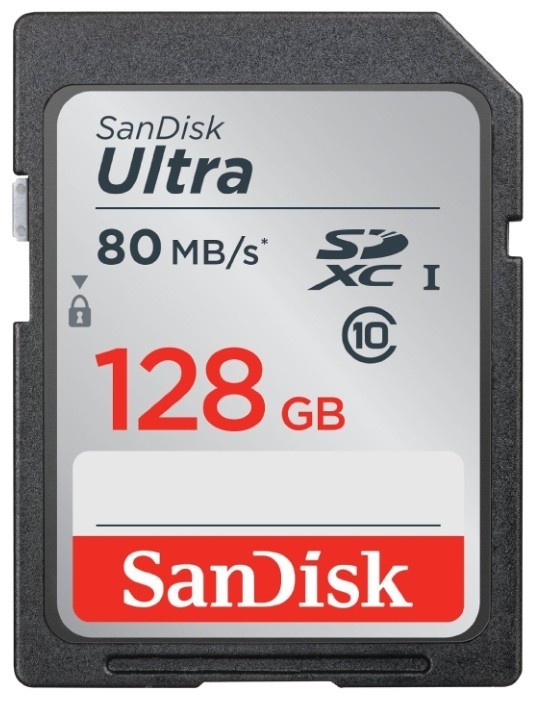
SanDisk Ultra SDXC Class 10 UHS-I 80MB/s

1743 отзывов

от 1427.00 руб.

9/10 баллов

Transcend TS*SDU1

992 отзывов

от 2720.00 руб.

8.9/10 баллов

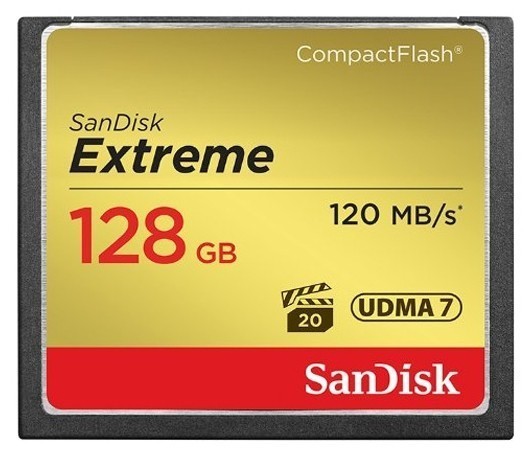
SanDisk Extreme CompactFlash 120MB/s

1035 отзывов

от 7350.00 руб.

8.9/10 баллов

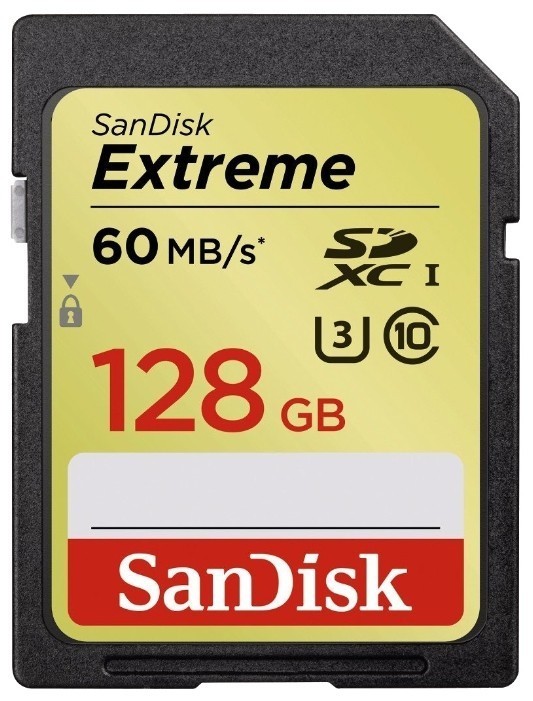
SanDisk Extreme SDXC UHS Class 3 60MB/s

842 отзывов

от 2071.00 руб.