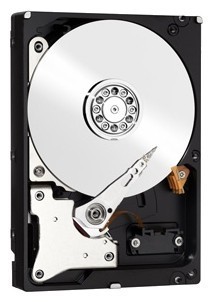
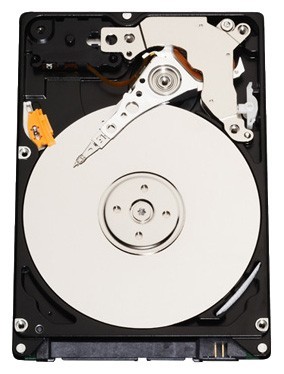
Отзывы о Жесткий диск Western Digital 500 ГБ WD5000BPKT

211 отзывов пользователей о Western Digital 500 ГБ WD5000BPKT

Пользовались Western Digital 500 ГБ WD5000BPKT?
Поделитесь своим опытом и помогите другим сделать правильный выбор

178
17
3
4
9
Profile no image

Синтрон-6YOSR

12.03.2013

4/10

Оценка пользователя

Ужасно

  • + нет битых секторов, смарт дефектов не нашёл
  • - ужасные скрипы (скрежеты) в простое. один скрип примерно раз в 10 минут. прироста производительности особо не заметно по сравнению с 5400rpm. надёжность винта под огромным сомнением, контактные площадки...
источник
Profile no image

Вояджер-4CXKT

13.05.2012

10/10

Оценка пользователя

Великолепно

I was on edge about buying this hard drive because all the negative reviews regarding noise, and vibration. Not to mention I own a mid-2009 White Macbook and noticed some people had trouble with the Sudden Motion Sensor. I was stuck between this hard drive and the Hitachi Travelstar. I ended up going with this because I have a WD my passport which works pretty swell after running steam games off it. AND I noticed many of the Hitachi drives were dying at an alarming rate in ONLY the macbook reviewer's reviews (everyone was reporting similar problems in an alarmingly similar time frame-- go check it out for yourself!)FOR MACBOOK USERS:So it was pretty to swap this hard drive in, and I restored from a Time Machine Full System Back up, and LION Recovery Assistant USB (which I made myself following Apple's instructions on their site! This is highly recommend for all Lion users who are switching to a new hard drive using LION/Time Machine seeing as how your Lion Recovery Partition will ONLY be on your old hard drive--- even after restoring from back up you lose the partition! LOL I checked and the only way to restore it is to reinstall lion which at this point I feel would be too much of a hassle and the recovery thumb drive works just fine.)NOW BACK TO DRIVE REVIEW:It took about 1 hour and 30 minutes to get back up and running. (I only transferred over 80 gb from a 160 gb stock Fujitsu 5400rpm hard drive. So let's address some concerns I had before purchasing (it took days of me going OCD on forums trying to figure out everything users had to say about this drive and it's performance.)- NOISE: Since this is a 7200rpm drive, many users noted that theirs makes loud whirring noises and chirps. I have yet to experience this (I've had the drive for about two weeks now.) I really believe these people got a fluke drive or weren't careful enough installing it correctly. My drive, while not as quiet as the stock drive, does give off a slight "air" sound which is lower than the macbook's "monster" fans. Overall the system is very quiet and you should NOT let negative reviews stop you! This is actually quieter than my "whipser"-quiet 160gb PS3 slim.... and that is saying a lot :)-ADVANCED FORMATTING troubles: Didn't have any. LION/Time Machine recognized the drive immediately! No crashes during set up.-VIBRATIONS- seeing as how this IS a 7200rpm drive, there is a slight vibration. Like another reviewer stated, it is no more than a WD MyPassport portable hard drive! Actually a bit less vibration. To help Macbook users get an idea, it feels a little less like what it feels like to have a DVD in the Superdrive.- TEMPERATURE: Using iSTAT, my old hard drive was 37 degrees all the time. This one is 40 degrees when it's really working.-SPEED BOOST: Though not exactly noticeable coming from a 5400 rpm drive, start up is about ten seconds faster. Programs start 3 seconds sooner. What is better is that capturing footage or audio recording straight from the macbook is much faster. I use my macbook to record videos, music, and occasional design files. Everything seems to feel a bit snappier and smooth. No hiccups or stutter with media.-BATTERY LIFE: My battery health is about 79% but I do notice this drive sucks more power than the stock drive. I get about 20 minutes less than before with each charge depending on what I am doing. Not bad.-SUDDEN MOTION SENSOR: The Macbook settings are the same and moving it around while recording videos has no effect on it. (Just don't go crazy shaking it like you want to kill it. No conflict.CONCLUSION:Though I have not had this drive for long, I would highly recommend it for those of you who are on edge. I will definitely be updating this review if it happens to die, or some funky things start happening to it. So, if you need the space, don't care for an SSD, and want a slight speed increase, I HIGHLY recommend this! Not to mention the price on Amazon is swell!
источник
Profile no image

Гелиос-6HJJD

18.01.2012

10/10

Оценка пользователя

Великолепно

I used this product to replace the old hard drive in my PS3. And I have to say that I'm extremely satisfied with the quality of this product. It's quiet and it functions every bit as well as my old hard drive. I'm mostly writing this review however for people who intend to do the same thing as I've done. Some people breeze through this process, others go mad. Replacing the actual hard drive could not have been easier. Sony did a great job of making the hardware installation a walk in the park. The software side of this installation and data swap is a bit trickier though. So let me see if I can simplify things for you a bit...STEP 1: Buy the hard drive, of course! You're going to spend a little bit of time preparing for it's arrival anyway, so get the obvious out of the way.STEP 2: Use a portable device to backup your current PS3 data. Otherwise be prepared to lose all of your downloads, saves, etc. The hardest part about this is going to be creating a FAT32 partition for your portable hard drive/thumb drive. If it's larger than 32gb, Windows won't do it for you, so you'll have to get a little technical. Most websites tell you to use DOS to get it done. I tried that slow and overly complicated process and got nowhere. My advice? Search Google for your hard drive's brand name plus a FAT32 formatter. For example, mine was Seagate; I typed in "Seagate FAT32 formatter", got a download from their website, followed the simple instructions and had the FAT32 hard drive I needed in 5 minutes. The DOS prompting wasted 12 hours of my time just to tell me the disk was too large to format...Anyway, once you've got the FAT32 hard drive you can begin using this guide for backing up your PS3 data and then switching out your SATA drives:[...]STEP 3: At this point, you've got your new SATA drive installed, your PS3 isn't recognizing the drive, and that guide I just gave you has completely failed to mention what to do. This is the norm for most users. Don't panic. What you need to do now is visit PS3's website (I'm about to provide a link), download the update data to a thumb drive or portable hard drive, plug it into the PS3 and get it working. Be sure and read the instructions on this link I'm about to provide. I wasted some time, because I just thought the update file had to simply exist on the USB drive when it was plugged back into the PS3. That isn't the case though. In your USB drive, create a folder named "PS3", within that folder make another folder called "UPDATE", then put the update file in the "UPDATE" folder. Once you've done that, plug the USB drive back into the PS3 and hit the Select and Start buttons at the same time on your controller. Everything should be smooth sailing from there and that guide I initially provided should get you to the light at the end of the tunnel. Here's the PS3 update download link:[...]Again, all of this looks pretty complicated, but ultimately ended up being very, very worth the wait. This SATA drive worked great and my shortcuts here should really help curb any time wasted for you. Prepare to spend some time waiting on the backup data to save to your hard drive and even longer for it to load back onto the PS3 in the end. Otherwise, this shouldn't take too much of your free time. I normally don't have the patience for this sort of tech-savvy installation, but this really isn't hard at all when you know where to look and have some clear instructions. Hopefully I've provided that for you here.In the end, you'll have a much larger, high quality SATA drive powering your console. Money well spent and the sort of thing you could do again in a heartbeat once you've done it the first time. I can't speak for other hard drives. I spent a little extra because this drive had reviews about being fairly quiet, and it is. It's actually quieter than my original PS3 hard drive. Like I said, if you're looking for a worthwhile hard drive for upgrading your PS3, then I believe this is a very sound investment.
источник
Profile no image

Нейрон-3UWGT

08.01.2012

8/10

Оценка пользователя

Хорошо

Overall, this seems to be a pretty good hard drive. Noise is minimal aside from some whooshing sounds, and I don't notice any speed difference from the 7200 rpm Hitachi that came with my Thinkpad. The price on this drive (and all others) has increased significantly over the past months, presumably as a side effect of stock shortages resulting from the very unfortunate flooding in Thailand (I note my drive was made in Malaysia). However, the drive seems to be worth even the increased cost.Unfortunately, tech support from Western Digital is worth zilch. I decided to clone my existing drive using the Acronis True Image software that is available on the WD website. Before attempting anything, I read the manual, and thought I was set to go. However, the Acronis software at first refused to install because it said I didn't have a WD drive in the system. It turns out I'd forgotten to format the hard drive first. Not realizing this at the time, I called WD support. I spoke with two technicians, the first of whom told me the drive or the USB enclosure was defective, and advised a return to Amazon. I didn't think this was correct, so I phoned again later. The second technician told me that these drives are not compatible with cloning using a USB enclosure. When I pointed out to him that the Acronis manual posted on the Western Digital website specifically recommends an enclosure for the procedure, he asked if he could put me on hold for 3-5 minutes, and he returned after 5 minutes to repeat verbatim what he had said before putting me on hold. Thanks for the protips, WD support! :)So here's what I did on my laptop (of course your system may be different, so follow these steps completely at your own risk).If you don't already have a WD drive in your system, follow steps 1 & 2 because you can't install the program without a WD drive. If you do have an existing WD drive, skip to step 3. Probably also a good idea to create a full backup and system image before doing anything.(1) Put the target (new) drive in a USB enclosure and connect it to your laptop.(2) Assign a drive letter and format the drive using Windows. Instructions for this are answer ID 3865 in the WD knowledge base.(3) Download Acronis True Image from the WD website and install it.(4) Create a bootable CD from within Acronis True Image. Leave it in your CD drive.(5) Turn off your computer, and install the target (new) hard drive in your laptop. Install the source (old) hard drive in the USB enclosure.(6) Turn on your computer and boot from the Acronis CD. This will start Acronis True Image without starting Windows.(7) Clone your disk using the Acronis True Image utility. Of course, be sure to correctly specify the source and target drives.(8) Wait for the cloning to finish - mine took about 30 minutes.(9) Your system should restart and boot into Windows. Your hard drive should look exactly as it did before, just bigger and newer!So eventually I got the drive cloned, but there was one problem - Windows Update didn't work, apparently because this is an Advanced Format drive and Windows 7 didn't recognize this, so it caused issues. WD's documentation for Acronis True Image says that Acronis is supposed to take this into account when cloning, but I guess the people who write the website and the people who work the tech support line read from the same "we don't know our products" playbook. After installing an Intel Rapid Storage Technology driver from intel.com, all worked fine. I got this info from this person's blog ([...]). Hopefully it helps anyone else running Windows 7 on a Thinkpad who is contemplating a similar upgrade.So, all in all, this seems like a good product marred by a frustrating installation experience.
источник
Profile no image

Квазар-5YECN

07.11.2012

10/10

Оценка пользователя

Великолепно

I received my new hard drive yesterday and went right to work copying the drive that's in my 2007 Macbook Pro. I have a 120 gb drive installed and just needed more space so I thought that the 500gb would do the trick. I used SuperDuper to create a copy of it first using a Vantec NexStar TX 2.5-Inch SATA to USB 2.0 External Hard Drive Enclosure. First I had to partition the drive so that the mac would recognize it. I just used 1 partition because I'm not planning on running windows also. It took about 2 1/2 hours to create a copy of my existing drive. Just let it do its thing and have all programs closed down on your computer while its copying. Once it's done, just do the hard drive swap and there are many tutorials on YouTube to show you how to open up your computer. It wasn't that difficult because I had already done a keyboard swap about a year ago. You will need a T6 Torque screwdriver to remove some of the screws so be aware of that. Once I got the drive in and rebooted, it took about a minute or so for the computer to recognize the new drive and load the OS. My computer is running faster now that my drive isn't almost full and that the drive spins at 7200rpm instead of 5400rpm. It takes a little bit of knowledge to do the swap but if you take your time and follow instructions you find online, it's really not that difficult.Things you'll need: External hard drive case with usb connector SuperDuper (for Mac computers) to copy your existing drive Very small phillips screw driver and T6 screwdriver
источник
Profile no image

ОмниКод-1UHQJ

06.03.2013

10/10

Оценка пользователя

Великолепно

Good drive.I needed to update my Toshiba laptop's hard drive, a 2009 Seagate 500Gb model which was exhibiting a well-known click/beep/freeze, and for which Seagate has STILL not released a firmware correction. Okay, that's a bit off-topic, but I am switching to a WD drive because I no longer trust Seagate for laptop OR desktop drives.First, I used this drive in an external enclosure to make a disk clone with Acronis TrueImage; no problems there. Then, this drive fit the laptop hard drive bay perfectly, and was immediately identified by the laptop's BIOS. Windows booted up on the first try and I'm back up and running. It's much quieter than the older drive; I can hardly hear it spinning and the head seek noise is almost imperceptible. It's quieter than the laptop cooling fan. The only easily audible noise is the startup disk spin-up and the head-unlock click.Naturally I cannot yet comment on this drive's reliability, but my previous WD desktop drive purchases have done very well.
источник
Profile no image

Интеллектор-0XAWX

22.01.2012

10/10

Оценка пользователя

Великолепно

I purchased a Lenovo Thinkpad T500 2081CTO a couple years ago with a 250GB HD @ 7200 RPM. Lately, I've been running low on space and worrying about the HD dying on me unexpectedly. After reading many reviews, I opted against an SSD (too pricey), against a hybrid HD (too weird) and purchased this one (good value and reviews.)The other issue was the ability to migrate the content of the old HD to the new one without reinstalling my existing Windows 7 64-bit Professional, applications and other files. I read a lot of related forum threads, it didn't look too promising and I still can't believe that it actually worked!Here is what I did:- Create a system image of all partitions in the old HD on an external USB drive using the native Windows 7 Backup and Restore application.- Create a repair disk on a DVD using the native Windows 7 Backup and Restore application.- If the USB drive is encrypted with BitLocker, write down the recovery key on a piece of paper.- Shutdown the computer.- Replace the old HD with the new one.- Reboot from DVD using the repair disk created earlier.- If the USB drive is encrypted with BitLocker, enter the key manually when prompted to do so. The option of finding the recovery key file on a USB flash drive didn't work with me.- Select the option to restore the entire image including the partitioning of the new HD.- Eject the DVD and reboot.- Wait anxiously to get back into Windows or just go have a drink.- Open Administrative Tools > Computer Management > Disk Management.- You will notice the 3 original volumes SERVICEV003, SW_Preload (C:) and Lenovo (D:), followed with the unallocated extra space (~250GB.)- Copy the content of D (10GB) to the USB drive.- Delete the D volume.- Extend the C volume by the leftover space minus 10000MB (or whatever space you want left for D.)- Create a volume with the leftover space and call it Lenovo. This is the new D volume.- Restore the content of the D drive from the USB drive.- Et voila!There may be simpler ways to do this but I went about it the cautious way and it worked the first time around.I ran the Windows Experience Index assessment from Control Panel > System and noticed that the disk data transfer rate climbed from 5.7 to 5.9.Conclusions:- This HD is faster than the Hitachi that shipped with the Thinkpad.- It is possible to perform a HD upgrade without reinstalling everything.
источник
Profile no image

Туманник-1TBNU

24.11.2012

10/10

Оценка пользователя

Великолепно

I have been doing computer build and repair for over 20 years now. I have used a lot of drives from the various makers, and my personal choice over all others is ALWAYS Western Digital.The warrantee on WD is very good I am sure..... I wouldn't know, I have never seen one to fail! That alone is possibly the best recommendation I can give anyone on these drives. The loss of a drive can be a serious problem, and the loss of time and work to repair can be substantial. The few dollars saved with a lesser drive is just NOT worth it in the end! I am willing to pay a bit more to get the best and in WD I always do!This small drive is one of the highest performance drives you can get, and with the price at Amazon, and with the fine way Amazon takes care of you?.... you can't go wrong. :-) I have never had a single time when a WD Hard Drive caused any difficulty with installation and software issues either..... I sure cannot say that for SeaGate.... and some that have compatibility issues from time to time. (For the record, The IBM / Hitachi drives are both good on install too, but their rated performance is a bit lower.)I would certainly buy another one of these knowing what I know now. I feel confident that you can buy with confidence and will never regret your choice of these HD units. Enjoy!
источник
Profile no image

Аргонавт-5ZBXX

05.12.2011

6/10

Оценка пользователя

Плохо

I am not able to get my OEM eRecovery Media from Acer to properly finish setting up my Windows 7 Home Premium installation because of the "Advanced Format" of this HDD. All I keep getting is: "Windows Setup could not configure Windows on this computer's hardware" and it is now stuck in a continuous restart loop (I am writing this review on my old backup XP test system).I have checked with WD and am aware of the "Align" utility, but they claim I should not need to use it because I am technically installing a "clean" Windows 7 onto this HDD through the OEM ISO disks and this is a Master, not a Slave. They also want you to register the product even before you can download this utility (something I do not want to have to do because I am unsure if this drive will even last, failures happen quickly if something went awry in shipping and I need those 30-days of return grace period because of that)!I am also aware of the "Intel Rapid Storage Technology 9.6" driver, but feel weary attempting to install this as it does have the potential to hose everything.I find it a very large PITA to have to install special drivers and utilities separate from my OEM disks EVERY TIME I am going to have to restore my system in the future, JUST to even be able to gain entry into the OS at-all because of the "Advanced Format". Those of us who only get OEM disks, or none at all as is becoming the trend with recovery partitions, would never, ever be able to figure this out... and much less get into the advanced boot options of their OS disk because there ARE NONE on OEM disks, you'd have to pirate and burn a OS ISO disk just to preload drivers for this HDD!It is for these reasons that I have given this product a 3-star review and not a 5-star review it otherwise would deserve and because I can tell this is a very quality HDD... it is very quiet, although due to the 7200RPM it does increase vibrations over a 5400RPM under load but is still a very nice upgrade from the trash OEM's install on their systems and which evidently fail after only 1.8 years of use (mine was a WD3200BEVT-22ZCT0).I might actually need to return this HDD because of all of these issues. To me, it is not acceptable. Amazon did not have any of the standard format drives sold directly from them otherwise I would have gone with one of them instead.Overall: bad move on "Advanced Format", WD! Do not like it!
источник
Profile no image

Астрономад-5PBUM

25.03.2013

10/10

Оценка пользователя

Великолепно

This was my first attempt to change a hard drive myself. I opted to but a WD 1 TB external with this product because WD include a Acronis application specifically designed to work with WD external. Now keep in mind that I only mentioned Acronis due to the fact that I got he external WD 1TB. The internal hard drive it ridiculously easy to swap and configure as long as you have:1. your boot disks2. Saved image3. and a several hours of un-interrupted time.I was able to salcage my Toshiba Satellite M305 (6+ years old) and save myself hundreds of dollars. The this product comes without instructions but ir securely packaged. If this is your first attempt do your research and avoid frying your new HD prior to installation.
источник
Profile no image

Кварковец-9YWQF

26.03.2013

10/10

Оценка пользователя

Великолепно

I've been using the hard drive the past couple months, and it was such a huge improvement over the previous hard drive that came with the Macbook. I honestly don't think there is anything to complain about-the price, the size, and the speed of the hard drive make it worth while. I was reading up on some of the other reviews, and while some complained about the sound, for me it really hasn't been a factor. I primarily wanted to get this to help with my video editing with Adobe Premiere and it's been nothing but a great overall experience. There have been a few technical issues, but I don't believe they were on the HD side as much as they were on the side of the laptop with other technical aspects.
источник
Profile no image

Странник-1PNNG

27.02.2013

8/10

Оценка пользователя

Хорошо

I chose this hard drive for my Macbook Pro 5,1 (Late 2008 Unibody)After 4 years of use, the original hard drive in my MBP gave up the ghost and I was getting beachballs like crazy. I/0 Errors in the system logs told me it was time for a new drive.I *really* wanted to go with a Hybrid Drive like the Seagate Momentus but I read enough horror stories on the forums of people struggling with the same beachball issue after installing, I went with the tried and true SATA style drive that was in my machine previously.Pros:Easy installation7200 RPM is a nice bump up from the 5400 that was in the machine beforeCons:Noise - previously, my MBP was mostly silent running. Now, with this drive, I can hear a constant fan type noise from where the drive is located.Overall, I would purchase again.
источник
Profile no image

ХроноГость-9AXMU

27.08.2012

2/10

Оценка пользователя

Ужасно

Ordered this on June 27 based on the positive reviews. After the install didn't go quite textbook; I surrendered and took my shiny new hard drive, Asus netbook, and damaged self esteem to a local computer repair shop. 65 bucks later I've got my hard drive installed. For those keeping score at home, $84 hard drive has now cost me $149. Fast forward a mere FIVE WEEKS - fire up netbook - get "windows could not start.." error. Take it BACK to repair shop where I get to spend another 65 bucks to find out the FIVE WEEK OLD hard drive has crashed and is toast. And yes, for those keeping score at home; $84 hard drive has now cost $214 No problem, methinks - why, I'll just return the hard drive for a refund and go from there. Guess what? The window to return the hard drive expired after THIRTY DAYS. Are you kidding me? Oh, I can get a partial refund; once I pay for return shipping. Jackpot Baby!I don't know if this policy is coming from Amazon or Western Digital. If it's Amazon, I am seriously troubled and may rethink my shopping allegiance. If it's Western Digital's policy; in the future I wouldn't buy a Western Digital souvenir paperweight.Oh wait, I already DID BUY a Western Digital souvenir paperweight.For 214 bucks.
источник
Profile no image

Сириус-2DNDZ

23.03.2013

10/10

Оценка пользователя

Великолепно

This is a high quality product that worked very well. Note that Western Digital has some special drivers and software that you should download first from their website, and burn to CD to boot from the utility CD. Absolutely no problems and increased both capacity and performance from my old drive. Free utilities to do a full back up and restore. Did backup on 80 GB drive and was able to restore to a larger partition with no problems.
источник
Profile no image

Туманник-1TDJG

29.03.2013

10/10

Оценка пользователя

Великолепно

It came in a good shock safe package in a timely manner (even sooner than the schedule) along with my other orders. Very quiet and fast hard disk and in comparison with my 320 GB HDD it produces very less heat. I used it right away and nothing to say except 100% recommend it. If you need a fast and hassle free hard disk with good quality don't hesitate to buy this item. It wont let you down.
источник
Profile no image

Астрон-3TOHO

10.02.2013

10/10

Оценка пользователя

Великолепно

I had to replace the hard drive on my laptop after it crashed. Luckily, I had a set of "factory setup" discs and backups of my files, so all I needed was a decent hard drive. The Scorpio fit the bill nicely. The unit arrived on time, and it was packed very well. I had no trouble installing it. After restoring the OS and all my software, my laptop is running quieter and faster than before: I suspect the superior speed and larger memory of Scorpio compared to my old drive has something to do with that! I would definitely recommend this product.
источник
Profile no image

Квантум-4RLLS

29.12.2012

10/10

Оценка пользователя

Великолепно

After my factory hard drive failed in my Asus UL50VT laptop, I sat around for a long time thinking whether I should pay 100-200+ dollars to get my computer fixed by Best Buy/computer repair or just do it myself. I found this hard drive after lots of research and compare and contrasting different products, and decided to go ahead and buy it. I figured out how to replace the old hard drive, let the repair discs do their magic, and so far, so good! I am really glad I did not waste the money buying the most expensive hard drive or even trying to get it fixed by scam artists. All in all, this hard drive does what any hard drive is supposed to do. I am thoroughly enjoying it :D
источник
Profile no image

ХроноГость-9GIGE

20.03.2013

10/10

Оценка пользователя

Великолепно

I just bought the WD Scorpio Black 500 GB SATA 7200 RPM and installed it in My PS3 which had a 80GB HD I can see the difference between the drives, with the old drive when I would watch a movie on Netflix the movie would stop and go and really slow down...with the new drive the movies just keeps on running even HD movies on Netflix and amazon alike and it wasn't my server slowing the movie down
источник
Profile no image

Нейрон-3TSRE

07.04.2013

10/10

Оценка пользователя

Великолепно

Needed to do a drive upgrade for my Mac Mini. This drive seemed to fit the bill. Found a cloning package out there that copied my existing HDD, did the swap and I was back up and running in no time. It was like nothing had happened except the increase in speed and access time is very noticeable.
источник
Profile no image

Пандорец-5KPVM

08.10.2012

10/10

Оценка пользователя

Великолепно

My interest in these drives are for a low cost alternative to small form factor drives for HP Proliant Servers for non-production test environments. So scanning the reviews prior to buying I noted that others also had success in placing these drives into RAID configs, so I gave it a shot with this controller.Summary:HP Smart Array P420i on ML350 G8 server (LGA-2011 E5-2620 xeon) NOTE: 512mb cache w/ battery backup installedWin2012 Enterprise Server3 drivesRAID1 + hot sparePassMark Results on arrayResult: 11559Disk - Seq Read 173.4 Mb Per/secDisk - Seq Write 1741.9 Mb Per/secDisk - Random Seek + RW 1280.9 Mb Per/secObviously the Cache on the controller is responsible for the high writes, But nonetheless, these are the results from several samples with this controller. Also the P420 management will detect that it's not an HP drive and warns that it won't show drive lights.
источник
Profile no image

ТерраБот-7PDUZ

26.03.2013

4/10

Оценка пользователя

Ужасно

I purchased this drive because I expected it to be quick, and reliable, for a conventional hard drive. Granted my last drive was a SSD that died after only year; but this drive hesitates, and is much slower than what I wanted. My next drive will be a WD 10,000 rpm drive, noise and all.
источник
Profile no image

Спектр-4FJXU

09.01.2013

10/10

Оценка пользователя

Великолепно

Bought this for my wife's late-2008 unibody MacBook. She had the stock 160GB 5400RPM drive and was getting to capacity. Installation was an absolute breeze- I removed exactly one (1!) phillips screw and it was swapped out in about 60 seconds. I did a fresh install of OSX and then brought everything over from a TimeMachine backup. Along with a RAM upgrade this older Mac now performs like a brand new one, and capacity issues are a thing of the past. This HD is quiet and I haven't noticed that it's any warmer than the old one. Highly recommend.
источник
Profile no image

ОмниКод-9XKKS

30.04.2012

10/10

Оценка пользователя

Великолепно

I bought this with intent to replace my 120 gig hard drive in my PS3. Once I figured out that I needed a system update download on a memory stick from the PSN site, I finally managed to get the Hard Drive to initiate and format while in the PS3. Suggestion for others attempting this... DO NOT attempt to format the Hard Drive before putting it in the PS3. You lose memory space each attempt because the Hard drive will save the DOS info for each time, reducing memory space. Then you have to go to a professional to get each extra attempt DOS off of the HD so you can have your full memory space available. But also, as a reminder for those wanting to put this into PS3. It does work and works great. But, keep in mind that you need at least a 1 gig memory stick formatted to FAT32, go to the Sony Entertainment/PSN site, look in the support section for latest "System update" download, and follow the directions they give you for making a proper directory file on your stick so the PS3 can recognize it. Then, you're all set to either download all your game data again, or if you have an available drive to make a back-up file on another hard drive formatted to FAT32, just restore the info off of it onto the new hard drive in the PS3. Those of us that didn't know that have lost everything and have to do everything again, which really sucks, and in my case has taken over 7 days to get back everything lost.
источник
Profile no image

Альфа-Юнит-9FZHZ

24.01.2013

10/10

Оценка пользователя

Великолепно

Unfortunately, I've had to replace several hard disk drives in my desktops. This was the first for the laptop, but it was the right one to buy. My HP laptop HDD failed and I needed something high performance. When I put this one in I immediately noticed a difference; better performance than what came with the HP laptop. In fact, when I tried out Civ V, I could actually play the game using this HDD. It's quiet and doesn't heat up like the original HDD did. Very good purchase.
источник
Profile no image

Небулоид-8HBSO

20.03.2013

10/10

Оценка пользователя

Великолепно

I purchased this drive to clone my current 320GB drive in my latitude E6410 laptop to so I could upgrade it to Windows 8 for a test drive. Since this is the larger, I left it as the Win7 drive because I felt it was likely I would stick with that OS. It's been working flawlessly.
источник
Profile no image

Небулоид-9MLMI

09.03.2013

10/10

Оценка пользователя

Великолепно

I like Western Digital hard drives--I appreciate their quality & thus their warranty--I own several.I look for a hard drive that spins at 7200 RPMs not 5400 RPMs & has the highest MB Cache available.Since this was going into a 4 year old laptop that had gone off warranty, the OEM was fine.
источник
Profile no image

Гелиос-3ZIOP

29.11.2012

10/10

Оценка пользователя

Великолепно

I have two of these WD5000BPKT drives that I use with Ubuntu Linux. They both click really loudly several times an hour and the Load_Cycle_Count (smartctl) keeps increasing along with the clicks. APM is set at 254 from the factory (hdparm). Took me a while to find the idle3-tools package which contains the idle3ctl command (Linux version of wdidle3.exe). idle3ctl can be used to disable the Idle 3 timer which controls WD's IntelliPark feature. Once I disabled this, the clicking stopped, and the Load Cycle Count only increments each time I power down/up the drive.Other than this, I've not had any problems with these drives.
источник
Profile no image

Альфа-Юнит-3XINU

05.02.2013

10/10

Оценка пользователя

Великолепно

After reading many comments of laptop HD in Amazon, I found this one was good. As a result, I upgraded my Thinkpad X200 (Fujitsu MJA2160BH 5400 rpm was originally installed) with this HD. Undoubtedly, program loading takes less time and it is really quiet.Excellent temperature control, eg. room temperature 71 °F and HD temperature 87 °F. (Windows XP running 5 hours, MS office, Firefox, etc.)
источник
Profile no image

Астрономад-4PAEP

25.03.2013

10/10

Оценка пользователя

Великолепно

this drive is one of the fastest/reliable drives you can get for laptop outside of ssd and let me tell you the warranty is a lot better than most companies add to it these drives last a lot longer than many others and are quiet.
источник
Profile no image

Супернова-1ILWA

08.04.2013

10/10

Оценка пользователя

Великолепно

Needed to expand my PS3's holding capacity for all the free items i got along with my Playstation Plus membership. Works great with my PS3, very satisfied how things turned out.
источник
Profile no image

Квантум-8MOPH

18.03.2013

10/10

Оценка пользователя

Великолепно

This HDD works great and improved performance. I bought this item to replace a bad HDD for a client. If it was up to me I would have went with a SSD, but the client needed the space. Not bad for the price! Would definitely recommend!
источник
Profile no image

Плазмоид-0XPWH

12.03.2013

10/10

Оценка пользователя

Великолепно

Works perfectly and none of that obnoxious supposedly helpful, undeletable software that doesn't do anything but limit how you can use it like some drives I've bought. My aging, formerly-cramped laptop is now roomy and noticeably quicker.
источник
Profile no image

Астрономад-2JDLM

07.04.2013

10/10

Оценка пользователя

Великолепно

I was afraid that my 6 yr old HD would fail w/o warning and I could not risk loosing important info so I replaced the HD for piece of mind.
источник
Profile no image

Лунатик-4QQBH

31.03.2013

10/10

Оценка пользователя

Великолепно

No, I'm not kidding.... Simply, the best all around drive, there for you every day.... Every time you need it with a rock solid 5 year warranty.....
источник
Profile no image

Сириус-2XRGC

23.03.2013

10/10

Оценка пользователя

Великолепно

I have found this product reliable and fully compatible with my Toshiba Satellite L650 laptop. It's now two months since I purchased this drive and have had no issues so far.
источник
Profile no image

Плазмоид-6VEYZ

18.03.2013

10/10

Оценка пользователя

Великолепно

Very happy with this product. Replaced a bad hard drive in my Macbook A1342. This was an upgrade in size and speed as well. The drive is very fast and quiet. Fit perfectly, great product!
источник
Profile no image

Квазар-9YDKF

14.03.2013

10/10

Оценка пользователя

Великолепно

Made a big bust in my performance on my toshiba satellite, this is a laptop hard drive and will fit most laptops, I would highly recommend this if your hard drive crashes, or you need an upgrade.
источник
Profile no image

Небулоид-6WOSE

23.06.2012

10/10

Оценка пользователя

Великолепно

Great drive so far. My machine starts up faster and runs faster until I max out my memory anyway.The only problem I had was that the Intel driver for the SATA chipset was to old on my machine. I cloned Windows, it booted up and ran but Windows update and the search did not work right. I searched the internet for the problem and every driver I was directed to even from Intel's website was wrong for my computer. I went in the Device Manager and looked under IDE ATA/ATAPI controllers and look for the SATA controller. I took the name there and searched Intel's site for it and found a driver that was new enough to support this drive. I recommend you make sure you have this driver up to date before cloning. It updates the Intel Rapid Storage technology software (Mine was called Intel Storage Matrix or something like that so if that is what you have it is to old of a driver).For anyone who happens to have the same laptop my Laptop is a HP Pavilion dv9700 CTO Entertainment Notebook PC.My SATA controller ICH8M-E/M.The file I downloaded was named RST_10.0.0.1046_WHQL_RAID_AHCI_drv_and_GUI.zip[...]
источник
Profile no image

КиберНаблюдатель-8SPDJ

03.03.2013

10/10

Оценка пользователя

Великолепно

THis was a replacement for the HDD in my macbook pro. It's fast and quiet; no complaints. I was a little worried it might run too hot but no issues.Eventually I'll probably change it for a SSD, but right now I'm too poor!
источник
Profile no image

МехаРейнджер-1BMHA

25.03.2013

10/10

Оценка пользователя

Великолепно

I use my laptop for personal use.... pictures, skype, fb, and netflix. This hard drive works perfectly for that and it was a no brainer to install.
источник
Profile no image

Спектроник-1NXWR

23.11.2012

10/10

Оценка пользователя

Великолепно

I purchased this drive in a 500GB configuration to backup the same size OEM drive in my laptop using a disk cloning device pruchsed separately. It is the only way to go these days because of the large hard drives sizes. It takes too long to backup any other way if you need instant recovery and minimal down of time. The WD Scorpio Black unit is a fast, stable and compatible drive to most SATA laptop drives. I is faster than most OEM drives and improves performance. I have purchased many of these as upgrades to other laptops for friends and clients.
источник
Profile no image

ОмниКод-0QSFD

04.03.2013

10/10

Оценка пользователя

Великолепно

I just go a new laptop and felt it wasn't enough space. So I upgraded the hard drive and now its smoking fast.Very quiet and stable, I have had the hard driver for about 2 months now. No issues whats so ever.
источник
Profile no image

Плазмоид-3HZLG

06.03.2013

10/10

Оценка пользователя

Великолепно

I like WD hard drives. This one I installed in my sisters laptop. It was easy to install and load. Runs fast and quite. She is happy and I am again her hero.Shipped fast and arrived early
источник
Profile no image

Астрономад-3RDHZ

07.03.2013

10/10

Оценка пользователя

Великолепно

I had problems with the original unit in my laptop. This one is twice the size and has operated flawlessly. It is faster than the original. I am very pleased with the unit.
источник
Profile no image

Кварковец-1KVWE

20.01.2013

10/10

Оценка пользователя

Великолепно

Product description was very clear and easy to understand and did not spend much time other than reviews. Reviews for the product are really good. Found the same item at a local store that was bit expensive. Performance wise it is really good. My 18 month old MBP crashed and I had buy this and install from the scratch.
источник
Profile no image

Сатурниан-9ISJF

09.07.2012

10/10

Оценка пользователя

Великолепно

By using Notebook Laptop SATA 2.5 Hard Disk Drive Clone Copy Kit wCD for 16.99 including shipping and the software and so simple an idiot can follow instruction sheet that came with it from Ebay, I was able to upgrade my Gateway with Vista and a fading 250 gb wd drive to this one even after making two stupid mistakes: failing to plug the ac back in before running the program (yes, it died halfway through)and then plugging the wrong end of the adapter's USB despite clear instructions to use the long cord. I'd wasted a couple of hours reading all the helpful Amazon reviews and then boning up on Acronis and other programs and informative web sites regarding the problems associated with moving to the advanced format from an older hard drive, but decided to just pop it in the case and try it with the clear instructions. Easy and seamless. Shipping was prompt for everything I ordered and I'm both relieved and pleased. It runs fast (perception, not testing), is warm and moderately quiet.
источник
Profile no image

Квазар-8FRXR

25.12.2012

10/10

Оценка пользователя

Великолепно

Didnt know atfirst if it would work with my Toshiba Satillite and it did. My laptop originaly had a 250g but this 500g WD Scorpio Black is working nice. I did buy a Windos 7 Operating System for it as Operating Systems are needed for new Laptop internal Hard Drives, where copy of your Back Disk/s or new Operating System. I was nervouse about this buy at first but this drive is nice and was easy to install.
источник
Profile no image

Капеллан-4RUPX

12.03.2013

10/10

Оценка пользователя

Великолепно

Bought this for a desktop build because the price was right. 7200 RPM HDDs are the way to go! You cant ask for more simple than this HDD.
источник
Показаны отзывы 9-56 из 211.

Похожие товары с лучшей оценкой
9.7/10 баллов

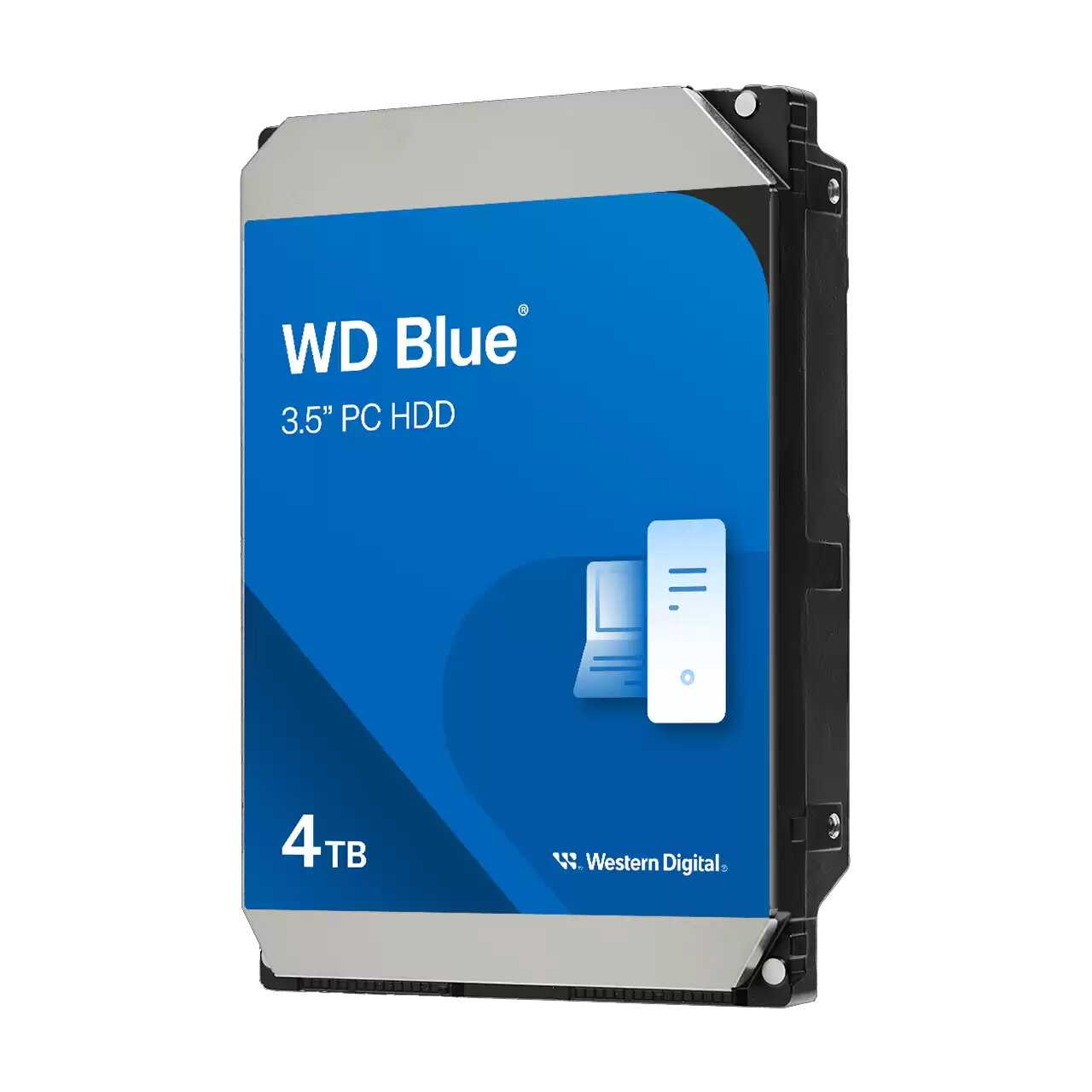
Western Digital 500 ГБ WD5000BPKT

211 отзывов

от 4540.00 руб.

9.4/10 баллов

Western Digital WD1500HLFS

110 отзывов

от 9512.00 руб.

9.2/10 баллов

Seagate SkyHawk AI Surveillance (ST10000VE001)

87 отзывов

от 38890.00 руб.

9.2/10 баллов

Western Digital WD Red Plus 1 ТБ WD10EFRX

623 отзывов

от 11945.00 руб.

9.2/10 баллов

Western Digital 500 ГБ WD5000BEVT

913 отзывов

от 5435.00 руб.

9/10 баллов

Western Digital WD84PURZ

55 отзывов

от 49731.00 руб.

9/10 баллов

Western Digital WD Blue [WD40EZAX]

74 отзывов

от 23997.00 руб.

9/10 баллов

Western Digital WD Red 3 ТБ WD30EFRX

513 отзывов

от 20030.00 руб.

8.9/10 баллов

Western Digital WD Gold (WD141KRYZ)

8 отзывов

от 113143.00 руб.

8.9/10 баллов

Western Digital WD VelociRaptor 1 ТБ WD1000D

69 отзывов

от 21852.00 руб.

8.9/10 баллов

Western Digital Жесткий диск 1TB WD

78 отзывов

от 12199.00 руб.

8.9/10 баллов

Toshiba L200 (HDWL120UZSVA)

108 отзывов

от 11619.00 руб.

8.9/10 баллов

Seagate FireCuda 2 ТБ ST2000DX002

295 отзывов

от 7991.00 руб.

8.9/10 баллов

Seagate Barracuda 160 ГБ ST3160318AS

235 отзывов

от 2270.00 руб.

8.8/10 баллов

Toshiba MG07ACA12TE

105 отзывов

от 103109.00 руб.

8.8/10 баллов

Seagate IronWolf (ST4000VN006)

145 отзывов

от 21967.00 руб.

8.7/10 баллов

Western Digital Ultrastar DC HC570 (WUH722222A

14 отзывов

от 65231.00 руб.