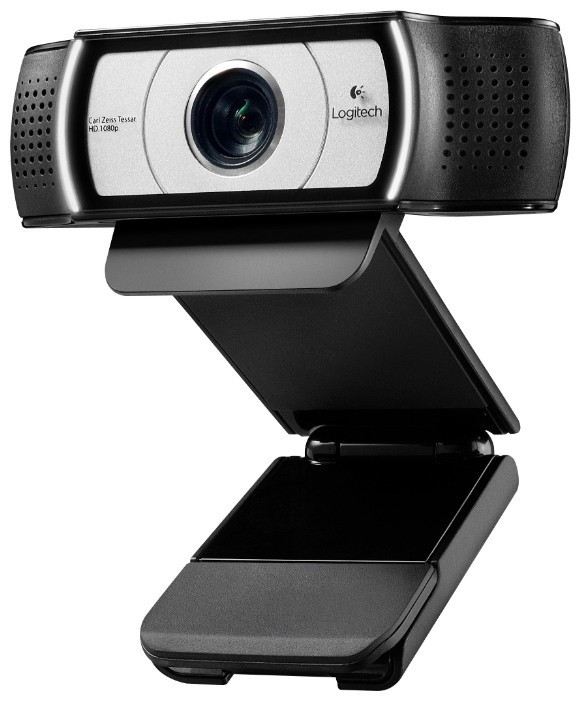
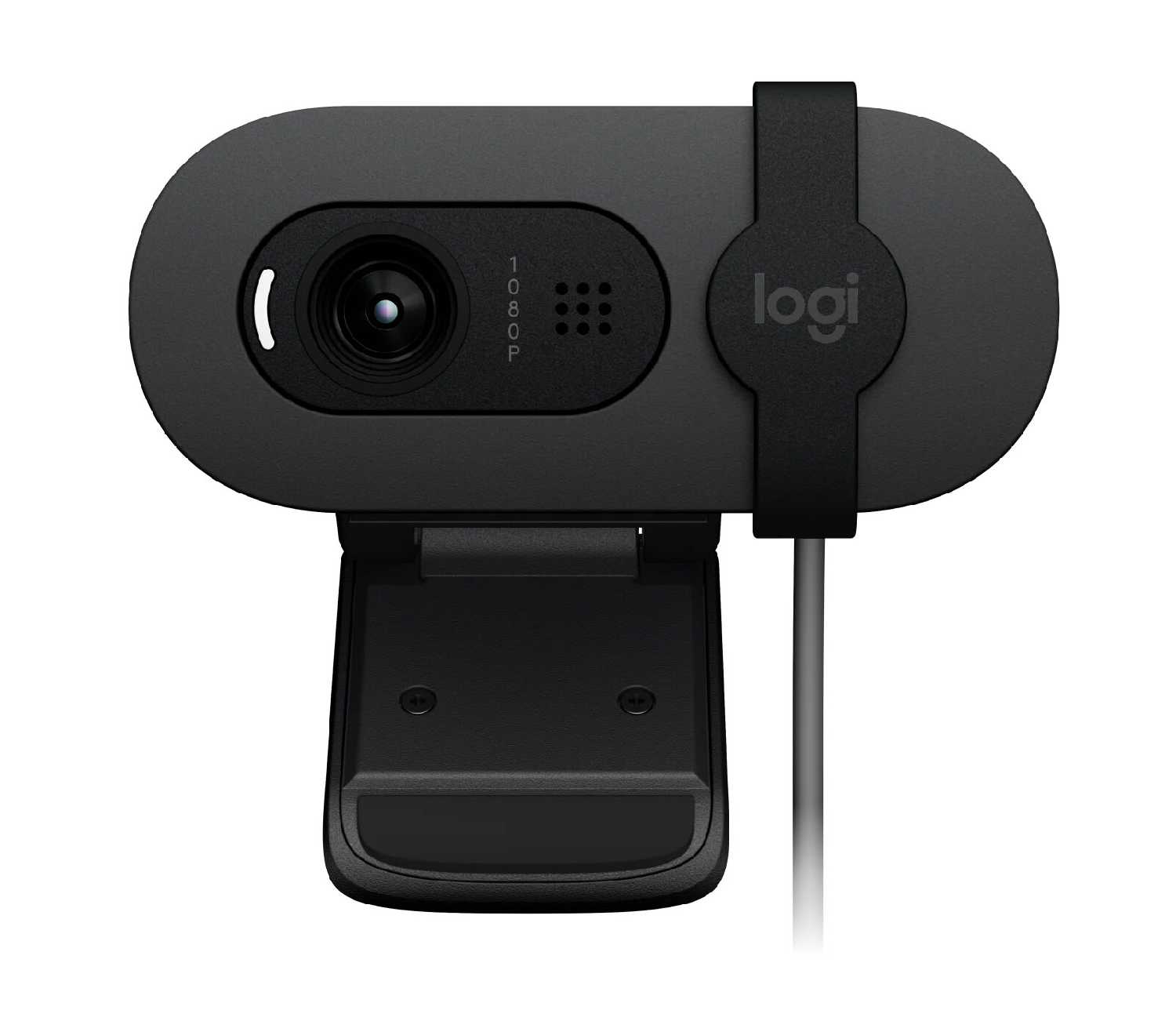
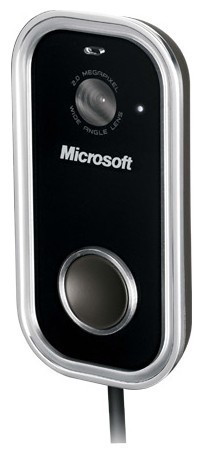
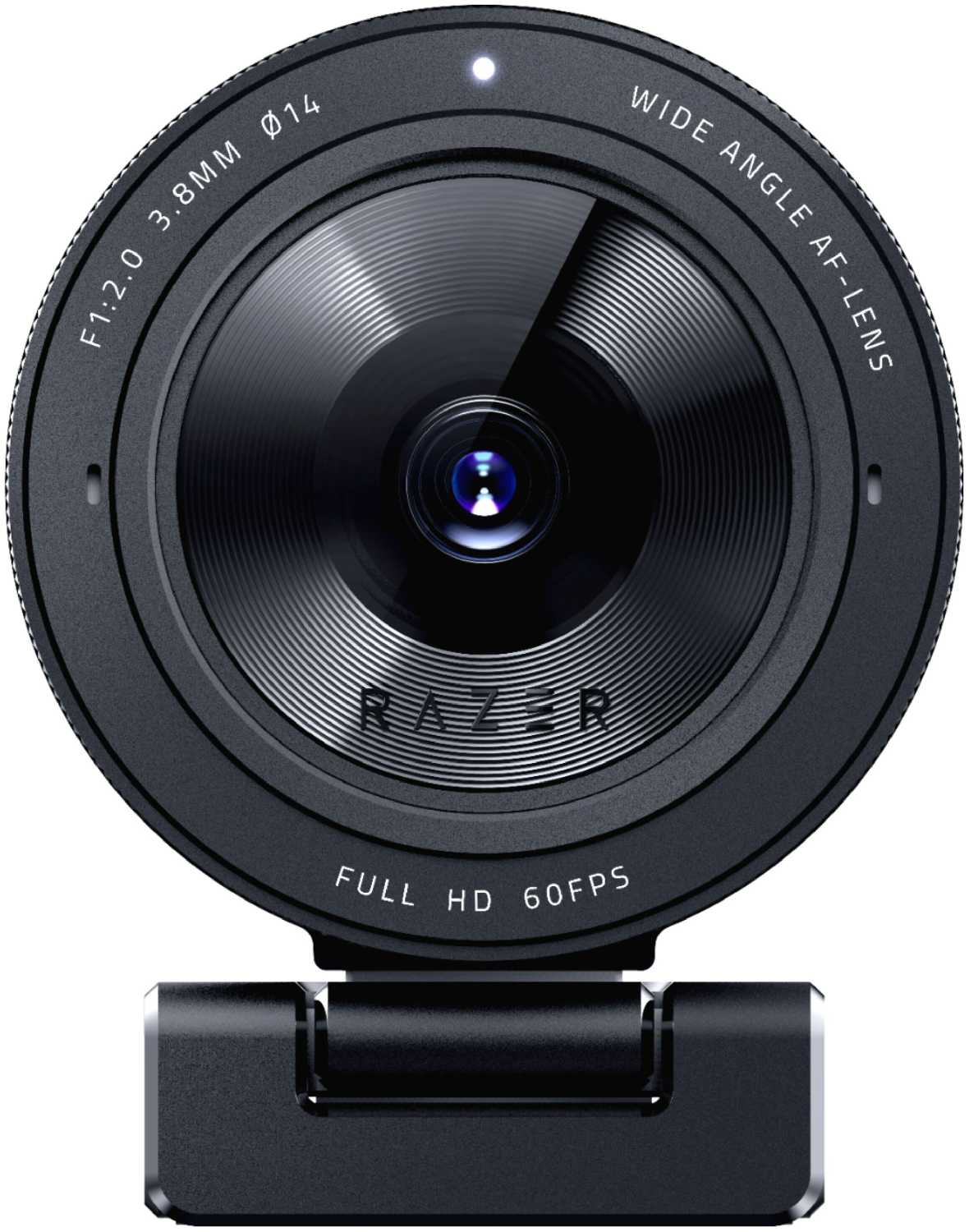
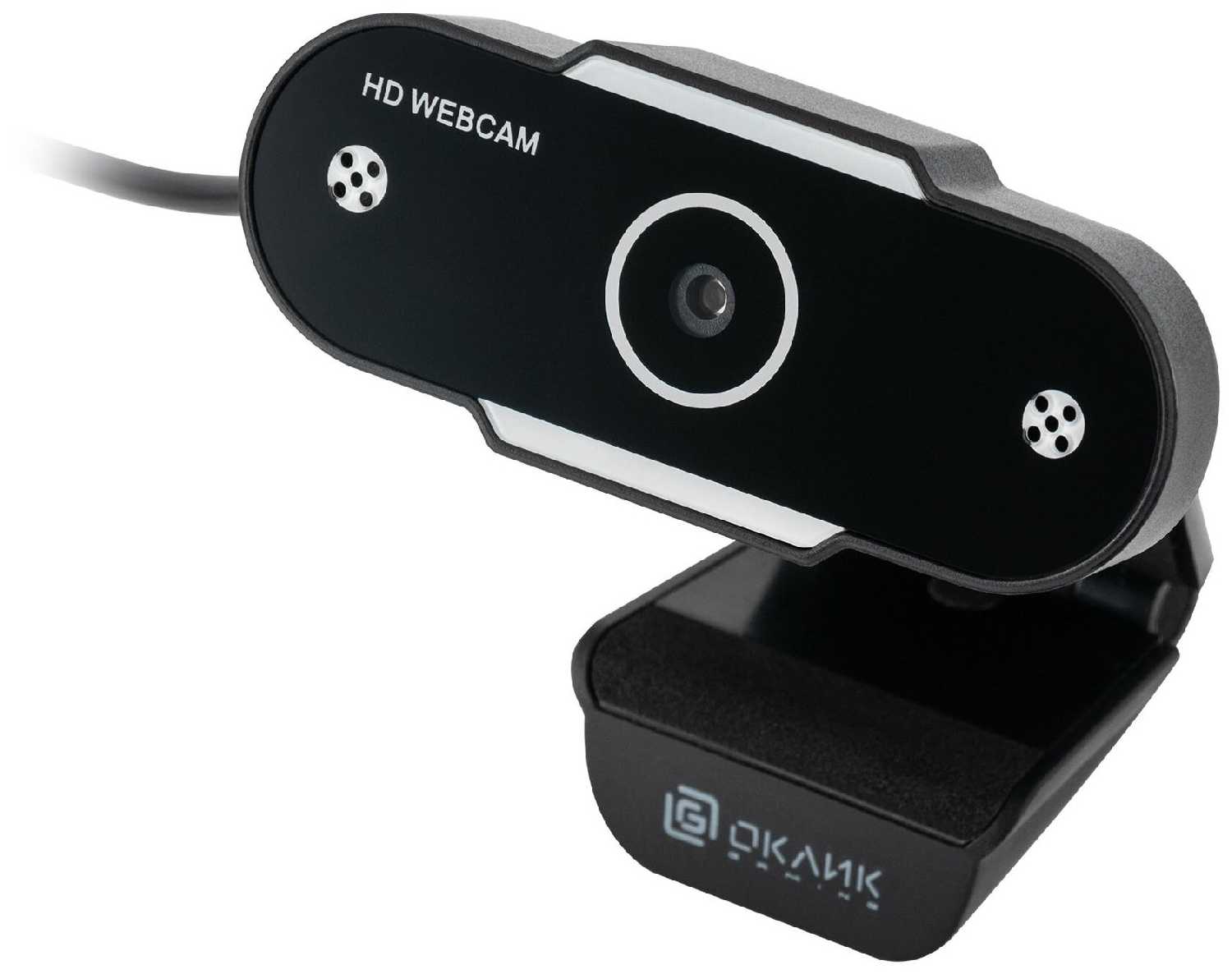
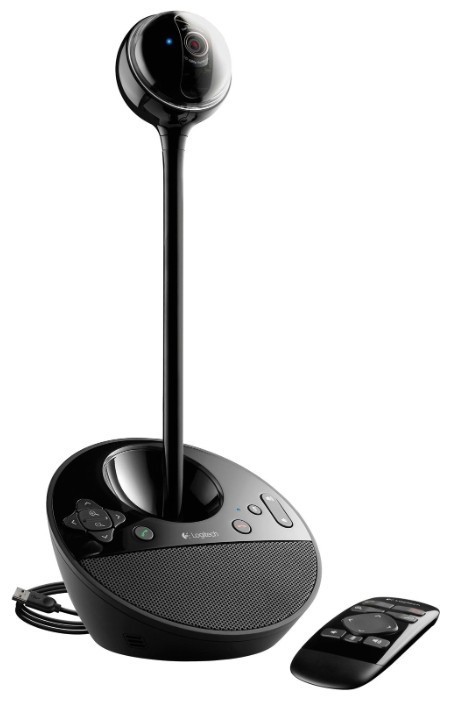
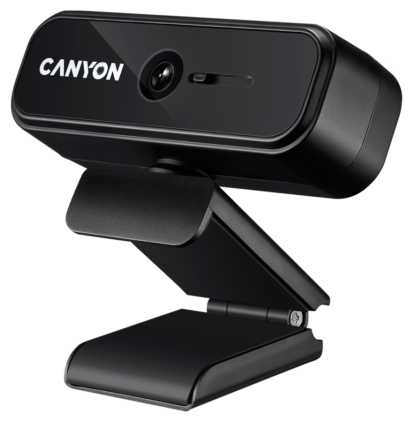
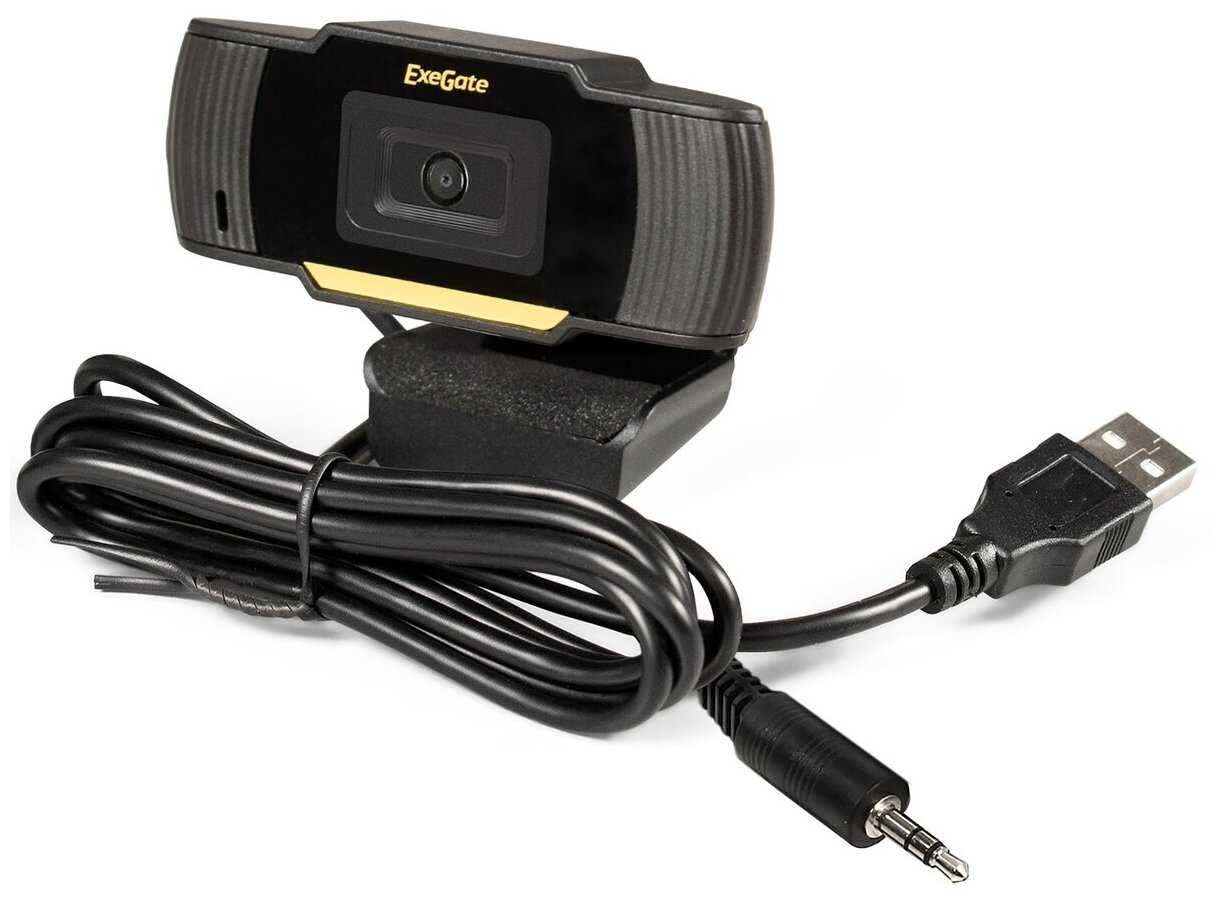
+ Качество видео до сих пор устраивает. Камера работает лет 10, может чуть больше. Но нужно обязательно ставить драйвер и ПО от Logitech. Достойное качество изображения даже при слабом освещении. Хороший встроенный микрофон.
- Нет обновлений программного обеспечения года так с 2012, рано забросили достойный продукт. При слабом освещении не всегда...
Пандорец-5BKPQ
09.03.2024
10/10
Оценка пользователя
Великолепно
Отличная модель
+ Очень хорошее качество, простая установка. Советую к покупке !!
ХроноГость-8WWME
09.03.2024
8/10
Оценка пользователя
Хорошо
Хорошая модель
+ Шикарная Картинка
- Нет программного обеспечения в комплекте а в интернете пока найдешь 99 сайтов обойдешь
ОмниКод-3RNEP
21.05.2012
10/10
Оценка пользователя
Великолепно
I've been testing and using the Logitech C920 for a week now. This is really a nice little camera! It takes good, sharp video, and the Logitech Webcam Software (LWS), works fine, though a bit limited in settings.For those wanting some tech specs, I ran a bunch of tests and analyzed the files with MediaInfo.LWS provides 4 modes: 360p (640x360 WMV), 480p (864x480 WMV), 720p (1280x720 MP4/AVC), and 1080p (1920x1080 MP4/AVC).In "Preferences," under the "Quick Capture" tab, it provides 3 audio and 3 video quality settings:Audio:Good (16) -- 16kHz at 20kbps (mushy)Better (32) -- 32kHz at 48kbps (fine for voice)Best (48) -- 48kHz at 191kbps (DVD quality)-- These only matter at 360p and 480p.-- In the higher modes, the audio (AAC) is always 48kHz at 99kbps (vbr), no matter where you set the audio quality setting (bug?).kbps and frame rates : ( 360p WMV / 480p WMV / 720p MP4-AVC / 1080p MP4-AVC )Standard (small file): 549 at 15 / 1155 at 15 / 2000 at 30 / 3000 at 30High Q (medium file): 943 at 15 / 2848 at 15 / 3000 at 30 / 4000 at 30Lossless (large file): 1723 at 15 / 3848 at 15 / 4000 at 30 / 6000 at 30-- In 360 and 480, the video bit rate will vary quite a bit depending on the amount of motion in the video. Frame rate is constant at 15.-- In 720 and 1080, the bit rate is constant, and the frame rate is constant at 30, tho MediaInfo sometimes shows it as variable.So you can see the highest quality mode is 1080p at 6000kbps at 30fps, which is probably what you wanna use if you're gonna pull it into an editor, and then spit out the results at say, 2000, which makes a good quality video at a reasonable file size for uploading to YT, etc.I don't know what they mean by "lossless," because what the software calls "lossless" is a mere 4-6 Mbps, highly compressed by the camera. But it's more than good enough.For the two AVC modes, the camera is putting out profile Baseline @ L4.0, no CABAC, 1 Reference Frame, CBR, and CFR. The color model is YUV 4:2:0, 8-bits, Progressive, as expected. This profile is widely compatible with many consumer HD video devices and software players.If you're gonna simply downsample the bitrate with Handbrake, you should make a profile that matches what the hardware in the camera puts out. Make your Handbrake (v0.9.6+) profile like this: -f mp4 -O --crop 0:0:0:0 --strict-anamorphic -e x264 -b 1500 --vfr -a 1 -E copy:aac -B 0 -6 auto -R Auto -D 0 --gain=0 --audio-copy-mask none -x bframes=0:8x8dct=0:cabac=0:weightp=0:ref=4:psy-rd=1.00,0.15 --verbose=1 (where -b = bitrate and -E copy:aac = audio pass-through). Note that I set RefFrames to 4, as it falls back to L3.1 if the ref is left at 1.What about other video resolutions and modes? Running other capture software, like BB Flashback or AVS Video Recorder, you can pick all resolutions from 160x90 to 2304x1536 (at 2 fps) and the C920 will switch to any of them -- so, yes, it will do all the 4:3 modes like 640x480, but not with LWS. There's no reason they couldn't put some common 4:3 modes in it, because the camera will do'em all, and wide-screen isn't always desirable.Does the camera put out raw video in the non-AVC modes, like a regular webcam? In LWS my processor (dual 3.06GHz) runs about 25% capturing 1080p, but about 45% capturing 480p. In other capture software, capturing 1080p in mjpeg or mpeg2/xvid maxes out the processor and stutters badly. So it would appear that the camera's hardware compression only kicks in with 720p and 1080p AVC, and a good thing it does! My computer (and its USB2) won't handle raw 1080p/30 video.Snapshots, using LWS (all JPG, Q unknown and not settable):Low: 1920x1080 (2MP, 472kB), a bit blurry in the detailsMed: 2304x1536 (3MP, 649kB), the native resolution of the image sensorLrg: 3280x1845 (6MP, 1047kB), interpolatedMax: 5168x2907 (15MP, 1984kB), interpolated-- I can see no detail difference in medium, large, and max, so interpolation is useless (as expected).-- I took the sharpest snapshot at 2304x1536 (its native res.) in another capture program that will save a BMP (uncompressed). Indeed, I took that and up-scaled it to 15MP in IrfanView, then saved it as 80% jpeg, and it's half the file size and better quality than what LWSs "Max" setting provided. IrfanView took the 45 meg BMP down to a 1 meg JPG (at 80% Q) and I can't see any difference in details.Now for the little complaints: None for the camera, but the LWS software could use some 4:3 resolutions and finer-grained controls, like setting the bit-rate of the audio and tweaking some AVC profile settings, more video containers like AVI and MOV, and an uncompressed (BMP) option for snapshots.RightLight: Doesn't seem to do anything. Either the Exposure and Gain are in Auto or not, and you have to uncheck RightLight to uncheck Auto. In auto, the exposure slider usually stays at 9 (of 14) clicks, and the gain varies. Fast motion is nice and smooth, though blurry. With ample lighting, you can improve the video a little by going to manual and putting the exposur
Странник-3RTMG
24.02.2012
10/10
Оценка пользователя
Великолепно
Length:: 4:41 MinsPlease disregard my "Spanglish" accent in the video review.I have to admit I was delighted to hear that Logitech had come out with a newer version of C910. I could not wait to try it and post a review. I knew this review would not compare to the video review I did for the C910 since there was no way my dogs were going to come in on "my" own terms. If you have no clue what I am talking about you need to see the video for yourself at this link: Logitech HD Pro Webcam C910 (I had dark brown hair back then). When I did the video review for the C910 I just talked about the picture, lighting and sound quality. Pretty much all of that stayed the same with a few minor enhancements. So this time around I wanted to show the some of the fun "extras" the webcam comes with like avatars, fun fillers and video mask effects.I understand that with time you need to upgrade and make improvements, but I wanted to understand and "dissect" the changes Logitech made with the C920. First thing I noticed was that the C920 is quite smaller in size. I posted several pictures on the product page so you can see the size difference. I wondered if the size variation would interfere with the dimension of the image that is captured or the quality of the sound because housing around the lens and speakers is smaller and more condensed. To my surprise, the picture and sound looked and sounded great. I was pleased it has a 6-foot long cable - great for a desktop computer, not so great for laptops. The cord is actually a foot longer than the C910. The camera sits perfectly on my 23-inch screen. The C920 has a "new" tab located underneath the front of the webcam. This allows the camera to sit more securely in place without worrying it will fall backwards or slide forwards Another great feature the C910 did not have is that it is tripod mountable.The C920 has 15 MP compared to 10MP on the C910. Let's talk about mega pixels a little bit. The resolution of a picture/image is represented by its mega pixels aka MP. The higher MP the larger you are able to view or print an image. Typically an 8MP resolution allows you to make an 8x11 photo quality print. If you try to make it large, your image quality will start to get worse and become blurry. In general smaller MP are great for Internet postings because most of the time you crop and edit pictures to make them even smaller. So how important is that the C920 is 15MP compared to 10MP? I guess it depends on what you are using it for. If you need to post or print a 15x20 or larger picture than 15MP will be great for you. This is not important to me since I do not use the webcam to print out or post HUGE pictures. The only pictures I might post using the webcam are silly looking "duck face" pictures on social sites. If I need to take photos, I will just use my digital camera. This webcam is primarily used to video chat with friends and my family.Please be aware in order to get 15MP quality pictures you must use the enhanced software Photo Capture which is included in the download - just like it is with the C910.Now lets talk about Full HD 1080p with H.264. I have heard of 1080p but what is H.264? I did some research. There are three different types of high definition modes: 720p, 1080i and 1080p. The 1080p is the only full HD. It is able to display a native resolution of a least 1080 lines, the higher the number of lines the sharper the image. The "p" means that the screen display images very quickly by completely refreshing the screen with every frame. This allows quick movements to display in sharp detail. Now let me explain H.264. The H.264 is best known as being the codec standards for Blu-ray discs. It is widely used by video streaming sources such as YouTube, Vivmeo, iTunes, Amazon and web software such as Adobe Flash Player and Apple QuickTime. So what does this all mean - it allows you to be viewed in 1080p in a clearer, faster, smoother and high definition (as long as the "viewer" has good quality equipment as well). The C920 does video processing in the webcam as opposed to the C910 using the computer's central processing unit. This means less lagging and hesitation on your system since everything is going on in the webcam - that makes a very big difference in framerates in HD quality.Installation was simple. I am using it in a Windows 7 Home Edition 64-bit OS environment. This webcam does NOT come with an installation CD. You must go to Logitech's website and download the software. The web address can be found in the instructional booklet. It only took less than 1 minute to download the file and about 2 minutes to install the software. The webcam was up and running in less than 3 minutes!The image is clear and the movement and response time is fast and smooth. Sound is heard loud and clear. It comes with all the extras the C910 comes with such as motion detection, follow me, face recognition, avatar, video mask features, RightLig
ХроноГость-2PUVH
29.03.2012
8/10
Оценка пользователя
Хорошо
Just pulled this out of the box (thanks UPS!), plugged it in and going through the setup process. No attempt at video-skype yet, but since the pictures/video seem to be good so far, I'm guessing that it will perform well with that as well.Pros:1) H.264 compression!! It's about time that Logitech got around to putting out a camera that had this. When shopping for a webcam for my wife early last fall, we ended up getting her the FaceVsion N1 (which has onboard H.264 compression). The C310 that we picked up would crash her computer (C2D U9600, 1.6ghz) when using it with Skype (Skype would try to switch to 720p, and the processor wouldn't be able to handle it. So I got the C310, and the N1 has worked perfectly on hers, using a fraction of the computing power of the C310. (My cat puked on the C310, so that's why I'm reviewing my brand-new C920.) We've yet to try either the N1 or the C920 on anything weaker than her C2D processor, but it might work with older/slower computers that can't run the non-compressed HD signals.2) Solid construction, non-slip surfaces for mounting on a computer monitor or shelf.3) Tripod mount, for those times when you are going to be recording video that's *not* pointed straight away from your laptop.4) Extra-long, 6' USB cable, so you can mount it wherever you need to.Cons (including features that aren't really worth paying for):1) USB cable is not detachable. I need ~18" to get from the top of my laptop to the nearest USB port, and so I have the remaining 4.5' wrapped in a loop, cluttering my desk. A detachable (standard) USB cable would have been best, since everyone has a ton of them in various lengths (from different pieces of electronics). It also makes the whole webcam rather heavy (comparatively), which would become noticeable if you're traveling for work and carrying it in your bag. The non-detachable aspect also makes dropping it into a small protective bag a bit more difficult.2) Doesn't fold flat. At all. The smallest this can be is a reasonably large "L" shape...3) Something about the combination of this webcam and the paint scheme in my room is throwing the white balance WAY off. It seems to be using the entire shot to determine the auto white balance, and the wide-angle lens picks up far more of the yellow walls / wood background. None of the other cameras I've used have had an issue in this room, but that could be that they weren't as wide-angle as this. If they could shrink the area that's used to determine white balance (like on most digital cameras/DSLRs), it would be VASTLY improved. Maybe they could combine it with face-tracking so it always ensured that your face was properly adjusted for?4) The "auto focus" seems to be relatively worthless, unless you're trying to show something in the ~3" range (possibly for work?). Anything more than ~18" away from the camera (ie, normal laptop range) is "infinity", so there's no more focusing needed due to the small aperture. With less wide-angle webcams this feature is definitely more important, but here it just seems like unless you're REALLY close.I'll add an update after I use it for a while, including for video Skype / Google Hangouts (it's main use). It seems like it's a great combination of things (Logitech's sharpening and color software are excellent, and it has the onboard H.264 that I loved from the N1), but it seems let down by a few notable problems (won't fold flat, non-detachable cord, questionable auto white balance) that keep it from getting 5 stars. Overall I think that it's a very, very good product, and considering how far technology has come in the past few years it's an excellent value. Now just fix those damn issues!edit: Update after using it for Skype, it's definitely a pretty neat little webcam. The H.264 was interesting, as watching the call tech data I'd watch it go from using ~65% CPU usage while streaming at 640x480 down to ~25% (occasionally in the teens) after it bumped up to 720p. Apparently it only does onboard compression at the 720p level and up, and not below it. Was funny watching video quality go up at the same time as CPU usage plummet. At the 720p level of CPU usage, I'd imagine that it would work with a (reasonably) slow computer, although who knows if it would actually work or not. My computer: Intel C2D P8700 2.53ghz, 4gb ram.Lastly, if anyone has the opportunity to try this with an ancient computer (like.... a 3.0ghz Pentium 4 or D), I'd love to know whether it would work. Trying to figure out if this would work with my parents or my sister's computer, and it'd be great to know whether it works or not before going through the hassle.
ТерраБот-1HOXT
13.12.2012
2/10
Оценка пользователя
Ужасно
I wanted a webcam so I could quickly capture my songwriting sessions. I didn't want to go into ProTools, plug my guitar into a recording interface, hook up a microphone, set up the tracks, etc. When I have an idea, I just want to press "Record" and capture my guitar and voice. Furthermore, a webcam recording will give me some idea what chords I was playing, etc. It's a perfect solution to the problem of forgetting music you're writing, or sudden inspirations.Except that I have never gotten the thing to record with less than a half hour of troubleshooting. And some of this troubleshooting was very technical. My second time to use it, all the audio was flanging. Think of the guitar's on the song "Barracuda" by Heart, or "Killing in the Name" by Rage Against the Machine. It goes up and down, there is a sine wave superimposed on the audio signal. As an electrical engineer, I knew this meant there was a problem with the microphones sampling frequency. I changed it, no impact. Then I saw this little checkbox "RightSound", unchecked it, problem solved, but at this point, I've reset my computer, replugged the webcam and unplugged all my audio gear, wasted 20 minutes. And why did this problem appear suddenly? This was my second time using it, and I'd already fixed all the problems the first time I used it (over 20 or 30 minutes of troubleshooting). It should work immediately in the future, right? No.My next two or three recordings go slightly smoother, but I still had to unplug and replug the camera and remove all my other audio equipment and restart the software or computer several times. It was never the "one click" capture of my ideas I'm looking for.Last time I tried to record, pressing the "Record" button would start the countdown (3...2...1...) as expected, but the recording indicator would never turn red, and it wasn't recording. This one took a half hour to debug, and I don't even know what I did to fix it! I think I reinstalled the software. Once again, this wasted time has defeated the entire purpose of using the camera.Right now, the microphone input level is stuck at zero. Sometimes I have to restart the software just to be able to move the slider! But when the slider does move, the volume returns to zero when I exit the preferences screen... Useless. Cannot record.Also: The software ignores your system defaults for audio. And it doesn't give you an option to set a default inside the software. And it resets the microphone source AFTER EVERY RECORDING. It doesn't even default to it's own microphone! It's defaulting to my electric guitar effects pedal's ADC. So every time I click "Record", I have to remember to change the source. Otherwise, my song, which I was recording because I have a head injury and can struggle to remember such things, is recorded in silence. 2 minutes lost if I'm lucky. Sometimes 10 or 20 minutes.Well, the video quality is good, the mount for your monitor is okay at best, the stereo microphone is pretty good (though worse than when I've recorded on my friends Macbook. At this price, it should be better than the microphone built in to a laptop, shouldn't it?)I filled out the survey built in to the app, hoping to give the developers feedback. Well, the survey window was too small for the survey contents, had no scroll bars, and was a fixed size window so you couldn't make it bigger. I'm going to go out on a limb here and say they didn't spend much time on this software.Hopefully I can go buy some decent webcam software and it will solve all these problems. But I just bought Logitech's premium webcam... I shouldn't have to deal with all this.I shouldn't have to buy more advanced software to capture a basic video.Won't buy Logitech again.
Нейрон-2PZVH
07.09.2012
8/10
Оценка пользователя
Хорошо
The quality on this camera is fantastic. The webcam itself contains a software installer, so you just plug the camera in and it will bring up the installer for the drivers.I have a quadcore processor and 4 GB of RAM, but the video was still laggy and choppy, even though that meets the minimum requirements. The lag was absolutely ruining my videos, because the sound would continue while the picture hung, and then the sound and video would be out of sync. I had to stop and start recording again every time I saw it hang. I thought my computer was the problem, so I plugged the camera into a powerful workstation computer with a hexacore processor and 16GB ram, and it still lagged when recording video. When I checked the computer performance, I found that the computer was only using about 3% of the CPU and about 3GB of RAM, but the Logitech recording software was STILL lagging. I found that the problem was not the CPU or memory, the problem was that it was plugged into a USB 2.0 port. When I plugged it into a USB 3.0 port, it recorded seamlessly. Unfortunately the camera doesn't have USB 3.0 as a requirement. It will run with USB 2.0, but it will most likely be choppy or laggy at 720p or 1080p. For optimal use of this camera for recording, make sure you have USB 3.0 ports on your computer. However, even then, it hangs every now and then. I find it better to record in 720p instead of 1080p to avoid the hangs.Here's what I really love about the webcam recording software that comes with the C920:-Freely adjust brightness, contract, exposure, color saturation, and gain.-You can toggle auto focus, auto gain, and auto exposure.-You can adjust audio quality, compression, and resolution.-You can adjust focus manually or automatically.-The software gives you overall control of your picture, so you can get the perfect lighting, focus, and color.-Change audio input, audio quality and bit rate.What I love about the camera:-The focus is really impressive, it can take a very crisp image or video of something an inch away from the lens, which even surpasses my Nikon's macro function. I'm really impressed with how high quality the image is and how sharp the focus is.-The lens is super high quality - Carl Zeiss lenses are even used in NASA telescopes. Again, the clarity is impressive, even better than my DSLR.-The plug and play feature lets you install the camera on any computer without having to download drivers online.-The camera is tripod ready.Things I'm not crazy about:-The microphone is great for Skype chat, but I bought this camera to record podcasts and web videos, and the quality of the audio simply doesn't match the quality of the picture. I ended up buying a USB condenser instead to use with the camera.-The Logitech webcam software doesn't allow you to adjust the framerate of your recording. I would like to be able to cap the framerate, but it just records at whatever framerate it sees fit for the resolution/quality. This is frustrating when trying to import videos into editing programs.-I wish the product had told me that it would run optimally with USB 3. I do not have onboard USB 3 and needed to but an additional PCI card. This is the only reason that I really give it four stars and not 5, because I'm disappointed that it wasn't more specific about how to optimize video quality. I spent an entire day testing and trying things to figure out how to get the video to stop being choppy.Overall, this camera provides you with a stunning image for video chat. If you're planning to use it for recording, however, make sure that you have ample RAM, CPU power, and USB 3.0 ports. Other than those hiccups, I'm really impressed with the camera.
Плазмоид-5SKGP
04.02.2013
8/10
Оценка пользователя
Хорошо
You cannot go wrong with this High Definition web camera. Whether your computer has a built in webcam or not, the Logitech HD Pro Webcam C920 is a smart investment. With its sleek design, crystal clear video recording capabilities and superior sound quality, the Logitech HD Pro Webcam is the web camera that can't be beat.The smooth rectangular shape of the Logitech webcam offers a pleasing to the eye design. The camera is primary black with a small Logitech logo to the right of the camera lens and each side has high quality dual microphone for stereo audio. The camera comes with a tripod ready base but, contains a mounting arm so it can rest on the top of a laptop. The camera lens is protected by clear plastic and the camera itself is durable. About the size of your palm and lightweight, the Logitech camera is a smart choice for that reason and more. The Logitech webcam's video recording capabilities are superior to others because of its easy to understand software that comes with the camera. Not only is the software easy to understand, but it comes with autofocus that is quick and smooth. Most webcams take a substantial amount of time to autofocus and adjust lighting, but the Logitech C920 webcam seamlessly transitions with little to no wait time. While recording video for Facebook, YouTube, or other use, the webcam records clearly and the software provides a place for the video to record to, each file is saved to the program and there are options for video editing and uploading the video straight to the desired website. When using the Logitech web camera, you can be sure that your videos will look and sound superior.In addition, the sound quality of the webcam is able to pick up the quietest sounds without the need for additional microphones. With its dual mic for stereo recording, the camera's microphone will pick up even a whisper so you know that when you are Skypeing with a friend or record a video for YouTube, your voice will be heard. The only downside to this web camera is that when recording, the audio and video sometimes go out of sync but the problem is easily fixable. Whether you are using Skype to chat with friends or recording funny videos, you can trust the Logitech web camera will capture audio with crystal clear quality.All and all, the Logitech HD Pro Webcam C920 is the web camera above all web cameras. The pleasing design and shape, the above average video recording ability, and the clearer than clear audio is more than enough motivation to buy the webcam, even the price of the camera is reasonable. Between the webcam software and the easy to understand program, you cannot go wrong. The Logitech web camera proves it is the camera to beat and is durable enough to last for years to come.
НаноРейдер-2XSVU
22.08.2012
10/10
Оценка пользователя
Великолепно
I purchased the Logitech C920 and I'm very happy with it so far.After reading lots of reviews, I decided to purchase this webcam because 1) with software you could get 15 megapixel image quality and 2) you could use a tripod with it.I had read many reviews with some saying that the C910 had better image quality because it had 5 megapixel true whereas the C920 had only 3 megapixel true. That was a concern for me at first. Also I was concerned about reviews that said it is very good for close-ups but not good quality for the background. I found it was high quality for both close-ups and background. Also, some had said that the camera only "sits" on top of the monitor. Well, that is NOT true. There is a clip and it allows it to fit any monitor thickness which is a plus. You can even have it sit on top of you CPU tower on on the tripod (which you must purchase separately -- important because I thought that the tripod came with it).I purchased this webcam to replace my much older Logitech 4000 webcam. As I expected, the image quality of this webcam is so much better. I don't get the blur and it isn't as grainy as my older webcam. I took a video of me holding up my credit cards and you could read the numbers on the credit cards very clearly. It blew me away because I wasn't even using zoom. I even made a video with the lights off with just the monitor on and the image quality of my face was super! I love the widescreen to it and I love the hi-def.I also read about the noise quality -- I think all webcams have this issue, but this one is much better.Some said that this is not a good webcam for travel. I disagree. This webcam folds up and it will fit any thickness of monitor you need it for, and if you have one of those dinosaur monitors, you can just have it sit on top of it.Only 2 negatives I see so far is that it does not have 360 degree turn or any turn for that matter. But for sitting on top or my monitor or on a tripod (which I need to purchase), it does great. My old Logitech 4000 that did rotate was always turning when I didn't want it too. Very annoying I must say. With the 920 I can adjust it going up and down, just not side by side, so it is not a problem for me. Other negative is that if you want to do a video call with someone they have to be using the same software and I don't yet know how the image quality would be with other software since it is the Logitech software that gets it to 15 megapixels. I need to try that out too.Could I get a better webcam? Sure, if I wanted to pay a lot more! For the price, this is a great webcam and so far it is doing what I need it to do. I only did a few test pictures and videos today (only received it today), but so far I love it. I still need to see how it works for web calls and such. I also need to learn how to make some of the great effects it has. All in all, this webcam beats any of the other ones in the Logitech line for features and image quality.This is also my first review ever. I felt I needed to write a review because there were so many negative reviews on this product. I am ready happy with my purchase and I'm glad the negative reviews did not sway me to not purchase it. I'll play around with it a bit more and see if I still love it :)
Интеллектор-1PSSX
21.02.2013
4/10
Оценка пользователя
Ужасно
First off, image quality is great, but that's all the good I can say about this thing.I purchased this in hopes of doing 720p recording at 30FPS. I figured the onboard h264 encoding would handle this with ease and leave the CPU to do other things-which is does, however in most resolutions you only get 15FPS. Some users on the Logitech forums have suggested disabling the "RightLight" feature in the software but I haven't yet tested this. As far as the hardware I'm using, I've tried 3 systems. One with a Core2Duo 3.0ghz with 4GB RAM, a C2D 2.4ghz, and a Centrino 2.0ghz. I'm above the recommended specs for 1080p recording. So, 720P shouldn't be a problem right?What Logitech doesn't make obvious is that you need to have Quicktime installed on a PC to get h264 support which still doesn't guarantee 30fps. Ok, so that's not really a big deal. Most people have QT Player installed. What's not so fun is that because of that, editing these files with Windows Movie Maker for example results in out of sync audio, especially when using an external microphone (another MAJOR flaw I'll get to below) because the time coding seems to be different.Now here is the most significant problem that Logitech NEEDS to fix. When using an external mic with the Logitech Webcam software, the audio sampling rate is limited to 32khz. With as much emphasis as I can muster, that is completely unacceptable. You only get 44/48khz when using the onboard camera mic which may be OK for voice, but does not fare well with musical instruments (even if you're doing a podcast or something and want the best audio). Disabling the audio correction options in the software does not help. So you might say, "well, it's not for recording music, so use an external mic." But we're back to this 32khz limitation. You will not get quality sound for your instruments. I would highly recommend NOT purchasing this webcam for this reason. Is Logitech aware of this? There are mentions of this on forums going back since it was released and I even contacted support using their recommended channels and I was told it just isn't supported. Terrible enforcement of this limitation on the R&D side for this product. Unbelievable. So maybe there's a hardware limitation on the webcam itself - wrong. Other applications such as VirtualDub and Sony Movie Studio have no problem allowing 44/48khz or even 96khz from an external mic with the Logitech C920. Logitech appears to have intentionally programmed their recording software to force you into using the built in mic-it just doesn't make any sense.
Сириус-0NRBI
26.01.2013
2/10
Оценка пользователя
Ужасно
I purchased the Logitech c920 Webcam for a Windows XP sp3 OS desktop that had been optimized for home audio recording. All system requirements for supporting the webcam were exceeded by considerable measure. After downloading the software from the Logitech website, I tried to record my first video. No audio had been captured, even though the software gave no indication that there was a problem during the download. Upon further investigation, I discovered that the Logitech c920 Microphone was not selectable in the drop-down menu on the Quick Capture controls screen. After an hour or two of web research, I discovered many others have had similar problems with downloading the audio drivers for this webcam. I tried uninstalling and reinstalling the webcam software with identical result. I tried moving the wdmaud.sys file from the C:\WINDOWS\system32\drivers directory to the C:\WINDOWS\inf directory in accordance with another user who had recommended this as a fix for the problem. It still would not recognize the c920 microphone within the software. I finally called Logitech customer support and was quickly connected to a very polite and eager representative who stayed on the phone with me for at least an hour, trying to get the c920 microphone drivers properly installed. After six attempts and two computer restarts, she was out of energy and ideas. She recommended I try the webcam on another computer and contact the computer manufacturer for further assistance.I'm afraid this one is going back. I strongly suspect that there is a fix for this simple problem, but if Logitech Tech Support can't figure it out, I'm afraid I have no choice but to give them back their webcam. The video quality was quite remarkable, by the way.I understand Amazon has about a 30% return rate that probably costs them hundreds of millions of dollars each year in lost sales. I would submit that a considerable percentage of those returns are caused by a simple lack of product support needed to get gadgets functioning properly within the first week of a new purchase. In many cases, a simple point-of-sale compatibility check could easily be done which would confirm that the computer being used for the online purchase could also support the peripheral being purchased (hey, there's a business model for some enterprising young tech geeks).I'm also a bit miffed that the webcam went on sale from $79.99 to $69.99 the day after I purchased it.
МехаРейнджер-1TELR
28.02.2013
8/10
Оценка пользователя
Хорошо
The camera works perfectly fine, and in Windows 8, the drivers install themselves without any hassle whatsoever. There is a slight and brief calibration period, but this isn't really a problem.The camera is great, but in hindsight perhaps overkill. I don't have stellar lighting in my room (I have enough lights to see what's going on, but not enough to make myself flattering in front of a lens), and thus, the camera is much more inclined to catch blemishes than make you look like you would under ideal viewing situations. If you don't have really great lighting, don't expect to get the full value of your purchase. I feel like my Galaxy S3 takes pictures at least as good as the C920 -- perhaps even better -- though I cannot be certain.The microphone is also not the highest quality I've seen, so if you're planning on doing anything remotely close to professional, buy a separate mic. This isn't to say that the quality is so bad as to be unintelligible, but you won't be able to replicate the sound captured by a dedicated device. For simple uses like Skype, it's passable.One thing that nearly infuriated me was the lack of a tripod. I never planned on using it, but including "tripod-ready base" under package contents is disingenuous at best. This merely refers to the fact that the camera CAN be hooked up to a tripod, not that it comes with one. This is a distinction that Logitech does not try very hard to make, especially as there are pictures of a very specific tripod littered across the page. It's not often that I fall prey to marketing schemes due to poor reading comprehension, and I must say that this act seems deliberate, especially after considering that the "tripod-ready base" is incapable of being separated from the camera itself. To include this as not only another feature, but part of the contents provided at least seems to impress itself as being part of a sinister campaign.As a very huge fan of Logitech products overall -- and I own their wireless solar keyboard, their g5, g500, and g700 mice -- I can't help but be disappointed with the way they marketed this product. I don't have any problems with the quality of the device, but I must take away a star for at least being dishonest. Their other features are fine, though not as great in application as they are in theory.
КиберНаблюдатель-7SYWI
03.01.2013
10/10
Оценка пользователя
Великолепно
I needed to upgrade from my Logitech QuickCam Ultra Vision. It was good for its day, but the years have come and gone, and it is not a prime time webcam any more.The Logitech C920 answered the bell and then some. And the price was certainly right. I always felt the QuickCam struggled with rooms that were not ideally lit, especially in rooms without windows and mostly flourescent overhead lights. The C920 is far superior in all lighting conditions.If you want to take photos or videos of a lot of people in a controlled setting, (think team pictures, party, reception, formal event, kids with Santa, etc.) you could just set up your laptop on a table and put the C920 on a tripod. Have people stop by the table for photos. Bring a couple inexpensive aluminum shop lights from Home Depot and you are golden. You can set up for the shot and see it instantly on your screen. Just don't go over the native photo resolution of 2MP, which is fine for a 4x6 print or a screen wallpaper.My System:Lenovo laptop w/15.6" screeni7 3rd gen processor8GB RAM256GB SSD drive512GB external HD23" Samsung MonitorPros:* Full 1080p HD* 720p HD (more than suitable for most web-based videos* Outstanding optics (for a webcam - don't expect DSLR quality)* Excellent lighting adjustments (auto lighting mode is very good, or tweak the setting yourself)* H.264 file format (mp4 and Quicktime standard - excellent compression)* Very good onboard mics (stereo)* Plug-n-play software installation (just plug in the webcam and the software loads from the web* Social Media support (YouTube, Twitter, Facebook sharing)* Email support* Can link to my video editor (Sony Movie Studio Pro 12) and image editor (Paint.net)* Tripod threads* Good on-board mics (you could definitely do a podcast/videocast with these mics and not be embarrassed, as long as you are close to the camera when recording)Cons:* Had some trouble with audio/video sync issues (use Microsoft driver, not Logitech driver)* Had trouble with a USB mic (Zoom H2 audio recorder) and setting levels for an analog mic (Giant Squid) Decided to use onboard mics for in-office recordings.Other:The auto-focus does a great job focusing on the foreground, at the expense of a bit of a fuzzy background. This is typical of all good cameras. You can't really get everything in focus if there is a lot of depth in the shot. Best to shoot within 4-5 feet with the subject against a wall or curtain.I have not tested Skype or IM video services yet.
Вектрон-4DWIF
07.01.2013
6/10
Оценка пользователя
Плохо
Video worked well under OS X Mountain Lion (10.8.2). Both a MacBook Pro and a Mac Mini were immediately up and running on Facetime, Photobooth, and Quicktime with no drivers or other configuration required.Audio from the webcam microphone, however, was disastrous under Facetime. Multiple users on the far end complained of a persistent echo of their own voice. Clearly the webcam microphone was picking up the sound from the speakers and sending back to the other party.Things I tried which DIDN'T fix the echo:1. Adjusted volume control on external speakers.2. Adjusted microphone sensitivity and speaker volume from within System Preferences.3. Altered physical position of speakers relative to the microphone.Actions which DID fix the echo:1. Switching to the MacBook internal microphone for audio (but still using the Logitech for Video). Not an option for Mac Mini.2. Muting the microphone using Facetime controls when other party was speaking.3. Using a USB headset for chatting.Collectively, these seem to indicate that OS X cannot properly handle ambient noise reduction for the Logitech (perhaps due to stereo microphone??)Things I wanted to try but just didn't have the time or resources:1. Use an external desktop microphone.2. Connect speakers to a USB soundcard instead of Mac headphone plug.Other notes:1. If you are looking for a Mac webcam to record yourself or your cat (for YouTube, Podcasts, etc...) then this issue won't affect you.2. I ended up using a Rocketfish 2.0MP Widescreen HD 720p USB WebCam Photo Up To 8MP PC|Mac RF-HDWEB instead and did not have the echo problem. OS X somehow handles the noise cancellation better (again, I suspect it may be due to stereo microphone in Logitech, but I'm not certain). Facetime users reported that the video between the two was comparable.3. Included mount is only adjustable for tilt. It cannot pan unless mounted to a tripod.4. Yes, I know this webcam is not officially supported on the Mac by Logitech. I thoroughly recognize that I'm 'penalizing' it for being poor at something it never claimed to be capable of in the first place.I'm interested to hear if any other users encountered this problem and if they found a fix. Please post your experiences in the comments.
Дроид-2IWIK
26.10.2012
2/10
Оценка пользователя
Ужасно
I have barely used this new webcam. Then mostly for the microphone. When I tried to use the webcam for Skype I realized the wiring hasn't worked for the video since I bought it. I get error code 43. If I play around with the wires it isn't recognized. When I manually identify the drivers, windows report gives the error 43 again and indicates the item reports a failure. You can see at the USB the wiring bends significantly and won't last. Then Logitech support and warrantee is a joke. First, you have to provide numbers off the the tiny non coated PAPER tag wapped around the wire. That paper tag sticks out just after the USB connection (instead of being on the back of the webcam where it would last, and nothing in the original packing has that information). It was very clear the tag was PURPOSELY designed to fall off or for you to remove it purposely long before the end of the two yr warrantee. Even if you still have the box and tore off that tag, too bad for you because the box information will not contain the serial info and they won't honor warantee coverage without the tag info. Surely it is a sleezy strategy aimed to avoid having to fairly deal with its many poor products. If like me, you still have the tag because it has only been 31 days and you didn't get to tearing if off yet, you get stuck on the phone with someone from the Philiphines who cannot speak english and will make to spell everything while they type with one finger. That makes the process take close to an hour but at $2 per hour labor, who cares Right? Now the Philiphine person who cannot type or speak english refuses to send a replacement until they get the original. They will first mail me a label and claim you should put it back in the plastic container it came in and give it to UPS. In the meantime, I need this for online classes!! They really didn't care about my needs as they didn't even understand what I was saying althought they surely had a lot of attitude as they read from from a script. In summary, Logitech's ridiculously aweful customer service and support systems means I won't buy anything from Logitech ever again. Also, for the record, I read somewhere else that warrantee replacements are only allowed ONCE and so when the next one fails on day 30 I surely out my $86 (with tax). Do youself a favor and buy from a company that doesn't use every trick in the book to avoid living up to its warantte coverage.
Небулоид-0NAPA
07.09.2012
8/10
Оценка пользователя
Хорошо
This camera provides a pic so much better than the built camera on my Vaio -- Much better resolution, better color rendering, better contrast, better brightness. It's just a much superior sensor and lens.Setup is easier on the Vista or later. Note that you need Quicktime installed and Logitech's Webcam software to be able to record video at 1080p (it expects to use the Quicktime codec to produce H.264 compression). I was able to manipulate the camera with Arcsoft software but it would not allow video recording at above 780p. The Logitech Webcam software that comes with the unit allows video recording up 1080p.If your computer has a Sandy bridge or Ivy bridge CPU AND has a secondary graphics processor (hybrid graphics) then you will probably need to turn the secondary graphics processor off to be able to switch the Logitech Webcam software into video capture more or to change resolutions. On a Vaio, this means moving the Stamina/Speed switch to Stamina. Logitech is aware of the issue and hopefully working on a fix. This is only an issue with the Webcam software so it's seems to not be not a driver or hardware issue. The software is reasonably easy to use and as functional or more functional than other web cam softwareThe Logitech product info talks about stereo mics but don't be fooled that this means you can record stereo. The mics are stereo (because there are two of them) but they produce only a mono signal. I asked Logitech and they could not provide any support for any claim that there was a stereo signal nor do they make any such claim.The camera is mildly warm when running -- it has on-board processing that handles some of the workload that would otherwise occur on your CPU -- I'll take a little heat in the camera in exchange for less in the CPU.The camera can focus from within just a few inches to infinity and I found the auto-focus more than capable. I found the auto-white balance to be weak on reds but the screen on my particular model of Viao is weak on reds so that might be all there is to that. You can adjust white balance manually, which is a nice feature some other web camera software doesn't have.The pic quality is better than the sound but the sound is what passes for above average in these days of mp3 music and cell phone conversations.If you're using you PC camera, video calling, whatever, you'll probably appreciate the better image from this unit over the stock camera that came with your PC.I'd give it 5 stars except for the Logitech hooey about stereo. Still, it's mu favorite web camera.
Альфа-Юнит-7XKYR
07.03.2012
10/10
Оценка пользователя
Великолепно
I was able to do a direct side-by-side comparison between three Logitech webcams: the C920, C615, and C525. Here is what I found:Right away I noticed that the C920 was a superior product - as it should be, considering it is Logitech's flagship webcam at the moment. But my initial impression was that the extra features might not be worth the size and setup tradeoff. There are three things that the C920 does not have:1) While all three models attach to your computer monitor in about the same way and all three can tilt up and down, only the C525 and C615 can turn side to side. In fact, they can turn around 360 degrees and more. The C920, however, has a threaded tripod mount, as does the C615.2) The C920 lacks the excellent "fold-and-go" design of the other two models, which makes packing and travelling easy, while protecting the lenses. In contrast, the C920 is much larger and stationary.3) The C615 comes with a shorter USB cable AND an extension for more versatility. The C920 - like the C525 - comes with only a full length cable (~6'). My wish for all three models is that they come with a detachable USB cable, which would make them all much more portable and easy to carry around, especially in this age when most people travel with at least one or two USB cables.But when I actually sat down to do some serious comparisons, I realized just how much more advanced the C920 is, most notably in its use of H.264 compression and its autofocus feature.H.264 is a standard being utilized more and more for video of all sorts, and it makes a huge difference here. Having used all three webcams on the same computer and with the same software, the C920 compresses 1080p video completely while recording and takes about 49MB per 1 minute of recording on the highest settings (720p for one minute takes about 31MB). That uses *.mp4 format.Meanwhile, the C615 and C525 use *.wmv format and take 99MB and 44MB for one minute of video at 1080p and 720p, respectively. The real problem, though, is that you then have to sit and wait for the video to compress if you are working in 1080.If you're interested, The C920 has 1 zoom level at 1080 and 4 levels at 720. The C615 has 0 zoom levels at 1080 and about 10 at 720. The C525 has about 10 at 720. All can be used during recording, but the quality involved with the C920 is again far superior.Also, the autofocus is much better on the C920, with less flickering and light change. You can really get up close and show off your pores and beard growth.In conclusion, the optics and hardware of the C920 are obviously superior to the others, which are already high quality. If I am using the webcam while highly mobile, then I may opt for one of the others - I might even just settle for the C525 because it's a tiny bit smaller than the C615 and I believe you cannot use the C615 to make 1080p video calling, even if your hotel's Internet service could keep up with the data rate. However, if I am using a webcam at a stationary computer, or am really a videophile, then I definitely want the bigger workhorse.
ОмниКод-5MYQV
05.03.2012
8/10
Оценка пользователя
Хорошо
I have a number of webcams, from $10 cheapos (that nevertheless work surprisingly well) to a couple of 720p HD cams from a year or two back, one being the Microsoft LifeCam Cinema, and one being the Logitech Pro9000 (which I recently gave to my son to use at college).First, a couple of problems. The download and installation on Vista of the webcam software from the Logitech site was easy, except for one thing (something which I have found in some other software as well) - which is that it uses fixed size dialog boxes, and so if you use a different display density, the "next" button is off screen and cannot be pressed. (I had to temporarily change the display back to default). Since this is a 1080p webcam, Logitech should expect it to be installed on displays of 1920x1080 or greater display size, so some users are going to want greater DPI on their displays in order to see text.The other problem is that despite the "RightLight2" designation (indicating improved light adjustment), I still find the MS Lifecam Cinema to be better for low light situations. I use webcams for security, so they are often being pointed out the window at night. MS Lifecam is still ahead of Logitech in the ability to adjust to very dark situations.Aside from those two things, this is an excellent webcam, with some notable improvements that show that Logitech is really trying to evolve the webcam to be your everyday camera of choice.For starters, this is easily the best webcam mount I have every used. It has a flat base that sits securely on flat surfaces by itself. The mount then has two pivot points that allow it to raise up further and tilt back. Then there are two long tabs that allow the cam to be grab the top of laptops or displays. Plus, the special feature, a standard tripod mount.Here is the interesting new thing. The tripod mount, or just the stable mount placed on a table, allows use of this camera to replace your still camera, at least indoors by your computer. What I am talking about is ebay. The C920 has an amazingly close minimum focus point. The software has a very easy to use webcam controller that can pop up when you start a video app. If you uncheck "auto-focus" then you will find you can focus as close as an inch away, so you can do a still closeup shot of any item. The controller also has a nice feature that allow you to move the webcam's image to zoom in and then pan left, right, up or down.The inclusion of stereo microphones is a nice touch as well. I am not sure which chat services support stereo, but in general, it will make the video call more realistic if the person on the left has their voice coming from the left, and so forth.In conclusion, this is a well designed and high quality product with a useful set of included software ( I mainly use webcams for security with the free program Yawcam, so I have not used the Logitech video calling and recording software, and so won't "review" them, but they do look useful. )
Плазмонавт-2OLHT
18.08.2012
10/10
Оценка пользователя
Великолепно
I have been using a C910 for about 2 years. It has been free of any trouble, but I have some issues with the design and somewhat buggy software. When I read the C920 can be mounted on a tripod, I heard the trumpets of Revelation going off in my head. Finally, I don't have to deal with affixing the webcam to the monitor with Velcro, rubber-bands and paper-clips. That is one of my greatest complaints about the C910 and similar monitor mounted designs, it is flawed and doesn't provide any alternative method of using the camera.Well the C920 looks very similar to the C910. The microphones are angled more to cover about 180 degrees. The tripod mount works with any standard tripod, Gorilla Flexible. That makes me happy. And they finally designed the monitor clamp so it can be adjusted and now I don't need the tripod.The USB cable could be longer. Logitech did not provide any software CD. You have to get it from the logitech website. The website claims the C920 requires a special build of LWS that will not work with other logitech products. I have three Logitech web cameras and this makes it a bit harder for me to swap cameras between computers. There isn't any way to install the C920 software side by side with the C910 software.The C920 has simplified camera functions compared to the C910. Only 4 resolutions available. It doesn't make it clear which are HD resolutions so it appears that the 1080p and 720p are HD and 480p and 320p are not. But all 4 resolutions could be HD. That would make my next complaint not such a big deal. The special effect filters don't work on resolutions 720p and 1080p and barely work on 480p. That is a bummer because I hate looking any my inflamed pores and tufts of black hair sprouting out of moles in glorious High Resolution. I wish I had an HD quality face to go with my HD quality video.So, I don't want to pick it apart too much. Going against a design trend the C920 is heavy and solid compaired to the C910. I needed to buy a new web camera and I am glad to buy this instead of another C910. The quality of the camera's video and the trouble free operation so far hasn't changed from the C910. Both are great HD web cameras. I haven't tried Skype yet. So if you like the C910 you will probably like the C920. The biggest problems are with the software provided by logitech.
НаноРейдер-1RMEY
10.12.2012
10/10
Оценка пользователя
Великолепно
I read postings on the internet that the C920 could not record on a Mac in high def, nor in wide screen. Nothing could be further from the truth. I realize it was designed for Windows, but the Mac can handle it.In fact it can be done for free with the Quick Time Player which comes free with every Mac.-Open Quick Time Player-Choose "New Movie Recording" from FILE menu.-Then when it opens the window, at the right end of the bottom bar is a triangle.- Click on it to drop down the menu, and choose Logitech Camera...Logitech Camera for mic...and Highest Quality.-The screen will expand to wide-screen, and fill the screen of your computer...and the settings are changed to record in full 1080p.I'm not sure if this is a new development with Mountain Lion, or not, but it works quite well. And it then allows you to share your video about 8 ways (FaceBook, YouTube, Flickr, Vimeo, Email, etc)- - - Take note that if you are a Quick Time Pro user as well, the Pro version doesn't record in 1080p. Just the simple free player does this (I have both on my computer) - - -We use the C920 camera for Skyping, and on our 3 year old iMac (as of 2012) it brings the quality up over that of the built in mic, provides a wider field of view when we are talking to grandkids, and improves the audio.For additional control for Geek types out there, the app WebCam Settings allows you to adjust the camera in other apps. You have all the standard brightness, contrast, saturation, backlighting etc. that one needs to optimize the camera. I bought WebCam settings in the App store for $8 and it adds all the control I need to make the camera (and the built in iSight) useful in other-than-optimum light.I'm really liking the C920 as a day-to-day camera tool. Oh, and it really improves my wife's MacBook Air (11") when we travel and need to Skype.
Странник-9UNQA
17.12.2012
10/10
Оценка пользователя
Великолепно
I owned the Creative camera mentioned in the title of this review for about 6 months until I was lucky enough to upgrade to a Mac, which my camera didn't support. Because the Creative camera had other issues, I was able to return it and was on the hunt again for a better camera, this time preferably with Mac support.I ended up in countless of angry threads online about the fact that the Logitech C920 didn't have support for Mac, something its predecessor the C910 had. Well, I ended up getting the C920 anyway because I didn't like the idea of buying the previous generation, and Logitech's own support reps on their site even mentioned in a thread that the support in C910 wasn't that great anyway. And everyone seemed to rave about the picture quality of the C9x0 in general, so I thought I'd take a chance.And boy did this camera exceed my expectations! Yes, there is no Mac support in the sense that there is no way to modify any settings like white balance, brightness, saturation, gamma, etc.... but the reality is, you don't need it. This camera adjust perfectly to *any* lighting condition! I've used this in daylight, during nighttime with an incandescent energy light bulb, and even in the darkness with the cold light from my big 24" monitor lighting up my face. Regardless of light source, the camera just adjusts perfectly and generates skin tones that don't want me to cover up my face in late night meetings with my colleagues overseas. The Creative camera made my face completely blue unless I had several lamps on in the room to compensate for the harsh monitor light.So, although you can't modify any settings if you're on a Mac (no problem if you're running Windows), I can still highly recommend this camera as it adjusts perfectly, and generally has stunning image quality.
Дроид-2OGWX
01.10.2012
10/10
Оценка пользователя
Великолепно
I bought this webcam for my girlfriend to use when we video chatted on Skype.She uses a Dell XPS 15z from 2010, running Windows Vista, with the latest version of Skype. She's at college, so she's normally on wifi. Video call quality is best when hard-lined through ethernet though; the reason being that latency (how long it takes to send a piece of data) is as important as total throughput speed. For a 720p video signal, the package suggests a minimum of 1Mbps, which is 125KB / sec upload and download. For a 1080p video signal, the package suggest a minimum of 2Mbps, which is 250KB / sec upload and download.SetupIt's a plug and play device, so it's really easy to use. I didn't even install the CD software that came with it, Windows just went online to download the drivers and it was up and going. Skype recognized it after going through the Preferences menu.Skype UsageI'm amazed on how good the quality is! When my gf and I both have a good internet connection, her video comes in a crisp 1080p @ 30fps. In practice, this is rare, it's often 720p, which is still great! The video itself is about 30% brighter then her laptops built-in webcam, and it has a wider field of views which lets me see more of her and the room. The microphones are pretty good for audio quality, but can pickup a little background noise is there is a TV in the background. While she's using the Logitech C920, her video doesn't get choppy like it used to; this is because this camera has a dedicated video compression chip, so you don't have to use up to 40% of your CPU to stream video, now it's closer to 5%.ConclusionMost modern laptops have built-in web cams and microphones for video chatting, but the quality ranges wildly from decent to downright terrible. This camera helps solve that problem, all while not using your CPU. If you want the absolute best video chatting experience, get this, along with a Platronics Voyager Pro+ / Voyager Pro HD / Voyager LEGEND headset, a USB light, and maybe a mini tripod with a USB extension cable.
НаноРейдер-5TIGK
06.02.2013
10/10
Оценка пользователя
Великолепно
I have avoided web cams for quite some time and when I needed one, I originally bought a really cheap one here. It was like $6 and it claimed to do 5MP pics and basically you get what you pay for because it didn't do very good quality at all. Now with this Logitech the same rule applies....You get what you pay for. Very clean pics, very clean movies with smooth motion and I'm very happy with this purchase. There is a blue LED in the front when the software is running and I'm very curious ...Actually I have to know one way or another if the light comes on whenever it's "active" I am concerned that if somebody were to hack my computer, they would have access to crystal clear video and audio of potentially damaging personal stuff. I'm in School now taking a Network Security class and it doesn't take a skilled person to simply download and use a hackers program...Script Kiddies. The fact is, the video and audio are so clear that it would be devastating if you were talking to your bank and somebody was watching you. Until I know for sure, I will simply unplug it when not in use, but eventually I have to know what that light truly represents, and if it's safe to leave plugged in when not in use. I'll be back to update later. ***I've already had a chance to use VLC with this camera and from what it looks like so far, the LED stays off until I actually start a stream. VLC has hundreds of options for recording, so it makes a fun test area. Still learning...
МехаРейнджер-8FXPS
03.11.2012
2/10
Оценка пользователя
Ужасно
This camera is touted as the premier model on this site and on logitechs own site, but much of the functionality listed is either crippled or eliminated entirely. All video effects are completely removed. No avatars, no effects, nothing. The camera will do 1080p, but at that resolution the options to do simple things such as mirroring the image to make left match left and such are locked out. You have to be at 480p or lower to use that simple thing.This is perhaps a great camera, but the software is crippled, and there is no option to download a previous version before it was crippled. I have sent an email to logitech and will update this review to include thier response if any. I suspect I will have no choice but to return the camera.Note: I checked the software on logitech site for this camera in other operating systems and video effects are removed there as well. I checked with other cameras on thier site and they all say the functionality has been removed from the software.DO NOT BUY if your intention is to use this functionality.UPDATE: I received a reply from Logitech. They say that the older version of the software will not work with c920, that their website shows that the camera does not support the effects, and they sent me a link to a technical spec sheet which shows video effects as N/A. I sent them a screenshot of their website which shows the c920 as the premier camera for video effects, as well as the table on this listing which shows it as the premier for video effects. I also found an older version of the software, LWS240, which in fact DOES support the c920 camera and it is able to use video effects.I have no idea why they are mucking about with this software. It is plainly capable of working as evidenced by 240.Not pleased.
Астероид-8DBFM
10.04.2013
10/10
Оценка пользователя
Великолепно
I used my MacBook Air in the office with an external monitor, so I usually have the laptop lid closed. So I needed an external web cam. You can spend a little less on a web cam, but with something like this you get what you pay for....lower quality video and sound.After removing this from the packaging, I simply plugged it into my USB 2.0 Hub (http://www.amazon.com/gp/product/B00483WRZ6/) and we were good to go! As with most hardware devices (unless it is a very specific video card, network card, etc.) I prefer (and recommend) not to install any packaged CD or drivers. Always plug a device in and see if the operating system can detect and work with the device. In this case I was on a crystal clear Skype call within minutes. Just change your default webcam from built-in to the Logitech.I'm sure the CD contains software that might be fun for a Windows user, but again, even on Windows I'm sure this device will be recognized and you won't need it. One less piece of software or driver to install means one less variable that could cause problems later.This is simply a top-of-the-line web cam at a very reasonable price.
Пандорец-8UUYE
18.04.2012
8/10
Оценка пользователя
Хорошо
This is a really great webcam that I use often for a variety of reasons. The picture quality is very good and the easy-to-upload software makes creating a youtube video as easy as can be. I did a little video chatting just to test that function out and it worked great, although I'm not a major video chat kinda guy so I really shouldn't comment too much on that. Nonetheless, I've found a number of other uses that has really made this a favorite gadget of mine.Here's some of the things I love:15MP Pictures - I LOVE taking pictures with this camera. In full 15mp you can get some truly stunning, glossy images. I've never seen pictures look this crisp and clear, it's really amazing.Motion-detection "Security" - There's this great spy-like function where the camera will silently and anonymously turn on and start recording if it sees any kind of movement. Admittedly I haven't caught any intruders or ghosts or even snoopy roommates with it yet, but one day I will and it will be a wonderful Gotcha! moment.Upload to Youtube easily.- for youtubers, this camera is a perfect way to get those lip syncing videos online in a matter of seconds. I will say, however, that if you want to post a video that isn't an up-close rant, philosophy statement or whatever, this probably isn't the best video. The usb cord is fairly short, so you're not going to be able to use the camera like a movie director would. But this is a "webcam" so that really shouldn't be a surprise.Webcam "avatars"- There's a number of great "avatars" to give yourself. By calibrating your eyes, mouth, and head, you can turn yourself into an alien, cat, shark (among others) and the avatar will move its mouth and facial features along with the real you. From my experience the calibration isn't a perfect science and it doesn't look A-m-a-z-i-n-g, but it's a fun feature.Add in easy controls and typical webcam perks, this is definitely worth getting if you're interested in a webcam that does so much more. My only real complaint is that I've had some difficulties getting the audio settings right. It seems very inconsistent, as if it is turning itself off during each silence and takes a moment to turn back on when it hears sound again. If anybody knows what setting function I need to look into to fix this, please leave a comment.
НоваГость-2NXHP
02.02.2013
2/10
Оценка пользователя
Ужасно
I bought this webcam to use on my Mac Mini on Nov 26, 2012. As many other reviews indicate that Logitech C920 works on a Mac, it was compatible with Skype on a Mac Mini(Mountain Lion) without downloading any software. I do acknowledge that it requires a PC, mainly for its support software.After using it once a week for two months, the internal microphone stopped working. I tried in on different computers and other chat programs. I found that the microphone does not work on any computers or programs at all.I called Logitech for help. The only answer I received was that I have to use it on PCs. Otherwise, they would not help me fix it. The product warranty is 2 years.I called Amazon for help, and was offered a full refund right away without a question, although they could have offered a partial refund/credit or replacement. (As always, Amazon is the best)I would not recommend this product to any Mac users because if it has a problem, Logitech would not help you at all.** The quality of the video on Skype is not goo great either. In comparison to the webcam on the first gen. unibody Mac Book (2008), my family members did not notice a superior video quality on Skype when I video chat with them. It was also same on FaceTime and Google Voice and Video Chat.
Квантум-1HTEO
26.02.2013
6/10
Оценка пользователя
Плохо
I recently purchased the Logitech HD Pro Webcam C920 for shooting videos on my laptop and networking on Google+ Hangouts.Positives of the Logitech HD Pro Webcam C920:I bought the Logitech HD Pro Webcam C920 with two things in mind...1) High Quality Videos2) Quick UploadsNow, first things first. This Webcam boasts many awesome features...... and quite frankly, I was sold on these things:- H.264 HW encoding for faster, smoother HD experiences- Carl Zeiss optics with premium 20-step AutoFocus- Full HD 1080p video calling on Skype- Full HD 1080p recordings and Fast upload to Facebook, Tweeter and YouTube- High quality dual mic for stereo audio- Tripod ready baseI've been semi-satisfied with the Webcam for a few reasons. I wrote this product review on my blog today explaining more[...]I was quickly disappointing with the Webcam once I found out you could not upload 1080P High Definition videos to YouTube.You may just want to get the Logitech HD Webcam C525 if you're looking at this to upload YouTube Videos. The quality of the HD 720p is still very good and you'll save yourself a few bucks!Read my product review[...]
НаноРейдер-6SZFQ
03.04.2013
2/10
Оценка пользователя
Ужасно
I have been looking for a webcam for quite a while I read the reviews which was very good. I ordered the unit and hooked it up and for about 20 minutes it was GREAT I mean really great. Then the picture disappeared...every company has DOA units,,"no big thing" I tried to called Logitech support there is no 800 number to call. If there is a setup problem or it just does not work as mine did. after a wait(iam paying) I got a technician that took about 30 minutes trying to help (I am still paying)He said that it was defective. I asked and was told that it is company policy not to have 800 #s for webcams. with all the setup problems and defective units THIS IS NOT A GOOD BUY.. In my opinion .. There are many great companies with as good a unit and SUPPORT.. APRIL 3 11 PM....SEVERAL hours later I received several comments that indicated that I wrote what I wrote because the unit failed, NOT TRUE IT WAS BECAUSE OF COMPANY POLICY ON SUPPORT!!!....
Кронос-4SRKS
06.03.2013
8/10
Оценка пользователя
Хорошо
I've had the c920 for 3 days and have already recorded 2 YouTube videos with it, choosing it over my Canon Vixia HF M40 and my iPhone 5. One was shot and uploaded in 720p, the other in 1080p. I have the Dell Windows 8, all-in-one 27 inch computer, and both stills and videos have displayed beautifully on the 27" screen.There are however, two nits to pick with this webcam: 1) The built-in mic, while ok, still has that tacky, slightly underwater sound that comes from most webcams. That's fine if you're just Skyping with grandma, but if you want professional sounding audio, you better use an external mic. I've been using the Logitech Desktop USB Mic that I bought at Staples for around 30 bucks, and its been great. 2) I've had an occasional problem where the cam refuses to record after I set it to 720 or 1080. I've reinstalled the software and drivers, and I think (cross my fingers) the problem has gone away.I gave the unit 4 rather than 5 stars, but over the long haul this could turn out to be a 5 star product. Best webcam around.
НаноРейдер-3PVHZ
15.01.2013
10/10
Оценка пользователя
Великолепно
Logitech makes great products, they're like the Apple of computer peripherals. Most of the stuff I've had works well, looks good, is reasonably priced, well made with nice packaging and great support. Since I've never had one of these, I can't compare it. I could have used a cheaper unit but the reviews out there for this one are fantastic. The image quality, color, POV angle, resolution, sound, auto focus and low light performance makes you feel you've got a professional camera man working the controls. I've never had a good photo to post to my LinkedIn, within 10 minutes of this thing being plugged in I had several. One of the main reasons I wanted to get one is my son is in a band and he really needs to start paying more attention to "what it look like". It's a great persona building tool and I gleaned some good tips my first few minutes of 'reviewing myself". There are some fun effects, you can use right out of the box and it sits upright on flat surfaces or it can be affixed to your monitor. In all, it’s a fun and useful device and I can see myself and my son getting some good value from it. Btw, a small multi-angled or flexible tripod will also be very useful.
НоваГость-7LLNG
03.02.2013
10/10
Оценка пользователя
Великолепно
I needed a good USB camera after my old Firewire iSight finally kicked the bucket. Finding a firewire replacement wasn't in the cards, so I did my homework on the USB front and it came down to either Microsoft's LifeCam Cinema or Studio, or this guy.I was hesitant at first because some of the reviews and literature I read made me skeptical of the Mac support; it seemed there was a Windows-only software component required to get the most out of the camera.I can officially say that is not the case.I have used this camera with Skype, FaceTime, GoogleTalk video, and at least one other video conference setup that is escaping me at the moment, all from my Mac Pro running 10.8 (Mountain Lion) and all without even a hiccup, and with no extra software or drivers installed (beyond the conferencing clients themselves)The auto-focus is great for video conferences, the picture quality is quite stunning, and the stereo mic setup does a great job of capturing audio, enough that I usually don't need to resort to my dedicated USB Mic (a repurposed Rock Band microphone in a custom shock mount).
Интеллектор-6KEYQ
11.03.2013
10/10
Оценка пользователя
Великолепно
Picture is awesome. It is very easy to install and operate. Auto-focus works quickly and takes excellent stills and video. Haven't used the motion actiated feature security camera yet so can't comment on how it works. The only reason I hesitated to give it 5 stars is that it has almost no zoom in 1080p. Thank you Jeffrey because of your response I went back and played with the large, medium, and small settings. The zoom works extremely well under these conditions. Still if I want to zoom in with 1080p I get up and move the camera. I still expect more from this generation of webcam. Therefore it is a bit of a pain. However, I enthusiastically recommend and have returned the coveted fifth star! I have used for a month now. Oh, I almost forgot, the sound is awesome; it picks up well no matter where I stand in the room. Again Thanks Jeffrey, I want my reviews to be as accurate as possible as I use others reviews frequently myself.
Нейрон-5HXHN
12.01.2013
8/10
Оценка пользователя
Хорошо
Contents, 3 stars- I just recieved this item today, and i was very disappointed that it didnt come with the tripod ready base like it said it would on the product description page. I contacted amazon and they gave me a "partial" refund for $20 so i go twenty bucks back on my credit card, but i still really wanted the base.Webcam, 5 stars- The webcam worked 10000 times better than my older one. The video and picture quality is the best. I also includes built in dual microphone, that works great with the one program i bought the webcam for, skype. I was really impressed with the qualityPrice, 4 stars- The price was about $30 more than other webcams that i was looking at on amazon, but i got this one because of the 1080 pixel HD quality and the dual microphones, and im glad i did.Shipping, 5 stars- The product shipped 2 days before it was said to right after i purchased. Very fast shipping.Overall, 4 stars- This product gets 4 stars. It WOULD have gotten 5 stars, had the tripod base come with it like it said. I really recommend this webcam than any other webcam existing, and hopefully you will get ALL of your contents with it.....
Плазмоид-0EBHJ
05.12.2012
8/10
Оценка пользователя
Хорошо
The webcam itself is the most solid thing I've used since I started recording TCG matches. It records in STUNNING 1080p HD, and even on the lower HD settings still looks amazing. Far superior to the Logitech C525 that I had been using. The tripod screw at the bottom only makes this thing better, because I don't have to McGyver a stable solution together and it just looks nicer. The microphone is perfectly adequate for what I'm trying to do with it, and it's probably still good enough for most daily activities. If you're looking to do recording studio quality stuff, though, you might want to invest in a good quality recording studio microphone.My biggest gripe is with the software. It's perfectly fine if you're trying to record a single stream. However, I wanted to be able to record multiple camera streams onto different files at the same time on the same computer. And the software simply doesn't do that. It also doesn't open in multiple instances, which is the cheap and dirty way to get the same thing. Still, the software is perfect for simple recording from a single source. And I'd be willing to bet that it could also source the sound from a different source than the camera if you want to go with high quality A/V recording.
НоваГость-4QUZA
17.10.2012
10/10
Оценка пользователя
Великолепно
Logitech has been producing webcams for quite a while. I still some of their much earlier models. Back then, resolution was low and the software buggy to the point of being unusable. But with the C920, fully professional videoconferencing is possible at a very low price. The hardware specs are well described on the sales page for the product. In real-life terms, the images are tack-sharp. Focus range is excellent. I use the webcam for making stop-motion videos of Lego mini-figures with my grandson, where lens-to-subject distance is mere inches; video conferencing where I may change the focus from a couple of feet to inches when I hold something up to the camera. Focus changes fast and smoothly. Full 1080p and 720p video is available. Right now, I am working out a system to use two of these C920s for video conferencing with one on an inexpensive webcam switching program so I can swap out a view of the screen or a second camera on a copy stand. Microphone audio is excellent. The Logitech software is capable and far more stable than earlier incarnations. The mount works well on laptops, adapts very readily to sitting atop CRT and LCD monitors. But best of all, the C920 has a tripod socket! Video capture is just plain excellent, if your computer is fast enough. I'm running it on an Intel i7 and the video is a thing of beauty. Overall, I think this is the state-of-the-art in current webcams.Jerry
Гиперион-0ZXER
03.01.2013
2/10
Оценка пользователя
Ужасно
Unfortunately Logitech doesn't clearly state that they have NO SOFTWARE SUPPORT for this camera if you are using a mac and I had the displeasure of finding that out the hard way.Yes you can use this as a basic webcam for video chatting on a mac, or using photobooth, but that is about it. You can get those same exact features off of a cheap $20 webcam and that should not be this devices selling points.You will not be able to record video, take pictures, get HD video or ANY other features from this device if you are using a mac and you should not buy it if that is what you are looking for. In fact, you just shouldn't buy it if that ISN'T what you're looking for because you any other camera you buy for at least $20 will produce the same quality you will get off of this camera on a macUPDATE:I used this webcam on a windows laptop as well and was still equally disappointed with its features. The webcam could barely maintain focus with even the slightest movements, and if you plan on focusing on any type of text, this is not the cam for you. Anything that isn't a large, obvious object is simply a blur.
Спектроник-2VZPR
20.01.2013
4/10
Оценка пользователя
Ужасно
I purchased this camera elsewhere, but wanted to make sure I shared my experience with fellow Amazon customers.This camera fell short of my expectations. Here's what I've experienced:1) Sub-par microphone quality: according to Windows, only captures at a max of 2 channels, 16 bit, 32000 Hz. Real world performance is _barely_ acceptable.2) Poor autofocus. Tends to cycle through the focus range every few seconds.3) Poor focus of objects beyond 5 feet. This camera really does not have a proper infinity setting.4) I cannot get Logitech's built-in software (Vid HD) to do video in HD. This happens even when calling myself, so network has nothing to do with it. - The strange thing is this only happens on my desktop and not on my laptop.5) Logitech's customer support took over 5 days to respond. So far, they are asking silly questions and have not been helpful.I'll be looking for a refund from the vendor and searching for a camera that performs a little better. Not sure I'd go with Logitech...but perhaps one of the older models is better.
ХроноГость-1YQPG
31.12.2012
10/10
Оценка пользователя
Великолепно
We connected this to grandma and grandpa's not very powerful computer to let them see the grandkids via Skype. We had concerns about the picture quality given their older computer (probably 5 years old) computer and relatively slow internet connection (Qwest/Century Link) with max download/upload of approximately 4000kbps/700kbps. The upload was our real concern.We decided on this camera because it would not require major computer CPU power to encode the video and would provide a smaller, more optimized video stream (in theory).This time, the theory appeared to work! I was very surprised at the quality of the video in both directions. Since I was on a very fast 4G connection on my cell phone (for the other side of the video call), we were able to test everything from the grandparents' computer...with the cell phone in the next room to avoid audio feedback.Very pleased with the installation, too. Simply plugged in the camera, installed Skype, started video calling. Really couldn't have been much easier at all. I had never used Skype before, either. Very happy with this purchase!
Астрономад-0IQGC
03.07.2012
10/10
Оценка пользователя
Великолепно
I initially bought the Logitech C615 because I figured the quality should be good enough without investing the little bit extra in the high-end C920. When I bought it, it seemed okay, but the lighting gave everything a yellow tint. That was fixable with some settings, so I let it go. Then I noticed it was extremely blurry if you were to move more than 2 feet away from it, and got more blurry on anything that wasn't dead centered. That was when I decided to return it and try the C920.WOW, what a difference that little bit of extra money makes. Everyone whom I showed it to thought it was hundreds of dollars more than the C615 because the picture quality and focus were SO much better. I'm extremely happy with this webcam in all lighting situations, and am blown away by the quality.It also mounts in a different way than the C615 in that it firmly grips the back of the monitor no matter what size the screen is. It lacks the ability to rotate side to side, but if I REALLY need to, I just turn the monitor a little to turn the camera. Also, remember it DOES have a tripod mount, so you can rotate all you want if you're using it for something that requires different angles.The audio quality is definitely better than other webcams, but nothing too impressive. It's as good as I would expect from a built in microphone, and if I need to get serious with audio, I'll use a real microphone and audio interface.The bottom line is this is THE webcam to get if you're doing anything more than simply video chatting for fun. The quality is far beyond any other's I've seen. If you think you're being smart and saving some money by getting anything to the left of the C920 on the chart, you're in for a surprise.
Астрон-2HLVI
18.01.2013
10/10
Оценка пользователя
Великолепно
This works really good with Skype. It's basically plug it in and your ready to go. If your computer is pretty old you may want to make sure it has the specs to run HD.SIDE NOTE ABOUT SKYPEI would recommend going into the settings and removing the check boxes to receive promotion notifications (and tips if you know what your doing) Tools>Options>Alerts & Messages. There is also a place to remove the "Skype" watermark Tools>Options>Advanced>Advanced OptionsTHE BADThere are some times with this model and the C910 that the sound will cut out. It's not very common but happens every few conversations. Usually it comes right back on after being asked to repeat yourself. I'm guessing it is trying to eliminate background noise or something. Being that the video is so amazingly crisp I can live with it.The software used to have a feature where you could virtually put a hat, mask, glasses, etc. on. They have now stopped supporting that feature. It's sort of a gimmicky type of thing so again not a big deal.
Дроид-0NBLM
23.06.2012
6/10
Оценка пользователя
Плохо
[updated]Have gotten the camera up and running with the help of customer support. I recommend contacting them over the phone. DO NOT plug in the camera right away. Download and install all drivers and software from the website first. DO NOT plug in the camera, even if the installer instructs you to. Seems like a really dumb way to sell and package a product, but apparently this is only an issue on certain computers using windows 7. Either way, the software can be a hassle to install, especially if you're expecting to plug and play right out of the box.My only real complaint about this product is the software and installation. The camera itself is great. I have noticed that a lot of reviews of this camera are critical of the quality of the picture (when compared to the C910) and the sound of the autofocus being picked up on the microphones. I don't have any experience with the C910, but the C920 is still an HD camera. I've never owned an HD webcam before, and I've yet to be disappointed by the image or audio quality. If you want a high-quality, high-definition camera so that your mom can talk to her grandkids online, or so that your friends can finally see you in all your non-pixelated glory, there's no reason this camera won't work for you.[original]Super excited to get this camera, plugged it in and set everything up. Driver and program were installed, initial setup was run, the quality of the optimization setup shot was great.... and then nothing. The software on my desktop doesn't work, software downloaded from the website doesn't work, having trouble with customer support. Hopefully my $100 dollar camera doesn't become a $100 paperweight, or a $150 product return.
Гиперион-5GPOO
07.03.2013
4/10
Оценка пользователя
Ужасно
This camera will do wonderful images at normal, use, i think. But I was planning to use it for a lot of close-up work (distance to image 10 - 20 cm), and have found out that in this range autofocus does not work. The camera tries to focus, somtimes it does focus, and then it goes out of focus and stays there, making it unusable for this. I contacted Logitech, who gave me the advice to turn off autofocus! But what is the reason then for buying an advanced camera, and then turn off its functions to get it to work properly?I have not had the opportunity to test another camera to see if my camera is broken, but otherwise from this close-up issue, it seems to work, even on a mac, though Logitech supplies no mac software (unfortunately, it has got the same focussing issue on the mac....)
Синтрон-5GOPZ
05.04.2013
10/10
Оценка пользователя
Великолепно
Installed easily and almost automatically during installation process in Windows 7. (That was such a nice feature, instead of battling numerous questions and what not's to just install). I use it on Skype mostly to speak to my daughter in Italy. She saw the difference immediately upon my new installation. She said the picture she viewed of me was bright, clear and a much wider view of myself in true HD fashion. What a delight that it worked so fine right from the first installation. Have owned other Logitech products before and as always they are excellent in their standards. Would highly recommend this Webcam and other Logitech products over and over again! Thank you Logitech.
Синтрон-8UZPJ
31.10.2012
6/10
Оценка пользователя
Плохо
If you're looking for a professional 1080p quality picture, DO NOT BUY THIS. Yes, the saved format is 1080p. However, the picture is fuzzy/blotchy viewing full screen on a 1920x1080 monitor. Also, it acts like a webcam. The frame rate can be "catchy." I could not sync audio to video when I recorded playing the guitar. The frame rate made the video seem to speed-up and and slow-down at some spots.Good:-Would be great for Skype-Better video quality then most webcams and ideally used on top of a monitor right in front of you.Bad:-For anything other then video chatting-You can only record through Logitech's software, using a tiny preview camera.-If you use a black backdrop, good look trying to get the brightness and colors right.-If you're going to be more then 2' from the camera or use a backdrop/scene (wide angle lens, used ideally close, like on-top of your monitor). It's a digital zoom, in other words if you zoom in you loose the little picture quality you have. You can see everything in the room otherwise.Conclusion: If you want professional video/youtube quality, save yourself trouble and headaches and get an actual camera, DONT BUY THIS. Save up and buy a $200-400 HD camcorder.
Дроид-6ZCIQ
14.02.2013
2/10
Оценка пользователя
Ужасно
Purchased the camera to operate on a new computer, plenty of ram and processor speed (Win 7, 64 bit,12GB 3.4Gz...). No software included included in package, instead you must download from Logitech. Well, that should be fine except the software is buggy, upon downloading it will not install. I've tried multiple times and each time get a blank "software installation" screen with no options nor way to proceed other than ctrl-alt-del. I've contacted Logitech's support submission screen and left messages, NO REPLY for 5 days as of this writing. No where to go except return product. I caution users, while the camera may be excellent, the software is buggy and there's no support. Logitech used to be a great firm, looks now like they have slipped and don't care to improve their customer experience.
Астрономад-8DBGO
08.03.2013
4/10
Оценка пользователя
Ужасно
Go it in the mail today. No tripod stand... like shows in pictures. Going to try it and see if it works.Update; Returing it; color not that great, kinda grey, just off, icky! When adjust it my face is covered with orange spots. No adjustments help.The mirror image; it works; my head, body move in same direction on camera as I am physically moving so is good for the screen capture I need but; it flips backward all of my eyecharts... in the background.Have to study more about higher quality cameras that can be used with this screen capture software.Update; I shipped the camera back to Amazon and they refunded my money in about 1 day! Right into my bank account. Great service. I will try a new camera with Amazon soon.
Спасибо за регистрацию на портале Wizemart, вам на почту пришло письмо с подтверждением регистрации, пожалуйста перейдите по ссылке внутри него для подтверждения вашего e-mail