
Отзывы о Материнская Плата Gigabyte H470M K
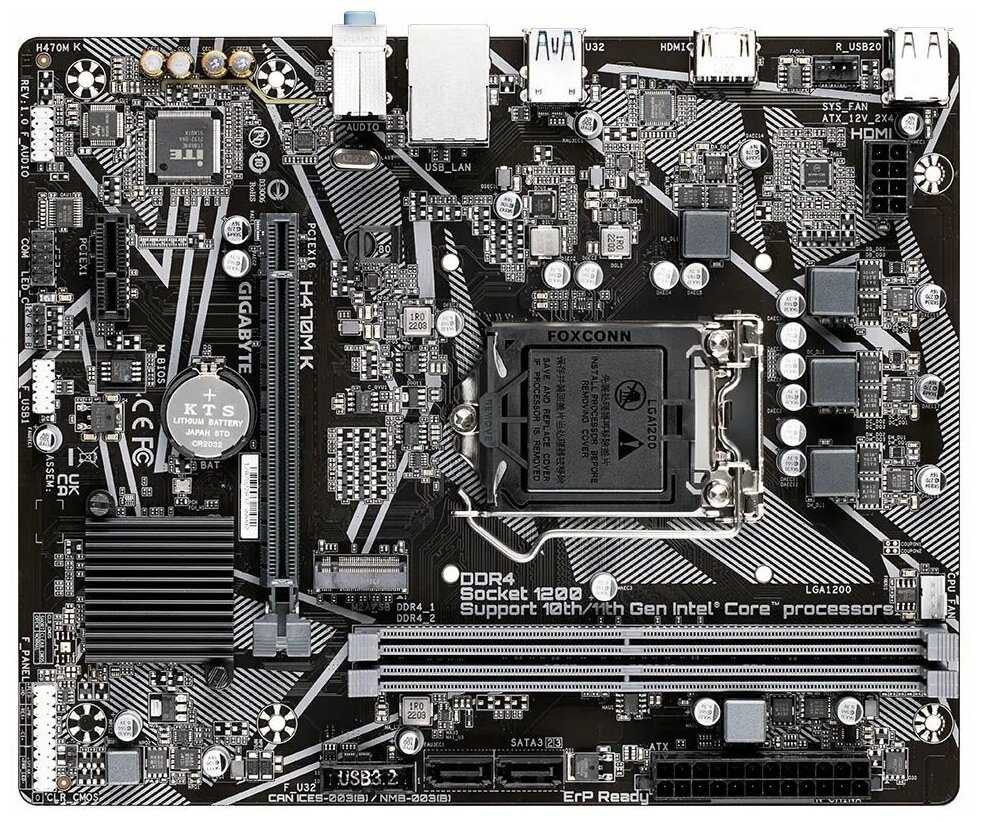
353 отзывов пользователей o GIGABYTE H470M K

Пользовались GIGABYTE H470M K?
Поделитесь своим опытом и помогите другим сделать правильный выбор

Profile no image

Kadeem

07.01.2021

6/10

Оценка пользователя

Плохо

INCORRECT COMPATIBILITY MARKETING
Decent board if you aren't going to be doing much with your PC. I will start with the pros.

Pros:
Easy BIOS to work with for beginners, could frustrate intermediate-advanced users though. (Will explain further later.)
1 click XMP Ram profile
CPU runs at intended speeds

CONS:
Very few fan headers, only fits 1 CPU and 1 Exhaust

Only 1 USB 3 header on the board, cannot accommodate anything but simple cases.

BIOS selection and manual entering is cluncky for manual memory/CPU overclock. Voltage is on a separate page from CL timings which is strange.

There are only 4 SATA headers, doesn't allow much in the way of drives, not a huge problem if you opt for external hard disks.

Box advertised that it was compatible with Ryzen 1, 2, and 3. THIS IS NOT POSSIBLE. (AMD has stated that 3rd Gen BIOS is only compatible with Zen+-Zen2.) I tested my 2200g in this board, no boot. I tested the 3400g, and it booted up. If you want to run a first gen on this board then you will have to have at least a second Gen Ryzen chip to reflash the BIOS. This marketing needs to be changed immediately.
источник
Profile no image

Stew M.

07.01.2021

4/10

Оценка пользователя

Ужасно

Failed after a few months.
I gave this motherboard a fair chance, but in the end I had to buy a new one.
About a month after i assembled my PC, the screen would randomly freeze for a few seconds and then stop outputting video and audio. The only way to recover was to do a hard reset. This became such a frequent occurrence that the PC was completely unusable. I tested the video card and the RAM in another PC, and tried a different power supply and hard drive in mine, but it continued to have the same problem with each of those tests, so I concluded that the problem was the motherboard.
I then moved the video card to the PCIex4 slot and it fixed it. I tested it for 2 weeks with no issues. Obviously this is not an acceptable fix. Within 10 minutes of putting the video card back into the x16 slot it failed.
I then RMA'd the motherboard, explaining what I had found. Gigabyte said, "Tested in multiple configurations. No issues found." I had hoped maybe they just didn't report the problem because of company politics or whatnot, but it failed again 2 weeks after I reinstalled the motherboard.
I switched to an ASUS B350M PLUS GAMING and it has run flawlessly since 5/5/2019. I'll update this review if I do have any problems in the future, but I'm fairly confident that the x16 slot in the other motherboard was the culprit.

I do give Gigabyte some credit, though, because they were very quick to respond and the shipping and "repair" were fast and on-time.
источник
Profile no image

wc27834

07.01.2021

2/10

Оценка пользователя

Ужасно

The board will not post with the bundled cpu
I ordered this GIGABYTE B450M DS3H board and a AMD Ryzen 5 2600 Processor as a bundle. The install was easy however it would not post. I did some checking online and found that to make this board work with the CPU that is bundled with it on amazon you need to update the BIOS first. Think about it, you need a CPU in the board that boots to flash the BIOS, (the AMD Ryzen 5 2600 that came bundled with it will not work) so this board is useless with out a 1st gen Ryzen CPU. looks like amazon is selling off old stock!
источник
Profile no image

Filippo Cammarano

07.01.2021

10/10

Оценка пользователя

Великолепно

Tiny and effective.
While waiting for the b550 boards to come out (I needed micro ATX and current X570mATX options are pathetic) I decided to jump on this board as it was $75 at time of purchase. It came Ryzen 3000 ready, popped a 3600x on, and fired up right away. 4 Ram slots easily detected my XMP profile, and the board came with all the necessary hardware. The UEFI is barebones but has overclocking control, smart fan 5 control (4pin PWM fans) and 4 pin addressable RGB. There is one CPU fan and one case fan header. Honestly, this board is a no brainer for current ryzen chips on a budget and or needing microATX.
источник
Profile no image

Robert O. Cox

07.01.2021

8/10

Оценка пользователя

Хорошо

Want to build a inexpensive PC ? Try this one.
Hey it's a low end M.B. so I got what I paid for. I could have went with an even cheaper one but I wanted 4 RAM slots. Could have spent some more time on the manual they sent with it and did a bit larger silk screen for the connections for the front header but OK it's a small gripe.
Booted up the first time I tried it with no drama, Win 10 install was flawless and did the selection of the USB installer for me. M.2 went in easy and works fine.
источник
Profile no image

David B.

07.01.2021

2/10

Оценка пользователя

Ужасно

Garbage, get a better brand.
I haven't used Gigabyte boards in a long time but this was recommended. I figured I'd give them another chance and I wish I wouldn't have. Board is advertised as 6Gb/s SATA slots but mine said only 3Gb/s. Even worse not a single onboard USB slot worked. I tired multiple devices from mice and keyboards to flash drives and portable hdds. Nothing worked. Front IO panel connection didn't work either. Maybe thats why they include a PS2 port still, they know the USBs won't work.
Their tech support is just as garbage. They told me to just send it back and get a replacement. I'll never buy another Gigabyte product again. This is the last time I waste time on their horrible motherboards. This sealed their fate for me.
источник
Profile no image

Sheldon

07.01.2021

8/10

Оценка пользователя

Хорошо

Weird spot for price/features.
This is an odd board. RGB controls are non-existent and use a 4 pin header on the board so good luck with that. Onboard LED color changing is done in BIOS and the colors are inaccurate at best. So it doesn't do that well, it IS a B450 board so overclocking is an option, but I wouldn't bother. The options in BIOS are pretty basic and not laid out in a way that makes it easy to use.

So a cheaper A320 or even B450 gives you the same performance and lack of usable RGB headers, or a more expensive B450 or X470 gives you all that and more. It's a shame because Gigabyte has the absolute best budget A320 boards out there, and I'd suggest getting one of those over this.

That said, this isn't a bad board, just maybe not worth the money if there are other options.
источник
Profile no image

Fire Hazard

07.01.2021

8/10

Оценка пользователя

Хорошо

Make sure BIOS is updated to latest version for stability
The board is great value for money.
I have had windows 10 lock up a couple times (keyboard and mouse don't work, number light on keyboard stuck, hard locked up requiring a 4 second power button hold to shutdown). I updated the BIOS and it has not locked up since. I wish the BIOS update was as easy as ASUS boards. With this Gigabyte board you have to use a flash drive. With ASUS boards it just needs to be connected to the internet and can find the correct BIOS update and install it with the utility. If it's a mission critical thing spend the extra money and buy an Asus board, ASUS are more stable.
источник
Profile no image

SergNH

07.01.2021

8/10

Оценка пользователя

Хорошо

Nice board but with some minor limitations
I agree with another reviewer about there only being one case fan header. I knew this ahead and purchased case fans that I could daisy chain. However, due to the fact that case fan header is to the rear of the board, there was no way to do any cable management. It would not reach the other case fan cable if I went behind the motherboard.As this PC is going to be a work PC(clear side panel) not a big deal to have a case fan cable going across the motherboard. Had I realized this I would have bought the proper 4 pin case fan extension cable.

The only other minor complaint is that the SATA ports end up being under the graphics card. While this may not happen with every graphics card it did for me. So if I have to do any trouble shooting, I will have to remove the graphics card.

Purchased on 5/27/20 and it came with the F50 BIOS.
источник
Profile no image

Yareli r.

07.01.2021

2/10

Оценка пользователя

Ужасно

3rd gen users avoid
Not worth the buy it's December 28 2019
And this motherboard doesnot support 3rd generation ryzen CPUs out the box the only way to make it work is to get a first or second gen ryzen plop it in update the Bois and then install the 3rd gen CPU
источник
Profile no image

Chris

07.01.2021

10/10

Оценка пользователя

Великолепно

Good budget board.
So I’m going to say this before I go further. If you need any more than the bear minimum buy a different board. Where the DS3H does not have on board wifi or Bluetooth you’ll need to buy adapters and where you’d spend money on them it’ll be more efficient to just get a board that has them.

Now if you are on a tight budget or already have wifi or Bluetooth adapters this isn’t a bad board. And while as I stated it doesn’t have wifi or Bluetooth you can still manage a mild overclock the cpu, offers RGB support and has M.2 support also.

For a budget b450m board you could definitely do a lot worse but for the price it’s a good purchase.
источник
Profile no image

william duggan

07.01.2021

2/10

Оценка пользователя

Ужасно

not happy at all
When i got this motherboard i was building it for my little girl who is home schooled and got over 4 A's on her report card, so i asked her if her school pc could do one thing what would that be? she told me she would love some lights and board was started to not only have RGB but the ability to run gigabyte's RGB Fusion witch it can not run at all and is missing ports to use other types of RGB with out buying a controler ranging from $75-125 on top of what i have already paid. at this point i have so many problems with products on building this pc i will not use gigabyte again and will probably not use amazon to order my products again due to there was issues half of the items and even when i was sent a replacement part it too want broken.as time has gone i have found yet more wrong with the board it has none working audio ports
источник
Profile no image

Faruk A.

07.01.2021

8/10

Оценка пользователя

Хорошо

You need to update the BIOS
This motherboard gave me a huge headache when I was trying to install Ryzen 5 3600. I was updating my current computer with this but the system would post to BIOS but not boot to Windows 10. I spent quite a bit of time online looking for solutions trying several suggestion, none of which worked. Finally, I updated the BIOS from F50 to F60c and everything started to work. I wish I knew I had to do this in the beginning. I would not have wasted so much time. I am writing this here so that others would not have the same problem.
источник
Profile no image

Sam Childers

07.01.2021

8/10

Оценка пользователя

Хорошо

Its fine if you're not looking to overclock
This is a kind of a barebones budget board that works well. You're not getting onboard wifi or bluetooth, but you can get little bluetooth usb adapters for both of those on amazon for $22 shipped, so thats not a problem. If you spend $40 more you'll get overclocking and some better error codes, probably with wifi and maybe bluetooth. There are plenty of onboard usb slots, so its not really a problem.

Speaking of error codes, I did have to debug a little bit because it wouldn't boot at first with onboard graphics. Not sure if it was something I did, but once I popped in a pci-e gpu, everything worked. In the bios it had the default looking for video in the PCI-E. Dunno.

I'm really impressed with how cool this board stays. My gpu has never gone past 55 celcius during heavy gaming sessions. I was a little surprised there was only one onboard connector for case fans, but you really won't need more than one, ,considering how cool it stays, and you can't overclock it. You can try, the settings are there, but I couldn't get it to boot at all with any level of OC.. Definitely don't waste your money on aftermarket coolers on this board.

Another weird gotya was that by default ram was undercloecked to 2200mhz. I had to set that to 3200hz in the bios.

My build is a Ryzen 2700x,16GB 3200mhz, RTX 2800, 1TB SSD, TB HDD, 700 Watt 0CZ psu, corsair case.
источник
Profile no image

Behbudov Nijat

07.01.2021

10/10

Оценка пользователя

Великолепно

Great board for mid-budget gaming PC
I built my own mid-range budget gaming PC with this and it's working flawlessly. Its form factor is small so it can fit into any type of case.
Pros:
- 4 RAM sltos, 2 PCI-e slots
- M.2 SSD slot
- The overall quality and form factor
- Doesn't feel cheap. I put a lot of pressur into this thing while screwing my CPU fan and plugging the 24-pin cable in. It took it very well.

Con:
Only 1 System fan header. So if you want to connect multiple fans, make sure you get a fan splitter and a fan cable extension to reach the sys_fan1 input from the back of your case.
источник
Profile no image

carterrh

07.01.2021

2/10

Оценка пользователя

Ужасно

Not Reliable
I have used Gigabyte in the past for my computer builds and had no problems. I purchased this for my business computer build and it didn't post. I returned it for replacement and it didn't post either. Did this 5 times for mine an two other customers with the same results and called Amazon to complain. Ordered MSI motherboards and had no issues. I've gone to MSI and had no issues with my computer builds. If Gigabyte is looking at this review, I strongly suggest that they get their quality control department back. I will not be using them any more and I'm sure that I'm not the only one that this has happened to.
источник
Profile no image

MatthewX

07.01.2021

8/10

Оценка пользователя

Хорошо

Good Board, but beware installing a WiFi card if you're an audio enthusiast.
The board is fine. I can't complain about it. It works. No problems, except.

This board doesn't have onboard WIFI. So I installed a WIFI card into the short profile PCIe slot. But it's proximity to auxiliary audio inputs means there's cross talk interference being introduced into the audio inputs. This board's only problem from my perspective is the shielding on the audio inputs is poor enough to allow all sorts of interference.

I wound up getting a UGREEN USB sound card to input from the front of the PC. No noise.

If you don't use the outputs or inputs on the board but rely on the HDMI audio out, you'll be fine. But there's noise in the audio outputs and inputs. Just beware of that.
источник
Profile no image

Book Junkie

07.01.2021

6/10

Оценка пользователя

Плохо

If this is the one I"m thinking of my son bought it and had to replace soon after
I let my son use my account to get buy his computer parts. He was buying his own parts to build a PC himself. I recall around Christmas he came and we put his PC together he was missing video card but took with him. Few months later when he bought all the pieces this no longer worked and he had to buy a new board. I urged him to RMA through manufacturer but not sure if he ever did.
источник
Profile no image

Cory Maciejewski

07.01.2021

10/10

Оценка пользователя

Великолепно

The best $72 motherboard
The Gigabyte B450M DS3H is $72. It has everything from 4 DIMM slots to AMD Zen 2 capability. It has an M.2 2280 slot for NVME SSD's, it had 2 PCI-E gen 3 Slots, 4 sata ports, & USB 3.0. I would gladly pay over $90 for this board. If price to performance was a motherboard, this would be it. I'm actually using this board as I type this. It's capable of overclocking as well, just not as high as an X470 or an X570 board. The ONLY features I don't like are: 1 case fan header, 1 cpu fan header, the LED on the board is only orange, and the IO Shield is lackluster at best. I recommend purchasing a $10 fan hub for this board, but that's about it. This board games astoundingly, is kind of easy to install (The IO shield proves to be a little bit of a pain), and is perfect for an entry level to... dare I say it... Mid-range computers. Please! If you're on a budget, get this board!
источник
Profile no image

Joel

07.01.2021

10/10

Оценка пользователя

Великолепно

good motherboard!!!
I bought this MB to build a budget gaming PC for my daughter I pair it with a ryzen 5 3400g I didn't do anything to it. It came with the latest bios F50 so I just installed the chip and it post lucky I didn't have to flash the bios...its too early to tell any faults I will update my review in a month or so.
источник
Profile no image

Kurtis Stalnaker

07.01.2021

2/10

Оценка пользователя

Ужасно

Too cramped to be functional
I'm writing this review now after having to place an order for a low profile USB 3.0 motherboard header because my moderately-sized GPU wouldn't fit in the case with the USB 3.0 header installed. I had attempted to install it in the lower PCI-e x16 slot because I was using the PCI-e x1 slot for a Wi-Fi adaptor, which renders the top PCI-e x16 slot useless due to space constraints.

(Addendum 9-5-2019: I have now realized that the bottom PCI-e slot is actually x4, not x16. The low-profile USB 3.0 header I bought it worthless, because I can't install the GPU in the bottom slot and get full speed out of it. I've now purchased a PCI-e 1x extender to move my 1x card out of the way of the top 16x slot so I can actually use the 16x slot. That's over $50 I've spent now just getting this motherboard to a functional state. Don't make the mistake I made in purchasing this board.)

If you're using any modern GPU on the market today, it's dual-slot, and it won't fit in this motherboard without either obstructing the PCI-e x1 slot, or obstructing the USB 3.0 header. Why was this motherboard designed this way?

And like other reviewers have mentioned, there are two fan headers, one for the CPU fan, and a single System fan. If you want more than a single case fan in your system, you'll need to use fan splitters. If you want an intake and an exhaust fan, you'll be using splitters connecting to splitters, and I'm not sure I would trust this board to be able to handle the amperage from more than two fans on a single port, given the other compromises they've decided on. Or you can splurge on a fan controller to solve an issue could have easily been resolved in manufacturing.

Spend a little more cash for a board with some care behind it. Gigabyte makes some great boards, but this isn't one of them.
источник
Profile no image

Jeff K

07.01.2021

4/10

Оценка пользователя

Ужасно

Screen flickering
This mb comes with an integrated display adapter. After a few months, my display started flickering - a lot. After disabling the AMD Radeon driver (and defaults to MS generic driver), the flickering stopped but then I started getting numerous BSOD errors. I downloaded various drivers from the AMD website but none of them fully remedied the flickering. Now after spending countless hours trouble-shooting this, I'm purchasing a separate graphics card. Had I known this beforehand, I would have purchased a different mb. AMD support was responsive but they were unable to solve this problem. By researching this online, I see this is not an uncommon problem.
источник
Profile no image

Bob

07.01.2021

10/10

Оценка пользователя

Великолепно

Great value for the cash
great options at this price level - NVMe storage, built-in LAN and HDMI out, 4 memory slots supporting 3200 DIMM - compact and easy to work with. Board booted Win 10 out of the box, but be aware while it posted properly (and oh-so-bloody fast!) my HDMI port did NOT produce output. I got the proper POST beep, but no picture. I switched to DVI and the BIOS boot came right, so suspected a bad display port. However, after I installed Windows the HDMI port worked without any problem. I don't know what that was about, but if this happens to you, have a DVI solution on standby to load your O/S. SUPER THRILLED WITH THIS PURCHASE (and I haven't even gotten around to overclocking memory or processor)
источник
Profile no image

Mohammed.D.Musleh

07.01.2021

2/10

Оценка пользователя

Ужасно

It is not Ryzen 3rd generation ready
Worked for 1 day with AMD Ryzen 5 3600 after that stopped POSTing. No display signal at all. After doing some search I found out that It needed BIOS update using a 2nd generation Ryzen CPU so it can POST with 3rd generation CPUs. I don't have 2nd generation Ryzen CPU so I returned it 2 weeks ago and I still did not recieve the refund yet.
источник
Показаны отзывы 25-48 из 353.

Похожие товары с лучшей оценкой

9.7/10 баллов

MSI MPG X870E CARBON WIFI

67 отзывов

от 64940.00 руб.

9.6/10 баллов

MSI Z790 GAMING PLUS WIFI

208 отзывов

от 24594.00 руб.

9.6/10 баллов

MSI PRO B850-P WIFI

105 отзывов

от 24428.00 руб.

9.6/10 баллов

MSI PRO X870-P WIFI

111 отзывов

от 30799.00 руб.

9.6/10 баллов

MaxSun MS-Challenger H610M-R [LGA1700]

68 отзывов

от 7600.00 руб.

9.5/10 баллов

ASUS ROG STRIX B650E-F GAMING WIFI

22 отзывов

от 34571.00 руб.

9.5/10 баллов

ASUS ROG STRIX B550-A GAMING

123 отзывов

от 21350.00 руб.

9.5/10 баллов

ASUS ROG STRIX B550-F GAMING WIFI II

101 отзывов

от 24975.00 руб.

9.4/10 баллов

ASUS TUF GAMING B650-PLUS

33 отзывов

от 23725.00 руб.

9.4/10 баллов

ASUS ROG STRIX B660-A GAMING WIFI D4

60 отзывов

от 33493.00 руб.

9.4/10 баллов

GIGABYTE B850M AORUS ELITE WIFI6E ICE [B850M A

50 отзывов

от 25975.00 руб.

9.4/10 баллов

ASUS TUF GAMING B450-PLUS II

293 отзывов

от 12100.00 руб.

9.4/10 баллов

ASUS TUF GAMING H770-PRO WIFI

105 отзывов

от 28938.00 руб.

9.3/10 баллов

MSI MAG X870E TOMAHAWK WIFI

105 отзывов

от 43850.00 руб.

9.3/10 баллов

ASUS TUF GAMING B760-PLUS WIFI

91 отзывов

от 24100.00 руб.

9.3/10 баллов

ASUS TUF Gaming Z690-PLUS

207 отзывов

от 34999.00 руб.

9.3/10 баллов

MSI MPG B550 GAMING PLUS

1135 отзывов

от 16540.00 руб.

9.2/10 баллов

GIGABYTE X870 Aorus Elite WIFI7 ICE

58 отзывов

от 37417.00 руб.

9.2/10 баллов

MSI MAG B760 TOMAHAWK WIFI

877 отзывов

от 21499.00 руб.

9.2/10 баллов

MSI MAG Z790 TOMAHAWK WIFI

608 отзывов

от 27475.00 руб.

Это Вам тоже может быть интересно

Показать все обзоры
















