

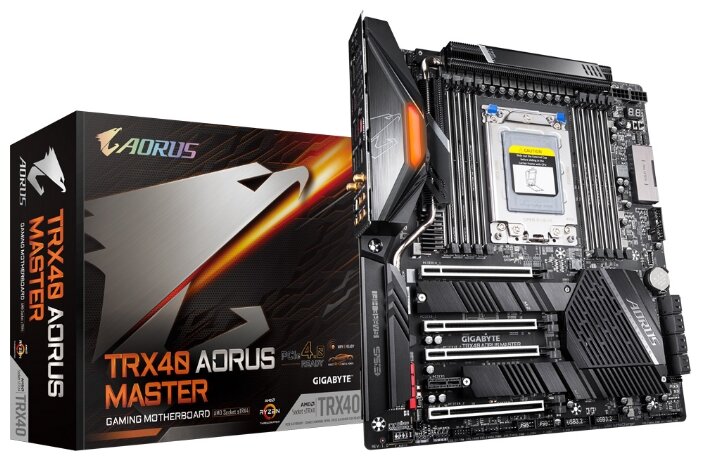
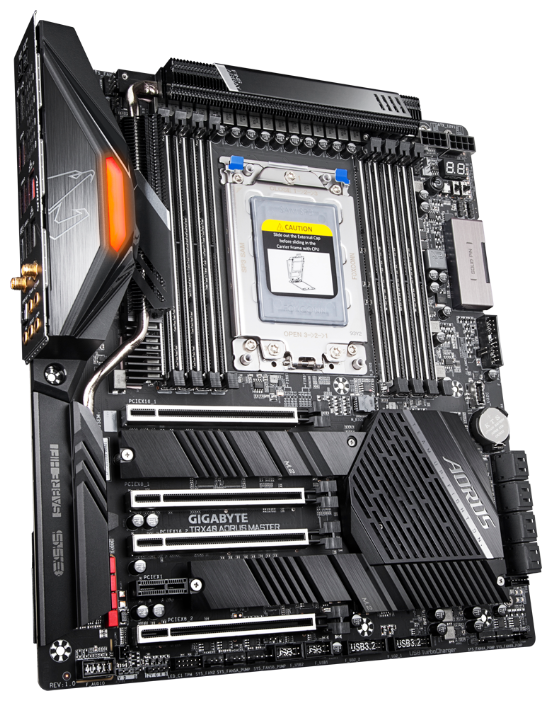
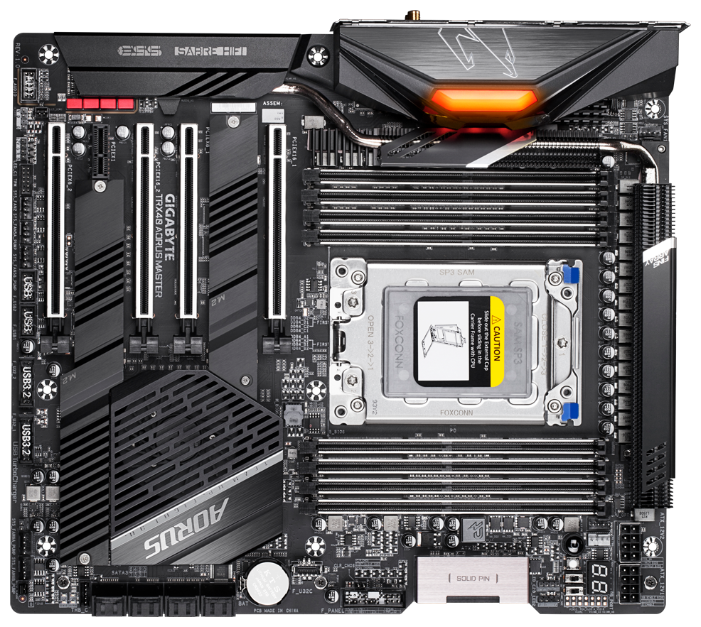
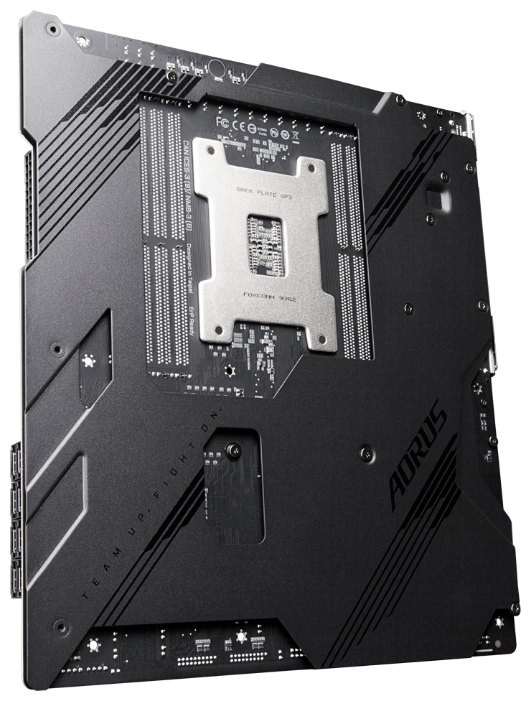
Материнская плата GIGABYTE TRX40 AORUS MASTER — 79 отзывов, плюсы и минусы
Рейтинг:

 Неплохо
Неплохо
Краткие характеристики:
- форм-фактор: EATX
- сокет sTRX4
- 8 слотов DDR4 DIMM
- 2133-4400 МГц
- 3 слота M.2 PCI-E/SATA 3.0
- 2 слота PCI-E x16
- Wi-Fi 802.11ax
- Bluetooth
- поддержка 2-Way SLI
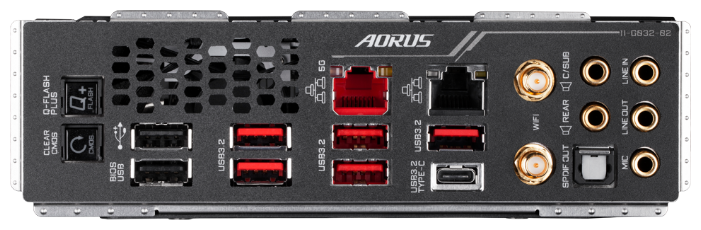
- разъемы на задней панели: 1.00
79 отзывов пользователей о GIGABYTE TRX40 AORUS MASTER
Пользовались
GIGABYTE TRX40 AORUS MASTER?
Поделитесь своим опытом и помогите другим сделать правильный выбор

Скромный эксперт
13.10.2020
8/10
Оценка пользователя
Хорошо
If you buy this motherboard and plan you install a fresh windows system on it, be aware that you need to either back up your windows update onto a USB or CD. After i wiped the system i put the CD that came with the motherboard in to install drivers. They wouldn't install due to the fact that i didn't have an updated windows installed. So i had no network driver to get internet. (No internet = no windows update) (No windows update = cant install network drivers). Even using USB to transfer drivers from Gigabyte website i had to have updated windows. The only way i could get it was to put windows creator onto USB and then put my laptop updates onto the new computer. Very long process and not very much help on the internet for help. So hopefully if anyone else runs into this issue just use Windows Creator from another computer and transfer the newest update.
Скромный эксперт
13.10.2020
10/10
Оценка пользователя
Великолепно
Gigabyte motherboards usually full of options. I filtered my choices among Z490 series according to the following: it contains WIFI, DTS sound support. 3 M.2 PCIe SSD slots, with their thermal guards. Dual LAN. In addition to the other features that are shared with the Z490 series including Intel Optane memory support. It ran good. No issues.
Pros:
1. All of the above plus the general properties of the GIGABYTE motherboards
2. Additional thermistors included in the box
3. Four hard disk cables are included.
4. WIFI antenna included.
5. One RGB LED strip extension cable (for gaming kids).😄
Cons: (can be overlooked)
1. The hidden wire connecting the WIFI PCI card to the rear interface is not acceptable (given in picture).
2. Included software and drivers are useless until having windows update.
3. The M.2A slot is entirely hidden under the VGA cart.
Pros:
1. All of the above plus the general properties of the GIGABYTE motherboards
2. Additional thermistors included in the box
3. Four hard disk cables are included.
4. WIFI antenna included.
5. One RGB LED strip extension cable (for gaming kids).😄
Cons: (can be overlooked)
1. The hidden wire connecting the WIFI PCI card to the rear interface is not acceptable (given in picture).
2. Included software and drivers are useless until having windows update.
3. The M.2A slot is entirely hidden under the VGA cart.
Скромный эксперт
13.10.2020
10/10
Оценка пользователя
Великолепно
I just built a new gaming computer and was torn between AMD and Intel which makes it harder to pick a motherboard until you know which processor you want. I had a few different motherboard options on both sides, but after reading many different reviews and recommendations, the AORUS Ultra motherboards seemed to be pretty highly ranked. The best part is, I could get this same board for either Intel or AMD. While the AMD version of this board does support a bit more (because the CPU supports it, like PCIe 4.0), I felt I would get a quality board whichever direction I went.
Long story short, I decided on a 10th generation Intel (i7 10700K) and bought this board. I've built a few computers in my time and let me tell you, this is one of the highest quality boards I've ever used, especially for the price.
Pros:
- Extremely well made. The board is heavy but solid. The attention to detail was well thought out. It doesn't feel like something you would have to handle carefully, even though you still should.
- Integrated NVME heatsinks that hide your drives well and adds to the aesthetic of the board.
- Supports many different sizes of m.2 drives.
- Connectivity for just about everything you could want/have.
- Ability to RAID 0 your NVME drives (although a bit tricky in the BIOS to setup).
- This is my first go with NVME, but it's incredibly fast!
- A lot of options within the BIOS for overclocking.
- While the Windows software for this motherboard is OK at best, I really like the ability to flash new versions of the BIOS from within Windows and also the ability to change overclock and fan settings on the fly within Windows.
- Latest WiFi AX on-board and Bluetooth 5.0.
- On-board sound seems really great so far.
- Has USB-C support.
Cons:
- 4 RAM slots. Not really a con because you can make it work, but this isn't an E-ATX board where you would usually get up to 8 slots. This isn't a ding on the board.
- If you run 3 m.2 NVME SSDs, you will lose some SATA ports.
- Only one of the PCIe slots is x16.
Overall, this is the best motherboard you can buy for the price right now and I can easily see many years of service from it given the quality.
Long story short, I decided on a 10th generation Intel (i7 10700K) and bought this board. I've built a few computers in my time and let me tell you, this is one of the highest quality boards I've ever used, especially for the price.
Pros:
- Extremely well made. The board is heavy but solid. The attention to detail was well thought out. It doesn't feel like something you would have to handle carefully, even though you still should.
- Integrated NVME heatsinks that hide your drives well and adds to the aesthetic of the board.
- Supports many different sizes of m.2 drives.
- Connectivity for just about everything you could want/have.
- Ability to RAID 0 your NVME drives (although a bit tricky in the BIOS to setup).
- This is my first go with NVME, but it's incredibly fast!
- A lot of options within the BIOS for overclocking.
- While the Windows software for this motherboard is OK at best, I really like the ability to flash new versions of the BIOS from within Windows and also the ability to change overclock and fan settings on the fly within Windows.
- Latest WiFi AX on-board and Bluetooth 5.0.
- On-board sound seems really great so far.
- Has USB-C support.
Cons:
- 4 RAM slots. Not really a con because you can make it work, but this isn't an E-ATX board where you would usually get up to 8 slots. This isn't a ding on the board.
- If you run 3 m.2 NVME SSDs, you will lose some SATA ports.
- Only one of the PCIe slots is x16.
Overall, this is the best motherboard you can buy for the price right now and I can easily see many years of service from it given the quality.
Скромный эксперт
13.10.2020
6/10
Оценка пользователя
Плохо
* Update June 27 2020: Only after updating to the newest BIOS, my external graphics card worked. Previously it wasn't recognized from the x16 slot, only from the x8 slot, and when I sought online I saw many potential causes (RAM, bent CPU pins) but none was the issue. It's a shame Gigabyte released the MB without testing it with a considerable amount of graphics cards (mine is GTX 1650, pretty common).
* Note: CPU has an additional and Optional 4 pin connector (in addition to the regular 8-pin connector), for extreme OC scenarios. Most power supplies don't even have such an additional 4pin CPU connector.
* BIOS is good however, as usual with M2 SSDs, you must install the OS whilst only the M2 drive is connected (don't connect SATA devices whilst installing the OS), otherwise it will not be considered as a bootable drive. Bummer, couldn't they address that in 2020?
* Note: CPU has an additional and Optional 4 pin connector (in addition to the regular 8-pin connector), for extreme OC scenarios. Most power supplies don't even have such an additional 4pin CPU connector.
* BIOS is good however, as usual with M2 SSDs, you must install the OS whilst only the M2 drive is connected (don't connect SATA devices whilst installing the OS), otherwise it will not be considered as a bootable drive. Bummer, couldn't they address that in 2020?
Скромный эксперт
13.10.2020
10/10
Оценка пользователя
Великолепно
This vision g is 100% worth it. Overclocked my i7 10900k and my GPU and VRM isn't remotely close to overheating. The video speak for itself. The board itself has two large heating and has excellent quality as well. No matter how much I OC my i7 10700k(5.1mhz), the vision g never overheat or throttled. The audio alc 1220-vb is also legit. For any mid range mobo for $200, this is probably the best. Especially VRM if u intend to OC and audio for any audiophiles.
The 2.5gbps ethernet requires drivers. So I used the cd the vision g came with, put the cd in my laptop and I copied the intel network drivers to my USB flash drive, then used the USB flash drive on my newly built pc to install the drivers. Its really that simple. No issues on internet after that.
The 2.5gbps ethernet requires drivers. So I used the cd the vision g came with, put the cd in my laptop and I copied the intel network drivers to my USB flash drive, then used the USB flash drive on my newly built pc to install the drivers. Its really that simple. No issues on internet after that.
Скромный эксперт
13.10.2020
8/10
Оценка пользователя
Хорошо
Im 99% half the 1 star reviews here didn't install the drivers which is why their LAN is "broken." If you don't have an optical drive just put the LAN driver on a USB from the gigabyte website, install the driver and then get online and install the rest of your drivers.
I really like this board. Tons of usb and sata 6 for the price and 2.5G lan with no wifi if perfect for gaming. Auto voltage settings will try and murder your CPU though, you absolutely need to override Vcore if your going to OC. Don't expect any crazy OC either, but my 10600K is stable at 5.0 1.38v on this board
I really like this board. Tons of usb and sata 6 for the price and 2.5G lan with no wifi if perfect for gaming. Auto voltage settings will try and murder your CPU though, you absolutely need to override Vcore if your going to OC. Don't expect any crazy OC either, but my 10600K is stable at 5.0 1.38v on this board
Скромный эксперт
13.10.2020
4/10
Оценка пользователя
Ужасно
Everything was working great for the first few days, until I decided to upgrade my memory. I had been running my PC for some time with a single chip in B1 slot without any problems. When I got 2x16GB memory installed the mobo refused to detect the memory (error code C1). I tried to understand why any single chip of RAM works great on B1 or B2 but not on A1 or A2. Looks like the slots have a problem so now I need to get in touch with support. Both A1 and A2 slots work individually, or even combined, but then the mobo says that I should not plug both chips in the same channel and refuses to run since this is not optimal configuration. Which is of course true. Will update after having this addressed by Gigabyte.
Update 6/30: Amazon support has been helpful in troubleshooting & connecting with Gigabyte support. Gigabyte engineer asked me some basic questions and then immediately decided there must be a bent pin in the socket. I explained that others are also seeing this error and reporting this on reddit, but their engineer refused to acknowledge this. I checked the socket pins and I didn't find any defective one, so no I am back waiting on the phone w/Gigabyte to get the AORUS fixed.. will update
Update 6/30: Amazon support has been helpful in troubleshooting & connecting with Gigabyte support. Gigabyte engineer asked me some basic questions and then immediately decided there must be a bent pin in the socket. I explained that others are also seeing this error and reporting this on reddit, but their engineer refused to acknowledge this. I checked the socket pins and I didn't find any defective one, so no I am back waiting on the phone w/Gigabyte to get the AORUS fixed.. will update
Скромный эксперт
13.10.2020
10/10
Оценка пользователя
Великолепно
First motherboard had something wrong with PCIE slots. It would not display on monitor with graphics card. Thankfully I was able to use onboard graphics to get in Bios. I tried to reach out to Gigabyte for tech support but it was taking to long. I decided to RMA the board through Amazon and I am glad I did. The RMA was painless and I received my new MOBO in 2 days, and it works flawless. Thank you Amazon you are Great!
Показаны отзывы 1-8 из 79.
Как менялась цена на GIGABYTE TRX40 AORUS MASTER
Характеристики GIGABYTE TRX40 AORUS MASTER
| Процессор | |
| Производитель процессора : | AMD |
| Сокет : | sTRX4 |
| Поддерживаемые процессоры : | AMD 3rd Gen Ryzen Threadripper |
| Количество сокетов : | есть |
| Чипсет | |
| Производитель чипсета : | AMD |
| Поддержка SLI/NVLink/CrossFire : | 2-Way SLI |
| Чипсет : | AMD TRX40 |
| Память | |
| Количество слотов оперативной памяти : | 8 |
| Тип памяти : | DDR4 DIMM, поддержка ECC/non-ECC |
| Режим работы оперативной памяти : | четырехканальный |
| Тип памяти : | DDR4 DIMM, поддержка ECC/non-ECC |
| Максимальная частота памяти : | 4400 МГц |
| Максимальный объем памяти : | 256 ГБ |
| Слоты расширения | |
| Количество разъемов M.2 : | 3 |
| Слоты накопителей подробно : | 8 x SATA 6G |
| Аудио/видео | |
| Производитель звукового чипа : | Realtek |
| Звук : | HDA |
| Звуковой чип : | ALC4050H/ALC1220-VB |
| Звуковая схема : | 7.1 |
| Сеть | |
| Скорость Ethernet : | 5 Гбит/с, 1000 Мбит/c |
| Чипсет Ethernet : | Aquantia 5GbE LAN, Intel GbE LAN |
| Беспроводные интерфейсы : | Bluetooth, Wi-Fi 802.11ax |
| Дополнительные параметры | |
| Поддержка RAID : | SATA RAID 0, 1, 10 |
| Поддержка RAID : | есть |
| Особенности : | восстановление BIOS, поддержка UEFI |
| Форм-фактор материнской платы : | EATX |
| Тип системы охлаждения : | пассивное |
| Задняя панель | |
| Разъемы на задней панели : | выход S/PDIF оптический |
| Внутренние разъемы | |
| Внутренние слоты и разъемы : | питания процессора 8-pin + 8-pin, поддержка PCI-E 4.0, разъем питания 24-pin |
| Дополнительная информация : | поддержка DTS X Ultra, порт 5GLAN: 5 Гбит/2.5 Гбит/1 Гбит/100 Мбит порт LAN: 10/100/1000 Мбит, Quad-GPU/2-Way SLI/CrossFire |
Информация о характеристиках носит справочный характер.
Перед покупкой уточняйте характеристики и комплектацию товара у продавца
Обзоры и руководства на GIGABYTE TRX40 AORUS MASTER







Альтернативы с более высокой оценкой




















Wizemart © 2026.
Рекомендательная система по умному выбору товаров по отзывам и рейтингам
