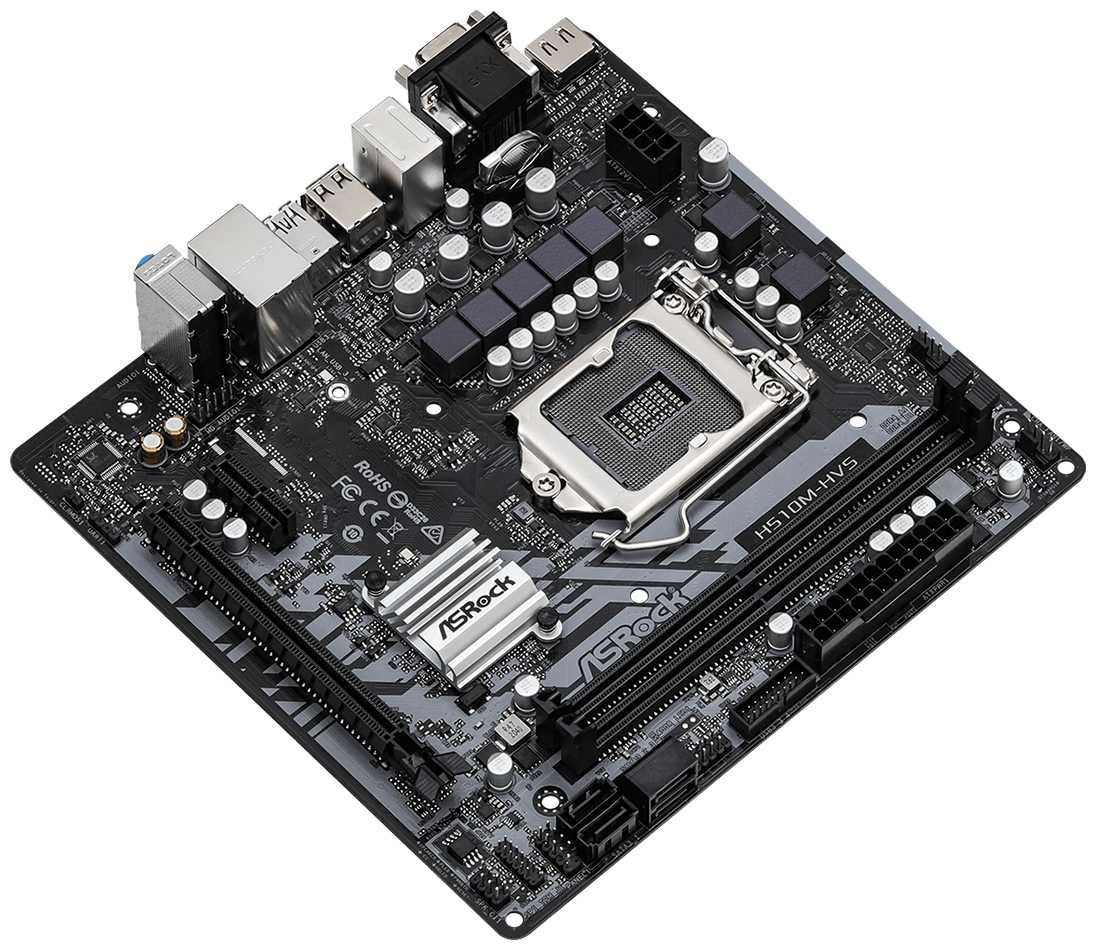
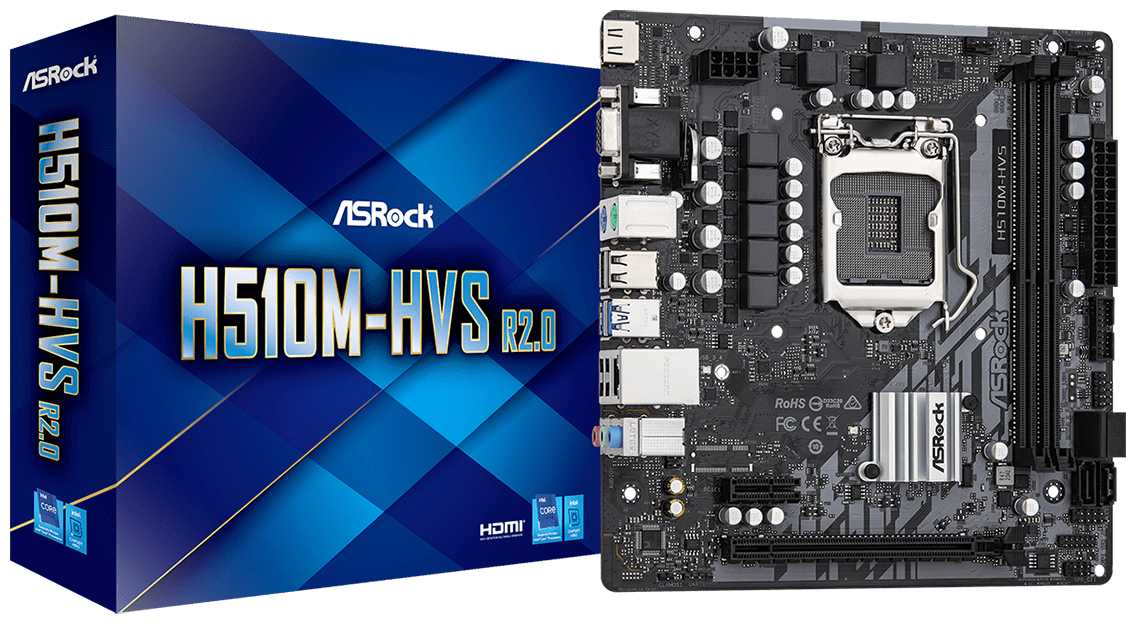
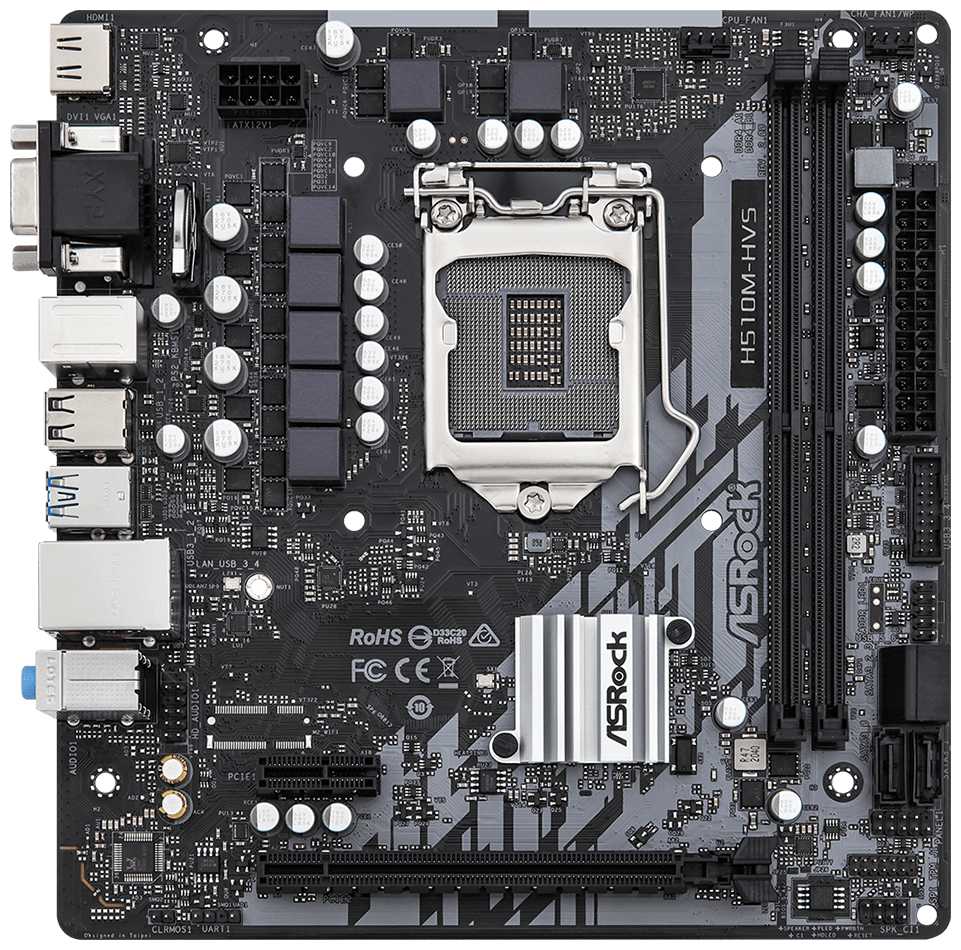
Отзывы о Материнская плата ASRock H510M-HVS R2.0
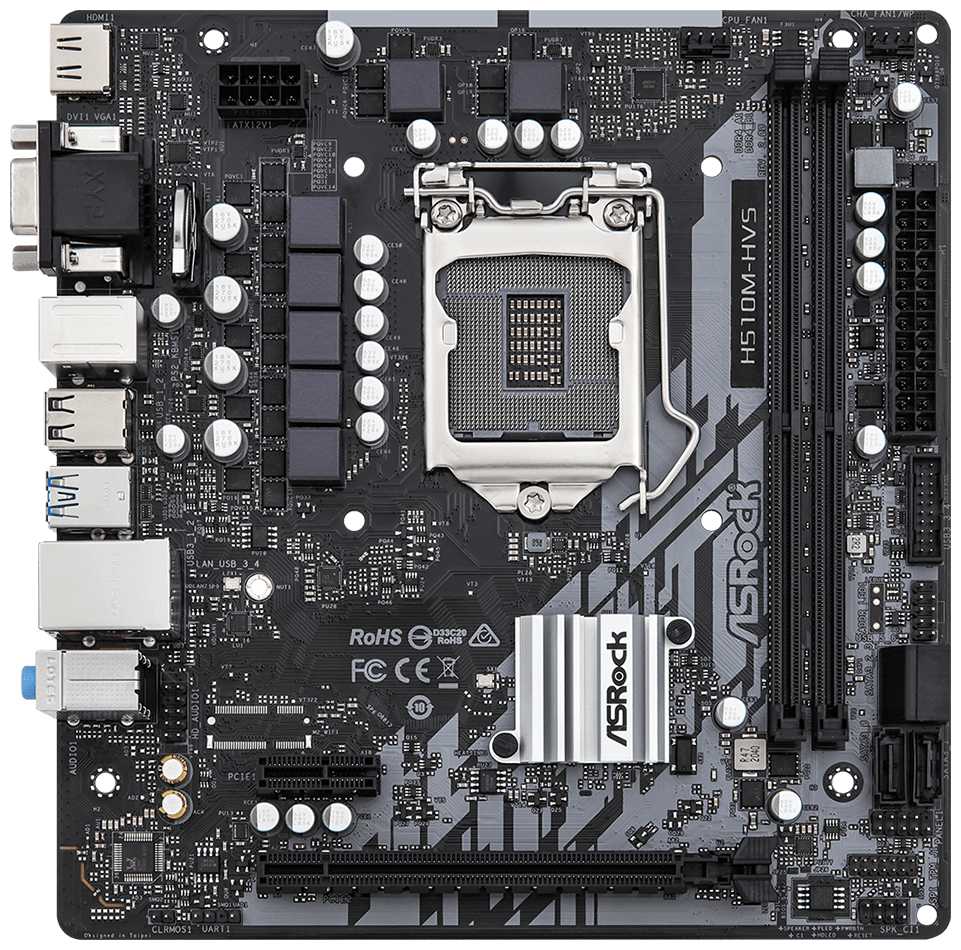

  • компактный форм-фактор
  • поддержка PCI-E 4.0
  • стабильная работа с i3/i5
  • локализованный BIOS
  • защита от перегрузок
  • отсутствие M.2
  • слабое охлаждение VRM
  • ошибки датчиков температуры
  • ограниченная коммутация
  • проблемы с регулировкой кулеров

Рейтинг: Отлично 393 отзывов

158 место из 524 в категории Материнские платы
235
68
27
16
47


Краткие характеристики:

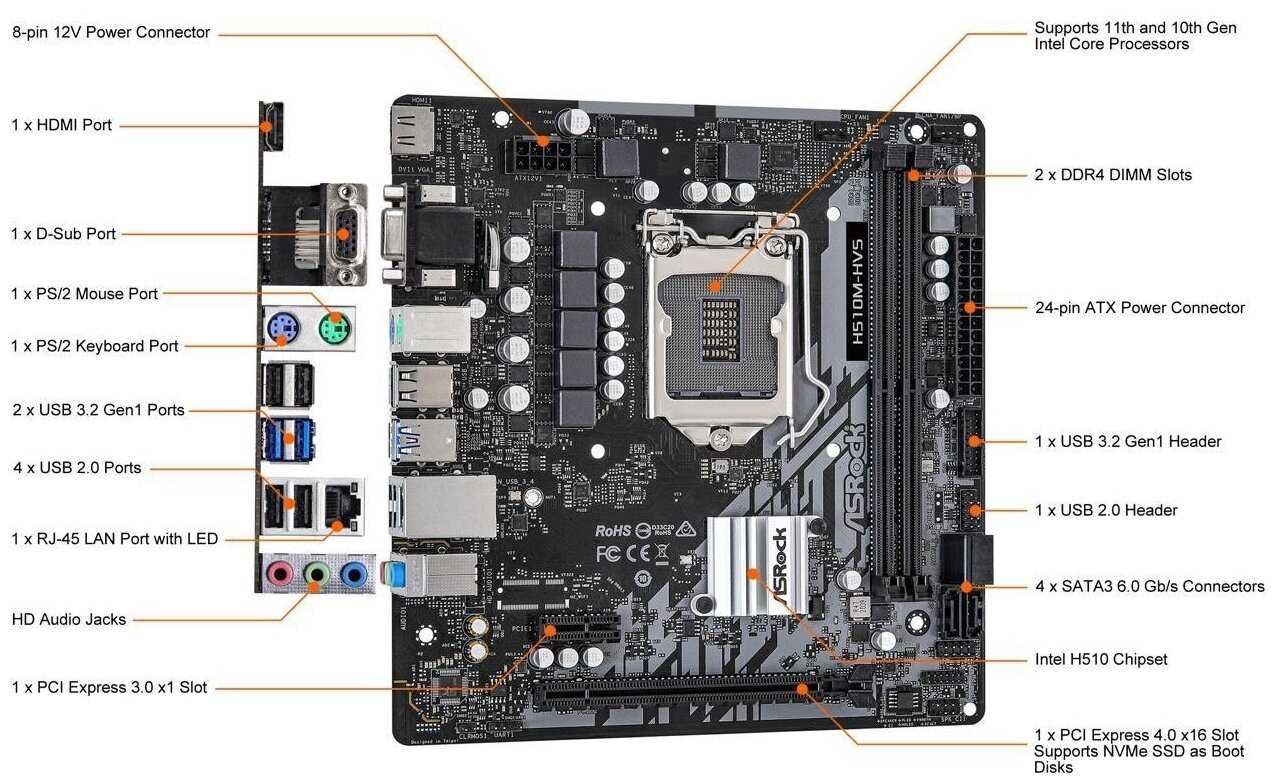
  • форм-фактор: microATX
  • сокет: LGA1200
  • чипсет: Intel H510
  • тип памяти: DDR4 DIMM
  • количество слотов памяти: 2
  • максимальная частота памяти: 3200 МГц
  • поддержка PCI Express: 3.0
  • 4.0
  • беспроводные интерфейсы: без Wi-Fi
  • разъемы на задней панели: VGA


Плюсы по отзывам пользователей - Почему стоит купить ASRock H510M-HVS R2.0?:

  1. Компактный форм-фактор и продуманная компоновка:
    • Миниатюрный размер (меньше стандартного micro-ATX) упрощает интеграцию в малогабаритные корпуса, включая некоторые ITX-решения.
    • Расположение SATA-портов снизу предотвращает конфликты с длинными видеокартами, обеспечивая удобство подключения накопителей.
    • Два 4-контактных разъема для вентиляторов позволяют гибко настраивать охлаждение даже в компактных сборках.
  2. Поддержка современных процессоров Intel 10-го и 11-го поколений:
    • Чипсет H510 обеспечивает совместимость с CPU до i5-11400F (65 Вт TDP) без перегрева VRM в штатных сценариях.
    • PCI-E 4.0 для основного слота видеокарты повышает пропускную способность до 16 ГТ/с, актуально для RTX 30-й серии.
    • Возможность работы с XMP-профилями ОЗУ до 3200 МГц (при 11-м поколении процессоров).
  3. Стабильность в бюджетных конфигурациях:
    • 5-фазная система питания справляется с i3-10100F и i5-10400F без дросселирования даже под нагрузкой в играх и редакторах.
    • Автоматическая настройка приоритета загрузки ОС после установки Windows упрощает настройку для новичков.
    • Поддержка до 64 ГБ DDR4 (официально) и неофициально — гибридных модулей (4+8 ГБ) без потери стабильности.
  4. Диагностический функционал и защита:
    • Встроенная защита от КЗ и перепадов напряжения подтверждена тестами с блоками питания низкого качества.
    • Индикация POST-кодов через звуковые сигналы при подключении спикера помогает выявлять проблемы с железом.
    • Автостарт системы после восстановления электропитания — критично для серверных и майнинг-сборок.
  5. Локализованный BIOS с базовым тюнингом:
    • Русифицированный интерфейс UEFI с возможностью регулировки скорости вентиляторов через кривые DCPWM.
    • Функция Turbo Boost 3.0 автоматически повышает частоту процессора до 4.2 ГГц на i3-10105F.
    • Прошивка 1.40 исправляет совместимость с RTX 3060/3070 Ti, позволяя задействовать все PCI-E слоты.
  6. Энергоэффективность и совместимость:
    • Работает с процессорами без встроенной графики (например, i3-10100F) даже при отсутствии дискретной видеокарты в режиме сервера.
    • Поддержка до 7 видеокарт через PCI-E x1 (с обновлением BIOS) для майнинга.
    • Низкое энергопотребление чипсета (до 6 Вт) снижает общий нагрев в закрытых корпусах.
  7. Комплектация и документация:
    • Включает два SATA-кабеля (прямой и Г-образный), что редкость для бюджетного сегмента.
    • Подробная бумажная инструкция с примерами сборки вместо стандартного буклета.
    • Металлизированные PCI-E слоты повышают долговечность при частой замене компонентов.

Минусы по отзывам пользователей:

  1. Отсутствие M.2 слота:
    • Ограничивает использование NVMe-накопителей, вынуждая применять переходники PCI-E x1 с потерей скорости до 500 МБ/с.
    • Проблемы с установкой ОС на SATA-SSD при одновременном подключении HDD (требуется ручная настройка приоритета в BIOS).
    • Несовместимость с некоторыми дистрибутивами Linux из-за отсутствия UEFI-драйверов для Legacy-режима.
  2. Слабое охлаждение VRM:
    • Температура MOSFET-транзисторов достигает 105°C при нагрузке на i5-11400F, вызывая троттлинг через 20 минут стресс-теста.
    • Отсутствие радиаторов на цепи питания процессора снижает срок службы платы при использовании CPU выше 65 Вт TDP.
    • Невозможность установки башенного кулера с крупным основанием из-за плотной компоновки компонентов.
  3. Ошибки в работе BIOS:
    • Ложные показания датчика температуры чипсета (до 120°C в AIDA64 при реальных 45°C).
    • Сбои при активации CSM для Legacy-загрузки — требует наличия дискретной видеокарты даже при использовании Intel UHD.
    • Кривой перевод отдельных пунктов меню («CPU Temperature» → «Температура ЦПУ» с опечатками).
  4. Ограниченная коммутация:
    • Всего 4 USB на задней панели (2x USB 3.0, 2x USB 2.0) недостаточно для периферии.
    • Отсутствие RGB-подсветки и ARGB-разъемов исключает кастомизацию в игровых сборках.
    • 1 внутренний USB 2.0 хаб осложняет подключение фронтальной панели и контроллеров.
  5. Проблемы с регулировкой кулеров:
    • Фиксированные обороты вентилятора процессора на 2000 RPM при использовании 3-pin моделей.
    • Отсутствие отдельного разъема для помпы СЖО — PWM-управление доступно только через переходники.
    • Шум при работе с 4-мя картами RTX 3060 из-за невозможности тонкой настройки корпусных вентиляторов.
  6. Качество сборки:
    • Жалобы на деформированные контакты сокета LGA1200 (0.3% брака по отзывам).
    • Хлипкая задняя панель I/O — изгибается при установке в корпуса с неточной штамповкой.
    • Тонкий текстолит (6 слоев вместо стандартных 8) — риск повреждения при монтаже тяжелых кулеров.
  7. Сложности с обновлением прошивки:
    • Ошибка «Security Violation» при попытке обновления BIOS с USB 3.0 носителей.
    • Несовместимость с утилитой ASRock Live Update — требует ручной загрузки файлов с сайта.
    • Сброс настроек XMP после замены процессора — необходимо перенастраивать профиль вручную.


Обзор ASRock H510M-HVS R2.0 - мнение пользователей*:

*Вам не обязательно читать всё: мы проанализировали реальные мнения пользователей и покупателей и выделили главное с применением WizeAI

Производительность и совместимость Материнская плата ASRock H510M-HVS R2.0 демонстрирует стабильную работу с процессорами Intel 10-го и 11-го поколений, включая i3 и i5, особенно в связке с видеокартами уровня RTX 3050–3070 Ti. Однако для i7 и i9 её скромная система питания (5 фаз) и отсутствие радиаторов на VRM становятся критичными: пользователи отмечают перегрев чипсета при нагрузке (до 50°C) и ограничение TDP до 65 Вт. Поддержка оперативной памяти до 3200 МГц (с разблокировкой в BIOS) работает не всегда: например, с i3-10100f память автоматически сбрасывается до 2666 МГц. При этом плата успешно запускает несовместимые модули (4 ГБ + 8 ГБ), но разгон исключён из-за ограничений чипсета H510. Для майнинга плата удобна: поддерживает до 6–7 видеокарт через PCI-E x1, но требует обновления BIOS до версии 1.40 для корректной работы с RTX 30-й серии. Особенности конструкции и охлаждение Компактный форм-фактор Micro-ATX усложняет сборку: нижнее расположение PCI-E x16 мешает установке длинных видеокарт в малых корпусах, а близкое расстояние между слотами приводит к перегреву (рекомендуются райзеры). Чипсет расположен неудачно — под башенным кулером его температура резко растёт. Пользователи отмечают шум из-за отсутствия регулировки оборотов вентиляторов: даже 4-пиновые кулеры работают на фиксированной скорости. Всего два разъёма для охлаждения (CPU и SYS) вынуждают использовать хабы. Отсутствие M.2 слота — главный минус: NVME-накопители подключаются только через адаптеры PCI-E, но система на них не устанавливается, а скорость ограничена шиной x1. BIOS и программное обеспечение UEFI BIOS с поддержкой русского языка интуитивен, но перевод частично кривой. Автоматизация — ключевая фишка: приоритет загрузки переключается самостоятельно после установки Windows, XMP-профиль активируется в один клик. Однако настройки вентиляторов скудные, а обновление прошивки обязательно для работы с современными видеокартами. Встроенная утилита ASRock A-Tuning уступает аналогам: мониторинг температур ненадёжен (AIDA64 показывает 120°C в простое, тогда как BIOS — 35–40°C). Проблемы с Legacy/UEFI-загрузкой решаются конвертацией дисков в GPT. Изредка BIOS зависает, требуя сброса батарейкой. Надёжность и качество сборки Плата позиционируется как бюджетное, но долговечное решение: защита от перепадов напряжения и короткого замыкания подтверждается отзывами о стабильной работе в течение 6–12 месяцев. Однако встречается заводской брак: погнутые пины сокета, царапины на текстолите, нерабочие PCI-E слоты. Гарантийные случаи редки, но сервисные центры не всегда оперативно реагируют. Качество компонентов — среднее: тонкая задняя панель, хлипкие разъёмы SATA, которые перекрываются Г-образными кабелями. Для офисных задач и HTPC-сборок надёжность достаточна, но для интенсивных нагрузок лучше выбрать модели с радиаторами на VRM. Целевая аудитория и сценарии использования Плата идеальна для бюджетных ПК: офисных систем (i3-10100, встроенная графика), медиацентров (поддержка HDMI, компактный размер) и майнинг-ригов (6 PCI-E слотов, автостарт при восстановлении питания). Геймеры отмечают стабильную работу в играх типа Cyberpunk 2077 (80–100 FPS на ультрах) с RTX 3050–3060, но для топовых GPU и процессоров выше i5-11400 требуется улучшенное охлаждение. Профессиональные задачи (видеомонтаж, CAD) выполняются, но ограничены отсутствием NVME и слабой многопоточностью. Не рекомендуется для энтузиастов: нет RGB-подсветки, разгона, а плотная компоновка усложняет кабель-менеджмент. Конкурентные преимущества и недостатки Главный плюс — цена (от 4500 руб.) при поддержке актуальных процессоров и PCI-E 4.0. Из особенностей: диагностика POST-кодов, кнопки питания на плате, два 24-пиновых разъёма для блоков питания. Однако минусы значительны: всего 4 USB на задней панели, отсутствие M.2 и Wi-Fi, шум из-за отсутствия регулировки вентиляторов. В сравнении с аналогами (Gigabyte H510M-H, MSI H510M Pro-E) ASRock выигрывает частотой ОЗУ и количеством PCI-E, но проигрывает в охлаждении и функциональности BIOS. Для не требовательных пользователей — оптимальный выбор, но при бюджете от 7000 руб. лучше рассмотреть B560-чипсет.


Часто задаваемые вопросы F.A.Q.

  1. Поддерживает ли материнская плата процессоры Intel 11-го поколения?
    Да, плата совместима с процессорами Intel 10-го и 11-го поколений (LGA 1200). Однако для стабильной работы с 11-м поколением рекомендуется обновить BIOS до актуальной версии. Некоторые пользователи отмечают, что при использовании процессоров выше i5 возможен перегрев цепей питания из-за отсутствия радиаторов.

  2. Можно ли использовать высокопроизводительные процессоры, такие как i7 или i9?
    Технически поддержка есть, но из-за скромной системы питания (5 фаз) и отсутствия радиаторов на VRM, плата не рассчитана на длительные нагрузки с такими процессорами. Пользователи сообщают о перегревах при использовании i7-11700K. Для i3 и i5 (не-K версий) проблем не возникает.

  3. Есть ли слот M.2 для NVMe накопителей?
    Нет, слот M.2 отсутствует — это частая претензия в отзывах. Накопители подключаются только через SATA или PCIe-адаптеры, но установка ОС на диск, подключенный через адаптер, может вызвать сложности (некоторые пользователи сталкивались с проблемами распознавания в UEFI).

  4. Как материнская плата управляет приоритетом загрузки?
    BIOS автоматически меняет приоритет загрузки при обнаружении загрузочных носителей. Например, при подключении флешки с Windows 10 он перемещает её на первое место. После установки ОС приоритет переключается на SSD/HDD с системой без ручных настроек.

  5. Какие особенности BIOS следует учитывать?
    BIOS имеет русскоязычный интерфейс, но перевод частично выполнен некорректно. Для работы с видеокартами RTX 30xx требуется обновление до версии 1.40. Пользователи отмечают нестандартный интерфейс, непривычный для тех, кто ранее использовал платы Gigabyte или ASUS.

  6. Подходит ли плата для построения игрового ПК?
    Да, но только для бюджетных сборок. В отзывах упоминаются стабильная работа с комбинациями i3-10100F + RTX 3050 и i5-11400F + RX 6800 XT. Для высокопроизводительных GPU рекомендуется использовать райзеры — плотное расположение PCIe-слотов может вызвать перегрев.

  7. Как решаются проблемы с охлаждением чипсета?
    Чипсет расположен под сокетом процессора, что усложняет охлаждение при установке башенных кулеров. Пользователи рекомендуют использовать боксовые кулеры или контролировать температуру через утилиты вроде HWMonitor. В штатном режиме нагрев не превышает 50-60°C.

  1. Сколько вентиляторов можно подключить к плате?
    Плата имеет два 4-контактных разъёма для вентиляторов (CPU_FAN и CHA_FAN). Для подключения дополнительных кулеров требуется использовать хабы. Это ограничение критикуют в сборках с несколькими видеокартами для майнинга.

  2. Возможен ли разгон оперативной памяти?
    Официальный разгон не поддерживается, но в BIOS доступна активация XMP-профилей для работы памяти на частоте до 3200 МГц (для процессоров 11-го поколения). На 10-м поколении частота ограничена 2666 МГц.

  3. Совместима ли плата с видеокартами серии RTX 30xx?
    Да, но только после обновления BIOS. Некоторые пользователи столкнулись с проблемой распознавания карт на прошивке 1.30 — после обновления до версии 1.40 всё работает стабильно. Для многокарточных конфигураций требуется установка райзеров.

  4. Какие сложности могут возникнуть при сборке в компактных корпусах?
    Нижнее расположение PCIe-слота может мешать подключению кабелей SATA. Плотная компоновка элементов усложняет прокладку проводов — в отзывах отмечают, что сборка в корпусах типа Micro Tower требует аккуратности. Также возможно перекрытие слотов при установке крупных видеокарт.

  5. Можно ли использовать плату для майнинга?
    Да, плата популярна у майнеров: поддерживает до 6 GPU через PCIe x1-слоты. Для стабильной работы требуется обновить BIOS, настроить виртуальную память в Windows и использовать блоки питания с синхронизацией. В отзывах упоминаются успешные сборки с 7x RTX 3060.

  6. Как обновить BIOS материнской платы?
    Обновление выполняется через встроенную утилиту Instant Flash. Пользователи рекомендуют скачивать прошивку с официального сайта ASRock и использовать FAT32-флешку. Некоторые версии BIOS исправляют ошибки с управлением оборотами вентиляторов.

  7. Есть ли проблемы с отображением температуры компонентов?
    Датчики иногда показывают некорректные значения — например, температуру материнской платы в AIDA64 до 120°C, что является ошибкой сенсора. Для точного мониторинга советуют использовать HWInfo или обновлённые версии ПО.

  8. Какие гарантийные случаи упоминаются пользователями?
    В отзывах встречаются единичные случаи брака: повреждённые контакты сокета, нерабочие PCIe-слоты, сбои BIOS. Некоторые пользователи столкнулись с невозможностью регулировки оборотов кулеров — проблема решалась заменой платы по гарантии.


393 отзывов пользователей o ASRock H510M-HVS R2.0

Пользовались ASRock H510M-HVS R2.0?
Поделитесь своим опытом и помогите другим сделать правильный выбор

Profile no image

M. Mooney

20.12.2020

10/10

Оценка пользователя

Великолепно

One of the best microATX boards available
Incredibly hard to beat the price/performance of this board. I could ding it for chipset limitations (like limited SATA ports or m2 SATA devices eating physical sata port usage) but I won't because I knew exactly what the b450 chipset was capable of. Excellent layout of PCI-e slots for maximum usability with a GPU installed. Plenty of fan ports. Great I/O selection. Great BIOS support. Can't go wrong here.
источник
Profile no image

ReviewsRUS

20.12.2020

4/10

Оценка пользователя

Ужасно

Spend a little more money for a better board!
Check actual SSD part number with ASRock. M.2 2280 is not enough. Better yet, put the $30 you will need for a 4-6 port pcie SATA card towards a better board. This board only boots from one SATA channel that you can't use if you put in a SSD on M.2-2. So you lose boot capabilies from an HD or a DVD if you use M.2-2 as well as you lose two of four SATA ports. This little detail is what pushes this board into POS land. You can boot from a USB and that works real well because W10 loves being installed from USB or after Ubuntu, since it plays so well with others. If you want a lower cost SSD like a 500GB WD Blue, a DVD burner, and more than one SATA, you would be out of luck. I was aware of the SATA-SSD restriction and thought I'd confirmed the WDBlue would work in M.2-1, I did not check down to the SSD model number because it was hard to find initially. My Bad, don't make the same mistake. Since I already installed, I'm stuck with this POS. I wish I had bought the MSI board for $125. You will be close to this number by the time you fix the M.2 issue. Of course, all of these little caveates are separately listed in various locations, except for the SATA boot limitation. That is left for self discovery. It is only after you get into it that it comes together and one realizes that one is screwed and should have just bought a higher priced board.
источник
Profile no image

Christopher Taylor

20.12.2020

4/10

Оценка пользователя

Ужасно

Memory slot not working
The motherboard went together as planned. Once the pc was booted on kept getting numerous errors and restarts mostly due to memory errors. Finally took a stick of the ram out of the 4 slot and the computer has run perfect. Added the other stick of ram to the 1 slot and it continues to work fine. I'm assuming there is something wrong with the 4 slot on the motherboard because anytime the ram is plugged in there for dual channel is causes the system to keep crashing.
источник
Profile no image

James Schroeder

20.12.2020

10/10

Оценка пользователя

Великолепно

Underrated for sure! Great board!
I did A LOT of research before buying a ryzen mobo and i settled on this one, needless to say i am glad i did!
First off, the price is great, why pay double for something just because the box says "gaming"?
My Ryzen 1600 was able to OC to 3.9ghz, and my ram was able to go to 3466mhz easily.
The bios is clean with all the options you need, and mine shipped updated so you CAN use 3rd Gen ryzen if you'd like.
источник
Profile no image

Bruce

20.12.2020

2/10

Оценка пользователя

Ужасно

2nd B450-HDV was dead on arrival
This was the second B450-HDV I had purchased and it came dead on arrival. The first one worked fine. When it arrived, it was just the normal product box with a label slapped on it and the box was not sealed and easily opened. Opening it, several loose items (cables, etc.) fell out. I was not confident that I had gotten everything I was supposed to receive given that it was unsealed and a gentle wind would have been able to open this box. All this would have been just a humourous experience, except the board then did not work. LEDs and fans would come on and the CPU would get warm, but nothing would display nor were their any beep codes to indicate an issue. I even removed the memory to force a beep code, and it still did nothing. Back it went for a replacement. UPDATE: Cancelled the replacement, it now shows as delayed and I just decided the universe is telling me this board is not for me. Ordered Asus Prime B450M with a three day shipping promise. UPDATE: New motherboard arrived and booted right up, so this board was bad.
источник
Profile no image

Sandy S

20.12.2020

10/10

Оценка пользователя

Великолепно

Good price for all the bells and whistle.
Has USB-C USB 3.1 Gen 2. CPU bracket for different types of AMD CPU fan, quick customer support, made in Taiwan. All the bells and whistle for such a nice price and well made motherboard. I bought a AMD Ryzen 5 3400G, since this CPU has a integrated graphic. I was able to use the Graphic output on the motherboard as well.
источник
Profile no image

Chen Gao

20.12.2020

10/10

Оценка пользователя

Великолепно

Totally worth it
Bad things first: the IO shield looks crappy, no on-board switchs, SATA port can get in the way of GPU if it's too long.
Good things: supports more RAM sticks than listed on ASROCK website, and my Ryzen5 2600X easily clocks to 4Ghz without me doing anything.
Conclusion: good budget choice for Ryzen chips, better than expected.
источник
Profile no image

marshaul

20.12.2020

2/10

Оценка пользователя

Ужасно

Irredeemable garbage
I've built more PCs than I can count, and lately I've typically favored Gigabyte, but I decided to go with this because it offered all the features I required for this build at less than half the price of what Gigabyte would sell me. Unfortunately, it has cost me far more than that in wasted time, as it's been nothing but headaches every step of the way.

First of all, it does NOT support AHCI M.2 SSDs in either slot. I had one of those kicking around and I decided I'd use it and defer buying a new NVMe unit for later. The description says it supports "PCIe" and "SATA" M.2. drives so I figured no problem. I spent the better part of a day on this, because Windows never had any problem detecting, formatting, or copying files to this drive. The UEFI, on the other hand, wouldn't even launch with the SSD plugged in until I disabled the CSM. Disabling this allowed me to access the UEFI with this drive connected, but no amount of toying with the settings would convince the UEFI to consider the (formatted and Windows-installed) drive as a possible boot option, though it did list it as an attached device. I decided to try a new NVMe drive and it immediately worked perfectly. "Well, that was an annoying waste of time", I thought, "but if it supports NVMe that was my ultimate goal so I suppose I'll live with that."

Proceeding on with the NVMe drive, I discover that the GbE NIC is throwing "Code 10" errors in Windows. Their driver fetch tool in the UEFI had no problem downloading the driver installer (suggesting that the NIC works at a basic level), but it would not run in Windows. Manually installing several different versions of the driver didn't resolve this, nor did permuting that with various relevant BIOS settings. After trying everything under the sun, I finally gave up. Whether the GbE NIC is defective or I'm simply unable to figure out the Windows driver situation, it's simply not worth my time.

I was also unable to get it to talk to my Intel chipset PCIe wifi card (though I didn't try especially hard, I was about ready to return the thing at this point) so I was never able to run Windows update to see if that would the GbE NIC issue.

The build quality of this board is subpar, also. In the amount of messing around it required me to do I observed that the RAM and PCIe sockets were already losing insertion force (whereas on the Gigabyte board I had nearby, which has seen much higher insertion counts on the PCIe, the sockets are still firm and feel new).

I have no doubt that plenty of folks don't have the issues I did, but nevertheless every step of this left me with a strong impression of barely-functional implementation and poor documentation. For me it simply isn't worth the gamble of time. I would recommend sticking with a more reputable brand.
источник
Profile no image

BradyZone

20.12.2020

10/10

Оценка пользователя

Великолепно

Fantastic experience with this motherboard
This mother board works super well! The BIOS is easy to interact with and I had no troubles booting my drive! It works well with my Ryzen 5 3600 and is very well priced! Make sure you notice it is micro ATX though! It hardly makes a difference besides size ofc and will still fit in a case made for an ATX or at least my case. ASROCK makes great boards and I highly recommend this one!
источник
Profile no image

Nick

20.12.2020

10/10

Оценка пользователя

Великолепно

runs great
Built with ryzen 5 2600x and xfx radeon 580. Its fast.
update, a year later and still going strong. It's still fast.
источник
Profile no image

TechGuy

20.12.2020

10/10

Оценка пользователя

Великолепно

Great for Ryzen 3000 series chip: DO NOT BUY for Ryzen 2000 series!
Update: This board comes comes with an updated BIOS for the new 3000 (3rd gen) series Ryzen and works great with a Ryzen 5 3600 CPU, however DO NOT BUY for Ryzen 2000 (2nd gen) series CPU's: The updated BIOS is completely unreliable with the 2000 series CPU. I was successful with a Ryzen 3 1200 (1rst gen) chip on one of these boards with the updated BIOS, but that was with Ubuntu Linux and I have not tested Windows with this setup.
источник
Profile no image

bdub

20.12.2020

10/10

Оценка пользователя

Великолепно

Great budget board
Great budget am4 board. No idea why it's got low reviews. Work perfectly. What else you want.
источник
Profile no image

J. P. Craig

20.12.2020

10/10

Оценка пользователя

Великолепно

Works fine for me.
This is my first attempt at putting together a PC. The manual was adequate. The connections were all in reasonable places and clearly labeled on the board and in the manual. It was easy to install the APU and stock cooler (Ryzen 2200G and Wraith Stealth). Everything works as advertised. On first boot, all I had to do was turn on XMP to get my RAM running at the max supported speed with this APU (2666MHz).

I have two fans, one that came with case (3-pin) in back, and one in the front (pwm). I set the silent option, and it was really quiet and cool. After a couple of weeks, I went in and adjusted the fan curves to run all my fans a little slower. This is an office-work PC, so most of the time, it doesn't have much load, so I figured a little quieter wouldn't hurt. But the stock silent setting was fine already.

The a-tuning software is quite easy to use, but so is the bios, so I stick with that. It is nice to be able to use the a-tuning to mess around with settings before going to the bios to set things "for real."

This is a very simple system, so ymmv. I only have an m2 SSD on the mobo and no separate video card. As I add things, I'll come back and edit if I run into problems or continue to have smooth sailing. But, for now, I'd say this a good mobo for a beginner to start with.
источник
Profile no image

Shirley

20.12.2020

8/10

Оценка пользователя

Хорошо

Overall an excellent value, but has a few design issues
For the price (normally in the $60 range) it is difficult to find a better value Currently shipping product supports Ryzen 3000 series out of the box. Review sites rate the AsRock B450 motherboards well (in the budget category)

Everything went together well, the board's compact size made it easy to slide into my existing computer case without removing other components. Fired right up.

The board comes with overclocking menus and abilities in BIOS. But I wouldn't bother. Unlike most boards that allow overclocking, this one has no "failure to boot" reset feature. If you make an OC change in BIOS that prevents boot up, then you are going to have to use the CMOS jumper on the motherboard to clear it. Made worse is that the slot for the video card is right on the edge of the motherboard. It's impossible to get to the clear CMOS jumper without removing the video card if using a smaller case (which most people would be using if wanting a micro ATX motherboard) And the SATA motherboard connectors are also right in line with the video card. So if you use a full size video card, the only way to get to the SATA connectors (say if one comes loose or you add another drive) is to pull the video card.

The motherboard also only has two memory slots. That really shouldn't count as too much the negative. Just be aware and order the amount of memory you want - with two sticks - up front. For an extra $15 ASRock makes the B450 Pro4 motherboard that has four memory slots and two video card slots, one further located further up from the edge of the board so the video card out of the way of way of CMOS jumper. Looks like a full size video card would still hang over the SATA connectors though.

If I had to do it over again, I'd still buy this board. Price is right and I didn't plan on overclocking anyway. MSI makes a similar board at the same price. But reviews here indicate a higher DOA rate with the MSI board.

Build is this MB, Ryzen 5 3600X, 8GB crucial DDR4, Radeon RX570 video card.
источник
Profile no image

Kyle W.

20.12.2020

8/10

Оценка пользователя

Хорошо

Great value, weird UEFI display
The B450m boards are fantastic value, and I've used Asrock with great success in my last few builds. One unfortunate issue with this motherboard in the particular is that anything pre-Windows (including the BIOS/UEFI screen) doesn't display on my Dell 1920x1080p 60hz monitor via hdmi. The display detects the signal, but isn't able to display whatever range the video is coming in on. The VGA output works fine.

I'd still recommend the board, but look out for quirks with the onboard video display for the UEFI config screens. Check your display before you need it!
источник
Profile no image

Dagobah

20.12.2020

10/10

Оценка пользователя

Великолепно

2nd Time a Charm
DOA! 1-3 beep code (need to add a speaker; none on mobo) = Faulty RAM slots. Not sure if I should chalk this up to "chance" and roll the dice for another of the same or not...

UPDATE: So I rolled the dice for another ASRock MicroATX Motherboard (B450M PRO4). Works great. As expected. First one was a fluke. Many available settings in BIOS. Happy with decision to try again.
источник
Profile no image

James yuh

20.12.2020

10/10

Оценка пользователя

Великолепно

Best ryzen 3000 board for under 100$
This product is beyond fantastic. It’s a ryzen 3000 ready motherboard, with good vrm heat sinks, 2 m.2 ports for Sata and nvme, Easy bios, good I/O, 4 dimm slots, five fan headers, and a pcie layout that makes sense. This is the only motherboard people after the matx form factor should be buying. It has everything. I’ve overclocked my micron e die ram to 3734 MHz on this board (bios 3.88). Seriously if you are going to build a ryzen 3800x gaming system or below. You should seriously consider this board as it will not disappoint.

As stated previously I am on beta bios 3.88. It’s available through asrock a website. It opens up the boards potential as I was not able to get any ram oc done on any earlier bios’s. This board seriously rocks. Asrock really killed it with this one.
источник
Profile no image

Joe R.

20.12.2020

10/10

Оценка пользователя

Великолепно

Can not beat the value at this price point!
This was my very first pc build. I was on the hunt for the best mATX AMD board for the dollar. I chose this board after reading and watching many reviews. I could not agree more! For only $75 you get so much with this motherboard. (2) M.2 PCIe slots ( the non-ultra M.2 shares the SATA 3 slot), up to (4) SATA III connections, (2) PCIe 16 slots, the list goes on! No, this is not top of the line but you can not beat the options and capabilities this board has for that price point. It was easy to assemble and install. Only hiccup I had was figuring out what speed the DIMMS actually were. I found conflicting sources. Some said 3600mhz, some said 3200+, others said 3000. Well, you have to turn on the XMP option in the BIOS to overclock the DIMMs to go over 2991mhz. Other than that could not be happier with this board for my budget build.
источник
Profile no image

True B. Torres

20.12.2020

4/10

Оценка пользователя

Ужасно

Package became slightly damaged. It came out of the box, but no ways to support Dual-Channel.
I bought this motherboard in favor of replacing my i5-6500 PC that got stuck in a boot loop. As I bought the AM4 motherboard and unboxed it from its package, the corners of the box were bent, but the motherboard was intact. I thought it was nothing if the motherboard was not damaged, but another problem I occurred out of the box was that I couldn't find ways to support dual channel. It was shown as a single channel in the BIOS and either 4 GB or 8 GB reserved, no matter where I replace the RAM slots or not. I tried solutions, but those simple ones couldn't work.

Thankfully, my brother has the exact same motherboard as I have and it actually supports dual channel. As I also bought my brother this motherboard too, I swapped mobos and apparently, his motherboard actually supports dual channel and mine could not. So now his motherboard is now mine and vice-versa.

To be honest, I don't know how I say about this. Either I might've got mine as a used one on accident or just bad luck?
источник
Profile no image

Nealosis

20.12.2020

10/10

Оценка пользователя

Великолепно

Ryzen 3600 Works Without BIOS Flash!
It was a tense few hours since everything hinged on that part in the build where you say a prayer, take a deep breath, and then hit the power button. Will it turn on? Will it do nothing? Will sparks fly from the PSU? Will the fans spin up? To our relief (I am teaching my son how to assemble a computer), it fired right up! The board ships with BIOS Rev. 3.90 which, as of 4/26/2020, is the latest version. Installation was smooth as silk..
источник
Profile no image

Lucki

20.12.2020

4/10

Оценка пользователя

Ужасно

Nearly Impossible to install Win10
Some combination of this board, and the Seagate hybrid drive I purchased made it nearly impossible to install Windows. I've been building and working with computers for 20+ years, and after sinking 8+ hours of my own time, payed a local tech for 1.5 hours of his time to finally get the OS installed. Default BIOS settings were not compatible, and the drive had to be formatted multiple times in another machine.
источник
Profile no image

Al Harrison

20.12.2020

10/10

Оценка пользователя

Великолепно

Great Price
Always a Dell/Intel/MS user, I decided to do my first build since the IBM PC days (in the '80's).
Keen on both quality and value, I did a lot research before making the purchase.
I went with AMD this time, selecting the Ryzen 3 2200G as a great entry-level CPU.

Mounted the CPU, cooler and 16GB of ram, then hooked up the two PSU cables.
Used an old VGA monitor to test, plugged in the PSU and flipped the switch.
Boom, BIOS baby!

Turning it off, I added a Samsung 250GB NVMe SSD in the M.2 slot to make it a speed demon.
I then inserted a USB drive with Windows (a prior download from MS on my old PC).
Windows installation took only 15 minutes, and the system reboots in under 60 seconds!
Color me pleased. :)

The only thing I have against this motherboard is what others have said: the IO shield is a shame.
It may help to use a black marker with a very fine point to color the indents.
Follow up with an alcohol or solvent pad to clean up any stray marks.
источник
Profile no image

TMD

20.12.2020

10/10

Оценка пользователя

Великолепно

Work as adverstised, this is my first gaming pc build.
I did a lot of research before deciding on Asrock B450M Pro4, with AMD ryzen 5 3600, MSI GeForce 1650. Installation took me 3 days with running into couple of problems.
1. The first problem was after I put all component together, the pc could NOT "boot"(POST).
The issue was that I did not connect PCI-express power to graphic card.
There are some difficult locating usb connector, front panel header and chassis fan(one with 3pin instead of 4pin).

2. After taking all parts out and put one thing in at a time to test, I could not connect monitor to on-board VGA port. Later I found out that there is NO built-in graphic with my combination of Asrock B450M and AMD Ryzen 3600. You must install external graphic card to connect to monitor.

3. After putting parts back again correctly, I was able to boot the pc into bios mode. Asrock bios mode is easy to work with.
I was able to install Windows from "bootable media usb" and installed Windows to SSD with ease. After using windows for about 30min, my system got shutdown unexpectedly. It happened for couple of times until I found out that the cpu was overheating. Its temperature was around 95 degree Celsius at idle time. Finally I found out that I did not tighten the cpu cooler fan enough to cpu. You supposed to tighten the cpu fan touching the cpu. The thermal paste helps keep cpu cool. After adjusting and tightening the fan sink enough to the cpu, the cpu temperature went down significantly.

Now my pc is in stable state. We were able to play Fornite without cpu overheating. The computer is fast and responsive. The fps rate is high when playing Fortnite, thanks to GTX 1650 GPU.
источник
Profile no image

Joseph Stackhouse

20.12.2020

10/10

Оценка пользователя

Великолепно

Great Value
Great motherboard for the cost. We use this in our Ryzen Office Computer builds, pair it with a 2200g or 3200g and it's great. Triple monitor support is a bonus, has PS/2 connectors if someone wants to use their ancient keyboard/mouse. We love these for budget builds and have built over 20 computers using this motherboard with no issues.
источник
Показаны отзывы 1-24 из 393.

Лучшие цены сегодня на ASRock H510M-HVS R2.0


График изменения цены ASRock H510M-HVS R2.0

Характеристи ASRock H510M-HVS R2.0

Процессор
Производитель процессора : Intel
Сокет : LGA1200
Поддерживаемые процессоры : Intel 11th Gen/10th Gen Core
Количество сокетов : есть
Чипсет
Производитель чипсета : Intel
Чипсет : Intel H510
Память
Количество слотов оперативной памяти : 2
Тип памяти : DDR4 DIMM, поддержка ECC/non-ECC
Режим работы оперативной памяти : двухканальный
Тип памяти : DDR4 DIMM, поддержка ECC/non-ECC
Максимальная частота памяти : 3200 МГц
Максимальный объем памяти : 64 ГБ
Слоты расширения
Количество разъемов M.2 : есть
Слоты накопителей подробно : 4 x SATA 6G
USB подробно : USB 3.2 Gen1 Type-A
Слоты PCI-E подробно : PCI-E 4.0 x16
Аудио/видео
Производитель звукового чипа : Realtek
Звук : HDA
Звуковая схема : 7.1
Звуковой чип : Realtek ALC887/897
Название видеопроцессора : Intel UHD 620
Сеть
Скорость Ethernet : 1000 Мбит/с
Чипсет Ethernet : Realtek RTL8111H
Беспроводные интерфейсы : без Wi-Fi
Дополнительные параметры
Область применения : игровая
Особенности : поддержка Hyper-Threading, поддержка UEFI
Форм-фактор материнской платы : microATX
Комплектация : -материнская плата ASRock H510M-HVS R2.0, -2 кабеля SATA, -заглушка портов ввода/вывода, -диск с драйверами и ПО, -документация.
Тип системы охлаждения : пассивное
Задняя панель
Разъемы на задней панели : 2 x USB 3.2 Gen1 Type-A, HDMI, PS/2 (клавиатура), PS/2 (мышь), VGA
Внутренние разъемы
Внутренние слоты и разъемы : поддержка PCI-E 3.0, поддержка PCI-E 4.0, разъем питания 24-pin
Дополнительная информация : поддержка Intel XMP

Информация о характеристиках носит справочный характер.
Перед покупкой уточняйте характеристики и комплектацию товара у продавца

Похожие товары с лучшей оценкой

9.6/10 баллов

MSI Z790 GAMING PLUS WIFI

207 отзывов

от 20499.00 руб.

9.6/10 баллов

MSI MPG X870E CARBON WIFI

61 отзывов

от 55159.00 руб.

9.6/10 баллов

MSI PRO X870-P WIFI

111 отзывов

от 28115.00 руб.

9.6/10 баллов

MaxSun MS-Challenger H610M-R [LGA1700]

68 отзывов

от 7290.00 руб.

9.5/10 баллов

ASUS ROG STRIX B650E-F GAMING WIFI

21 отзывов

от 27100.00 руб.

9.5/10 баллов

MSI PRO B850-P WIFI

102 отзывов

от 22743.00 руб.

9.5/10 баллов

ASUS ROG STRIX B550-A GAMING

123 отзывов

от 21350.00 руб.

9.5/10 баллов

ASUS ROG STRIX B550-F GAMING WIFI II

99 отзывов

от 22975.00 руб.

9.4/10 баллов

ASUS TUF GAMING B650-PLUS

33 отзывов

от 23725.00 руб.

9.4/10 баллов

ASUS ROG STRIX B660-A GAMING WIFI D4

60 отзывов

от 33493.00 руб.

9.4/10 баллов

ASUS TUF GAMING B450-PLUS II

292 отзывов

от 11499.00 руб.

9.4/10 баллов

ASUS TUF GAMING H770-PRO WIFI

105 отзывов

от 66149.00 руб.

9.3/10 баллов

MSI MAG X870E TOMAHAWK WIFI

104 отзывов

от 40388.00 руб.

9.3/10 баллов

ASUS TUF GAMING B760-PLUS WIFI

91 отзывов

от 23665.00 руб.

9.3/10 баллов

GIGABYTE Z790 S DDR4 (Soc-1700)

55 отзывов

от 28666.00 руб.

9.3/10 баллов

ASUS TUF Gaming Z690-PLUS

207 отзывов

от 39563.00 руб.

9.3/10 баллов

MSI MPG B550 GAMING PLUS

1135 отзывов

от 36709.00 руб.

9.2/10 баллов

GIGABYTE X870 Aorus Elite WIFI7 ICE

57 отзывов

от 40850.00 руб.

9.2/10 баллов

MSI MAG B760 TOMAHAWK WIFI

877 отзывов

от 21085.00 руб.

9.2/10 баллов

MSI MAG Z790 TOMAHAWK WIFI

608 отзывов

от 27326.00 руб.

Это Вам тоже может быть интересно

Показать все обзоры