

Отзывы о Твердотельный накопитель ADATA XPG SX8200 Pro 2TB
348 отзывов пользователей о ADATA 2048 GB XPG SX8200 Pro 2TB
Пользовались
ADATA 2048 GB XPG SX8200 Pro 2TB?
Поделитесь своим опытом и помогите другим сделать правильный выбор

Fearny
04.12.2020
Оценка пользователя
Великолепно
David
04.12.2020
Оценка пользователя
Великолепно
A Customer
04.12.2020
Оценка пользователя
Великолепно
John
04.12.2020
Оценка пользователя
Великолепно
Panagiotis
04.12.2020
Оценка пользователя
Великолепно
Joseph
04.12.2020
Оценка пользователя
Великолепно
Stevo
04.12.2020
Оценка пользователя
Великолепно
Amazon Customer
04.12.2020
Оценка пользователя
Великолепно
Mr. J. Young
12.12.2020
Оценка пользователя
Хорошо
Benchmarks are showing real sustainable writes of 1500 which is around 4 times faster than the samsung replacement, 4 times the capacity and the same price that I paid for the Samsung a few years back. This drive will be used for running VMs in the main. So, it's a good purchase that I am happy to recommend.
Donald
12.12.2020
Оценка пользователя
Ужасно
Erica Middleton
12.12.2020
Оценка пользователя
Ужасно
Starting downloading games to the drive with steam, 4-5 games installed, no problem. but then all of a sudden the download for game #6 stopped with "write error".
Downloaded the SSD toolbox:
When the drive is in the "Write error" state, the SSD toolbox looks screwy. no drive info, and the temperature is listed as 65263 degrees. Clearly the smart data isn't being passed correctly (when it's in the error state).
Rebooting windows solve the "screwy smart data" issue. However:
"update firmware" flashes a black screen, and does nothing. no return message of "your firmware has been updated" or "your firmware is already up to date"
all of the format commands are listed as "not for use with windows"... WTF operating system do you think most people use?
Used Fpart to delete the partition, made a new partition and formatted it with 16K cluster size.
Started download games off steam (again) the first few games downloaded fine (Again) and the write error came back (again).
So while this drive may have better specs / dollar than competitors such as intel and samsung, their SSD toolbox is piss, and so is their customer support. I'm going to have to escalate this with Amazon to get this thing returned and get my money back.
I normally like to give a company a chance to right their wrong (before I write a scathing review) but it's been over a week and nobody has gotten back to me, so. buyer beware: If it's works correctly, good, great value. If there are any issues, their SSD toolbox is garbage, and they will leave you high and dry.
Amazon Customer
12.12.2020
Оценка пользователя
Хорошо
It works great and speed is pretty good.
Patrick
12.12.2020
Оценка пользователя
Великолепно
Cliente Amazon
04.12.2020
Оценка пользователя
Хорошо
non adatto per uso intenso...letture...scritture...di grandi volumi di dati(la temperatura sale e il prodotto entra in torottheling con conseguente riduzione importante di prestazioni.
per uso casalingo non professionale(editing video ecc)è da comprare.
se si installa in un notebook si potrebbero avere dei problemi di installazione in quanto i chip di memoria sono saldati su entrambe le superfici del pcb e la parte del chip che si affaccia sulla scheda madre fa da spessore ,non permettendo di installare in modo saldo il disco nvme.
Range
04.12.2020
Оценка пользователя
Великолепно
Overall I am happy as I took a gamble as Adata is a new company (about 18 years old). There drives are well reviewed and highly rated and are a good cheaper alternative to Samsung which I was originally considering.
Darquesse
04.12.2020
Оценка пользователя
Великолепно
Omni
04.12.2020
Оценка пользователя
Великолепно
Christof
04.12.2020
Оценка пользователя
Великолепно
Habe gleichzeitig auch RAM und Prozessor upgedatet, bin also nicht sicher warum, aber: Ich musste Standby abschalten, sonst funktioniert später der Shutdown unter Catalina nicht ordentlich. Da das bei vielen Fremdfestplatten vorkommt, vermute ich, es liegt auch an der XPG, was wohl leider "normal" ist.
Wichtig: Aktuellen Installer verwenden (z.B. von Catalina) und die Platte erst mit dem Festplattendienstprogramm einrichten. Der normale Prozess bei der Neuinstallation findet sie sonst nicht.
Alex R.
04.12.2020
Оценка пользователя
Великолепно
Baz
04.12.2020
Оценка пользователя
Великолепно
Bernie & Amber
04.12.2020
Оценка пользователя
Великолепно
DR
04.12.2020
Оценка пользователя
Хорошо
Price is very high as this is one of the largest M.2 nVME SSD's, you pay a premium for the leading products as expected.
For the price it would be nice if it included a freaking screw at least, luckily I found one that came with my motherboard that worked so I didn't have to buy one somewhere.
Overthinker
04.12.2020
Оценка пользователя
Великолепно
Plugs straight into your mobo nvme slot.
Total quite operation.
Included heatsink keeps temperatures below 50 celcius, according to my system monitor. During heavy read/writes it hits 49c. I think 75 Celsius is the threshold on those drives so easily no problem there.
Unfortunately I did not do any speed tests, however you can search the internet and find out that it is has good ratings. It also moves large files pretty quick--a lot quicker than my older SSD which really slows down during large file transfer.
Amazon Customer
04.12.2020
Оценка пользователя
Великолепно
It's really hard to find one that has high sustained rates of transfer. The specs are fuzzy on this kind of thing.
This thing keeps the speed well up there, even with HUGE files.
khary lambie
12.12.2020
Оценка пользователя
Великолепно
Amazon Customer
04.12.2020
Оценка пользователя
Великолепно
I was considering purchasing one of the newer Gen 4 SSD over this drive but, given the minimal speed difference at the moment, I'll wait until they come up with Gen 4 drives that take full advantage of the potential speed that Gen 4 is capable of producing. The current controllers are not fast enough to make a huge difference. In my opinion, the prices currently charged for Gen 4 SSD's don't make them a justifiable purchase decision. As with all new technology, the early adopters always pay a premium for their bragging rights...
Amazon Customer
12.12.2020
Оценка пользователя
Хорошо
For those who seeing speed below 2000 MB/s, you can go to BIOS and check if the M.2 socket has been set to PCIE 3 x 2 mode which would be the bottle neck. Switch that to PCIE 3 x 4 (if supported by mobo, of course) and you should most likely see close to 3000MB/s.
Piec2
04.12.2020
Оценка пользователя
Плохо
However, every now and then (i'd say about once every 4 boot) my machine would hang during the BIOS check when it was plugged in. I then checked on my mobo manuf and saw this SSD wasn't certified compatible so I decided to return it and buy something else.
If it can work for you, I think it's a great value. According to web review, just dont let it fill-up because performance will degrade significantly once it's almost filled. To me this was not an issue since I was using it as a data drive (not my main boot drive).
For sure the next 2TB I buy will be more expensive, unfortunately.
YVR-MSY
04.12.2020
Оценка пользователя
Ужасно
Poor quality control that allows the wrong item to be packaged, worries me about how good any of their process is?
Benjamin Button
04.12.2020
Оценка пользователя
Великолепно
Given that NVME SSDs are currently the SAME price as 2.5inch SATA SSD's, there's little reason not to get one if your motherboard supports it.
Kramy
04.12.2020
Оценка пользователя
Великолепно
Nobody runs their laptops like that. Not if you want to have usable battery life, anyway.
As soon as you run most drives in balanced or power saving modes and leave PCIe power savings at Moderate or Maximum, performance drops off a cliff for most drives (some have 50-200ms wakeup periods! Atrocious!), and you don't get anywhere near the performance levels that most reviews demonstrate. There's only a few SSDs that cope well with aggressive power saving modes. Up until recently, options were very limited...
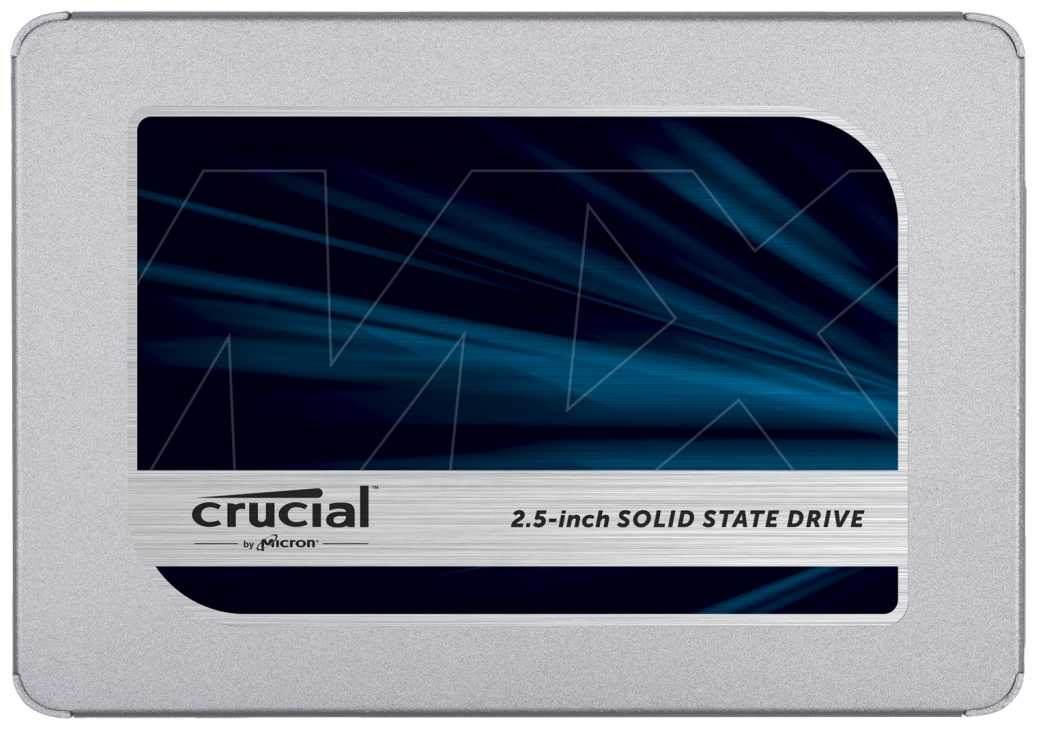
One, the Crucial MX500 - it's SATA and won't break any speed records.
Another, the Intel 660p and 665p - they're incredibly power efficient and perform well (and more importantly, wake fast - just a dozen or so miliseconds even with aggressive power saving enabled) - but they're QLC NAND and quite expensive. QLC's reliability is still unknown.
This SSD - it has that same amazing power management, wakes fast, and it's built on 64L Micron TLC - that's reliable NAND that has been around for years, and the manufacturing has been refined to an art. Reliability should be excellent for years to come. It's cheaper than the 660p and up to 2x faster as well. Honestly, what's not to love? This is a great product. I'd say it's the best SSDs that AData has ever produced. I like it more than the QLC Intel 660p, and for laptops - it's better than any other SSD that I know of. Even Samsung, as their power management is not as great, so their drives are more suited for gaming desktops.
I installed a 2TB SX8200 Pro in an older HP 840 G3 with dual-core i7-6600U, 32GB of RAM. I installed the latest Intel RST drivers (17.8), installed ThrottleStop with -60mv to reduce CPU temperature and power consumption, while increasing max Turbo duration, and then cloned my MBR Windows to this drive. After that I figured out how to transition to GPT/UEFI boot, which has me at the desktop in 6-8 seconds after hitting the power button. I then ran CrystalDiskMark and got the above results, running it as my OS drive with some data present. I was running Balanced power mode and did tests while plugged in and on battery. HP limits the entire laptop to 10-15 watts while on battery, so it aggressively saves power where it can, yet performance is still incredible.
I am very, very happy with this purchase. Best laptop drive available in 2020.
Mr. J. G. Lewis
04.12.2020
Оценка пользователя
Великолепно
I was torn between this and the market-leading Samsung 970 Evo plus PCIe gen 3 (2TB). I see no rush to get PCIe gen 4 just yet.
I also decided to stick on the tiny heat sink provided, as I saw no harm. I had trouble getting the M2 screw, and had difficulty getting the screw into place, but that’s all part of the fun.
I was also torn between replacing my five-year-old Samsung 850 Evo SATA III SSD 1TB as my system C drive (which was the first 32-layer 3D NAND I was able to find on the market, and which is still fantastic) and making this new NVME M.2 a drive dedicated just for game installations.
I am glad I took the second option. Separating your game installations on a separate drive from the operating system seems to be marginally better for performance. At the same time, the old SATA III SSD still loads Windows pretty fast.
Now over-modded Skyrim save games load in a “flash” (pun intended) instead of taking half a minute to load, and no more need to agonise over what to delete if I get the latest 100GB+ game.
weimin108
04.12.2020
Оценка пользователя
Ужасно
I did not mind that I did not reach advertised speeds when testing.
However, the drive failed after 1 month of medium use. Windows booted up black screen with mouse pointer only, and after a lot of troubleshooting, I realized that it was the NVME SSD.
From day 1 I had a good quality heatsink on it, so heat was not a factor.
张三
04.12.2020
Оценка пользователя
Великолепно
The SM2262EN is HOT under workload, I have monitored a 5W power consumption under heavy load (system restoring), however the idle power shows 0.0W with battery and 1.1W with DC power, which doesn’t affect my battery performance at all. I do suggest using heat adhesive or even thermal paste to cool it down. The heatsink included is nice, but won’t fit in many ultrabooks, it’s only good if you have desktop or gaming laptop.
jay.lee
04.12.2020
Оценка пользователя
Великолепно
The controller chip ran around 60-65C under full load with the heat spreader that came in the box (a thin piece of metal). Put the beefier heatsink on it that came with my mother board and it runs at least a good 10C cooler.
Amazon Customer
04.12.2020
Оценка пользователя
Великолепно
Sean Johnson
04.12.2020
Оценка пользователя
Великолепно
Isaac
04.12.2020
Оценка пользователя
Великолепно
Noah Curoe
04.12.2020
Оценка пользователя
Великолепно
Filip Mrsic
04.12.2020
Оценка пользователя
Великолепно
Amazon Customer
04.12.2020
Оценка пользователя
Хорошо
There has been controversy regarding the unannounced change in the controller from 2262EN to 2262G, which caused the SSD read/write speeds to drop up to 30%. Just a heads up; it looks like the stocks being sold are mostly 2262G now. Mine was 2262G. I bought it expecting this, since it's still a pretty value NVMe SSD even with the performance drop.
DBG
04.12.2020
Оценка пользователя
Хорошо
Jake_Ro_X
04.12.2020
Оценка пользователя
Великолепно
Stefania Traves
04.12.2020
Оценка пользователя
Ужасно
Took 4 weeks to receive this even though it always said in stock and ships in a few days.
Finally received this and it's not only an open package (resealed with scotch tape) but the product itself has clearly been used. Even the label and chips had wear on them... Seriously?
JP
04.12.2020
Оценка пользователя
Великолепно
Michel
04.12.2020
Оценка пользователя
Великолепно
Jerry Doyle
04.12.2020
Оценка пользователя
Ужасно
Francis
04.12.2020
Оценка пользователя
Великолепно
Used on a MSI Z390-A Pro Motherboard with Intel i7 9700K, 32 GB of RAM.
Похожие товары с лучшей оценкой










Wizemart © 2026.
Рекомендательная система по умному выбору товаров по отзывам и рейтингам
