

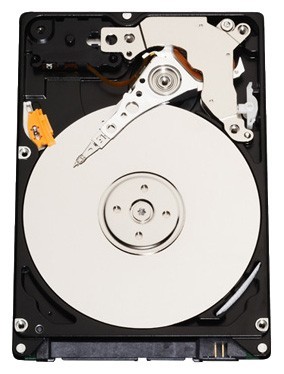
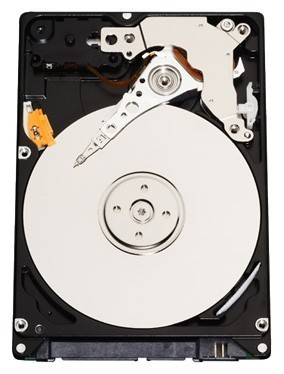
Отзывы о Жесткий диск Western Digital WD Scorpio Black 250 GB (WD2500BEKT)
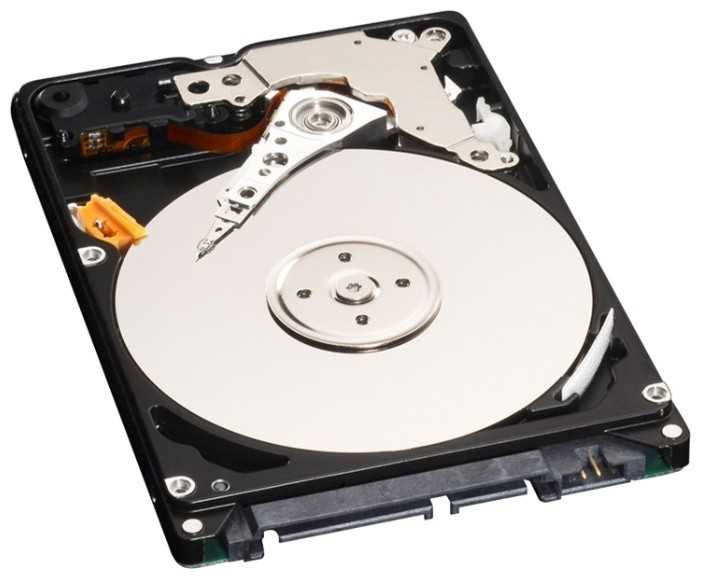


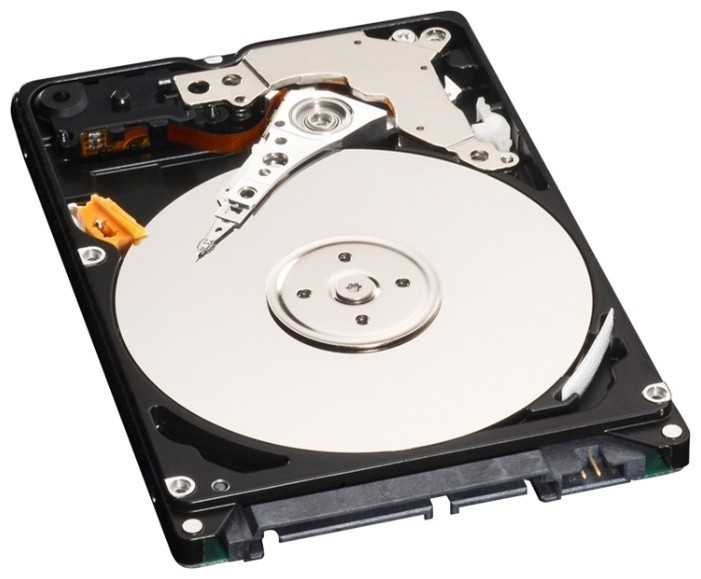
Плюсы по отзывам пользователей - Почему стоит купить Western Digital WD Scorpio Black (WD2500BEKT)?
- Значительное ускорение работы по сравнению с 5400 об/мин дисками:
- Скорость передачи данных выросла с 23 МБ/с до 64 МБ/с в тестах на Dell Inspiron.
- Быстрее загружается ОС, приложения и игры (Windows XP, Vista, 7, OS X, PS3, Xbox 360).
- Время запуска игр сократилось на треть в Xbox 360, быстрее загрузки в GT5 на PS3.
- Легкая установка и замена в ноутбуках и консолях:
- Идеально подходит по размеру и креплению в Dell, HP, Lenovo, MacBook, PS3, Xbox 360.
- Клонирование диска через EaseUS или Acronis занимает часы, без проблем с BIOS.
- Большая емкость за разумную цену:
- 250 ГБ в 4-5 раз больше стоковых дисков (60-120 ГБ), дешевле официальных для консолей.
- Экономия до $60-100 по сравнению с Microsoft/Sony HDD для Xbox/PS3.
- Достаточно для установки множества игр и DLC без переполнения.
- Тихая работа в большинстве случаев:
- Тише стоковых дисков в Lenovo, Dell, MacBook; не слышен даже на столе.
- Минимальная вибрация и задержка spin-up, не мешает в тихих окружениях.
- Работает бесшумно в PS3 и Xbox под шум вентиляторов.
- Хорошая надежность при повседневном использовании:
- Работает месяцы/годы без сбоев в ноутбуках (Dell, HP, Acer) и консолях.
- 5-летняя гарантия (для retail-версий), WD заменяет по RMA.
- Проходит тесты WD Data Lifeguard, восстанавливает данные после падений.
- Отличная совместимость с игровыми консолями:
- Работает в PS3 после backup/restore, быстрее стоковых HDD.
- Подходит для Xbox 360 с HDDHackr или моддингом firmware, распознается без проблем.
- Быстрая загрузка игр и сохранений, больше места для установок.
- Улучшение производительности старых устройств:
- Оживляет ноутбуки 2006-2009 гг. (Core 2 Duo) с Windows XP/7 или Snow Leopard.
- Windows Experience Index для диска растет с 4.8 до 5.9.
- Меньше лагов при поиске файлов и мультитаскинге.
Минусы по отзывам пользователей - О чем стоит задуматься перед покупкой:
- Повышенный уровень шума и вибрации:
- Постоянное тиканье/щелчки/гудение в HP, Acer; мешает при тишине.
- Громкие grinding noises через 10+ дней, вибрация ощущается рукой на корпусе.
- Rattle или rapid-fire ticking от пробуждения до сна, не для шумочувствительных.
- Сильный нагрев во время работы:
- Температура на idle 40+°C в ноутбуках, hotter при стриминге видео.
- Высокий тепловой footprint, как у предыдущих 7200 об/мин дисков.
- Требует хорошего охлаждения в тонких ноутбуках для надежности.
- Увеличенное потребление энергии и разряд батареи:
- Снижает время работы батареи на 20-30% в ноутбуках с 2-летними аккумуляторами.
- Больше тока, чем 5400 об/мин; проверьте совместимость с вашим laptop.
- Частый spin-down каждые секунды, лаг при right-click и меню.
- Проблемы со стабильностью и остановками:
- Останавливается на 10-15 сек в MacBook Pro (радуга, паузы в видео/музыке).
- Задержки boot в netbook из-за медленного spin-up, beep-ошибки.
- Конфликты с Acronis Disk Director в HP Pavilion.
- Риск преждевременных отказов:
- Умирает через 1-2 года или месяц (OEM-версии без гарантии).
- SMART-ошибки, relocatable sectors; не всегда проходит long test WD.
- Проблемы с MBR после клонирования, требует bootsect.exe fixmbr.
- Не оптимален для всех конфигураций:
- High efficiency mode по умолчанию вызывает clicking; нет permanent high perf.
- Не для Mac без отключения Sudden Motion Sensor; senior moments persist.
- Вибрация в T400, лучше как external HDD.
*Плюсы и минусы, которые пользователи называют чаще всего на основе практического опыта использования.
86 отзывов пользователей о Western Digital WD Scorpio Black (WD2500BEKT)
Пользовались
Western Digital WD Scorpio Black (WD2500BEKT)?
Поделитесь своим опытом и помогите другим сделать правильный выбор

Сатурниан-2FIBY
14.08.2010
4/10
Оценка пользователя
Ужасно
- + Вроде бы тихий
- - Среднее время доступа выше заявленного в два раза. Скорость чтения ниже в полтора раза.
Винт шел в ноуте HP Pavilion dv6-2090er. Сразу возник конфликт с программой Acronis Disk Director 10. Программа даже при загрузке с загрузочного диска не хотела перебивать диск. Paragon...
Эксопилот-2BRFV
30.01.2013
10/10
Оценка пользователя
Великолепно
With this drive, one screwdriver, about three hours total time (mostly for backup and restore) and a 32GB flash drive I replaced my PS3's 40GB hard drive with this drive. First: get a flash drive big enough to back up your system (to PS3/BACKUP) and also download version 4.31 of the OS from the playstation website (to PS3/UPDATE) to the flash drive. My 32GB flash drive was just barely big enough for this, you might need a 64 for a newer PS3. Unplug everything, take a rag and dust it off and then pry off the panel on the left side. Remove the one blue screw that you see and the old drive slides right out. Remove the four screws holding the old drive to the plate, swap in the new drive, replace those screws, slide it in, put the blue screw back, plug everything in, then follow the screen instructions. The new OS should install within 20 minutes, and however long it takes to restore your backup. In my case I was able to pick up the games I was playing three hours after the time I started including backup and restore time.I have found Western Digital drives to be very reliable in the PCs I've built. I have not given this drive any sort of torture test, but it's the right price and the right size for swapping out a PS3 drive.
Туманник-6QQUV
13.03.2013
10/10
Оценка пользователя
Великолепно
This is a fast and reliable replacement drive for laptops that can meet the specs. It carried a 5 year warranty. It has a higher data transfer rate and lower data latency rate than the 5400 rpm drives. I replaced the original drive in a Lenovo T60 laptop that runs XP, without any problems nor requiring change to the bios settings. Note that it does draw more current than most 5400 rpm drives and also has a higher thermal footprint. Verify that your laptop can support the extra electrical and cooling load, if reliability is important. WD has a nice, detailed spec sheet for this drive on its website.
Спектроник-9EUDI
16.04.2013
2/10
Оценка пользователя
Ужасно
Hello. I ordered this hard drive last month. It failed and is unusable. I tried to return it, but the return window was for only 1 month. They also said if you return it, you are eligible to pay for shipping. Seriously? no shipping label? I'm contacting Amazon corporate. What a complete waste of time and money. I highly recommend buying a hard drive from someone else. BUYER BEWARE!!!!!!
Дроид-8IPZN
04.04.2013
10/10
Оценка пользователя
Великолепно
Upgraded to this from a 5400 rpm hard drive when the old one died. The increases in performance has been great.Something to be aware of though if you are doing a similar upgrade, the higher rpm does come with more power consumption. We put this into a laptop with a 2 year old battery, so we did see battery life go down.
Аргонавт-9YYOK
13.04.2013
10/10
Оценка пользователя
Великолепно
WD Black 250 GB Mobile Hard Drive: 2.5 Inch, 7200 RPM, SATA II, 16 MB...WD Black 250 GB Mobile Hard Drive: 2.5 Inch, 7200 RPM, SATA II, 16 MB...WD Black 250 GB Mobile Hard Drive: 2.5 Inch, 7200 RPM, SATA II, 16 MB...WD Black 250 GB Mobile Hard Drive: 2.5 Inch, 7200 RPM, SATA II, 16 MB...
Плазмоид-0OWGE
01.04.2013
8/10
Оценка пользователя
Хорошо
Had 4 hard drives fail in a very short period of time. I needed replacements - these make the most sense for my application. They're small, so be ready with adapters for 3.5 bays if needed, but they're quiet, stable, and have a nice warranty - registration with WD is easy, and their service has really improved over the years.
Спектр-4HFNU
16.04.2013
10/10
Оценка пользователя
Великолепно
This fit my 2008 Mac Book Pro perfectly. It's quiet and doesn't get very hot. My computer is back to my standards.
Показаны отзывы 1-8 из 86.
График изменения цены Western Digital WD Scorpio Black (WD2500BEKT)
Характеристи Western Digital WD Scorpio Black (WD2500BEKT)
Информация о характеристиках носит справочный характер.
Перед покупкой уточняйте характеристики и комплектацию товара у продавца
Похожие товары с лучшей оценкой








Wizemart © 2026.
Рекомендательная система по умному выбору товаров по отзывам и рейтингам
