

Отзывы о Монитор LG 34WP65C





Где купить
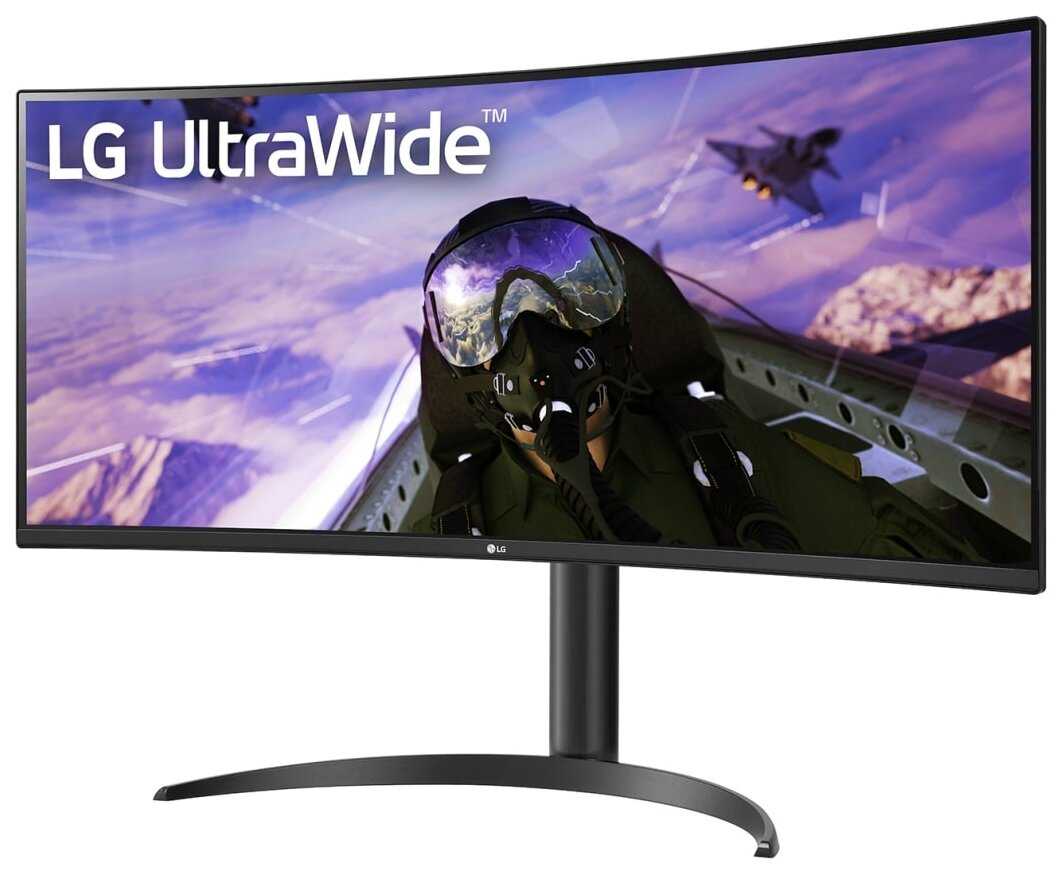
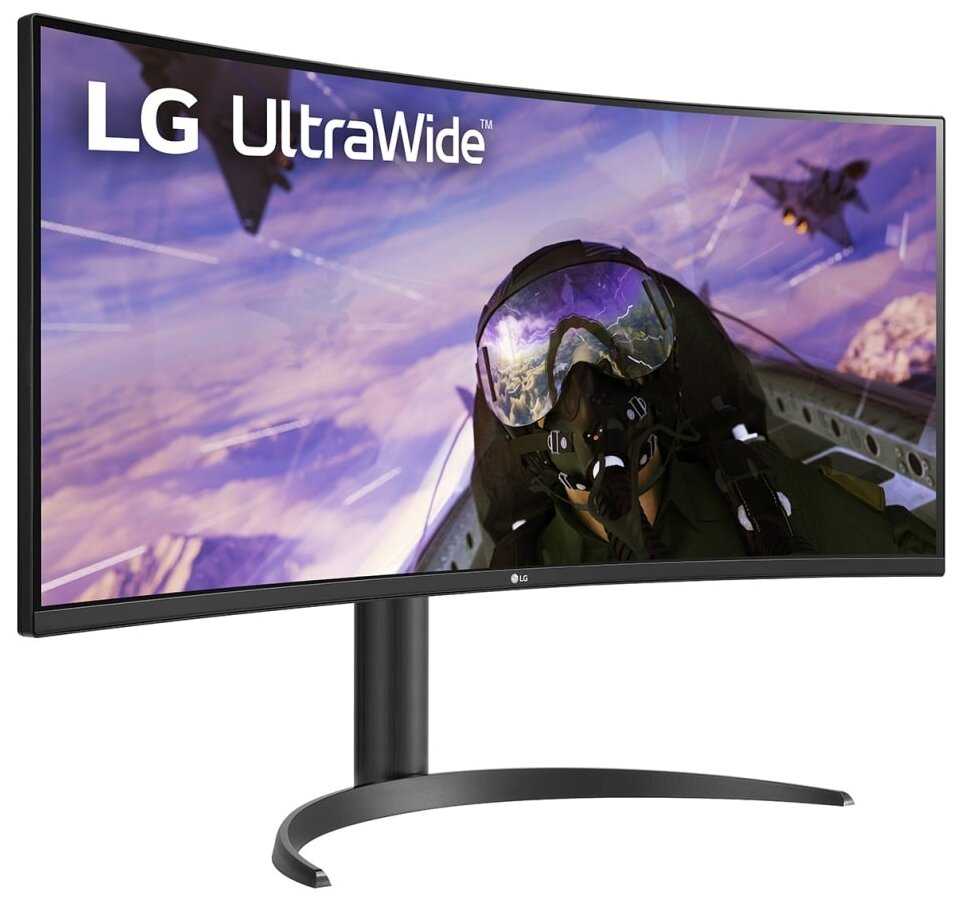
Монитор LG 34WP65C
|
Монитор 34" LG 34WP65C-B (34WP65C-B. ARUZ) black (VA,3440x1440,160Hz,1ms, Curved) | Техно Alt | 81 377 ₽ | Посмотреть |
|
34" Монитор LG 34WP65C-B, 3440x1440, 160 Гц, *VA, Ростест (EAC), черный | Яндекс Маркет | 65 997 ₽ | Посмотреть |
|
34" Монитор LG 34WP65C-B, 3440x1440, 160 Гц, *VA, черный | Яндекс Маркет | 66 219 ₽ | Посмотреть |
|
34" Монитор LG 34WP65C-B, 3440x1440, 160 Гц, *VA, Ростест (EAC), черный | Яндекс Маркет | 85 677 ₽ | Посмотреть |
Плюсы по отзывам пользователей - Почему стоит купить LG 34WP65C?
- Высокая частота обновления (160 Гц) и поддержка AMD FreeSync Premium:
- Плавность изображения в динамичных сценах игр, отсутствие разрывов кадров благодаря синхронизации с видеокартой.
- Режим Overclocking до 165 Гц обеспечивает минимальную задержку, что критично для киберспортивных дисциплин.
- Технология Adaptive-Sync устраняет артефакты при резкой смене FPS, сохраняя стабильность картинки.
- Глубокий черный цвет и контрастность VA-матрицы (3000:1):
- Черный цвет заметно глубже, чем у IPS-аналогов, что улучшает восприятие контента в затемненных сценах.
- Высокая контрастность подчеркивает детали в тенях, что полезно для игр и фильмов с темной атмосферой.
- Отсутствие засветов по углам экрана при правильной настройке яркости (рекомендуется 70-80%).
- Ультраширокий формат (21:9) и разрешение 3440×1440:
- Эргономичное разделение экрана на зоны для многозадачности (работа с кодом, таблицами, графиками).
- Эффект погружения в играх и фильмах благодаря увеличенному горизонтальному обзору.
- Плотность пикселей (109 PPI) достаточна для комфортной работы с текстом на расстоянии 70-80 см.
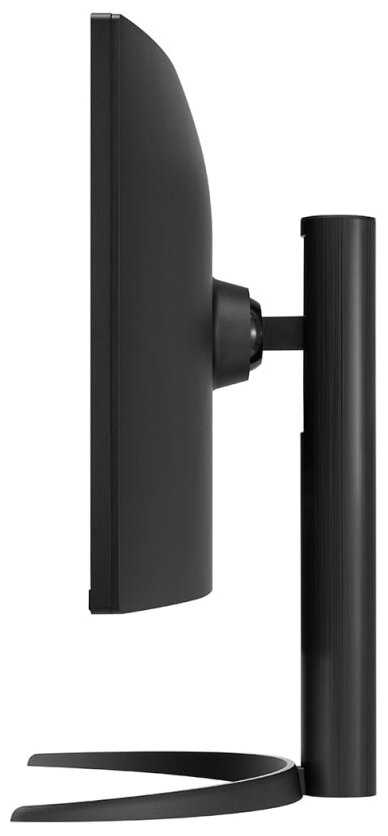
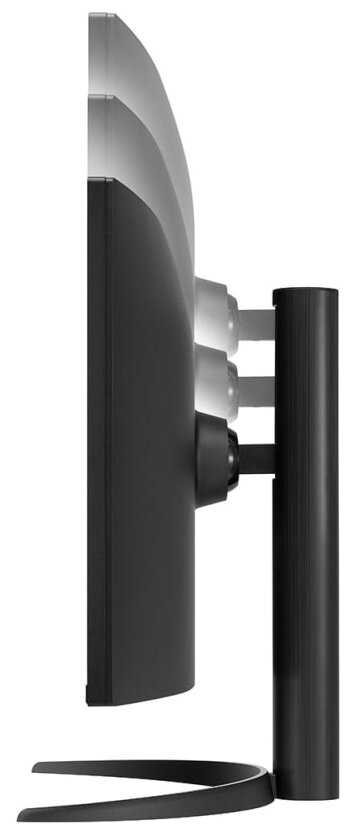
- Регулируемая подставка с возможностью изменения высоты (110 мм) и наклона (-5°/+15°):
- Эргономичная адаптация под рост пользователя, снижение нагрузки на шею при длительной работе.
- Прочная металлическая конструкция без люфтов, устойчивая даже на неровных поверхностях.
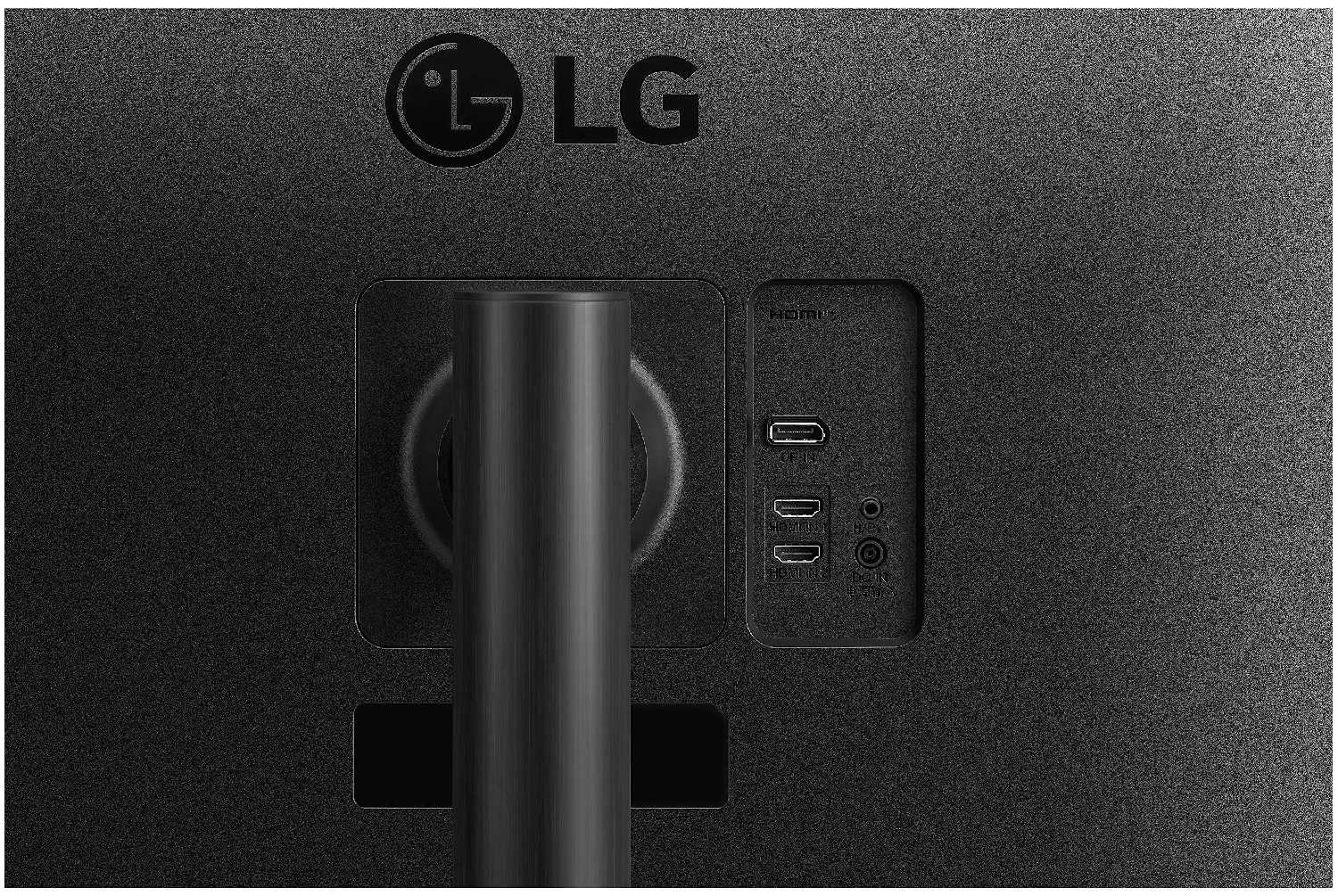
- Альтернатива — крепление VESA 100×100 мм, но требуется доработка из-за выступающих элементов корпуса.
- Встроенные динамики (2×7 Вт) и поддержка HDR10:
- Динамики подходят для системных звуков, видеоконференций и фонового просмотра контента.
- HDR-режим расширяет диапазон яркости в играх и видео, но требует ручной цветокоррекции.
- Технология DAS (Dynamic Action Sync) снижает задержку ввода в шутерах.
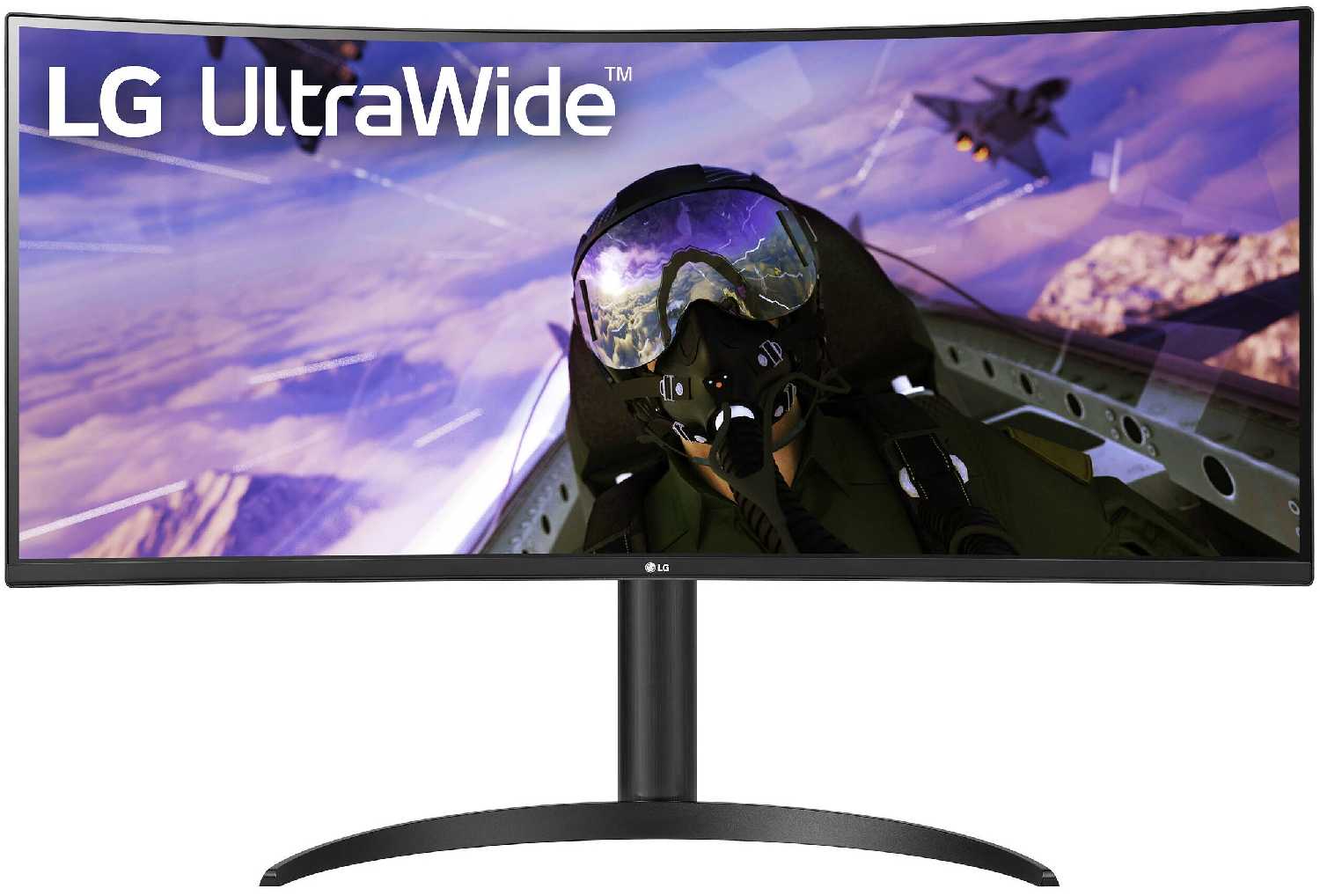
- Изогнутый экран с радиусом кривизны 1500R:
- Снижение искажений периферийного зрения, равномерное восприятие информации по всей площади.
- Минимальное отражение света благодаря антибликовому покрытию.
- Эффект "кинотеатра" при просмотре фильмов с поддержкой ультраширокого формата.
- Удобное управление через джойстик и фирменное ПО OnScreen Control:
- Быстрый доступ к настройкам Game Mode, Black Stabilizer и цветовым профилям.
- Программное разделение экрана на зоны (например, 2×1 для одновременной работы и стриминга).
- Автоматическая калибровка через Spyder X Pro улучшает точность цветопередачи (ΔE < 2).
Минусы по отзывам пользователей - О чем стоит задуматься перед покупкой:
- Артефакты движения (black smearing) на VA-матрице:
- Шлейфы за контрастными объектами в темных сценах (например, белый курсор на черном фоне).
- Ухудшение четкости текста при прокрутке, необходимость снижения контрастности до 30-40%.
- Ограничение скорости отклика до 4 мс в настройках для минимизации гостинга.
- Низкая пиковая яркость (300 кд/м²):
- Недостаточная детализация в HDR-контенте из-за ограниченной яркости.
- Сложности с использованием в ярко освещенных помещениях (блики на антибликовом покрытии).
- Конкуренты (Dell S3422DWG) предлагают 400 кд/м², но отсутствуют на российском рынке.
- Громоздкая подставка в форме полумесяца:
- Занимает 25 см глубины стола, ограничивая пространство для клавиатуры и аксессуаров.
- Отсутствие регулировки поворота (±15°), что критично для коллективной работы.
- Пластиковые элементы крепления VESA требуют доработки при установке на кронштейн.
- Ограничения 8-bit+FRC вместо native 10-bit:
- Видимая градация цветов в градиентах (небо, тени) при профессиональной обработке фото.
- Цветовой охват 95% DCI-P3 уступает Huawei MateView GT (98%) за аналогичную цену.
- Режим HDR активирует 10-битную палитру, но только через DisplayPort.
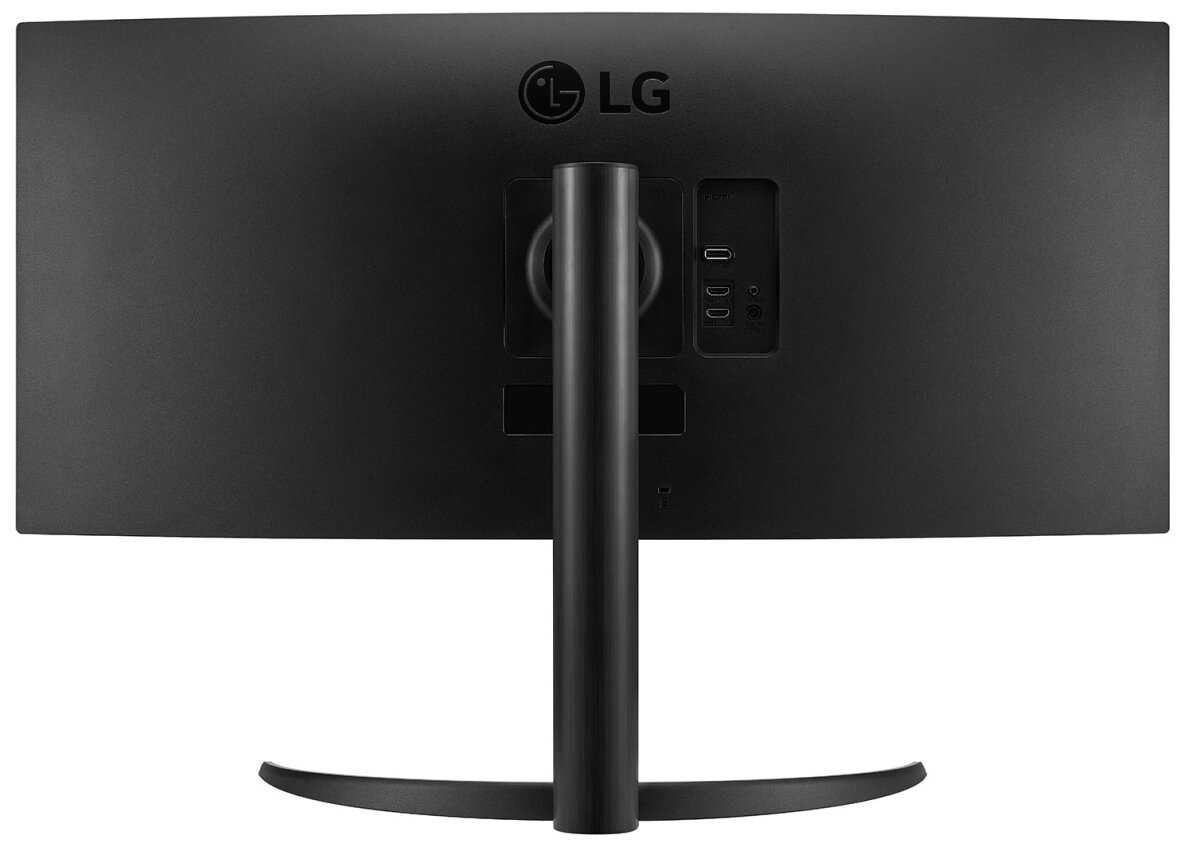
- Проблемы с совместимостью кабелей и портов:
- Комплектный DisplayPort кабель длиной 1.2 м не подходит для настенного крепления.
- Ограничение HDMI 2.0 до 85 Гц при разрешении 3440×1440.
- Отсутствие USB-C с Power Delivery для подключения ноутбуков.
- Среднее качество встроенных динамиков:
- Отсутствие низких частот, искажения на громкости выше 80%.
- Устаревший кодек аудиочипа (16-bit/48 кГц) против 24-bit/96 кГц у конкурентов.
- Нет оптического выхода для подключения внешней акустики.
- Риск попасть на бракованную матрицу:
- Жалобы на битые пиксели и засветы, особенно в партиях 2024 года.
- Сложности с гарантийным возвратом из-за отказа в проверке при доставке.
- Отсутствие заводской калибровки — цветовой профиль требует ручной настройки.
*Плюсы и минусы, которые пользователи называют чаще всего на основе практического опыта использования.
Реальный опыт использования LG 34WP65C - анализ 302 отзывов
LG 34WP65C-B — противоречивый ультраширокий монитор, который балансирует между игровыми возможностями и ограничениями VA-матрицы. Его главный козырь — формат 21:9 с разрешением 3440×1440, заменяющий два полноценных экрана. Это идеальное решение для программистов, аналитиков и дизайнеров, работающих с множеством окон. Высокая частота обновления (160 Гц) и AMD FreeSync Premium обеспечивают плавность в AAA-играх, но black smearing и средняя яркость портят впечатление в динамичных сценах.
Качество сборки типично для LG: надежная подставка, минимальные рамки, продуманная эргономика. Однако массивная ножка "полумесяц" съедает полезное пространство стола, а отсутствие поворотного механизма ограничивает гибкость установки. Встроенные динамики — палка о двух концах: они выручают в офисных задачах, но для фильмов или музыки потребуется внешняя акустика.
Цветопередача — слабое звено. Несмотря на заявленные 95% DCI-P3, из коробки цвета выглядят блеклыми. Калибровка Spyder X Pro улучшает ситуацию, но 8-bit+FRC не дотягивает до true 10-bit конкурирующих моделей. HDR-режим работает условно: пиковая яркость 300 кд/м² недостаточна для контента с метаданными HDR10.
Монитор подойдет непритязательным геймерам, ценящим immersion, и офисным пользователям, которым важен экранный реальный estate. Профессионалам в сфере фото/видео он не рекомендуется из-за ограничений VA. Если бюджет позволяет, стоит рассмотреть Dell S3422DWG с лучшей яркостью, но его доступность в РФ под вопросом.
Главный совет покупателям: тестируйте матрицу при получении на black smearing и битые пиксели. Используйте DisplayPort 1.4 для максимальной частоты и глубины цвета. Для работы с текстом снижайте скорость отклика до 4 мс. При настенном креплении убедитесь в совместимости кронштейна с выступающими элементами VESA-крепления.
В итоге, LG 34WP65C-B — оптимальный выбор в сегменте до 35 тыс. рублей, если закрыть глаза на типичные для VA недостатки. Он сочетает универсальность, эргономику и достаточную производительность для неискушенного пользователя. Но за ту же цену китайские бренды (Xiaomi, Huawei) предлагают лучшую цветопередачу, пусть и с риском брака.
302 отзывов пользователей о LG 34WP65C
Пользовались
LG 34WP65C?
Поделитесь своим опытом и помогите другим сделать правильный выбор

Ilich Rondon
28.01.2023
10/10
Оценка пользователя
Великолепно
Excelente Monitor
Sin duda es un monitor que cumple con lo requerido, tomando en cuenta que para la fecha hay muchos monitores con nuevas bondades pero en relacion precio calida uff se pasaaa
Job Mojica
28.01.2023
6/10
Оценка пользователя
Плохо
Cumple el 21:9, pero no la resolución.
Tengo una Mac y decidí explorar en el campo de las 21:9, la verdad ha sido cómodo trabajar en este formato, sin embargo la resolución es mucho menor. También ha sido un dolor de cabeza la compatibilidad con Mac dado a que se debe conectar vía display port, debo conectar y desconectar el monitor para que este reciba la señal.
PRPro
28.01.2023
10/10
Оценка пользователя
Великолепно
ABSOLUTELY recommend this product
Disclaimer - I am not a gamer, so I cannot provide information about the efficacy of this monitor for that purpose.
However, what I can tell you is that this is an absolute dream. The instruction manual, if you can call it that, had no words, just representations of what you're supposed to do to put it together, but from the way the parts are manufactured, it's easy to tell what goes where. I had it put together and on my desk in less than 10 minutes. (BTW - you'll need a screw driver to attach the base to the monitor).
I chose this product over all of the other larger screens because of the ability to choose a split screen. I'm a college prof, and the ability to have Zoom in one corner, a PowerPoint in another, and even other documents open without flipping back and forth is wonderful. Note that you must go to LG's website and download the drivers for split screen (which took me a couple of minutes to figure out even after looking at the owner's manual on LG's site). From there, it's easy. There's a monitor icon in the upper right hand corner...click it, and choose from a myriad of split screen designs.
As for color, light, etc. I was pretty happy with it right out of the box. To get to these, there's a small toggle on the underside of the monitor, right in the middle. Toggle one way for the menu, another for gaming, and another to turn the monitor off. The menu functions are easy to understand, and the online manual tells you page-by-page what each function does. And yes, there is a function to reduce eye strain. It makes the screen pretty dark, but you can adjust the brightness and lock it in. I really didn't change much else relative to the color, sharpness, etc. But then, I'm not doing professional photography work - primarily documents, and some graphic design of collateral materials, but the ability to have all of it in front of you - fully sized - is such an upgrade over a smaller monitor. You can also set pre-set functions for movies, gaming, etc.
Sound is great - I had to "attend" a 100 person Zoom meeting, and walk away from my desk, and could clearly hear everyone from a distance of 25 feet. In fact, it was a bit too loud. I have yet to play music, so I'm not sure of the depth of that sound quality, but you can change the base, treble, etc. I'm more than happy with the sound. I have a top of the line MAC laptop, and the sound is way more superior from the monitor. I only wish it had a camera as I have to buy a separate camera/mic (I keep my MAC closed when hooked into the monitor).
So if you're looking for a relatively inexpensive large-screen monitor for multi-tasking - this is for you...look no further!...One final issue - as a previous reviewer said, make sure the day it's delivered someone is home. The monitor is shipped in its retail packaging, which clearly identifies what's in the box. If you live in a neighborhood where people are tempted to steal packages, this might be the one they go for because the box looks like a big screen TV.
However, what I can tell you is that this is an absolute dream. The instruction manual, if you can call it that, had no words, just representations of what you're supposed to do to put it together, but from the way the parts are manufactured, it's easy to tell what goes where. I had it put together and on my desk in less than 10 minutes. (BTW - you'll need a screw driver to attach the base to the monitor).
I chose this product over all of the other larger screens because of the ability to choose a split screen. I'm a college prof, and the ability to have Zoom in one corner, a PowerPoint in another, and even other documents open without flipping back and forth is wonderful. Note that you must go to LG's website and download the drivers for split screen (which took me a couple of minutes to figure out even after looking at the owner's manual on LG's site). From there, it's easy. There's a monitor icon in the upper right hand corner...click it, and choose from a myriad of split screen designs.
As for color, light, etc. I was pretty happy with it right out of the box. To get to these, there's a small toggle on the underside of the monitor, right in the middle. Toggle one way for the menu, another for gaming, and another to turn the monitor off. The menu functions are easy to understand, and the online manual tells you page-by-page what each function does. And yes, there is a function to reduce eye strain. It makes the screen pretty dark, but you can adjust the brightness and lock it in. I really didn't change much else relative to the color, sharpness, etc. But then, I'm not doing professional photography work - primarily documents, and some graphic design of collateral materials, but the ability to have all of it in front of you - fully sized - is such an upgrade over a smaller monitor. You can also set pre-set functions for movies, gaming, etc.
Sound is great - I had to "attend" a 100 person Zoom meeting, and walk away from my desk, and could clearly hear everyone from a distance of 25 feet. In fact, it was a bit too loud. I have yet to play music, so I'm not sure of the depth of that sound quality, but you can change the base, treble, etc. I'm more than happy with the sound. I have a top of the line MAC laptop, and the sound is way more superior from the monitor. I only wish it had a camera as I have to buy a separate camera/mic (I keep my MAC closed when hooked into the monitor).
So if you're looking for a relatively inexpensive large-screen monitor for multi-tasking - this is for you...look no further!...One final issue - as a previous reviewer said, make sure the day it's delivered someone is home. The monitor is shipped in its retail packaging, which clearly identifies what's in the box. If you live in a neighborhood where people are tempted to steal packages, this might be the one they go for because the box looks like a big screen TV.
Otomosix
28.01.2023
10/10
Оценка пользователя
Великолепно
Best bang-for-your-buck, 1st-time ultra-wide monitor you can get!!! Better than 4K!!!
*****UPDATE (12-10-2016): Still loving this awesome monitor (my wife, too!). I decided to repurpose my old regular-wide monitor as a second display ABOVE this monitor (because why not??? LOL) and learned that any dual-vertical desk-mount stand that supports "up to 27-inch" regular-wide monitors can also fit 34"ultrawide because they're the same actual height (I was previously tearing my hair apart looking for a "34-inch dual-vertical" stand but couldn't find any---go figure!).
Hope this helps y'all!!!*****
This monitor ROCKS! At under $400 (currently $349!!!), you CANNOT go wrong with this ultra-wide beast unless you're running a low-end graphics card (works great with my GTX 960).
When I first looked into ultra-wide monitors, I did all kinds of research and wished I had $1300 at the time for an Acer Predator X34 (currently $1,230) because that monitor was 3440x1440 (this LG 34UM68-P is only 2560x1080 but it's still absolutely gorgeous). I thought I would need the curve to get a better experience, too. But then I discovered I would also need a faster graphics card to handle 3440x1440 on top of the insane cost of the Predator X34---putting that dream on hold for at least another year or two.
So...I bought this monitor instead and honestly thought it would be "just okay". But when it arrived and I set it up, I was absolutely blown away. This monitor made me want to play games more now than I've had the urge for the past 10 years or more. It's so good, I bought a SECOND one for my wife.
Everyone has their own preferences in monitors but here's some of my discoveries with this monitor:
1) I don't care about curved anymore. Seriously! For productivity (I work with Excel a lot), curved monitors distort horizontal lines/spreadsheets to make them look weird and kinda bad, IMO. So much so for me, that I'm not sure I ever want a Predator X34 in the future. Lesson learned, I am sticking with FLAT ultra-wide monitors and would strongly recommend others do so if you use your computer for both gaming and productivity. If your computer is strictly a gaming machine (mine clearly isn't) then you'll probably appreciate a curved monitor.
2) I've heard it said that there isn't a graphics card currently on the market that can handle 3440x1440 games at ultra-high settings (though I've also read that the NVidia 1080 does come close depending on the game you're playing). This is because there is literally almost twice as many pixels going from 2560x1080 to 3440x1440. Since I never buy state-of-the-art graphics cards when they first come out (I usually wait a year or two for the price to drop), that means I am likely 2 years away from getting both a 3440x1440 monitor and the graphics card to handle it.
3) I absolutely love the preset window panes for this monitor (and you can customize it many different ways...I prefer 2 side-by-side panes but you can also do 3 side-by-side, 4 quad, 2 side-by-side w/3rd horizontal pane above or below, etc.). These window panes allow you to drag-n-snap your windows (web browsers, Word, Excel, etc.) automatically without having to manually resize everything (super awesome for productivity)! I don't know if all ultra-wide monitors do this (and very likely not) because this is an LG-developed software that comes with the monitor.
4) Gaming with extra field-of-view on the left/right sides really gives you an edge (as long as your game supports 2560x1080 resolution which games like Doom, The Division, Zombie Army Trilogy and even Fallout 4---with an INI file tweak---do). Once you game with ultra-wide resolutions, trust me...you will NEVER go back!!!
5) Watching movies on this thing...breath-taking. Most movie resolutions are 21:9 making them perfect for ultra-wide monitors (though most TV shows have yet to catch up with this ratio).
There are plenty of other ultra-wide monitors in both 2560x1080 and 3440x1440 but I love this particular monitor's features and price-point. Sure, there are better monitors out there...but they cost A LOT more and honestly...I'm not even sure I would see much difference (without buying that high-end, state-of-the-art graphics card as well). Maybe in 2018 but this is definitely GREAT (not just "good") enough until then!
Hope this helps y'all!!!*****
This monitor ROCKS! At under $400 (currently $349!!!), you CANNOT go wrong with this ultra-wide beast unless you're running a low-end graphics card (works great with my GTX 960).
When I first looked into ultra-wide monitors, I did all kinds of research and wished I had $1300 at the time for an Acer Predator X34 (currently $1,230) because that monitor was 3440x1440 (this LG 34UM68-P is only 2560x1080 but it's still absolutely gorgeous). I thought I would need the curve to get a better experience, too. But then I discovered I would also need a faster graphics card to handle 3440x1440 on top of the insane cost of the Predator X34---putting that dream on hold for at least another year or two.
So...I bought this monitor instead and honestly thought it would be "just okay". But when it arrived and I set it up, I was absolutely blown away. This monitor made me want to play games more now than I've had the urge for the past 10 years or more. It's so good, I bought a SECOND one for my wife.
Everyone has their own preferences in monitors but here's some of my discoveries with this monitor:
1) I don't care about curved anymore. Seriously! For productivity (I work with Excel a lot), curved monitors distort horizontal lines/spreadsheets to make them look weird and kinda bad, IMO. So much so for me, that I'm not sure I ever want a Predator X34 in the future. Lesson learned, I am sticking with FLAT ultra-wide monitors and would strongly recommend others do so if you use your computer for both gaming and productivity. If your computer is strictly a gaming machine (mine clearly isn't) then you'll probably appreciate a curved monitor.
2) I've heard it said that there isn't a graphics card currently on the market that can handle 3440x1440 games at ultra-high settings (though I've also read that the NVidia 1080 does come close depending on the game you're playing). This is because there is literally almost twice as many pixels going from 2560x1080 to 3440x1440. Since I never buy state-of-the-art graphics cards when they first come out (I usually wait a year or two for the price to drop), that means I am likely 2 years away from getting both a 3440x1440 monitor and the graphics card to handle it.
3) I absolutely love the preset window panes for this monitor (and you can customize it many different ways...I prefer 2 side-by-side panes but you can also do 3 side-by-side, 4 quad, 2 side-by-side w/3rd horizontal pane above or below, etc.). These window panes allow you to drag-n-snap your windows (web browsers, Word, Excel, etc.) automatically without having to manually resize everything (super awesome for productivity)! I don't know if all ultra-wide monitors do this (and very likely not) because this is an LG-developed software that comes with the monitor.
4) Gaming with extra field-of-view on the left/right sides really gives you an edge (as long as your game supports 2560x1080 resolution which games like Doom, The Division, Zombie Army Trilogy and even Fallout 4---with an INI file tweak---do). Once you game with ultra-wide resolutions, trust me...you will NEVER go back!!!
5) Watching movies on this thing...breath-taking. Most movie resolutions are 21:9 making them perfect for ultra-wide monitors (though most TV shows have yet to catch up with this ratio).
There are plenty of other ultra-wide monitors in both 2560x1080 and 3440x1440 but I love this particular monitor's features and price-point. Sure, there are better monitors out there...but they cost A LOT more and honestly...I'm not even sure I would see much difference (without buying that high-end, state-of-the-art graphics card as well). Maybe in 2018 but this is definitely GREAT (not just "good") enough until then!
Isaac L.
28.01.2023
8/10
Оценка пользователя
Хорошо
A beautiful display
I am very pleased with the color and contrast ratios of this monitor. Also, the 21:9 ratio provides 25% more width than a standard 16:9 display, which could give you the screen real-estate you need without having to go with dual monitors. To give you an idea of it's size, this monitor is similar in height (viewable) to my 27" 16:9 ViewSonic display. Because of it's width, the corner-to-corner is 34". If you are going to pair this with an existing 16:9 monitor, it is good to see how it will fit ascetically on your desk. If you want it to be as seamless as possible, compare the viewable vertical heights of both monitors (The bezel, or plastic boarder, is not as important in this case)
Color reproduction is really good, but as with any display when used for professional editing, the use of a calibration device such as a Color Spyder is always recommended. While it certainly has a better range of viewing angles than other LCD's I have had in the past, the difference is not that striking. The height adjustable stand does not seem to crawl; meaning it seems to stay where you put it instead of slowly traveling lower or higher based on the strength of the springs. The speakers are better than most in-monitor speakers but still do no hold a candle to dedicated, full-range speakers. The best speakers inside a monitor I have ever heard were in Apple Thunderbolt Display units, but even those lacked a lot of low-frequency range. I have noticed that at full volume, there is a distinct buzzing sound on high-frequency sounds; this vanishes when the volume is lowered a few notches.
Pro:
Well packaged
Includes a sheet showing how to handle the monitor coming out of the package to avoid accidental damage and scratches.
Easy to assemble (2 flat head screws attach the foot to the stand, and 4 Phillips screws attach the stand to the monitor)
2 HDMI and 1 DisplayPort input
Great color reproduction
VESA mount compatible
Extreme viewing angles only loose consistent lighting (colors do not wash-out but the far end looks darker than the close end)
Using test patterns, I was able to confirm that straight lines are indeed straight and moiré was acceptable; colors are not bleeding between pixels, etc.
Monitor included Gamma and Color test results sheet from QA
Power indicator LED can be disabled
25% wider than 1920x1080.
Con:
User manual not included in paper form, only on DVD. Considering how often machines are shipped without optical drives these days, this is a burden.
Assembly instructions do not identify where a the small, plastic arch is to be used. It appears to be a cable manager, but I can not locate a mount point for it.
The power cable is a tight fit into the back. This wouldn't be an issue, except that the port flexes into the device while attempting to apply enough pressure to insert it. This could lead to the jack becoming loose from its solder points after repeated reconnections.
Other:
Given the size of the unit, it would be great if the base allowed the unit to pivot on its vertical axis. This isn't a con, per se, as most monitors do not have this feature.
Color reproduction is really good, but as with any display when used for professional editing, the use of a calibration device such as a Color Spyder is always recommended. While it certainly has a better range of viewing angles than other LCD's I have had in the past, the difference is not that striking. The height adjustable stand does not seem to crawl; meaning it seems to stay where you put it instead of slowly traveling lower or higher based on the strength of the springs. The speakers are better than most in-monitor speakers but still do no hold a candle to dedicated, full-range speakers. The best speakers inside a monitor I have ever heard were in Apple Thunderbolt Display units, but even those lacked a lot of low-frequency range. I have noticed that at full volume, there is a distinct buzzing sound on high-frequency sounds; this vanishes when the volume is lowered a few notches.
Pro:
Well packaged
Includes a sheet showing how to handle the monitor coming out of the package to avoid accidental damage and scratches.
Easy to assemble (2 flat head screws attach the foot to the stand, and 4 Phillips screws attach the stand to the monitor)
2 HDMI and 1 DisplayPort input
Great color reproduction
VESA mount compatible
Extreme viewing angles only loose consistent lighting (colors do not wash-out but the far end looks darker than the close end)
Using test patterns, I was able to confirm that straight lines are indeed straight and moiré was acceptable; colors are not bleeding between pixels, etc.
Monitor included Gamma and Color test results sheet from QA
Power indicator LED can be disabled
25% wider than 1920x1080.
Con:
User manual not included in paper form, only on DVD. Considering how often machines are shipped without optical drives these days, this is a burden.
Assembly instructions do not identify where a the small, plastic arch is to be used. It appears to be a cable manager, but I can not locate a mount point for it.
The power cable is a tight fit into the back. This wouldn't be an issue, except that the port flexes into the device while attempting to apply enough pressure to insert it. This could lead to the jack becoming loose from its solder points after repeated reconnections.
Other:
Given the size of the unit, it would be great if the base allowed the unit to pivot on its vertical axis. This isn't a con, per se, as most monitors do not have this feature.
MB
28.01.2023
8/10
Оценка пользователя
Хорошо
Know what you are buying.
The LG 34UM68-P is made primarily for gaming and at 21:9 it's perfect for movie watching. So know what you're getting into with a 2560x1080 resolution. It's going to be a little grainy for text and general use even with LG's fantastic menu options. If you are planning on getting one of these do it if you're a gamer not just because it's one of the more affordable 34' monitors. Also be aware that not all games support this aspect ratio and some never will because many video game developers consider it an unfair advantage. Overwatch is a great example of this. You will end up with black bars on either side and Blizzard has no plans to support it. Having said that, the monitor itself for the games that do support it are so much more immersive and well worth buying this monitor.
The Stand:
A HUGE improvement over the previous model (34UM57-P), which had a cheap, lightweight plastic stand that was not adjustable for the most part.
This one has a metal core and is fully adjustable and does not allow the panel to rock back and forth like the last one. So kudos to LG for listening to their customers and fixing it.
The Panel Casing:
As far as I can tell it's nearly identical to the previous model. Still completely glossy (which is why it gets 4 Stars)
LG.. STOP MAKING GLOSSY EVERYTHING! If you touch it and put fingerprints on it and then try to wipe them off it WILL scratch.
The only improvement over the last model is that they included a plastic spacer to put in between where you attach the panel to the stand so that you won't scratch the glossy plastic.
The Screen:
The screen is pretty darn nice. It's a matte finish and the quality of the IPS panel, colors, contrast, brightness are all quite good. I have not complaints about it. Black levels are very good once you make some minor adjustments.
The Menu:
The menu is flat out fantastic! A TON of adjustability for color and modes. A wonderful joystick style control with a single button which makes it very easy to navigate. 4 Gaming modes which are 2 clicks away at all time so you can easily switch to them mid game.
Options/Features:
I won't go over all of them but the main ones are clearly FreeSync, Gaming modes and REAL 75Hz. If you have an AMD video card you are in business. I have an ASUS Strix R9 390X and FreeSync is a strait up game changer. I will never go back to a standard monitor. It's hard to describe you just have to see it. Turn it on in the LG menu and turn it on in your AMD control panel and thats it! It just works. Gaming modes include FPS Custom, FPS 1, FPS 2 and RTS/MMO modes. 3 Preset and one to Customize. You can also overclock this monitor to 75Hz once FreeSync is turned on. Or rather I should say it's an option at that point to change it to 75Hz. I have read people actually overclocking it to around 82Hz but thats like a lottery. Some will some will not and you try that at your own risk.
I got this on Prime Day for under $370. At that price up to about $400 it is a really nice choice for a gaming monitor. I was looking at this and a 28' 4K ASUS. I went with this for the FreeSync and 75Hz. It's just a really good value overall with a few short coming which can be overlooked for what you end up with.
Hope my review helps some of you on the fence :)
The Stand:
A HUGE improvement over the previous model (34UM57-P), which had a cheap, lightweight plastic stand that was not adjustable for the most part.
This one has a metal core and is fully adjustable and does not allow the panel to rock back and forth like the last one. So kudos to LG for listening to their customers and fixing it.
The Panel Casing:
As far as I can tell it's nearly identical to the previous model. Still completely glossy (which is why it gets 4 Stars)
LG.. STOP MAKING GLOSSY EVERYTHING! If you touch it and put fingerprints on it and then try to wipe them off it WILL scratch.
The only improvement over the last model is that they included a plastic spacer to put in between where you attach the panel to the stand so that you won't scratch the glossy plastic.
The Screen:
The screen is pretty darn nice. It's a matte finish and the quality of the IPS panel, colors, contrast, brightness are all quite good. I have not complaints about it. Black levels are very good once you make some minor adjustments.
The Menu:
The menu is flat out fantastic! A TON of adjustability for color and modes. A wonderful joystick style control with a single button which makes it very easy to navigate. 4 Gaming modes which are 2 clicks away at all time so you can easily switch to them mid game.
Options/Features:
I won't go over all of them but the main ones are clearly FreeSync, Gaming modes and REAL 75Hz. If you have an AMD video card you are in business. I have an ASUS Strix R9 390X and FreeSync is a strait up game changer. I will never go back to a standard monitor. It's hard to describe you just have to see it. Turn it on in the LG menu and turn it on in your AMD control panel and thats it! It just works. Gaming modes include FPS Custom, FPS 1, FPS 2 and RTS/MMO modes. 3 Preset and one to Customize. You can also overclock this monitor to 75Hz once FreeSync is turned on. Or rather I should say it's an option at that point to change it to 75Hz. I have read people actually overclocking it to around 82Hz but thats like a lottery. Some will some will not and you try that at your own risk.
I got this on Prime Day for under $370. At that price up to about $400 it is a really nice choice for a gaming monitor. I was looking at this and a 28' 4K ASUS. I went with this for the FreeSync and 75Hz. It's just a really good value overall with a few short coming which can be overlooked for what you end up with.
Hope my review helps some of you on the fence :)
Vincent
28.01.2023
8/10
Оценка пользователя
Хорошо
Display is wonderful, yet must set OS display sleep options to "Never"
Thoroughly impressed as a third monitor for my workspace. For the price point and build quality, it's a very good investment for a non-curved 21:9 monitor. My only headaches for this purchase was that I needed a [Mini DisplayPort to DisplayPort 4K@60Hz] cable to connect it to my older (Late 2012) Mac mini for it to take advantage of the whole 21:9 aspect ratio. An HDMI-to-HDMI cable fed the monitor a signal that gave me 1920x1200, displaying in pillar box format (black bars on the left and right sides of the monitor). If you purchase this display, be aware the only cable length options off the shelf for MiniDP-to-DP were 3 ft. or 6 ft., both of which were sold out at my local BestBuy and computer/TV shops. So if you need longer length under $10, I've included a link: https://www.amazon.com/dp/B01N12FB0W/ref=cm_sw_r_cp_awdb_t1_MANBBbKCJVGCA
John park
28.01.2023
8/10
Оценка пользователя
Хорошо
Great Productivity / TV Replacement Dispay
I Haven't had this monitor for long yet so I can't speak for the longevity, but my first impressions of this monitor are great. I'm coming from a 21 inch 16:9 but my display before that was a 45 inch flat screen TV and this monitor offers a very comfortable middle-ground experience if you want a large display but don't want to deal with the generally terrible input latency of a television. After a few months of researching before settling on this display my two main worries were that it would be uncomfortably big on my desk and that text would be uncomfortable to read because of the relatively low dpi (about the same as a 27 inch 1080p panel). After having used it I can say neither of those were any issue for me, and I think the general consumer would be happy with this display also. I find that a lot of negatives reviews of this monitor come from people who have used much higher resolution displays before this and were accustomed to very high pixel densities. To the untrained eye, and especially someone like me who is already adjusted to very large, low dpi screens; this monitor is the best monitor you can buy if you want to get into large ultrawides on a budget. It's definitely not right for everyone, considering the sheer size of this screen there's probably a lot of people who just cant possibly fit it on their desk, but for a use case like mine where this monitor doubles as a TV for my bedroom it's absolutely perfect. That being said I have two main gripes about this monitor the first being the lackluster build quality. If you press even slightly around the edge of where the screen meets the bezel, the panel flexes easily and doesn't feel like it would hold up well if something were to bump into it. Second being the fact that there's no display port cable included in the box which I wouldn't mind as much if this were a regular monitor but considering the fact that you can't enable freesync or the 75 hz refresh rate with an hdmi connection then there really should have been both cables included in the box. Overall, I'd have to say it's the best choice in <$400 ultrawides if it lasts as long as I'm hoping it will.
Показаны отзывы 1-8 из 302.
Где купить
Монитор LG 34WP65C
|
Монитор 34" LG 34WP65C-B (34WP65C-B. ARUZ) black (VA,3440x1440,160Hz,1ms, Curved) | Техно Alt | 81 377 ₽ | Посмотреть |
|
34" Монитор LG 34WP65C-B, 3440x1440, 160 Гц, *VA, Ростест (EAC), черный | Яндекс Маркет | 65 997 ₽ | Посмотреть |
|
34" Монитор LG 34WP65C-B, 3440x1440, 160 Гц, *VA, черный | Яндекс Маркет | 66 219 ₽ | Посмотреть |
|
34" Монитор LG 34WP65C-B, 3440x1440, 160 Гц, *VA, Ростест (EAC), черный | Яндекс Маркет | 85 677 ₽ | Посмотреть |
График изменения цены LG 34WP65C
Характеристи LG 34WP65C
| Общие характеристики | |
| Поддержка HDR : | есть |
| Макс. разрешение : | 3440x1440 |
| Тип матрицы экрана : | *VA |
| Макс. частота обновления кадров : | 160 Гц |
| Подсветка без мерцания (Flicker-Free) : | есть |
| LED-подсветка : | нет |
| QLED : | нет |
| Тип LED-подсветки : | WLED |
| Экран | |
| Поддержка стандартов HDR : | HDR10 |
| Изогнутый экран : | есть |
| Шаг точки по горизонтали : | 0.07725 мм |
| Шаг точки по вертикали : | 0.23175 мм |
| Время отклика : | 5 мс |
| Антибликовое покрытие : | есть |
| Картинка в картинке : | нет |
| Цветовой охват sRGB 100% : | нет |
| Горизонтальный угол обзора : | 178 градусов |
| Вертикальный угол обзора : | 178 градусов |
| Плотность пикселей (ppi) : | 110 |
| Покрытие экрана : | антибликовое, матовое |
| Изображение : | поддержка HDR |
| Цветовой охват sRGB : | 99% |
| Поддержка 3D : | нет |
| Глянцевое покрытие : | нет |
| Время отклика MPRT : | 1 мс |
| Макс. частота кадров при макс. разрешении : | 165 Гц |
| Яркость : | 300 кд/м2 |
| Контрастность : | 3000:1 |
| Полное время отклика : | 5 мс |
| Максимальное количество цветов : | 16.7 млн. |
| Видимый размер экрана : | 34 " |
| Подключение | |
| Вход DisplayPort : | есть |
| Версия HDMI : | 2.0 |
| Версия DisplayPort : | 1.4 |
| Выход на наушники : | есть |
| Интерфейс USB Type B : | нет |
| Интерфейс USB Type-C : | нет |
| Вход аудио стерео : | нет |
| Выход аудио оптический : | нет |
| Устройство для чтения карт памяти : | нет |
| Вход HDMI : | нет |
| Вход VGA : | нет |
| Поддержка MHL : | нет |
| Вход USB (видео) : | нет |
| USB-концентратор : | нет |
| Версия USB : | 2.0 |
| Функции | |
| Поддержка FreeSync/G-Sync : | FreeSync |
| Сабвуфер : | нет |
| Компенсация неравномерности подсветки : | нет |
| Датчик присутствия : | нет |
| Датчик освещенности : | нет |
| Воспроизведение с USB : | нет |
| Калибровка цвета : | нет |
| Питание | |
| Потребляемая мощность в спящем режиме : | 0.5 Вт |
| Блок питания : | внешний |
| Потребляемая мощность при работе : | 23 Вт |
| Потребляемая мощность в режиме ожидания : | 0.5 Вт |
| Максимальная потребляемая мощность : | 45 Вт |
| Дополнительно | |
| Регулировка по высоте : | есть |
| Встроенная веб-камера : | нет |
| Поворот на 90 градусов : | нет |
| Ширина : | 809 мм |
| Ослабление синего цвета : | нет |
| Настенное крепление : | нет |
| Изображение | |
| Соотношение сторон : | 21:9 |
| Широкоформатный : | нет |
| Звук | |
| Встроенные колонки : | есть |
| Количество встроенных динамиков : | 2 |
| Мощность динамиков (на канал) : | 7 Вт |
| Основные характеристики | |
| Игровой монитор : | есть |
| Сенсорный экран : | нет |
| Тип монитора : | ЖК |
| Диагональ : | 34 " |
| Радиус изгиба : | 1800R |
| Особенности : | встроенные колонки, регулировка по высоте, подсветка без мерцания (Flicker-Free) |
| Разрешение экрана : | 3440x1440 |
| Встроенный микрофон : | нет |
| Тип матрицы : | *VA |
| Технология экрана : | ЖК |
| Поддержка стандарта ISO 13406-2 : | нет |
| Соотношение сторон экрана : | 21:9 |
| Интерфейсы | |
| Вход Mini DisplayPort : | нет |
| Выход аудио стерео : | нет |
| Интерфейсы видео : | вход HDMI x 2, USB Type-C, вход DisplayPort, выход DisplayPort, вход DisplayPort x 2, вход HDMI, Thunderbolt |
| Интерфейсы : | выход на наушники |
| Wi-Fi : | нет |
| Прочее | |
| Высота : | 568.3 мм |
| Глубина : | 260 мм |
| Вес : | 7.7 кг |
| Поддержка HDCP в DVI-интерфейсе : | нет |
| Подробная комплектация : | кабель DisplayPort, кабель питания, кабель HDMI, адаптер питания |
| Стандарт крепления VESA : | 100x100 мм |
| Стандарт настенного крепления : | 100x100 мм |
| Антистатическое покрытие : | нет |
| Интерфейс Ethernet : | нет |
| Вход RGB : | нет |
| Вход DVI : | нет |
| Интерфейс Thunderbolt : | нет |
| Вход видео композитный : | нет |
| Вход S-Video : | нет |
| Вход видео компонентный : | нет |
| Поддержка WiDi : | нет |
| Дополнительная информация : | контрастность (DFC) Mega, регулировка по высоте (мм) 110, угол наклона (°) -5 (вперед) — 15 (назад), вес и габариты указаны с подставкой |
Информация о характеристиках носит справочный характер.
Перед покупкой уточняйте характеристики и комплектацию товара у продавца
Обзоры и руководства на LG 34WP65C

Похожие товары с лучшей оценкой






















Wizemart © 2026.
Рекомендательная система по умному выбору товаров по отзывам и рейтингам
