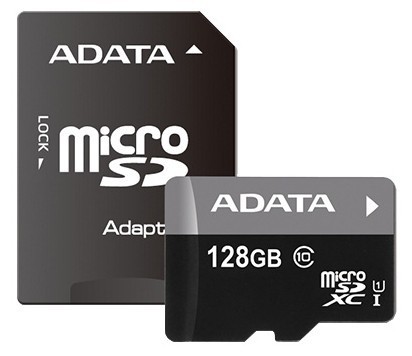
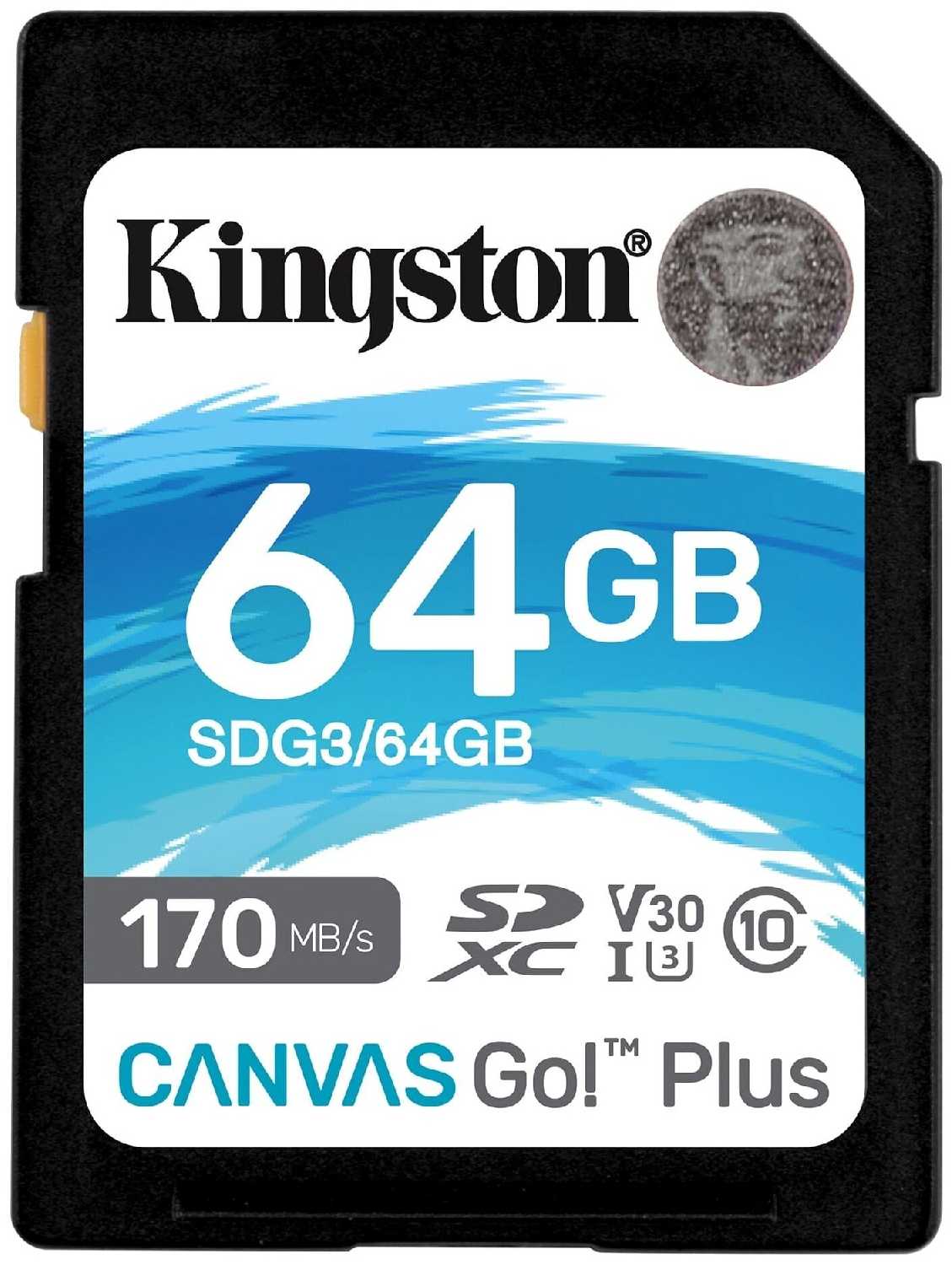
+ Рассматривал Sams Evo plus на алике, которыми торгуют за в два раза ниже оригинала, но не покидали смутные сомнения. Наткнулся на Кингстон, взял по акции 128гиг примерно за тыщу. Заказал, забрал на следующий день.
- Возможно...
МехаРейнджер-7YTCZ
18.06.2024
2/10
Оценка пользователя
Ужасно
Очень плохая модель
+ Нету
- Не работает в видеорегистраторе 7omai
Небулоид-1QLMC
18.06.2024
10/10
Оценка пользователя
Великолепно
Отличная модель
+ Размер реальный, не подделка.
Туманник-3FOFP
18.06.2024
2/10
Оценка пользователя
Ужасно
Очень плохая модель
- Ошибка записи файлов и медленная скорость
Синтрон-1EPTT
03.07.2021
10/10
Оценка пользователя
Великолепно
Отличная модель
+ Нормальная флэшка SDXC. Скоростных замеров не делал, но моему фотоаппарату хватает.
- SDXC не читается...
Плазмонавт-2ZOHR
13.11.2013
8/10
Оценка пользователя
Хорошо
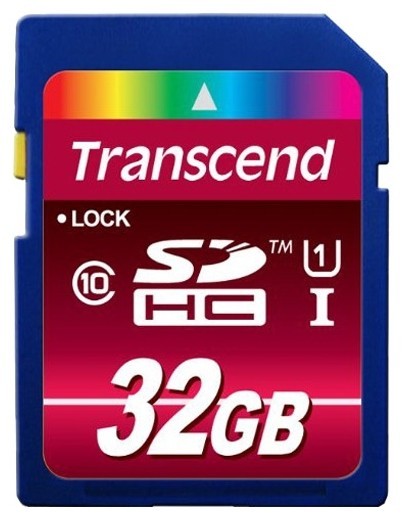
Купил и думал что не прогадал, а оказалось не все так просто. После 3 месяцев начались глюки - портила фотки, музыку как бы жевала, и программы часто давали сбои( при заполнении где то на 30%), и в конце концов появилась надпись защита от записи. Адаптером из комплекта вылечить не удалось, испытал много способов - все было отрицательно. И тут нашелся выход - форматировал ее сторонним адаптером без проблем( а именно от сони). Все что было на ней оказалось непригодным для дальнейшего использования. Хорошо что все копии есть на компе. Вот и доверяй после всего этого флешкам такого объема.
Нейрон-8WWVY
30.09.2013
10/10
Оценка пользователя
Великолепно
Опыт использования пока несколько дней.Запись через кардридер Transcend mcSDXC: 11.5 мегабайт/сЧтение через него же: 28 мегабайт/сРаботает без проблем с компьютером и LG G Pro.Цена отличная, производитель проверенный.Карты mcSDXC (64 GB) сейчас довольно капризны, но вероятность сбоев в работе и выхода из строя карты снижается, если следовать простым правилам: использовать только в кардридерах для mcSDXC, а не совать ее куда попало, например, в старые mcSDHC картридеры; форматировать в exFAT, если покупается для телефона - убедиться, что он поддерживает mcSDXC. Проще всего, если берете для телефона, - установить в него карту и пользоваться только через телефон, подключая аппарат к компьютеру для передачи данных.Отличная карта!
Гелиос-4CRPZ
21.09.2013
2/10
Оценка пользователя
Ужасно
Отказывается работать со многими кардридерами SDHC. Не работает с многими планетами и телефонами.
Альфа-Юнит-6TBUZ
12.07.2021
8/10
Оценка пользователя
Хорошо
Хорошая модель
+ флешка работает закачал детям музыку, вставил в колонку
Гравитон-4IDLR
07.09.2013
10/10
Оценка пользователя
Великолепно
Для моего Samsung Galaxy S3.
Сатурниан-4WPWT
19.07.2013
10/10
Оценка пользователя
Великолепно
Взял для планшетника-трансформера Asus TF700. Полёт нормальный.
Квантум-5CVBN
16.02.2012
10/10
Оценка пользователя
Великолепно
Difference between Speed Class, UHS Speed Class, and Speed Ratings (performance) for SD/SDHC/SDXC cards What is the difference between Speed Class and Speed Ratings for SDTM/SDHCTM cards?The speed rating measures maximum transfer speed for reading and writing images to and from a memory card, expressed as megabytes per second. However, video doesn't need as big a data pipe because the video format is a smaller "fixed stream" that uses only a portion of the data pipe.Unlike card write speeds that measure maximum performance, class ratings measure the minimum sustained speed required for recording an even rate of video onto the card. The class rating number corresponds to the transfer rate measured in megabytes per second. Class 2 cards are designed for a minimum sustained transfer rate of 2 megabytes per second (MB/s)1, while Class 10 cards are designed for a minimum sustained transfer rate of 10MB/s2.What does this difference mean for me? Rated Speed (e.g. 15MB/s, 30MB/s, etc.) is maximum speed of the card and also what you would expect to approximately see in typical usage of writing or reading files on the card. This measurement is pertinent to still photography, especially for taking pictures with high resolution and/or saving in RAW format where the files created are very large. The faster the card, the faster it can save the file and be ready to take another picture. You can really notice speed differences with high-megapixel DSLR cameras when using multi-shot burst mode.Still digital images shot on high-megapixel cameras should utilize fast data throughput (a large data pipe), higher speed cards for improved performance. Higher speed cards can also improve how fast you can transfer the files to and from the card and your computer.Speed Class is a minimum speed based on a worst case scenario test. The Speed Class is important for video mode or camcorders, where the device is actually saving a steady stream of data. The resolution and format of the video determines the amount of steady stream data. This translates to a minimum speed you need to guarantee that the video captured on the cards is recorded at an even, sustained rate with no dropped frames (which would result in lost data and choppy playback).Compared to high-megapixel photography, video doesn't need as big a data pipe because the video format is a smaller "fixed stream" that uses only a portion of the data pipe. But you do need a minimum guaranteed speed for the SDHC card that satisfies the requirement of the data stream. Your camera's specifications should state the minimum SDHC Class Rating required.Using a card without the proper class rating on a more advanced camera, such as a high-definition (HD) camcorder or Digital Single Lens Reflex (DSLR) camera with HD video record settings is likely to result in an error message indicating that video can only be recorded at a lower definition setting.The current SDHC specification defines Class 2, 4, 6, 8 and 10 as follows:Class Minimum Speed2 -- 2MB/s4 -- 4MB/s6 -- 6MB/s8 -- 8MB/s10 -- 10MB/sUHS Speed Class was introduced in 2009 by the SD Association and is designed for SDHC and SDXC memory cards. UHS utilizes a new data bus that will not work in non-UHS host devices. If you use a UHS memory card in a non-UHS host, it will default to the standard data bus and use the "Speed Class" rating instead of the "UHS Speed Class" rating. UHS memory cards have a full higher potential of recording real time broadcasts, capturing large-size HD videos and extremely high quality professional HD.UHS Class Minimum SpeedI 10MB/s1 1 megabyte (MB) = 1 million bytes 2 Based on SanDisk internal testing; performance may vary depending upon host device.THIS INFORMATION IS COURTESY OF SanDisk
Гелиос-3LKUP
14.11.2012
2/10
Оценка пользователя
Ужасно
First let me beef about Amazon's habit of grouping reviews for different products together. If I am reading reviews for a 32gb flash card I have no interest in the experiences of owners of the 16gb version. It's bad enough that you have no idea which of the several versions of this card you will receive, but for the record my version is "N0289-001.ADOLF".I have had several flash cards go bad on me, and I was a fool to buy a 32gb card. That was just asking for trouble, as this is pushing the capabilities of the manufacturers.OK, I was in Switzerland on vacation. I had swapped a smaller, slower card the day before, even though it had loads of space left on it, just because I am paranoid about putting too much valuable footage on one of these contraptions. After a day of filming on the scenic Glacier Express (train), the camera reported 'write error'. It was all over. No device I own could do anything with this card, and the recovery software I downloaded simply hung. I have an RMA number from Kingston, but I could never trust a replacement, especially a 'refurbished' one, which is all they will give me. They will not replace it with a newer model which may have been updated. I plan to just stick the replacement on ebay for a starting bid of $.01 and stick to 8gb Class 6 cards, which seem to be reliable.I also plan to test every card I use in the future, by writing, reading, erasing, massaging the entire capacity, before I will trust it at all.
Аэронавт-6AXBO
14.11.2012
2/10
Оценка пользователя
Ужасно
First let me beef about Amazon's habit of grouping reviews for different products together. If I am reading reviews for a 32gb flash card I have no interest in the experiences of owners of the 16gb version. It's bad enough that you have no idea which of the several versions of this card you will receive, but for the record my version is "N0289-001.ADOLF".I have had several flash cards go bad on me, and I was a fool to buy a 32gb card. That was just asking for trouble, as this is pushing the capabilities of the manufacturers.OK, I was in Switzerland on vacation. I had swapped a smaller, slower card the day before, even though it had loads of space left on it, just because I am paranoid about putting too much valuable footage on one of these contraptions. After a day of filming on the scenic Glacier Express (train), the camera reported 'write error'. It was all over. No device I own could do anything with this card, and the recovery software I downloaded simply hung. I have an RMA number from Kingston, but I could never trust a replacement, especially a 'refurbished' one, which is all they will give me. They will not replace it with a newer model which may have been updated. I plan to just stick the replacement on ebay for a starting bid of $.01 and stick to 8gb Class 6 cards, which seem to be reliable.I also plan to test every card I use in the future, by writing, reading, erasing, massaging the entire capacity, before I will trust it at all.
Аэронавт-9TQAJ
14.11.2012
2/10
Оценка пользователя
Ужасно
First let me beef about Amazon's habit of grouping reviews for different products together. If I am reading reviews for a 32gb flash card I have no interest in the experiences of owners of the 16gb version. It's bad enough that you have no idea which of the several versions of this card you will receive, but for the record my version is "N0289-001.ADOLF".I have had several flash cards go bad on me, and I was a fool to buy a 32gb card. That was just asking for trouble, as this is pushing the capabilities of the manufacturers.OK, I was in Switzerland on vacation. I had swapped a smaller, slower card the day before, even though it had loads of space left on it, just because I am paranoid about putting too much valuable footage on one of these contraptions. After a day of filming on the scenic Glacier Express (train), the camera reported 'write error'. It was all over. No device I own could do anything with this card, and the recovery software I downloaded simply hung. I have an RMA number from Kingston, but I could never trust a replacement, especially a 'refurbished' one, which is all they will give me. They will not replace it with a newer model which may have been updated. I plan to just stick the replacement on ebay for a starting bid of $.01 and stick to 8gb Class 6 cards, which seem to be reliable.I also plan to test every card I use in the future, by writing, reading, erasing, massaging the entire capacity, before I will trust it at all.
Лунатик-6JCFT
14.09.2011
10/10
Оценка пользователя
Великолепно
First, be aware that some other reviewers, including highly credible ones, reported their cards as being slow and having memory errors. But for the one memory card I tested, I found no such problems.Speed: I was able to get 18-19MB/sec reads (advertised as "up to" 20) and 13-14MB/sec writes (advertised 15) for a collection of 200-400MB video files using my best memory card reader. 30-40% slower for collection of 1-4MB photo files (8-9MB/sec writes). See "Appendix" below for how I conducted this test.No normal case: Many memory cards come with a case that you can put in a pocket of a camera case, ... This has no such case, but the plastic packaging can function as a very light-weight case (albeit much wider than it need be).Reliability: I first used the built-in error-checking function (trivial check), then copied 13-14GB of photo and video files to the card (which formats down from the advertised 16GB to 14.8GB), then copied from the card to my hard disk and compared that to the original (using KDIFF3). I repeated this 3 more times with somewhat different collections of photos and videos. Before copying a new set to the card, I did a quick-reformat on the card (rather than deleting files). The binary comparison of the files retrieved from the card to the originals found no differences (no memory errors, reading or writing). Rationale: Pushing and pulling data in long continuous runs often reveals errors that show up only infrequently in normal intermittent use, but I don't know if these few reps were enough to trigger this effect for this category of product.---------Appendix: Speed Test Set-up:Readers: I tested using two readers, one than came built-in to one of my computers and one of the sort of cheap plug-ins you get for transfers when you aren't really concerned about speed. Both were less than a year old. The latter under-performed the former by 33-50%. So when you read other reviews, be aware that performance may be limited by the reader. Downloading directly from my somewhat-dated camera was worse, but since its spec recommended only Class 6 for video it is not surprising that it didn't provide faster USB transfers.Files: I created two sets of test files from actual photos and videos already transferred to my computer. The first was a large collection of photos (JPEGs), ranging from 1-4MB. The second was a series of video (AVI) ranging from 200-400MB. My collection of photo files transferred at about two-thirds the rate of my collection of video files, and part of that may be attributed to the hard disk and its file system -- I saw a somewhat slower transfer speed moving those files between hard disks as I created the testing sets. Since the collection of 200-400 MB video files transferred at close to the advertised speeds, I didn't try collections of other sizes of files.
НоваГость-8YXDB
14.09.2011
10/10
Оценка пользователя
Великолепно
First, be aware that some other reviewers, including highly credible ones, reported their cards as being slow and having memory errors. But for the one memory card I tested, I found no such problems.Speed: I was able to get 18-19MB/sec reads (advertised as "up to" 20) and 13-14MB/sec writes (advertised 15) for a collection of 200-400MB video files using my best memory card reader. 30-40% slower for collection of 1-4MB photo files (8-9MB/sec writes). See "Appendix" below for how I conducted this test.No normal case: Many memory cards come with a case that you can put in a pocket of a camera case, ... This has no such case, but the plastic packaging can function as a very light-weight case (albeit much wider than it need be).Reliability: I first used the built-in error-checking function (trivial check), then copied 13-14GB of photo and video files to the card (which formats down from the advertised 16GB to 14.8GB), then copied from the card to my hard disk and compared that to the original (using KDIFF3). I repeated this 3 more times with somewhat different collections of photos and videos. Before copying a new set to the card, I did a quick-reformat on the card (rather than deleting files). The binary comparison of the files retrieved from the card to the originals found no differences (no memory errors, reading or writing). Rationale: Pushing and pulling data in long continuous runs often reveals errors that show up only infrequently in normal intermittent use, but I don't know if these few reps were enough to trigger this effect for this category of product.---------Appendix: Speed Test Set-up:Readers: I tested using two readers, one than came built-in to one of my computers and one of the sort of cheap plug-ins you get for transfers when you aren't really concerned about speed. Both were less than a year old. The latter under-performed the former by 33-50%. So when you read other reviews, be aware that performance may be limited by the reader. Downloading directly from my somewhat-dated camera was worse, but since its spec recommended only Class 6 for video it is not surprising that it didn't provide faster USB transfers.Files: I created two sets of test files from actual photos and videos already transferred to my computer. The first was a large collection of photos (JPEGs), ranging from 1-4MB. The second was a series of video (AVI) ranging from 200-400MB. My collection of photo files transferred at about two-thirds the rate of my collection of video files, and part of that may be attributed to the hard disk and its file system -- I saw a somewhat slower transfer speed moving those files between hard disks as I created the testing sets. Since the collection of 200-400 MB video files transferred at close to the advertised speeds, I didn't try collections of other sizes of files.
ХроноГость-1SZIP
14.09.2011
10/10
Оценка пользователя
Великолепно
First, be aware that some other reviewers, including highly credible ones, reported their cards as being slow and having memory errors. But for the one memory card I tested, I found no such problems.Speed: I was able to get 18-19MB/sec reads (advertised as "up to" 20) and 13-14MB/sec writes (advertised 15) for a collection of 200-400MB video files using my best memory card reader. 30-40% slower for collection of 1-4MB photo files (8-9MB/sec writes). See "Appendix" below for how I conducted this test.No normal case: Many memory cards come with a case that you can put in a pocket of a camera case, ... This has no such case, but the plastic packaging can function as a very light-weight case (albeit much wider than it need be).Reliability: I first used the built-in error-checking function (trivial check), then copied 13-14GB of photo and video files to the card (which formats down from the advertised 16GB to 14.8GB), then copied from the card to my hard disk and compared that to the original (using KDIFF3). I repeated this 3 more times with somewhat different collections of photos and videos. Before copying a new set to the card, I did a quick-reformat on the card (rather than deleting files). The binary comparison of the files retrieved from the card to the originals found no differences (no memory errors, reading or writing). Rationale: Pushing and pulling data in long continuous runs often reveals errors that show up only infrequently in normal intermittent use, but I don't know if these few reps were enough to trigger this effect for this category of product.---------Appendix: Speed Test Set-up:Readers: I tested using two readers, one than came built-in to one of my computers and one of the sort of cheap plug-ins you get for transfers when you aren't really concerned about speed. Both were less than a year old. The latter under-performed the former by 33-50%. So when you read other reviews, be aware that performance may be limited by the reader. Downloading directly from my somewhat-dated camera was worse, but since its spec recommended only Class 6 for video it is not surprising that it didn't provide faster USB transfers.Files: I created two sets of test files from actual photos and videos already transferred to my computer. The first was a large collection of photos (JPEGs), ranging from 1-4MB. The second was a series of video (AVI) ranging from 200-400MB. My collection of photo files transferred at about two-thirds the rate of my collection of video files, and part of that may be attributed to the hard disk and its file system -- I saw a somewhat slower transfer speed moving those files between hard disks as I created the testing sets. Since the collection of 200-400 MB video files transferred at close to the advertised speeds, I didn't try collections of other sizes of files.
Спектроник-4VZGO
22.12.2011
8/10
Оценка пользователя
Хорошо
I have used this card in an HD video camera, and an HD point and shoot camera for weeks now, and it did its job as well as I could tell. All files were saved, no file corruption, and no lag that I could notice. It is hard to really say much about things like hard drives, flash drives, CD/DVD drives, etc. Usually they work or don't work. So, the only real metric is speed, so I ran a speed test between 3 random "HC" cards I had lying around, below are the results, you can draw your own conclusions from them. I am rating this 4 stars because it worked, it was more than speedy enough for my devices, and that is all there is to it. It wasn't just average, but it wasn't exceptional either. 4 stars.SPEED TEST RESULTS:Test run on Windows 7 64-bit Home Premium SP1, files copied back and forth to a traditional platter hard disk drive.Test computer is an ASUS laptop, with a 5.8 Windows Experience Index with 6GB installed RAM, on an Intel Core i3-2310M @ 2.10GHzThe test involved copying a single (identical, the same file every time) home video file taken by the camcorder.The file size of the test file was: 1.9GB [2,046,722,048 bytes size on disk]All tests (read/write) used the copy operation.I timed the test down to the second using the on-screen clock, and starting the test when I pressed the "copy" button after right-click dragging and releasing, and stopping the test when the copy dialog vanished from the screen, and the file appeared in the destination drive. Times were not rounded, and were recorded in seconds. No other programs were running during the test, except a single instance of Firefox, the web browser, which was running during all of the tests, so it wouldn't have affected one test, but not another.Kingston SD 16GB hc (class 10 rating), time=139 seconds,write TO discKingston SD 16GB hc (class 10 rating), time=101 seconds,read FROM discTranscend SD 16GB hc (class 6 rating), time=226 seconds,write TO discTranscend SD 16GB hc (class 6 rating), time=124 seconds,read FROM discSanDisk micsroSD 4GB hc (class 2 rating), time=131 seconds,write TO disc [using Transcend microSD to SD Adapter]SanDisk micsroSD 4GB hc (class 2 rating), time=105 seconds,read FROM disc [using Transcend microSD to SD Adapter]Yes, the SanDisk had the best performance, it had the smallest available space, and the lowest rating, and it was running through an adapter ... I have NO IDEA what happened there [shrug]
Аргонавт-7WYCR
22.12.2011
8/10
Оценка пользователя
Хорошо
I have used this card in an HD video camera, and an HD point and shoot camera for weeks now, and it did its job as well as I could tell. All files were saved, no file corruption, and no lag that I could notice. It is hard to really say much about things like hard drives, flash drives, CD/DVD drives, etc. Usually they work or don't work. So, the only real metric is speed, so I ran a speed test between 3 random "HC" cards I had lying around, below are the results, you can draw your own conclusions from them. I am rating this 4 stars because it worked, it was more than speedy enough for my devices, and that is all there is to it. It wasn't just average, but it wasn't exceptional either. 4 stars.SPEED TEST RESULTS:Test run on Windows 7 64-bit Home Premium SP1, files copied back and forth to a traditional platter hard disk drive.Test computer is an ASUS laptop, with a 5.8 Windows Experience Index with 6GB installed RAM, on an Intel Core i3-2310M @ 2.10GHzThe test involved copying a single (identical, the same file every time) home video file taken by the camcorder.The file size of the test file was: 1.9GB [2,046,722,048 bytes size on disk]All tests (read/write) used the copy operation.I timed the test down to the second using the on-screen clock, and starting the test when I pressed the "copy" button after right-click dragging and releasing, and stopping the test when the copy dialog vanished from the screen, and the file appeared in the destination drive. Times were not rounded, and were recorded in seconds. No other programs were running during the test, except a single instance of Firefox, the web browser, which was running during all of the tests, so it wouldn't have affected one test, but not another.Kingston SD 16GB hc (class 10 rating), time=139 seconds,write TO discKingston SD 16GB hc (class 10 rating), time=101 seconds,read FROM discTranscend SD 16GB hc (class 6 rating), time=226 seconds,write TO discTranscend SD 16GB hc (class 6 rating), time=124 seconds,read FROM discSanDisk micsroSD 4GB hc (class 2 rating), time=131 seconds,write TO disc [using Transcend microSD to SD Adapter]SanDisk micsroSD 4GB hc (class 2 rating), time=105 seconds,read FROM disc [using Transcend microSD to SD Adapter]Yes, the SanDisk had the best performance, it had the smallest available space, and the lowest rating, and it was running through an adapter ... I have NO IDEA what happened there [shrug]
Спасибо за регистрацию на портале Wizemart, вам на почту пришло письмо с подтверждением регистрации, пожалуйста перейдите по ссылке внутри него для подтверждения вашего e-mail