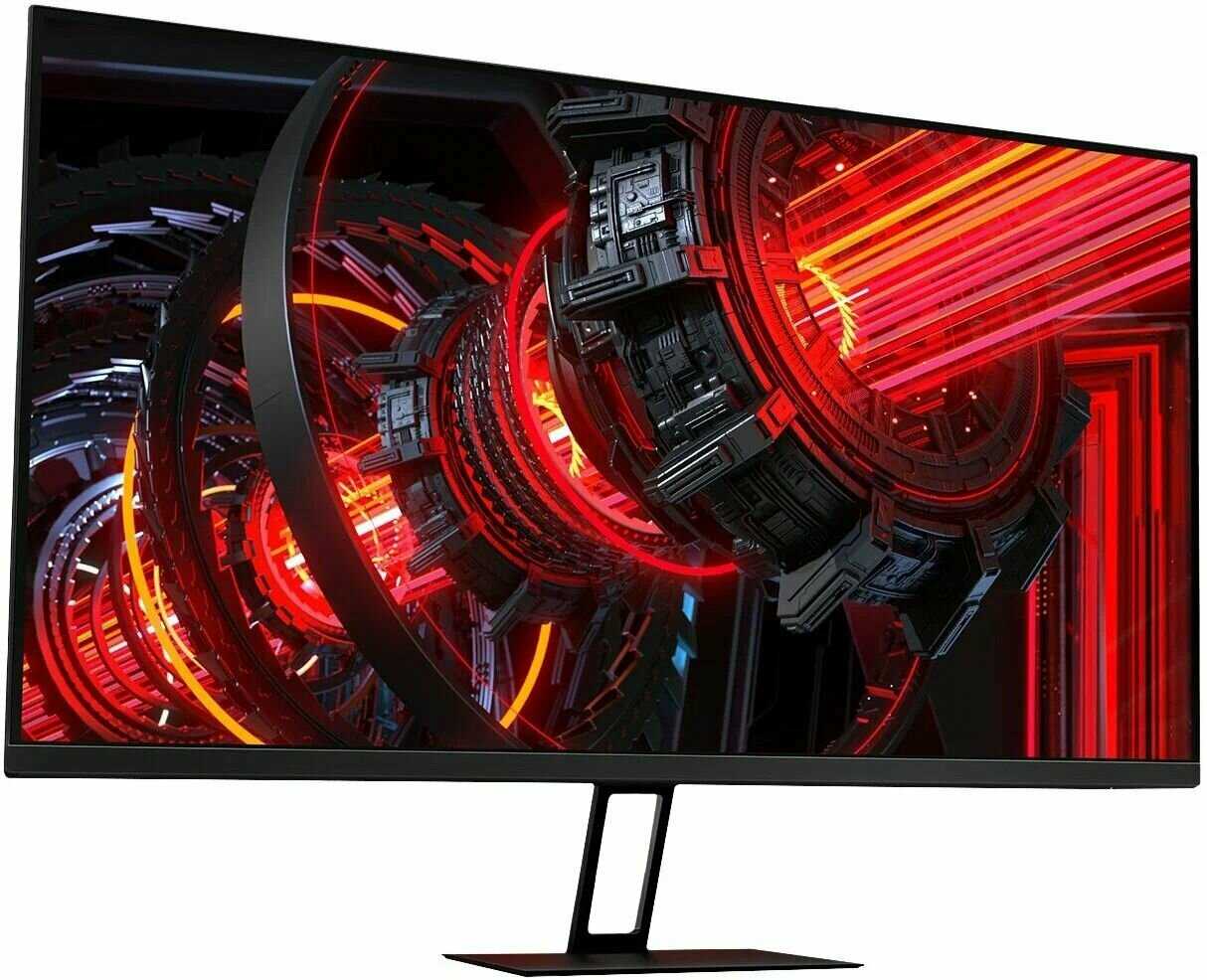
There is a problem with most modern dell monitors, this has personally happened to me with 2 Dell monitors and it happended to many others. Just search "dell u2711 entering power savings mode". The problem is that the monitor has a power savings mode that is separate from the PC. It used to be that PCs put moitors to sleep, but Dell and other companies decided that it is more energy efficient to allow the monitors to do so themselves. Furthermore, not only do they put themselves to sleep, they also put the videocard to sleep (Display Port can do this, I'm not sure how it's done via DVI, it's probably some clock signal, but this problem occurs with both) You can easily tell this is happening if you have 2 monitors, they both go to sleep. If you unplug the Dell (from the PC), the other monitor will wake up after a minute, if you plug it back in, both monitors go to sleep instantly.There are no solutions and there is no way to recover aside from plugging in another monitor.I urge you to stay away from Dell monitors until they have a definitive answer.The best monitors I've had were Samsung Syncmaster. I never used one beyond 24" and I don't know if they have any of these power savings features, but they are extremely durable, I've dropped them, directly hit the active display with metal bars (machine shop at work) and they did not have a single dead pixel.EDIT:I figured out why the dual link DVI connection was putting the videocard to sleep. I was using a Passive DP to DVI adapter (PC -> Passive PC Display port to DL DVI adapter -> DL DVI to monitor). I attempted a test, connecting and disconnecting the Passive PC Display port to DL DVI adapter (passive means that it doesn't generate an independent clock, thus you can only have 2 passive adapters or 2 monitors at most on a videocard). During this test, I did not have the adapter plugged in to anything, it was just connecting and disconnecting it from the DVI cable that is connected to the powered Dell monitor. I did not think it would do anything, BUT it turned on and off the power savings mode on the dell monitor.Luckily I had a DVI output port on my videocard (these are beign phased out with entirely DisplayPort videocards) and I plugged the monitor into it. Instatly, the monitor woke up. It has not entered this power savings mode yet.So if you have a DVI port on your card, this monitor may work for you, but if you have one of the newer DP only videocards, DO NOT get this or any other DELL monitor. (If you already have this monitor, take a look at getting an ACTIVE DP to DVI Adapter - ~$70, may be cheaper now), because these simulate DVI clock signals, that MAY not put your monitor to sleep (I haven't tested this)
Спектр-9HAMT
27.07.2012
4/10
Оценка пользователя
Ужасно
After looking at all the 27" 2560x1440 monitors, I chose this one (the Dell U2711) based on features and photos, without having seen one in person. It has enough inputs to plug in all my computers at once, plus an HDMI input for a hypothetical Blu-ray player that I have not bought yet, but who knows what the future holds? Plus, a university mailing list that I asked for recommendations said that Dell brand LCDs were very good, superior to many other brands.I preferred this monitor (Dell) over the 27" Apple Cinema Display because I don't like glossy screens.I (initially) preferred this monitor over the 27" HP ZR2740w because Dell was a highly rated brand according to my schoolmates, and because the HP lacks an HDMI input, and many other inputs. The Dell has a lot more inputs. And they both weigh almost the same amount, 23.0 or 23.1 lbs.When I first turned on the display, I was instantly disappointed. In a pitch black room, white areas look pure white. If there is any ambient light in the room (worst of all daylight), the light scatters off the anti-glare coating and makes white areas look a drab gray. It looks depressing, and I don't get over it. Also, the anti-glare coating makes small font black letters on a white background look fuzzy and almost blurry. The anti-glare coating has a sort of sandy texture, it is like translucent sand.I had to return this Dell monitor.I replaced it with an HP ZR2740w instead (also 27", same resolution, same IPS panel internal, in fact). Unfortunately, the HP doesn't have HDMI. Even more unfortunately, the HP does not work out-of-the-box with my MacBook Pro. I have three monitor adapters for my MacBook Pro: One converts to VGA (HP monitor has no input), one converts to single-link DVI (HP monitor won't display it), and one converts to DisplayPort (HP monitor won't display it). I either need to buy a dual-link DVI adapter for $100 (which I am afraid may not support DRM, HDCP), or I need to buy a different DisplayPort adapter.I wish the Dell didn't look so bad, because it was superior in every other way.
Гравитон-1PGDV
10.01.2013
10/10
Оценка пользователя
Великолепно
Hello,I got two of these to replace my older two 24" monitor setup (only one of them was color corrected).These are a wonder to your eye.Color quality is awesome.Build quality is awesome.Black level is best I've seen in LCD yet ...Brightness is good, but I keep it lower down (my room is dark).Color accuracy is really good too, though calibration is a bit of a struggle.For the price I can't think of any better. Granted you can go Korean and get Yamakasi Catleap (or Achieva Shimian or Auria EQ276W), those have the same (one gen older) panel LM270WQ1, where these Dells have LM270WQ2 ... you likely wont' know the difference.USBs are useful, but I don't use them much, the card reader may be too, but I had one already.There is a newer model, but that's an extra $300 ... couldn't fork that over for two of them.I wish these had USB 3.0 ports like the new ones, but hay I think these came out before 3.0 existed.These don't tilt to portrait like the smaller 24" dells, but I doubt I'd want to do that, these are too massive for portraits.Resolution is impressive.I had no issues buying refurbished (from Amazon warehouse), this time (had issues with other products though).Highly recommended to anyone who's color-oriented ... if you're not, get the newer U2713hm, you get newer tech but a bit less color goodness. (or U2713 (non-hm) for full color but quite ab it more $)Cheers.
НоваГость-9HNSZ
27.11.2012
10/10
Оценка пользователя
Великолепно
First let me emphasize that I don't use this in a color-critical environment. If you're buying this display for a professional setting, you should look elsewhere for advice.Now that we've got that out of the way, let's talk about the display. I bought it to get more accurate and subtle colors when editing photographs, as well as get a high resolution display. It accomplishes both goals extremely well. Going back through photos, the increase in detail and depth is immediately appreciable. Because I don't do color-critical work (no paid photography at all, in fact), I don't think this monitor will improve my workflow - but it will certainly make it more pleasurable.As far as other uses go, it's great all around. If you enjoy playing games, they'll look excellent on this display. I haven't noticed any problems with the refresh rate yet, and I notice its greater color gambit really helps with the mood games try to set. The darker shades in Dead Space are a lot easier to appreciate when the display can render a greater range between "almost black" and "black." Movies also look great, of course. I find video that looked perfectly fine on my 1080P (1920 x 1080) screen, looks a little blurrier here, but that's to be expected.All in all, I can say that this monitor looks a lot better than my previous one. That is probably due to some combination of the increased color space and the increased resolution. I couldn't be happier with my purchase and am seriously considering getting another in a few months.
Кронос-9LPEZ
19.08.2012
10/10
Оценка пользователя
Великолепно
The Dell U2711 is one of the best monitor's for photo editing or any detailed work when you want color correct photo's on the market . I have to tell you the the mistake these people make when buying this monitor the uninformed 1 star reviews unplug their monitor and unhook the DVI-Cable then rehook this monitor up with the "old DVI cable" .." NEWS FLASH " The monitor comes with a DVI-cable and it's a dual link DVI cable "Lamon's terms it looks the same on the outside look inside the plug it has twice as many pins as your old DVI cable . Why ? It's a dual DVI-Cable despite it's name it's a single cable with twice as many pins .. What's the difference you might ask ? Sparkles on white can't read the text colors off and can't get to max resolution and that's where this was designed to run 2560 X 1440 ..Don't hook up your old DVI- cable it's a single link don't use it follow the instructions in the box .. Next make sure you have a newer video card in at least 32bits GT 550 TI ,GT460 or even GT 240 would be fine..Don't use the HDMI it's way less defination than your dual link DVI cable and it becomes a one starr review ..The monitor settings should be on Adobe RGB and your LIGHTROOM 4 and any adobe should also be set to prophoto RGB this renders more colors for editing .. I bought the spyder 4 elite pro and the monitor settings only needed a tweak of brightness 16 down and a slight contrast 50 adjustment colors were spot on .. This monitor is tack sharp and the colors are excellent HD videos look real good too :D I would recommend this over anything especially at this price it's too bad alot of reviewers didn't hook this up right it's like giving some caveman advanced technology and they didn't know how to use it ..
Плазмоид-8UVYU
22.01.2013
10/10
Оценка пользователя
Великолепно
I have a older Dell monitor that I replaced with this one...after reading many reviews and contemplating the purchase of the U2410, I am glad i purchased this one new. I many be a bit pessimistic but the 3 year warranty is what made me comfortable making the purchase rather than saving a few bucks at Warehouse Deals or used and then buying a one year Square Trade warranty.When at first connecting the monitor to my Early 2011 15" Macbook Pro I used the DVI dual link cable that came in the box...it only gave me a maximum resolution of 1920x1200. What a disappointment. After some extensive research and coming across a post made me realize that no one that reviewed the monitor with a Mac needed to purchase a mini displayport to displayport cable that would deliver the correct amount of digital information to the monitor from the Mac $21.85 shipped USPS Express from [...]. The expensive Apple answer of the dual link adapter certainly would not have worked any better or at all.
Вектрон-7KYSX
18.01.2013
4/10
Оценка пользователя
Ужасно
I don't like the menu, it's split up into too many categories and it's difficult to tweak things without having to click around and find other menus, the color controls in particular I find too complicated. I could not ever get the right color temperature, and I feel like the whites are too blown out no matter what I do, and the overall video contrast/gain levels don't work well, the images just seem muddy and dull, and adjusting brightness/contrast doesn't help at all - I boosted contrast all the way up and it still doesn't look right. The color/gain presets are all terrible. I'm surprised for the price of this monitor that it's so problematic. I wanted to use it as a video output monitor to check color levels and video levels, and for that purpose I find it unacceptable. I'm returning it and buying a different monitor elsewhere.
Аэронавт-1UKMN
04.12.2012
10/10
Оценка пользователя
Великолепно
While I do not really like Dell PCs, their monitors have always been very good, I own several.The image and color quality on this monitor are excellent. Plenty of connections, read the specs, it's all there.Use this with a Mac, a Windows PC and Linux. Love the Desktop space.Edit: I had previously written that the display is 16x10. It is not. It is 16x9. Thanks to Mark for pointing this out.Minor flaws:- I loved the input selection on my old Dell monitors: A button to quickly cycle through all inputs. With this one you have to enter the on-screen menu and then switch buttons to select.- It's bright, very bright. Almost too bright. At night, I wish the backlight could be turned down more.- A greater backward tilt angle would be welcome in order to make cable connections more easy.Not really a flaw of the monitor: Full resolution without fuzziness requires a proper Dual-Link DVI or DisplayPort cable (both included) and graphics card support. I have a Radeon HD 6850 which is sufficient.
Лунатик-9PDCK
23.10.2012
10/10
Оценка пользователя
Великолепно
I order that recently. However, I find that there is one red dead pixel on the center of the screen. Unfortunately, the location of the dead pixel is too noticeable, it would show up as long as you display black or dark color in that area (so you would definitely see that when you boot or shutdown the machine). After a two days usage and I feel it is too annoy and decide to change that. Fortunately I bought that from Amazon (although a little more expensive sometimes), they send another monitor in one day shipping 2 hours after I file the return request. That is one reason I give the product 2 stars.Other parts of monitor is good. Anti-glare is fine, heat is fine, noise is fine. I am worried when I read other reviews, but turn out I don't see any problem of those. Color is very good, font is sharp. I use windows 8, gtx 680. I tried display port and D-DVI.I will keep update my status, wait for my new monitor tomorrow.10/29/2012 Updated:I got a replacement from Amazon in the second day. The replacement is new monitor. So far it is good without any problem.
Вояджер-2UJLQ
27.04.2011
8/10
Оценка пользователя
Хорошо
First off let me start that I am a full time CAD designer. The one thing I love about this monitor is the resolution. 2560x1440 is so unbelievably roomy. This thing has more screen real estate than any other single monitor can offer. I would absolutely not recommend this monitor for everyday computing, as you can have a real strain in your neck from panning over constantly while you're typing in Word at full screen. This thing is massive and should only be used for a true purpose. Having said that, a 27" monitor that is lower res (such as 1920x1080 or even 1920x1200) would be much better for everyday use since you could have it further back away from you and still see things clearly due to the lower resolution within the same amount of physical space. The Dell U2711 has such a high resolution, when utilizing this thing at native res, text and MS Windows components appear too small to handle. This is absolutely great for a guy that uses CAD design since I can have more of my workspace visible within the same physical 27" space, hence the comment about using it with a true purpose.The other thing I love love love about this monitor is the color. I have never in my life worked on a monitor that illuminates colors as bright and vivid as this monitor. Reds are the brightest of reds. Greens are the brightest of greens. Yellows are the brightest of yellows. Colors are so enriched and fluid it is beyond amazing. I don't even like working at home anymore on my dual monitors because the colors are far inferior to this model Dell display. Especially with my profession dealing with large amounts of contrasting colors and 3D renderings. I could only imagine what photo editing would be like for a professional.On to the lacking part. First, the refresh rate. Not great, but still good. It doesn't bother me at all since I'm not using the monitor for gaming or video, however when I pan around in my CAD models, it isn't as smooth as I feel this monitor COULD be. And due to my lack of knowledge in monitor science, it very well could be the best you can get. I'm not real sure but I do know that it's not my computer trying to keep up since I work off a brand new $4k CAD workstation.The other really really really small gripe would be the texture of the screen itself on a white background. As in other reviews, yes, IF YOU ARE PICKY and you are really paying attention there is some crystallization effect. But honestly it's just so minor to worry about. I don't know if there's any monitor that completely can get away from that. I do know there is zero "hazing" effect like your cheap analog D-Sub connection monitors from Acer are. Blacks are deep, and colors are bright, that's all that matters to me. For the money my company spent on it, I would honestly recommend this thing to anyone who would be using it for a true professional purpose. I hope my humble review helps some of you out in your decision.- Tannar
Синтрон-2AWRB
16.11.2012
8/10
Оценка пользователя
Хорошо
I like the U2711. The monitor has good options to configure its display and its physical placement. It took me some time to get used to the large display. It has pixels everywhere, and all of them work. This was a good upgrade from my previous 24" monitor. With its resolution, it's easy to have documents side by side. I had hoped to be wowed by the U2711's IPS display over my old TFT; I'm merely pleased.The anti-glare coating is something brought up in other reviews. I was worried going in, and it's the place that has the hardest balance between different design goals. I find the coating noticeable with a static, bright background. It very much disappears from my awareness with darker backgrounds or video. I'm not a professional artist, so I don't have any comments around color. I like the matte look, so I find the anti-glare coating works fine for me.
Фотон-1OAKC
28.01.2013
8/10
Оценка пользователя
Хорошо
I bought this monitor to have an apple Cinema Display equivalent that I could share between my MacBook Pro and Windows 7 PC. I had to but a new video adapter to meet the Dual-channel DVI requirement for full resolution. I used the AMD Radeon HD 7750. I plug the Mac into the DisplayPort and the win pc into one of the DVI ports.My only gripe is the difficulty in switching between input sources. On my old Sony Premier Pro, it was a single button press. On the Dell it's a half-dozen.
ИнфраГость-5FDHI
18.01.2013
10/10
Оценка пользователя
Великолепно
I'm incredibly happy I bought this, even if it cost more than I hoped to spend. My last monitor was a Dell 23 or 24" and it started to die on me after 4 years so it was time to upgrade. I first tried a ViewSonic, but quickly returned it and then decided to try this one. Thrilled that I did. From the first moment I connected it and booted the PC, the screen was crisp and clear. I didn't even need to tune it to improve upon perfection. This is well worth the money and has my highest recommendation.
Гелиос-6HFCN
25.09.2012
2/10
Оценка пользователя
Ужасно
I purchased this unit as a refurbished model. It appeared DOA through the display port. I was convinced I was "doing something wrong" so I began scanning forums for guidance. I discovered a host of bad review regarding DELL refurbished monitors, with one user even claiming to have had 4 monitors of this model go bad in as many months. I have contacted the seller and indicated that I would simply like to return it for a refund given this new information and the state of monitor I received. I don't want to be like this other fellow that received 4 bad ones. This experience speaks to short sightedness on the part of the manufacturer which I speculate did not adequately test this monitor before sending it back out. I just hope some poor fool out there doesn't get my monitor and has his time similarly wasted. This is my first and last DELL experience.
Спектр-5UNUE
01.02.2013
8/10
Оценка пользователя
Хорошо
well I've teh same at work payed by my compagny and working from home from time to time, I just bought teh same because teh quality, the definition is just awesome; condition is to use HDMI or DisplayPort.I wish it could have more range in term of vertical adjustment but I've raised it on a stand and it is doing just fine.
Пандорец-9BQPF
14.10.2012
10/10
Оценка пользователя
Великолепно
After needing to swap back and forth from Mac to a PC on a more regular basis, I opted to swap from my Thunderbolt displays to this monitor. After using it for about a month I could not be happier. The contrast is much better than the Thunderbolt display but more than anything it is an anti-glare display compared to the extremely high gloss than the Thunderbolt display. In addition the dell monitor adjust to more angles and heights.While this monitor may not be as sleek at the Apple monitor, it is more affordable and offers more features with better tech specs. I would highly recommend this monitor.The only regret I have is that I didn't purchase the 30in version of this monitor!
НеоВояжер-1MUQX
29.10.2012
2/10
Оценка пользователя
Ужасно
Shortly after I got this monitor, I realized it was defective (it flickered). To make a long story short, it was impossible to do anything about this. I now have an $800 paper weight. Dell will not honor the warranty because I did not buy from them. I've tried and tried to discern who, exactly, I bought this from at Amazon, to no avail. I wasted a LOT of money and a LOT of time on this item. Never again. If you buy from Amazon, beware...and be sure you buy an extra warranty. I understand that Dell is not alone in leaving customers out to dry, unless they buy from them and pay retail.
Странник-0VISV
20.10.2012
10/10
Оценка пользователя
Великолепно
In other reviews customers mentioned the screen being too bright, etc. Using the preset modes coupled with the ability to manually adjust things like picture intensity, contrast and much more provides the user with just the right combination of settings for viewing pleasure. The asking price by this seller makes this a real deal. This is one of Dell's top of the line monitors featuring Picture-In-Picture, and lots more for the user that is looking for that one device that will allow for multiple uses. The 2560 X 1440 resolution coupled with superior colors makes this the must monitor to have.
НаноРейдер-7LZVC
20.01.2013
4/10
Оценка пользователя
Ужасно
Bad experience with this monitor. The display was good and colors were also quite good.However the monitor would shut off on its own frequently. Tried adjusting the power settings but in vain.Called Dell tech support but no satisfactory answer. Would not recommend it.
Вектрон-8BLZT
26.12.2012
6/10
Оценка пользователя
Плохо
It MIGHT be if they lessened the dang marble sized anti-glare crap they used for reflection reduction! Geeze guys, it's so grainy (the surface- not the picture) that it actually obscures the perfection of miniature print. Isnt the perfection of edges the point of ultra high resolution?The monitor looks nice however, just crazy heavy on the anti glare
НеоВояжер-9MNVN
17.10.2012
6/10
Оценка пользователя
Плохо
The monitor worked for a couple of months, then started to have issues (see the link below...)[...]Tried to return it to Data Master LLC, but got the run around... they said, "Oh, you have to go through Dell..." Tried to go through Dell, was told "Oh, you have to have them transfer ownership to you..." Tried to make that happen, still nothing. Now the damn thing is sitting on my floor until I have the patience to try and contact Dell again.If you are considering buying this monitor, buy it directly from Dell... a little more expensive, but I think it would be worth it for the support.
Пандорец-3VNJE
20.11.2012
10/10
Оценка пользователя
Великолепно
I use this monitor for text and couldn't be happier. The size and resolution is perfect at about arms length view distance. I bought it for the strong anti glare coating. Coming from an iMac the difference is night and day- no more reflections and far less eye strain. I cannot comment on this monitor for photo editing although the colors don't seem as vibrant as on my U2410. This is the best office monitor available since so many of them are glossy now.
Аэронавт-0XUWD
26.09.2012
8/10
Оценка пользователя
Хорошо
Graphics and Videos were amazing!!! The combination of high dot pitch (resulting in rather small fonts) and anti glare filter was a deal breaker since I use it 40/60 on graphics and text. I have a U2408 and decent eye sights (lasik), but I would get a headache after a few hours using the the U2711. I've configured it as recommended on various sites, but no luck. I ended up return the U2711 and got the U3011. The U3011 is overall better than the U27011, but it also cost $400 more. I just don't like the bezels with dual monitors otherwise a dual U2412 is a much better bang for your $$$.
Сатурниан-8USAH
28.01.2013
10/10
Оценка пользователя
Великолепно
The screen is fabulous. Colors are vivid and bright. The price is worth the entire view. Glad I saved to purchase this item. Highly recommended!
Спасибо за регистрацию на портале Wizemart, вам на почту пришло письмо с подтверждением регистрации, пожалуйста перейдите по ссылке внутри него для подтверждения вашего e-mail