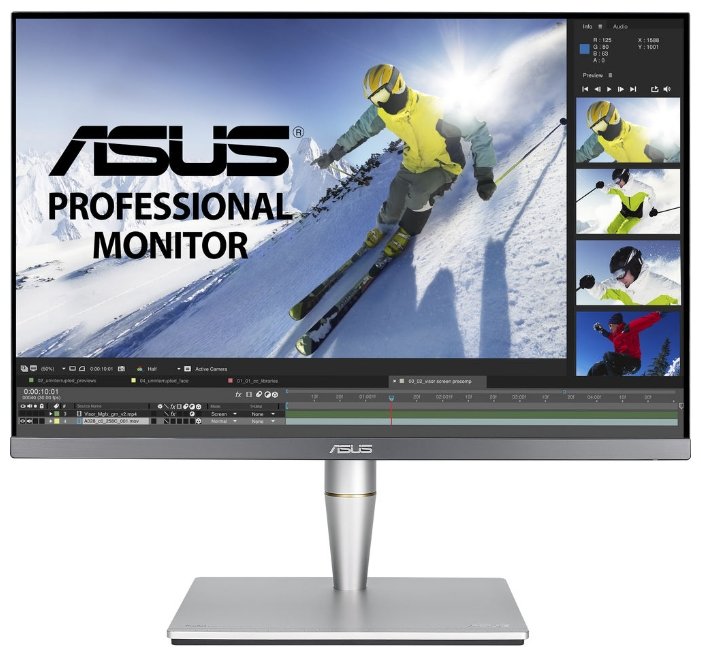
Отзывы о 24.1" Монитор ASUS PA248Q, 1920x1200, 76 Гц, IPS

88 отзывов пользователей о ASUS PA248Q

Пользовались ASUS PA248Q?
Поделитесь своим опытом и помогите другим сделать правильный выбор

60
14
4
7
3
Profile no image

Сириус-9CZAQ

03.06.2014

10/10

Оценка пользователя

Великолепно

  • + Качественная цветопередача, матовая поверхность, нагрузка на глаза небольшая
  • - в моей комплектации почему то не оказалось hdmi кабеля
Монитор действительно порадовал, до этого...
источник
Profile no image

Интеллектор-2GACP

22.01.2013

10/10

Оценка пользователя

Великолепно

  • + Прекрасная цветопередача (особенно после калибровки), лёгкость регулировок и настройки (по высоте и углу наклона, яркости)
  • - Невысокое градационное разрешение в высоких светах, т.е. на очень светлых участках изображения плохо различимы градации по светлоте - низкий контраст в высоких светах.
Полиграфический ретушёр. Моник брался из расчёта возможности выполнения работы на дому (ретушь, цветокоррекция). За более чем 20-летний опыт работы пользовался самыми разными (чаще профессиональными) мониторами (Barco, Radius, NEC, Hitachi, Mitsubishi etc. Сейчас на службе Apple Cinema из первых разработок с матовым экраном. Уровень требований к монику ясен.
Выбирал по отзывам, характеристикам, тестам (в живую не смотрел). Было несколько вариантов (хотел 23"), но по ряду причин остановился на ASUS PA246Q невзирая на некоторый негатив в отзывах (свист подсветки и её неравномерность), а ещё был нужен стационарный кард-ридер. Но по приходе в магазин очепятался и выписал 248-й. Принёс монитор домой, стал искать кард-ридер, а вместо него обнаружил USB-hub.
Расстроился жутко. Хотел нести на обмен (кста, 246 дороже), но взял небольшой тайм-аут, чтобы...
источник
Profile no image

Гравитон-9OLQI

11.11.2013

10/10

Оценка пользователя

Великолепно

  • + Стильный,непопсовый дизайн
    Удобное меню и управление
    Цветопередача супер!
    Все необходимые,современные интерфейсы :HDMI,4 usb 3.0 +стандартный набор
    Некоторые навароты в виде шаблонов и внешняя шкала по периметру для подгонки форматов
    Матрица UPS,16:10
    Неплохо откалиброван на заводе
    Коробка снабжена ручкой для переноски
  • - Сильный глоу,но для меня не критично,
    ШИМ - незаметил,
    а самый большой - засветы по углам ,левый нижний с желтоватым оттенком(виден даже при свете в комнате на тёмном фоне...
источник
Profile no image

Интеллектор-1HQHF

16.10.2012

10/10

Оценка пользователя

Великолепно

  • + - матрица eIPS
    - разрешение 1920х1200
    - все виды входов VGA, DVI-D, HDMI, DP
    - портретный режим
    - хорошая комплектация
    - матовый экран и корпус - пыль не липнет
    - легкий поворотный механизм, в коробке изначально лежит в портретном режиме
    - USB-ный хаб.
    Вобщем все навороты за смешные деньги.
  • - - правая половинка экрана - чуть "холоднее" по цвету, т.е. для полиграфии или подобного - явно нужна калибровка
    - с включенным автоматом регулировки контрастности (ASCR) приглашение в текстовом режиме в линуксе считает отсутствием изображения и выключается ))
Только что вот привезли, странно, что пока не было отзывов от реальных юзеров.
Выбирал для себя 23-24" и так, чтобы имело смысл. Обратил внимание, что кроме старых 1920х1080 появились и 16х10, где число точек по вертикали выросло до 1200 - самое оно для программеров. Начитался всяких обзоров, в реальности получается так - на этой матрице даже при большом угле ну нету _заметного_ ухода цвета ни...
источник
Profile no image

Аргонавт-1ONUL

21.10.2012

6/10

Оценка пользователя

Плохо

  • + Повторюсь и согласен с ниже отписывавшимися :
    - матрица eIPS
    - разрешение 1920х1200
    - все виды входов VGA, DVI-D, HDMI, DP
    - портретный режим
    - хорошая комплектация
    - матовый экран и корпус - пыль не липнет
    - легкий поворотный механизм, в коробке изначально лежит в портретном режиме
    - USB-ный хаб.
    Вообщем все навороты за смешные деньги.
  • - Купил его 09.10.2012
    Подключил ,первое впечатление обрадовало , цветопередача отрабатывает каждый рубль вложенный , но как бывает в бочке меда ... проблема с равномерностью подсветки на темном фоне, по другому Glow - эффект не давал мне смотреть на монитор , засвет просто выносил мозг, как только в комнате темнело или включал кино с темными сценами.
    P.S моник вернул , расстроен жуть.
Монитор ASUS PA248Q покупался под фильмы и игры,сейчас стоит BenQ XL2410T,первое впечатления после 120Hz , будто глаза болят при 60 у ASUS, но на второй день привык, но не смог привыкнуть к Glow - эффект, вот сижу и думаю опять взять ASUS PA248Q (может повезет и не будет явного Glow - эффекта)
источник
Profile no image

ОмниКод-7PMJE

06.07.2013

10/10

Оценка пользователя

Великолепно

  • + Проф. серия - ProArt. Отличная цветопередача! Хорошо откалиброван на заводе. Соотношение сторон 16:10. Удобно. Много настоек.
    Антистатическое покрытие - пыли на экране нет.
  • - Как уже писали, небольшие засветы по углам (в темноте на черном фоне). Особо не мешает. Больше недостатков нет.
Монитор супер. Нормальные и правильные! цвета наконец-то...
источник
Profile no image

Астероид-1QEUU

07.06.2013

10/10

Оценка пользователя

Великолепно

  • + Отличный монитор. Профессиональная серия - ProArt. Отличная цветопередача. Откалиброван на заводе. Оптимальный для меня размер и соотношение сторон 16:10. Яркость нормальная, не высокая. На 30% глаза не выжигает. Не устают.
    Цена вполне нормальная для данного продукта.
  • - Небольшие засветы в правом нижнем углу. И то их видно на черном цвете, практически в полной темноте. Такое бывает очень редко...
источник
Profile no image

Нейрон-5EAXJ

19.10.2012

10/10

Оценка пользователя

Великолепно

  • + Моник - ураган.
    - Цветопередача.
    - Портретный режим.
    - USB хаб.
    - ЦЕНА!!!
    - Размер (и макет и все панельки влезают).
    - Выбор источника сигнала одной кнопкой.
    - Добротно сделан. Всё крепенько так, маттовое, тяжёленький.

    Работает по принципу - поставил и забыл. Год назад после покупки провёл настройку калибратором, профилёк сохранил и всё: к вопросу цвета больше не возвращался.
  • - За год+ эксплуатации не выявил.
    Кто-то что-то про желтизну какую-ту сбоку писал - у меня её нет, ну или я её не вижу.
Работаю за ним больше года. В основном видео и веб-графика, редко полиграфия.

За это время выключал его раз 20, то есть он уже год работает безостановочно!!! Никаких проблем нет.

Можно воткнуть 4 компа в один монитор и листать их одной кнопкой. Наверное полезная для сисов штука.

Мне кажется для любого дизайнера, архитектора, фотографа этот монитор просто супер. А учитывая цену.....короче берите и не парьтесь.
источник
Profile no image

Супернова-1IJKV

18.10.2012

10/10

Оценка пользователя

Великолепно

  • + Монитор хороший,до этого был Samsunпрофg T-240 разница очень заметна,IPS это IPS,брал для повседневного использования,кино,инет,картинка очень качественная,заводские установки не менял,убавил только яркость на 15 едениц. Долго решал что брать,сначала хотел Dell,но появилаь эта модель-Asus
    люблю,поэтому решил брать.Для профессионало надо что-то лучше.Комплектация богатая,главное есть display провод,тинт не наблюдается.
  • - Небольшая неравномерность подсветки,проявляется на темном фоне,но это не значительно,на всех мониторах такое наблюдается
Хотите хороший монитор за доступную цену-это он,что-то гараздо лучше стоит от 30000р.
источник
Profile no image

НаноРейдер-5BMNE

31.01.2013

10/10

Оценка пользователя

Великолепно

  • + Цветопередача
    Углы обзора
    Дизайн
  • - Я не нашел. Если пользоваться параллельно монитором тысяч за 50, может и найдутся.
Приятно обрабатывать снимки и получать после печати то, что и видно на экране, то что Вы видели, когда снимали (не забывайте, если печатаете в лаборатории, указать чтобы они не...
источник
Profile no image

ХроноГость-9CDAD

09.03.2024

10/10

Оценка пользователя

Великолепно

Отличная модель
  • + Соотношение сторон 10:16. Хорошая регулировка яркости. USB хаб.
источник
Profile no image

ТерраБот-2BRWG

14.04.2013

8/10

Оценка пользователя

Хорошо

Upon opening the box, my impressions of the monitor weren't that great - it seemed overly boxy, plastic-y, etc., and simply wasn't built for design elegance (this may appeal to many though). However, this monitor performs admirably in terms of function - it may look cheap, but it definitely gets the job done. The color calibration is excellent, not a single dead pixel in sight, the stand is very sturdy, connectivity is great, and I actually prefer this OSD over many others. However, there are some notable flaws, almost entirely related to quality control, which I will note in this review.In order of greatest to least importance:1) Excessive backlight bleed. If you look at the vast majority of complaints pertaining to this monitor on the internet, it would appear that there are consistent defects of significant bleed at the top right and lower left corners (moreso than what you'd expect from the average IPS monitor). This isn't really that much of an issue, for me it was essentially only visible during movies/black screens in very dimly lit rooms (It's more noticeable than you'd expect in these situations, due to the black bars at the top and bottom when playing 1080p movies). My panel had a more noticeable defect though: the extreme bottom left corner was dimmer/blacker than the rest of the panel. This is most likely a quality control issue rather than an actual design issue - there *are* plenty of perfect panels out there, though it would seem that the number of imperfect ones appear more frequently compared to competitors. If you don't mind exchanging monitors again and again, you'll probably end up with a perfect one. I personally didn't have the time to go through that, and expected better QC from a $260 monitor. Kudos to Amazon's excellent return policy though.2) Something off with antiglare/panel coating. I'm not quite sure what was exactly wrong with it, but reflections and viewing angles suffered. A) I could almost always see blurry reflections of bright objects, especially when the monitor was dark. This is most likely exaggerated in my case though - the sun would shine directly at the object, which would probably reflect back onto the panel. B) The viewing angles from side to side seemed to exhibit a slight haze/glow. Worse than the TN in my MBP, better than most TNs, but not what I'd expect from IPS. Not that big of an issue though.3) Poor height adjustment. Every other adjustment works perfectly (except maybe with pivot, which doesn't snap into place and goes a bit past what is necessary), but the height adjustment is difficult, largely due to the hinge that connects the monitor to the stand. It's *very* difficult to lower (elegantly, at least) by pushing down on the panel, instead, I found that the best way was to push down on the stand itself. If you look at pictures of it, you will also note that there's a "hole" at the top of the stand, which may pose a problem if crumbs or dust falls inside.4) Questionable USB hub. USB 3.0 is great, but for some reason my mouse receiver stopped functioning properly once an external USB 3.0 drive was plugged in. The drive functioned just fine though. Didn't test this enough to find the cause/more details.5) Creaks after turning off. Like many other monitors, this monitor makes the characteristic crackle/popping/creaking sound after it is turned off, which may bother a few sensitive ears that are trying to fall asleep. Whether this will fade after time though, I do not know.6) Barely any elegance. The measurements on the stand for all of the adjustments serve next to no purpose - they're all off by a little, and adjusting using your eyes would probably make more sense. The bezel at the bottom wasn't attached to the panel very well, and thus there was a small gap in between. The plastic creaked when handled. None of these are deal-breakers, but don't expect something beautiful.In the end though, the monitor is still a great monitor. The colors are great, the function is great, and the only things lacking are elegance and quality control. If you aren't too picky with the backlight, or if you didn't mind exchanging until you got an acceptable panel, I would recommend it to you.
источник
Profile no image

Зета-Орион-1RZGW

23.10.2012

8/10

Оценка пользователя

Хорошо

I. To fully exploit the 3 USB 3.0 ports on the side-mounted USB 3.0 HUB you will need to use the SUPER SPEED USB cable supplied in the box (or buy one for about $10). It must be plugged into the back of the monitor and subsequently plugged into a USB 3.0 SUPER SPEED port on your desktop, a USB 3.0 EXPRESS CARD adapter, or a 3.0 port on your laptop. Failure to use a SUPER SPEED cable will cause the transfer rate to be downgraded to 2.0 speed (also known as High Speed USB). I have successfully connected a 1TB Seagate USB3 Backup Portable Drive and a 32GB Patriot USB 3 flash drive to the PA248Q hub. You can still attach a USB 2.0 cable to the same port if you don't have a USB 3.0 cable. The hub will still function.II. Secondly, the WHQL monitor driver for the PA248Q on the ASUS web site must be installed. Otherwise, device manager will show the monitor as a "GENERIC PNP MONITOR". Once you download the compressed file from the ASUS website, unzip it into a separate folder, go back to device manager, right click on MONITOR -> GENERIC PNP MONITOR to display the pop-up window. Click on "Update Driver Software". You will then be presented with a window from which to point the installation dialog to the unzipped folder containing the WHQL driver from ASUS. Windows will install it and device manager will change "GENERIC PNP MONITOR" to "ASUS PA248" in DEVICE MANAGER.III. I have been UNABLE to cause the OSD display to auto recognize the type of monitor connection (cable - i.e. VGA, HDMI, or DISPLAY PORT)) on the desktop to which it is connected without a connection to a running operating system. The DEFAULT CABLE CONNECTION is VGA - not DISPLAY PORT. I have SUCCESSFULLY connected the PA248Q to an old ASUS P4-TE motherboard with a MATROX MILLENIUM G400 DUAL HEAD MAX graphics card running in VGA mode with Windows 2000. Grainy, but still very usable! It could very well be a problem of my making by having 2 cables simultaneously attached to the monitor even if one of the 2 computers is not booted. This is a pain if you want the monitor connected directly to 2 different machines with different cable types and wish to switch back and forth between machines. I'm considering other alternatives, but DISPLAY PORT and VGA switches on the same switch box are nowhere to be found. However, I have been able to switch back and forth between a running Win 7 and a running Win 2000 using the OSD. Yes, I'm still running Win 2000 on a 12 year old ASUS machine (motherboard). Another ASUS KUDO.IV. I have successfully connected the PA248Q to an ASUS P8Z77V PREMIUM motherboard running Windows 7 ENTERPRISE SP1 in VGA MODE using an ACCELL VGA-to-DISPLAY PORT adapter. In a direct DISPLAY PORT mode attachment this monitor runs FLAWLESSLY with the P8Z77V PREMIUM motherboard and an EVGA 660ti dual slot SLI graphics card. STUNNING, CRISP, with VIVID colors and definition.ASUS has never been one to write succinctly composed manuals and driver installation guidance (LENOVO does a fabulous job of it.) I've tried for 13 years to impress upon its people to do so. To little or no avail. Hence, they will continue to get 4 stars from me instead of 5. It's all in the packaging, QA, and marketing. A product does not stand alone solely on its own merit. You're buying the whole enchilada - free of guessing and headaches with seamless, guilt free installation. Thank you, Amazon Community!
источник
Profile no image

Интеллектор-6OHNI

29.09.2012

10/10

Оценка пользователя

Великолепно

When the Asus PA248Q 24 inch LED IPS monitor arrived overnight on my doorstep (You have to love Amazon Prime) I recieved a much better monitor than expected. The monitor is packaged very well and arrived as expected. There are good reviews on it. Let me add a few things that I never saw listed.This is my fifth IPS monitor purchased in the last eight years. I don't waste my time on TN glass. Several things led me to the purchase of the Asus monitor: Overall good reviews, no coating smudges and the color gamut, and the USB 3.0 ports. I considered the PA246Q monitor for a few more dollars but chose this one for the USB ports.It worked perfectly out of the box and the first noticable difference was the color. It is incredible and it puts the colors on my old Gateway FPD2485W monitor to shame. They run next to each other, the Gateway turned up for vertical use. The Asus also runs much cooler - warm to the touch and nothing close to the Gateway furnace. I suspect that it the LED that makes the difference.It had some unexpected surprises. First, the bezel surrounding the screen is smaller. The stand is well built and very sturdy. The monitor cannot wiggle around. You can read about the ports. And it has the picture-in-picture feature of the Asus 246Q monitor; somethingthat is not listed in Amazon's description of the product. Better yet, I plugged in my USB 3.0 portable hard drive; it powered up easily and my computer quickly recognized it. I used it all day with no problems. I had not expected that.Setup is easy. The colors are accurate. I love the 5-way rocker switch. I love the different adjustments it allows. I suppose if there is a downside it would be that it is extremely bright even at the lowest settings. But my aging eyes see it well and I am getting used to it. White leans toward the blue part of the spectrum (LED again) but changing colors does not affect the white color or the black. A black background on your screen seems "shiny" and deep compared to flatter monitors but it is easily covered with a dark grey or light black background. The colors are so fantastic one might as well use photos instead.At 6ms refresh, there is no noticable ghosting in games. That is pretty quick for an IPS monitor. And again the colors make the game so much more immersive.Considering the fact that I spent over $600 on my last IPS monitor, I am going to buy another one and run them side by side. My only disappointment was that Amazon lowered the price by $45 the day after it arrived. Talk about bad luck. Still, it is a great deal. My advise: Buy it.My last comment: There were NO BAD PIXELS!
источник
Profile no image

Небулоид-5ESXI

05.01.2013

6/10

Оценка пользователя

Плохо

When I was researching this monitor, I saw that it had a bunch of cool features compared to the other monitors I've owned. Pivot, tilt, multiple connection types, and best of all (for me) a headphone jack built into the monitor itself. After using the monitor for about 11 days, I have yet to get the headphone jack working. I've tried connecting my PS3 to the monitor through HDMI but not matter what settings I turn the audio to on the PS3, I get no sound out of the headphone jack on the monitor.I tried connecting my laptop to the monitor through DisplayPort, and even changed the audio output to "Display Port" and I still get no sound. This is frustrating because it's nowhere near as engaging to play games (especially on a PS3) without sound, and the headphone jack on the monitor was supposed to make it much easier. Now I have to go out and buy 2 separate connectors just to get sound through headphones.Aside from that, the only other problem I have with this monitor is the power input on the monitor itself is loose. It didn't feel satisfying to push the cord in, it just kind of slid in with a lot of friction. Now, when I tilt the monitor or rotate it, the cord often wiggles loose and I lose power to the monitor before having to wiggle it around again.I talked to someone from ASUS about both problems but didn't really get any immediate help, I'll have to send my monitor in to get anything fixed, which I really don't want to do since I just got it...With all that said, this monitor is definitely great quality for its price. I could have just received a defective unit. I'm not sure I want to risk trading it in for another monitor as the picture could be messed up on the next one I get, or something else like that. I would recommend this monitor to people looking for a good monitor within their price range, just a warning: from my experience not all features come working.
источник
Profile no image

Плазмоид-9OCSQ

09.04.2013

10/10

Оценка пользователя

Великолепно

I'm very happy with my new display. The colors all looked great out of the box, there were no dead or bright pixels, and the unit as a whole is very solid. I've ordered my fair share of displays through Amazon over the years and have always done so confidently as their return policy and procedure is fantastic. I am glad to say I have no reason to return this display.Again, the display is very study and solid. The elevation mechanism is true and the rotation works perfectly, though I will probably be mounting it sooner or later on one of my Ergotrons. Lastly, I love the bezel. I prefer a nice thin bezel and this one looks great. Perfect for a multi-monitor set-up.FTR, I am using it with a late 2012 Mac Mini in a Dual Display configuration.EDIT: Two more things:1) As far as light bleed is concerned, when the black screensaver comes on I do see bleed on the corners as is common with this kind of monitor. During use, however, I have yet to notice anything at all. It only seems to be an issue when the screen is dark which it never is in my workflow. YMMV.2) I have a hard time using some LED-lit monitors including a Viewsonic that my wife recently got. The text is constantly shifting around and the whole thing bothers my eyes. FWIW, I am not having ANY of those problems with this monitor. I'm sure there are reasons why (that others of you are aware of), but I still wanted to put that out there.
источник
Profile no image

ХроноГость-0LNQW

10.11.2012

2/10

Оценка пользователя

Ужасно

It's sad for me to say but this monitor truly was, a let down.I'm the type of person who does a ton of research when it comes to any purchase I make, but I'll get to that in a second. I am also a professional digital artist & camera operator so needless to say, a quality monitor that displays color accurately, among other things is why I decided to purchase the Asus PA248Q.Amazon.com continues to amaze me with the speed of their order processing and shipping. Just a single day after I had ordered the ProArt series monitor it had arrived at my home in Ohio. After unpacking the monitor from the box and hooking it up to my Mac Pro I began "taking it for a spin" by viewing high resolution images and watching scenes from the movie TRON Legacy on a blu-ray player hooked up via HDMI... It was amazing. For $335 I was in awe at its color performance and how it... WAIT A SECOND!... WHAT WAS THAT!?... (pauses the movie and skips back to a very dark scene)... BACKLIGHT BLEED!!!! NOOOOOO!!!!Thats right... and not just backlight bleed, an extreme amount of backlight bleed in all 4 corners of the screen, and discoloration in 2 of the corners (bottom left & top left). NOT ACCEPTABLE. After shaking myself out of shock I began searching online to see if this was a problem that a lot of people were having or if I just happend to get some freak from the factory. To my disappointment it was in fact a common problem talked about in numerous threads and reviews... Obviously I had forgotten to check and see if there were any common problems while doing my research on the monitor. I have however, learned my lesson.I am now currently in the process of returning the monitor to Amazon and plan on going with the monitor I should have purchased in the first place, the DELL U2412M.
источник
Profile no image

Квантум-1TEBO

04.12.2012

6/10

Оценка пользователя

Плохо

Earlier today (04 December 2012) I purchased the ASUS PA248Q, which I hope to receive and to review here within the next two days.This review concerns the accompanying $20.00 rebate coupon offer from the manufacturer, and is intended for anyone who, like myself, may be induced to purchase the product at least partly because of that rebate offer (which reduces the net price for the product to $289.99 from today's advertised price on Amazon of $309.99).Potential purchasers should be aware that ASUS' rebate website politely informs you that it will take them "8 to 10 weeks" to send you the rebate coupon under their "basic service."ASUS does indeed offer a shorter time-frame of "5-7 business days" under their "No-Wait-Rebate" service for delivering your rebate coupon, but only if you allow them to deduct $2.00 from the value of the coupon.Here is the explanation from the web site:No-WaitChoose our No-Wait-Rebate service. We will mail your Rebate payment via 1st class mail within 5-7 business days from the date of approval of your claim for a small fee of $2.00 which will be deducted from your Rebate payment. If you are in no rush and do not mind waiting 8-10 weeks and at no cost, we will mail your Rebate payment to you via 1st Class mail after we have received your Rebate documentation and have approved your claim.BasicChoose this for our basic service of 8 to 10 weeks.In my opinion, a waiting period of two to two and a half months to receive a manufacturer's rebate coupon is disappointing, and does not augur well for the the manufacturer's post-purchase product support.Let us hope that Amazon will begin to include such data in their product and manufacture descriptions.
источник
Profile no image

Небулоид-4ZBED

06.04.2013

10/10

Оценка пользователя

Великолепно

Hello, I bought this monitor a couple months ago, and the quality is amazing, both in the colors and the features, as well as support. After a couple months I noticed a stuck pixel and ASUS shipped me a new monitor, and I sent the defective one back after I had received the new one. Many companies will dismiss stuck/dead pixels if there aren't enough or if they're not in the center of the panel. Asus' support is pretty great.In response to the people complaining about backlight bleed: This is a common occurrence in LED-backlit monitors (mine had it fairly bad when I bought the monitor). The backlight takes a bit of time to "burn in," after which the bleeding goes away (although you won't even notice it unless the monitor is full-black or extremely dark).The anti-glare coating is very good, and not very grainy; it is actually more uniform than Asus' professional $500 PA246Q. The input options are plentiful, with DisplayPort, DVI, VGA, and HDMI, and the USB 3.0 hub on the side is great (while I would prefer a card reader, my PA246Q has that covered so it's a non-issue for me). Keep in mind that Dell's U2412M does NOT have HDMI in case that's an issue for you.Overall, I'm extremely happy with this monitor and the support I've received from Asus.
источник
Profile no image

Аэронавт-7TTYO

01.04.2013

6/10

Оценка пользователя

Плохо

I sent it back for an exchange and will update my review when I get the replacement.First off, The pros:Solidly built with swivel/tilt/turn-sideways stand (which is awesome for reading or coding)Full 1920x1200 resolution (better for computer work than 1080p)USB 3.0 HubGood connection optionsAll cables are included (except HDMI), even a velcro strap is!Measurement marks (which I didn't have a chance to use but they seem like they might be useful for photo/graphic design)Good menu system and controls - has a small pointer to move through menus, not just buttonsCons:VERY brightColors seemed a bit off, too "blue"Severe backlight bleeding in three locations (I uploaded a photo w/ it side by side with my old Dell U2412m)Overall, it has potential. I think I just got a bad one as the brightness and color problems could be associated to the backlight problem. I'm going to give it another tryUpdate - Gave it another star as the replacement is much better, but still has some backlight leakage on the left-hand side. Pressing on the bezel around that area seems to help but that doesn't instill a lot of confidence in its quality
источник
Profile no image

Кварковец-0VRSE

12.04.2013

10/10

Оценка пользователя

Великолепно

I needed an external monitor for a laptop and wanted more vertical resolution than the 1024 found in monitors available in nearby stores. I was a bit apprehensive about getting a monitor without seeing it first, and the low price of this Asus unit had me concerned. Based on all the good reviews I ordered two of these for use in two locations.I am very pleased with the picture quality. The large size and high resolution is great for my work. The unit ships with several cables in addition to the power cord. These are: VGA, DisplayPort, and USB. It does not include HDMI so I purchased this separately as that is my method of driving the display.I am happy to find a 1920 x 1200 monitor at such a low price. That extra vertical resolution is very nice. The screen does rotate 90 degrees so I suppose I could also run with even more vertical resolution if needed. The monitor stand also allows for a fair range of height adjustment. Supplied documentation provides timing information and a color calibration chart.
источник
Profile no image

Пандорец-3DBAZ

18.03.2013

8/10

Оценка пользователя

Хорошо

An otherwise fantastic monitor marred by one dead pixel. I thought by late 2012/2013 the manufacturing process would be turning out flawless monitors, but no such luck. I'll live with the one dead pixel rather than deal with a return hassle.The colours and blacks are clearly deeper than my laptop display when showing the same image on both screens. The analog display (VGA) is fuzzy when compared to the digital (Displayport) video. No significant light bleed. Brightness is fantastic for my taste (I like bright; my old Viewsonic was not bright enough). Text is super sharp using digital video. Bravo to ASUS for including all the required cables.I'm able to lose my field of vision in this sitting about 3-4 feet at a desk away and don't think I miss having a 27 inch screen for the price point. There's definitely more screen real estate available with this, but I do find two windows open side by side to be just a bit cramped. Other than these minor issues, I'm happy with my purchase, however I wish my specific monitor didn't come with the one dead pixel.
источник
Profile no image

Астероид-2WKYK

14.04.2013

4/10

Оценка пользователя

Ужасно

Impressed out of the box with the complete set of cables and easy adjustability of the base; this is one thing that I specifically needed because my old monitor was giving me spinal curvature.Upon plugging it in, I noted the "bleeding" of light around the corners that some people complain about. I think this is just geometric and it's not really bothersome to me, though I can imagine it making some people pretty crazy.My issues began when I tried to get it to work with my MacBook Pro. HDMI input wouldn't lock no matter what I tried. VGA input locked immediately but the picture was "swimming" in a very peculiar way that I could not alleviate by changing settings.That was enough for me. Back to Amazon, who are champs: they refunded my money immediately and I spent it on a better monitor built by a company in Texas that shall remain nameless but might have four letters and rhyme with "spell."That is all.
источник
Profile no image

Фотон-8IIFL

16.12.2012

10/10

Оценка пользователя

Великолепно

This monitor was purchased as a gift for my father, but I couldn't help myself, and opened it up to "test it out" for him, for a few days. Anything to make sure dear ol' dad has a Merry Christmas!The construction seems very solid for the price payed, especially considering that they had to budget in an IPS screen. The stand swivels and rotates, so that you can use it in portrait mode if you so choose. Little notches on the base tell you the angle that the monitor is at. I don't know how often I'm going to use this feature, but it's nice to have.The screen looks great next to my older, non-IPS monitors. They all look dark and bluish in comparison. No amount of picture correction made them stand a chance to the ASUS, though they were much older and cheaper monitors to be fair. the screen is also matte, which is the only way to go. No annoying reflections from lights in the room.The USB ports are a nice feature. Not sure if I will use them, but I like having the option.Finally, the price on this monitor is rock-bottom for something of its caliber. It isn't a touch screen, and won't bedazzle your desk with its style, but it appears to be a solid workhorse that won't get in your way. To me, an ideal product is one you don't have to fuss over for years to come, and this looks like a good candidate.
источник
Profile no image

Альфа-Юнит-5RUUS

19.03.2013

10/10

Оценка пользователя

Великолепно

I went from a 20'' 1080p to this beautiful monitor, and it is simply beautiful.For my work it's wonderful. Also, font is much easier to read. The extra pixels make you feel like you can breath a little better, if that makes sense. Now I'm spoiled when I use another computer...One thing I was concerned with was gaming. People had made some comments like "it's okay for gaming",...No, it's amazing for gaming. So far, all the games I've thrown at it support the native resolution of 1920x1200, so it has been awesome. And wow... the colors... its ridiculous.The monitor comes pre-assembled which is also really nice, and comes with pretty much every cable you could need, including display-port (though it did not have an hdmi cable in the box, at least not in mine).If anything changes, I will revise my review, but as of now I love it and people who see it are seriously jealous of it. Worth the price :D(bought mine at microcenter, but the price here is a little better).
источник
Profile no image

Нейрон-7PMTR

10.01.2013

10/10

Оценка пользователя

Великолепно

Amazing monitor connected to my ASUS N56VM notebook. Super bright and sharp. Colors and contrast look the same from various viewing angles. Stand is heavy duty and adjustments are easy. It's not a beauty, but I don't care about that. It looks professional and all I'm interested in is the performance.The USB 3.0 hub is great for connecting the notebook because mouse and external keyboard now plug into the monitor and when I take the notebook off desk I just need to pull out one USB cable.I don't know how it will perform for gaming, but then you are probably looking at the wrong monitor anyway. I do photo editing (Lightroom, Photoshop) and color reproduction was the decision to buy this monitor. I'm pleasantly surprised how exactly colors match right out of the box. I just set it to "sRGB Mode" and compared it to a test print from White House Custom Colors. I then just adjusted the brightness to "25" and had an surprisingly exact match.Probably I should take things a step further and use a monitor calibration device, but even without doing so the colors match my prints to a level where my eyes can't distinguish colors anymore. Thumbs up for this monitor!
источник
Profile no image

НаноПилигрим-6VAWT

10.04.2013

10/10

Оценка пользователя

Великолепно

I just received this monitor last night, so its a little early, consider this a first impression review!So far so GOOD. I have no dead / stuck pixels, all three of my PC's on my KVM 'see' the monitor fine and come up to 1920x1200 resolution. (a problem i was having with my old monitor is it would constantly ID as "generic PNP monitor" which caused MUCH frustration and terrible resolution). The display is crisp and clear on the VGA port. My KVM is VGA. I haven't tried any of the other ports yet. The display comes with LOTS of cables: VGA, DVI, USB3!, and an HDMI. It even comes with a couple Asus-branded velcro cable ties!! This monitor can be flipped to be viewed in either Landscape or Portrait mode, I'm loving the stand! Very adjustable and sturdy! I'm very happy with this purchase!
источник
Profile no image

Астрономад-8GGIF

16.04.2013

2/10

Оценка пользователя

Ужасно

My screen was having some difficulties viewing more graphically intensive images. It started showing red pixels where it shouldn't have. It wasn't dead pixels because they were constantly in different places, mostly where black pixels should have been registering. Additionally, the red pixels didn't show up in screenshots taken by the computer so the issue was with the monitor. I sent it back to them. Over a week later I heard back from Asus support claiming that the screen panel was scratched and it would cost me over $170 to fix. This is more than I paid for the monitor. ASUS ignored my legitimate issues, scratched my screen when I sent it in for an RMA, and attempted to charge me for more than I paid for the display to fix it.Newegg's response? Nothing!
источник
Profile no image

Сириус-0XNMC

20.03.2013

4/10

Оценка пользователя

Ужасно

I thought the display quality and features were good. However the unit failed after two weeks and the technical support (an oversea contract organization) I contacted was horrible. After brief discussion as to the problem I was experiencing the agent insisted I give them my credit card number so they could charge me for any assistance they might provide I hung up. Then I called customer service however they only operate on pacific standard time, so I had to wait an hour to speak to them When I spoke to them they agreed the unit was defective. When I ask for a replacement, it was under warranty. I was told to sent it back to Amazon because I would get faster service. They didn't seem at all interested in backing up there product. Consequently I will never buy anything from Asus again.
источник
Profile no image

Туманник-1AENI

29.03.2013

10/10

Оценка пользователя

Великолепно

Just had this thing two days and must say that the color is very impressive.I like that fact that it is "color calibrated" right out of the box from the factory.Asus is a top name brand computer company that ironically few people know about. I'm always running into peoplethat say, no, you must mean "Acer" and I have to tell them out Asus motherboards etc.Plus, for my application, a 24 inch sized screen worked perfectly. It's important to remember that a big screen does not necessarily mean a "quality screen". I think that this particular model at this price point gives you the "best bang for the buck".What was really nice was the recent price reduction and the advantage to get the $20 rebate, so, I got this for $95 off the retail price.. Sweet!
источник
Profile no image

ТерраБот-8IKOD

05.12.2012

10/10

Оценка пользователя

Великолепно

I was torn between this model and the Dell U2412m which has more reviews. Ultimately the choice of inputs, including HDMI won me over and I am happy with my decision.Pros; Great color, no dead pixels, and the best stand ever. Love the tactile buttons, joystick and the intuitive menu. You can switch inputs easily via selector on the front of the monitor and the monitor defaults to the last input used. The USB ports are great for attaching drives, cameras etc.Cons; The usb ports are on the extreme edge of the monitor which does not make for a good look when attaching permanent accessories such as keyboards (think totally visible dongles and wires). Also the ports are all on the left so the wireless usb dongle for my logitch M510 mouse does not work in my right hand.Misc; I don't see the light bleed some complain about in normal use. Ubuntu Linux and Windows 7 recognized the 16:10 aspect ratio automatically when I switched from 16:9. The default brightness of 50 was a bit much... 30 was better for me. Save your back by rotating the monitor into portrait to plug in cables.
источник
Profile no image

Небулоид-4DWIF

17.08.2012

8/10

Оценка пользователя

Хорошо

Colors look great out of the box, its calibrated from the factory using a Minolta CA-210. Comes with a calibration sheet to confirm this. This monitor is very bright and had to lower the brightness from 50 to 15. I use my computer mostly at night and 15 is not too bright and not too dark, I also have a lamp on my desk which helps with eye strain. Blacks looks decent, what you would expect from a quality panel. This is an IPS panel so there is IPS glow.USB 3.0 ports on the side are nice but I have two on the front panel of my computer. I would have preferred a multi card reader.The stand is amazing, so easy to adjust and stable! There are notches everywhere on the stand and bezel which is pretty cool, measure the angle or inches/centimeter.I did have a problem with some backlight bleed on the bottom right and some minor bleed on the top right. I thought I could get used to it and used the monitor for a week. Nope, it was too distracting. There was also this weird looking brown spot/smudge on the top left. I haven't seen anything like that. A white screen had a tint on the sides but this didn't bother me as much because it was minor.I setup a return with Amazon and they have the best customer service. Amazon is shipping a replacement and I have 30 days to return the defective monitor. If I don't return the defective monitor they will charge my card for the new monitor.Overall, its a great looking monitor!
источник
Profile no image

Кронос-9IAUK

12.04.2013

8/10

Оценка пользователя

Хорошо

I'm so pleased with this monitor. It is actually great. The colors are really accurate. I mostly work with an iMac, professionally calibrated, and i have to say that, comparing, this Asus monitor right out of the box is so accurate. It might need some minor adjustments, but nothing major. It's totally acceptable, more than "decent" right out of the box. It has a lots of cool features and the 3.0 usb ports are just awesome and useful. If you are on a budget and need a very useful and accurate color monitor.. don't look further! This is the one!
источник
Profile no image

ТехноНаблюдатель-0ZTGJ

24.02.2013

10/10

Оценка пользователя

Великолепно

This is my first time using an external monitor, I did thorough enough research on which monitor to go for based on my budget. I ordered this monitor in particular because of the high overall rating, however I was worried about the risk for backlight bleeding. I guess it's just a matter of whether or not you end up being shipped a lemon. I Googled the possible tests that can be done to check for backlight bleeding, performed the tests that I felt that my technical competence could follow. Had the monitor so far for about a week, and I'm loving it. No dead pixels, no funny looking colors in the corners of the display. The display is nice and sharp. No complaints so far.
источник
Profile no image

Астероид-7JDCZ

05.04.2013

10/10

Оценка пользователя

Великолепно

I spent maybe 6 months researching and deciding what monitor to buy (I had been using a 20" CRT for 10+ years). I wanted an IPS panel; I wanted 23 or 24 inch; I wanted 1920x1200 (16x10); I wanted good color space; I wanted moderate price (I don't need to spend $700-$1200 on a monitor). I also wanted a stand that adjusted, and was solid. I had been leaning to the PA246, but when the PA248Q came out I said, "That's it." I ordered it; it arrived; it meets all my criteria; I am very pleased.
источник
Profile no image

Астероид-2CQIX

11.12.2012

10/10

Оценка пользователя

Великолепно

I have found this monitor to meet or exceed all of my expectations. The stand is solid (the best I have ever seen on any monitor) and accomodates tilt, viewing angle, swivel (it swivels a full 90 degrees) and height adjustments. I also found the 4 USB ports and USB charging capabilities to really come in handy for downloading photos from camera to computer, USB backup drive coonection and to charge any USB devices. The warranty of 5 years no hassle replacement at no charge. is the best in the business. I seriously recommend this "True-Color" SUPER IPS LED monitor to anyone shopping for an accurate and reliable monitor.You can spend double to quadruple more for some graphics and photographic professional quality monitors, but I haven't found the added expense to be worth it. This monitor does it all and even has a convenient 4 way toggle switch for monitor control.
источник
Profile no image

Кварковец-3UNKB

24.08.2012

10/10

Оценка пользователя

Великолепно

The first monitor I received I thought was defective as it had a plate for plug-ins on the bottom but no openings. It did not look like it was finished from the factory. I called Asus and they said I could send it to them to have it serviced. I sent the monitor back to Amazon to have it replaced. The next monitor out of the box was the same on the back panel; my spouse looked further and realized the openings were up underneath. Color me embarrassed! I wish Asus had told me to look up inside when I told them about the dilemma we had and described the plate with symbols but no opening in the bottom back.I wanted a 16:10 monitor to reduce scrolling for classroom work. The extra 10% screen does make a difference for web use and working with documents daily. The anti-glare coating will take a bit of getting used to as I am accustomed to a glossy screen from the HPw2207h I am replacing with this new Asus monitor. It will be nice not to have a reflection from the window in my home office anymore. Text looks good and black to read. Colors are excellent, and my pictures look amazing. The monitor stand is solid and easy to adjust up/down and tilt.
источник
Profile no image

Астрон-7QNYJ

31.03.2013

10/10

Оценка пользователя

Великолепно

I purchased this monitor a few months ago for use with my laptop and have only used it in landscape mode thinking it was the only way to really look at things like family trees. Today I switched to portrait mode and was pleasantly surprised at how much I like this mode too. It was VERY easy to adjust via the Windows control panel and seems to make my desk area appear larger :-)
источник
Profile no image

Квантум-5FRBX

19.03.2013

8/10

Оценка пользователя

Хорошо

Nice monitor for the money, provided you install its color management to your OS. More accurate than most monitors.Very good size - I find 27" too large, and 21" too small. This strikes a perfect balance.Wide variety of inputs will support most everything you've got to connect to it.I do have a small white flaring problem in the corners, but is only noticeable at all if the screen is all black.
источник
Profile no image

Пульсар-4UYGX

16.04.2013

10/10

Оценка пользователя

Великолепно

I'm not an expert, but I can see that my photos look much, much better on this monitor than on my previous decent quality 22" monitor. The image quality along with the USB ports, multiple input ports and ergonomic adjustability make this a winner.
источник
Profile no image

Сатурниан-9OAQF

31.12.2012

8/10

Оценка пользователя

Хорошо

I chose this model and rating because of the true colors and resolution for rendering my AutoCad and Solidworks projects.I have been using Dell and Samsung monitors for years prior to this purchase and find that the ASUS monitor colors are superior. I am still using the Samsung as a dual monitor with the Asus but will probably purchase another Asus soon.I would recommend this monitor to any of my colleagues in the business.I would have given it 5 stars if the menu keys were all lit so I could see them without using a flashlight. (I guess once I learn where they are by memory it will solve that problem)
источник
Profile no image

Пандорец-4JPFN

01.04.2013

10/10

Оценка пользователя

Великолепно

Economical alternative to digital design, I am a wedding photographer, I use this monitor to design albums, and photo editing.This is the second monitor purchased, I use it to expand my desktop computer vision.Factory calibrated RGB colors, perfect for Photoshop!
источник
Profile no image

Дроид-2QMFD

07.04.2013

10/10

Оценка пользователя

Великолепно

I bought two of these monitors and I do not regret it. The are bright, pixel rich and have great color.* You will want to play with the settings to the right of the screen as this will give you the best picture.
источник
Profile no image

Сатурниан-5QWIC

10.04.2013

10/10

Оценка пользователя

Великолепно

I bought two to replace on old CRT and they both are working fine on my 4+ year old machine and Nvidia 9500 graphics card. Have not tested all functions but the VGA interface is working great.
источник
Profile no image

Кварковец-4UWSV

08.03.2013

8/10

Оценка пользователя

Хорошо

The Good:Monitor has no dead or stuck pixels.Seems well built and the physical adjustments work well.The picture quality is very good and adjustable over a wide range of settings.Fairly low edge bleed and colors are rich.The Bad:The PITA mail-in rebate process needs to go away,
источник
Profile no image

Странник-1PJBA

13.12.2012

10/10

Оценка пользователя

Великолепно

If you are a professional look else were, but if you are a home user who would like a monitor that has better color reproduction, and contrast they those cheap TN panels this is the one for you. When first got it is was very bright so I had to turn down the brightness and now they are great. When I print out a picture it looks exactly the same as it looks on the screen, cant say the same for most TN panels on the market. When play FPS games there is little if any ghosting. So for anything other then FPS games, this is a excellent monitor and highly recommended.
источник
Profile no image

Дроид-7QSYZ

08.03.2013

10/10

Оценка пользователя

Великолепно

Very nice stable and dependable monitor. I like that it was calibrated by the company before they sent it out. It meets my every expectation. Very nice screen, no back light on mine. It seems like a very professional monitor for the price.
источник
Profile no image

Лунатик-3EJVI

13.11.2012

10/10

Оценка пользователя

Великолепно

It's very hard these days to find reasonably priced monitors at 1920x1200. Well this one my friends is quite amazing and worth the slight extra buck. I use it primarily for gaming with occasional video editing and media management. Its two custom settings mode make changing between custom settings extremely easy- perfect for users who have multifunction desktops. I have it connected via displayport to an ATI 6870 and have no complaints. It's so fantastic I'm seriously contemplating a 2nd one. The only complaint I have is the "ASUS" decal on the front is missing part of the "A", but I'm not about to send it back because of that.
источник
Показаны отзывы 9-56 из 88.

Похожие товары с лучшей оценкой
9.5/10 баллов

Philips 243V7QDAB

324 отзывов

от 14264.00 руб.

9.5/10 баллов

LG 27UL500

621 отзывов

от 54999.00 руб.

9.5/10 баллов

GIGABYTE G27Q

389 отзывов

от 32622.00 руб.

9.5/10 баллов

LG UltraGear 27GP750

189 отзывов

от 46675.00 руб.

9.5/10 баллов

Digma DM-MONB2201

156 отзывов

от 6990.00 руб.

9.5/10 баллов

Acer CB242Ybmiprx

119 отзывов

от 13851.00 руб.

9.4/10 баллов

Acer SA272Ebi

358 отзывов

от 18478.00 руб.

9.4/10 баллов

Digma Progress 22A404F

78 отзывов

от 6690.00 руб.

9.4/10 баллов

Philips 275V8LA (275V8LA/00)

118 отзывов

от 15280.00 руб.

9.4/10 баллов

ASUS ProArt PA328CGV

88 отзывов

от 60680.00 руб.

9.4/10 баллов

Digma DM-MONB2702

224 отзывов

от 18050.00 руб.

9.4/10 баллов

ASUS PA24AC

52 отзывов

от 31330.00 руб.

9.4/10 баллов

HUAWEI MateView GT ZQE-CBA

1275 отзывов

от 49380.00 руб.

9.4/10 баллов

Xiaomi G27i

470 отзывов

от 14883.00 руб.

9.4/10 баллов

Abr Technology MC27GQC-i2

155 отзывов

от 90590.00 руб.

9.4/10 баллов

MSI MAG 2x6F

638 отзывов

от 26933.00 руб.

9.4/10 баллов

Machenike Монитор MKQ27F185L

107 отзывов

от 23990.00 руб.

9.4/10 баллов

AOC U34E2M

105 отзывов

от 36550.00 руб.

9.4/10 баллов

KEYRON KQ27H1

132 отзывов

от 36146.00 руб.

9.4/10 баллов

Samsung Odyssey OLED G8 (S34BG850SI)

163 отзывов

от 180290.00 руб.