

Монитор Acer SA270Bbmipux — 129 отзывов, плюсы и минусы


👍Почему стоит купить Acer SA270Bbmipux - Преимущества по отзывам пользователей
- Качественная IPS-матрица с широкими углами обзора:
- Хорошая светопередача, яркие и насыщенные цвета, четкая картинка, что радует глаз при повседневном использовании.
- Углы обзора приемлемые, изображение не искажается при взгляде сбоку, подходит для работы и просмотра контента.
- Несмотря на опасения по яркости из форумных отзывов, лично проверенные пользователи отмечают достаточную яркость экрана для комфортного просмотра.
- Современный дизайн с тонкими рамками и корпусом:
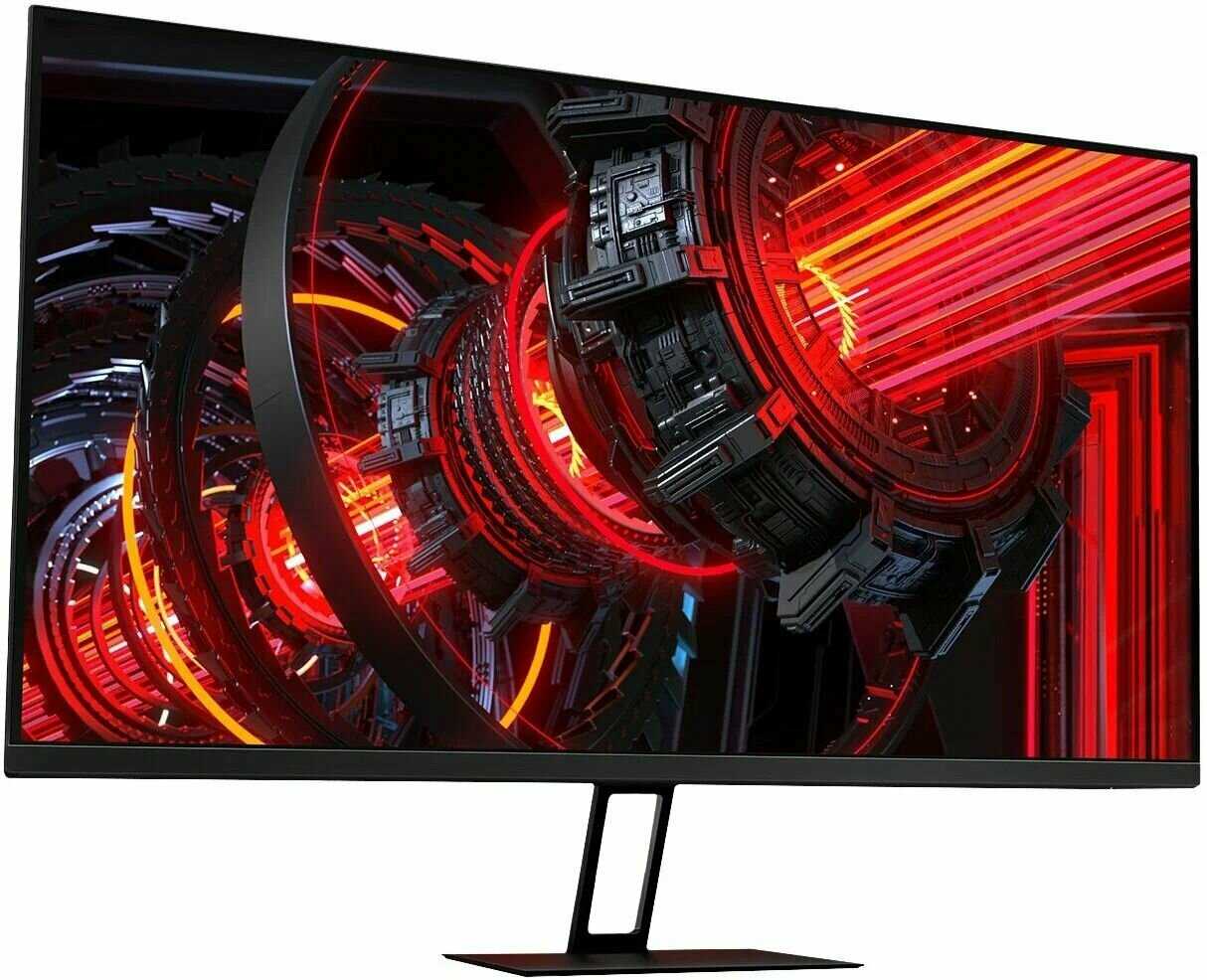
- Тонкие рамки и очень тонкий корпус в глубину создают эффектный вид, особенно на 27-дюймовой диагонали.
- Матовый экран минимизирует блики, что улучшает видимость в освещенных помещениях.
- Общий внешний вид выглядит премиально, не уступая более дорогим моделям вроде Dell Ultrasharp.
- Частота обновления 75 Гц для плавной картинки:
- Обеспечивает более плавное отображение движения по сравнению со стандартными 60 Гц, полезно для игр и видео.
- Full HD разрешение (1920x1080) не нагружает видеокарту, пиксели заметны только впритык, что удобно для большинства пользователей без мощного ПК.
- Подходит для повседневных задач, где высокое разрешение не критично.
- Удобное подключение через Type-C и другие разъемы:
- Type-C позволяет подключать MacBook или телефон для вывода изображения и одновременной зарядки, упрощая использование.
- Наличие HDMI и других современных портов, плюс провода в комплекте, обеспечивает быструю настройку без дополнительных покупок.
- Много интерфейсов делает монитор универсальным для разных устройств.
- Отличное соотношение цены и качества:
- За цену около 9000-9500 рублей (с бонусами) монитор оправдывает себя, особенно для 27 дюймов с IPS.
- Пользователи отмечают, что качество не уступает более дорогим брендам, и рекомендуют покупку без раздумий.
- Комплектация полная, включая кабели, что редко встречается в бюджетном сегменте.
- Наличие встроенных динамиков:
- Хотя слабые, но выручают для редких нужд, как фоновый звук, без необходимости внешних колонок.
- Удобно для быстрого просмотра видео или звонков.
👎О чем стоит задуматься перед покупкой - Недостатки по отзывам пользователей
- Слабые встроенные динамики:
- Мощность около 2 Вт (или меньше), звук очень тихий, практически бесполезен для нормального прослушивания.
- Пользователи называют их "полным г...", и рассчитывают только на внешние колонки.
- Не подходят даже для фонового аудио, что разочаровывает при наличии функции.
- Отсутствие регулировок наклона и подъема экрана:
- Нет возможности изменить угол наклона или высоту, что неудобно для длительной работы за столом.
- Противоречит некоторым отзывам о быстрой регулировке, но большинство жалуется на фиксированную позицию.
- Ограничивает эргономику, особенно для пользователей с разной высотой стола.
- Хлипкая подставка:
- Подставка шатается вместе со столом, держится "немного хлюпенько", что раздражает при работе.
- Несмотря на прощение за цену, влияет на стабильность монитора в повседневном использовании.
- Может быть проблемой для тех, кто активно двигается за столом.
- Full HD разрешение без опции 2K:
- Пиксели видны при близком рассмотрении, хотелось бы выше разрешения для более детальной картинки.
- На больших разрешениях текст становится мелким, не подходит для задач с высокой детализацией.
- Хотя удобно для слабых ПК, ограничивает потенциал 27-дюймового экрана.
- Отсутствие VGA-разъема и проблемы с VESA:
- Нет VGA для старых устройств, что усложняет подключение legacy-оборудования.
- Крепление VESA заблокировано или отсутствует, ограничивая монтаж на стену или кронштейн.
- Снижает универсальность для пользователей с нестандартными setup.
- Редкие проблемы с отображением при Type-C:
- Появляются вертикальные полосы на экране при подключении к MacBook, что может быть дефектом или несовместимостью.
- Хотя редкое, но критично для тех, кто использует Apple-устройства.
*Плюсы и минусы, которые пользователи называют чаще всего на основе практического опыта использования.
129 отзывов пользователей о Acer SA270Bbmipux
Пользовались
Acer SA270Bbmipux?
Поделитесь своим опытом и помогите другим сделать правильный выбор

Скромный эксперт
13.10.2020
8/10
Оценка пользователя
Хорошо
A single quirk mars my impression of this computer monitor
This computer monitor works well as an extension of the screen area of my laptop computer. The stand is sturdy and stable. I can raise the monitor above my computer screen. Since both screens have 1080 x 1920 resolution, sliding windows between screens does not lead to blind corners that can trap your mouse. My only complaint is that every once in a while the screen goes to black for a few seconds. It is a clean switch both ways. My main screen is not affected and my previous monitor did not exhibit this behavior.
Скромный эксперт
13.10.2020
8/10
Оценка пользователя
Хорошо
Update - Nice and G-sync works
I could not get the first 27" CB272 working. The replacement one began with power light on but black screen. As per reddt threads I left everything on, unplugged it then plugged it in again. This worked. The mount is solid enough with good movement. It does not swivel but does rotate to portrait mode. It has DisplayPort but unfortunately only a useless VGA cable is included. The speakers are weak and tinny, I quickly reactivated my standalone ones. The image is good quality FHD with nice low reflection surface. As a bonus G-sync with my GTX-1050 Ti (and DisplayPort of course) works although not a G-sync validated monitor. Verified with the testufo page, others and against my other non-G-synch FHD monitor. Hey it's only 75Hz but still useful for moderate gaming such as WoW. Color and contrast needed very little tuning.
Скромный эксперт
13.10.2020
8/10
Оценка пользователя
Хорошо
Very decent monitors - Acer CB272 bmiprx 27"
I bought two of these for a new computer build. I also purchased a Huanuo Dual Monitor Mount Stand for them. Both were VESA compatible. More on that...
The 27" monitor is fantastic and large. I'm using it for general internet use, android emulator games, steam games and light computer gaming for the family. I connected them to the computer with the DisplayPort 1.4 connector. The DisplayPort cable also transmits sound so an audio cable isn't needed. No lie, the sound quality on these monitors isn't great, but you get sound. There is no audio out port on the monitor. All the monitor buttons are on the back, lower right of the monitor (if looking at the monitor from the front). Picture and color is decent.
WHY I DOCKED ONE-STAR TO THE OVERALL RATING. The monitors are designed with the idea the consumer will use the included stand. The stand mount is inset to the back of the monitor so the monitor stand would be flush to the back of the monitor when installed. So that's cool, unless you are using a VESA mount. The inset VESA mount dimensions are: 119.67mm wide x 124.69mm tall. This is important if you are using a VESA mount that is larger than 119.67mm. The Huanuo VESA mounting plates were 121.30mm x 121.30mm. Physics dictate this wasn't going to fit, period. So had to go down to the local hardware store and get nylon spacers and a longer M4 screws to mount the monitors to the VESA mounting plate. Not a showstopper, but definitely a show-delay'er. Installation/mounting was a 4-hour process. Something to consider. Having a VESA surface mount would make it far more applicable to all VESA style mounts. And who cares what the back of the monitor looks like. If you spend more time looking at the back of the monitor and admiring the clean aesthetic of flush-mounted monitor stand, you live a very different life than I.
Past the installation, the monitors are very decent. As I said before, the sound kinda sucks, but any external speaker system will solve that issue. No dead pixels on either monitor, no glitches or hiccups on the display.
I would recommend.
The 27" monitor is fantastic and large. I'm using it for general internet use, android emulator games, steam games and light computer gaming for the family. I connected them to the computer with the DisplayPort 1.4 connector. The DisplayPort cable also transmits sound so an audio cable isn't needed. No lie, the sound quality on these monitors isn't great, but you get sound. There is no audio out port on the monitor. All the monitor buttons are on the back, lower right of the monitor (if looking at the monitor from the front). Picture and color is decent.
WHY I DOCKED ONE-STAR TO THE OVERALL RATING. The monitors are designed with the idea the consumer will use the included stand. The stand mount is inset to the back of the monitor so the monitor stand would be flush to the back of the monitor when installed. So that's cool, unless you are using a VESA mount. The inset VESA mount dimensions are: 119.67mm wide x 124.69mm tall. This is important if you are using a VESA mount that is larger than 119.67mm. The Huanuo VESA mounting plates were 121.30mm x 121.30mm. Physics dictate this wasn't going to fit, period. So had to go down to the local hardware store and get nylon spacers and a longer M4 screws to mount the monitors to the VESA mounting plate. Not a showstopper, but definitely a show-delay'er. Installation/mounting was a 4-hour process. Something to consider. Having a VESA surface mount would make it far more applicable to all VESA style mounts. And who cares what the back of the monitor looks like. If you spend more time looking at the back of the monitor and admiring the clean aesthetic of flush-mounted monitor stand, you live a very different life than I.
Past the installation, the monitors are very decent. As I said before, the sound kinda sucks, but any external speaker system will solve that issue. No dead pixels on either monitor, no glitches or hiccups on the display.
I would recommend.
Скромный эксперт
13.10.2020
6/10
Оценка пользователя
Плохо
Great picture. Speakers suck!
The picture is great. Colors are clear and vibrant. Contrast is also better than other monitors I have used. There are a few issues though:
1) The very thin frame in pictures and the description is misleading. The actual frame might be very slim but there is a broad black border inside it. Overall, the area with no picture around the display is actually slightly thicker than an older model Acer 27" display I bought a few years ago. Not a big deal for me but worth mentioning.
2) The stand is good quality and height-adjustable but I wanted to mount the display on an articulating arm on my desk. The screw hole spacing is standard, as you would expect, but for some reason the screw holes are deeply recessed and the supplied screws are just barely long enough for the supplied stand which has a very thin mounting bracket. That cost me a trip to the hardware store for longer screws.
3) This is the biggie... The speakers are useless! Sound quality is not bad for little in-frame speakers but the volume is pathetic. With everything turned to maximum, it is still quieter than a typical cellphone speaker. I don't want to rattle the windows, just listen to teleconferences or training presentations and get the separate speakers off my desk but I can't hear anything properly over the sound of a fan running or fairly other low-level background noises. The integrated speakers were one of the main reasons I chose this monitor so I'm pretty disappointed.
If you just want a good 27" monitor, this will not disappoint. Ignore the speakers unless you have excellent hearing and will be using it in a very quiet location.
1) The very thin frame in pictures and the description is misleading. The actual frame might be very slim but there is a broad black border inside it. Overall, the area with no picture around the display is actually slightly thicker than an older model Acer 27" display I bought a few years ago. Not a big deal for me but worth mentioning.
2) The stand is good quality and height-adjustable but I wanted to mount the display on an articulating arm on my desk. The screw hole spacing is standard, as you would expect, but for some reason the screw holes are deeply recessed and the supplied screws are just barely long enough for the supplied stand which has a very thin mounting bracket. That cost me a trip to the hardware store for longer screws.
3) This is the biggie... The speakers are useless! Sound quality is not bad for little in-frame speakers but the volume is pathetic. With everything turned to maximum, it is still quieter than a typical cellphone speaker. I don't want to rattle the windows, just listen to teleconferences or training presentations and get the separate speakers off my desk but I can't hear anything properly over the sound of a fan running or fairly other low-level background noises. The integrated speakers were one of the main reasons I chose this monitor so I'm pretty disappointed.
If you just want a good 27" monitor, this will not disappoint. Ignore the speakers unless you have excellent hearing and will be using it in a very quiet location.
Скромный эксперт
13.10.2020
8/10
Оценка пользователя
Хорошо
Great monitor for the price, but thick border
What can I say about this "zero frame bezel" display? Well, it is misleading. Sure, the frame and bezel are super thin, but the display does not go to the bezels. There is a 1/2" border between the edge of the display to the zero frame bezel. Budding up two of these together make for a jarring experience when attempting to use something like Nvidia's surround display setting that effectively would make this a single display. But due to the thickness of the border and bezel, there's about 1-1/4" gap between.
Aside from that, the rest of the experience is great. I'm able to use freesync on my Nvidia GeForce , the text is clear, and images are as expected. Color calibration is consistent too as I've had other monitors that were identical have differing colors that was noticeable.
Aside from that, the rest of the experience is great. I'm able to use freesync on my Nvidia GeForce , the text is clear, and images are as expected. Color calibration is consistent too as I've had other monitors that were identical have differing colors that was noticeable.
Скромный эксперт
13.10.2020
10/10
Оценка пользователя
Великолепно
Very good monitor
I like the 27" monitor I got for my work pc I am using at home. The stand is really solid and can easily be adjusted up and down and stays in place. The screen also rotates vertically.
I had to adjust the brightness as it was set too high but once I did I saw more color/shading effect detail in the programs I use. Colors and brightness & contrast make everything look real good. Your text will be determined by the video card and the work pc I have has a cheap one meaning lousy. I know the text could look better as my home pc has a better graphics card.
Monitor has a small joystick on right side in back you use to get to the settings. Easy to use once you get the hang of it. The power button is the 4th on top of 3 others plus a power button I/O in back on the underside. The power cord and DVI cable needed to be pushed more firmly in the socket and port. The only con would be the location of the buttons as you naturally would put your hand on the side with your fingers touching them as you adjust the height of the monitor which I do several times a day as I sit in front. I paid about $150 for the monitor. It is inexpensive and you won't regret it. Just adjust the settings and you will be happy.
I had to adjust the brightness as it was set too high but once I did I saw more color/shading effect detail in the programs I use. Colors and brightness & contrast make everything look real good. Your text will be determined by the video card and the work pc I have has a cheap one meaning lousy. I know the text could look better as my home pc has a better graphics card.
Monitor has a small joystick on right side in back you use to get to the settings. Easy to use once you get the hang of it. The power button is the 4th on top of 3 others plus a power button I/O in back on the underside. The power cord and DVI cable needed to be pushed more firmly in the socket and port. The only con would be the location of the buttons as you naturally would put your hand on the side with your fingers touching them as you adjust the height of the monitor which I do several times a day as I sit in front. I paid about $150 for the monitor. It is inexpensive and you won't regret it. Just adjust the settings and you will be happy.
Скромный эксперт
13.10.2020
4/10
Оценка пользователя
Ужасно
Disappointing... Pixels and subpixels are visible. One dead pixel.
Tl;dr: Disappointing, but... given the price, I shouldn't have expected too much.
I got this as a cheap 27" monitor to mount vertically as my secondary display. I have a 32" 2560x1440 monitor as my main display (also an Acer product, but much higher quality). I would not want this monitor to be my primary display.
The pixels are visible at about a foot away from the screen, you can see lines running through solid blocks of color because even the subpixels are visible, and gradients are very blocky. It came with one dead pixel, but I didn't notice it until too late.
The bezels are a little deceiving when it's turned off because the plastic part is almost nonexistent, but when you turn it on there's a good half inch of LCD panel that isn't part of the display, which I would consider part of the bezel.
It is pretty clear when displaying text. That's about the only thing going for it.
I would return it if I hadn't already gone through the trouble of mounting it and redoing all my cable management (and cut out a part of the plastic in the back to fit the mount, and threw out the stand it came with...). Was so excited to get this monitor that I didn't test it thoroughly in good lighting before mounting it, so now I'm quite disappointed.
I got this as a cheap 27" monitor to mount vertically as my secondary display. I have a 32" 2560x1440 monitor as my main display (also an Acer product, but much higher quality). I would not want this monitor to be my primary display.
The pixels are visible at about a foot away from the screen, you can see lines running through solid blocks of color because even the subpixels are visible, and gradients are very blocky. It came with one dead pixel, but I didn't notice it until too late.
The bezels are a little deceiving when it's turned off because the plastic part is almost nonexistent, but when you turn it on there's a good half inch of LCD panel that isn't part of the display, which I would consider part of the bezel.
It is pretty clear when displaying text. That's about the only thing going for it.
I would return it if I hadn't already gone through the trouble of mounting it and redoing all my cable management (and cut out a part of the plastic in the back to fit the mount, and threw out the stand it came with...). Was so excited to get this monitor that I didn't test it thoroughly in good lighting before mounting it, so now I'm quite disappointed.
Скромный эксперт
13.10.2020
10/10
Оценка пользователя
Великолепно
Great second monitor
When the pandemic forced most people to work from home, I thought about missing my colleagues, students, and even the quiet time that the commute provided me. What I didn't realize is that I would miss the second monitor that I had in my office. I grade papers, create presentations, do data analysis with SPSS and Excel. No gaming or graphic intensive work. A few weeks ago I was in "alt-tab" hell moving between windows and realized I didn't have a second monitor. So, I bought this as a second monitor to the 24" monitor I've used with my home office for years (so many years I can't remember when I bought it).
The ACER is a great second monitor. Set up was easy - less than 10 minutes to open the box, attach the monitor to the stand, and connect it to the computer. I connected it to my Dell desktop via HDMI, clicked the power button, Windows automatically recognized "monitor 2," and I was off and running. The color temperatures are slightly different on the two monitors, but not a deal breaker. If I were starting from scratch and didn't want to buy a 27" curved monitor, I'd probably go with two of these ACERs.
The ACER is a great second monitor. Set up was easy - less than 10 minutes to open the box, attach the monitor to the stand, and connect it to the computer. I connected it to my Dell desktop via HDMI, clicked the power button, Windows automatically recognized "monitor 2," and I was off and running. The color temperatures are slightly different on the two monitors, but not a deal breaker. If I were starting from scratch and didn't want to buy a 27" curved monitor, I'd probably go with two of these ACERs.
Показаны отзывы 1-8 из 129.
Как менялась цена на Acer SA270Bbmipux
Характеристики Acer SA270Bbmipux
| Общие характеристики | |
| Тип матрицы экрана : | IPS |
| LED-подсветка : | есть |
| Макс. частота обновления кадров : | 75 Гц |
| Тип LED-подсветки : | WLED |
| Экран | |
| Шаг точки по горизонтали : | 0.311 мм |
| Шаг точки по вертикали : | 0.311 мм |
| Диагональ экрана : | 27" |
| Контрастность : | 1000:1 |
| Динамическая контрастность : | 100000000:1 |
| Время отклика : | 1 мс |
| Максимальное количество цветов : | 16.7 млн. |
| Полное время отклика : | 1 мс |
| Время отклика MPRT : | 1 мс |
| Горизонтальный угол обзора : | 178 ° |
| Вертикальный угол обзора : | 178 ° |
| Плотность пикселей (ppi) : | 81 |
| Яркость : | 250 кд/м2 |
| Покрытие экрана : | антибликовое, матовое |
| Макс. частота кадров при макс. разрешении : | 75 Гц |
| Видимый размер экрана : | 27 " |
| Цветовой охват sRGB : | 100% |
| Подключение | |
| Интерфейс USB Type-C : | есть |
| Версия HDMI : | 1.4 |
| Версия DisplayPort : | 1.2 |
| Версия USB : | 3.1 |
| Функции | |
| Поддержка FreeSync/G-Sync : | FreeSync |
| Питание | |
| Блок питания : | внешний |
| Потребляемая мощность при работе : | 30 Вт |
| Потребляемая мощность в режиме ожидания : | 0.5 Вт |
| Потребляемая мощность в спящем режиме : | 0.4 Вт |
| Максимальная потребляемая мощность : | 30 Вт |
| Дополнительно | |
| Ширина : | 621 |
| Звук | |
| Количество встроенных динамиков : | 2 |
| Мощность динамиков (на канал) : | 2 Вт |
| Основные характеристики | |
| Технология экрана : | ЖК |
| Разрешение экрана : | 1920x1080 |
| Соотношение сторон экрана : | 16:9 |
| Тип матрицы : | IPS |
| Особенности : | встроенные колонки, подсветка без мерцания (Flicker-Free), регулировка по высоте |
| Интерфейсы | |
| Интерфейсы видео : | USB Type-C, вход DisplayPort, вход HDMI, выход DisplayPort |
| Интерфейсы : | USB Type-C, выход на наушники |
| Прочее | |
| Высота : | 454 |
| Стандарт крепления VESA : | 100x100 мм |
| Подробная комплектация : | кабель USB Type-C, кабель питания, документация, кабель HDMI - HDMI |
| Глубина : | 212 мм |
| Вес : | 3.56 кг |
| Дополнительная информация : | Мощность динамика 2x 2 Вт |
Информация о характеристиках носит справочный характер.
Перед покупкой уточняйте характеристики и комплектацию товара у продавца
Обзоры и руководства на Acer SA270Bbmipux

Альтернативы с более высокой оценкой






















Wizemart © 2026.
Рекомендательная система по умному выбору товаров по отзывам и рейтингам
