Wi-Fi точка доступа Ubiquiti NanoStation M2 — 103 отзывов, плюсы и минусы

103 отзывов пользователей о Ubiquiti NanoStation M2

Пользовались Ubiquiti NanoStation M2?
Поделитесь своим опытом и помогите другим сделать правильный выбор

86
9
4
1
3
Profile no image

Пандорец-2ERMS

17.04.2014

10/10

Оценка пользователя

Великолепно

  • + Работает уже 2 года без единой проблемы при любой погоде.
  • - Не обнаружил.
Пользуюсь этой точкой доступа уже второй год. С её помощью подключен к своему интернет провайдеру. Ощущение что подключен по проводу. Ни каких задержек нет. Пинг 20-40 мс. Тарифный план правда небольшой подключен, всего 2 Мбит/с (просто цена даже за это 850 руб в месяц), но получаю я всегда то, за что плачу. Как настроил первый раз, больше ни разу даже не входил в веб интерфейс. Абсолютно беспроблемный аппарат.
источник
Profile no image

Сириус-7SVGP

30.12.2013

10/10

Оценка пользователя

Великолепно

отличная модель
  • +

    Очень и очень хороший аппарат про него можно сказать поставил и забыл множества настроек подойдет в любой загруженности города !

  • -

    Ребят с кнопкой сброса поаккуратней хлипкая очень

Честно в днс цена завышена даже очень ! ну если вам нужны стабильные точки для морозов и жары то берите не пожалеете для частного сектора вещь не заменима . У меня 600 метров есть препятствия дома деревья но скорость стабильна в торренте 4 метра то есть для моста очень быстрая работает 7 дней в неделю обрыва нету ( http://data3.floomby.com/files/share/29_12_2013/aJJ9fV7YQku4lznTM82mA.png )

источник
Profile no image

ХроноГость-4UOYA

07.07.2013

10/10

Оценка пользователя

Великолепно

  • + Дружелюбный интерфейс, простая настройка. Много своих дополнительных "фишек", типа перепрыгивания с канала на канал, и т.п. Не просит перезагрузку после изменения каждой галочки!!
  • -
С одной стороны TP-Link MR3020 с допиленной внешней антенной, с другой стороны Nanostation, расстояние 150 метров, по дороге 7 деревьев. 3 дерева конкретно по пути, одно в начале, другое посредине, третье в конце. Ещё 4 частично перекрывают "трассу", либо стоят очень близко к ней. 19,5/26Мбит/с, связь стабильная. Пинг 2-3-5мс, иногда проскакивает пару штук по 100мс. Мощность передатчика выставлена 20дбм, вровень с принимаемым сигналом. Перепробовано масса разных вариантов с разными адаптерами и точками доступами, заработало только когда поставил Nanostation. Хотя по уму нужно связывать два таких одинаковых девайса, а не так, как сделано у меня. Тогда оба будут друг друга хорошо слышать.
источник
Profile no image

Странник-9AYMV

04.04.2013

10/10

Оценка пользователя

Великолепно

отличная модель
  • + Надежность выше всяких похвал, поставил и забыл.
    Недокументированные возможности — расширение диапазона частот и повышение мощности
  • - -
    Есть одна особенность — есть разница в скорости потока в зависимости от того где база, на стороне клиента или на стороне базы !!!
    Если Вы не знакомы с WiFi, то лучше найдите специалиста который установит и настроит эту систему.
Сразу же проверьте версию прошивки, обновитесь если надо.
Реальные 70 Мб ( по минимуму ) по мосту на 2 км при тонкой настройке и использовании недокументированных возможностей ( средне зашумленный город ).
Надежность как у автомата калашникова.
Не забудьте про пункт «где находится база» — это повлияет на скорость потока.
Рекомендую.
источник
Profile no image

Вектрон-3OOLW

06.11.2013

10/10

Оценка пользователя

Великолепно

отличная модель
  • +

    Поставилнастроилзабыл. Куча настроек.

  • -

    С настройками пришлось помучаться... толковой инструкции нигде не нашел.

Раздает интернет как прозрачный мост. Насос работает четко, вот только роутер(dir-300) слабоват и не вытягивает больше 2-х клиентов на насосе. Буду менять роутер!

источник
Profile no image

Астрономад-9DFHG

15.01.2013

10/10

Оценка пользователя

Великолепно

отличная модель
  • + в качестве прозрачного моста: Дешево, удобная юстировка, скорость, удобный монтаж, POE, Морозостойкая
  • - Думаю умные программисты могли бы разработать мастер по выборы оптимальных частот, ширины канала и мощности. А то, как новичку в теме частот, пришлось сначала изучать тему, потом сканировать эфир всматриваться в спектр, подбирать частоты, полосу, мощность (оно конечно и без этого как то работало)
После подбора параметров как говориться поставил и забыл. Гоняю RDP, 4 камеры и собираюсь еще VoIP. Скорость по его собственным показателям 130 мегабит, я пробовал гонять файлы до 80 мегабит бывало разгонялся (расстояние 700 метров, прямая видимость, эфир грязный: шум 85-90).
В принципе стоило наверное взять M5 — эфир, наверное, чистый. Но, зная, что любой вайфай требует регистрации, решил замаскироваться под обычный, коих в нашем районе полно.
источник
Profile no image

Туманник-4JXNO

18.12.2013

10/10

Оценка пользователя

Великолепно

отличная модель
  • +

    Отличный девайс, простая настройка, безотказная работа!!

  • -

    Покупать в магазине дорого, лучше самому через интернет заказать

источник
Profile no image

Фотон-5CQVZ

29.09.2013

10/10

Оценка пользователя

Великолепно

отличная модель
  • +

    всем советую!!! мощная, понятный интерфейс. сам покупал 5 штук. уже работают больше года и ни каких проблем.

  • -

    дорого. дешевле выписать из Москвы, экономия в 1000-1500рублей.

берите не пожалеете.

источник
Profile no image

Аргонавт-1HMAC

04.04.2013

10/10

Оценка пользователя

Великолепно

  • + Надежность выше всяких похвал, поставил и забыл.
    Недокументированные возможности - расширение диапазона частот и повышение мощности
  • - -
    Есть одна особенность - есть разница в скорости потока в зависимости от того где база, на стороне клиента или на стороне базы !!!
    Если Вы не знакомы с WiFi, то лучше найдите специалиста который установит и настроит...
источник
Profile no image

Вояджер-3JXGY

15.01.2013

10/10

Оценка пользователя

Великолепно

  • + в качестве прозрачного моста: Дешево, удобная юстировка, скорость, удобный монтаж, POE, Морозостойкая
  • - Думаю умные программисты могли бы разработать мастер по выборы оптимальных частот, ширины канала и мощности. А то, как новичку в теме частот, пришлось сначала изучать тему, потом сканировать эфир всматриваться в спектр, подбирать частоты, полосу, мощность (оно конечно и без этого как то работало)
После подбора параметров...
источник
Profile no image

ОмниКод-6DHQE

23.04.2012

10/10

Оценка пользователя

Великолепно

  • + Достоинства: 1 раз поставил и забыл, внесен в реестр частотнадзора украины, высокочувствительная, готовый к работе радиоблок, мощная, отсутствие драйверов, простая в установке на крыше, работает с внешней антенной
  • - Недостатки: кнопка сброса на корпусе
Купили с товарищем два таких наностейшена (цена каждого по 100$)для того чтоб у нас был интернет один на двоих. Выбрали данную модель потому что это мощная 400мВт (26 db) точка доступа и клиент в одном, внешняя, имеет в себе роутер, внутреннюю антенну, индикацию уровня сигнала на корпусе, подключение к компьютеру обычным сетевым кабелем. Работает без драйверов. Всех характеристик перечислять не буду их можно посмотреть здесь http://www.ubnt.com/
В процессе использования понравилось простота крепления и настройки, удобный интерфейс, очень высокая гибкость в настройках.
Profile no image

ХроноГость-4CMPZ

22.05.2012

10/10

Оценка пользователя

Великолепно

отличная модель
  • + Надежная связь на большие растояния.
    Возможность подключения ip камеры по PoE, или запитывание второй такой же точки при пробросе «моста»
  • - Несколько раз сталкивался с тем что одна из точек начинает «теряться» помогает перепрошивка.
На работе используется с десяток таких устройств, и примерно столько же продали заказчикам. Надежные, удобные, изредка чтоб не расслаблялся капризничают :)
источник
Profile no image

Эксопилот-0CPTD

22.05.2012

10/10

Оценка пользователя

Великолепно

  • + Надежная связь на большие растояния.
    Возможность подключения ip камеры по PoE, или запитывание второй такой же точки при пробросе "моста"
  • - Несколько раз сталкивался с тем что одна из точек начинает...
источник
Profile no image

Альфа-Юнит-9LSCY

11.04.2009

8/10

Оценка пользователя

Хорошо

  • + Отличный девайс. Простые и понятные настройки. Легкий монтаж. Поставил - забыл.
  • - Цена сильно завышена.
В...
источник
Profile no image

ХроноГость-1XGPR

13.12.2023

10/10

Оценка пользователя

Великолепно

Отличная модель
  • + Устойчивость связи. Недорогой и надежный
источник
Profile no image

Лунатик-6QQDI

13.12.2023

10/10

Оценка пользователя

Великолепно

Отличная модель
  • + Работает
  • - Нет
источник
Profile no image

Странник-8EKHY

26.12.2021

2/10

Оценка пользователя

Ужасно

Очень плохая модель
  • + Не работает
  • - Не могу сделать возврат
источник
Profile no image

Спектроник-1JSKO

17.04.2024

10/10

Оценка пользователя

Великолепно

Отличная модель
  • + одним словом хорошо, все работает
  • - нет
источник
Profile no image

Спектр-7EOQO

27.07.2022

10/10

Оценка пользователя

Великолепно

Отличная модель
  • + Дальность передачи данных, надежность.
  • - Нет
источник
Profile no image

Гиперион-7WSNJ

24.05.2011

6/10

Оценка пользователя

Плохо

I have quite a bit of networking experience but found getting these to work as advertised to be a real challenge. If you're not familiar with every advanced option in your existing router I wouldn't dive into this solution.I opted for this over a 5ghz solution because the 5ghz solutions pretty much require line of site, whereas 2.4 doesn't necessarily. I had a project where I was trying to see if I could repeat a wireless signal into a nearby facility that was a few hundred feet away, not perfectly line of site though. It didn't work even 200' away with line of site. I also tried another angle of projecting the signal out to a huge park and seeing if I could pick it up just outside there, I couldn't. Secondary to that, long term, I wanted to then put them on my roof deck to extend my in-house wireless signal which otherwise doesn't reach my roof deck. They advertise a 15 KM range but I would have to think this would be in an extremely rural environment where there's no other wireless interference. In an urban environment you're not going to find this to be a magic solution. You can't undo physics of radio wave interference. I had a challenge getting anything to even see these devices more than 100' away. Also, it's not overly well documented (and definitely not in the basic 'how to' info), but if you're wanting a regular Wifi client to connect to these (such as a Windows or Mac system), you need to disable all of the AirMax features (2x2 MIMO) so at that point you're just using standard wireless technology. I was hoping they could hybridize and use the 2x2 technology for the communications between the Ubiquiti products and non-Airmax for the non, but it can't. Also, I was hoping to repeat an existing access point directly. You can't do this, instead you have to buy 2 Ubiquiti products minimum to have one signal repeated. This was a bit undocumented as well, and frankly I don't think I would've bought this product just based off of knowing that alone. I wanted 2 access points on my roof, and instead I had to use one in my house at my existing router just to send the signal to the other access point on the roof. In the end, though, after about 10 months of back and forth, I got the product working for what I want. Even so, though, once I got the two connected it required a significant amount of tweaking. My roof deck's access point is probably 20' through walls above my other access point, but the connection was initially extremely slow (90 kbps~). After tweaking the output power i was find a happy medium where it was both reliable and still capable of reaching decent medium-end broadband speeds (~4-5 MBPS). Initially having the access point in my downstairs was a drawback but now I've been using this in house as well, as the wireless signal from this is present throughout my entire apartment whereas the other is not.Another caveat is wireless security. In their documentation they tell you best practice for repeating a wireless signal but they tell you to keep it unsecured. What? Really? ...OK fine, get it working unsecured and secure after... I did this but found that the product only works as a repeater in Access Point WDS mode with security turned off OR WEP security. Though the product supports all kinds of WPA/WPA2 security options, they're all grayed out when you have this paired up with another device repeating itself. I settled for WEP and it works, but I'm not sure why the lack of other options other than perhaps the algorithms are inefficient for that use. But why no documentation on that?Ubiquiti's support is primarily provided by customers themselves via their forum (and most customers are wireless ISP providers). They offer no phone support, and their e-mail support is basically limited to reiterating stuff that's already documented. At some point I became completely unable to access one of these two units, even when physically connected with an ethernet cable and after factory resets. When I was unable to get these functioning after exhausting all other options they replaced it. I was obviously able to connect to the replacement unit but still unable to get the two units to talk to each other in any consistent fashion. There are many caveats that aren't necessarily well documented. Also, a year ago when I bought the product there used to be a lot of "homemade" wiki documentation made by end users, this seems to have all disappeared as far as I can tell, and what's left is merely documentation on the features of the product but much of the "best practice" on implementation info has disappeared.The built in wireless spectrum analyzers are pretty handy to have in order to determine what's going on in the air waves and to pick the best channel to use. This mode only works when the device isn't accepting wireless connections though so you have to have a way to physically be connected to it to use this mode.
источник
Profile no image

Квазар-2LBII

14.12.2012

10/10

Оценка пользователя

Великолепно

What a great product! I run avery large network and up until now all of my wireless back-hauls have been with equipment from the largest companies in the business and most expensive equipment on the market, (10-25 times the cost of this entire solution). I will not do this anymore We first tried this product on a mission trip in the Caicos to remotely connect the only Christian radio station in the area. At the time we chose it based a few good review from colleagues but primarily it was the price that encouraged us to take a chance. I am glad we did! This was a simple install and it went perfectly. It is still going nearly two years later. It worked so well there that we ordered a pair for a mission critical link for our Agency and I am very pleased with this product. The documentation that came with it is light but the online WIKI is terrific. I have a rather advanced network and intall need for this so i ended up calling support. I had to wait on a call back, random not scheduled. It did not take to long and the gentleman I got was courteous though we very quickly got to deep for his knowledge. I found it difficult to get escalated to amore knowledgable tech however the information he was able to give me explaining how the unit behaves relative to certain settings gave me enough info to figure it out on my own.The equipment is great, the software interface is fantastic! Worth far more than I paid for this product. It was very easy to get a basic configuration up. A little more complicated to pass VLANS and Trunk etc. But all in all a great experience.I went with the Winegaurd J tube Mount and it worked OK but the tube bracket on the back of the Untit is slightly smaller than the diameter of most generic mounts so you may want to order the one from Ubiquiti if your looking for a perfect fit.I will use this product again and so should you!
источник
Profile no image

Пандорец-6FQET

18.03.2013

10/10

Оценка пользователя

Великолепно

We are a Wireless Internet Service Provider (WISP) for rural customers who can't get DSL or cable modem service. With a little networking experience, these units are very easy to log into, program and work great as an access point (AP) or as a CPE (a wireless client talking to another 2.4 GHz 802.11 b/g/n access point...just like a laptop does). We have installed over 100 of these over the last few years and have learned that when installed outdoors they are A LOT more sensitive to static buildup along the cable run, power surges and nearby lightning strikes than other outdoor wireless equipment, such as Canopy or Tranzeo. When installing outdoors, be sure to use some type of outdoor Ethernet surge protector right at the unit (like a Transtector) and/or shielded Cat 5 cable, as Ubiquiti recommends or the unit will it's Ethernet port which is not repairable. It's always a good idea to also use a battery backup surge protector (UPS) on this and other valuable electronics that are sensitive to power fluctuations and power surges. Lastly, use one stainless steel hose clamp instead of the two cable ties that are included to mount the unit to a mast. The cable ties will loosen over time and the unit won't be aimed where you want it to be.
источник
Profile no image

Спектр-5SNHR

25.03.2013

8/10

Оценка пользователя

Хорошо

I am using this as a wireless bridge, and I honestly have to say about this and every ubiquiti product, they are wonderful. My family lives on a 40 acre ranch and I used a nanostation and a couple of picostations to blast the wifi around the ranch. Some people say these are difficult to configure, but I had this working as a bridge in less than 5 min. Just turn off airmax, and pretty much everything else is self-explanatory. This particular nanostation is made for this with it's focused (NOT 360 degree) broadcast radius and two LAN ports. One goes in, and the other out to a picostation or some other access point. I would have given this five stars but I didn't because the people at ubiquiti are jerks. They sell great products but if you have a question that they don't think is smart enough, they won't even answer you. So, hope you can do it all on your own or pay someone to do it for you because the guys at ubiquiti could care less if you need help using their gear. Besides that, you will not be disappointed.
источник
Profile no image

Туманник-5QBHO

29.12.2012

8/10

Оценка пользователя

Хорошо

Fantastic product for mid-high end long distance bridging or access point installations by this emerging carrier grade manufacturer (where I can use Ubiquiti, I do). I tested this unit mounted on my truck in station mode, along with a Ubiquiti Rocket M2 with Ubiquiti's AMO 2G135dbi Omni antenna and got wireless signal 3miles.Device has a second network port for powering another poe device such as an AirCam.Pros:Light-weight, sleak, durably and aesthetically designed; great features in the AirOS to show uptime and power of each device on your wan.An SMA port so as to add external antennas would have been great; a more power second poe port would have been nice; not so easy to configure if your not in the Networking industry.
источник
Profile no image

Пандорец-3AFUT

19.12.2012

10/10

Оценка пользователя

Великолепно

i use all ubnt's stuff... it doesnt surprise me how well this product works. the hardware is simple and small form factor. its easy on the eyes.i dont see the software setup being easy for a non techy person. it was fairly easy for me. im an i.t. professional... so i get it. i also been using their products for years.AirOS is a great package, it gives you all the options you want. i can see where it can be to much for a standard user. if you want this for a ptp bridge or a soho router... which ive use it for all of them... its a great piece of hardware. just be forewarned, the os is packed full.
источник
Profile no image

Сириус-1RXGC

02.04.2013

4/10

Оценка пользователя

Ужасно

instructions are pathetic. still dont work. had maybe ten different friends try to get it running, no help. would't recomend this product if you have just average computer skills.
источник
Profile no image

НоваГость-4NBZM

25.11.2012

6/10

Оценка пользователя

Плохо

I am finally able to bring in signals from 500-1000' away while camping.No more trying to find camping spots close to the club house in order to ensure WiFi Access.Plug in the POE adapter to an AC outlet and this unit will serve nicely bringing in signals.Cons: For my particular application.In order to share wifi with more than one device wirelessly you need a second wireless device (wifi router). I bundled mine with a small TP-LINK Portable Wireless N Router (TL-MR3020)so I can get a couple iphones, iPads online in my RV and around my campsite.
источник
Profile no image

Плазмоид-5TWTU

17.03.2013

10/10

Оценка пользователя

Великолепно

Highly recommended productIt works perfectlyEasy installationVery good reception and emissionNo emission cutsMuy buena calidad del productoHighly recommended product
источник
Profile no image

Плазмонавт-2UKUF

29.03.2013

10/10

Оценка пользователя

Великолепно

Quick & easy setup for a wireless bridge. I used two for a connection between two buildings about 500 feet apart.
источник
Profile no image

Кварковец-1SCQG

22.01.2013

10/10

Оценка пользователя

Великолепно

This is a great product for creating a point to point link if you have some foliage in the path and do not have many wireless networks running in the vicinity. It is fairly simple to setup with a little patients and the ubiquiti wiki website. If you have a clear link or alot of wifi access points from your neighbors, use the 5 ghz model
источник
Profile no image

Квазар-1ERZZ

24.02.2013

10/10

Оценка пользователя

Великолепно

Very cost effective and setup straight foreward for those with a basic networking understanding. I am amazed a the range and the performance for the price.
источник
Profile no image

Сатурниан-0HSYB

09.10.2012

10/10

Оценка пользователя

Великолепно

This is the first Ubiquiti product I've ever used, but it has inspired me to stick with Ubiquiti for future purchases.I was able to connect to a CISCO AP from nearly 200 meters (an ususually strong, professional AP, granted). The conditions are nearly perfect: flat ground, clear line of site, but is still very impressive for the price. The firmware is one of the best I've used in a comodity product; there is even a simple Java "spectrum analyzer" that lets you look at the current RF conditions. PoE allows for easy outdoor installations, away from regular power outlet.
источник
Profile no image

Зета-Орион-6XYMJ

11.02.2013

10/10

Оценка пользователя

Великолепно

It allows me to beam the WiFi signal to remote cameras as well out lying computers, by routing the antenna . I live on 100 acres
источник
Profile no image

Кварковец-2SCYB

03.02.2013

10/10

Оценка пользователя

Великолепно

I live in a rather rural area, and the Nanostation helps me receive internet signal from a tower some distance from my house. Excellant quality.
источник
Profile no image

Дроид-1HAGW

05.02.2013

10/10

Оценка пользователя

Великолепно

excelente me llego a tiempo es justo lo que nesecitaba gracias los recomiendo para compras futuras excelente excelente excelente excelente
источник
Profile no image

МехаРейнджер-6TQCT

10.12.2012

10/10

Оценка пользователя

Великолепно

THIS PRODUCT WAS EASY TO CONFIGURE. WE ARE ALWAYS LOOKING FOR SIMPLICITY IN A PRODUCT AS WELL AS HIGH QUALITY AND PRODUCTIVITY.
источник
Profile no image

Нейрон-2OGMW

06.11.2012

10/10

Оценка пользователя

Великолепно

The Ubiquiti Networks NanoStation M2 2.4GHz 802.11n 2x2 MIMO works great. My wireless router didn't do nearly the job that the NanoStation does.
источник
Profile no image

Квантум-4GPUH

20.11.2011

10/10

Оценка пользователя

Великолепно

This NanoStation M2 is glorious for making point-to-point connections. The stock firmware is pretty nice and it can connect to b/g/n networks (802.11 auto-detect only--no forcing n-only to my knowledge, but can lock to an Access Point MAC Address) so long as the other proprietary extensions are disabled. With the included AirOS, you can define signal level thresholds which will light LEDs on the back if the signal power level meets its configured value, making spot checks while adjusting very convenient. This particular product has a higher gain than the M2 Loco counterpart, and this could result in a poor signal if the immediate area has a lot of 2.4GHz activity/interference, but I have yet to encounter anything notably severe in a suburban setting.New-in-box includes the device itself, 100V-240V POE Adapter and power cord, two branded cable ties, and a compliance note.OpenWRT firmware can be used with this device with proper installation and setup (the appropriate custom build or prebuilt binary must be used), and I tested monitor mode and packet injection with OpenWRT, for those who are curious.
источник
Profile no image

НаноРейдер-7JXHB

23.06.2012

10/10

Оценка пользователя

Великолепно

We bought 2 of these 1 year ago. Its the most amazing wifi antenna I have ever seen. I am a msee (electrical engineer) and very impressed with this product. 10 mile capability! It also serves as a router, bridge, station, AP, etc.If you get one of these be prepared to never buy another antenna again. HIGH QUALITY and PERFORMANCE.
источник
Profile no image

Спектр-7WNBU

27.06.2012

10/10

Оценка пользователя

Великолепно

This is an amazing device i have it over 6 months now and no problem as all. the distance is great i recieved internet over 1 mile without a single problem thou trees and building. i would really recommend everyone to buy this device its worth every dollar!!!!!!
источник
Profile no image

Лунатик-8DGGN

23.11.2011

6/10

Оценка пользователя

Плохо

As a CPE wireless bridge, this thing is great. AirOS is easy to navigate and comes with an awesome range of tools to get you setup properly. HOWEVER, if you are looking to use the secondary POE-equipped ethernet port that is advertised to power an IP Camera, know that this product is NOT 802.3af compliant. It requires an adapter to take a standard 48V POE current to cut it down to 16v, meaning that the current that passes through to the secondary ethernet port most likely will NOT be enough to power some IP cameras. Learned this the hard way trying to rig up a Logitech Alert 750e with the unit, and was disappointed when my camera refused to turn on without it's own PoE injector. The 750e requires the standard 802.3af 48V current.Don't make my mistake. Do your research on power consumption and requirements. Ubiquiti only states their 24V current deep in the recesses of their datasheet's technical specifications. Such details should be laid out in advertising to not mislead individuals.
источник
Profile no image

Астрон-5FHQK

05.02.2012

10/10

Оценка пользователя

Великолепно

I am always impressed by the performance of this device and it comes with a good price.this device has withstood the test of time. Its rugged,versatile and easy to deploy.thumps up ubiquiti
источник
Profile no image

Астрон-3KGVK

07.06.2011

10/10

Оценка пользователя

Великолепно

Experiences certainly vary, but I place a fair amount of wireless and unless there is a huge amount of 2.4Ghz interference, have had no problems. Again, I can't speak for every installation but that's what experience is about. It's good to know what's on the air on what channel and pointed where at what strength. One customer uses 2 for a bridge covering 300' line of sight with POE injectors...and gets 150Mbps throughput, which is fantastic. I have other Ubiquiti products spanning 1.5 km from a mountain ridge to a house in a vineyard, likewise, great throughput and no problems. The Airmax software is key to successful installation. Also are installing them in Fiji for residential and resort use to bridge. Solid product.
источник
Profile no image

ТерраБот-2DLYK

07.11.2011

10/10

Оценка пользователя

Великолепно

Nothing much to say, the item works as expected. It's a professional CPE for professionals though I'm just a hobbyist. I really like the spectrum analyzer feature that is an additional bonus.
источник
Profile no image

Астрон-7MXLW

12.02.2011

10/10

Оценка пользователя

Великолепно

I wanted to get a dedicated wireless access point and router because my experience with wireless routers has been that they are all terrible and nobody should buy them and that every manufacturer of them should be ashamed of themselves for pushing such horrible cheap crap.Anyway, I got this along with some other router that I can't recall because I'm not at home and it works well. Reception is strong and consistent. It can be picked up for quite a distance, but the usable distance is dependent on the transmit power on the other device connecting to it, but for the range you do get, it's very stable.Features are plentiful and you get a lot of professional level options and tools such as secure shell login built in for the price. The menus can be a bit cryptic at times, but only on some parts, and nothing some experimentation wouldn't figure out, but I'm not going to knock the overall score because of something I didn't know. It's the customer's responsibility to learn, and there were no actual usability faults or bugs or anything like that.
источник
Profile no image

Лунатик-1SSNV

26.09.2011

10/10

Оценка пользователя

Великолепно

I am happy, it is good, practice, elegant, it has many services and very steady,the vendor fulfilled what was offered, I recommend to everyone
источник
Profile no image

Астрон-3MRJR

21.04.2009

10/10

Оценка пользователя

Великолепно

Hello1.Ease of Installation.2.The units are very watertight and weatherproof.3.Appearance-wise, the units are architecturally unobtrusive.4. Reset to factory default is too easy just press the button5.They are inexpensive, reliable and fast.6.Power over ethernet capable.7.Web interface.8. Mounting hardware included.9. rich online manual for operating System.10.online forum.
источник
Показаны отзывы 57-103 из 103.

Альтернативы с более высокой оценкой

9.8/10 баллов

TP-LINK Deco M4 (2-pack)

295 отзывов

от 5870.00 руб.

9.5/10 баллов

TP-LINK Deco M4

212 отзывов

от 3699.00 0

9.4/10 баллов

MikroTik HAP AC lite

637 отзывов

от 11698.00 руб.

9.4/10 баллов

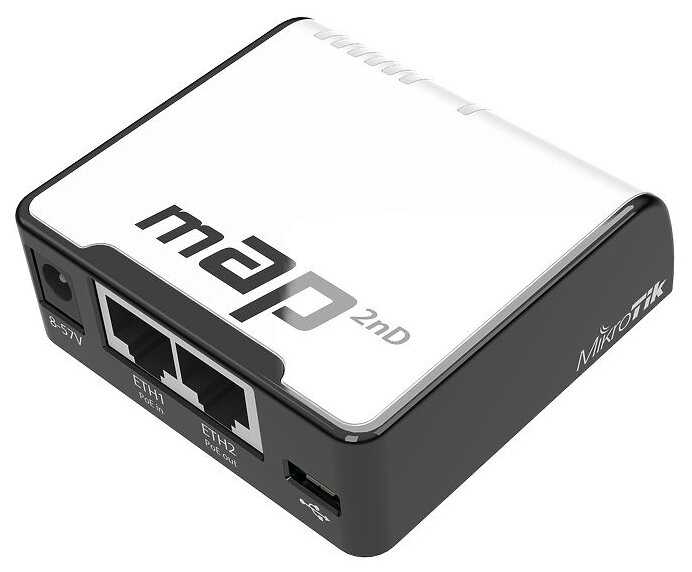
MikroTik MAP 2nD

75 отзывов

от 9530.00 руб.

9.4/10 баллов

TP-LINK Archer A64

377 отзывов

от 6690.00 руб.

9.3/10 баллов

Ubiquiti UniFi AC Lite

59 отзывов

от 26794.00 руб.

9.3/10 баллов

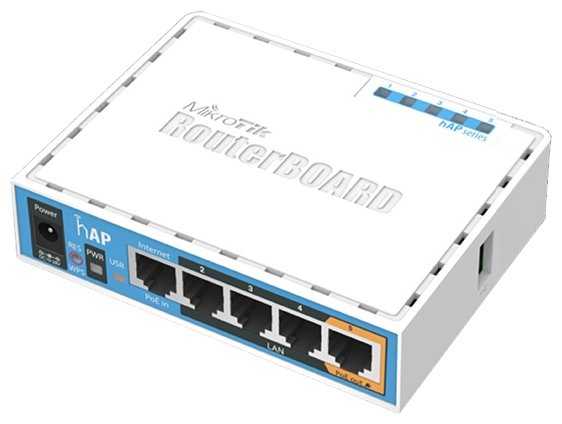
MikroTik HAP

218 отзывов

от 23171.00 руб.

9.3/10 баллов

Ubiquiti NanoStation M2

103 отзывов

от 12308.00 руб.

9.3/10 баллов

MikroTik CAP ac

208 отзывов

от 9893.00 руб.

9.3/10 баллов

Tenda AC5V3

445 отзывов

от 3280.00 руб.

9.2/10 баллов

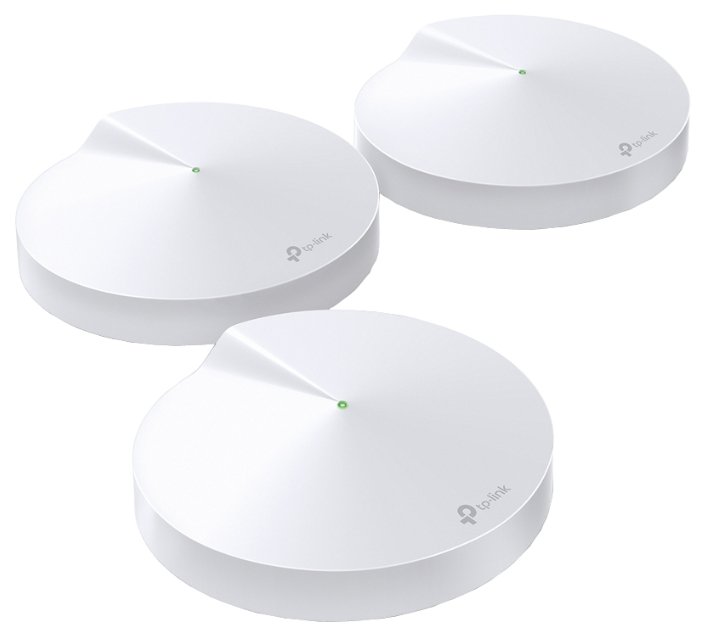
TP-LINK Deco M5, 3-pack

326 отзывов

от 17580.00 руб.

9.2/10 баллов

Tenda MW3-3

271 отзывов

от 15747.00 руб.

9.2/10 баллов

D-link DWL-6610AP/B1

100 отзывов

от 10690.00 руб.

9.2/10 баллов

Mercusys Halo H30G 2-pack AC1300 Домашн

76 отзывов

от 4999.00 руб.

9.1/10 баллов

TP-LINK Deco M4 (3-pack)

932 отзывов

от 12930.00 руб.

9.1/10 баллов

Tenda 4G03

108 отзывов

от 7410.00 руб.

9.1/10 баллов

TP-LINK Archer A5

1393 отзывов

от 3700.00 руб.

9/10 баллов

Mercusys Halo H30G(3-pack) AC1300 10/100/1000B

49 отзывов

от 12957.00 руб.

9/10 баллов

TP-LINK TL-WN722N

1073 отзывов

от 2050.00 руб.

9/10 баллов

Mercusys AC10

329 отзывов

от 1599.00 руб.