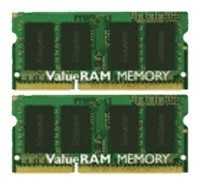
Оперативная память Kingston 8 ГБ (4 ГБ x 2 шт.) DDR3 1066 МГц SODIMM — подробный обзор, плюсы и минусы на основе 541 отзывов
9.3/10

Великолепно

4 ГБ DDR3 1066 МГц 8500 МБ/с SODIMM 2 шт.
474
40
8
4
15
Средняя цена в магазинах 1 783
Смотреть все цены ↓
Сравните Kingston 8 ГБ (4 ГБ x 2 шт.) DDR3 1066 МГц… с другой моделью
Загружаем цены...

Альтернативы с высокой оценкой

9.6/10 баллов

Patriot Memory SL (PSD22G8002S)

  • Совместимость со старыми моделями
  • Высокая производительность
  • Легкая установка
  • Брак модулей
  • Нестабильность в паре
  • Разные чипы

491 отзывов

1 750 руб. в среднем

9.5/10 баллов

Crucial Value (CT4G4DFS824A)

  • Высокая совместимость
  • Легкая установка
  • Значительный прирост скорости
  • Несовместимость
  • Брак модулей
  • Сложная разборка

331 отзывов

1 898 руб. в среднем

9/10 баллов

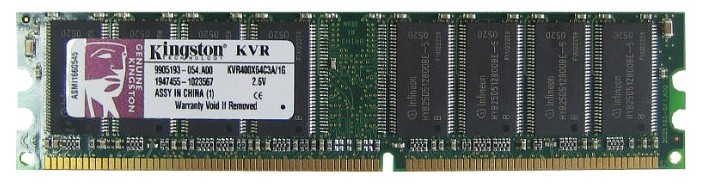
Kingston ValueRAM 1 ГБ DDR 400 МГц CL3 (KVR40...

  • надежная
  • лёгкая установка
  • ускоряет старые ПК
  • несовместимость
  • брак модулей
  • проблемы смешивания

211 отзывов

1 787 руб. в среднем

8.9/10 баллов

Patriot Memory 512 МБ DDR 400 МГц DIMM PSD512...

  • доступная цена
  • гарантия 10 лет
  • совместимость со старым железом
  • частый брак
  • синие экраны BSOD
  • проблемы совместимости

827 отзывов

1 620 руб. в среднем

8.7/10 баллов

AMD R534G1601S1S-UO

  • бюджетная
  • простая установка
  • прирост скорости
  • проблемы совместимости
  • высокое напряжение
  • глюки системы

56 отзывов

1 650 руб. в среднем

8.3/10 баллов

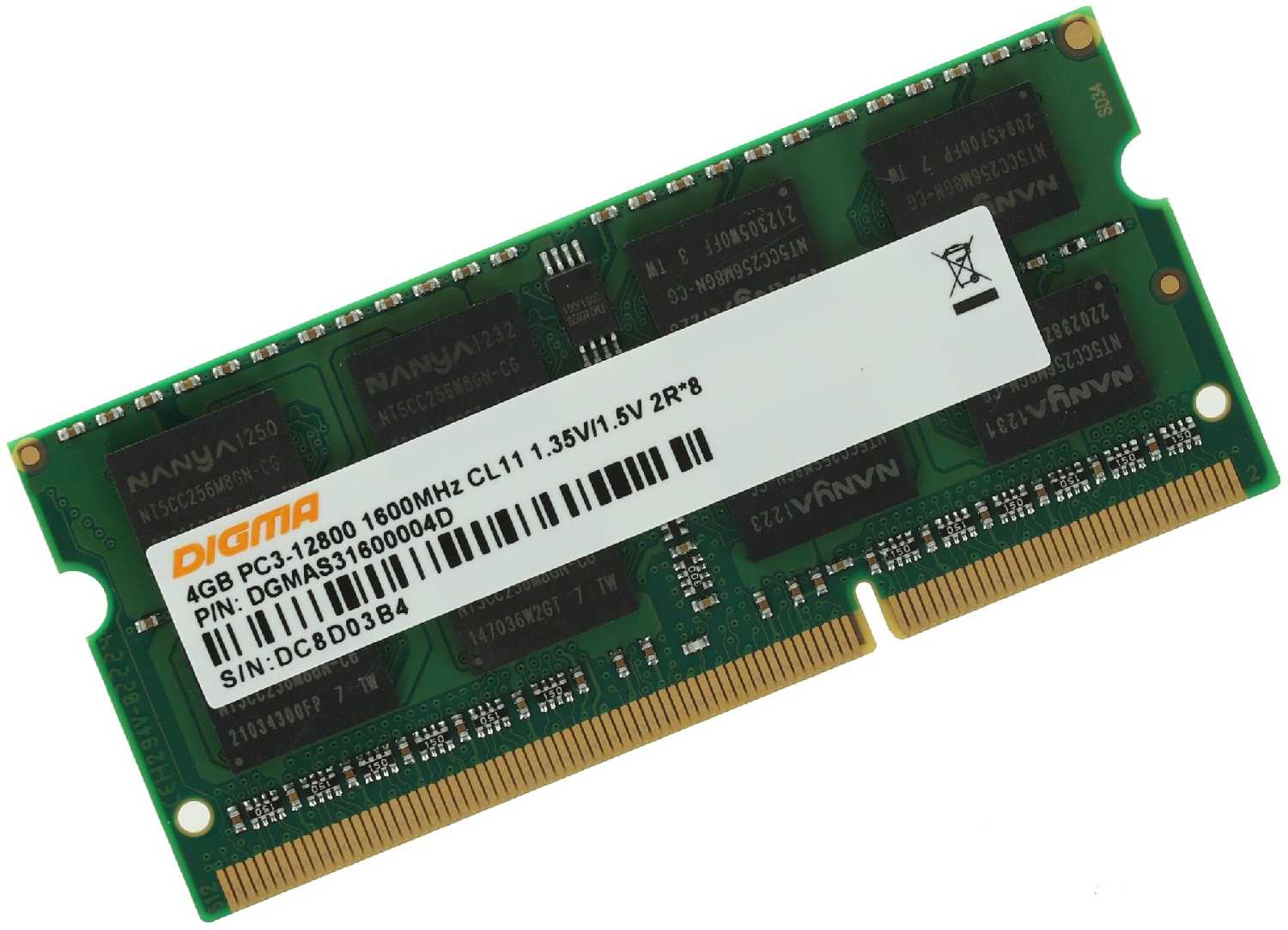
Digma DDR3 1600 МГц SODIMM CL11 DGMAS31600004...

  • совместимость со старыми ноутбуками
  • низкая цена
  • гарантия 10 лет
  • редкая несовместимость
  • разные партии плашек
  • не максимальная частота

136 отзывов

1 791 руб. в среднем

8.2/10 баллов

Patriot Memory SL (PSD34G133381)

  • Низкая цена
  • Доступная память
  • Стабильная работа
  • Высокий брак
  • Несовместимость
  • BSOD ошибки

135 отзывов

1 790 руб. в среднем

8.2/10 баллов

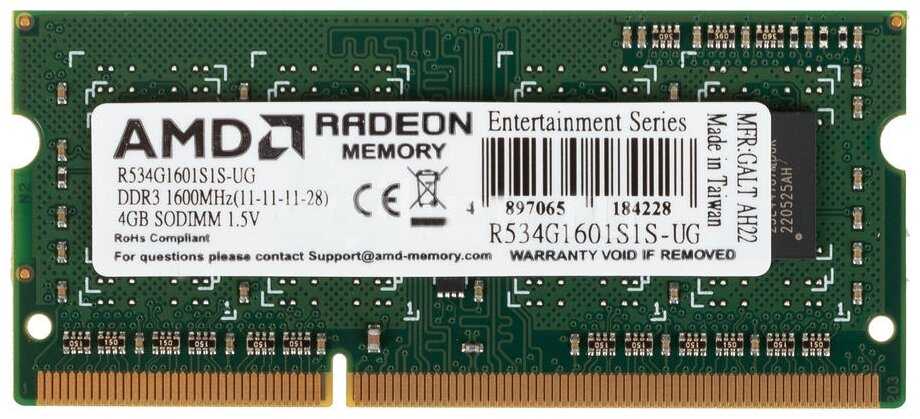
AMD DDR3 1600 МГц SODIMM CL11 R534G1601S1S-UG

  • Стабильная работа
  • Низкая цена
  • Улучшение FPS
  • Несовместимость с ноутбуками
  • Фризы системы
  • Брак модулей

96 отзывов

2 006 руб. в среднем

8.2/10 баллов

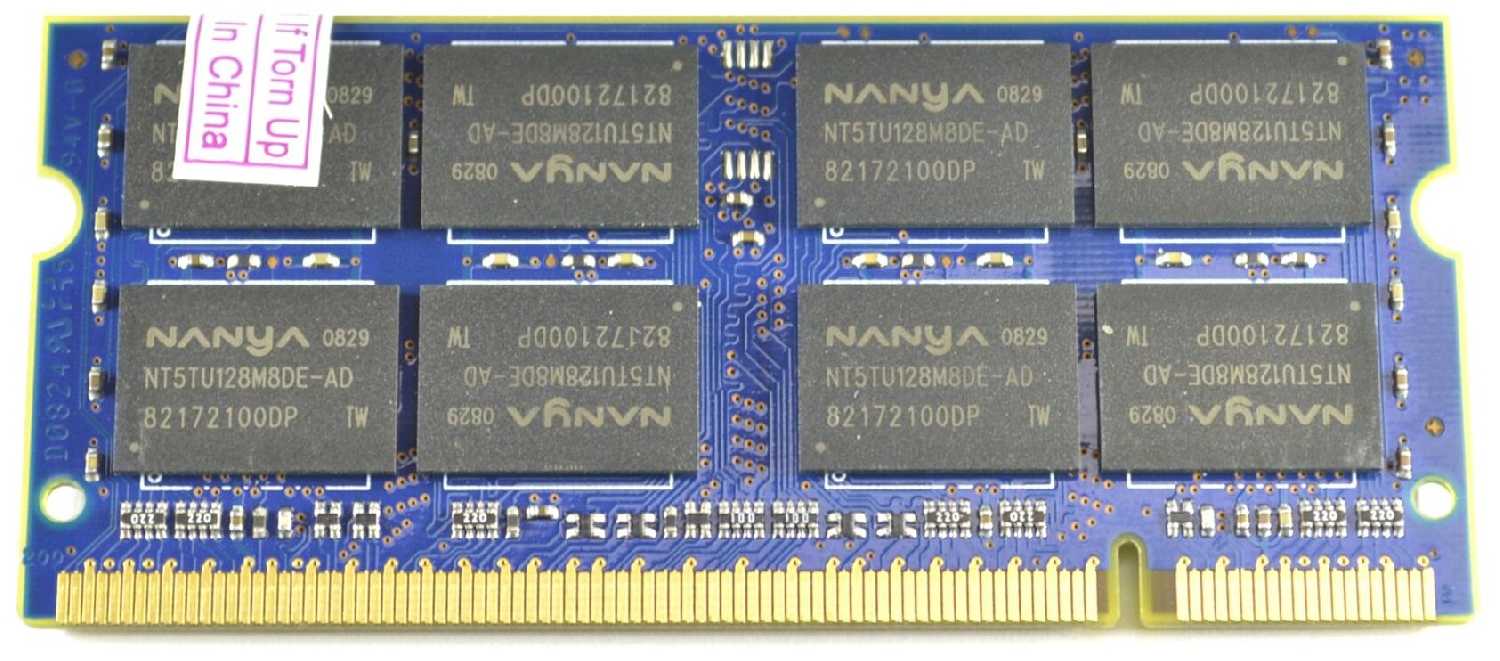
Nanya 2 ГБ DDR2 800 МГц SODIMM CL6 NT2GT64U8H...

Характеристики:
  • количество модулей в комплекте: 1 шт.
  • объем одного модуля: 2 ГБ
  • тип: DDR2 SODIMM 200-pin
  • тактовая частота: 800 МГц
  • тайминги: 6

17 отзывов

1 745 руб. в среднем

8.1/10 баллов

Apacer 4 ГБ DDR3 1600 МГц DIMM CL11 AU04GFA60...

Характеристики:
  • количество модулей в комплекте: 1 шт.
  • объем одного модуля: 4 ГБ
  • тип: DDR3 DIMM 240-pin
  • тактовая частота: 1600 МГц
  • тайминги: 11-9-9

52 отзывов

1 980 руб. в среднем

8.1/10 баллов

Patriot Memory SL 4 ГБ DDR3L 1600 МГц CL11 (P...

  • Отличная совместимость
  • Высокая стабильность
  • Хорошая производительность
  • Проблемы распознавания
  • Несовместимость в паре
  • Неясная маркировка

99 отзывов

1 650 руб. в среднем

8/10 баллов

Crucial 4 ГБ DDR3L SODIMM (CT51264BF160B)

  • Высокая совместимость
  • Высокая производительность
  • Легкая установка
  • Несовместимость моделей
  • Отказы со временем
  • Простая упаковка

165 отзывов

1 787 руб. в среднем

541 отзывов пользователей о Kingston 8 ГБ (4 ГБ x 2 шт.) DDR3 1066 МГц SODIMM

Пользовались Kingston 8 ГБ (4 ГБ x 2 шт.) DDR3 1066 МГц SO?
Поделитесь своим опытом и помогите другим сделать правильный выбор

474
40
8
4
15
Profile no image

НаноРейдер-6JJGK

09.12.2011

10/10

Оценка пользователя

Великолепно

My Setup:Macbook (Polycarbonate)Late-'09 (MC207LL/A)2.26 GHz Intel Core 2 Duo (8GB RAM formerly 2GB)Mac OS X Lion 10.7.2 (11C74)I bought this Kingston Apple 8GB DDR3 SDRAM Memory Module (KTA-MB1066K2/8G) from Amazon.com from the lightning deal last week. I had very little time to react to this deal since I was not sure if this RAM will work on my Macbook (since it was not listed), but here I am typing with my Macbook late-09 with 8GB RAM to tell you that YES this does work without problem! I'd like to thank the other reviewers for also confirming that this works on the same model Macbook.Kingston has been around for years now and I have also used this brand on other desktop computers in the past, so this brand is very reputable. If you're reading this with a late-09 Macbook, this is probably the upgrade you'd want to consider plus given at the affordable price and simple installation, this is the one thing I wouldn't hesitate buying.Before the RAM upgrade, with only one program up (Google Chrome) and three tabs (Facebook, Twitter, Amazon) my RAM would show up at around ~400MB of free RAM. When I add two programs (AIM and Yahoo messenger) plus three more tabs the RAM would be at around ~20MB or less and browsing through Google Chrome would be slightly noticeably sluggish. I generally have kept it this way for the two years I've owned this Macbook now, so i've learned to live with it plus the OS Lion kind of made it worse, so it was time to upgrade. Also, I have to technical background (never went to school for this) but I've been replacing RAM, hard drives and CPUs for years now thanks to Google and YouTube.After the RAM upgrade, I was able to run 31 programs (that's right folks, I ran all the apps on my application folder that consists of default, microsoft office and adobe programs) and 28 tabs on Google Chrome that consisted of clothing websites of at least 50+ medium images each and I was still able to navigate through Twitter with less than ~1GB left but it was noticeably sluggish. Dashboard and desktop (mission control) runs smoothly still though with all that stress).After doing a fresh restart (from all the programs and tabs), I noticed the time from the login screen to where my desktop was fully functional (about less than twenty seconds) was slightly faster but not significantly faster. Coverflow on finder is noticeably faster, I just ran through my pictures folder while holding the right arrow key and the pictures load very fast and no blank picture showed (unless it was a movie). Starting applications were slightly faster as well. All in all everything seems much more faster and smoother after the upgrade, the only thing that is not keeping up with me now is my internet service provider and Wi-Fi as I'm four rooms away from the base and I run at 4Mbps.Installing the RAM took about thirty minutes total. What you should do first is read and remember the instructions carefully, gather a kit of small screwdrivers and a small bowl to hold all the screws (or use the screwdriver case) because they will get lost. You could also check out YouTube for a more visual instruction. Honestly, the first time I put the RAM and booted up my MacBook was pretty scary because all the MacBook did was beep once every five seconds and nothing comes up the screen. As it turns out, that was a message saying that the RAM was not properly installed and there are also other indicators if you didn't know (there will be a # of beeps every five seconds):1 beep = no RAM installed2 beeps = incompatible RAM types3 beeps = no good banks4 beeps = no good boot images in the boot ROM (and/or bad sys config block)5 beeps = processor is not usableIf you're experiencing any of these symtoms when installing, now you know what is wrong. All I did though was swap the bottom and top RAMs and made sure they were fastened completely in this time, turned on the Macbook and voila! It's alive!As for the price it's at right now and a reputable brand name, it's a steal. Would i recommend this? If your computer supports it, in a blink-of-an-eye yes! Although 8GB would be more than enough for me, I'd say it's better to have more than to not have enough. I do a lot of photo editing and multi-tab browsing to compare products and reviews and apparently having 2GB of RAM was not enough anymore and it was time for an upgrade. Right at this moment, I have WordPad, Finder, and Google Chrome with five tabs up and my RAM reads at 4.94 free. So where did the other 3.06GB go? Again, better to have plenty than not enough.By the way, I also posted a screenshot of the "About This Mac" with the 8GB installed to show it works. If you got any problems installing just drop me a comment below and I'll try the best I could to figure it out.
источник
Profile no image

Синтрон-5MTBP

20.08.2011

10/10

Оценка пользователя

Великолепно

This RAM seems to have worked great... plus I liked the frustration free packaging. I highly recommend it at this stage, as it has only been a few days of heavy use, but so far it has worked like a charm and was easy to install.For the rest of this review (which took longer to type then to do that actual upgrades), let me begin by saying I was a novice and I had never changed RAM or a Hard Drive in a Laptop, before the last couple of weeks. I ended up doing this project four times now for several family members... as I kept swapping out larger/newer hard drives for small older ones that I kept pulling out of Macbooks (one at a time).This review is geared towards the upgrade of a Macbook 6,1 (A1342). I did both the RAM and the Hard Drive all at the same time so that I only needed to open up the laptop once. Although this review contains many products, I thought it would be useful to others since I purchased these items from Amazon for one major upgrade that many of you may be considering.Tools:The tools I used was Philips #0 and a Torx #6. Based on an online guide (I was using) I was instructed to use a Philips #00 but I already owned a #0 that worked fine... it slipped a couple of times but nothing that probably would not have happened with the #00. I have been happy with both tools for several jobs, including this one. For this Macbook I did not use a Spudger to unplug the battery from the motherboard (skipping the removal of the battery is not recommended procedure but it sure seemed to make things faster and easier).I used this for the Torx 6 and loved it:Bondhus 12632 GorillaGrip, Set of 8 Star Fold-up Keys, sizes T6-T25and I used this for the Philips #0 (already purchased some time ago and it worked very well):GN Netcom GN 9120 Battery Replacement Kit - Headset battery Li-IonThere were a few kits I found that I was considering and could have used but can't be sure of:Cheapest Kit: Silverhill "Best Of" Tool Kit, with Tools for Nintendo Products and Microsoft Xbox ProductsOverall Kit: Silverhill 15 Piece Tool Kit for Apple ProductsSome Other:Maxtech 16521MX 32-Piece Precision Bit Set30 Pcs Pocket Precision Screwdriver Bit Set with TweezerKR Tools 12709 Pro Series 8-Piece Precision Screwdriver SetEquipment:I first installed the following 750GB western digital hard drive: Western Digital WD Scorpio Black 750 GB SATA 3 GB/s 7200 RPM 16 MB Cache Internal Bulk/OEM 2.5-Inch Mobile Hard DriveInto the following case: Vantec NexStar TX 2.5-Inch SATA to USB 2.0 External Hard Drive EnclosureThen installation was easy, but as I said earlier I chose not to unplug the battery from the motherboard (be careful of static and leaving the battery connected is a risk).Before reinstalling the the hard drive bracket into place I installed the RAM. As you probably know, I received two sticks of RAM for a total of 8GB (4Gx2): Kingston Apple 8GB Kit (2x4GB Modules) 1066MHz DDR3 SODIMM iMac and Macbook Memory (KTA-MB1066K2/8G)I read lots of material on compatibility issues, since Apple does not say that the Macbook 6,1 (A1342) can handle 8GB of RAM. However if you have installed the updates to the operating system it should work (I installed everything with OS X 10.6.8 on my Macbook). I just popped the RAM chips in without any challenges, it was easier than the drive, which was easy too. Just take your time, don't rush and remember the bottom chip might need to have the top tabs pushed aside to get the top tabs out of the way for the bottom chip to release or be inserted.Equipment Experiences:When replacing the bottom cover, don't press the clips into place before putting the screws back in, the cover might not align with the screw holes. Screw in what you can first without pressing down on the area of the clips (sides). Then before tightening all the screws (which should be in place) gently press the lid down so that the cover clips in at the right spot. You should not have alignment issues unless you were really rough removing it to start.I purchased this hard drive case for this particular job: USB 2.0 2.5 HARD DRIVE SATA HDD EXTERNAL CASE ENCLOSURE [...]It did not work out (don't do it no matter how tempting a tool-less case may seem, dropping in the drive gave me concern for damaging it along the way). After some effort to carefully drop the drive in, the enclosure ended up being a dud so I had to remove it and used an old one linked above/earlier (which was a good deal, but more costly then some. I have used this same hard drive case to swap out 3 hard drives now, and it seems to have lasted fine through the repeated changes. Unlike the cheaper one my brother used which does not screw in together properly, but did work).I formatted the hard drive using Apple's Disk Utility to Mac OS Extended (Journaled), Then I cloned the hard drive using SuperDuper... after booting up the computer the cloning process did present some interesting issues I have since been able to overcome. I needed to re-enter the MS Offic
источник
Profile no image

Вектрон-3RLTC

05.12.2012

10/10

Оценка пользователя

Великолепно

This product works with my mid-2009 13-in MacBook Pro running Mountain Lion 10.8.2, which came from the store with 4 GB total. Trying to get more mileage out of this machine before an eventual upgrade.I reviewed a handful of articles, videos on how to change out memory before making the purchase. Here are two that were especially helpful: [...]If you're doing the install yourself, you will also need a #00 Phillips screwdriver, which the video above explains. I got mine on Amazon for about $6. Do pop for the screwdriver --- I know, you'll probably never use it again, but a friend of mine tried to wing it with another screwdriver that wasn't the right size and stripped out a screw. A big mess that involved electrical tape.One point of confusion for me: In my 'About this Mac' under 'Memory,' the computer says it accepts 2 1067 MHz memory modules. The Apple website says 1066 MHz, and this product labeled 1066 MHz worked fine.The packaging was sturdy, and the package arrived on time. I verified the product on the Kingston website --- it was legit, no off-label imitation here.I proceeded to change out the memory, careful to release any static from my hands and following the instructions in the YouTube video. When I powered back up, the computer was recognizing only one memory module. Reboot, no difference. Reverse the upper and lower modules, no difference. Finally, I changed out the modules, putting the original, smaller modules back in. Still no difference. The next day I took the computer into the Apple genius bar, and the technician solved my problem in under a minute. I had not popped in the top module all the way. It was out of whack by a tiny fraction, so the computer wasn't seeing the memory. Problem solved, no charge. If I were doing this again, I might take it into the store and have them do it to begin with.One day later, I can say anecdotally that the memory has boosted my machine's speed, though more time will tell. I tend to run a couple browsers, plus at least two or three other programs at a time like Word and iPhoto. I am noticing that I haven't seen the spinning wheel of death yet today, which is a good sign.
источник
Profile no image

Вектрон-2KHRV

05.12.2012

10/10

Оценка пользователя

Великолепно

We have a 2009 white plastic Macbook (model # MC207LL/A 13.3-Inch Laptop) that was beginning to show its age lately. The internet took quite a while to load pages and starting up programs also took far too long. Before going nuts and buying a brand new laptop for Christmas I decided to upgrade the RAM to see if that would solve our problems. In short, the RAM upgrade from 2gb to 8gb was EXACTLY what our Macbook needed! The machine runs better than ever with websites loading quickly and jumping from program to program being no problem at all.As for installation, it was (literally) a snap. The only difficulty I encountered was attempting to screw the cover back on. A couple of the screws appeared to have been glued in with some sort of blue compound and when I tried to screw them back into place, they would not go in all the way. But SOLUTION! The back covers of the white plastic Macbooks are "known problems" by Apple and you can get a brand new cover replaced gratis! Yes, even if your warranty has expired! I went to my local Apple Store to see if they could help and they said, "We'll just give you a new bottom cover, these are known problems with this model so it's covered." Thank you Apple! What's even better, they also replaced the screen which had begun to crack on the white plastic side as well, again it was covered as a "known problem" out of warranty. All that said, they also determined that my battery was dying and replaced that too, gratis! Our laptop went from plodding along to being born again with more RAM, new battery, new 13" screen and new non-grimy bottom cover.If you have an oldish white plastic Macbook and think it's time to replace it, look into upgrading the RAM first. It is a very cost effective solution. And go by your local Apple Store once you install it to get yourself a new bottom cover professionally installed (and maybe a new screen and battery while you're at it)!
источник
Profile no image

Кварковец-6CEWG

08.01.2013

10/10

Оценка пользователя

Великолепно

When I bought my iMac a couple of years ago, I decided not to spend the extra hundreds of dollars it would take to upgrade the RAM. With RAM prices so low right now, it seems almost criminally negligent not to upgrade. My original order for another well-known brand of RAM to upgrade my iMac was inexplicably canceled by Amazon. So I thought I'd give this RAM a try.Upgrading an early 2009 24-inch iMac sounds like it should be a piece of cake: unscrew the RAM access door, unfold the plastic tabs, pull out the old RAM modules, push in the new ones, tuck the tabs back in, and screw the access door back into place. However, the ease with which the old ones slide out didn't prepare me for how much force is required to seat these new RAM modules properly. They really need to be pushed into the slots quite, quite hard. The module is supposed to click when it's seated, but the click was something more felt than heard in my case. Took me three separate tries, with the iMac making its sad beeps on startup until the RAM went in there properly.The difference in speed was worth all that trouble, though. The iMac has had no problems recognizing this RAM or kernel panics. As a busy science editor, I like to have Word, Excel, Entourage, MathType, and Firefox all running, plus Acrobat Pro, Photoshop Elements, Cyberduck, and TextEdit if I need them. The iMac easily whirls from task to task, with the spinning beachball mostly a distant memory. This is the best thing I've ever done for this computer!
источник
Profile no image

Сатурниан-7ADXD

08.09.2012

10/10

Оценка пользователя

Великолепно

My Macbook Pro (late 2008) started to run very slow about one month ago. Prior to this, I could not have been happier with my Mac. Not a problem in the world, and it ran almost as good as the day it came out of the box four years ago. But then something strange happened.Browsing the Internet equalled dial-up download speeds and large uploads crashed my Mac. Keeping more than two programs open at the same time became problematic (lots of freezes). Clicking between programs brought up the spinning beach ball. Honestly? I thought my computer was dieing. Gosh, was I wrong.Being someone that knows just enough about my Mac to get by each day, but as much as the average person, I read article after article, and forum after forum about slow Macs. RAM came up quite often and goodness, people sure are passionate about their RAM. Some people said more RAM will help slow PC's, others believed having 100-300mb FREE RAM, but 1GIG INACTIVE ram translated into no need to add RAM. The latter, which I read many "many" times, could not have been more wrong (at least for my purposes).After upgrading from 4 GIG's to 8 GIG's of RAM (Snow Leopard), my Mac is back to lightning fast speeds and productivity. I can open 8 (if I wanted too) programs, and never see a beach ball clicking from program to program. 10 second Freezes? Forget about it. The speed of my MAC is ridiculously fast now between programs, saves, you name it. My battery life was down to 1 hour of life before the upgrade. Two days after the RAM upgrade (tonight), my Mac has been on battery power for 1 hour and 20 minutes, and I still have 1 hour and 52 minutes of battery power left. And my MAC has 1119 charge cycles! (73% health)! Just incredible. All for under $40.00....Do yourself a favor and upgrade today.
источник
Profile no image

Сатурниан-9FBHN

15.03.2013

10/10

Оценка пользователя

Великолепно

Before my purchase, I saw a lot of good and bad reviews on this product. I was sort of skeptical about purchasing it, but decided to take a chance as I figured I could get a refund if it didn't work.I received it yesterday, the packaging looked good - it didn't look damaged in any way. Installation took only about 10 minutes. After installation and attaching the bottom cover with two screws, I booted the Mac and it booted just fine. I checked "About this Mac" and it showed the full 8GB of memory, and the system report showed the memory being OK. It's been less than 24 hours, but so far so good.I didn't experience any issues with the installation nor the boot process. No system hangs so far. All seems to be well.If you're thinking about purchasing this memory, I would recommend that you take your time, handle the memory by only its edges, make sure you're properly grounded and exercise care when removing or installing the memory. Keep your old memory handy if you do run into an issue.
источник
Profile no image

Кварковец-2NIIF

25.12.2012

10/10

Оценка пользователя

Великолепно

Easy to install, fairly priced (on black friday) good turn around time from order to shipping, clean simple packaging, just plain works! Good value for the price.For those who aren't sure whether or not to upgrade RAM consider the following. Do you have 2 GB or 4 GB of RAM? If 2 I think it is a no brainer, upgrade, it will help your computer performance most definitely!If you have 4 GB of RAM consider what you do (or will be doing) with your computer, or laptop. Each gig of RAM acts like a lane on the highway. The more RAM, the more lanes. Of you will be doing heavy multitasking (IE any video editing, or playing computer games-WHILE simultaneously playing music, having open internet browsers, skype voice calls etc all at once) then you should consider more Gigs of RAM.Running 1 program you won't notice any performance changes for the most part in how games run or programs load etc, but while multitasking, the more RAM the less congested your computers "highway" is. If you have more gigs of RAM the computer will run smooth even with several programs going at once
источник
Показаны отзывы 1-8 из 541.
Загружаем цены...


Как менялась цена на Kingston 8 ГБ (4 ГБ x 2 шт.) DDR3 1066 МГц SODIMM

Характеристики Kingston 8 ГБ (4 ГБ x 2 шт.) DDR3 1066 МГц SODIMM

Общие характеристики
Объем одного модуля : 4 ГБ
Характеристики
Тип : DDR3
Тактовая частота : 1066 МГц
Тип памяти : DDR3
Пропускная способность : 8500 МБ/с
Форм-фактор : SODIMM
Количество модулей в комплекте : 2 шт.
Частота памяти : 1066 МГц
Количество контактов : 204
Особенности : Unregistered

Информация о характеристиках носит справочный характер.
Перед покупкой уточняйте характеристики и комплектацию товара у продавца