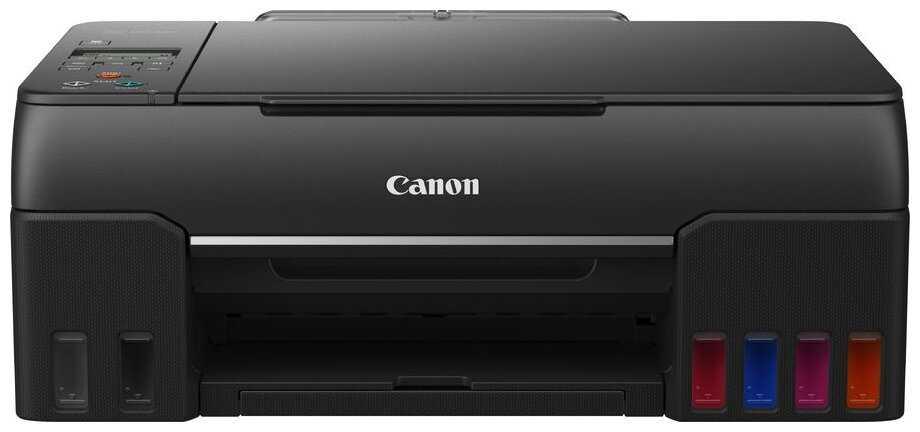
+ Куплен и работает в Испании. wi-fi отлично работает. Сначала печатал на глянце - видны слои пигмента, но на матовой бумаге отпечатки фото А4 не отличаются от, к примеру, от сделанных...
Астероид-8BDVX
24.02.2022
10/10
Оценка пользователя
Великолепно
Отличная модель
Вектрон-3TDWR
15.05.2022
6/10
Оценка пользователя
Плохо
Посредсвенная модель
Гиперион-6XIZO
04.06.2022
10/10
Оценка пользователя
Великолепно
Отличная модель
Небулоид-9MKJK
07.07.2024
10/10
Оценка пользователя
Великолепно
Отличная модель
КиберНаблюдатель-0AVIG
05.09.2025
10/10
Оценка пользователя
Великолепно
Отличная модель
+ Привезли вовремя, работает отлично, русская розетка была в комплекте. Двусторонняя печать, двустороннее сканирование, печать а3
ХроноГость-7OWBI
13.07.2022
10/10
Оценка пользователя
Великолепно
Отличная модель
+ Wifi , A3 формат , дуплекс , встроенное снпч
- Крышка сканера хочется чтобы фиксировалась в самом верхнем положении при открытии , а она немного отпускаете вниз , если принтер установить на пол , то хочется крышку открывать больше , чтобы засунуть документ, это немного раздражает , но этот скорее придирка...
ХроноГость-7AJMW
06.12.2023
10/10
Оценка пользователя
Великолепно
Отличная модель
+ Работает ,пока без сбоев.Чернила легко достаются ,на рынке его достаточно.
Аэронавт-0UGCG
14.05.2022
2/10
Оценка пользователя
Ужасно
Очень плохая модель
+ почти ничего
- печатаем заливкой CMYK (0,97,53,0) - печатает одну полосу (примерно шириной 1 см) - одного цвета, затем такой же ширины на 1/100 тона светлее, потом ... - ровно снова - темнее, светлее, ... и тут НЕ вопрос забитых сопел, если не видите - распечатай и посмотрите на просвет, цвета печатает не равномерно, постоянно жует, особенно отъявленно жует если в лотке больше 80-90 листов, не берет если в лотке 1 лист, забираемые плотные листы постоянно подминает на краях колесами забора - не приятно брать в руки фотографии с замятыми (и чуть ли не надорванными) краями, плашка сканера не прижимает 80ую бумагу к стеклу примерно на 0,5-1 мм и сканируемый лист не распрямляется, сканер начинает сканировать НЕ от края направляющих (с потерей 1,5 мм) (по обеим направляющим) - это официальная фича (и попробуйте отсканировать ценный документ, чтобы не терять эти 1,5 мм). не получится уложить руками ровно на 1,5 мм от края, или вы потеряете эти 1,5 мм на линейке направляющей указан максимальный размер сканируемого...
Эксопилот-9PPML
23.11.2012
2/10
Оценка пользователя
Ужасно
JUNK, JUNK, JUNK, JUNK!!! Everything bad written in all the 1 star reviews is TRUE.I have printed less than 500 pages on this 2-3 year old printer and it is toast. I don't even want to know what my cost per page is, I'm upset enough.Worse than the printer's poor quality is that of EPSON service. If your printer is out of warranty and the print heads cannot be self-cleaned EPSON will tell you to buy a complete set of new cartridges (more than the cost of many new printers!) first and, if that doesn't clear the problem, will tell you you should take it to one of their authorized reapir centers, all on your dime.However, they are kind enough to inform you that repair costs will probably exceed the cost of a new printer. As a "consolation" EPSON might allow you access to a webpage on their site that allows you, as a "valued customer" to buy a new unit at a discount. Big deal. Their discounted prices are more than almost any other retailer, by far.The e-mail service rep couldn't even spell my name right although it was sent to him correctly. What corporate stupidity.In charity I am going to write to John Lang the President of Epson America to tell him that his company is going to go the way of the buggy whip if they don't change.Unless EPSON can completely turn this customer's experience around I will NEVER buy or recommend another EPSON product.My advice in general is that unless you print alot of photos don't spend a lot of money on a printer. I am also considering a printer that has the print heads built into the cartridges themselves as a jam is then fixed by simply replacing the cartridge. Also will look for a printer that users indicate runs well on remanufactured cartridges. No more EPSON ink scam.All that being said....hasta la vista EPSON.
ТехноНаблюдатель-7LTFR
13.12.2010
6/10
Оценка пользователя
Плохо
This product was purchased March 28, 2010. It was not set up until the Middle of July, as I was in the Navy on assignment. After moving to my new duty station, I set up this printer, on top of a book case, and it worked really well.Setup:I chose this printer due to its wireless functionality, as my fiancee and myself both use laptops to print, we would rather not have to plug anything in. Connecting the printer to the wireless network was pretty simple, basically follow the onscreen instructions at the printer. The one thing I recommend to save some headache is to shorten your wireless password, or make the letters and numbers closer to the beginning of the alphabet, as the you have to cycle through each letter individually starting at 'a' for each letter...so writing something like "mom555" would take a while to input into the printer.In order to get the printer to work easily, I also recommend using the drivers CD that comes with the printer. This seems to allow the printer to connect easily (using Windows 7). It was more difficult when letting Windows 7 try to figure out how the printer should be connected. Additionally, you will be needing the scanning software and such anyways.Printing & Ink Use:Printing is pretty good overall, the printer is very fast, without much noise. Additionally despite its speed it does not rock the bookcase at all (despite the print heads having to move quickly from side to side within the printer). This printer does eat up print cartridges when printing a lot, maybe between 200-250 pages per cartridges. The nice thing about Epson printers, compared to other is that the color cartridges can be replaced individually. If your printer stops printing blue, replace only the blue cartridge, for example.Scanning:Scanning is pretty easy. Using the installed software you can scan over Wi-Fi, which is awesome. Words, are clear and readable, and pictures look decent. There are a lot of options available, and you can even scan multiple pages into a single PDF which is nice.Copying:Copying combines both the scanning and printing features, to produce clear reproductions of whatever you put on the glass! Not much else to say here!About the printer breaking, and Epson support:While printing a bunch of things out for a project, the yellow ink stopped working. Having just replaced the yellow cartridge I knew the printer wasn't out of ink. After believing I received a bad cartridge, I replaced the yellow cartridge one more time, to no avail. I then fiddled with the tech support online, and performed head cleaning 4 times, as it stated, and then doing a nozzle check. Again, this did not work. This was at a very inopportune time, forcing me to have to go out an buy a new printer. Unfortunately it was a Sunday an Tech Support was closed.The next day I called Epson, and was pleasantly surprised. First off, someone answered almost immediately, and they were very easy to understand. I fully expected to go through everything I just went through the night before with the online help. And sure enough I did. I had to perform a nozzle cleaning and nozzle check for the guy, to verify that it was still not printing in yellow. It wasn't so he put me on hold for a few minutes to examine my options. Since being within the 1 year warranty, Epson agreed to send me a replacement printer within 2-3 business days. After receiving the new printer, all I had to do was send the old one back in the same box. All shipping costs were paid by Epson. I was very impressed by this. This may have saved this printer from getting a lower rating. Knowing what I know now, about how great Epson Support was, I would have waiting on buying a new printer.The printer gets an overall 3 rating, but Epson Support gets an overall 5 rating. If you want to be sure you can get a quick replacement for a broken printer, you can rest assured Epson will provide you good service. Not sure if my printer dying in less than a year was a fluke, but its a good printer overall.
Астероид-6ZQJI
20.02.2010
8/10
Оценка пользователя
Хорошо
Epson Stylus NX515 WiFi Color Inkjet All-in-One Printer (C11CA48231)I have an Epson Stylus R200 that I love but needed an AIO since over time I am scanning more documents and much easier to direct copy than going computer then print.I purchased this elsewhere but at same price as current on Amazon of this writing. The huge selling point for me was the wireless abilities and was really looking forward to one less hassle. I researched a bit and many recommended downloading the updated drivers for Windows 7, especially if you run the 64-bit version, so I did so.Setup was fairly painless and had it printing in no time..........scanning has become another issue. The scan utiliy will not even load unless it ses the printer, I should say the scanner in the printer. Checking everthing the computer sees it fine with no issues but simply refuses to scan wirelessly, must scan to a memory card or be connected via USB which is not practical for my setup. Currently I use a netbook to USB connect to the AIO this replaces and unless I find a way to get this to scan wirelessly looking like I will be doing the same thing which blows but I need the scanner as my current one is reaching a slow death with a weakening sensor.I could not pass on this price for wireless printing and indeed it does wireless print great but I scan a lot more than I print and half that time I need paper as well as computer copy. I have decided if I find no solution will just buy a cheap SD card and scan to that then extact into the computer as needed.I have been reading a lot of reviews about the way this drinks ink. ALL Epsons do this and I shall share why. You will use less ink if you can leave it powered on all the time. Everytime an Epson (and many others) is shut down and restarted they run through a startup cycle that "spits" a few ink bursts to clear the nozzle and assure flow. If you use the printer a lot you will get noticably more time from cartridges if you simply never shut the power off. I myself bought a refill kit for my R200 and have saved that way as well. If you go the refill route be sure you get the chip resetter for the cartridge or refilling will be a waste. Also, the chip is set for a certain count of prints so even if there might be a bit of ink remaining the chip tells the printer the cart is dry anyhow. Remember too picture printing affects the projected estimate of prints as well, they use text documents for their print estimates in most cases. I have also read that unlike many printers if the color tanks go dry you can still print with just the blank tank. Time will tell if this is true but is what I have read.If anyone reading this finds a solution to the scanning issue I would be eager to know and grateful for a comment as to how.If I find a solution for the wireless scanning problem then this printer will be a 5 star AIO for the price.UPDATE:To date I am still unable to wireless scan into my dell 1545 running win 7 64-bit BUT I recently upgraded my netbook to win7 32-bit and wireless scanning works perfectly on it! This obviously leads me to believe it is the 64-bit OS that is the issue. Like I have said I can wireless print fine from the dell but not scan. I am pleased that at least it will wireless scan to the netbook now.UPDATE July 23,2010 - SOLUTION FOUND!:I could not be happier and it really sucks that something that eluded me for so long was the issue. I am one that keeps returning to a problem till there is some kind of resolution and this time it paid off. What I had to do was open the epson scan settings utility and MANUALLY enter the IP address that my router assigned to the all-in-one. This is something I did not have to do on the 32-bit machine so I never considered it till running out of ideas. I opened the interface for my US Robotics router and looked to see what the exact IP adress given to the all-in-one was. Entering that MANUALLY into the setting allowed my 64-bit machine to connect instantly!But now logic tells us if I turn the all-in-one off, the next time I turn it on the IP address assigned may be a different one than this time. What I have done to solve this is I have MANUALLY set an IP address for the all-in-one in it's manual network settings dialogue. Since by default my router will accept up to 30 connections I set the address high to 192.168.2.25 so that there is an extremely slim chance of it ever conflicting with router assigned addresses. This way if I power down the all-in-one the next time I power it up the IP address will be the same and no more wireless connection issues!It could be just how my router works but I find it odd the printer works when the scanner would not in the past. All that matters is I can finally enjoy the wireless aspect of this all-in-one on the 64-bit main computer. I hope this helps anyone else that may have been having similar issues.
Астрон-4OBTB
09.07.2012
2/10
Оценка пользователя
Ужасно
It's not a bad printer but it is inefficient with respect to ink usage. I use it a lot for scanning and copying and it has helped me immensely; it looks pretty good too.It gets one star because it literally gobbles up all the ink. Sometimes I even wonder if somebody is using it while I am not at home. I thought I got this for a good deal back in 2009 until I realized that they got their money back many times over through ink sales. I only print in text mode and it still sucks up all the ink. I don't even print pictures or anything like that.The scanning and copying capability are actually very useful and the Wi-Fi works flawlessly.I can also verify that the machine literally shuts down if you have only one empty cartridge. Even if your black cartridge is full, if a color cartridge is out, the printer stops functioning till you refill it. It's like Epson is holding the printer hostage till you buy their ink.The printer is also a little noisy compared to some others that I have heard even in quiet mode. It makes a very high pitched sound when printing. My old HP from 1998 was fairly quiet. The carbon fiber look on the top is nice and the small display looks good as well. It has a card reader as well which is useful but redundant in this day and age.I'd like to really give it a better rating because it has some useful features but the ink issue is just unacceptable. Due to cost concerns, in the near future I will probably have to upgrade this to another model or perhaps a laser printer.EDIT November 20, 2012: I purchased a Brother laser printer and a Brother all-in-one inkjet and I packed this Epson printer up and put it in the basement.
Гиперион-3VCWR
19.08.2012
2/10
Оценка пользователя
Ужасно
We purchased this product about a year and a half ago because it was able to use WiFi for printing which was very convenient. However, after about 3 months the WiFi stopped working and ever since then we have had to manually plug it in. While this is frustrating we continued to use the printer. But the ink usage, as I'm sure you have already read on others' reviews, has become beyond frustrating. Once the machine decides that the ink is too low (and yes it will do the deciding regardless of how much ink is actually in the cartridge), the machine will shut down and not allow you to print anything until the cartridge is changed. So even when our color ink goes out, I am still unable to print a black and white text document until the color is changed...dumbest thing ever! Several times when the printer says the ink is low I check the levels and they are no where near the end of their life. With any normal printer it will continue printing (regardless of quality) until the ink is absolutely gone and prints get splotchy. I wish ours functioned like this because several times I just need to print out a page that doesn't need to be of quality, just legible, but it won't let me do anything. Plus I am wasting who knows how much ink and money when the cartridge is thrown away without ever actually being empty. I think it's time to move away from Epson and find a more quality printer that is more user friendly. I would highly recommend NOT getting this printer!
КиберНаблюдатель-5EPYB
11.05.2012
2/10
Оценка пользователя
Ужасно
Bought my Epson NX515 based on my excellent experience with other Epson products, including scanners and copier. The price was very attractive ($89 if I remember correctly) and intially I was very pleased with the wireless capability, speed of printing, and black print quality. Color print quality was not as good, but OK.I was surprised when the ink cartridges exhausted after what seemed a very short time (6-8 weeks?) I print not very much; bank checks (B&W only) and sometimes emails or web pages, not more than 30 pages per week, tops. I was stunned by the relatively high cost of replacement cartridges, but figured the ones that came with the machine were a smaller size. After a few more weeks (and not much printing) the cartridges started to show "low ink levels" with computer messages, then the printer stopped working altogether when any one of the four cartridges was competely empty (according to the printer.) Even if I only wanted to print black and white, the printer would not work if ANY of the other three color cartridges were depleted. Most recently, I replaced the magenta cartridge with a new Epson brand cartridge, and now the magenta color doesn't print at all - despite being brand new. Now I'm off Epson for good, as soon as the existing cartridges are depleted, into the trash it goes. Next time I'll check product reviews more closely, and BEFORE I buy a new printer. Don't buy this printer - you will not be happy with it.
Небулоид-2XQLA
09.01.2013
2/10
Оценка пользователя
Ужасно
Purchased this in '09. When it works it works splendidly. However, being an infrequent printer personally, the nozzles dry out, the print heads misalign, and you find yourself in a vicious circle wasting expensive ink just to maintain the printer without actually printing anything. There is no override when the ink is low, essentially crippling the printer until you run out to buy more ink that you inevitably waste because you'll be performing print head maintenance constantly. Consider a printer that allows you to manually refill the cartridges, some require a special hardware override chip.
Астрономад-5GYVF
11.12.2012
2/10
Оценка пользователя
Ужасно
I'm a computer programmer. I use this printer once or twice every few months. It hardly ever works on startup without a session of manually updating drivers, cleaning the heads, swapping USB ports with my fingers crossed, and every few months it demands new ink even though I haven't printed anything but a few brief black and white text documents. If I didn't know better, I'd swear the empty ink notice was on a timer. It takes 5 minutes to shut down, and clicks and rattles the whole time it's working on it. To the 515's credit, it is only the third most annoying printer I've had the pleasure to work with. I will not be purchasing Epson products in the future.
Спектроник-6GGFV
10.03.2013
2/10
Оценка пользователя
Ужасно
I'm ready to throw this printer out the window. It goes through ink really fast, the ink is expensive, and now it won't print black. Even after I replaced the ink cartridge and the computer recognizes that there's a full black cartridge. I've also contact Epson help and they never got back with me. So frustrating!!!
Зета-Орион-4ZFJJ
03.02.2013
2/10
Оценка пользователя
Ужасно
I'm going on two years now with this printer and I replace the ink frequently and I'm extremely frustrated!! two years of pure annoyance!My son has reports due and needs it for school and when it doesn't work its embarrassing. It's constantly reading replace ink cartridges and now it doesn't recognize the cartridge! It's too expensive to keep this printer.save your money and don't buy this frustrating printer
Квазар-6EQRT
06.08.2012
2/10
Оценка пользователя
Ужасно
I've been through 3 epson printers in 3 years. I tried to switch to Canon, but LION wouldn't even recognize the brand new printer. The issue to beware of is that, if you are a MAC machine owner, you will definitely need to be prepared for only optimal performance for one year. After that, the nozzles get clogged (and are too expensive to repair), software conflicts become present at even the 6 month mark of updating your operating system, and the supposed updates for printer drivers via APPLE ONLY (software update) are not compatible at all. You will find that partial images are printing, colors will be missing, and adobe PDF's will refuse to print. As a recent owner of Mountain Lion, i can tell you that this product is now worthless. it can only print 2 of its colors, and only jpegs in color. I used to save money by printing in B & W. Ink must be replaced very very VERY often and do not try to use generic cartridges or refilled ones. The printer will reject them. Good luck in Hell!
Вояджер-9NUNR
26.07.2012
2/10
Оценка пользователя
Ужасно
Look elsewhere. Doesn't recognize brand new name brand cartridges, says cartridges are low on ink when they are brand new, will not print unless all inks are over half full, if you happen to remove a cartridge at all for any reason it cannot be used again, after 1 month it began missing printing large areas of stripes throughout image and no amount of cleaning or maintenance would solve the issue and lack of adequate support from Epson without paying a fee that cost more than the printer. This is the 3rd Epson printer that died completely on me right around the end of the warranty period. These are designed to be disposable and I suspect that this model communicates with the factory to self destruct (yes, seriously). Look into HP. Epson used to be a quality company but that is apparently no longer the case. All of the 5 star reviews were probably written shortly after purchase (they work great for about a month or two, then the problems start). If you want a printer for the long haul, this is NOT your best bet.
Гравитон-2CHTO
01.03.2010
2/10
Оценка пользователя
Ужасно
After four Epson printers in my home, I will never buy another one. I purchased the NX515 Model a few months after purchasing an Artisan 800 (A-800). The NX515 was for my daughter to take to college. I was pleased in the first few months with the A-800 and therefore thought the next level down Epson Printer would be ideal for college life.Well, not so. First the issues with the A-800 that began the whole disappointment with Epson. I purchased the A-800 because of its multifunction capabilities (scan, copy, fax, print) with good photo quality prints. I also purchased it because replacing ink was touted to be cheaper as I would only have to purchase the color ink cartridge that was out and the Epson replacement ink cartridges where priced on average approximately 25% less than comparable replacement ink cartridges for a similar HP printer.As it turns out the functionality with the machine worked great an the quality of prints was excellent. However the machine burned ink at a much faster pace than anything I had ever experienced with similar HP machines. In order to maintain the good quality prints, the Epson printer frequently required you to run a maintenance process to clean the ink jets and print heads. This initially did not seem like a big deal until one day, about one year into ownership of the A-800, when a message appeared that said, "the Artisan 800 ink pads are nearing the end of their service life...please contact the Epson Service center for replacement." Then about a week later, a message appeared that said, "the Artisan 800 ink pads have reached the end of their service life...please contact the Epson Service center for replacement." After this the printer and all functions completely shutdown. Even the ability to scan and fax, which did not directly have anything to do with printing, became useless. So, as instructed, I contacted Epson. What I learned was that by the time I pay to ship the machine to them, pay to have them repair it, and pay to ship it back, I could just about purchase a brand new machine. How frustrating is that. I felt totally manipulated and used by Epson.As it turns out from my research, Epson has designed into the machine a required periodic maintenance function that must be performed in order to enable the printer to continue producing quality prints. However, this process is also what sucks the ink out of the cartridges. And it sucks it out of each ink cartridge equally whether that color ink cartridge and ink jet have been used a lot of very little. So where does all that excess ink go that gets sucked out for the ink jet and head cleaning maintenance process...into a holding tank that becomes full and must be replaced. But before the tank becomes full, the machine is programmed with a print counter to begin the shut down process anyway after so many prints.Now, all that said, let me jump to the machine I was asked by Amazon to review because of my recent purchase from them...The Epson NX515. Well, if you have read this far, you can guess the rest of the story. Yes, the NX515 is now going down the same path of the A-800. So my printing cost return on investment has been much worse than any I ever experienced with HP and I have owned at least 6 HP printers. There is one other twist to the NX515. A selling feature was it's WiFi - wireless printing capability. I could never get the NX515 to work in wireless mode with my daughters Toshiba 64 bit laptop. I could get it to work with my 32 bit Toshiba laptop with no problem. I reloaded the software many times and even went to the Espon software download site to get a patch for this. I am an engineer and I am very good with technology. But still after close to 60 hours of screwing around and attempting to get this to work in wireless mode, I finally gave up and my daughter must plug in to print.Moral of the story, there will be no more Epson Printers in my house! Prospective Epson buyers, BEWARE!!!
Гравитон-9LOWD
18.05.2010
10/10
Оценка пользователя
Великолепно
First off .... when giving or reading reviews for printers, I NEVER mention anything about ink usage (unless it starts shooting it all over & making a mess, which has never happened yet), nor do I give much weight to the numerous reviews (usually "1-stars") which focus solely on that aspect. The reason is simple .... they ALL use more ink than they should & ALL printer companies rely on a large percentage of their revenue from future ink sales. The "This thing sucks because I had to buy another ink cartridge within 6 months" type reviews really don't tell me anything, other than .... yes, this printer actually DOES consume ink, just like the rest of them. A printer which doesn't use more ink than you think it should is either broken, or not being used.After going thru approx. 6 printers in the last 10 years or so, I can honestly say this is the VERY best one I have ever owned .... by a LONG shot. The top-most thing which impressed me to no end, right off the bat, was the EXTREME simplicity & efficiency of the installation process. I've used Lexmarks, HPs, & other Epsons. I refuse to buy another HP because of the often-irritating hoops you have to jump thru just to get the thing operating. Lexmarks are a bit better usually, but I personally don't think they have the quality of Epsons or Canons (although I've never used the latter). I even wasn't exactly planning on setting this one up as a wireless, since I admit that I'm very ignorant about the complexities of wireless stuff. But glancing at the manual for maybe 2 minutes, it looked like it might be a very simple procedure. It didn't disappoint either. After installing the cartridges, plugging up one power cord, & pressing about 6 buttons & "Okay" tabs .... I was printing a test page within minutes. I never had to do one thing except insert the disk, press the said buttons, & wait on it to do it's thing. Any type of object gets an extra brownie point from me if it impresses me right from the start, meaning the install process. Print quality, loudness, physical looks, speed, features, value, every feature about the printer is at least as good, usually better, and some of them MUCH better, than any of the half-dozen printers I have ever used. Would I buy the same one again .... most definitely. Would I recommend it to others .... most definitely. Do I think this thing will do the job that I need it to do, for a decent time-period .... I hope so & it has of yet given me ZERO reason to think otherwise. Even though I sifted through all feedback, on multiple sites & for multiple printers, & made a "modified" ranking on the 1-to-5 scale for each, I still couldn't quite find one with the 4+ stars that I was hoping to find .... at least not one below about $200. (By "modified", I mean that I eliminated all of the 1 & 2 star ratings which dealt ONLY with the amount of ink the printers used). This one kept coming up about 3.5 - 3.75 stars at the best, which was actually about what ANY of the 6-8 best printers (all Epson) I compared were ranking. So I finally just decided this one had about as good of a reputation from users as I was going to find, even though not QUITE as good as what I was looking for. But 30 minutes after hooking it up, and several test-printings later, I have absolutely no reason to rank it any lower than a 4. Since, as mentioned earlier, the superb installation process impressed me so much, I'm bumping that up to a full 5 stars. Nothing is perfect, although I have yet to find anything I DON'T like about the printer. But it deserves better than 4 out of 5 stars. I can't do a 4.5 on Amazon, so it happily gets a 5 from me.
Нейрон-4XOOT
10.10.2012
2/10
Оценка пользователя
Ужасно
The Epson Stylus NX515 has a tendency to stop printing in black ink. My stylus worked fine for most of the 1 1/2 years I've had it. Then it just stopped printing out documents in black ink. I'm waiting on word for a fix from Epson, but after a search on their site and not finding one, and then reading reviews from others with the same problem, it is apparently a fault with the printer. I wish I had known about it before purchasing mine.
Синтрон-9HVGW
05.01.2013
8/10
Оценка пользователя
Хорошо
College use for daughter and there were no complaints so it must be working good.Yes I would recomend this to a friend.
Фотон-3ZHOA
06.09.2011
2/10
Оценка пользователя
Ужасно
Many issues with this including going through ink quickly and never being able to print because the wireless is intermittint. I don't print much since this is a home use unit but it seems i'm blazing through ink like it's a commercial unit in a kinko's. As with most ink jet printers, the cost of ink far outways the cost of the original unit. The main problem i have and the one that really gets me is the wirless feature. I've got too many things hooked into the router to hard wire the printer in so i've done what i figured was the next best thing and placed the router behind the printer (it's now wireless for 3 inches). When i first loaded everything a couple years ago, everything worked fine for a time. It's fast and the print quality was good. It seems you have to wake the machine back up every time you want to print (annoying when your not in the same room as the printer). It also seems every day that you have to shut down all computers and the printer and restart everything in order for it to print. Then every couple months (at the start) and now about once a week you have to delete the printer and delete the port and re-add the printer/port back in. this works sometimes but the real problem seems to be that the printers wireless has issues since the printer doesn't show up as available sometimes and sometimes it does. This is really frustrating since it will happen on the 3rd or 4th item your printing and your just stuck till it decideds to work. I printed about 5 things fine today and on the 6th it just wasn't available and after about 2 hours of trying to re-install everything i'm about to go Office Space on it. Well anyway before i get all worked up i'll just close with saying that I will never buy an Epson product again.
ТерраБот-9ZIJI
06.06.2012
4/10
Оценка пользователя
Ужасно
My husband bought the Epson NX515 for our home a few years ago, maybe 3 years ago, and at first it was totally fine. Printed without a problem and I didn't have to replace the ink very often. But then all of a sudden it has started to breakdown. Now whenever I want to print something, especially if it's something with a bar code, I ALWAYS have to run nozzle check and head cleaning before doing anything or else the bar code, and most of the words on the page, end up fuzzy. Piece of crap! I don't print very often, and when I do it's not like it's multiple pages, so why would it be broken so soon?My mother always had an HP printer and never had problems printing and I think I'll be switching over to an HP once this one dies.
Небулоид-8KBIY
07.01.2012
2/10
Оценка пользователя
Ужасно
Purchased the All in One and was impressed. For awhile. Just after the "warranty" expired I got a "scanner error".This could be deadly as no other options on the unit can be accessed. Basically you now have a brick. It was still capable of printing, but if you make changes to your wi-fi settings you can't get into the maintenance mode to change passwords, etc. I used the printer until the ink went out. I had used re-furbed cartridges and they were ok. Not so much this time. It would not recognize the refurbed cartridge. At this point I was going to trash the unit but decided to take a look at the scanner issue. Just below the control panel on the side is a door to the connectors. Remove the screw and slide the door off. I reseated the dainty ribbon cable for the scanner and it now worked. I was also able to reload the refurbed cartridges and all is back to normal. That little cable reseat would have cost more to have fixed that the unit originally cost. I hope to share this with as many folks as possible, as Epson customer service sucks! I will toss this unit when it pukes again, but for now it works. I hope this helps anyone with the same issue. Dave
Астрономад-6NURJ
30.06.2012
2/10
Оценка пользователя
Ужасно
I stopped using my HP printer because it seemed to use too much ink. After replacing the HP with the Epson, I concluded that the HP PRINTER IS A BARGAIN in comparison with the Epson. In the short run, you may believe that the Epson is more efficient in ink consumption than the HP, but over time, my old HP has been much less expensive to operate and has been much more reliable. NEVER is a long time, but I will never have another EPSON product in my house.So, my old HP is back in service, and the Epson is doing an excellent job of collecting dust.
Сириус-4BRNB
07.02.2012
2/10
Оценка пользователя
Ужасно
Just as others already stated:1)Constant Clogged heads (Print quality always has some sort of lines or skewed text in it)2)Cannot Print if One Cartridge is Low (makes it real fun trying to print your boarding pass on the way out the door to the airport...happened about 10 times this year, including last night!)3)Constantly needs the maintenance feature ran in order to get the thing to print worth a darn.4)Always has low ink (mainly due to the constant maintenance required)As of last night, this piece of junk went straight to printer heaven (well, actually Hell in this case) and never again will I purchase or have another Epson anything in my home.My displeasure finally came to a head last night while trying to print boarding passes. I go to print and, voila, there it was again...low on the blue ink. All I want are black copies Mr. Epson. No can do...I must get the blue ink first. Well guess what? That ain't happening. Off you go Epson.I regretfully say this is my second Epson printer. It will surely be my last.
Гелиос-5QLAO
02.02.2012
2/10
Оценка пользователя
Ужасно
So I purchased this printer less than two years ago, after my first Epson printer failed. Don't ask why I bought another one, it was just the right price at the time I guess. This printer has been VERY lightly used, and really only used for black and white prints, virtually no photos.While it did work, I loved the scanning/copying, they turned out very well and it was very easy to use. A few weeks ago, all of the sudden during a print job, an error message came on the screen that said "cannot recognize ink cartridge", or something along those lines. I've tried resetting the printer, lightly cleaning the cartridge contacts, and replacing every ink cartridge. I STILL get the message, and it keeps you from doing anything with the printer. You cannot copy, scan, or do anything else in the settings menus.I have learned my lesson after owning two Epson printers, I will never own another of their crappy products again. For a $200 printer, with light usage, I'd expect it to last much longer than a year and a half.
НеоВояжер-0QBKJ
27.05.2012
4/10
Оценка пользователя
Ужасно
This is my second NX515 Epson printer. Both of them having the same nozzles issues near the end of the ink cartridges that came with the printer. I think the issue was that ink tends to dried and clogged up the nozzles. Performed nozzle cleaning helps but problem come back soon after that. Replacement inks are fairly expensive and I am reluctant to buy knowing the printer is having the nozzles problem. Consequently, the both printer life is only nearly as long as the ink cartridges that came with the printer - very disappointed and environmental unfriendly!
Зета-Орион-3TKRJ
21.07.2011
6/10
Оценка пользователя
Плохо
I bought this printer when I went to college solely because it was one of the cheapest wireless printers available. Unfortunately, as hard as I tried (I tried HARD - I'm an Information Systems major!) I couldn't get the drivers to work with my 64-bit laptop. After re-installing my operating system multiple times to insure that the printer drivers were uninstalled completely, I came to the conclusion that the Epson drivers for this printer are not compatible with 64-bit processors. After 6 months, I finally figured out the problem: for some reason the driver turns off the print spooler when it installs.To fix this problem you can go to Start > Control Panel > Administrative Tools > Services > Right-click Print Spooler, then click "Properties" > On the General tab, next to Startup type, make sure that Automatic is selected > If the service is not already running, under Service status, click Start, and then click OK. If you are prompted for an administrator password or confirmation, type the password or provide confirmation.Obviously, that took awhile to figure out - about six months in fact. If I had purchased this printer from Amazon I would have returned it within a week. Sadly, I didn't, and had to put up with a useless paperweight for six months as I paid per-page to print out my schoolwork. Now that I have the drivers working the printer does what it should. The ink runs out quicker than I would like, but since I would like it to last forever I suppose I can't have everything. Overall, it's a good product if you have a 32-bit processor or know how to restart your printer spooler.
Астрономад-4CWCR
02.05.2012
2/10
Оценка пользователя
Ужасно
Pro: Fancy looking and nothing else.Con: Ink was quickly exhausted after printing a few b/w documents and pictures. 0% tolerance to OEM or refilled ink cartridges. Once one cartridge is nearly exhausted, the entire printer stop working, even the scanner stop working. The integrated nozzle cleaning process is totally useless and only it was designed to exhaust your expensive ink. The WI-FI connection process is annoyingly complex and unstable. EPSON is disgrace to entire printer industry. They don't even pretend to put any passive effort to the design or manufacture of their product.
ХроноГость-6HVAH
22.04.2012
8/10
Оценка пользователя
Хорошо
This is our second Epson NX515. I have had several over the last 10 years. We use our printer on a daily basis for work and home use. I teach and we run a home base business; so our computer gets lots of use. We like this printer. My only complaint with Epson, every printer I have owned by Epson ends up having to be replaced due to clogged ink jets. No matter how many time I clean them, eventually I have to get a new printer. That's the frustrating part. This last printer last me a little over a year. However with that being said, I love the quaility of the printed page and the pictures. Will buy Epson's in the furture.
ТерраБот-9SAGV
08.07.2012
2/10
Оценка пользователя
Ужасно
Aside from the fact that this printer eats up ink like no other, once the ink is low, all functionality (scanning, fax) shuts down, despite the fact that functionality such as scanning would not seem to need any ink. I rather buy a new printer (NEVER again Epson), than spend another dime on this one!
КиберНаблюдатель-2XWXX
04.03.2012
2/10
Оценка пользователя
Ужасно
I bought this printer and started having problems with missing sections on papers. Had to call my friends in India and after an eternity they replaced the printer. However, after 8 months it's doing the exact same thing on the replacement printer. Sections missing, new black ink sucked dry, followed head cleaning instructions, bought new cartridges and this piece of junk is not printing correctly. I read other reviews while trying to find a fix and found that if you don't use this printer on a regular basis the ink can clog up the printer head and cause problems. Now i am into new ink about 50.00 and decided to buy a new printer to avoid the frustration of dealing with this thing.
КиберНаблюдатель-4ULZD
10.10.2010
2/10
Оценка пользователя
Ужасно
This printer is ridiculous, save yourself some pain and money by NOT getting this piece of junk, the software that runs this printer is just messed up... heaven forbid you ever run out of ink because then it turns from an ALL IN 1 printer to just a GIANT PAPERWEIGHT with a bright LED display... I gotta admit when I first purchased this thing I was in a sort of honeymoon phase, SUUUUURE it was loud as hell and scared the crap out of my cats each and every time I remotely sent a print job to the printer, the quality of the print jobs WERE nice... until I discovered that you'd have to have a high print volume in order to keep this machine healthy otherwise the ink dries out and makes all your other print jobs just awful. Sooo this printer to say the least was just a printer.. I can't review the scanning because I was never able to scan using this machine... in fact I thought I could save it by converting it into a scanning only machine but apparently if you have no ink you have no scanner either (that doesn't even make sense!)SooWe purchased a new printer in hopes to have awesome print jobs and the fact that this machine was all in 1 was great and we went for it.We didn't print a TON of papers per week or month or day THUS the ink dried out (within 1 month) we replaced the ink several times but apparently the ink dries out in the nozzles so now it's clotted and pretty much useless.We REALLY needed a printer so we went out and purchased another printer to use because this one was not working anymore... my boyfriend asked that I get rid of it and I argued that JUST because it doesn't work as a printer doesn't mean I shouldn't be able to use it as a scanner in my office area.He was right.. I should have junked it. I just set the "printer" up to be used as a scanner in my mini office area and to my dismay it wont even allow me to use the scanning feature... all it frikin says is "Cannot Recognize ink cartridges" and the option "OK PROCEED" any other button I hit prompts me with "Invalid Operation" thus I cannot even use the SCANNERGIANT PIECE OF CRAP! This is the most retarded thing ever, I can't believe Epson would design this machine to be so dumb that it can't even SCAN when it is out of INK... you don't even need INK TO SCAN What the hell?!so I actually rated the scanning quality as a 1 star since I was never even able to try it out due to the dumb programing of this machine. Very sad....
МехаРейнджер-8XYFI
31.12.2011
2/10
Оценка пользователя
Ужасно
As the happy owner of several excellent Epson printers, I was confident in my selection of the Stylus NX515. The NX515 is simple to set up and easy to connect to via a wireless home network. Print quality was excellent. Scanning worked just fine.After the first six months however, it proved to be an unwise investment. The ink cost related to clearing up head clogs has exceeded half the cost of the unit. At times the printer will report that a full cartridge is empty. Paper feed has now become skewed.I only use Epson inks and decent quality papers - and had printed with this unit almost daily. I have determined that it is time to move on, and cannot recommend this unit or those in this Epson printer family which use the same printhead technology.
Квантум-2BXKO
24.09.2010
10/10
Оценка пользователя
Великолепно
I shopped around for awhile before I purchased the Epson NX515. I bought it to replace a very cheap Lexmark printer. The cost of the ink replacements for the Lexmark was so expensive, almost as much as the printer itself, and the print quality was very poor. I was glad to get rid of it.The NX515 does everything better than my old Lexmark. It prints amazingly fast, a little noisy, but nothing too bad. I am a grad student and primarily use it to print out my papers, but I was very impressed with the photo quality of this printer, much better than the cost would indicate. The ink colors are seperated which is a must have feature, I no longer have to replace my color inks just because I ran out of blue. Just replace the colors as they run out. The inks overall are about half the price of the Lexmark inks, and seem to last as long. There is even a very great price for replacement inks here at Amazon Epson DURABrite Ultra Ink Cartridges (68) - Dual Pack High-Capacity Black (T068120-D2). One 68 Black Ink at my local Wal-mart cost almost the same as this dual pack, and the dual pack on Epson's site is about $10 more, so Amazon is the way to go for the ink.I was able to get the printer recognized on my wi-fi and lan with out much of a problem. There is one con if you are going to hook up your printer over LAN. There are some functions of the printer that do not work over LAN, such as; can't print to both sides, also information such as ink levels are not displayed on your PC, but they are on the printer. I eventually hooked up by USB because I like those features.I wish it would have had a better paper loader, at this price it was not expected. Also, the paper exit tray seems very flimsy, especially the little plactic lip, im afraid it will break off when I fold it out and push it in.Overall a great printer for the price. The NX515 I bought at a tremendous price from Amazon. Even cheaper than it is now. But even at that price it's good. If you want a decent printer for around 1 Benjamin the NX515 from Epson is definitly a good way to goPros+Great Price+Very good quality, both for papers and photos+WI-FI, Ethernet, and USB hook-up+very fast printing+Decent ink costCons-Cheap paper tray-some functions not included if hooked over a LAN
Синтрон-3DEIB
29.09.2011
8/10
Оценка пользователя
Хорошо
After much reading Consumer's Reports and reviews on Amazon, we settled on this the Stylus NX510 because Epson had good reviews, this printers had a decent price, and moderate good print quality & print speed. I have it attached to a Windows XP desktop, and it is networked with a Vista laptop and an XP netbook. We are very happy with the print quality and speed, the ink cartridges could not be easier to load. My biggest complaint is that the cartridges are a little on the expensive side, I try to buy the extra large cartridges in both the black and colors when I can-those are worth the price, I know I can get them direct from the Epson Store but they are full price there, so if I can get them I buy them on Amazon (the extra ink ones are not always available) or if I am forced to, I just buy the normal size. Otherwise, from my experience, using this as a home/personal computer, its a great choice. Also, easy setup and good customer service from Epson.
Фотон-1SZJF
22.04.2012
2/10
Оценка пользователя
Ужасно
Only two years since we bought this and it no longer works, despite light use. Ink cartridges are expensive and don't last long.In summary, in this experience the printer broke within two years and we felt gouged every time we bought ink.
Сатурниан-1RHSA
29.01.2012
2/10
Оценка пользователя
Ужасно
I've had the printer for about a year now. It was okay the first few months, but then had problems printing wirelessly. It was *extremely* slow (and I know the network is fast). Not only that now it doesn't print. Every time it prints, any kind of paper "slants" and gets jammed in the printer, not to mention this is the "Hummer" of inkjets...no, not as in good. As it goes through ink like a Hummer goes through gas. If you want a lousy print, poor ink management, and way overpriced, this is the printer for you!
Аэронавт-4SFZP
24.04.2012
2/10
Оценка пользователя
Ужасно
Most of the negative reviews say it all. Ink usage is abominable, plugged black print head, unrecognized ink cartridges. I will NEVER, NEVER, NEVER buy another EPSON, especially this one.
Квазар-2RUAI
18.01.2012
2/10
Оценка пользователя
Ужасно
I have never had a printer that I hated as much as this one. If it is out of ink in ANY of the 4 cartridges it requires, it won't let you do anything. You can't switch to black and white, you can't even scan (which doesn't require ink!) Cartridges are comparable to other brands but this printer SUCKS ink. We have tried the larger cartridges, but it still takes them out really quickly and again, if even one is low it won't let you print. Frustrating!
НаноПилигрим-8QKCZ
10.03.2012
2/10
Оценка пользователя
Ужасно
...a tank full of squids to supply the ink you need for this thing. I honestly despise this printer. I've paid for it 5 or more times over in ink. STAY AWAY...unless you want to buy mine of course ;)
Спектроник-6FXCC
30.01.2011
2/10
Оценка пользователя
Ужасно
This is the first time that I have ever left a comment for anything on Amazon, but I am so disappointed and angry about this product, that I want to do everything I can to keep anyone else from making the mistake of buying this printer. I have owned HP printers almost exclusively in my life, and when I needed a new printer last year, I decided to do some online research to help find the best all-in-one printer (I hadn't owned one before). Intrigued by the "best-of" recommendation by a certain computer-rating site, I decided to take a chance on the Epson NX515 since I assumed the "experts" knew what they were talking about in their high praise for this model. BIG MISTAKE. Right out of the box, this printer felt cheap. The first prints I made looked horrible, and even cleaning the heads and making all of the necessary adjustments didn't help. The printing was glacially slow, and that was only on the rare times when they actually worked. Photo printing was even worse. Within a week I knew I had made a huge mistake. When I finally spent one evening trying to simply print a page off the web without success, I unplugged the printer, put it back in the box, and threw it in the trash. I don't even care about reselling it for any kind of refund. I just want this thing out of my house. Tomorrow, I will go to the store--any store--and buy an HP printer. I'm done with Epson, and I won't be trusting PC Magazine with any more recommendations. If you are looking at purchasing an all-in-one printer, AVOID THIS ONE LIKE THE PLAGUE. You have been warned.
Астрон-6POZQ
06.11.2011
4/10
Оценка пользователя
Ужасно
Purchased the NX515 around a year ago or more. Very disappointed with the functioning and the ink supply. Scanning is easy but the black and white mode does a bad job, never use it when copying old photos. The ink cartridges are very small and thus require constant replenishing. I don't use the printer very often, but it seems I need to clean the heads almost every time. Could be the environment here, could be it's a piece of junk. Wifi seemed to work okay, but a long delay, which could be my setup. Printing via USB cable better. The paper tray is cheap, hard to pull out. Buy something else.
Спасибо за регистрацию на портале Wizemart, вам на почту пришло письмо с подтверждением регистрации, пожалуйста перейдите по ссылке внутри него для подтверждения вашего e-mail