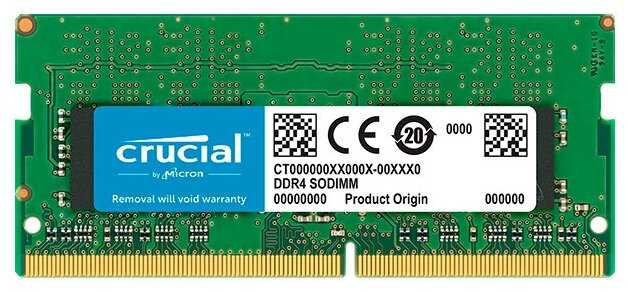
Отзывы о Оперативная память Crucial 16 ГБ DDR4 3200 МГц DIMM CL22 CT16G4DFRA32A
Плюсы по отзывам пользователей - Почему стоит купить Crucial 16 ГБ DDR4 3200 МГц DIMM CL22 CT16G4DFRA32A?:
- Отличный разгонный потенциал:
- Многие пользователи разгоняют до 3200–4000 МГц на Ryzen (например, 3400 МГц при 1,35 В, тайминги 18-19-19-39) и Intel без повышения напряжения или с минимальным (1,2–1,35 В).
- Стабильно работает на повышенных частотах в играх и тестах (прирост FPS, латентность 70–88 нс), особенно чипы Micron E-die или F-die.
- Подходит для Ryzen, где высокая частота памяти улучшает производительность (шина Infinity Fabric).
- Стабильная работа на стоковых частотах:
- Автоматически или вручную запускается на 2400–3200 МГц без сбоев в BIOS на платах Gigabyte, MSI, ASRock (B450, B550, A320).
- Проходит стресс-тесты (MemTest86, AIDA64), нет синих экранов, зависаний при нагрузках (игры, рендеринг, многозадачность).
- Долговечность: работает 2+ года в 64 ГБ конфигурациях без изменений компонентов.
- Низкая цена и соотношение цена/качество:
- Одна из самых дешевых брендовых планок (от 1300–1900 руб. за 4–16 ГБ), дешевле HyperX, Patriot при аналогичном качестве.
- Пожизненная гарантия от Micron, минимальный брак по отзывам.
- Идеально для бюджетных сборок (офис, игры на средних настройках с GTX 460).
- Хорошая совместимость с платформами:
- Работает на Ryzen (1600–5700X), Intel (i5-7500–12600K), iMac, ноутбуках (MSI GS40), Хакинтош.
- Двухканальный режим с 2–4 планками (16–64 ГБ), совместима UDIMM/DIMM от Crucial.
- Автоопределение в BIOS на 2400–3200 МГц, подходит для APU (Ryzen 2200G с iGPU).
- Низкий нагрев и простота:
- Планки теплеют под нагрузкой, не требуют радиаторов (мешает кулер башня).
- Чипы Micron (D-die, E-die, F-die) с одной/двух сторон, без лишних элементов.
- Подходит для апгрейда (с 8 до 40 ГБ в Mac, старых ПК).
- Работает в многоканальных конфигурациях:
- 4×4 ГБ на 3000 МГц в двухканале (Z590, B350), без проблем в смешанных парах Crucial.
- Прирост производительности в играх (PUBG), видео, виртуалках.
Минусы по отзывам пользователей:
- Разные ревизии/чипы в паре или комплекте:
- Планки из одной партии могут иметь разные чипы (D9WFL 21E75 vs 2NE75), страны (Малайзия vs Мексика), стороны компоновки (одно-/двухсторонние).
- В паре не разгоняются выше 2666 МГц (BIOS видит Crucial/Micron по-разному), требует замены для стабильности.
- Проблемы в 4 планках на Ryzen (хуже разгон), лучше брать комплекты или проверять маркировку.
- Отсутствие XMP-профилей:
- Требует ручной настройки частоты/таймингов в BIOS (не авто на 3200 МГц, сток 2400–2666).
- Высокие авто-тайминги (22-22-22-52), латентность хуже без тюнинга.
- Не для "поставил и забыл", энтузиасты тратят время на пресеты.
- Редкие случаи брака и нестабильности:
- Зависания, синие экраны, падение вкладок (MemTest показывает ошибки), возврат через продавца.
- Не запускается в смешанных конфигурациях (Crucial UDIMM + Patriot DIMM).
- Пробой через год (редко, но упомянуто 2+ раза).
- Простой дизайн без радиаторов:
- Зеленый текстолит, открытые чипы (риск при жидкости), не для шоу-сборок.
- Отсутствие радиаторов усложняет охлаждение в плотных корпусах (но нагрев низкий).
- Ограничения для экстремального разгона:
- Не всегда берет 3600+ МГц в 4 планках или на старых платах (A320, H110 без BIOS-обновления).
- Высокие тайминги на стоке (CL17–22), не конкурент топовым геймерским модулям.
- Скачущая цена и OEM-поставки:
- Цена растет/падает (от 1300 до 3100 руб.), лучше retail в коробке для проверки подделок.
- Подозрения на фейки по стикерам (неправильный индекс Micron).
369 отзывов пользователей o Crucial 16 ГБ DDR4 3200 МГц DIMM CL22 CT16G4DFRA32A
Пользовались
Crucial 16 ГБ DDR4 3200 МГц DIMM CL22 CT16G4D?
Поделитесь своим опытом и помогите другим сделать правильный выбор
Why and Why not to chose Crucial MX500 SSD? [Compared with Samsung 860EVO]
SSD is very different from HDD. It is important to understand the difference before buying.
HDD is like plain empty space where you keep filling data in FIFO manner.(First In First Out).
SSD on the other hand is like a "mini-computer" in itself. It is not just an empty space to fill. There is hundreds of operations that happens when writing and reading the data. There is a dedicated micro-computer/processor inside an SSD. It has it's own cache, it's own programming etc. So, it is like having a small computer within your computer that allocates space, manages read/write operations. You even have firmware upgrades to your SSD.
That is why just "Price/GB = Value" formula won't work on SSD.
Now, every company has their way of programming their product. There are various types of NAND modes in SSD like SLC, MLC, TLC, eMLC, QLC.. where SLC is most expensive but very durable and suitable for enterprise/business. QLC being cheapest but less durable.
I have both Samsung 860EVO and Crucial MX500. Below is my analysis:
When you compare it Samsung 860EVO, refer the images that I've attached. From the first test,(less memory written for less number of times] it seems Samsung is clear winner.. but hold on...
If you see the next set of images, where more memory is written more number of times, you'll see there is a significant drop in Samsung's performance. This is what I mentioned about internal programming of SSD. Where as you'll see Crucial MX500's speed is almost same in both cases. (Consistency).
Ofcourse, I've also attached HDD performance, clearly it'll show why you should upgrade to SSD from HDD.
So, my conclusion, --> Samsung SSD are suited for smaller amount memory which are written less frequently.
Crucial MX500 --> Suited for steady, long term, non spiking performance.
Even you can go for ADATA SSDs they are reliable but the cheaper ones will be little slower because of QLC type.
FINAL VERDICT:- For a difference of 1000+ Rupees, if you are a home user with normal gaming and storage stuffs, go for Crucial MX500 SSD. It is actually of high quality and serves the purpose very well.
I have been using both Samsung and Crucial and I didn't notice any practical difference when copying, reading, writing, gaming etc on both. They are identical in performance for human perception. Crucial is actually better in some aspects.
What to be aware of?
Package comes with a small square shaped extra metal. It was of no use to me.
The firmware on my SSD was already updated and latest.
You can download Crucial SSD software for authentication, future firmware upgrade etc.
You buy 500GB but only get 465GB usable. Well, this is the case with all memory devices and the 7% loss actually helps for random file operations.
For first time buyers, I hope this was helpful. :-)
HDD is like plain empty space where you keep filling data in FIFO manner.(First In First Out).
SSD on the other hand is like a "mini-computer" in itself. It is not just an empty space to fill. There is hundreds of operations that happens when writing and reading the data. There is a dedicated micro-computer/processor inside an SSD. It has it's own cache, it's own programming etc. So, it is like having a small computer within your computer that allocates space, manages read/write operations. You even have firmware upgrades to your SSD.
That is why just "Price/GB = Value" formula won't work on SSD.
Now, every company has their way of programming their product. There are various types of NAND modes in SSD like SLC, MLC, TLC, eMLC, QLC.. where SLC is most expensive but very durable and suitable for enterprise/business. QLC being cheapest but less durable.
I have both Samsung 860EVO and Crucial MX500. Below is my analysis:
When you compare it Samsung 860EVO, refer the images that I've attached. From the first test,(less memory written for less number of times] it seems Samsung is clear winner.. but hold on...
If you see the next set of images, where more memory is written more number of times, you'll see there is a significant drop in Samsung's performance. This is what I mentioned about internal programming of SSD. Where as you'll see Crucial MX500's speed is almost same in both cases. (Consistency).
Ofcourse, I've also attached HDD performance, clearly it'll show why you should upgrade to SSD from HDD.
So, my conclusion, --> Samsung SSD are suited for smaller amount memory which are written less frequently.
Crucial MX500 --> Suited for steady, long term, non spiking performance.
Even you can go for ADATA SSDs they are reliable but the cheaper ones will be little slower because of QLC type.
FINAL VERDICT:- For a difference of 1000+ Rupees, if you are a home user with normal gaming and storage stuffs, go for Crucial MX500 SSD. It is actually of high quality and serves the purpose very well.
I have been using both Samsung and Crucial and I didn't notice any practical difference when copying, reading, writing, gaming etc on both. They are identical in performance for human perception. Crucial is actually better in some aspects.
What to be aware of?
Package comes with a small square shaped extra metal. It was of no use to me.
The firmware on my SSD was already updated and latest.
You can download Crucial SSD software for authentication, future firmware upgrade etc.
You buy 500GB but only get 465GB usable. Well, this is the case with all memory devices and the 7% loss actually helps for random file operations.
For first time buyers, I hope this was helpful. :-)
Pathetic
Defective - Hard disk crashed with 3F0 error after 1 month of use. Not sure if I received defective piece. Even service centre is clueless why it crashed. Sent for replacement through service center and even service centre have pathetic service. They will keep on giving you new dates for replacement ssd arrival.
Similar To Samsung 860 evo
I bought it instead of Samsung 860 evo because of
1. It has more reliability than Samsung 860 evo from data given by companies, though both have 5 years warranty.
2.It is a bit cheaper than Samsung 860 evo.
3. Crucial(Micron) is a reliable company
4. In real world you don't see any difference between MX500 and Samsung 860 evo.
Note:
Micron has no support in India yet!
Always leave around some space empty (here 50GB) in any SSD for it to work properly.
Right now(2018) only Samsung, Micron makes good SSD.
1. It has more reliability than Samsung 860 evo from data given by companies, though both have 5 years warranty.
2.It is a bit cheaper than Samsung 860 evo.
3. Crucial(Micron) is a reliable company
4. In real world you don't see any difference between MX500 and Samsung 860 evo.
Note:
Micron has no support in India yet!
Always leave around some space empty (here 50GB) in any SSD for it to work properly.
Right now(2018) only Samsung, Micron makes good SSD.
UNBELIEVABLE!!!
I got this for a late 2011 Macbook Pro. My laptop was dreadfully slow. I used a stopwatch to see how long it takes to boot up till the lockscreen with my older drive and it was 1 minute and 38 seconds.
Installed the SSD, restored from time machine backup and VOILA. It takes just 13 seconds to get to the lockscreen now. This is madness.
This is magic. Highly recommended.
Installed the SSD, restored from time machine backup and VOILA. It takes just 13 seconds to get to the lockscreen now. This is madness.
This is magic. Highly recommended.
awesome SSD
it's a really good SSD. Crucial is one of the most reputable brand for SSDs and RAM. Reasonably priced, though bit disappointed as some people claiming it's available for ₹1600 at offline market in some places but the local shop guy here doesn't offer good prices so my only option was amazon. Makes me wonder whether they are avoiding tax by selling it this cheap.
Anyway, coming back to the topic. This SSD vastly improved my boot times, i don't see the blackscreen anymore which used to show for 5-7 seconds when windows is loading using an HDD. My speeds are not that great because i'm limited by SATA 2 interface on my cheap H61 board.
The SSD is really lightweight and sometimes would feel like there's nothing inside. Same was the case with my previous SSD which i return due to it having some fault causing my motherboard to malfunction. 40TBW is more than enough for normal users, i won't install any games because i want my SSD to long laster so i only have my OS and essential programs on it.
On first attempt, i tried to clone it but it failed in macrium reflect with error 0 so then i tried AOEMI backupper which did successfully cloned it but for some reason it wasn't booting of my SSD due to it not having C: drive letter so would had to unplug HDD and there were many other complications with it as well so finally ended up doing a clean install and it's working great.
But due to the hassle of cloning, resizing / moving, convert dynamic disk to basic one etc. costed me around 40GB of writes. So be aware of that unlike me if you are gonna upgrade to an SSD.
Anyway, coming back to the topic. This SSD vastly improved my boot times, i don't see the blackscreen anymore which used to show for 5-7 seconds when windows is loading using an HDD. My speeds are not that great because i'm limited by SATA 2 interface on my cheap H61 board.
The SSD is really lightweight and sometimes would feel like there's nothing inside. Same was the case with my previous SSD which i return due to it having some fault causing my motherboard to malfunction. 40TBW is more than enough for normal users, i won't install any games because i want my SSD to long laster so i only have my OS and essential programs on it.
On first attempt, i tried to clone it but it failed in macrium reflect with error 0 so then i tried AOEMI backupper which did successfully cloned it but for some reason it wasn't booting of my SSD due to it not having C: drive letter so would had to unplug HDD and there were many other complications with it as well so finally ended up doing a clean install and it's working great.
But due to the hassle of cloning, resizing / moving, convert dynamic disk to basic one etc. costed me around 40GB of writes. So be aware of that unlike me if you are gonna upgrade to an SSD.
It should be SSD buyer's first choice!
The product is cost effective, comes with 5 years warranty, and includes everything that is needed for its installation in any laptop running SATA hard-disk. If your laptop has standard 1 TB hard-disk, just replace it with 500GB Crucial MX500 SSD and you will literally be blown away by the change in performance. My son, who is a second year Engineering student, had thrown away a Dec, 2018 HP Model (Intel i5 Processor-8GB RAM-1TB HDD) laptop running Windows 10 just because it used to take 5 minutes to boot properly and then every app used to run only after two-three minutes upon clicking. Google Chrome was unable to run 4 tabs at a time, sometimes even tending to hang-up if a video was played from YouTube. Now that same laptop boots and logs in inside 10 seconds and Photoshop 2018 CC completely loads and works inside 15 seconds! My son is willing to bet that his laptop performance is now as good as models costing 1.25 lakh (or more). This is an honest, tried and tested review by a father who was almost ready to buy another laptop.
Got WD blue 500gb m.2 ......... thanks :)
I ordered crucial mx500 500gb but i received WD blue 500gb m.2 ssd with 5yrs warranty i am not complaining...
I got nicer product thanks..... :)
Disappointment
The drive delivered to me was dead on arrival. Its not getting recognised by system anywhere and since its not replaceable or returnable, I'll have to bicker with the manufacturer myself for a bad drive. Disappointed in Amazon this time.
Compatible with old SATA interfaces
Purchased it for Rs.1529 for my 10 year old laptop (runs XP/Vista 32bit) with VIA chip-set. It got recognized without any issue by BIOS and XP installer both. So people looking to boost their old PCs can go for this. Incompatibility is less likely is what i can say. Only thing make sure is that you have a SATA interface available and not IDE.
Any SSD is always better than a traditional drive technically, Period. No point spending time in bench marking the I/O and other jargon if you are a domestic PC user...
Must upgrade for a older laptop ... Feel lile new
Upgraded my 10 year old acer laptop ... Feel like new now ... everything respond fast specially booting , now only 10 sec from more then a minute earlier ... Was spectical at first for upgrading bcoz of transferring data ..but all went well and it was fairly simple then i imagined .. just use the given software clone the drive and just replace ..thats it. .... Took me like 30 min max including cloning . Though i am limited by my mother board sata 2 connection ..i am getting around 250 -300 mbps which is far better then earlier ... And if you hace sata 3 access it will show you more difference for the upgrade .. anyway for those of you who are wondering weather to upgrade or not with sata 2 laptop..just go for it, you will be able to use ur laptop more than 5 years more ...
Bought this one because of easy warranty claim procedure
My system specification:(HP G42-458TU) Intel Core i3 M370 @2.40 GHz, 4GB DDR3 RAM, Intel HD graphics. Seagate 500 GB HDD on SATA2 port, Windows 10 Pro (Build 1909).
My plan was to upgrade my approx. 10-year-old laptop (HP G42-458TU) which had Seagate 500 GB HDD running fine on SATA2 port but Windows 10 pro was running too slow that it took around 3-5 minutes to even boot up the system.
So I decided to upgrade with a budget 240 GB SSD on main SATA2 port and my old Seagate HDD on a CADDY (This is basically a Hard Drive Adapter that lets you add a second hard drive to the laptop systems by replacing it with DVD drive). It comes in two variants 12.7 mm and 9.5 mm, if interested buy according to your laptop.
So what were the results after upgrading with this Crucial BX500 240 GB SSD?
I did a fresh installation of windows 10 pro-1909 (took 8 minutes) and in comparison with my HDD, Windows is now running buttery smooth. Just click on any windows application and its there like an Image viewer, Snipping tool, office 365 etc. Boot time is like 15-20 seconds sometimes 10 seconds keeping in mind that my system has SATA2 port. You can see screenshots for read and write speeds.
Remember always do a fresh installation of windows for a smooth experience and more the free space in your SDD the better it will perform.
ADATA SU650 vs Crucial BX500 vs Kingston A400 vs Seagate Maxtor vs WD Green which one is the best?
Well it really depends on your need and budget and yes SATA port that your system supports like mine was SATA2 but if your system has SATA3 port then you'll definitely see more improved performance. If you are a regular user upgrading from HDD to SDD which uses it basically for office 365, streaming, and browsing you can buy any of them. If your budget is high always go for SSD with DRAM (like Samsung EVO) especially if using it as a Windows drive.
Why Crucial is better than ADATA in India?
Every budget SSD comes with a warranty of 3 years and after doing some inquiry conclusion was: To claim the warranty for crucial SSD you can just courier the product to any of the crucial service centers in India but the ADATA case was different. For ADATA you have to bring the product in hand to the service centers.
Overall I'll suggest if you're using HDD as a boot drive then you must upgrade to SDD.
Please hit the thumbs up button if you found this helpful in any way.
My plan was to upgrade my approx. 10-year-old laptop (HP G42-458TU) which had Seagate 500 GB HDD running fine on SATA2 port but Windows 10 pro was running too slow that it took around 3-5 minutes to even boot up the system.
So I decided to upgrade with a budget 240 GB SSD on main SATA2 port and my old Seagate HDD on a CADDY (This is basically a Hard Drive Adapter that lets you add a second hard drive to the laptop systems by replacing it with DVD drive). It comes in two variants 12.7 mm and 9.5 mm, if interested buy according to your laptop.
So what were the results after upgrading with this Crucial BX500 240 GB SSD?
I did a fresh installation of windows 10 pro-1909 (took 8 minutes) and in comparison with my HDD, Windows is now running buttery smooth. Just click on any windows application and its there like an Image viewer, Snipping tool, office 365 etc. Boot time is like 15-20 seconds sometimes 10 seconds keeping in mind that my system has SATA2 port. You can see screenshots for read and write speeds.
Remember always do a fresh installation of windows for a smooth experience and more the free space in your SDD the better it will perform.
ADATA SU650 vs Crucial BX500 vs Kingston A400 vs Seagate Maxtor vs WD Green which one is the best?
Well it really depends on your need and budget and yes SATA port that your system supports like mine was SATA2 but if your system has SATA3 port then you'll definitely see more improved performance. If you are a regular user upgrading from HDD to SDD which uses it basically for office 365, streaming, and browsing you can buy any of them. If your budget is high always go for SSD with DRAM (like Samsung EVO) especially if using it as a Windows drive.
Why Crucial is better than ADATA in India?
Every budget SSD comes with a warranty of 3 years and after doing some inquiry conclusion was: To claim the warranty for crucial SSD you can just courier the product to any of the crucial service centers in India but the ADATA case was different. For ADATA you have to bring the product in hand to the service centers.
Overall I'll suggest if you're using HDD as a boot drive then you must upgrade to SDD.
Please hit the thumbs up button if you found this helpful in any way.
Cheapest 3D NAND based SSD
Best upgradation for your slow machine. Cheapest 3D nand ssd with great performance. It really makes a hell lot of difference to bump up the speed of your machine. When you buy this ssd, make sure you connect it with sata3 interface to get the best speed (559 MB/s on my device) and enable "Momentum Cache" by downloading Crucial Storage Executive which gave me speed upto 4847MB/s by caching data in RAM .
Must have upgrade
This made a huge difference to the performance of my asus x505za laptop which already comes with a 1tb hdd drive. Boot time of windows 10 home is merely 3 to 5 secs. Has enough capacity to store all my virtualbox vm's, few games and most third party program like msoffice, photoshop,etc.
Installation is ease, difference between m.2 nvme and this one in real time performance is very negligible. While nvme disks comes at twice the cost, therefore would definitely recommend this one over nvme.
Crucial MX500 1TB M.2 Type 2280 SSD Benchmarking
Excellent performance- Tested when 114 GB used
It's model number is CT1000MX500SSD4
1TB Storage Capacity
M.2 Form Factor
SATA III 6 Gb/s Interface
Silicon Motion SM2258 Controller
MTTF - 1.8 million hours
It's model number is CT1000MX500SSD4
1TB Storage Capacity
M.2 Form Factor
SATA III 6 Gb/s Interface
Silicon Motion SM2258 Controller
MTTF - 1.8 million hours
Excellent Product👍
Cant go wrong with this SSD. Its firect competitora are Adata 480GB and Samsung 860 Evo 256GB, Cruvial MX 500GB offers more storage than 860 Evo and at just the same performance. It's blazing fast and you will never have to worry about anything else. I settled on buying this one after much researching so, 10/10 recommended.
💝👍 A Review worth reading. Excellent Drive in Quality, Performance & Cost.
🤏 A PREVIEW TO PURCHASE – A DEEPER DIVE INTO DETAILS ..
***********************************************************************************
🔹️Even though it took some time to go through all the details, I must say that this purchase has surely left me quite brushed up regarding any NVME or SATA ssd.
I recently decided to upgrade my existing 1 TB Seagate barracuda pro SSHD boot up drive , as it failed just over an year, it was a real tough task to lock on to the correct parameters to check , so as to make a sound purchase.
🔹️I would also like to share my journey of this selection process, in case it helps any fellow buyer, as believe me, there is a lot more to look for beyond mere advertised read write speed.
⭐Bit lengthy but worth reading before shelling out 10 grand.
❗Also please note that proceed only after verification that you have a SATA 3, 6 GBPs system, otherwise for laptops with the older sata versions 1 or 2 , the data transfer speeds will be restricted & be a lot less.
🎯 FIX THE SIZE :
*************************
There is no way ahead, unless you decide what’s the size that you are looking for.
🔹️If you are planning on using it as a bootup drive then go for no less than 512 GB and if you are into games, you can go for anything up to 2 TB depending upon your budget.
🔶️For gaming though, I suggest you to go for blazing fast nvme drives provided you have that slot.
If you have two drive slots – one can be nvme for bootup & sata ssd for storage.
🔹️Even if you are not into games – I would suggest not to go below 512 GB as a future proof measure considering the ever-increasing application and software installation sizes.
🔹️For any storage or bootup drive anything is good provided you keep 10 % space free, for optimum disk performance and speed.
♦️I decided to go for 1TB SATA SSD version to be used as a simple storage drive.
🔹️For boot up drive, I purchased an Adata SX 8200 pro nvme drive.
🔹️Out of 1 TB, I got around 931.5 GB of usable space.
🔹️Also talking about its physical size, most Sata SSDs are now 7 mm wide but any thing of width 7 mm or 9.5 mm would fit just fine in the sata slot.
🔹️An extra rubber adaptor for levelling up the 7 mm drive to 9.5 mm, is also given with this drive pack.
🎯 QLC, TLC or MLC:
*****************************
This is another very critical deciding feature as it represents the data packing density per cell.
🔹️The QLC is the latest technology and stands for Quad level cell and contains 4 bits per cell.
Samsung Qvo is such example.
In a similar fashion:
🔹️TLC – Triple level cell & contains 3 bits per cell. (Pretty fast with decent reliability & cost)
🔹️MLC – Multi level cell & contains 2 bits per cell ( Super-fast and reliable but very costly )
🔹️SLC – Single level Cell & contains 1 bits per cell. (Super-fast and reliable but extremely costly)
However, with increased data density - the price per GB, write endurance, sustained read write speeds of the drive and the drive reliability goes down.
🔹️So in short, I would suggest to, go for a TLC Drive which is an optimum compromise between cost and reliability especially when you are going to install an OS on it.
🔹️Constant data rewrite would not affect its data and speed reliability in such case.
🔹️If it is to be used as a storage drive for general data , then you can surely go for a QLC drive like the Samsung QVO and others.
🔹️MLC & SLC drives are way too costly and impractical for normal users and are mostly meant for servers.
♦️The MX500 is an improved version of BX500 with better controller TLC drive and other parameters also in favour of purchase.
🎯DRAM or DRAM LESS:
*****************************
🔹️This is another important deciding factor, nowadays in the market many SSDs are coming without any of their own Dynamic RAM and utilise the system RAM to cut on the price margins but in the longer run, it suffers in speed and endurance especially while writing, hence, I would still suggest going for “with DRAM” SSDs.
🔹️Here, in crucial MX500 The DRAM cache is around 1 GB, unlike many other budget dram less drives.
🔆Crucial P1 , is one Dram less, QLC based drive and is surely a lower range option.
🔹️This would result in sustained speed endurance over time.
🎯SPEED & THERMAL MANAGEMENT:
**********************************************
I read so many reviews on various sites about some of the fastest drives and found Samsung to definitely lead in most cases.
However in case of Sata SSDs, generally all drives have a range of around 500 MB per sec - some a few more & some a few less , so if you are confident about your brand , just go for it.
🤏 A slight variation of 30 to 40 MB per sec won’t make much of a difference.
🔹️Samsung EVO are good in speeds but are very costly in comparison.
🔹️Further to note is the SLC caching feature in drives, which again, by virtue of its single level architecture is very fast in read write operations.
♦️ I have an HP omen with core i7 8750H processor , Nvidia 1070 GTX graphics card & a 16 GB 2666 MHz RAM.
In multiple tests, with even fan on – it generally gave a read write speed of 540 to 500 MB per sec which is similar to the advertised speed.
🔹️Faster speeds come in handy when playing games or high-resolution videos or doing some heavy video editing jobs.
♦️This drive temperatures were pretty stable too & below 50 degrees Celsius at all times so no issues in cooling.
🎯BRAND RELIABILITY, WARRANTY & SERVICE CENTRE AVAILABILITY:
**********************************************************
This is another very critical feature to look for in practical terms .
🔹️Check for multiple product reviews to ensure low failure rate and high product reliability. Samsung, Western digital, crucial, Kingston, Adata, Transcend etc are some good brands.
🔹️If the drive supports low parity bit checking then depending upon the effective algorithm of error checking by drive onboard controller , one can expect a better reliability.
🔹️Check for warranty periods offered, the more the better.
🔹️Service centre availability is another major thing to look for, in case you need their help.
❗Some companies like Adata will only allow in-person submission of faulty drives at their service centers in india , which could be a big trouble.
♦️Crucial MX500 comes with 5 years of warranty and has many service centres across india.
🎯TBW :
**********
🔹️This is the Terabyte Write capacity of the drive before the drive storage starts degrading. In most cases it is more than too much, so do not worry too much for this figure.
♦️In MX500, the TBW offered is 360 TB which is quite a good endurance rating compared to most SSDs.
🔆For a basic idea, It basically means that for a given warranty of 5 years you can practically write like 197 GB data per day up to 5 years.
🎯 COST :
**************
You can Keep the selected drive in your Wishlist and in event of any sale, you can surely have a good margin at prices.
🔹️For information, Samsung & WD are mostly overpriced, so you can go for alternate good manufacturers like Crucial Adata, Corsair , Kingston etc which also offer good speeds and reliability.
🔹️I got this crucial MX500 for 9646 bucks in a sale against 10700 as regular price, which is decent enough.
🎯FINAL VERDICT :
***********************
I shortlisted the crucial MX500 after comparing and reading about a lot many drives and essential parameters and by far now, I am fully satisfied with its speed and temperature management.
It is very much comparable to Samsung drive & with its new micron 64-bit TLC controller and I do not see the need to spend any extra bucks just for brand reputation.
🤏For record, micron which is the parent company for crucial , is the designer of the onboard drive controller for a majority of other brands.
👍Surely recommended.
♻️ Do let me know if my review was helpful through comments or clicking helpful tab below.
***********************************************************************************
🔹️Even though it took some time to go through all the details, I must say that this purchase has surely left me quite brushed up regarding any NVME or SATA ssd.
I recently decided to upgrade my existing 1 TB Seagate barracuda pro SSHD boot up drive , as it failed just over an year, it was a real tough task to lock on to the correct parameters to check , so as to make a sound purchase.
🔹️I would also like to share my journey of this selection process, in case it helps any fellow buyer, as believe me, there is a lot more to look for beyond mere advertised read write speed.
⭐Bit lengthy but worth reading before shelling out 10 grand.
❗Also please note that proceed only after verification that you have a SATA 3, 6 GBPs system, otherwise for laptops with the older sata versions 1 or 2 , the data transfer speeds will be restricted & be a lot less.
🎯 FIX THE SIZE :
*************************
There is no way ahead, unless you decide what’s the size that you are looking for.
🔹️If you are planning on using it as a bootup drive then go for no less than 512 GB and if you are into games, you can go for anything up to 2 TB depending upon your budget.
🔶️For gaming though, I suggest you to go for blazing fast nvme drives provided you have that slot.
If you have two drive slots – one can be nvme for bootup & sata ssd for storage.
🔹️Even if you are not into games – I would suggest not to go below 512 GB as a future proof measure considering the ever-increasing application and software installation sizes.
🔹️For any storage or bootup drive anything is good provided you keep 10 % space free, for optimum disk performance and speed.
♦️I decided to go for 1TB SATA SSD version to be used as a simple storage drive.
🔹️For boot up drive, I purchased an Adata SX 8200 pro nvme drive.
🔹️Out of 1 TB, I got around 931.5 GB of usable space.
🔹️Also talking about its physical size, most Sata SSDs are now 7 mm wide but any thing of width 7 mm or 9.5 mm would fit just fine in the sata slot.
🔹️An extra rubber adaptor for levelling up the 7 mm drive to 9.5 mm, is also given with this drive pack.
🎯 QLC, TLC or MLC:
*****************************
This is another very critical deciding feature as it represents the data packing density per cell.
🔹️The QLC is the latest technology and stands for Quad level cell and contains 4 bits per cell.
Samsung Qvo is such example.
In a similar fashion:
🔹️TLC – Triple level cell & contains 3 bits per cell. (Pretty fast with decent reliability & cost)
🔹️MLC – Multi level cell & contains 2 bits per cell ( Super-fast and reliable but very costly )
🔹️SLC – Single level Cell & contains 1 bits per cell. (Super-fast and reliable but extremely costly)
However, with increased data density - the price per GB, write endurance, sustained read write speeds of the drive and the drive reliability goes down.
🔹️So in short, I would suggest to, go for a TLC Drive which is an optimum compromise between cost and reliability especially when you are going to install an OS on it.
🔹️Constant data rewrite would not affect its data and speed reliability in such case.
🔹️If it is to be used as a storage drive for general data , then you can surely go for a QLC drive like the Samsung QVO and others.
🔹️MLC & SLC drives are way too costly and impractical for normal users and are mostly meant for servers.
♦️The MX500 is an improved version of BX500 with better controller TLC drive and other parameters also in favour of purchase.
🎯DRAM or DRAM LESS:
*****************************
🔹️This is another important deciding factor, nowadays in the market many SSDs are coming without any of their own Dynamic RAM and utilise the system RAM to cut on the price margins but in the longer run, it suffers in speed and endurance especially while writing, hence, I would still suggest going for “with DRAM” SSDs.
🔹️Here, in crucial MX500 The DRAM cache is around 1 GB, unlike many other budget dram less drives.
🔆Crucial P1 , is one Dram less, QLC based drive and is surely a lower range option.
🔹️This would result in sustained speed endurance over time.
🎯SPEED & THERMAL MANAGEMENT:
**********************************************
I read so many reviews on various sites about some of the fastest drives and found Samsung to definitely lead in most cases.
However in case of Sata SSDs, generally all drives have a range of around 500 MB per sec - some a few more & some a few less , so if you are confident about your brand , just go for it.
🤏 A slight variation of 30 to 40 MB per sec won’t make much of a difference.
🔹️Samsung EVO are good in speeds but are very costly in comparison.
🔹️Further to note is the SLC caching feature in drives, which again, by virtue of its single level architecture is very fast in read write operations.
♦️ I have an HP omen with core i7 8750H processor , Nvidia 1070 GTX graphics card & a 16 GB 2666 MHz RAM.
In multiple tests, with even fan on – it generally gave a read write speed of 540 to 500 MB per sec which is similar to the advertised speed.
🔹️Faster speeds come in handy when playing games or high-resolution videos or doing some heavy video editing jobs.
♦️This drive temperatures were pretty stable too & below 50 degrees Celsius at all times so no issues in cooling.
🎯BRAND RELIABILITY, WARRANTY & SERVICE CENTRE AVAILABILITY:
**********************************************************
This is another very critical feature to look for in practical terms .
🔹️Check for multiple product reviews to ensure low failure rate and high product reliability. Samsung, Western digital, crucial, Kingston, Adata, Transcend etc are some good brands.
🔹️If the drive supports low parity bit checking then depending upon the effective algorithm of error checking by drive onboard controller , one can expect a better reliability.
🔹️Check for warranty periods offered, the more the better.
🔹️Service centre availability is another major thing to look for, in case you need their help.
❗Some companies like Adata will only allow in-person submission of faulty drives at their service centers in india , which could be a big trouble.
♦️Crucial MX500 comes with 5 years of warranty and has many service centres across india.
🎯TBW :
**********
🔹️This is the Terabyte Write capacity of the drive before the drive storage starts degrading. In most cases it is more than too much, so do not worry too much for this figure.
♦️In MX500, the TBW offered is 360 TB which is quite a good endurance rating compared to most SSDs.
🔆For a basic idea, It basically means that for a given warranty of 5 years you can practically write like 197 GB data per day up to 5 years.
🎯 COST :
**************
You can Keep the selected drive in your Wishlist and in event of any sale, you can surely have a good margin at prices.
🔹️For information, Samsung & WD are mostly overpriced, so you can go for alternate good manufacturers like Crucial Adata, Corsair , Kingston etc which also offer good speeds and reliability.
🔹️I got this crucial MX500 for 9646 bucks in a sale against 10700 as regular price, which is decent enough.
🎯FINAL VERDICT :
***********************
I shortlisted the crucial MX500 after comparing and reading about a lot many drives and essential parameters and by far now, I am fully satisfied with its speed and temperature management.
It is very much comparable to Samsung drive & with its new micron 64-bit TLC controller and I do not see the need to spend any extra bucks just for brand reputation.
🤏For record, micron which is the parent company for crucial , is the designer of the onboard drive controller for a majority of other brands.
👍Surely recommended.
♻️ Do let me know if my review was helpful through comments or clicking helpful tab below.
More than what is expected. Blazing fast
Super fast SSD. Earlier my old lenovo yoga laptop was taking more than 3 minutes for booting up. Now with crucial MX500 250GB it takes only 15 seconds. It is more reliable than Samsung EVO860. Comes with 5 years warranty. Cheapest DRAM SSD. What else needed.
Excellent
Very competitive price against equals (like Samsung EVO 860).
Actual volume of MX500 500 GB disk turned out exactly same as WD 500 GB Blue, so cloning went like a breeze (booted up Ubuntu flashdrive and did "sudo dd if=/dev/sda of=/dev/sdb status=progress". That's all!).
Working well but bad packaging.
Everything was good except the packaging. It creates a doubt that it's a fresh product or a used one. Company should improve the packaging as the actual manufacturing cost is very less. They are making huge profit and providing bad packaging.
Well working fine in my Dell laptop. Performance improved a lot. Boot time is now around 10 seconds, previously it was talking 35-45 sec to boot and was laggy.
If you want to add ram to make ur system fast then first upgrade to SSD first. Otherwise adding ram makes no sense.
Well working fine in my Dell laptop. Performance improved a lot. Boot time is now around 10 seconds, previously it was talking 35-45 sec to boot and was laggy.
If you want to add ram to make ur system fast then first upgrade to SSD first. Otherwise adding ram makes no sense.
Laptop working great but write speed is too low!
Working in macbook pro late 2012 model and not found any issue as such but when testing with speed test showing write speed is too low! Confused whether to return or not
it is a bit of hassle it you are replacing larger HDD with smaller SDD
I got the 240GB version; prior to ordering I cleaned up my disk such that I was using only about 57GB total of my 500GB HDD
I also downloaded the Acronis software that come with it from crucial.in/clone (the software will not work unless either you already have a Crucial HDD or some other disk in the system, or you attach the new SDD to the computer via USB)
Connected and tried to transfer: and ran into trouble immediately:
Acronis software refused to fit the data into the new (and smaller) SDD
Next thing: I opened disk-manager (part of windows 10) and tried to shrink the partitions - that reduced it by about 90GB, but that didn't help (Acronis didn't even do that on its own). Next I was on the internet - after about 30min searching figured out that unmovable files were behind the trouble. So disabled pagefile and hibernate, disabled logfile writings and a few other things: rebooted after that, ran disk-cleaner and defragmenter and then shruk the C partition again: fortunately overall shrunk size came down to some 200GB (rest remained unallocated on my HDD)
Used Acronis and cloned my disk into SSD: I was expecting ~40GB unallocated space, instead Acronis merged it with some recovery partition which is usually not accessible.
Replaced the HDD by SDD, booted up - it hesitated but then worked ! One caution: during initial cloning the C: on HDD showed as E: on SDD, once I replace the HDD by SDD and booted up, it showed as C: again.
I spent the next one hour creating a recovery disk and then deleting that recovery partition to free up the space from the disk.
Once everything done : created a restore point.
Then downloaded the Crucial Storage Executive software - went through the features including increasing the overprovisioning buffer; finally enabled Momentum Cache and that triggered a reboot - and then Windows detected some error and attempted automatic repair which failed. I went into recovery and used the restore point (thank God I had created it first thing after laptop started working).
Installed Storage Executive again - enabled Momentum Cache again - same shit happened
Bottomline: Momentum Cache doesn't work; on the internet a few forums say it uses some unsigned files so Windows rejects it, I don't know how to make it work.
Next-restored again and this time didn't try to enable Momentum Cache - I'm not sure it would hurt much in real loads: it can't do anything about reads, and large-writes are rare for me (and usually happen in the form of downloads - where the other bottlenecks are more problematic than write-speed of SDD). It could make a difference for random writes perhaps - but not working is a problem. Will try contacting Crucial support tomorrow and see what they say.
then ran benchmarks: Sequential Read/Writes are running nearly at 500MBps; 4k random reads near 20MBps, writes near 60MBps (I tried 16MiB loads) - corresponding sequential numbers on my HDD were 5x slower and random were over 10x slower.
All in all it is in similar league as other SDDs, the boot performance is much faster on my 2013 model (i3-4010u) Inspiron 15 3537 model - it is much more usable and I can push replacing this laptop another few years.
Overall- hardware is pretty good, software is crap
I also downloaded the Acronis software that come with it from crucial.in/clone (the software will not work unless either you already have a Crucial HDD or some other disk in the system, or you attach the new SDD to the computer via USB)
Connected and tried to transfer: and ran into trouble immediately:
Acronis software refused to fit the data into the new (and smaller) SDD
Next thing: I opened disk-manager (part of windows 10) and tried to shrink the partitions - that reduced it by about 90GB, but that didn't help (Acronis didn't even do that on its own). Next I was on the internet - after about 30min searching figured out that unmovable files were behind the trouble. So disabled pagefile and hibernate, disabled logfile writings and a few other things: rebooted after that, ran disk-cleaner and defragmenter and then shruk the C partition again: fortunately overall shrunk size came down to some 200GB (rest remained unallocated on my HDD)
Used Acronis and cloned my disk into SSD: I was expecting ~40GB unallocated space, instead Acronis merged it with some recovery partition which is usually not accessible.
Replaced the HDD by SDD, booted up - it hesitated but then worked ! One caution: during initial cloning the C: on HDD showed as E: on SDD, once I replace the HDD by SDD and booted up, it showed as C: again.
I spent the next one hour creating a recovery disk and then deleting that recovery partition to free up the space from the disk.
Once everything done : created a restore point.
Then downloaded the Crucial Storage Executive software - went through the features including increasing the overprovisioning buffer; finally enabled Momentum Cache and that triggered a reboot - and then Windows detected some error and attempted automatic repair which failed. I went into recovery and used the restore point (thank God I had created it first thing after laptop started working).
Installed Storage Executive again - enabled Momentum Cache again - same shit happened
Bottomline: Momentum Cache doesn't work; on the internet a few forums say it uses some unsigned files so Windows rejects it, I don't know how to make it work.
Next-restored again and this time didn't try to enable Momentum Cache - I'm not sure it would hurt much in real loads: it can't do anything about reads, and large-writes are rare for me (and usually happen in the form of downloads - where the other bottlenecks are more problematic than write-speed of SDD). It could make a difference for random writes perhaps - but not working is a problem. Will try contacting Crucial support tomorrow and see what they say.
then ran benchmarks: Sequential Read/Writes are running nearly at 500MBps; 4k random reads near 20MBps, writes near 60MBps (I tried 16MiB loads) - corresponding sequential numbers on my HDD were 5x slower and random were over 10x slower.
All in all it is in similar league as other SDDs, the boot performance is much faster on my 2013 model (i3-4010u) Inspiron 15 3537 model - it is much more usable and I can push replacing this laptop another few years.
Overall- hardware is pretty good, software is crap
Perfect!
I used this to replace a 320GB HDD of my older Sony Vaio laptop. I didn't need much storage, but speed. And it has made the old laptop like lightening fast!!
I had lost interest in using the laptop, though it's a beautiful piece, due to speed problems. Instead I was using my new hp laptop mostly. After changing the drive, it totally revived my love for the Vaio. Now I can't look at the hp laptop, leaving this Vaio beauty!! ☺️
The cloning software for Crucial is also super easy, no trouble there in installation and cloning.
Great drive, value for money!
I had lost interest in using the laptop, though it's a beautiful piece, due to speed problems. Instead I was using my new hp laptop mostly. After changing the drive, it totally revived my love for the Vaio. Now I can't look at the hp laptop, leaving this Vaio beauty!! ☺️
The cloning software for Crucial is also super easy, no trouble there in installation and cloning.
Great drive, value for money!
One day delivery came in super fast. Initial Impressions are good.
My MSI GE62 6QD loads up super fast now. Boot times and loading times are way down from before. Definitely worth the upgrade. Setup the ssd myself. Installed a fresh copy of windows. Did not use the cloning software as of yet. Definitely worth upgrading from an hdd to ssd. The performance is good now, but the coming few months will be crucial, no pun intended.
Damaged product, screwed manually and misaligned
Product arrived damaged. One of the screws was so badly fitted, it was tilted and jutting out 2 mm, as if screwed *manually* and incorrectly! Seemed refurbished. I immediately asked for a return and replacement. The replacement is enroute, hopefully it is a good one.
Later update (after the replacement came, a few days later):
Product came well packed. SSD works great, its been 4 days and its working great, touchwood!
But I will retain the 1-star rating bcoz of the bad experience in the first place. I notice that the replacement part's packaging looked newer and better packed, and the product also looked untampered with. On the other hand, the former (damaged one) package had its seal broken if I recall right, there was a weird screw in the actual SSD jammed in as the picture shows, and the model/serial# label was bent/peeling a bit in one corner. All this despite the actual model# being identical in the former and the replacement SSDs. I suspect the former (damaged one) may have been a refurbished item. All the more reason for me to give a 1-star rating to Amazon for allowing this to happen!
Later update (after the replacement came, a few days later):
Product came well packed. SSD works great, its been 4 days and its working great, touchwood!
But I will retain the 1-star rating bcoz of the bad experience in the first place. I notice that the replacement part's packaging looked newer and better packed, and the product also looked untampered with. On the other hand, the former (damaged one) package had its seal broken if I recall right, there was a weird screw in the actual SSD jammed in as the picture shows, and the model/serial# label was bent/peeling a bit in one corner. All this despite the actual model# being identical in the former and the replacement SSDs. I suspect the former (damaged one) may have been a refurbished item. All the more reason for me to give a 1-star rating to Amazon for allowing this to happen!
Показаны отзывы 1-24 из 369.
График изменения цены Crucial 16 ГБ DDR4 3200 МГц DIMM CL22 CT16G4DFRA32A
Характеристи Crucial 16 ГБ DDR4 3200 МГц DIMM CL22 CT16G4DFRA32A
Информация о характеристиках носит справочный характер.
Перед покупкой уточняйте характеристики и комплектацию товара у продавца