

Мфу Canon imagePROGRAF TM-200 — 155 отзывов, плюсы и минусы
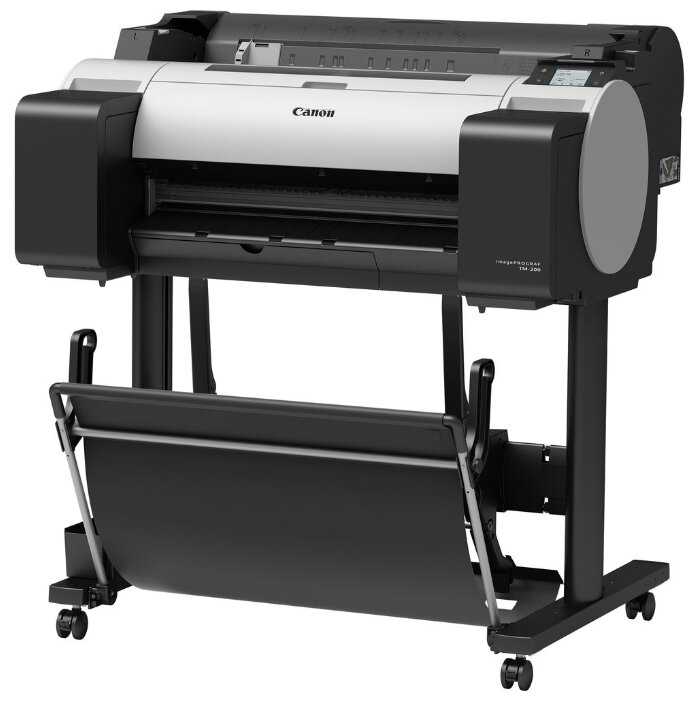

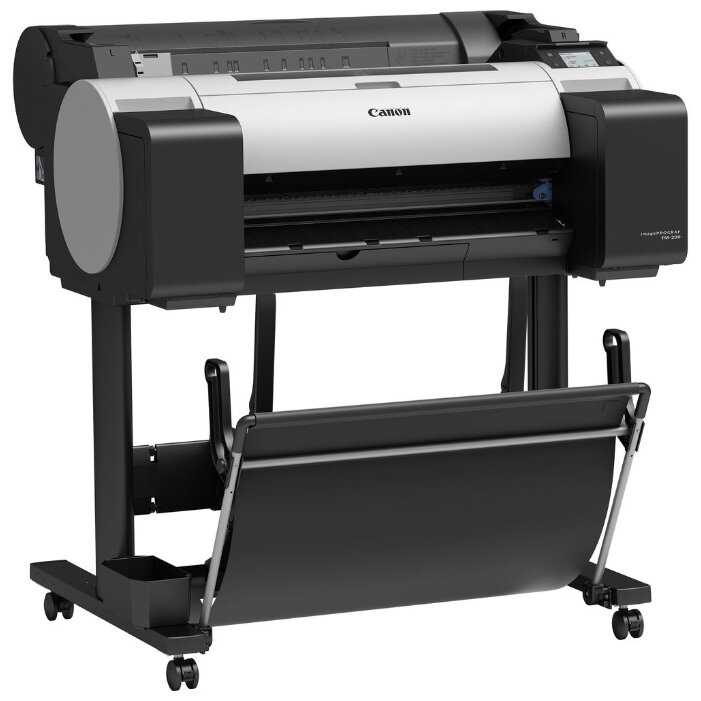
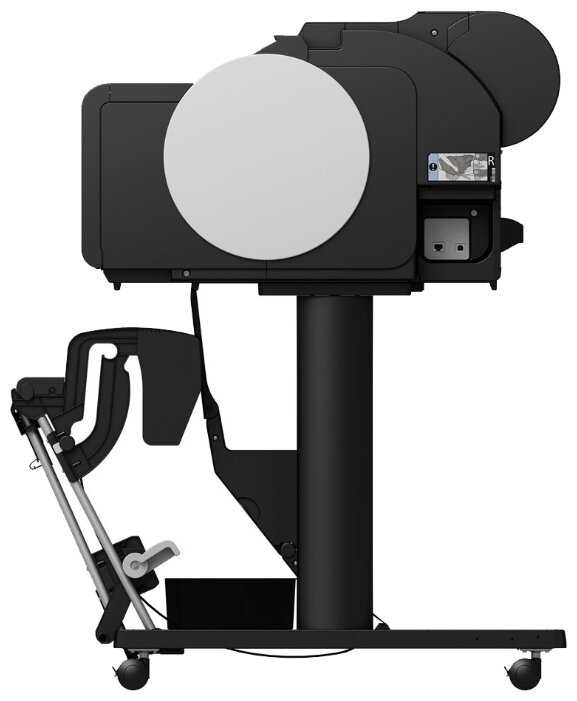

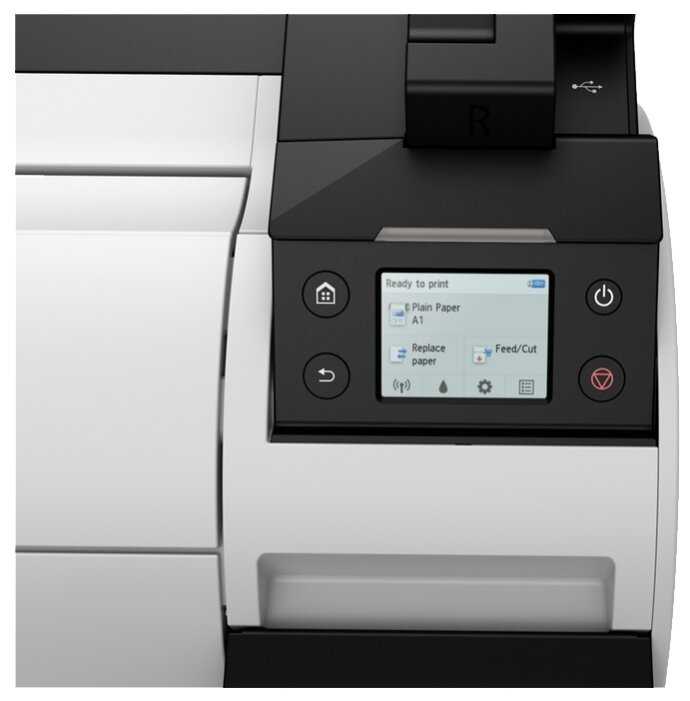


Реальный опыт использования Canon imagePROGRAF TM-200 - анализ 155 отзывов
👍Почему стоит купить Canon imagePROGRAF TM-200 - Преимущества по отзывам пользователей
- Большие картриджи увеличенного объёма и промежуточные резервуары:
- Чёрный картридж на 130 мл позволяет печатать до 300 метров А2 в экономном режиме, что критично для чертежей.
- Промежуточные резервуары предотвращают прерывание печати при замене картриджей: задание завершается даже при опустевшем основном картридже.
- Возможность установки картриджей до 300 мл (MBK и BK) снижает частоту замен и себестоимость отпечатка.
- Wi-Fi и сетевая интеграция:
- Подключение к офисной сети через Wi-Fi устраняет необходимость в проводах и позволяет работать с плоттером всей команде.
- Тач-экран с интуитивным интерфейсом упрощает настройку сети и ввод паролей.
- Совместимость с облачными сервисами и удалённое управление через драйверы.
- Печать без полей и работа с рулонами:
- Автоматическая обрезка рулона до 594 мм исключает ручную постобработку листов под формат А4/А3.
- Поддержка рулонов длиной до 3 метров и автоматическое выравнивание бумаги при загрузке.
- Режим печати без полей на холстах и плёнках с сохранением детализации и цветопередачи.
- Экономичность и статистика расхода:
- Панель статистики отслеживает расход чернил и бумаги, помогая прогнозировать затраты на проекты.
- Режим экономной печати (0.16 мл на лист А2) снижает расход чернил без потери читаемости чертежей.
- Стартовый комплект включает 390 мл чернил — в 3-4 раза больше, чем у конкурентов.
- Горячая замена картриджей и модульность:
- Замена картриджей без остановки печати и риск высыхания печатающей головки.
- Возможность установки опционального сканера Canon, превращающего плоттер в МФУ.
- Съёмная печатающая головка упрощает обслуживание (но не замену).
- Скорость и точность печати:
- Высокая скорость печати А1-формата — до 30 секунд на лист в монохромном режиме.
- Минимальная погрешность позиционирования (0.1 мм) для чертежей с точной геометрией.
- Поддержка плотности бумаги до 230 г/м², включая специализированные носители.
- Долговечность и окупаемость:
- Срок службы до 3-5 лет при интенсивной эксплуатации (2500+ кв.м).
- Сниженный расход чернил на квадратный метр по сравнению с HP и Epson.
- Окупаемость за 9-12 месяцев для малого бизнеса за счёт низкой себестоимости отпечатка.
👎О чем стоит задуматься перед покупкой - Недостатки по отзывам пользователей
- Высокая стоимость и недолговечность печатающей головки:
- Ресурс головки — 500-700 кв.м (20-30 рулонов), после чего требуется замена стоимостью 48-55 тыс. руб.
- Принудительная блокировка головки после калибровок или ошибок датчиков, даже при её исправности.
- Слив чернил в "памперс" при извлечении головки — до 15 мл за цикл, что приводит к перерасходу.
- Проблемы с драйверами и ПО:
- Кривые драйверы для Mac OS: зависания очереди печати, сброс настроек.
- Отсутствие обратной совместимости с софтом для старых моделей (ipf670).
- Сложности с печатью нестандартных форматов из AutoCAD без ручной настройки.
- Габариты и конструктивные недочёты:
- Вес 41 кг и размеры 91×115 см требуют отдельного места и усилий для переноски.
- Отсутствие подставки в комплекте: штатный стенд покупается отдельно за 6-8 тыс. руб.
- Ненадёжный механизм загрузки листов: перекосы при подаче, ограничение на плотность бумаги.
- Придирчивость к бумаге и расходникам:
- Ошибки определения формата при использовании рулонов длиннее 150 м.
- Обязательное применение оригинальных картриджей для гарантии: совместимые аналоги вызывают сбои.
- Высокая цена оригинальных чернил: 6-7 тыс. руб. за картридж 130 мл.
- Проблемы с цветопередачей и калибровкой:
- Смещение цветов (например, фиолетовый вместо синего) из-за особенностей драйверов.
- Отсутствие вменяемой техподдержки по настройке профилей для художественной печати.
- Ручная калибровка головки требуется каждые 200-300 отпечатков.
- Одноразовость конструкции:
- Блокировка устройства после 1.5-2 лет работы, даже при исправных компонентах.
- Невозможность отключения счётчика отпечатков и уровня чернил.
- Утилизация исправных плоттеров из-за дороговизны ремонта.
- Ограниченная функциональность для листов:
- Подача только по одному листу, риск замятий при работе с пачками.
- Нет лотка для готовых отпечатков: самодельные решения из спанбонда ненадёжны.
- Проблемы с печатью на глянцевых носителях из-за быстрого загрязнения головки.
*Плюсы и минусы, которые пользователи называют чаще всего на основе практического опыта использования.
155 отзывов пользователей о Canon imagePROGRAF TM-200
Пользовались
Canon imagePROGRAF TM-200?
Поделитесь своим опытом и помогите другим сделать правильный выбор

Алекс
06.10.2022
Оценка пользователя
Ужасно
- +
Плюсы были до перехода на совместимые чернила.
- -
Невозможно отключить слежение уровня чернил.
Я уже определился в своём мнении о товаре. Если производитель заботится о своей прибыли, он должен заботится о привлечении клиентов для покупки своего товара (в принципе неплохого), но очень не удобного в эксплуатации и потери материальных средств для клиента. Рассчитывать хапнуть сегодня на дурняк, такая компания обречена на провал
Скромный эксперт
14.10.2020
Оценка пользователя
Ужасно
I am wondering how these guys will handle in case of any service needed.
I felt I should have bought EPSON or HP. Hoping that nothing breaks and I don't need to call these guys home.
Скромный эксперт
14.10.2020
Оценка пользователя
Хорошо
One odd thing i found (check pics) is that color inks werent upto the top arrow mark like the black ink. I'm not sure why bcoz i emptied the entire bottle into the tank. The color prints have not come out bright and they look a bit dull. Was expecting better print quality on white 75gsm paper. Black prints are quite good.
Update:
The photo print quality on 200gsm kodak 6x4 is quite good. Higher quality paper would also give good results. The speed of printing is impressive and no washout or anything observed. After printing 4 pics, the ink level is the same.
Скромный эксперт
14.10.2020
Оценка пользователя
Великолепно
NB: about seller and Amzon service. i have had a problem delivery of printer since they where flooded with deliveries during great indian sale, which never used to happen with amazon. but they sorted out everything quickly and made sure i receive it. So Kudos to Amazon Service.. Cheers!
Скромный эксперт
14.10.2020
Оценка пользователя
Великолепно
Here are my few observations of the product :
1.) Its an ink tank printer that comes with separate ink tanks to be filled with ink red , yellow , blue & black .Its always considered to be more economical for per page printing and should be chosen if you have bulk work on a routine basis.
In these ink tank printers, it is also required to take prints on a minimum weekly basis or prolonged non-usage may lead to drying of heads .
2.) The construction of the printer is very elegant and solid and the ink tanks are absorbed in the regular chassis of the printer unlike HP brand, however it is my personal preference.
Solid doesn't mean you can afford to drop it , it means the plastic used for construction feels very premium and rigid.
3.) Regarding functionality - It can scan and print documents very fast .Page size supported is from 4.0"x 6.0" photo paper to A4 ,Letter ,Legal , A5 , B5 .
I purchased glossy kodak photo papers 280 GSM & paperone A4 100 GSM papers and the print quality was excellent.
For pictures , it takes few minutes but its worth the wait .If you choose the right paper the photos are bound to be very good ,However at few places i found the shade of green slightly dark in print than in actual photo that was scanned.
Resolution is good for both photos and documents.
Printing makes slight noise but is tolerable , its not like neighbour or even other room person will be disturbed.
4.) Got it with additional warranty for onsite repair for next 2 years.
5.) I bought it first then realized i don't have that much work to use it on daily basis so i would ask my readers to buy only if you have routine works or make use of shops.
Скромный эксперт
14.10.2020
Оценка пользователя
Ужасно
The colour head was not working properly from day 1.
Tried all software based ink flushing techniques, the ink totally flushed out and the colour stopped working there on..
Ordered new head- Rs 3500/-
Within 2 days, the led blinking indications started coming.decorded the code online and found it's an error which only service centre people can do. The ink drain was full.
After a week, the printer is not powering on itself!!
Service charge + replacement of printer board..Rs 5000/-
Warranty not applicable on these sections..
Had a great Cannon experience..
Скромный эксперт
14.10.2020
Оценка пользователя
Великолепно
=== Print Quality ===
This is definitely the brightest point with this printer. I used Epson ink tank printer earlier and were not satisfied with the results of it. But this Canon printer makes the cut. I am amazed to see the results of the printing both color and B&W. I printed many photos on photo papers and the results were better than the inkjet printers.
=== Ink Longevity ===
This is another biggest selling point of this printer. The printer came with 4 ink bottles - Black, Cyan, Magenta, Yellow. After printing over 2000 pages so far (photos and documents) I still see 50% of the ink left.
=== Ease of Use ===
I can connect this to my wifi router and get started in 5 minutes. All I need is to read the instructions carefully. And voila, all my devices - Computer, Laptop, Mobile and iPad - can print without any hassles. They can detect the printer and starts printing just in minute.
=== Paper Feeding ===
In my more than one year experience with this printer, I never faced a single paper jam. If at all something happens, check paper feeder if any small objects stuck accidentally.
=== Scanner ===
Not used much but overall quality was ok. If you want crystal clear scans, this is not for you.
=== Copier ===
Its just a click of button. Keep your document inside the scanner and click on blabk or color button. Your document copy is ready.
=== Issues ===
So far I came across only one issue. The printer orange light starts blinking and the messages shows that the ink cleaner bed was overflown and needs a service. But I followed the instructions on Youtube videos, cleaned the ink cleaning bed and cartridges for 4 to 5 times and then the printer came back to normal. But this took over 4 hours to understand and solve the issue.
=== Advice ===
1. Do not perform system cleaning too many times. This will cause overflowing of tank on ink cleaner bed and malfunction your primter.
2. Do not use cheap paper, use paper such as JK Sparkle etc.
3. Do not print photo prints on normal paper, use photo paper or thick paper.
4. Make sure to print few papers at least once a week with all colors. This will reduce color logging inside the tubes.
Overall, I am very satisfied with this printer and the quality of prints it gives you.
Update 11/11/19
I faced one more issue after long time. The printer unable to feed the paper and I couldn't find any object inside the feed. After two days of struggling I came up with an idea of reverse feeding the paper from inside the printer, i.e. open the top box to see printer inside and switch off and onthe printer. While stopping, it reverses spinning wheel and load paper manually to it just in time. Voila, it started.
Скромный эксперт
14.10.2020
Оценка пользователя
Ужасно
Как менялась цена на Canon imagePROGRAF TM-200
Характеристики Canon imagePROGRAF TM-200
| Основные характеристики | |
| Тип печати : | струйный |
| Цветность печати : | цветная |
| Максимальный формат : | A1 |
| Размещение : | напольный |
| Количество страниц в месяц : | 200 |
| Область применения : | малый офис |
| Функции печати : | печать без полей, печать фотографий, пигментные чернила |
| Принтер | |
| Максимальная ширина отпечатка : | 594 мм |
| Технология печати : | термическая струйная |
| Количество цветов : | 5 |
| Максимальное разрешение по X для цветной печати : | 2400 |
| Максимальное разрешение по Y для цветной печати : | 1200 |
| Расходные материалы | |
| Печать на различных носителях : | глянцевая бумага, матовая бумага, пленка, рулон, фотобумага |
| Количество картриджей : | 5 |
| Тип картриджа/тонера : | PFI-120 (130 мл), PFI-320 (300 мл) |
| Память/Процессор | |
| Процессор : | Canon |
| Объем памяти : | 2048 МБ |
| Интерфейсы | |
| Интерфейсы : | AirPrint, Ethernet (RJ-45), USB, Wi-Fi |
| Прочее | |
| Уровень шума в режиме ожидания : | 35 дБ |
| Совместимость с ОС : | Mac OS, Windows, iOS |
| Дисплей : | цветной ЖК-дисплей |
| Вес : | 52 кг |
| Потребляемая мощность (при работе) : | 69 Вт |
| Уровень шума при работе : | 44 дБ |
| Поддержка драйверов и протоколов : | прямая печать |
| Комплектация : | принтер, 1 печатающая головка, 3-дюймовая бумажная гильза, кабель питания ес/брит. (240 в, 3-контактный разъем), 1 комплект стартовых чернил, руководство по настройке, листовка о безопасности и условиях эксплуатации, диск cd-rom с программным обеспечением (win), диск cd-rom с по posterartist lite, список биоцидов ес, список евразийского экономического союза, лист с важной информацией |
| Дополнительная информация : | рулонная подача авторезак в комплекте, печать A1 за 24 секунд ширина печати 24" (610 мм) ширина материала 203.2–610 мм, толщина материала: рулоны: 0.07 – 0.8 мм, ручная подача сверху: 0.07 – 0.8 мм, ручная подача спереди: 0.07 – 0.8 мм, минимальная толщина линии 0.02 мм, точность печати линий ± 0.1 %, внешний диаметр рулона 15 см, возможность апгрейда до МФУ, подставка не входит в комплект |
Информация о характеристиках носит справочный характер.
Перед покупкой уточняйте характеристики и комплектацию товара у продавца
Альтернативы с более высокой оценкой




















Wizemart © 2026.
Рекомендательная система по умному выбору товаров по отзывам и рейтингам
