

Отзывы о Графический планшет WACOM Intuos S (СTL-4100K-N)

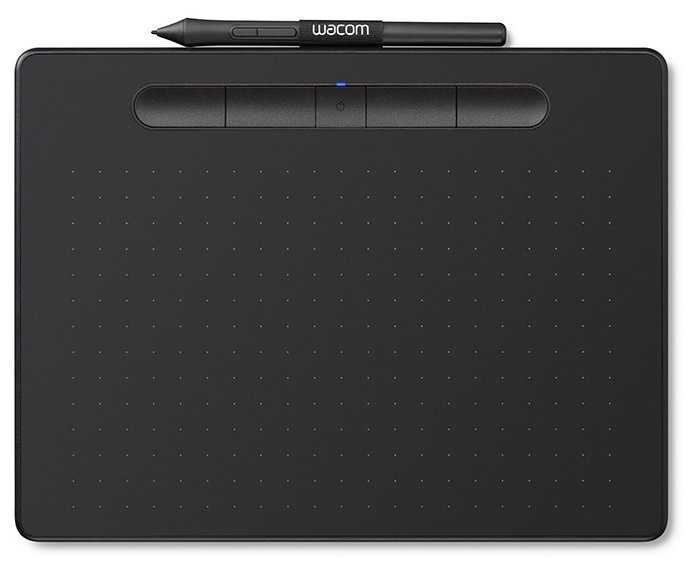
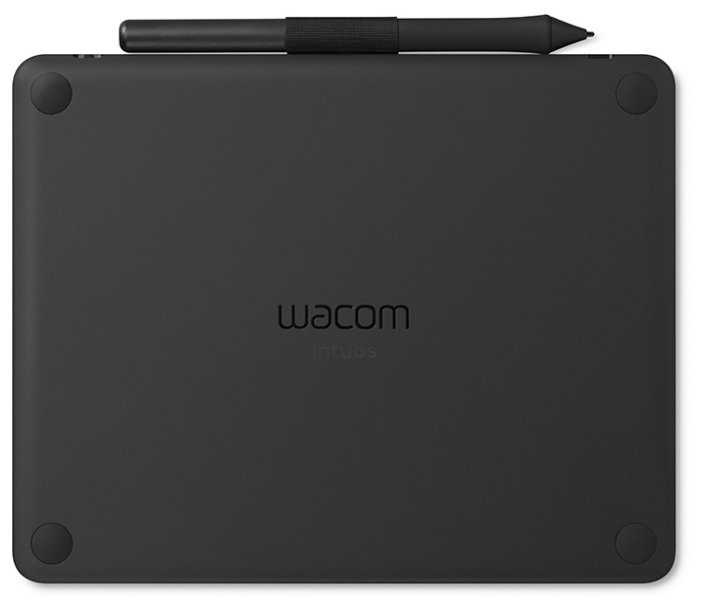


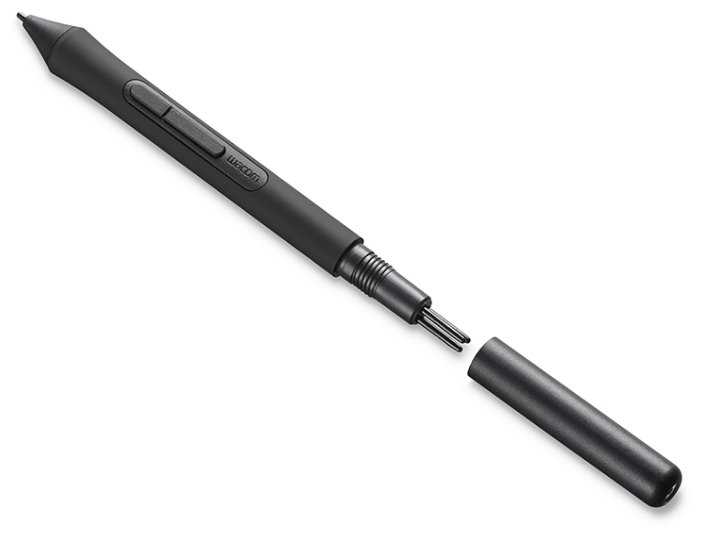


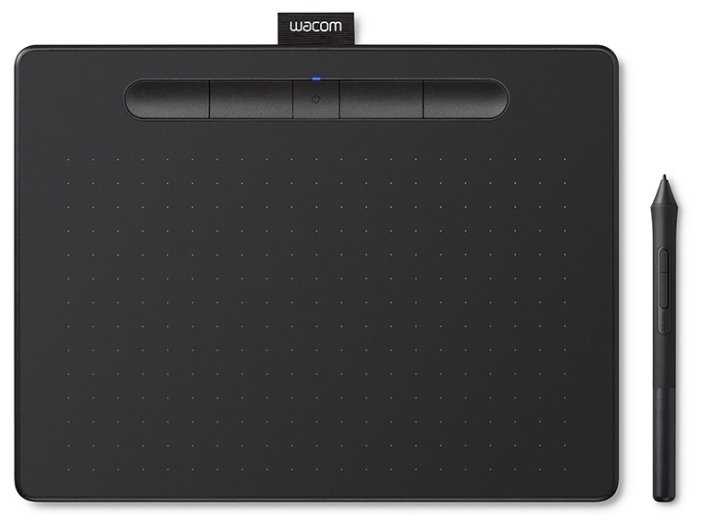 |
Графический планшет WACOM Intuos S (СTL-4100K-N) Global черный | Яндекс Маркет | 6 940 ₽ | Посмотреть |
|
Графический планшет WACOM Intuos S (СTL-4100K-N) Global черный | Яндекс Маркет | 9 864 ₽ | Посмотреть |
Плюсы по отзывам пользователей - Почему стоит купить WACOM Intuos S (СTL-4100K-N)?
- Высокая чувствительность пера к нажатию (4096 уровней):
- Линии получаются плавными и ровными, толщина штриха меняется от легкого касания до сильного нажима.
- Идеально для ретуши фото в Photoshop, рисования в Clip Studio Paint, 3D-моделирования в ZBrush и Figma.
- Многие отмечают превосходство над мышкой, рука быстро привыкает за неделю.
- Компактный размер и легкий вес (размер S, около 230 г):
- Не занимает место на столе, удобно брать в поездки или использовать с ноутбуком.
- Подходит для новичков и повседневной работы, лежит устойчиво без подставок.
- Рабочая область А6 достаточна после привыкания, даже для мелких деталей в ретуши.
- Удобное перо без батареек:
- Лежит естественно в руке, не скользит, приятная шероховатая поверхность планшета как бумага.
- В комплекте сменные наконечники (3 шт. внутри пера), хватит на месяцы интенсивной работы.
- Кнопки на пере настраиваются под программы, удобно для правшей и левшей.
- Настраиваемые кнопки (4 на планшете + на пере):
- Переназначаются под горячие клавиши для Photoshop, SAI, Illustrator отдельно для каждой программы.
- Удобно для экшенов, отмены (Ctrl+Z), масштаба, ускоряют работу в ретуши и рисовании.
- Расположены сверху, подходят для обеих рук, не мешают при рисовании.
- Стабильная работа по USB-кабелю:
- Без лагов и задержек, полный отклик в любых программах, включая старые CS6.
- Длинный кабель (дольше предыдущих моделей), фиксируется удобно, не загибается.
- Долговечность: служит 2+ года ежедневно без поломок, даже при падениях.
- Бесплатное ПО в подарок после регистрации:
- Clip Studio Paint Pro (2 года), Corel Painter Essentials или Aftershot на выбор.
- Полезно для новичков в рисовании, ретуши, дополняет базовые программы.
- Драйвер с русским интерфейсом, много настроек чувствительности и зон.
- Приятная поверхность и эргономика:
- Бarhатистая текстура, перо скользит с сопротивлением как по бумаге, без проскальзываний.
- Разметка на рабочей зоне помогает в позиционировании, рука не устает часами.
- Качественный пластик, стильный дизайн (черный/розовый), не скрипит, без запаха.
Минусы по отзывам пользователей - О чем стоит задуматься перед покупкой:
- Проблемы с установкой и стабильностью драйверов:
- Требует обновлений Windows (Win7), отключения служб, перезагрузок; не работает на Ventura/Mac без старых версий.
- Сервис wtabletservicepro подвисает, лечится командами в CMD или перезапуском.
- Отваливается чувствительность нажатия посреди работы, помогает только перезагрузка ПК.
- Лаги и нестабильность по Bluetooth:
- Задержки отклика (до неработоспособности), особенно при подключении других BT-устройств (наушники).
- Требует переподключения, лучше отключить; на Android/iOS ограниченная совместимость.
- 5-я кнопка BT раздражает, случайно задевается, превращает планшет в "лагающее нечто".
- Быстрый износ поверхности и наконечников:
- Царапается за неделю, видны потертости под углом; наконечники стираются за 1-2 месяца ежедневно.
- Решается наклейкой бумаги/пленки для экранов, но меняет скольжение.
- Остаются полосы от стилуса, протирание помогает не всегда.
- Неудобный кабель и зарядка (Micro-USB):
- Переламывается через год, родной трудно найти в магазинах/сервисах.
- Гнездо выламывается от частых подключений, требует аккуратности или фиксации скотчем.
- Не Type-C, устаревший стандарт, короткий для некоторых setup.
- Проблемы с регистрацией и ПО:
- Сайт Wacom не регистрирует (санкции, регион), ПО на пробный период вместо бессрочного.
- Photoshop CC криво работает без рукописного ввода Windows, CS5/CS6 лучше.
- Центр Wacom подлагивает, трудно удалить старые драйверы.
- Маленькая рабочая область для сложных задач:
- Новичкам кажется тесно для детальной прорисовки, рука выходит за край.
- Кнопки иногда задеваются ладонью, бесполезны без настройки.
- Неудобно для osu! или игр без привыкания.
- Ограниченная совместимость и мелкие дефекты:
- Не видит на Win7 без KB3033929, проблемы с русской раскладкой на кнопках (Ctrl+Z).
- Хлястик для стилуса тугой, скрип в углу, неустойчив к воде.
- Батарея садится за 6 часов интенсивно, BT разряжает телефон на Android.
*Плюсы и минусы, которые пользователи называют чаще всего на основе практического опыта использования.
316 отзывов пользователей о WACOM Intuos S (СTL-4100K-N)
Пользовались
WACOM Intuos S (СTL-4100K-N)?
Поделитесь своим опытом и помогите другим сделать правильный выбор

SaveMama
04.01.2021
2/10
Оценка пользователя
Ужасно
Can't Use and Website Crashed
Imagine you purchase this for your enthusiastic artist to open on Xmas morning- as their "big present".
Then imagine that the item only works with an online software download.
Then imagine the website is crashed.
The customer service center is closed.
There is no information. All day.
Try and try to get it to come up so you can simply USE the thing you spent so much $ on. Nope. No luck.
I understand web traffic must be high on Christmas day. But the company SOLD these items in the Christmas season. It's not like they couldn't predict the amount of traffic to expect. They should have put CDs in the box to download the software.
Now it's an expensive brick. Totally useless.
Very disappointed.
Update: Day 2 and website is still nonfunctional. No customer support. Googling the problem reveals this has been a problem since LAST YEAR and yet nothing has been done about it.
Then imagine that the item only works with an online software download.
Then imagine the website is crashed.
The customer service center is closed.
There is no information. All day.
Try and try to get it to come up so you can simply USE the thing you spent so much $ on. Nope. No luck.
I understand web traffic must be high on Christmas day. But the company SOLD these items in the Christmas season. It's not like they couldn't predict the amount of traffic to expect. They should have put CDs in the box to download the software.
Now it's an expensive brick. Totally useless.
Very disappointed.
Update: Day 2 and website is still nonfunctional. No customer support. Googling the problem reveals this has been a problem since LAST YEAR and yet nothing has been done about it.
Ravin' Maven
04.01.2021
6/10
Оценка пользователя
Плохо
Tablet fine, software and registration is a nightmare.
My first pen tablet and it seems to work fine. Getting the drivers and included software packages was an absolute nightmare. The link to get drivers did n work, phone support said call back tomorrow, chat support gave me two links, neither worked, finally emailed me a different link which enabled me to get the drivers.
The free software, in my case a paint and a photo program from Corel, was even worse. To start you need an account which requires registering the device. It asked for the device number, found it, and then gave a cryptic error message. Back to chat (who are very nice, and likely underpaid) and they told me to enter the product serial number, not the product number. If that is what is needed, why not ask for it in the first place? Of course, they send you an email to confirm a valid address, click on the link, and then you have an account - but still do not have the software.
To get the software you have to select the packages but there is no 'Download' button. It turns out you have to double click the 'select' button, it emails you a link, you click on the link, and then the 'Select' button is replaced by a 'Download' button. You have to do this for each package separately.
I hope these details are useful for someone else. PS - I am running WIN 10, 64 bit, and Chrome browser.
The free software, in my case a paint and a photo program from Corel, was even worse. To start you need an account which requires registering the device. It asked for the device number, found it, and then gave a cryptic error message. Back to chat (who are very nice, and likely underpaid) and they told me to enter the product serial number, not the product number. If that is what is needed, why not ask for it in the first place? Of course, they send you an email to confirm a valid address, click on the link, and then you have an account - but still do not have the software.
To get the software you have to select the packages but there is no 'Download' button. It turns out you have to double click the 'select' button, it emails you a link, you click on the link, and then the 'Select' button is replaced by a 'Download' button. You have to do this for each package separately.
I hope these details are useful for someone else. PS - I am running WIN 10, 64 bit, and Chrome browser.
Willow
04.01.2021
10/10
Оценка пользователя
Великолепно
Good beginner tablet
I've only ever used wacom pen tablets, starting with the bamboo pen back in 2011, the first intuos and now this one. In my opinion they all work the same. Its a good cheap beginning tablet that would be great for teens who have a passion for graphic art. The only thing i don't like are the changes to the wacom website. When i owned my bamboo pen i was able to get support and updates on it well into the first intuos' life span. When i finally got my first intuos about 3 years ago, it was fine until a few months ago. I went to the website to download patches or updates as i would have done with the bamboo. However none of them worked. I had to buy a new tablet. I was originally trying to break away from wacom, as they pissed me off with the support aspect, but my budget would not allow me to upgrade at the moment. So i ordered this little tablet. Its decent, nothing has changed on it since the bamboo pen, ita smaller and the cord is longer then the original intuos which is nice. Would not buy if you are a professional, but if your a hobbyist like me or just beginning and want to learn how to draw with a tablet then this is a decent piece of equipment for you. Just beware of wacom trying to phase out old tablets software when they come out with the next generation.
bluestategirl
04.01.2021
10/10
Оценка пользователя
Великолепно
Very nice -- with a slight learning curve! (TIPs!)
I was a graphic designer for a long time, and I have a very old Wacom board I purchased years ago. I wanted a smaller, more portable board, but felt the smallest size would hurt my hand (per reviews), so I bought the medium size which is close to the size of an 8 x 11 piece of paper. So glad I did, as this size is perfect for how I use the board -- to work with photos.
But -- I can see why some reviewers are having a problem. Best advice I can give is to go back to what we learned in drawing class: Move your arm when you draw, not your hand, and you'll get a much smoother line.
If you need extra traction for control, tape a piece of paper down on the top of the Wacom and draw on that instead of the (slippery) board. When working with photos, try to start with the highest res image you can as low res images are very pixelated and can make working with close up details difficult.
Enjoy! And Highly Recommended!
But -- I can see why some reviewers are having a problem. Best advice I can give is to go back to what we learned in drawing class: Move your arm when you draw, not your hand, and you'll get a much smoother line.
If you need extra traction for control, tape a piece of paper down on the top of the Wacom and draw on that instead of the (slippery) board. When working with photos, try to start with the highest res image you can as low res images are very pixelated and can make working with close up details difficult.
Enjoy! And Highly Recommended!
Amaki
04.01.2021
6/10
Оценка пользователя
Плохо
Good tablet, but the worst pen nib wear of all the generations of Intuoses.
I bought it on launch day to see if it was any improvement from the previous 2 generations of Intuoses which I also own. These first comparisons are made while ignoring the nib wear which is the main topic of my review.
-If you compare it to the previous generation CTL-490/CTH-490 series, it's a slight upgrade with the pen becoming hard rubber grip from plastic and the inclusion of Bluetooth wireless (except they removed the touchpad feature of the CTH-490).
-If you compare it to the first generation CTL-480/CTH-480 series, it's about the same in quality, but I preferred the pen on the CTL-480. The Bluetooth is a pro if you like it (but again, it replaces the touchpad feature).
One big improvement from the previous versions is that the Micro-USB port on the tablet no longer has the tunnel in front of it, so now you can use any Micro-USB cable that you have if your included one breaks. No more waiting for perpetually out of stock Wacom replacement cables!
If you compare the new CTL4100 to both the CTL-480 and CTL-490, the new Intuos CTL4100 has the roughest texture of them all and eats pen nibs pretty fast. Only drawing on the tablet for one day has already noticeably flattened my nib (look at attached photo).
I know the most common advice to prevent nib wear on Wacom tablets is to set the Tip Feel to "Soft" in the drivers, but setting the Tip Feel to "Soft" actually changes the pen pressure so drastically that you can no longer draw the lowest pen pressures. To get the best range of pressure, leaving the Tip Feel in the middle is the best, and that's what I did.
Of course, I know that you don't actually need to change a nib if it's just flat since I drew on my previous Wacom tablets without changing the nibs, but with this tablet the texture feels weirdly grippy and rubbery with a flat nib and it's actually noticeably less enjoyable to draw on it with a flat nib than it is with a smooth new nib.
For context, I took out a piece of paper and an HB pencil and compared drawing on that to drawing on the CTL4100. The CTL4100 has a fairly nice texture like paper with light strokes, but is weirdly rubbery and unlike paper when pressing harder. This rubbery feeling becomes more apparent the flatter your nib gets because then the nib then has more surface area to grip the texture.
The drawing experience itself was quite good as you would expect from a Wacom tablet and it draws really well with basically no line wobble and no lag. If you could switch the texture out for a smoother surface like you can on the newest Wacom Intuos Pro 2017, then that would have been nice, but as it is I feel hesitant to recommend it to anyone who intends to use it daily for painting and drawing.
One thing to note is that it is possible that the tablet texture will rub off through continuous use just like on the previous Intuos and Intuos Pro. If that happens, then the pen nibs will stop flattening so quickly. However, I see absolutely no wear on my tablet surface even after flattening my nib, so it may take a while and quite a few nibs to rub off and reduce the surface texture through normal use like you could on previous tablets.
Another very important thing to note is about the bundled software. I know the bundled software sounds like a good deal with the newest CTL4100, but you need to read the fine print that says:
Non-Bluetooth small version = Pick 1 of 2 softwares, either Corel Painter Essentials 6 or Corel Aftershot 3.
Bluetooth small version = Pick 2 of 3 softwares, either Corel Painter Essentials 6, Corel Aftershot 3, or 2-year Clip Studio Paint Pro.
Bluetooth medium version = You can download all 3.
Note that you will not have the option of Clip Studio Paint Pro on the non-Bluetooth small version.
Also note that Clip Studio Paint Pro is only a 2-year license which downgrades to the basic Clip Studio Paint Debut after the 2 years are up. On Wacom's site, there is zero mention of it being a 2-year license. None. Only here on Amazon and on Clip Studio Paint's site do they mention it.
My version didn't have Bluetooth so I'm not commenting on that, and I'm quite sure it's got very good wireless connection based on what people have said about the Intuos Pro 2017 (which also has Bluetooth wireless), but the capability of the Bluetooth wireless does not really save the tablet from the tablets really rough surface.
I think I could have given this tablet a 4 star rating if it came with at least 8-10 pen nibs to address the rough texture, instead of just the 4 nibs that it comes with right now. I just don't see why they would refuse to include more pen nibs when pen nib wear has always been one of the most common complaints about Wacom tablets with their rough paper-like textures.
-If you compare it to the previous generation CTL-490/CTH-490 series, it's a slight upgrade with the pen becoming hard rubber grip from plastic and the inclusion of Bluetooth wireless (except they removed the touchpad feature of the CTH-490).
-If you compare it to the first generation CTL-480/CTH-480 series, it's about the same in quality, but I preferred the pen on the CTL-480. The Bluetooth is a pro if you like it (but again, it replaces the touchpad feature).
One big improvement from the previous versions is that the Micro-USB port on the tablet no longer has the tunnel in front of it, so now you can use any Micro-USB cable that you have if your included one breaks. No more waiting for perpetually out of stock Wacom replacement cables!
If you compare the new CTL4100 to both the CTL-480 and CTL-490, the new Intuos CTL4100 has the roughest texture of them all and eats pen nibs pretty fast. Only drawing on the tablet for one day has already noticeably flattened my nib (look at attached photo).
I know the most common advice to prevent nib wear on Wacom tablets is to set the Tip Feel to "Soft" in the drivers, but setting the Tip Feel to "Soft" actually changes the pen pressure so drastically that you can no longer draw the lowest pen pressures. To get the best range of pressure, leaving the Tip Feel in the middle is the best, and that's what I did.
Of course, I know that you don't actually need to change a nib if it's just flat since I drew on my previous Wacom tablets without changing the nibs, but with this tablet the texture feels weirdly grippy and rubbery with a flat nib and it's actually noticeably less enjoyable to draw on it with a flat nib than it is with a smooth new nib.
For context, I took out a piece of paper and an HB pencil and compared drawing on that to drawing on the CTL4100. The CTL4100 has a fairly nice texture like paper with light strokes, but is weirdly rubbery and unlike paper when pressing harder. This rubbery feeling becomes more apparent the flatter your nib gets because then the nib then has more surface area to grip the texture.
The drawing experience itself was quite good as you would expect from a Wacom tablet and it draws really well with basically no line wobble and no lag. If you could switch the texture out for a smoother surface like you can on the newest Wacom Intuos Pro 2017, then that would have been nice, but as it is I feel hesitant to recommend it to anyone who intends to use it daily for painting and drawing.
One thing to note is that it is possible that the tablet texture will rub off through continuous use just like on the previous Intuos and Intuos Pro. If that happens, then the pen nibs will stop flattening so quickly. However, I see absolutely no wear on my tablet surface even after flattening my nib, so it may take a while and quite a few nibs to rub off and reduce the surface texture through normal use like you could on previous tablets.
Another very important thing to note is about the bundled software. I know the bundled software sounds like a good deal with the newest CTL4100, but you need to read the fine print that says:
Non-Bluetooth small version = Pick 1 of 2 softwares, either Corel Painter Essentials 6 or Corel Aftershot 3.
Bluetooth small version = Pick 2 of 3 softwares, either Corel Painter Essentials 6, Corel Aftershot 3, or 2-year Clip Studio Paint Pro.
Bluetooth medium version = You can download all 3.
Note that you will not have the option of Clip Studio Paint Pro on the non-Bluetooth small version.
Also note that Clip Studio Paint Pro is only a 2-year license which downgrades to the basic Clip Studio Paint Debut after the 2 years are up. On Wacom's site, there is zero mention of it being a 2-year license. None. Only here on Amazon and on Clip Studio Paint's site do they mention it.
My version didn't have Bluetooth so I'm not commenting on that, and I'm quite sure it's got very good wireless connection based on what people have said about the Intuos Pro 2017 (which also has Bluetooth wireless), but the capability of the Bluetooth wireless does not really save the tablet from the tablets really rough surface.
I think I could have given this tablet a 4 star rating if it came with at least 8-10 pen nibs to address the rough texture, instead of just the 4 nibs that it comes with right now. I just don't see why they would refuse to include more pen nibs when pen nib wear has always been one of the most common complaints about Wacom tablets with their rough paper-like textures.
Lillie Le
04.01.2021
6/10
Оценка пользователя
Плохо
Pen nib gets eaten by the tablet's surface
I had to buy a new tablet (previously used a Wacom Bamboo Create) because I was just borrowing one. This one has a nice surface to draw on, but it truly eats at the pen's nib like crazy. I've only had it for about a week and maybe have drawn on it a collective 20 hours, and I'm about to replace the nib it came with. The tablet itself only comes with three extra nibs that are inside the pen. I honestly think it's a little stingy considering how fast it runs out. My art doesn't even require much pen movement, as I don't spend too much time blending.
The wireless part works well when it is functioning correctly. Once in a while, it stops registering pressure and I just have a fat line. It's not too bad though, it only happens a couple of times and it might just be my laptop not registering bluetooth correctly. I'll have to test it out more.
My favourite part of this tablet is the colour!!! THIS PISTACHIO COLOUR WAS MADE FOR ME :D
Anyway it gets the job done and is affordable. I enjoy the wireless part of it but if possible I think you should get an older Intuos where you can buy the wireless accessory.
The wireless part works well when it is functioning correctly. Once in a while, it stops registering pressure and I just have a fat line. It's not too bad though, it only happens a couple of times and it might just be my laptop not registering bluetooth correctly. I'll have to test it out more.
My favourite part of this tablet is the colour!!! THIS PISTACHIO COLOUR WAS MADE FOR ME :D
Anyway it gets the job done and is affordable. I enjoy the wireless part of it but if possible I think you should get an older Intuos where you can buy the wireless accessory.
L. Wicks
04.01.2021
2/10
Оценка пользователя
Ужасно
HUGE disappointment
Took forever to install all the software and the proper drivers. Does NOT work with Windows 10. I mean, you can draw things, but you cannot make pure shades of gray, only tints of pink. So the gift that someone was overjoyed to receive on Christmas morning turns out to be a piece of junk that is now never used and a huge disappointment. Totally USELESS.
karma
04.01.2021
10/10
Оценка пользователя
Великолепно
Awesome! You can't go wrong!
Bought this to make drawing much easier for my daughter. Arrived in pristine condition. Works very well. Good quality. Does not feel chintzy and cheap. Setting up was easy. Only issue I had was trying to download the free software that was offered upon purchase. What a nightmare! Eventually we were able to download the software. Not the first time a company website was a total nightmare to properly use. If I were in charge of who wrote the code for the website they'd be looking for another job. Apart from that the product is A-1 in every way. Glad I did not opt for a cheaper model. I'm used to being around Wacom products and know that wacom means quality.
I would easily recommend this product to anyone looking for a tablet. If you can afford it, this one is the logical choice over other manufacturers.
I would easily recommend this product to anyone looking for a tablet. If you can afford it, this one is the logical choice over other manufacturers.
Показаны отзывы 1-8 из 316.
|
Графический планшет WACOM Intuos S (СTL-4100K-N) Global черный | Яндекс Маркет | 6 940 ₽ | Посмотреть |
|
Графический планшет WACOM Intuos S (СTL-4100K-N) Global черный | Яндекс Маркет | 9 864 ₽ | Посмотреть |
График изменения цены WACOM Intuos S (СTL-4100K-N)
Характеристи WACOM Intuos S (СTL-4100K-N)
| Основные характеристики | |
| Тип : | графический планшет |
| Ширина : | 200 |
| Толщина : | 9 мм |
| Вес : | 230 г |
| Количество линий на дюйм (lpi) : | 2540 |
| Формат : | A6 |
| Длина : | 200 мм |
| Длина рабочей области : | 152 мм |
| Ширина рабочей области : | 95 мм |
| Диагональ экрана : | 7"-7.9" |
| Дополнительные характеристики | |
| Количество уровней нажима : | 4096 |
| Совместимость с ОС : | Android, Chrome OS, OS X, Windows, iOS |
| Интерфейсы : | Bluetooth, Micro USB, USB |
| Bluetooth : | да |
| Дополнительные функции : | Express Keys, мультитач, перо |
| Подробная комплектация : | Графический планшет, Цифровое перо Wacom Pen 4K, Кабель USB, 3 дополнительных стандартных наконечника (находятся внутри пера), Пинцет для замены наконечника на конце пера, Документация |
| Служебные поля | |
| Дисклеймер для карточки : | software |
| Перо : | есть |
| Express Keys : | есть |
| USB : | есть |
Информация о характеристиках носит справочный характер.
Перед покупкой уточняйте характеристики и комплектацию товара у продавца
Похожие товары с лучшей оценкой





Wizemart © 2026.
Рекомендательная система по умному выбору товаров по отзывам и рейтингам
