

Отзывы о Дигитайзер Wacom CTL-472-N


Где купить
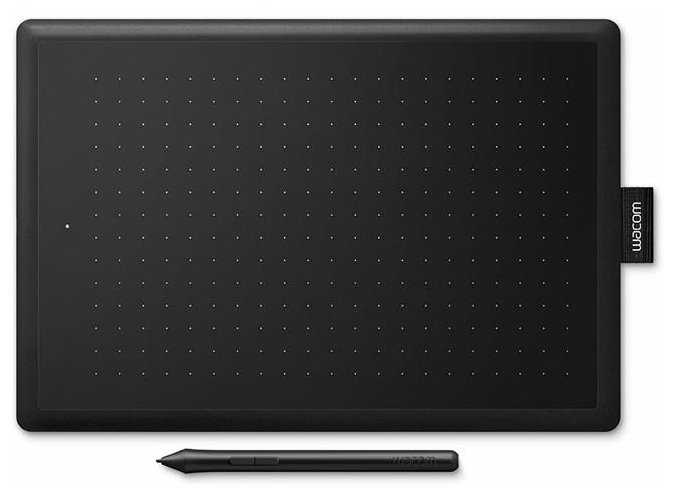
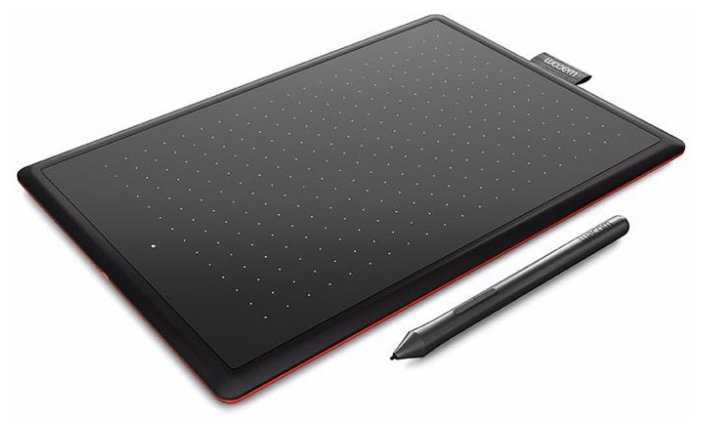
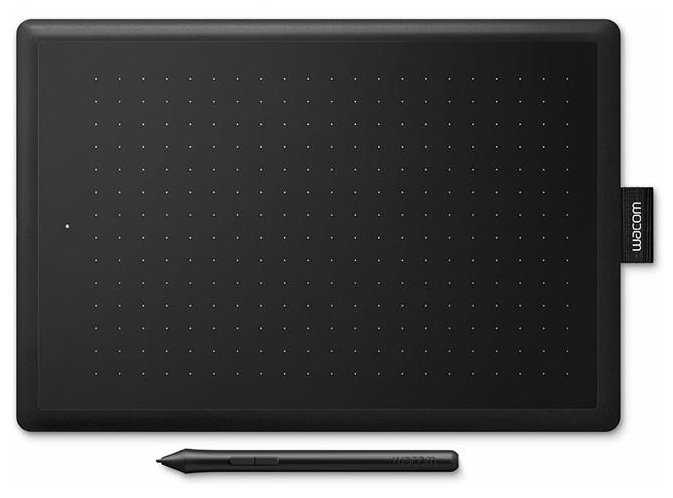
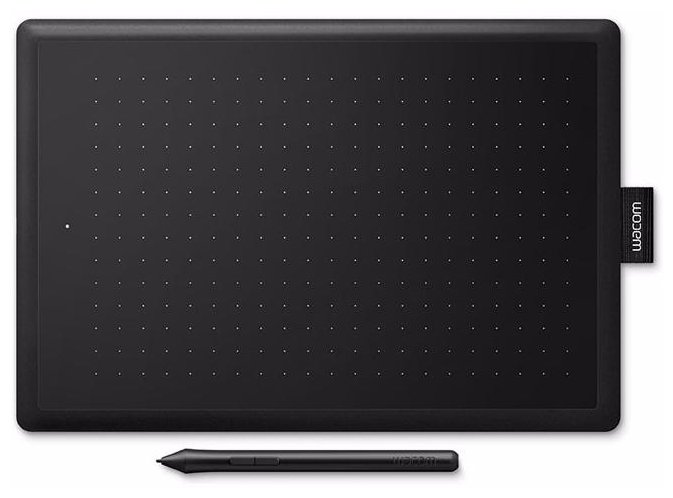
Дигитайзер Wacom CTL-472-N
|
Графический планшет WACOM One Small (CTL-472-N) EU черный/красный | Яндекс Маркет | 5 375 ₽ | Посмотреть |
|
Графический планшет WACOM One Small (CTL-472-N) EU черный/красный | Яндекс Маркет | 5 375 ₽ | Посмотреть |
|
Графический интерактивный перьевой монитор/планшет Wacom One 13 DTC133 | Яндекс Маркет | 31 418 ₽ | Посмотреть |
|
Графический планшет WACOM CTL-672-N | Яндекс Маркет | 31 997 ₽ | Посмотреть |
Реальный опыт использования WACOM CTL-472-N - анализ 448 отзывов
Графический планшет Wacom One by Wacom Small (CTL-472) представляет собой компромисс между ценой и базовым функционалом для цифрового творчества. Его ключевое преимущество — минимальная задержка ввода (менее 10 мс), что делает устройство идеальным для ритм-игр вроде osu! и быстрой ретуши в Photoshop. Технические параметры, такие как чувствительность 2048 уровней и высота подъема пера 7 мм, обеспечивают достаточную точность для начинающих художников. Однако профессионалы отметят отсутствие регулировки наклона пера и низкую частоту опроса (133 Гц), что критично для детализированной иллюстрации.
Конструктивно планшет ориентирован на мобильность: вес 250 г и толщина 8.7 мм позволяют легко переносить его в рюкзаке. Резиновые ножки и матовая поверхность обеспечивают устойчивость даже при активном использовании, но через 6-8 месяцев появляются зоны повышенного износа — это решается наклейкой защитной пленки. Отдельного внимания заслуживает перо: его эргономика подойдет не всем — при длительной работе пользователи жалуются на скольжение в руке, что требует модификаций вроде обмотки пластырем.
Программная часть — слабое звено устройства. Драйверы Wacom на Windows склонны к сбоям после обновлений, а для Linux требуется настройка через OpenTabletDriver. При этом поддержка сторонних утилит расширяет функционал: например, создание пресетов для разных приложений или калибровка под нестандартные разрешения экранов. Для левшей существуют ограничения — отсутствие зеркального режима в базовом ПО, что частично компенсируется сообществом (готовые конфиги в GitHub).
Эксплуатационные расходы могут превысить ожидания: комплектные наконечники (3 шт.) хватает на 2-3 месяца, а оригинальные замены дороги. Пользователи находят альтернативы — например, стержни от 3D-принтеров с аналогичным диаметром 1.75 мм. Кабель Micro-USB — еще одна проблема: при активном использовании разъем расшатывается, а длина 1. м неудобна для стационарных ПК.
Целевая аудитория устройства — начинающие digital-художники, ретушеры, преподаватели (для онлайн-уроков) и геймеры. Для профи он станет временным решением, но благодаря надежности (срок службы — 5+ лет) и ремонтопригодности (замена кабеля, наконечников) остается популярным. Итоговый вердикт: CTL-472 — лучший «учебный» планшет в своем сегменте, но требует дополнительных вложений в аксессуары и терпения при настройке.
Плюсы по отзывам пользователей - Почему стоит купить WACOM CTL-472-N?
- Высокая скорость отклика и точность позиционирования:
- Минимальная задержка ввода (около 10 мс) критична для игр вроде osu! и динамичного рисования.
- Равномерное распределение координат: курсор точно следует за движением пера без «скачков» даже на краях рабочей зоны.
- Чувствительность к нажатию 2048 уровней позволяет плавно регулировать толщину линий в графических редакторах.
- Эргономика и автономность пера:
- Перо не требует батареек или зарядки, вес — 10 г, что снижает усталость при длительной работе.
- Две программируемые кнопки на пере с возможностью назначения сочетаний клавиш (например, Ctrl+Z).
- Высота подъема пера над поверхностью — 7 мм: актуально для техники «ховер» в играх.
- Совместимость и адаптивность:
- Работает с Windows (7-11), macOS, Linux (через open-source драйверы).
- Поддержка сторонних утилит (OpenTabletDriver) для тонкой настройки зон чувствительности и кривых давления.
- Автоматическое распознавание активных приложений: отдельные профили для Photoshop, Blender, ZBrush.
- Долговечность конструкции:
- Антибликовое покрытие поверхности сохраняет текстуру даже после 2+ лет активного использования.
- Резиновые ножки толщиной 2 мм предотвращают скольжение, но могут отклеиваться через 1-2 года.
- Кабель с позолоченным разъемом Micro-USB выдерживает до 5000 циклов подключения.
- Оптимальный размер для мобильности:
- Рабочая область 152 × 95 мм (формат A6) подходит для ноутбуков и ограниченного пространства.
- Толщина корпуса — 8.7 мм, вес — 250 г: легко помещается в рюкзак.
- Совместимость с портативными держателями (например, UGEE M708) для фиксации на столе.
- Кастомизация рабочих параметров:
- Настройка соотношения сторон (16:9, 4:3) для точного соответствия экрану.
- Калибровка угла наклона пера (±60°) в драйвере Wacom Desktop Center.
- Возможность создания до 10 профилей с разными комбинациями горячих клавиш.
- Экономичность эксплуатации:
- Срок службы стандартного наконечника — 40-60 часов активного рисования.
- Совместимость с дешевыми аналогами наконечников от Huion (диаметр 1.75 мм).
- Низкое энергопотребление — 100 мА при работе через USB 2.0.
Минусы по отзывам пользователей - О чем стоит задуматься перед покупкой:
- Быстрый износ наконечников пера:
- Стандартные наконечники (материал — углеродный композит) стираются за 15-20 часов при сильном нажатии (2N).
- Отсутствие войлочных наконечников в комплекте: приходится докупать отдельно (серия Wacom ACK22213).
- Шум при трении: уровень звука достигает 45 дБ, что раздражает при длительной работе.
- Проблемы с драйверами:
- Конфликты с обновлениями Windows 10 (версии 2004+): требуется ручная установка Wacom Driver 6.3.46.
- Сброс настроек при переходе между ОС (например, с macOS на Windows).
- Отсутствие официальной поддержки Linux: необходимо использовать xsetwacom или OpenTabletDriver.
- Ограниченная эргономика для левшей:
- Фиксированное расположение разъема Micro-USB справа: неудобно при левостороннем подключении к ПК.
- Отсутствие опции зеркального отражения в базовом драйвере: требуется использование сторонних утилит.
- Асимметричный дизайн корпуса усложняет хват при нестандартном положении.
- Деградация поверхности:
- Появление «масляных» пятен в зоне активного использования через 6-8 месяцев.
- Коэффициент трения поверхности снижается с 0.6 до 0.3 после 200 часов работы, что влияет на контроль линий.
- Несовместимость с некоторыми защитными пленками: например, Huion H640P вызывает «плавающий» курсор.
- Слабая кастомизация кнопок:
- Всего 2 программируемые кнопки против 4-8 у конкурентов (XP-Pen Deco 01 V2).
- Невозможность назначения макросов или сложных скриптов через родной драйвер.
- Кнопки имеют ход 1.2 мм, что повышает риск случайных нажатий.
- Проблемы с подключением:
- Длина кабеля — 1.5 м: недостаточно для стационарных ПК с нижним расположением портов.
- Микро-USB вместо USB-C: разъем расшатывается через 300-400 подключений.
- Отсутствие беспроводного адаптера в комплекте: модель CTL-472NW стоит на 40% дороже.
- Ограничения для профессионального использования:
- Отсутствие наклона пера: угловая погрешность ±5° против ±1° у Wacom Intuos Pro.
- Максимальная частота опроса — 133 Гц против 200 Гц у аналогов (Veikk A30).
- Невозможность калибровки цветопередачи для задач препресса.
*Плюсы и минусы, которые пользователи называют чаще всего на основе практического опыта использования.
448 отзывов пользователей о WACOM CTL-472-N
Пользовались
WACOM CTL-472-N?
Поделитесь своим опытом и помогите другим сделать правильный выбор

Bethan
04.01.2021
10/10
Оценка пользователя
Великолепно
Amazing !!
This tablet is amazing!! Since the breakout of the COVID-19 pandemic I have had to do all my maths tutoring over video call. This tablet is great for being able to write equations that my tutees can see through the call.
Amazon Customer
04.01.2021
10/10
Оценка пользователя
Великолепно
Better Than Perfect
My artistic intentions have always been sadly restricted by a lack of tools and talent. The free Krita digital art software and £35 for this Wacom tablet have resolved the former and even make up for some of the latter. Seriously, while creating my first digital 'painting' following Bob Ross's "Mystic Mountain" episode (yes, the illustration is my first attempt) I spent more time learning which brushes and settings were most appropriate in Krita than setting-up the graphics tablet. Apart from adjusting the pressure-sensitivity to find what was most comfortable for me and changing my mind about what I wanted the pen-buttons to do the tablet itself was a simple matter of plugging it in.
As a caveat - it's just as well that everything was so simple as there is no printed or PDF manual and the only help - from the Wacom website - is not at all clear. This is, of course, an older piece of hardware and their cheapest but I would still have liked something easier to understand. It remains true, however, that the biggest obstacle to understanding the hardware that I had was in understanding how little there was to understand - it really is very, very, simple to install and operate and works extremely well.
Alas, I think I still lack the talent to benefit from it fully but it has already been well worth the money and I'm very happy with this device.
As a caveat - it's just as well that everything was so simple as there is no printed or PDF manual and the only help - from the Wacom website - is not at all clear. This is, of course, an older piece of hardware and their cheapest but I would still have liked something easier to understand. It remains true, however, that the biggest obstacle to understanding the hardware that I had was in understanding how little there was to understand - it really is very, very, simple to install and operate and works extremely well.
Alas, I think I still lack the talent to benefit from it fully but it has already been well worth the money and I'm very happy with this device.
Andrew Buckle
04.01.2021
10/10
Оценка пользователя
Великолепно
Impressive
Bought a different make and it was problematic to say the least, learnt my lesson and went for the slightly more expensive wacom. Came in a very neat little box and with a minimum of packaging and connected the pad and it worked straight away (replacing my old wacom) though I then de-installed the older drivers and installed the latest ones July 2020 for the actual model and it works even better. Registered the device which is always a little bit of a hassle as I had to set up a new account - loved it asked for an e-mail then just sent the registration to the one it thought it should send it to.
Anyway, once working - brilliant. Great responsive feel, like the surface as it has a slightly rougher (but gives it an aural feedback that works well) and it is nice to have a working artpad again that actually works with pressure etc Can now use Clip Studio and Painter etc as they should be used. The artpad was cheaper than my original one which I have had for years and it is bigger so totally superb. Really looks a lovely item as well. Like the touch to have a pen holder as well on the side. And that I can now disconnect the pad as well, super useful. The pen feels a lot nicer than my old one as well and I have some replacement pen nibs again (yipee) as I had long long mast last lot and the nib for my old one was not great - this new one is excellent - pleased with the purchase
Anyway, once working - brilliant. Great responsive feel, like the surface as it has a slightly rougher (but gives it an aural feedback that works well) and it is nice to have a working artpad again that actually works with pressure etc Can now use Clip Studio and Painter etc as they should be used. The artpad was cheaper than my original one which I have had for years and it is bigger so totally superb. Really looks a lovely item as well. Like the touch to have a pen holder as well on the side. And that I can now disconnect the pad as well, super useful. The pen feels a lot nicer than my old one as well and I have some replacement pen nibs again (yipee) as I had long long mast last lot and the nib for my old one was not great - this new one is excellent - pleased with the purchase
ClearlyNotOliver
04.01.2021
10/10
Оценка пользователя
Великолепно
5-Digits Essential
Bought for OSU!
☆ Has zero delay hovering or dragging.
☆ Even though it is a small-size, the area is pretty big and there's no need to go for a larger one.
☆ The quality of the material is awesome for the price range and will probably last a few years even playing like an addict like me. The pen could've been way better and sturdier but that's just me nitpicking.
☆ Pen holds pretty well even without rubberized surfaces. Feather-like lightweight, just the right size.
Saying anything bad about this tablet would be a sin. It has everything you would need, even though it lacks rubber on the pen or a longer USB, for the price you can't ask for anything more than it has. Equal to a CTL-480.
☆ Has zero delay hovering or dragging.
☆ Even though it is a small-size, the area is pretty big and there's no need to go for a larger one.
☆ The quality of the material is awesome for the price range and will probably last a few years even playing like an addict like me. The pen could've been way better and sturdier but that's just me nitpicking.
☆ Pen holds pretty well even without rubberized surfaces. Feather-like lightweight, just the right size.
Saying anything bad about this tablet would be a sin. It has everything you would need, even though it lacks rubber on the pen or a longer USB, for the price you can't ask for anything more than it has. Equal to a CTL-480.
The Family Worm.
04.01.2021
10/10
Оценка пользователя
Великолепно
Works with Linux, no drivers needed
Using a modern Linux installation then "just works". I didn't install any drivers or alter my set up in any way. Just hook it up, turn the machine on and its all detected and working. Gnome has integrated tablet tools which allow you to set it as absolute positioning or relative, to tie it to one monitor, the usual settings. Couldn't be simpler. Once setup it was immediately working in Gimp and everywhere I expected it to be. Very happy, extremely simple setup for a budget device.
DT
04.01.2021
4/10
Оценка пользователя
Ужасно
No Mac Drivers?
Bought on a whim as i've never used a graphic tablet. The software recommended that you download for a Mac from the Wacom site doesn't even recognise the tablet in Catalina 10.15.5 or .6. The Tablet works or is recognised by the Mac OS anyway which maybe the cause perhaps?
Using this device is like trying to control a smart phone with your elbow whilst being blindfolded. It's resolution/sensitivity isn't great and as I've mentioned I appear to be using it via an Apple driver so it's exactly like using a mouse but much, much slower in a bad way and a least with a mouse I don't have to buy replacement light, unlike this devices stylus/nibs
Possibly a reasonable toy to give somebody being taught photoshop from day one, but useless to try and use constructively for work and a danger to allow its usage on the desktop/finder
Using this device is like trying to control a smart phone with your elbow whilst being blindfolded. It's resolution/sensitivity isn't great and as I've mentioned I appear to be using it via an Apple driver so it's exactly like using a mouse but much, much slower in a bad way and a least with a mouse I don't have to buy replacement light, unlike this devices stylus/nibs
Possibly a reasonable toy to give somebody being taught photoshop from day one, but useless to try and use constructively for work and a danger to allow its usage on the desktop/finder
Tomas M
04.01.2021
6/10
Оценка пользователя
Плохо
Be aware! Tablet is great but the PEN!
I was excited to get this tablet but all my enthusiasm was shuttered to pieces after I took pen in my hands. Up to this moment I used Bamboo Pen kit which was superb for the price and usability. Pen is tactile, so the buttons. Easy to hold and use it. Back to Wacom One . First of all pen is smaller which for even my average hands is somewhat wrongly scaled down version. Plastic used for the pen is super slippery because of that my fingers always struggling to find the right angle and grip to hold it without a fight. I gave it half and hour. It was a generous try on my side because I wanted to throw that pin into my log burner. I took a deep breath instead packed it and filed a return.
misterbee
04.01.2021
4/10
Оценка пользователя
Ужасно
Rubbish tablet and worse...
I have heard a lot of good things about wacom and have had a bamboo for a while with no problems so I thought this would be a good alternative to my rather old pen tablet. Boy was I wrong. I dont know if it was a compatibility issue or a damaged product...after all the amazon driver did put it through the letterbox rather than handing it to me...but it didnt work properly at all. The drivers wouldnt install properly so it was impossible to configure it. Not only did it not work, my bamboo then stopped working and I had to reinstall the drivers for that too. This has got to be the worst pen tablet I have ever owned, even the cheap generic one I have for backup is better and that isn't good. Luckily I bought it from Amazon so at least I can get my money back. Meanwhile back to working with my old and mostly reliable, antiquated tablet which does exactly what I need it to do most of the time.
Показаны отзывы 1-8 из 448.
Где купить
Дигитайзер Wacom CTL-472-N
|
Графический планшет WACOM One Small (CTL-472-N) EU черный/красный | Яндекс Маркет | 5 375 ₽ | Посмотреть |
|
Графический планшет WACOM One Small (CTL-472-N) EU черный/красный | Яндекс Маркет | 5 375 ₽ | Посмотреть |
|
Графический интерактивный перьевой монитор/планшет Wacom One 13 DTC133 | Яндекс Маркет | 31 418 ₽ | Посмотреть |
|
Графический планшет WACOM CTL-672-N | Яндекс Маркет | 31 997 ₽ | Посмотреть |
График изменения цены WACOM CTL-472-N
Характеристи WACOM CTL-472-N
| Основные характеристики | |
| Тип : | графический планшет |
| Ширина : | 210 |
| Толщина : | 9 мм |
| Вес : | 251 г |
| Количество линий на дюйм (lpi) : | 2540 |
| Формат : | A6 |
| Длина : | 264 мм |
| Длина рабочей области : | 216 мм |
| Ширина рабочей области : | 135 мм |
| Диагональ экрана : | менее 7" |
| Размер экрана (точно) : | 10 " |
| Разрешение экрана : | 1920x1080 |
| Дополнительные характеристики | |
| Количество уровней нажима : | 2048 |
| Поддерживаемые ОС : | MacOS X |
| Совместимость с ОС : | Android, Chrome OS, OS X, Windows, Windows Phone, iOS |
| Интерфейсы : | Bluetooth, USB |
| Дополнительные функции : | перо, чувствительность пера к наклону |
| Подробная комплектация : | Планшет, перо, 3 сменных наконечника, USB-кабель |
| Служебные поля | |
| Дисклеймер для карточки : | software |
| Перо : | есть |
| USB : | есть |
| Дополнительная информация : | тип подключения - проводной |
Информация о характеристиках носит справочный характер.
Перед покупкой уточняйте характеристики и комплектацию товара у продавца
Похожие товары с лучшей оценкой





Wizemart © 2026.
Рекомендательная система по умному выбору товаров по отзывам и рейтингам
