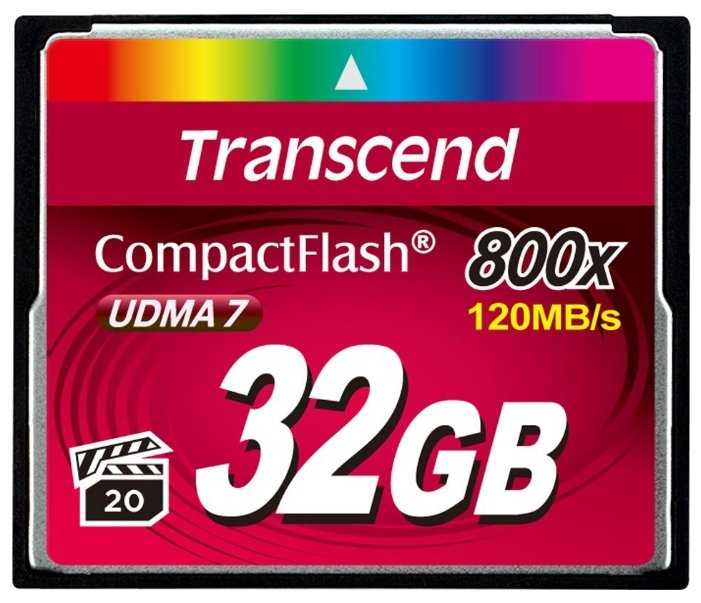
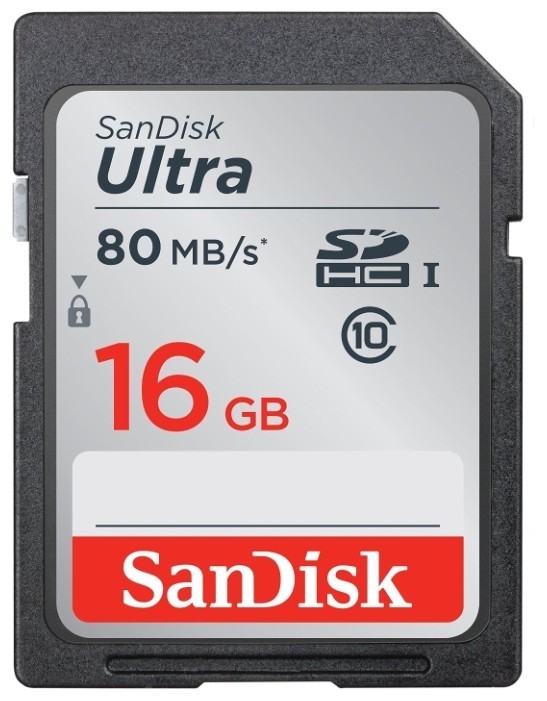
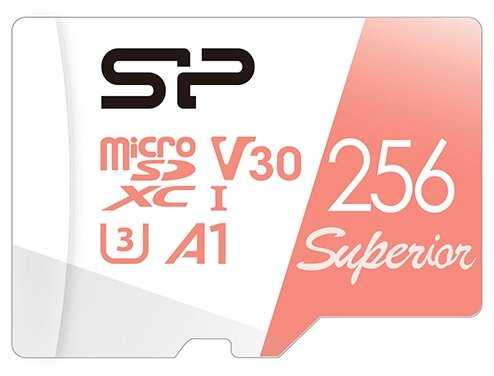
Нужна была относительно быстрая карта для Linux-устройства. После приобретения данной модели выяснилось, что с EXT*FS она не дружит. Постоянно возникает та же ситуация, что Антона Храмова. Периодические повреждения файловой системы. Да такие, что один-два файла обязательно оказываются забитыми мусором. Перевёл на FAT32, с месяц уже живёт, вроде бы, нормально. Но для первоначального устройства теперь придётся искать накопитель от другого производителя.
Аэронавт-1SJDR
01.12.2011
10/10
Оценка пользователя
Великолепно
Пока нареканий нет. Вполне приемлимая цена для Transcend.
Дроид-4EWPG
15.06.2010
2/10
Оценка пользователя
Ужасно
Первые пару дней с видеокамерой Kodak Zi8 работала без нареканий. На 3-й день Kodak с ней перестал загружаться. Попросту зависал при включении. Оказалось, что слетел раздел FAT32. И так примерно весь месячный отпуск. Иногда записывал видео, а оно оказывалось нечитаемым. Приходилось периодически перекидывать заснятый материал на винчестер ноутбука.Использовал и как видеорегистратор и как обычную камеру.На последних выходных ездил в Самару на рок фестиваль, так всё видео оказалось битым. Открывал в WinHEX - даже заголовок файла не соответствует содержимому, как будто случайными данными записали.Не знаю, либо это косяк фотоаппарата, либо карточки. Буду тестировать с карточкой 16Gb.
Астрономад-7OGKO
30.05.2010
10/10
Оценка пользователя
Великолепно
Не так давно такой объем был у жестких дисков.Отличная карта для фотоаппаратов. Позволяет снимать на высоком разрешении не беспокоясь о нехватке места.На OZON, как мне кажется, лучшая цена.
НеоВояжер-8GOMR
07.05.2010
10/10
Оценка пользователя
Великолепно
Неплохая карточка, хорошо зарекомендовала себя.
Астрон-7LRMT
17.12.2024
10/10
Оценка пользователя
Великолепно
Отличная модель
+ Всё супер
Синтрон-9IIAY
10.11.2012
10/10
Оценка пользователя
Великолепно
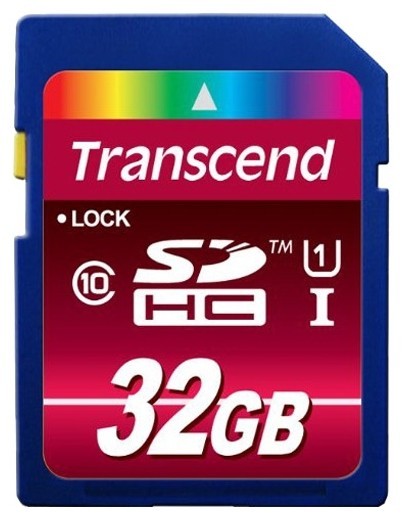
I ordered this Transcend 32 GB Class 10 UHS Flash Memory Card TS32GSDHC10U1E during an Amazon Lightning deal. Prior to this purchase, I have used over one dozen memory products (CF/SD cards and USB drives) from Transcend, and have good experiences with this brand.I tested this card upon its arrival using several benchmark programs. Note that my computer only has an USB 2.0 port, so it is unable to reveal the full potential of this card. But here are my findings anyway:First, I used a benchmark program called "H2testw v1.4" to find out the write speed for large (1GB) files. This is essentially the same as the sequential-write speed used for SD card speed ratings. To qualify as a class-10 card, the card must be able to sustain sequential-write speed of 10MB/s.Results for all my class-10 SDHC cards, from fastest to slowest:- Transcend TS32GSDHC10U1E (this card) : 15.1MB/s- HP CG790A : 15.1MB/s- Transcend TS16GSDHC10E : 14.6MB/s- PNY P-SDHC16G10 : 13.6MB/s- Kingston SD10G2/16GB : 10.7MB/s- SanDisk SDSDU-032G-AFFP : 10.6MB/s(See the chart I uploaded to 'Customer Images')For completeness sake, I also benchmarked this Transcend UHS1 card using other programs, including "Flash Memory Toolkit v2.0" and "CrystalDiskMark 3.01". The results are even more impressive (see 'Customer Images' section for details). The card delivered excellent write speed for both large and small files, while most other cards performed poorly for smaller files.Of course, the REAL benchmark needs to be done in the actual application. For that, I inserted each card in my Canon Rebel T1i, set it to save both RAW and JPEG formats, then took 10 consecutive shots in burst mode. Again, the Transcend UHS1 card is the fastest, taking only 16.2s to save all 250MB of data. This beats my previous speed-champ (HP class-10) by 0.5s. It is interesting to note that the Sandisk Ultra took much longer at 23.8s, even though it also qualifies as a class-10.The capacity of this Transcend card, as reported by my computer, is only 30.1GB. This is actually normal because computer people count one Gig as "2 to the power 30", which is 7.3% larger than one billion. So 30.1GB translates to over 32 billion bytes, which is '32GB' according to marketing people.Bottom Line:This Transcend UHS1 SDHC card turns out to be the fastest among all class-10 cards I have ever tested. Unfortunately, since I don't have an USB 3.0 port, I am unable to unlock its full potential. I still consider it a great value, especially at the Lightning deal price I paid (around 80 cents per GB). But in case this item is not on sale, you may want to consider the HP class-10 card which is almost as fast when used in USB 2.0 mode.
Фотон-7CNVW
10.11.2012
10/10
Оценка пользователя
Великолепно
I ordered this Transcend 32 GB Class 10 UHS Flash Memory Card TS32GSDHC10U1E during an Amazon Lightning deal. Prior to this purchase, I have used over one dozen memory products (CF/SD cards and USB drives) from Transcend, and have good experiences with this brand.I tested this card upon its arrival using several benchmark programs. Note that my computer only has an USB 2.0 port, so it is unable to reveal the full potential of this card. But here are my findings anyway:First, I used a benchmark program called "H2testw v1.4" to find out the write speed for large (1GB) files. This is essentially the same as the sequential-write speed used for SD card speed ratings. To qualify as a class-10 card, the card must be able to sustain sequential-write speed of 10MB/s.Results for all my class-10 SDHC cards, from fastest to slowest:- Transcend TS32GSDHC10U1E (this card) : 15.1MB/s- HP CG790A : 15.1MB/s- Transcend TS16GSDHC10E : 14.6MB/s- PNY P-SDHC16G10 : 13.6MB/s- Kingston SD10G2/16GB : 10.7MB/s- SanDisk SDSDU-032G-AFFP : 10.6MB/s(See the chart I uploaded to 'Customer Images')For completeness sake, I also benchmarked this Transcend UHS1 card using other programs, including "Flash Memory Toolkit v2.0" and "CrystalDiskMark 3.01". The results are even more impressive (see 'Customer Images' section for details). The card delivered excellent write speed for both large and small files, while most other cards performed poorly for smaller files.Of course, the REAL benchmark needs to be done in the actual application. For that, I inserted each card in my Canon Rebel T1i, set it to save both RAW and JPEG formats, then took 10 consecutive shots in burst mode. Again, the Transcend UHS1 card is the fastest, taking only 16.2s to save all 250MB of data. This beats my previous speed-champ (HP class-10) by 0.5s. It is interesting to note that the Sandisk Ultra took much longer at 23.8s, even though it also qualifies as a class-10.The capacity of this Transcend card, as reported by my computer, is only 30.1GB. This is actually normal because computer people count one Gig as "2 to the power 30", which is 7.3% larger than one billion. So 30.1GB translates to over 32 billion bytes, which is '32GB' according to marketing people.Bottom Line:This Transcend UHS1 SDHC card turns out to be the fastest among all class-10 cards I have ever tested. Unfortunately, since I don't have an USB 3.0 port, I am unable to unlock its full potential. I still consider it a great value, especially at the Lightning deal price I paid (around 80 cents per GB). But in case this item is not on sale, you may want to consider the HP class-10 card which is almost as fast when used in USB 2.0 mode.
Астрономад-5TUTI
09.05.2012
10/10
Оценка пользователя
Великолепно
Transcend 16 GB High Speed Class 10 UHS Flash Memory Card TS16GSDHC10U1EOne cannot imagine the sheer sinking feeling of "wtf" at seeing an "Error -- card cannot be written to -- Reformat Card" on the camera screen when in the middle of shooting a major project -- i.e. BFF's wedding, family reunion, little Timmy's 1st steps, Mom's last Christmas with the Family, an EF5 Tornado!...and, then, no card reader will recognize the card as being in the slot, to possibly extract the photos before the "error" occurred and Reformat.But, I can. I've had this happen a couple of times with SanDisk Flash 16 GB SDHC. I still have the "dead as a doornail" 16gb cards on my desk, staring up at me. :| I keep them, hoping someday technology will create a simple way to get into the SD card and extract the photos.That said, I was very happy to try the Transcend 16 GB High Speed Class 10 UHS Flash Memory Card, with its "Built-in Error Correcting Code (ECC) to detect and correct transfer errors".The card locks into camera card slot with out fiddling around with it. *snap*I photograph anything from birds in flight to EF5 Tornados, and was able to take continuous photos (pulse mode) on camera without any writing problems, or slow downs.Transcend 16 GB High Speed Class 10 UHS Flash Memory Card TS16GSDHC10U1E also boasts of "Low Power Consumption and Fast Write Speeds Extend Battery Runtime".So, thinking *okay, show me your Moves, Transcend*, I did a bit of night photography (stars, lightning, incoming storm clouds) which would normally drain my camera battery in no time, as I use "bulb" mode exceeding 30 seconds of open shutter. The Transcend 16 GB High Speed Class 10 UHS Flash Memory Card TS16GSDHC10U1E card exceded all my expectations -- without giving Me, or my camera, any problems. The camera battery just wouldn't drain, shot after shot. *nice*Actually, I think my camera writes better to this particular card -- the colors seem more vibrant and the sharpness in detail seems a lot more evident in the photographs -- and I shoot in RAW and JPEG. See photo of Baby Cardinal at top of page, as an example.Does this sound like what you may be looking for? :) I'm off to buy a few more Transcend 16 GB High Speed Class 10 UHS Flash Memory Card TS16GSDHC10U1E, so I'll have plenty. Highly Recommended! --Katharena Eiermann, 2012
Туманник-1GXAM
09.05.2012
10/10
Оценка пользователя
Великолепно
Transcend 16 GB High Speed Class 10 UHS Flash Memory Card TS16GSDHC10U1EOne cannot imagine the sheer sinking feeling of "wtf" at seeing an "Error -- card cannot be written to -- Reformat Card" on the camera screen when in the middle of shooting a major project -- i.e. BFF's wedding, family reunion, little Timmy's 1st steps, Mom's last Christmas with the Family, an EF5 Tornado!...and, then, no card reader will recognize the card as being in the slot, to possibly extract the photos before the "error" occurred and Reformat.But, I can. I've had this happen a couple of times with SanDisk Flash 16 GB SDHC. I still have the "dead as a doornail" 16gb cards on my desk, staring up at me. :| I keep them, hoping someday technology will create a simple way to get into the SD card and extract the photos.That said, I was very happy to try the Transcend 16 GB High Speed Class 10 UHS Flash Memory Card, with its "Built-in Error Correcting Code (ECC) to detect and correct transfer errors".The card locks into camera card slot with out fiddling around with it. *snap*I photograph anything from birds in flight to EF5 Tornados, and was able to take continuous photos (pulse mode) on camera without any writing problems, or slow downs.Transcend 16 GB High Speed Class 10 UHS Flash Memory Card TS16GSDHC10U1E also boasts of "Low Power Consumption and Fast Write Speeds Extend Battery Runtime".So, thinking *okay, show me your Moves, Transcend*, I did a bit of night photography (stars, lightning, incoming storm clouds) which would normally drain my camera battery in no time, as I use "bulb" mode exceeding 30 seconds of open shutter. The Transcend 16 GB High Speed Class 10 UHS Flash Memory Card TS16GSDHC10U1E card exceded all my expectations -- without giving Me, or my camera, any problems. The camera battery just wouldn't drain, shot after shot. *nice*Actually, I think my camera writes better to this particular card -- the colors seem more vibrant and the sharpness in detail seems a lot more evident in the photographs -- and I shoot in RAW and JPEG. See photo of Baby Cardinal at top of page, as an example.Does this sound like what you may be looking for? :) I'm off to buy a few more Transcend 16 GB High Speed Class 10 UHS Flash Memory Card TS16GSDHC10U1E, so I'll have plenty. Highly Recommended! --Katharena Eiermann, 2012
Аргонавт-2MBUL
20.04.2012
6/10
Оценка пользователя
Плохо
DISCLAIMER: I DO NOT OWN THIS PRODUCTI just spent the last 1/2 hour trying to figure out if I wanted this product, and thought I would share what I learned - possibly saving others the same effort.I currently have a 16Gb Class 10 card in my Canon Digital Elph 100 HS camera. I saw this offer on Amazon and wondered if it would allow me to shoot with an even faster refresh rate. The speed rating of SD cards indicates how fast a device can read/write data to the card - but ONLY if the device supports the speed that the card can provide. Card's speed ratings have changed over the years; originally they werent rated, then they started rating them as "x" (number of times the speed of a CD-Rom,) i.e. x100 is 100 times the speed of a CD-Rom, finally they moved to "class" ratings (2 through 10.) In version 3.01 of the SD card specification UHS (ultra-high speed) was added. There are two types of UHS, UHS-I and UHS-II, but apparently only UHS-I actually exists.This card is a UHS-I card. To be rated UHS-I it has to support speeds up to 50MB/s **in a UHS-I compatible device**. By contrast, class 10 is "only" 10MB/s. So, this card is up to 5 times faster than a class 10 card. Thats good.However, if your device doesnt support UHS-I, then this is just a class 10 card (it is backwards compatible.) Its kinda like putting premium gas into a car that doesnt need premium - you pay extra for no benefit.I searched and searched to find the answer, but there is no info as to whether my Canon 100HS supports UHS. Since it doesnt say that it does, the presumption is that it doesnt. Furthermore, it looks as though UHS is only supported in "Pro" level cameras and equipment. Therefore, if I buy this chip (at a premium UHS price) it should perform identically to my standard class 10 card.Before buying this card, check to make sure that the device you want to use it in supports UHS-I. If you have a UHS-I device, it sounds like this is a great card. If not, there is no benefit to this card over a standard class 10 card (though there is no harm using this card other than the added cost.)
ТехноНаблюдатель-4ZDSJ
20.04.2012
6/10
Оценка пользователя
Плохо
DISCLAIMER: I DO NOT OWN THIS PRODUCTI just spent the last 1/2 hour trying to figure out if I wanted this product, and thought I would share what I learned - possibly saving others the same effort.I currently have a 16Gb Class 10 card in my Canon Digital Elph 100 HS camera. I saw this offer on Amazon and wondered if it would allow me to shoot with an even faster refresh rate. The speed rating of SD cards indicates how fast a device can read/write data to the card - but ONLY if the device supports the speed that the card can provide. Card's speed ratings have changed over the years; originally they werent rated, then they started rating them as "x" (number of times the speed of a CD-Rom,) i.e. x100 is 100 times the speed of a CD-Rom, finally they moved to "class" ratings (2 through 10.) In version 3.01 of the SD card specification UHS (ultra-high speed) was added. There are two types of UHS, UHS-I and UHS-II, but apparently only UHS-I actually exists.This card is a UHS-I card. To be rated UHS-I it has to support speeds up to 50MB/s **in a UHS-I compatible device**. By contrast, class 10 is "only" 10MB/s. So, this card is up to 5 times faster than a class 10 card. Thats good.However, if your device doesnt support UHS-I, then this is just a class 10 card (it is backwards compatible.) Its kinda like putting premium gas into a car that doesnt need premium - you pay extra for no benefit.I searched and searched to find the answer, but there is no info as to whether my Canon 100HS supports UHS. Since it doesnt say that it does, the presumption is that it doesnt. Furthermore, it looks as though UHS is only supported in "Pro" level cameras and equipment. Therefore, if I buy this chip (at a premium UHS price) it should perform identically to my standard class 10 card.Before buying this card, check to make sure that the device you want to use it in supports UHS-I. If you have a UHS-I device, it sounds like this is a great card. If not, there is no benefit to this card over a standard class 10 card (though there is no harm using this card other than the added cost.)
Квантум-7GDUK
08.04.2013
10/10
Оценка пользователя
Великолепно
I use 2 of these in my D600, one for raw photo and one for videos (we can debate about how to setup 2x SD cards in the camera but that's for another thread).I like that it's very fast (class 10) so I can take full 1080 videos without any issues. I also don't have to worry about bursting my camera shots since it's all written to the camera memory and then the SD cards very quickly.32GB is probably the biggest size I will go for an SD card. It can hold over 500 RAW image files that are 24MP and I can't imaging losing 500 photos if the SD car goes back. Anyway, make sure you import the photos often and quickly. If you want, you can also set your camera to write to both SD cards simultaneously if your camera supports it.Awesome, definitely recommended.
Гелиос-2KQCW
08.04.2013
10/10
Оценка пользователя
Великолепно
I use 2 of these in my D600, one for raw photo and one for videos (we can debate about how to setup 2x SD cards in the camera but that's for another thread).I like that it's very fast (class 10) so I can take full 1080 videos without any issues. I also don't have to worry about bursting my camera shots since it's all written to the camera memory and then the SD cards very quickly.32GB is probably the biggest size I will go for an SD card. It can hold over 500 RAW image files that are 24MP and I can't imaging losing 500 photos if the SD car goes back. Anyway, make sure you import the photos often and quickly. If you want, you can also set your camera to write to both SD cards simultaneously if your camera supports it.Awesome, definitely recommended.
Астрон-8GYPB
21.06.2012
10/10
Оценка пользователя
Великолепно
My plans for this card included testing it using an ExpressCard 34 card reader installed in my older MacBook Pro and using it for the DVR function in a stand-alone surveillance camera. Well, the laptop died and the surveillance cam uses a micro-SD card.I decided to try something completely different. I bought a Sony MRW-F3 card reader, which is specifically compatible with SD HC and SD XC cards. I then plugged the reader and card into my desktop Mac. Using Disk Utility, I reformatted the card as a bootable Mac OSX drive. I then installed Mac OSX 10.6 (Snow Leopard) on the card and ran Software Update until the installation was current (10.6.8). The desktop machine was booting from the card after the initial install. I copied some diagnostic software from my hard drive and did any setup needed for that software.What I ended up with is a bootable external drive with diagnostic software. It is recognized as a startup volume by both the Startup Disk system preference and choose boot volume (option key) at startup. The computer boots quickly from the SD card and I did not find any issues running it from the card. The installation of the OS and diagnostic software uses a little more than half of the 16GB capacity. Unfortunately, this did not help my defunct laptop, which does not recognize any kind of drive, internal or external. On the other hand, I now have a quick, easy method of running maintenance routines and diagnostics on the boot drives of my two desktop Macs and any other Mac that can boot into OS 10.6.This is not how this card is typically used, but I wanted a challenging situation for the card and turning it into a boot drive seemed to fit the bill. The card is fast and reliable in this unconventional application.
Кронос-0TZWN
21.06.2012
10/10
Оценка пользователя
Великолепно
My plans for this card included testing it using an ExpressCard 34 card reader installed in my older MacBook Pro and using it for the DVR function in a stand-alone surveillance camera. Well, the laptop died and the surveillance cam uses a micro-SD card.I decided to try something completely different. I bought a Sony MRW-F3 card reader, which is specifically compatible with SD HC and SD XC cards. I then plugged the reader and card into my desktop Mac. Using Disk Utility, I reformatted the card as a bootable Mac OSX drive. I then installed Mac OSX 10.6 (Snow Leopard) on the card and ran Software Update until the installation was current (10.6.8). The desktop machine was booting from the card after the initial install. I copied some diagnostic software from my hard drive and did any setup needed for that software.What I ended up with is a bootable external drive with diagnostic software. It is recognized as a startup volume by both the Startup Disk system preference and choose boot volume (option key) at startup. The computer boots quickly from the SD card and I did not find any issues running it from the card. The installation of the OS and diagnostic software uses a little more than half of the 16GB capacity. Unfortunately, this did not help my defunct laptop, which does not recognize any kind of drive, internal or external. On the other hand, I now have a quick, easy method of running maintenance routines and diagnostics on the boot drives of my two desktop Macs and any other Mac that can boot into OS 10.6.This is not how this card is typically used, but I wanted a challenging situation for the card and turning it into a boot drive seemed to fit the bill. The card is fast and reliable in this unconventional application.
Аэронавт-4KBOR
08.03.2013
10/10
Оценка пользователя
Великолепно
This card is pretty fast! It writes at 45mbps, but it reads more around 65mbps. I previously had a 20mbps card and it constantly stopped recording when recording video on my T3i doing 1080p @ 24fps. With this little gem, I've never had that problem. The buffer rate is better when shooting raw stills too. Previously I could get about 3 shots in and it's probably doubled.With MagicLantern installed, I'm able to over-crank the bitrate to 1.4x without any problems, 2x with minimal problems, and without recording sound I get fairly reliable results at 3x bitrate.
Дроид-5BVCP
08.03.2013
10/10
Оценка пользователя
Великолепно
This card is pretty fast! It writes at 45mbps, but it reads more around 65mbps. I previously had a 20mbps card and it constantly stopped recording when recording video on my T3i doing 1080p @ 24fps. With this little gem, I've never had that problem. The buffer rate is better when shooting raw stills too. Previously I could get about 3 shots in and it's probably doubled.With MagicLantern installed, I'm able to over-crank the bitrate to 1.4x without any problems, 2x with minimal problems, and without recording sound I get fairly reliable results at 3x bitrate.
Альфа-Юнит-5ZQLG
06.05.2012
10/10
Оценка пользователя
Великолепно
I tested this memory card in a Canon PowerShot A1100IS, which takes 12.1 megapixel still photos and 640X480 videos. If a memory card is too slow the camera will skip frames when recording video. For my speed test, I recorded a three-minute six-second video with sound and a two-minute nineteen-second video with sound. The videos recorded at a rate between 13,527 kbps and 13,940 kbps without skipping any frames. The files totaled 547 MB in size. My formatted capacity of this card was 7.49 GB.I then removed the memory card from my camera and put it into my computer's high-speed memory slot. I cut and pasted all files to my notebook computer's hard drive. It took me 2 minutes, 10 seconds to move the files, which worked out to 4 megabytes per second, which was respectable considering the age of my computer. I'm assuming that neither my camera nor computer are UHS-I compatible devices, which is why I did not achieve the 10 megabytes per second that is advertised.Based upon this limited test, this memory card used in my camera would have recorded about 74 minutes of video and it would have taken me about 29 minutes to transfer 7.49 GB of file(s) from the card to computer's hard drive. Testing this card with still photos, the card never missed a beat or delayed me from taking the next shot. It could take the pixels from the camera as fast as my camera could deliver them.Based upon my tests and experience with this memory card, it appears to offer a very good value for the money. It will store a massive number of still photos before it needs to be emptied.
Эксопилот-1KMCQ
06.05.2012
10/10
Оценка пользователя
Великолепно
I tested this memory card in a Canon PowerShot A1100IS, which takes 12.1 megapixel still photos and 640X480 videos. If a memory card is too slow the camera will skip frames when recording video. For my speed test, I recorded a three-minute six-second video with sound and a two-minute nineteen-second video with sound. The videos recorded at a rate between 13,527 kbps and 13,940 kbps without skipping any frames. The files totaled 547 MB in size. My formatted capacity of this card was 7.49 GB.I then removed the memory card from my camera and put it into my computer's high-speed memory slot. I cut and pasted all files to my notebook computer's hard drive. It took me 2 minutes, 10 seconds to move the files, which worked out to 4 megabytes per second, which was respectable considering the age of my computer. I'm assuming that neither my camera nor computer are UHS-I compatible devices, which is why I did not achieve the 10 megabytes per second that is advertised.Based upon this limited test, this memory card used in my camera would have recorded about 74 minutes of video and it would have taken me about 29 minutes to transfer 7.49 GB of file(s) from the card to computer's hard drive. Testing this card with still photos, the card never missed a beat or delayed me from taking the next shot. It could take the pixels from the camera as fast as my camera could deliver them.Based upon my tests and experience with this memory card, it appears to offer a very good value for the money. It will store a massive number of still photos before it needs to be emptied.
Кварковец-9GGGK
27.04.2012
10/10
Оценка пользователя
Великолепно
This is the first Transcend memory card I have ever owned and I am very happy with it.I have a Fujifilm FinePix T300 14 MP Digital Camera with Fujinon 10x Wide Angle Optical Zoom Lens (Black) in which I have been using a Fujifilm 4 GB SDHC Class 10 Flash Memory Card and a SanDisk 4GB Extreme HD Video SDHC Card Class 6 (Retail Package); these are the only two brands of Flash Memory Cards recommended by Fujifilm.Nonetheless, I decided to try this low-cost memory card and I can tell you that it works perfectly. Though the Fujifilm card is a Class 10 and the SanDisk is Class 6, I have never been able to observe any speed difference in them, either in writing images to the card or in transferring those images from the card to my computer. (Fujifilm recommends Class 4 or better for video with this camera; Class 2 is fine for still pictures.)This Transcend 8 GB High Speed Class 10 UHS Flash Memory Card TS8GSDHC10U1E works no differently than those other two I own.So why buy this one? The price! Take a look at Amazon's price for this 8 GB card as opposed to the prices for those 4 GB ones.I have no means of actually measuring read/write speeds as some other people do. I can only comment on what I observe when I'm taking pictures or transferring them under similar conditions.This Transcend 8 GB card is just as fast as those two others and certainly fills the bill in my camera. Obviously it holds twice as many pictures as those 4 GB ones. Thus I can highly recommend it to you.Thank you for reading this and for considering my opinions.Lawrence H. Bulk
Плазмоид-7MAEE
27.04.2012
10/10
Оценка пользователя
Великолепно
This is the first Transcend memory card I have ever owned and I am very happy with it.I have a Fujifilm FinePix T300 14 MP Digital Camera with Fujinon 10x Wide Angle Optical Zoom Lens (Black) in which I have been using a Fujifilm 4 GB SDHC Class 10 Flash Memory Card and a SanDisk 4GB Extreme HD Video SDHC Card Class 6 (Retail Package); these are the only two brands of Flash Memory Cards recommended by Fujifilm.Nonetheless, I decided to try this low-cost memory card and I can tell you that it works perfectly. Though the Fujifilm card is a Class 10 and the SanDisk is Class 6, I have never been able to observe any speed difference in them, either in writing images to the card or in transferring those images from the card to my computer. (Fujifilm recommends Class 4 or better for video with this camera; Class 2 is fine for still pictures.)This Transcend 8 GB High Speed Class 10 UHS Flash Memory Card TS8GSDHC10U1E works no differently than those other two I own.So why buy this one? The price! Take a look at Amazon's price for this 8 GB card as opposed to the prices for those 4 GB ones.I have no means of actually measuring read/write speeds as some other people do. I can only comment on what I observe when I'm taking pictures or transferring them under similar conditions.This Transcend 8 GB card is just as fast as those two others and certainly fills the bill in my camera. Obviously it holds twice as many pictures as those 4 GB ones. Thus I can highly recommend it to you.Thank you for reading this and for considering my opinions.Lawrence H. Bulk
Дроид-5SKCO
24.03.2013
10/10
Оценка пользователя
Великолепно
I have been using Transcend cards commercially for a while now. I've shot weddings, graduations, and other events, plus nature photography in the Great Smoky Mountains. I have never had a card failure or image corruption. I am quite impressed with the excellent quality of these relatively low-cost cards. This particular UHS-1 card works well in my Nikon D800. I use the 32GB card and highly recommend it!
Гиперион-7WXJO
24.03.2013
10/10
Оценка пользователя
Великолепно
I have been using Transcend cards commercially for a while now. I've shot weddings, graduations, and other events, plus nature photography in the Great Smoky Mountains. I have never had a card failure or image corruption. I am quite impressed with the excellent quality of these relatively low-cost cards. This particular UHS-1 card works well in my Nikon D800. I use the 32GB card and highly recommend it!
Спасибо за регистрацию на портале Wizemart, вам на почту пришло письмо с подтверждением регистрации, пожалуйста перейдите по ссылке внутри него для подтверждения вашего e-mail