Сканер Plustek SmartOffice PL4080 — 90 отзывов, плюсы и минусы

90 отзывов пользователей о Plustek SmartOffice PL4080

Пользовались Plustek SmartOffice PL4080?
Поделитесь своим опытом и помогите другим сделать правильный выбор

49
17
6
4
14
Profile no image

I. Keranen

07.12.2020

6/10

Оценка пользователя

Плохо

OK for black&white, bad for color.
I bought one of these a couple of years ago, at roughly half the current price. At that price, it was okay. It just stopped working today (it starts to scan, then stops after a second), and I'm looking for a different scanner to replace it. It never did more than a halfway-decent job with scans. There would be streaks, one side would be lighter color than the other, etc. Not too hard to fix up in Photoshop when dealing with mostly black&white ink artwork, but if you need to reproduce color photos this would be a terrible choice. Also, the driver has a nasty habit of causing a "blue screen of death" crash if the scanner gets disconnected or loses power (my computer is on a backup battery, the scanner is not).
источник
Profile no image

Amazon Customer

07.12.2020

2/10

Оценка пользователя

Ужасно

Only one star for now... product just ordered (will update after use)
I just ordered this. I owned a Plustek 20 years ago and it was a piece of crap. Sold it in a yard sale for 50 cents. The guy who bought it... I told him if it works for you... you got a deal. If it doesn't, you only wasted 50 cents! LOL...

I read the reviews and I have mixed feelings... but then again, I have been using a Canon 9000F for close to 20 years and LOVE IT!! And I've read good and bad reviews about that scanner. I just need something that will scan larger items, but also at a price I can afford. My women's intution.. don't steer me wrong! LOL

So I will see how this one works... give Plustek another chance. I'll update my review after I use it.
источник
Profile no image

Amazon Customer

07.12.2020

10/10

Оценка пользователя

Великолепно

Scanner that the not so technical can easily use.
This scanner was so easy to set up and use. You don't have to be a technician to do it. I like the auto size feature and the the easy way to store your scanned documents. I used it to put all our Church records on a flash drive to store for people to look up Baptisms, Confirmations, Marriages and death from 1945 to the present. Very reliable and easy scanner for the novice user.
источник
Profile no image

Peter

07.12.2020

8/10

Оценка пользователя

Хорошо

Good scanner - awkward software
Affordable A3 scanner. Works well, excellent results. The software is awkward. There are two or three ways to scan pictures. The files land in different folders, depending on which software that is used, and I have found no ways to define "home folders". Manuals are poor or non-existent (for some of the software).
источник
Profile no image

Amazon Customer

07.12.2020

2/10

Оценка пользователя

Ужасно

One Star
Terrible scanning software, cannot make multiple selections.
источник
Profile no image

Charles Ashman

07.12.2020

4/10

Оценка пользователя

Ужасно

Waste- Scan quality unacceptable
Read other reviews. I bought this over a year ago and wish I had not. The output is streaky, consistently with no cure. Costs about 1/3 as much as a quality scanner and the low price should be a clue as to the awful output quality.
источник
Profile no image

thelord

07.12.2020

10/10

Оценка пользователя

Великолепно

The scan quality is great
The scan quality is great, last year i bought it at B&H store to scan my draft design. The size is slim and light.The B&H sales say if i need to scan painting or drawing, he recommend buy Plustek A320, a CCD sensor scanner. But i just need to scan my draft, usually is grayscale. For me this scanner is enough to use, is a goode scanner.
источник
Profile no image

GR

07.12.2020

8/10

Оценка пользователя

Хорошо

The A3 scanner works fine, installation can be iffy (Windows 10) but worked after a couple of attempts, so don't give up if the first time it stalls (unplug it and replug it in and retry). The scanner itself does a good job, note that its a document scanner so isn't going to be super high res for photos or pictures, but will be good enough for most things. It is quite large in the box to prevent it getting damaged in transit, so be prepared for a large box. For the price its a good deal and product and does the job just fine.
источник
Profile no image

Скромный эксперт

16.10.2020

6/10

Оценка пользователя

Плохо

Not for artwork, otherwise should be good.
So I bought this scanner for artwork. It appeared to have the "same specs" as my current scanner which does a wonderful job, but is only letter sized. After I spent some time 'fussing' with it and getting "childish" scans out of it, I called the help desk number (only found on the CD inside the box) and talked to their tech guy. Basically: this is NOT for artwork. Their recommendation was to return it, buy the next model up (another two hundred dollars or so) and a third party software - which doesn't get along with my current 3rd party software. This is being returned because it does me no good... BUT if you are scanning text/books/etc, or are not looking for high-quality color scanning (just regular color will suffice) than this scanner will work for you.

I'm displeased that they advertise it "for artwork" because... it is not. Even Plustek says it's not.

Additionally, the Serial Number was not recognized by their website and I never got confirmation if it was a "legit" Plustek scanner or a counterfeit :-/. But they were more than ready to help me.

In the long run, the OpticSlim 1180 is NOT for artwork or really good color scans. They recommended the A320... I don't know what I'll do next. I don't particularly want to pay the extra for a new scanner AND extra-extra for a 3rd party software that I have to uninstall my current (VueScan) to run well. - Apparently, VueScan and the other software (Silverfast) don't 'get along'... and neither does their software. Having both on your computer will make Silverfast not work properly allegedly. -

I may just continue to "stitch" larger pieces together until I can get an Epson. I may try the A320 with my current software and see what happens... I dunno.
источник
Profile no image

KB

07.12.2020

10/10

Оценка пользователя

Великолепно

One happy uni student. It arrived earlier than expected which was wonderful. After reading reviews saying we might need tech support on installing, we didn’t. Works well and easy to use. Useful advice if you are using a thinner grade paper which you use for technical drawing, you might want to add an extra sheet of thicker paper or card so the block out the black cover when scanning, it just gives a clearer image and saves time on editing.
источник
Profile no image

Скромный эксперт

16.10.2020

8/10

Оценка пользователя

Хорошо

Great value in tabloid-size scanner
In terms of function this is a pretty basic scanner. You can get one for one-fifth the price that is comparable in every respect -- EXCEPT that its scan area is only half as big. This seems to be the least expensive large-area flatbed scanner out there by a considerable margin, and it will serve very well for most purposes.

In general I'm a bit wary about color fidelity on LED scanners, but it doesn't seem to be much of a problem with this one. I'm uploading two scans of a standard IT-8.7/IS-12641 color calibration target. One was made with basic scanning s/w and the other with VueScan. (No prizes for guessing which is which.) What this tells me is that the OS1180 is entirely adequate for any but the very most demanding of reflective-media scanning tasks. But if you want high-quality scans you have to have high-quality software. And you won't find it growing on trees or lying in the street. That to say that you need to figure the price of VueScan or some comparable package (if there is any) into the total cost if you want quality scans of high-quality materials.

The scanner comes with a CD containing the manual in PDF form, the driver, a copy of ABBYY FineReader 12 Sprint, and miscellaneous scanner utility s/w. There is a new driver (actually two, one for Mac and one for PC) on the Plustek Web site, which is supposed to provide improved color scans. (The scans I'm posting are made with it.) Installation from the CD went pretty smoothly on my Win 10 PC. But with the new driver it took me a lot of tries to get it to install without stirring up Norton Security.

Neither the old driver nor the new has been entirely stable. At random times the scanner stops working properly in any of a variety of ways. It's necessary to close the driver and re-start the scanner, which usually does the trick. It's not a major problem but it happens often enough to be pretty annoying.

One of the big uses for a large scanner is to scan books, two pages at a time. The ABBYY FineReader 12 Sprint that ships with the scanner is probably the best of the "lite" OCR apps and works well for double-page scanning. Although bundled with the OS1180 it will work with other scanners as well, if you have any.

In theory the scanner has four "built-in" scanning functions, actuated by buttons: scan, e-mail, OCR and PDF. I've had no luck with them; they produce some scanner activity followed by a "generic error" pop-up message. It's probably possible to get them to function if you work hard enough with the software, but I haven't bothered.
источник
Profile no image

Professor Winston Ingram

07.12.2020

10/10

Оценка пользователя

Великолепно

This is a really excellent product for both mono and colour photos also documents. It was easy to install and I contacted the serviced department of this company as there was a problem with the power adapter, it was resolved at once and very nice people to deal with. This is excellent value for money, will use company again, also delivered next day .
источник
Profile no image

Скромный эксперт

16.10.2020

10/10

Оценка пользователя

Великолепно

Great for large-size scanning, super value, and the BEST tech support ever
I absolutely love this scanner. I have been working to diminish my stuffed file drawers by throwing away what I don't need and scanning what I want to keep. Some of the keepers were newspaper clippings and other larger items that my other scanner couldn't accommodate--other than scanning them in pieces. Thus began my search for a large-format scanner.

Is this the best large-format scanner on the market? That depends on your criteria and how much you're willing to spend. Here's why it is the best for me.
1) If you compare the prices of large-format scanners, this is an unbelievable bargain. If you're trying to scan fine art, it may not be what you need. For my purposes of having high-def, clear copies of precious but mundane items, it was a screamin' deal.
2) This has a great user interface and is fairly intuitive and easy to use. It took me a little while (maybe 20-30 minutes) to figure out exactly how everything worked, which I consider not bad at all. It also has excellent instructions.
3) It offers a lot of fine tuning, with options of color/BW, level of definition/dpi, JPG/PDF, etc.
4) I initially couldn't get it to work and was ready to send it back. I called tech support, and I got a human. Not a human after a recorded menu. A real human answered the phone. The kind and knowledgeable tech support rep who answered the phone walked me through troubleshooting, and I discovered a huge, embarrassing, total rookie error. I hadn't fully plugged in the USB cable. The rep was totally kind about it.
5) Most importantly, this scanner creates clear, high-quality scans. Yay! Mission accomplished.
(If you found this review helpful, I'd really appreciate if you would click the "Helpful" button. Thanks so much for reading! Liz)
источник
Profile no image

tracy

07.12.2020

10/10

Оценка пользователя

Великолепно

I give one more star to the technical support who walked
me to use it patiently. No matter how stupid my problem was yesterday , he
still explained it to me slowly. Good service, I like it !

This is a good deal for me. Easy to install and simple interface. Although
there are some problems, but technical support help me quickly to solve it.
He also reminded me this scanner is more suitable for scanning documents or
drafts, for photos will recommend to buy a CCD scanner. But for me, the
quality is acceptable.
источник
Profile no image

Скромный эксперт

16.10.2020

8/10

Оценка пользователя

Хорошо

Huge but slim, easy to use
Installation of software only took a few minutes. I have an Acer intel core 15 with windows 10. Abbyy Finereader 12 Spint made a quick access folder on my desktop so I just click it open to start the software. The scanner is lightweight but takes a lot of desk space and needs to be by both an outlet and your computer. Once the power is on it’s a lift flap to put item to be scanned on the flatbed. You can remove the hinges if needed and they go back in easily.

The software feels ancient with limited options such as only 300 dpi or 600dpi. There’s not a lot of adjustment except brightness. There is either black and white, grey, or color.

You get the choice of previewing before scanning which is nice and you can place multiple pages into one scan (but you have to place them each on the flatbed individually). You can scan to make a pdf, an image pdf, an image file (mine makes jpegs), word, etc.

I’m using this for my scrapbooks which are 12 by 12. I’m making digital files in a pdf format and have made some into jpegs. You lose some of the quality but they look decent. The files start getting pretty large so I’ll probably need a hard drive for back up and storage.

I’ve uploaded some of the massive jpegs to Shutterfly. I’ll update on how the prints look considering this is def like taking a picture of a picture the uploading and then printing so we shall see how that looks.

Overall I’m happy with the quality and ease of use. It does sound similar to a fax machine at times when it’s scanning. Def not a silent machine. I love the size and capability and everyone in my family is already begging to use it. I’m happy with the price point as well since I priced out a company to scan my scrapbooks and it was 2.99$ a page plus other fees. Ten years of scrapbooks would cost a small fortune so this has saved me a ton. Plus I prefer to have the control even though it’s a time investment.

I’ll update with any issues or concerns as I continue to use the Plustwj OpticAlim 1180 scanner. Questions welcomed.
источник
Profile no image

Emily Kavanagh

07.12.2020

8/10

Оценка пользователя

Хорошо

Took me ages to install. Difficult way of setting up but good value for money. Some scanners are over a grand. Therefore, this is a good purchase made for my studies. The connection is good. Software runs well. Quite noisy which scanners can be! Little tricky finding the appropriate setting for brightness contrast etc but there are tools to help with that.
источник
Profile no image

Скромный эксперт

16.10.2020

2/10

Оценка пользователя

Ужасно

color horrible
Was so excited to order this and start scanning my old traditional scrapbook pages. That was short lived. The color is horrible and i could not find a way to adjust it. I did not want to go and have to yet edit each page after i scanned it. Moving onto another product that was recommended.
источник
Profile no image

Lisa

07.12.2020

2/10

Оценка пользователя

Ужасно

What a complete waste of money!!!! It scans in so dark and when you brighten the image it just goes white!!! Terrible scan quality!
источник
Profile no image

Скромный эксперт

16.10.2020

8/10

Оценка пользователя

Хорошо

It works great for my purposes
An excellent scanner for the price. I am an architect and use it to scan mostly black and white drawings I do by hand which I scan and then work over in Photoshop or import into 3D modeling software. This scanner works great in that process.
The 12x17 format lets me create a fairly decent size original (usually I keep it to 11x17 to make sure everything is scanned)- much better for my work flow than an 8x10 format would have been.The software was a pain but my next door IT Tech solved it.
Color is not critical for me - (after reading other reviews of this product I scanned a watercolor original and it came out a bit dark- I upped the resolution to 600 dpi tweaked the brightness up and rescanned as a png and a black line appeared in the image..hmm)
a 400 dpi png color scan worked fine for my purposes -( screen shot image attached 12x 16 original )
I won't give it a 5 star review because my test with photos didn't go well. I scanned a photo of a barn (400 dpi .png) and the detail on the shadow side dropped out ( screen shot image attached 4x6 original) - could be a setting fix, I don't know, but I don't want to be overly enthusiastic and mislead others who have different needs.
источник
Profile no image

Mr N.

07.12.2020

10/10

Оценка пользователя

Великолепно

Great and easy to use
источник
Profile no image

Скромный эксперт

16.10.2020

10/10

Оценка пользователя

Великолепно

Great experience on an iMac with alternative VueScan software
I was surprised that since this scanner is listed as being for both PC and Mac, that the only included disc is for Windows. On PlusTek's website, I downloaded the Mac software for the OpticSlim 1180 scanner, which turned out to be a required driver for Mac, bundled with a user application called MacAction. You don't necessarily have to use MacAction, but you do have to run the installer anyway, in order to get the scanner driver installed, which only happens concurrently with the installation of MacAction. The MacAction user interface felt like running test software that hadn't been finished, but I found that an alternative called VueScan has a much more detailed, polished, and intuitive layout -- however there is a one-time license cost if you decide that you are going to use VueScan. The VueScan support technician helped me figure out that my 6-year-old iMac needs a 32-bit version of the VueScan installer instead of the 64-bit version. It works beautifully, and I've since run the first incremental upgrade that came out afterward, and it still works perfectly. I scan a lot of printed items such as magazines, which require a good Descreen option. I found that selecting 600 DPI in VusScan yields gorgeous Descreened results, and of course the scan can be saved afterward in Photoshop or other editing software if I need a final resolution other than 600 DPI. If you decide not to use MacAction, you may be annoyed that it added itself to autostart on your Mac every time that you power on, restart, or logon. To remove that autostart, click on System Preferences (the gear icon on the Dock) and then click on Users & Groups. Click the Login Items tab near the top of the dialogue box, and then you can click to highlight the startup item and click the minus sign to remove it. I think that PlusTek would get a ton of more sales and positive reviews from Mac owners if they could make a licensing arrangement with VueScan and include a Mac installer disc with their scanners.
источник
Profile no image

Emma Smith

07.12.2020

10/10

Оценка пользователя

Великолепно

I'm very satisfied with this scanner! I'm really impressed with the quality of the scanned images, as a university student doing illustration this will really help with my course!
источник
Profile no image

Скромный эксперт

16.10.2020

8/10

Оценка пользователя

Хорошо

This scanner is great if you don’t have Windows 10
Windows 10, Buyer beware! This scanner is great if you don’t have Windows 10....something in the windows 10 causes it to not recognize the scanner after you first install it. I uninstalled and reinstalled it everyday I owed it which was 4 days, I spent hours on the phone with Plustek, they were fantastic but the technician explained the problem with Windows 10 was something no one could figure out! Wish I had read a review like this one before I bought it. I’m ready to toss my Windows 10 laptop too! I need a Mac! It’s going back to Amazon tomorrow...so sad
источник
Profile no image

clare

07.12.2020

2/10

Оценка пользователя

Ужасно

Ok for about 3 weeks then came to a shuddering halt
источник
Profile no image

Скромный эксперт

16.10.2020

2/10

Оценка пользователя

Ужасно

BROKE AFTER 6 MONTHS
I originally purchased this as a replacement for my Mustek scanner which worked well for years.
It was worth the money . A great bargain.
So when that one finally died I purchased this Plustek.
At first it worked fine, then the images became less crisp and finally now the scanner creates a dark area in the middle of the scan. So now I need to replace it .
Am looking at a different brand and certainly not going to re purchase this brand.
Its a big disappointment.
источник
Profile no image

Mr R P McDonald-Bell

07.12.2020

10/10

Оценка пользователя

Великолепно

Easy to install & use. Great results straight away. I would highly recommend..
источник
Profile no image

Скромный эксперт

16.10.2020

6/10

Оценка пользователя

Плохо

Scans ok, but is a pain to use.
I got this product for my Mac in February 2020 to replace my Mustek 1200 which died after scanning hundreds of pages since 2011.

The scanner itself seems to work decently. The scans have been of sufficient professional quality for work, and all you have to do it push the scan button on the hardware to start a scan.

My biggest issue is the shitty software and user interface which was a huge pain in the ass to install, and then has continued to be garbage since. It's not user friendly in the least, and is not compatible with the regular Mac OS Image capture software that my 8x11 Brother Print/Scan combo or Mustek A3 were both compatible with. The UI itself is rife with buttons and options that have no immediate relevancy to a quick scan, and the worst part is that image must be scanned using the hardware itself, there is no option to start a scan within the software.

The printer will not power or turn on unless its connected to the computer with the proprietary software booted up, and the software itself cannot launch a true scan, though it CAN launch a PREVIEW scan. Worse, the format for saving can't be cancelled once a scan is complete, and will overwrite any previously saved files unless a new filename is inputed by the user. This is a huge issue as far as I'm concerned as its easy to unknowingly erase archived files and images even if you think it's cancelled, not to mention that it's time consuming and agonizingly painful to use in the first place.

In short - After 2 months, the scanner itself seems to work fine, but is a huge hassle to use, and is not user friendly. It features basic software that is overly complicated, and seems designed by someone who works with code and not images. It obviously needed more QA and is unpleasant to use, coupled with specific orders of operations that are unclear and must be learned through trial and error.

The scanner will work fine for you in a pinch, but expect a lot of pain, suffering, and yearning for simpler times with other, just as effective and much easier to use hardware and software. Would no recommend unless its a last resort, and is the most cost effective option.
источник
Profile no image

Crazy Horse

07.12.2020

8/10

Оценка пользователя

Хорошо

Mi serviva uno scanner A3 per un utilizzo occasionale ma necessario e tra quelli presenti su Amazon questo mi dava apparentemente il miglior rapporto qualità/prezzo per le mie esigenze. Non mi sono sbagliato. Non ha altissima qualità e alcuni driver MAC sono a 32 bit (li aggiorneranno mai?) ma il prezzo è ottimo e se le esigenze non prevedono la produzione di immagini ad alta definizione va benissimo. Funziona con il suo software originale e anche con vuescan ma a 32 bit, per cui se si utilizza questo software si finisce per averne presenti due versioni (32 bit per questo e 64 bit per altri scanner). Meglio quindi utilizzare il software fornito o scaricabile gratuitamente dal loro sito.
Conclusione: sono soddisfatto dell'acquisto.
источник
Profile no image

dk design

07.12.2020

8/10

Оценка пользователя

Хорошо

Installation problemlos. Handbuch-Informationen vom Hersteller vorab per E-Mail erhalten (Service positiv). USB-Datenkabel sehr kurz, was vielleicht die Übertragung begünstigt. Integrierte Funktion zur Beseitigung bzw. Abschwächung von Bildpunkten bei "Scan" (JPG) sollte bei Bedarf abschaltbar sein (besser wäre, wenn sie im Bedarfsfall zugeschaltet werden könnte und ansonsten entfiele), ist bei "PDF" erfreulicherweise nicht wirksam. Die Tiefenschärfe bei gewellten Vorlagen und Buchkopien ist extrem gering - daher Abzug von einem Stern. Die Abdeckung kann sehr leicht abgenommen und wieder befestigt werden. Mitgelieferte OCR-Software ist hilfreich. Eine Kalibrierungstafel wurde leider nicht mitgeliefert, wäre aber wünschenswert. Insgesamt positiver "erster Eindruck".
источник
Profile no image

Joris Gruber

07.12.2020

4/10

Оценка пользователя

Ужасно

Ich wollte mit dem Scanner "Jumbo-Fotoalben" einscannen. Der Scanner macht optisch und haptisch einen sehr guten Eindruck. Leider erfüllt die Scann-Qualität bei weitem nicht die Erwartungen. Die Hochglanz-Fotos werden immer mit einem störenden "Muster" überlagert. Sieht nach einem Raster aus! Leider bleibt diese Störung der Scans trotz aller Versuche an Auflösung und Einstellung Änderung vorzunehmen.
источник
Profile no image

Paolo Bergia

07.12.2020

10/10

Оценка пользователя

Великолепно

Semplice ed essenziale,solo qualche lieve difficoltà a far funzionare il driver ma probabilmente è un problema del PC e non dello scanner
источник
Profile no image

Dieter Fleig

07.12.2020

10/10

Оценка пользователя

Великолепно

alles bestens, gerne wieder
источник
Profile no image

Göran Svensson

07.12.2020

2/10

Оценка пользователя

Ужасно

It worked well for about 100 scans, then it didn't work any more. The scanning worked but the transfer of data to the computer faild.
источник
Profile no image

Jack

07.12.2020

10/10

Оценка пользователя

Великолепно

Scanner interressant, an enlevant le couvercle pour scanner des livres par exemple ou document plus longs et larges, dépassant la vitre !
источник
Profile no image

Thomas H.

07.12.2020

10/10

Оценка пользователя

Великолепно

Gute Qualität und schnell
источник
Profile no image

Christian Mouchet

07.12.2020

4/10

Оценка пользователя

Ужасно

Je n'arrive pas encore à le maîtriser.
En particulier l'aperçu est bon mais le scan coupe l'image.
источник
Profile no image

ANTOINE MENARD

07.12.2020

10/10

Оценка пользователя

Великолепно

Définition correcte (600 dpi max). Le logiciel de scanner Vuescan le gère parfaitement en A3.
источник
Profile no image

007

07.12.2020

10/10

Оценка пользователя

Великолепно

устройство действительно идеально, потому что очень быстро, можно использовать и сканировать в различных форматах
я использовал его для домашних планов, и это избавило меня от принтера, и я был в состоянии отправить их в формате pdf для нескольких компаний
немного дорого, но это стоит того
Profile no image

BR

07.12.2020

8/10

Оценка пользователя

Хорошо

Great quality, but it has black backgound, and you need to tweak the software
This might be the best oversize scanner you would probably be able to get. I love the look of it, and the look of the scans, and it is fast enough and very quiet. But I wish several things about it were different. !q. SOFTWARE: Plus-Tek really should pair with better software. It comes with software that files your files in a weird, unusual photo-editing folder and program without even the ability to marquee for a smaller subject, for example I even called the company and was told that! And it has a terrible protocol of replacing files by subsequent files unless you rename (it doesn't just put subsewquent numbering). BUT I (mostly) GOT AROUND THE PROBLEM by using software called VueScan, that came with a Plus-Tek film scanner I bought a few years ago. I wish I could use Image Capture, but the scanner isn't recognized by Image Capture, at least not on my system (Mac OS 10.11.6). There is still a hassel with it crashing if I'm filing into the folder of the external drive I want to use, and naming the files as I'd like, so I have to work around that, too, by letting it file into an outer folder, and then swiping it into the correct one later. I also am not happy with the results of the adjustments to color, etc. But I'm learning to live with this, and to really enjoy scanning my large things without having to scan several times and composite, as I did with the regular size scanner I used to have. BACKGROUND: It's black. Usually it's white. If I want to print the scan, or if I scan a translucent or transparent original, I have to place a large white opaque sheet of heavy paper or artboard over it. This is a big hassle.
источник
Profile no image

Ross Cowman

07.12.2020

2/10

Оценка пользователя

Ужасно

Almost useless for publishing
I'm the art director for a small publishing company. I purchased this scanner to scan watercolor images for use in print. The scanner functions ok, but the resulting images are much darker in value and of slightly different hue than the originals.
It pales in comparison to a even a cheap Epson scanner. I imagine this would be fine for black and white scans but if you are looking to capture color images, look elsewhere.
источник
Profile no image

re-view

07.12.2020

10/10

Оценка пользователя

Великолепно

The best large format for the buck (with VueScan)
Now comes bundled with Mac action and works like a charm. And it does the job as good as a $2000 Epson. Pay 50 bucks for the 32 bit version of the VueScan software. It is totally worth it. And, this thing is FAST compared to some expensive scanners from Epson and Canon.
источник
Profile no image

Shawn

07.12.2020

10/10

Оценка пользователя

Великолепно

Holy crap huge!
I knew the scanner was going to be large, that's why I purchased it. But when you have been dealing with standard sized paper scanners for as long as I have and then get this- wow!

It also picks up color amazingly. Most scanners I've worked with don't pick up pinks very well. This did great! I still have to do a little tweaking in photoshop, but nowhere near as much.
источник
Profile no image

Amazon Customer

07.12.2020

8/10

Оценка пользователя

Хорошо

Best value for oversized scanner for a very specific use
This scanner suited my specific needs perfectly, which was to scan pencil sketches from a couple of 9" x 12" sketchbooks. I had a LOT of sketches (around 350) and the sketchbooks were slightly too large for standard scanners. Scanning each sketch twice then using knitting software would have taken a lot more time due to the volume involved, so this scanner saved me a LOT of time.

Some other reviews complained about poor color quality scans, which I can't attest to since I only scanned pencil drawings. For this use the scanner worked perfectly. The scanner took under 30 seconds for a 600 dpi TIFF scan. The options for the native software were fine for my needs, which mainly was to adjust for clear line drawings without too much bleed-through from other pages.

The one minor annoyance was that the scanner sometimes gave weird margins (i.e. lots of black space) on Automatic Sizing. I eventually had to create a specific sketchbook size format to force the scanner to only scan the sketchbook. After that, this was not a problem.

For this specific use I had, I think this scanner is the only option. Every other scanner cost way more than this one so the purchase was well worth it. But again this is for a very specific purpose and I can't testify how well it might work for other uses.
источник
Profile no image

Chris Jung

07.12.2020

10/10

Оценка пользователя

Великолепно

Лучший сканер, если вы делаете много сканирования 11 x 17!
Этот сканер просто великолепен! Я уже много лет пользуюсь сканером HP 8½ x 14 дюймов. Он все еще работает, но я много сканирую материал размером 11 х 17, и мне нужно разделить его на 2 части, и поэтому я решил взять и этот. Он работает Г-Р-Е-в!!! Это уже сократило мое время сканирования в ½ раза , а может быть, даже на 67%. Он даже сканирует переплетенный материал почти так же хорошо, как вырезанный лист. Кроме того, Служба поддержки клиентов Plustek великолепна – у меня было 2 вопроса, которые не были решены по электронной почте, и поэтому я позвонил в службу поддержки, поговорил с Майклом и узнал, что изменения, которые я вносил в конфигурацию программного обеспечения, не держались просто потому, что я не нажимал кнопку “Применить”! Еще раз спасибо!

настоятельно рекомендуется, особенно если вы делаете много сканирования!
Profile no image

CrazyCakes

07.12.2020

6/10

Оценка пользователя

Плохо

Цветное сканирование не самое лучшее но хорошее качество
В конце концов я вернул это, потому что сканирование цвета было болью. Если вы используете функцию удаления фона, то цвет получается блеклым и не очень красивым. Если вы отсканировали его в сыром виде,он стал темнее, и мне физически пришлось бы фотошопить каждую фотографию. Он также немного менялся между каждой картинкой. Все они имели одинаковый фон и качество чернил, но некоторые снимки были темнее, а некоторые-светлее. Это было странно для меня. Хотя устройство, которое оно само по себе, действительно хорошее. Он легкий, хорошо сделан и прост в использовании. Сканирование необработанных фотографий самого большого размера и наилучшего качества занимает около минуты. Я вернулся и подумал о том, чтобы оставить этот, но за такую цену он должен сканироваться с лучшей последовательностью. Я хочу легкого сканирования, а не сканирования, которое требует редактирования. Я уверен, что это было бы замечательно для черно-белых. Главным преимуществом является большой размер, который он может сканировать. Если бы он был дешевле, я бы не задумываясь оставил его себе. За все это я даю ему 3
Profile no image

Audiophile

07.12.2020

10/10

Оценка пользователя

Великолепно

Пользователи Mac-остерегайтесь вредоносных программ Windows, проникающих вместе с установкой драйвера Plustek
Я использую этот сканер, подключенный к Mac Mini, и получаю от него огромное удовольствие. Первоначально, после загрузки последних драйверов Mac с веб-сайта Plustek, примерно в 50% случаев сканирование будет черным. Иногда мне приходилось перезагружаться, чтобы восстановить соединение со сканером. Затем вчера после перезагрузки появилось окно, в котором мне предлагалось установить аналогичное программное обеспечение для фотографий. Этот бит программного обеспечения Windows, который я считаю вредоносным, установил себя на Mac и вмешивался. Надеюсь, теперь все это было удалено-процент успешного сканирования вырос примерно до 98%, что вполне подходит для моей работы.
Profile no image

Edward M.

07.12.2020

10/10

Оценка пользователя

Великолепно

Пока все отлично...
Недавно я купил этот большой масштабный сканер для сканирования старых негабаритных страниц записки. Я установил Mac apt и убедился, что у меня есть последняя версия, Перейдя на веб-сайт. У меня были небольшие проблемы с отображением сканирований на моем рабочем столе, поэтому я позвонил в службу технической поддержки и поговорил с пузырями ! Она была великолепна. Она была очень вежлива и терпелива и все уладила за несколько минут. Ее помощь произвела на меня большое впечатление. Я отсканировал всего несколько страниц, но все, кажется, отличного качества и особенно то, что я искал. Если вам нужен широкоформатный сканер для общего использования, то это должно сделать трюк. Если вам нужен более профессиональный сканер для работы с высокой детализацией, например для художественной работы, то, возможно, Вам понадобится еще один сканер. Но будьте готовы к тому, что это будет намного дороже.
Profile no image

DJ Nativus

07.12.2020

2/10

Оценка пользователя

Ужасно

Худшие цвета, которые я когда-либо видел
Мне пришлось вернуть этот завышенный сканер, так как цвета были абсолютно ужасными. Мой CanoScan за 60 долларов делал цвета намного лучше. Там было много полос. Я связался со службой поддержки клиентов, которая просто хотела, чтобы я перезагрузил компьютер и переустановил драйверы. Я уже пробовал это, но безрезультатно. Я даже попробовал VueScan вместо программного обеспечения сканера и получил те же результаты. Возможно, что-то было не так именно с моим сканером, но, глядя на другие отзывы, это было не так.
Показаны отзывы 9-56 из 90.

Альтернативы с более высокой оценкой

8.9/10 баллов

Canon CanoScan LiDE 300

1175 отзывов

от 8725.00 руб.

8.7/10 баллов

Canon CanoScan LiDE 400

573 отзывов

от 11665.00 руб.

8.7/10 баллов

Epson WorkForce DS-870

23 отзывов

от 72656.00 руб.

8.6/10 баллов

Canon P-215II

167 отзывов

от 58287.00 руб.

8.6/10 баллов

Plustek OpticFilm 8200i SE

146 отзывов

от 91023.00 руб.

8.6/10 баллов

Plustek OpticFilm 8100

46 отзывов

от 53450.00 руб.

8.5/10 баллов

Plustek OpticSlim 2610

30 отзывов

от 13782.00 руб.

8.5/10 баллов

Epson WorkForce DS-1630

112 отзывов

от 104341.00 руб.

8.5/10 баллов

Epson Perfection V19

352 отзывов

от 10975.00 руб.

8.5/10 баллов

HP ScanJet Pro 2000 s2

23 отзывов

от 51565.00 руб.

8.4/10 баллов

Canon ImageFORMULA P-208II

38 отзывов

от 32211.00 руб.

8.2/10 баллов

Epson Perfection V39

621 отзывов

от 18479.00 руб.

8.2/10 баллов

Avision FB10

51 отзывов

от 12939.00 руб.

8.2/10 баллов

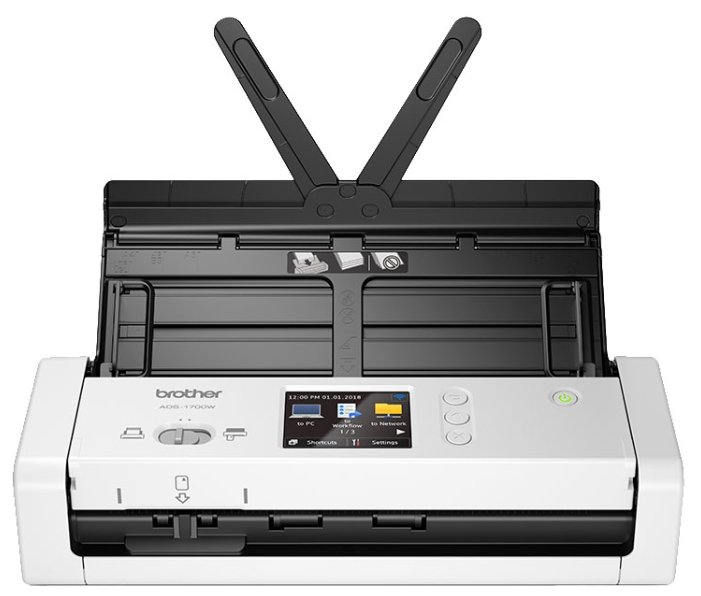
Brother ADS-1700W

39 отзывов

от 61040.00 руб.

8.1/10 баллов

Avision FB2280E

7 отзывов

от 8770.00 руб.

8.1/10 баллов

Epson FastFoto FF-680W

330 отзывов

от 149900.00 руб.

8/10 баллов

Fujitsu FI-5000N скансервер

17 отзывов

от 5355.00 руб.

8/10 баллов

Canon DR-C225

33 отзывов

от 52809.00 руб.

7.9/10 баллов

Plustek OpticFilm 8200i Ai

30 отзывов

от 121657.00 руб.

7.8/10 баллов

Canon DR-M260

16 отзывов

от 68856.00 руб.