
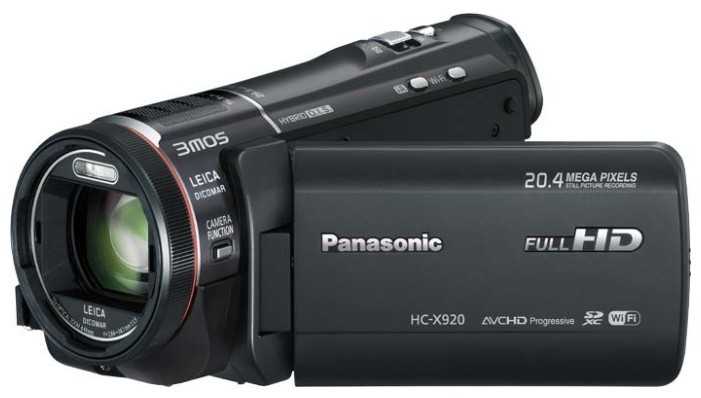
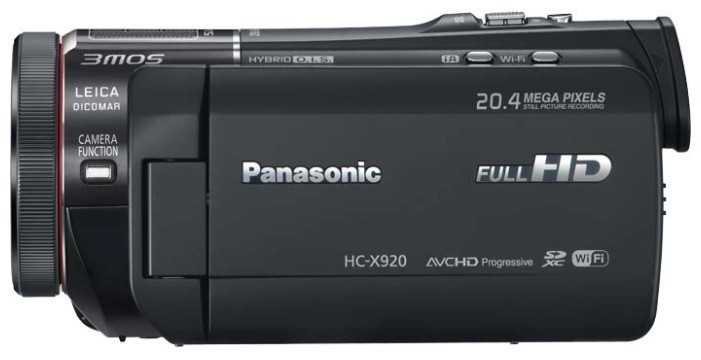
Видеокамера Panasonic HC-X920: 114 отзывов, обзор, плюсы и минусы
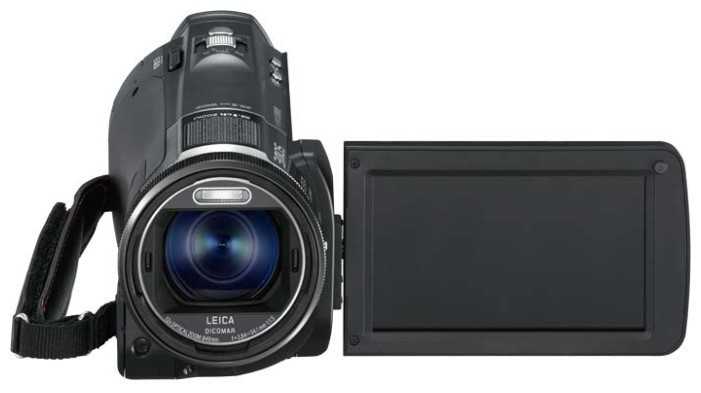
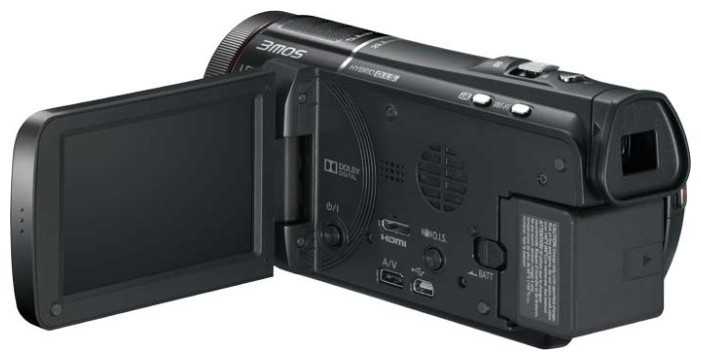
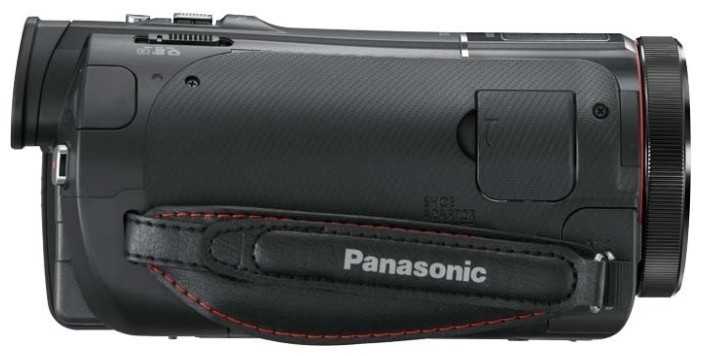
8.1/10
Отлично


Число пикселей матрицы: 12.76 мегапикселей
Оптический Zoom: 12 x
MOS
Количество матриц: 3
Разрешение ЖК-экрана: 1152000 пиксель
Full HD 1080p
ЖК-экран / видоискатель / запись на карту памяти …
Входит в подборки:
Средняя цена в магазинах
64 588 ₽
Смотреть все цены ↓
Аналоги Panasonic HC-X920 в той же цене

7.8/10 баллов
- отличное HD видео
- мощный стабилизатор
- dual SD слоты
- шум в low light
- слабая батарея
- нет EVF
72 122 руб. в среднем
7.6/10 баллов
Характеристики:
- AVCHD
- Full HD 1080p
- 1/2.5"
- 1MOS
- фоторежим
64 065 руб. в среднем
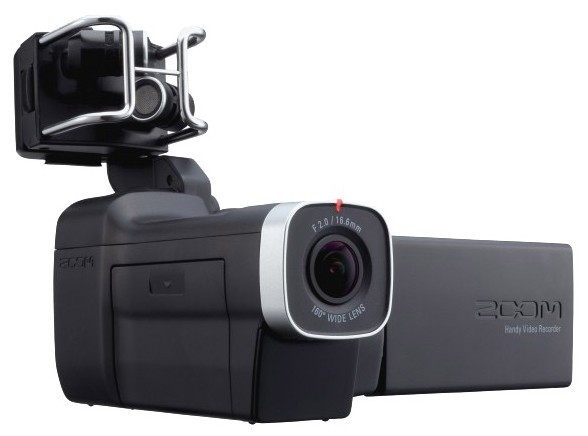
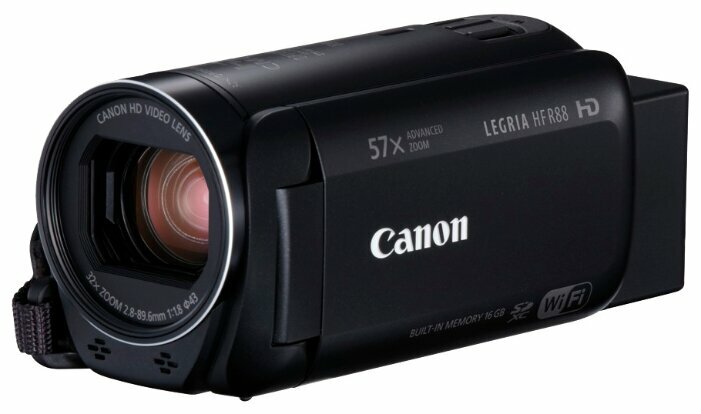
6.4/10 баллов
Характеристики:
- Flash
- AVCHD
- Full HD 1080p
- 1CMOS
- фоторежим
55 295 руб. в среднем
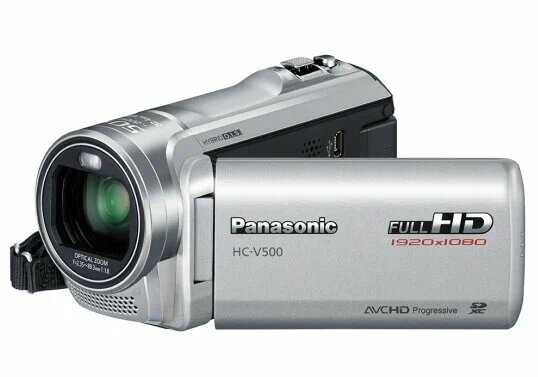
Характеристики:
- Разрешение HD: Full HD 1080p
- Тип стабилизатора изображения: оптический
- Оптический Zoom: 38 x
- Число пикселей матрицы: 1.5 Мпикс
- Особенности: ЖК-экран, запись на карту памяти
53 600 руб. в среднем
Не выбрали нужную модель? Сравните Panasonic HC-X920 с любой другой
Отзывы покупателей о Panasonic HC-X920 — 114 отзывов
Пользовались
Panasonic HC-X920?
Поделитесь своим опытом и помогите другим сделать правильный выбор
Отличная модель
10/10
- Купила камеру в 2014 году, решила обновить отзыв сейчас.
- Первое достоинство, это качество видео! Не боится плохого освещения!
Снимала концерты, архитектуру, природу, полнолуние, закаты, рассветы. Глаз радует до сих пор картинка, как маленького ребёнка!
- Звук, это нечто. Особенно когда снимаешь концерты. В концертах иногда звук важнее даже чем видео.
Снимала легендарных Rammstein в зенит арене. В комментариях написали, что моё видео было лучшим по соотношению качество-звук. И вы знаете.. Я сняла не мало концертов, и мне до сих пор поступают вопросы, на что именно я снимаю. Делайте выводы.
Камера потрясающая! - Минусы есть, но они не критичны.
- Нет ремешка на самой камере. НЕ продумано! Возможно ремешки появились в последующих комплектациях, но у меня нету(
- Камера сильно нагревается при длительной съёмке. Как кто то уже писал об этом, эта камера вряд ли пригодится для съемок свадеб например
- В комплекте поставляется очень маломощный аккумулятор.
Решается вопрос поездкой на рынок "Юнона". Там подберут все что угодно. Ну либо через интернет.
И так.. Я все в том же восторге от неё, как и в день покупки. Купила в 2014 году, сейчас 2023! Все таки Panasonic умеет делать вещи!
Снимает ночью просто шикарно, каждый фонарик, подсветка, все это невероятно смотрится. Отдельно снимала салют, это прям 🥰. Природа, горы, архитектура.. Концерты. В общем все что душа пожелает..
Единственное, что меня смущает, это нынешняя цена. Не совсем адекватна.
В общем, если финансы позволяют, то о покупке вы не пожалеете!
P/S к отзыву прикладываю фото, сделанные на эту камеру. А так же в скором времени будет и видео.
Снимает ночью просто шикарно, каждый фонарик, подсветка, все это невероятно смотрится. Отдельно снимала салют, это прям 🥰. Природа, горы, архитектура.. Концерты. В общем все что душа пожелает..
Единственное, что меня смущает, это нынешняя цена. Не совсем адекватна.
В общем, если финансы позволяют, то о покупке вы не пожалеете!
P/S к отзыву прикладываю фото, сделанные на эту камеру. А так же в скором времени будет и видео.
Альфа-Юнит · 13.12.2023
Хорошая модель
8/10
- О достоинствах читайте ниже, я с ними согласен
- Недостатки имеются, как и у любой другой камеры. Об этом также ниже написано. Для меня большой недостаток - нет внешней зарядки и малая ёмкость штатной батареи.
Приобрёл с целью снимать домашнее видео и видеообзоры мест, где проживаю, с последующей публикацией в соцсетях. Прикупил аккум повышенной ёмкости, сразу с камерой, начитавшись отзывов. Насчёт бленды- поснимав некоторое время бленду с резьбой 49 мм отбросил - на широком угле она периодически появляется по краям кадра. На алишке выписал бленду 16:9 с резьбой 58 мм и переходное кольцо 49:58 мм. Проблема отпала. Также на Али выписал преобразователь/ стабилизатор до 30 вольт на входе и с настраиваемым выходом до 30 вольт постоянного тока. Откалиброван выход на 9,3 вольта, что дало возможность использовать аккумулятор от шуруповерта. Его хватает на очень долгое время, за день съёмки не посадил его даже на половину. Камерой очень доволен, дорого конечно, но результат радует, если что-то не устраивает применяю пост обработку,как правило увеличиваю чёткость и не много насыщенность. Радует качество ночных кадров в городе, телемакро в природе, стаб. Стаб настраиваемый в меню камеры ( по умолчанию в моей камере был установлен СЛАБО.) Рекомендую, особенно начинающим и для домашки.
Пандорец · 09.03.2024
Отличная модель
10/10
- Sony Full HD камеры меня разочаровали, поэтому давно пользуюсь только Panasonic. Во времена аналоговых камер - Sony были вне конкуренции. Из miniDV - была у меня Sony DCR-HS96 - тоже проигрывала Panasonic NV-GS300 по картинке - больше мыла. Были у меня Sony HDR-SR 7 и SR 12 - не впечатлили - картинка неплохая, иногда глючили - сами останавливали запись на жёсткий диск, но главный недостаток - отсутствие ручной регулировки уровня микрофона - на автомате при громком звуке (концерт, например) большие искажения. После разочарования Соньками, пользовался только Панасониками - были miniDV - NV-GS280, NV-GS300, NV-GS400, а NV-GS500 - лучшая miniDV камера. Из Full HD - были Panasonic HDS-TM900, Panasonic HS-X900, а Panasonic HS-X920 - лучшая любительская камера, которой пользуюсь сейчас и пока не вижу ей альтернативы для себя !
- Из недостатков для меня - отсутствие возможности в ручном режиме изменять настройку уровня микрофона во время съёмки - надо останавливать запись, и только тогда можно изменить. Оперативно - не изменишь..
Лучшая любительская Fuii HD камера !
Астероид · 13.12.2023
Отличная модель
10/10
- Бывает написано Full HD и означать это будет только то что ролик будет 1920х1080, но сплошное мыло и рябь. В случае с X920 понимаешь что такое Full HD, и когда смотришь свои ролики на двухметровом экране и детализация и цвет радуют глаз.
Картинка просто супер.
Стабилизация реально удивляет, когда снимаешь из окна автомобиля или поезда или при спуске на лыжах и ничего не дрожит - Долго искал, не нашел. Кому-то кнопки маленькие или не там, а мне все по месту
Опыт использования, первая камера SVHS, вторая miniDV NV-GS-250, сейчас вот 920. Все Панасы.
Плазмоид · 13.12.2023
10/10
- В целом простота управления и имеющиеся ручные настройки.
Отличная работа при сложном освещении.
При наличии накамерного света - все косяки с освещением будут неактуальными. Для лучшей озвучки - необходим внешний микрофон (на али от 700руб).
Ручная настройка плотности потока записи и кадров.
Есть 50i кадровое видео (не везде работает).
Нет шума от наезда картинки. Можно вручную делать наезд и фокусировку (для меня сильный +).
Множественное слежение за лицами и автофокусировка.
Видео смотрится отлично без пикселизации даже на 55дюймовом ТВ. - Греется, неудобное включение и мудрено с настройками во время съёмки, неудобно держать для массивной руки.
Встроенный микрофон.
Периодами синит картинку.
Не любит быстрые перемещения и экшен сцены.
Необходимо переконвертировать...
Аэронавт · 13.09.2018
8/10
- Отличная картинка, приятный цвет, хорошая светосильная оптика. Отличный комбинированный стабилизатор. Наличие режимов 50p и 50i. Шустрый автофокус. Наличие бленды в комплекте, резьба под фильтры, наличие башмака под внешние устройства, вход для микрофона. Удобное управление, хоть часто и через меню, доступ ко многим функциям очень быстрый. Кольцо на объективе позволяет управлять многими функциями, не только фокусом, выбор функций осуществляется через кнопку CAMERA FUNCTION. Хороший чувствительный экран. Есть режим замедленной съемки. 5-канальный звук. Wi-Fi, но мне он честно говоря до лампочки. Низкие шумы (для любительской техники конечно). По цене более гуманно, чем топовая любительская Sony HDR-PJ780VE более 10 000 р. При этом уровень картинки, на мой взгляд равный, у каждой свои особенности.
- Порты и некоторые кнопки под дисплеем. Видоискатель очень маленький, картинка в нем микроскопическая, выдвигается только в одном направлении. Вентилятор немного гудит, правда почти не слышно, только в полной тишине. Инструкция в комплекте крайне убогая, в ней рассмотрены только элементарные вещи которые и так понятны. Логика меню не сразу понятна после Сони, но тут дело привычки, плохо, что в инструкции описания нет вообще. Снизу камера немного греется. Горячий башмак (гнездо для доб. оборудования) крепится отдельно с боку в виде какого-то страшного рудимента. Кнопка CAMERA FUNCTION. При переходе в творческие режимы типа "Замедленная съемка", "Немое кино", "Пленка 8 мм", "Миниатюра" камера автоматом переходит в режим 50i, да и вообще этих режимов маловато. Отсутствие режима 25p, а он крайне желателен для размещения в том же Интернет. Не вся матрица используется в построении изображения, а только ее центральная часть, так что сильно не надейтесь на ее размер. Топовая любительская Sony HDR-PJ780VE смотрится солиднее и по тактильным ощущениям богаче.
Вообще камеру только купил, тестирую, поснимал закаты с поляриком и градиентным фильтром. Общее впечатление очень хорошее. Недостатки перечислил просто чтобы вы знали о них и не было потом лишних разочарований.
Самый главный плюс - это конечно качество картинки, ради него видеокамеры и покупают прежде всего. Очень понравились оттенки которые выдает эта видеокамера, они существенно отличаются от SONY, какие-то более художественные, киношные. У SONY (у меня есть и Сонька FullHD) цвета более попсовые и насыщенные.
Камера без проблем "подружилась" с MAC и Final Cut Pro X. Только Final Cut Pro X нужно обновить, иначе могут быть проблемы с импортом файлов 50р.
Вывод: Короче камера отличная! Пятерку не ставлю, поскольку сейчас нет камер в любительском сегменте на 5 баллов, у всех есть минусы.
Если немного по деньгам не дотягиваете до 920, то смело покупайте предидущую Panasonic HC-X900, по картинке и всему остальному почти то же самое. но на 8000 р. дешевле.
-----------------------------
Дополню спустя некоторе время. Камера реально достойная!
Вот пример видео, ролик о ночной Москве
http://youtu.be/Dc-4tiG1-pw
Видеохостинг правда существенно подпортил картинку сжатием.
-----------------------------
Дополнение после года использования этой камеры. Камера реально отличная. Сравниваю ее со второй своей камерой Full-HD SONY. Так вот Panasonic 920 значительно лучше.
Стабилизатор на голову выше. Детализация выше.
Вот посмотрите видео
http://youtu.be/5_siHU_GSFY
Начало ролика - это 920-я, вторая половина - это Сони, и финальный кадр опять 920. Мне кажется, качество сигнала очень высокое у 920-й. Ну и стабилизатор сразу виден.
Я покупкой очень доволен спустя год.
Самый главный плюс - это конечно качество картинки, ради него видеокамеры и покупают прежде всего. Очень понравились оттенки которые выдает эта видеокамера, они существенно отличаются от SONY, какие-то более художественные, киношные. У SONY (у меня есть и Сонька FullHD) цвета более попсовые и насыщенные.
Камера без проблем "подружилась" с MAC и Final Cut Pro X. Только Final Cut Pro X нужно обновить, иначе могут быть проблемы с импортом файлов 50р.
Вывод: Короче камера отличная! Пятерку не ставлю, поскольку сейчас нет камер в любительском сегменте на 5 баллов, у всех есть минусы.
Если немного по деньгам не дотягиваете до 920, то смело покупайте предидущую Panasonic HC-X900, по картинке и всему остальному почти то же самое. но на 8000 р. дешевле.
-----------------------------
Дополню спустя некоторе время. Камера реально достойная!
Вот пример видео, ролик о ночной Москве
http://youtu.be/Dc-4tiG1-pw
Видеохостинг правда существенно подпортил картинку сжатием.
-----------------------------
Дополнение после года использования этой камеры. Камера реально отличная. Сравниваю ее со второй своей камерой Full-HD SONY. Так вот Panasonic 920 значительно лучше.
Стабилизатор на голову выше. Детализация выше.
Вот посмотрите видео
http://youtu.be/5_siHU_GSFY
Начало ролика - это 920-я, вторая половина - это Сони, и финальный кадр опять 920. Мне кажется, качество сигнала очень высокое у 920-й. Ну и стабилизатор сразу виден.
Я покупкой очень доволен спустя год.
НаноПилигрим · 31.05.2014
8/10
- Большой дисплей (3.5 дюйма)
Подсказки для меню
Подсветка
Три матрицы - Слишком легкая
Скудное управление
Микроскопический видоискатель
Ограничение усиления видеосигнала
Искажение цветов
Одна из лучших моделей у Панасоника за последние несколько лет. Камера хорошая, но при всех достоинствах акцентирую внимание на недостатках, которых быть не должно!
Слишком легкая. Рука взрослого человека вес не ощущает, поэтому происходит "болтанка". Впечатление, что это пластмассовая игрушка, а не серьезная вещь.
Размер камеры слишком мал, мизинец руки, которая держит камеру ложится прямо на микрофон. Приходится постоянно палец загибать.
Кнопок для управления вообще нет, видимо производители посчитали, что все снимают только на автомате.
Видоискатель микроскопический. Картинку видно, но контроля никакого. Да, у многих видеокамер так, но это есть недостаток. Уж если делаешь видоискатель, так делай хороший.
Меню неудобное, стрелочку влево-вправо нажимать сложно, промахиваешься.
Огромный недостаток - ограничение усиление видеосигнала. Оно не подстраивается, как у Сони, в зависимости от яркости картинки. Это делает невозможным съемку во многих случаях.
Когда выключаешь питание, объектив остается открытым, вопрос - зачем?
И еще один серьезный недостаток - камера часто ошибается в цветах. Причем чаще искажается именно цвет кожи человека. Видимо что-то накрутили производители. В видеоредакторе это исправить довольно сложно, поэтому надо баланс белого все время настраивать вручную. Пример сравнения с сони можно посмотреть тут: http://www.dv-pro.ru/1-VIDEO/VIBOR-VIDEO-HD.html
Но есть и плюсы.
Главное - это три матрицы за такую маленькую стоимость. Картинка четкая, шумов мало. Большой дисплей позволяет лучше контролировать картинку, хотя и расход питания увеличивается. А дополнительные аккумуляторы стоят, как дешевая видеокамера.
Есть интересная, но бесполезная функция настройки басов.
Присутствует: гистограмма, очертания резкости, зебра.
В общем, если бы не серьезные недостатки, камера была бы супер! А так, если Вам не важен цветобаланс, и Вы любите снимать на полном автомате - рекомендую. А если Вам важно качество картинки и правильные цвета, то ищите у Сони.
Слишком легкая. Рука взрослого человека вес не ощущает, поэтому происходит "болтанка". Впечатление, что это пластмассовая игрушка, а не серьезная вещь.
Размер камеры слишком мал, мизинец руки, которая держит камеру ложится прямо на микрофон. Приходится постоянно палец загибать.
Кнопок для управления вообще нет, видимо производители посчитали, что все снимают только на автомате.
Видоискатель микроскопический. Картинку видно, но контроля никакого. Да, у многих видеокамер так, но это есть недостаток. Уж если делаешь видоискатель, так делай хороший.
Меню неудобное, стрелочку влево-вправо нажимать сложно, промахиваешься.
Огромный недостаток - ограничение усиление видеосигнала. Оно не подстраивается, как у Сони, в зависимости от яркости картинки. Это делает невозможным съемку во многих случаях.
Когда выключаешь питание, объектив остается открытым, вопрос - зачем?
И еще один серьезный недостаток - камера часто ошибается в цветах. Причем чаще искажается именно цвет кожи человека. Видимо что-то накрутили производители. В видеоредакторе это исправить довольно сложно, поэтому надо баланс белого все время настраивать вручную. Пример сравнения с сони можно посмотреть тут: http://www.dv-pro.ru/1-VIDEO/VIBOR-VIDEO-HD.html
Но есть и плюсы.
Главное - это три матрицы за такую маленькую стоимость. Картинка четкая, шумов мало. Большой дисплей позволяет лучше контролировать картинку, хотя и расход питания увеличивается. А дополнительные аккумуляторы стоят, как дешевая видеокамера.
Есть интересная, но бесполезная функция настройки басов.
Присутствует: гистограмма, очертания резкости, зебра.
В общем, если бы не серьезные недостатки, камера была бы супер! А так, если Вам не важен цветобаланс, и Вы любите снимать на полном автомате - рекомендую. А если Вам важно качество картинки и правильные цвета, то ищите у Сони.
Небулоид · 29.02.2016
10/10
- Отличная видеокамера!!! Для тех кто только начал пользоваться используйте только авто режим. И ОБЯЗАТЕЛЬНО купите карту памяти SDXC, для того чтобы записывать ролики большого объёма, т.е большие по времени. Если у вас будет другая карта...
Нейрон · 30.05.2018
Показаны отзывы 1-8 из 114.
Сколько стоит Panasonic HC-X920: история цены
Характеристики Panasonic HC-X920
| Общие характеристики | |
| Режим ночной съемки : | Да |
| Широкоформатный режим видео : | Да |
| Число пикселей матрицы : | 12.76 мегапикселей |
| Оптический Zoom : | 12 x |
| Матрица | |
| Тип матрицы : | MOS |
| Количество матриц : | 3 |
| Физический размер матрицы : | 1/2.3" |
| Объектив | |
| Фокусное расстояние объектива : | 2.84 - 34.1 мм |
| Выдержка : | 1/8000 - 1/25 сек |
| Диаметр фильтра : | 49 мм |
| Ручная фокусировка : | Да |
| Функциональные возможности | |
| Стабилизатор изображения : | Да |
| Запись в MPEG4 : | Да |
| Видоискатель : | Да |
| ЖК-экран : | Да |
| Фоторежим | |
| Фоторежим : | Да |
| Фотосъемка в режиме видеосъемки : | Да |
| Широкоформатный режим фото : | Да |
| Интерфейсы и носители | |
| Выход на наушники : | Да |
| Wi-Fi : | Да |
| Запись на карту памяти : | Да |
| Микрофонный вход : | Да |
| Дополнительная информация | |
| Ширина : | 150 мм |
| Минимальная освещенность : | есть |
| Высота : | 72 мм |
| Глубина : | 67 мм |
| Вес : | 417 г |
| Форматы | |
| Запись в формате 1080p : | Да |
| Карты памяти | |
| Тип карты памяти : | SD, SDHC, SDXC |
| Экран | |
| Разрешение ЖК-экрана : | 1152000 пиксель |
| Тип | |
| Разрешение HD : | Full HD 1080p |
| Форматы записи | |
| Форматы записи камеры : | H.264, MPEG4 |
| Дополнительно | |
| Особенности : | ЖК-экран, видоискатель, запись на карту памяти, ручная фокусировка |
| Разъемы и интерфейсы : | AV-выход, USB, Wi-Fi, выход HDMI, выход на наушники, микрофонный вход |
| Комплектация : | аккумулятор, адаптер переменного тока, адаптер для башмака, AV кабель, USB кабель, HDMI кабель, крышка объектива, программное обеспечение |
| Поддержка ExifPrint : | Да |
| Наличие вспышки : | есть |
| Дополнительная информация : | съемка 3D с помощью объектива-конвертера VW-CLT2 (покупается отдельно) |
Информация о характеристиках носит справочный характер.
Перед покупкой уточняйте характеристики и комплектацию товара у продавца