

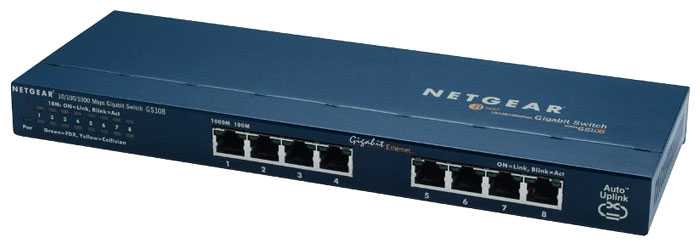
Коммутатор NETGEAR GS108: 282 отзыва, обзор, плюсы и минусы
7.2/10
Хорошо


Входит в подборки:
Средняя цена в магазинах
2 395 ₽
Смотреть все цены ↓
Аналоги NETGEAR GS108 с высокой оценкой

8.6/10 баллов
- Компактный
- надежный
- простой в использовании
- Ограничение 100 Мбит/с
- легкий и неустойчивый
- короткий кабель питания
1 997 руб. в среднем
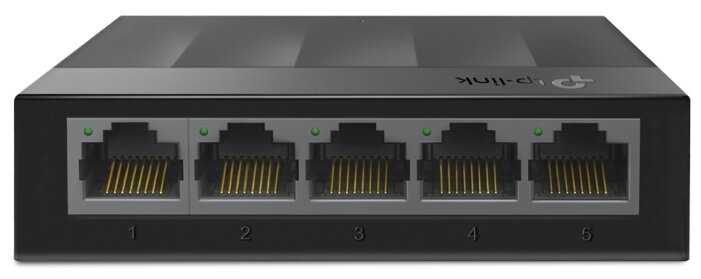
8.6/10 баллов
- компактный
- надежный
- гигабитная скорость
- ненадежность со временем
- слишком легкий
- не раздает IP
2 195 руб. в среднем
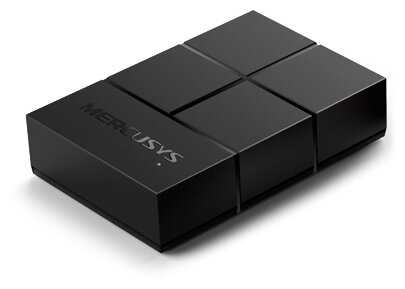
8.4/10 баллов
- гигабитные порты
- компактный размер
- простая установка
- легкий вес
- неудобная индикация
- нет кнопки выключения
2 690 руб. в среднем
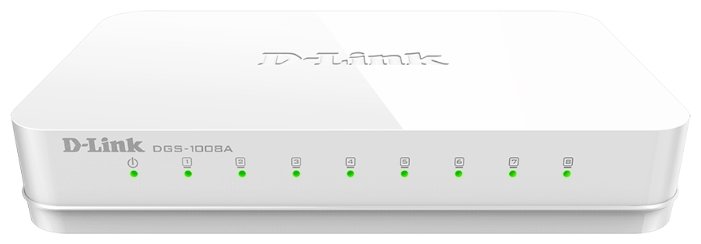
8/10 баллов
- надежный PoE
- гигабитная скорость
- простота подключения
- нет настенного крепления
- глюки портов со временем
- выносной блок питания
2 761 руб. в среднем

8/10 баллов
- гигабитная скорость
- бюджетный PoE
- plug-and-play
- нестабильность под нагрузкой
- падение скорости
- короткий БП-кабель
2 623 руб. в среднем
Не выбрали нужную модель? Сравните NETGEAR GS108 с любой другой
Отзывы покупателей о NETGEAR GS108 — 282 отзыва
Пользовались
NETGEAR GS108?
Поделитесь своим опытом и помогите другим сделать правильный выбор
10/10
I purchased both the 8 port and 5 port version of this. It arrived quickly and in an extremely sturdy box for something made in China. Both units worked right out of the box. No fooling with router settings, so refreshing!Remember one port will be your supply port that is typically connected to a router. So, if you have 5 Ethernet items to connect, DON'T buy the 5 port version, get the 8 port version and have a few ports available for future.Nice heavy weight feel and made with a STEEL CASE! Yep, not some crappy plastic like everything else but steel. Rubber feet on the bottom and even with Several Ethernet cables connected it sits flat and doesn't want to flip over (like my plastic case router). Runs cool with ventilation openings on the side.I'm resisting the urge to look inside as my background is in Electronics, I wonder if it's as nice inside as outside.The only 'minor gripe' is that it has a wall wart power supply and while it's slim and everything I sure wish we would get back to the old days of when the power supply was inside the case and all you had was a AC power cord with a skinny plug. I think those days are gone. HOWEVER I just found an Socket Sense SS1650W-06 6-Outlet Expandable Surge Protector, 6 ft at Amazon.The twinkling data lights are a bit annoying. Kinda like a blinking Christmas Tree, so I turn it to the side so I don't notice them. Would be nice if they could be turned off as they serve (ME) no purpose. I don't need the lights.Power plug in in the long back side along with some kind of anti-theft-carry-off opening and the ports are on the other long side.I ran out of ports on my router so I sprang for these. A long Ethernet run of 90 foot cable snakes downstairs and now I have ports on the entertainment center.As a side note, Amazon sells several 'FLAT' Ethernet cables in various length and I'm switching to those because they can easily be pushed under the wall molding and also thin enough to have a door or window closed on it. So for I have no problems with the cable.As said, I'm extremely pleased with this switch (I keep wanting to call it a hub).
ОмниКод · 26.02.2013
2/10
I wasn't sure which switch to buy - this one or one of two other Netgear products. So I called Netgear: on their web site they brag about 24/7 support. Here's how it went:1. I told the person what products I was comparing. They transferred me to somebody else. The connection was so bad I had to call back.2. Second call. I told the person what products I was comparing. They transferred me to somebody else. The second person knew about one of the products but couldn't help me with the other. Why? Because one was residential and the other business. So they transferred me to the business team. After 12 minutes on hold, somebody finally said, "Hello." I said, "Hello." They hung up. Sigh. I'm hoping it was just another bad connection.3. Third call. I told the person what products I was comparing. They transferred me to somebody who could help me. After being on hold for 15 minutes, the automated system asked for a credit card to continue the call, otherwise, go back to the main menu. So, back to the main menu. Press the buttons to get back to presales support. After being on hold another 15 minutes, I hang up and call again.4. Fourth call. I give my case # and ask for a supervisor. I am transferred and on hold for a few minutes. But not to a supervisor. I give my case number and ask for a supervisor. On hold for a while. And the person who finally picks up? You guessed it! Not a supervisor. I ask to speak to a supervisor. After being on hold for another 5 minutes or so, I'm transferred back to the main menu. The next person who picks up the phone has a connection so bad that he has to promise to call me back. The phone didn't ring. Out of chances.5. Fifth call. Ok, I couldn't leave it. I wanted to give them one more chance. Call me a glutton for punishment. The agent that answered the phone was the same agent that I first spoke with on calls 2, 3, and 4. Needless to say, we now recognized each others' voices immediately. I asked, one more time, to talk with a supervisor. He said they were having network problems and could connect me with somebody who could answer my questions but could not connect me to a supervisor. As I had been typing this review while on hold, I told him he had two choices: connect me to a supervisor or I submitted the review. He asked me to hold... A few minutes on hold and a supervisor! She apologized. She said she'd submit my case to customer service and they'd call me back. Meanwhile, she had a level 2 support person call me and he answered my questions. I'll wait to submit this until after I speak with customer support.All of the above happened on a Thursday. I expected the call from customer support the next day, Friday. But, alas, no call came that day. But, the call did come today, Thursday, one week later. I told the customer service agent what had happened. She apologized. But that didn't get me back my 2 hours. I asked for a discount off of the product. She said that Netgear doesn't actually sell their products to customers - they only sell through resellers. As a result, there was nothing she could do but apologize.I can almost understand a company providing such horrible customer service AFTER a sale. But before the sale? This is beyond insane. If this is how hard they are going to make it to buy one of their products, imagine how hard it is going to be to get help after you've given them your money. They may make good products, but they've forgotten that customers need better treatment.Instead, I purchased the D-Link DGS-1008G 8-port Gigabit switch. It was easy to install and has been working without any trouble. And it cost half as much as the Netgear choices.Unfortunately, 0 stars is not an option, so I give this product 1 star. Note that this is for Netgear.
Интеллектор · 22.10.2011
10/10
My overall feature usage of these switches is limited so I can't say that everything works perfectly, but I will share what I do know. Feel free to comment if you feel otherwise.With limited non-enterprise funds, I purchased the 8-port version of this switch and its bigger brother 24-port version (amazingly inexpensive at the time). After 2 years, these switches have not let me down. The web interface can be flaky at times (image caching, and especially under Chrome), and the LAG (aggregation/trunking) UI flow could be less confusing, but the stuff just works. Get the management static IP setup and then toss that proprietary CD software - you will never need it again.I run the 24-port in my basement, with 2 Win7 Pro servers (40TB 3Ware RAID6 in each) connected via 2-port LAG and a 2-port (50') Cat6 link to the 8-port switch in my living room, for HTPC. By the way, I have run 4-port LAG as well, it does work on these devices, but with Win7 limits (read on) there is no real need for me and 4gbps links.Limits imposed by MS, cause Windows 7 Pro (and Ultimate I assume) to limit NIC throughput to 1gbps between any TWO Windows 7 machines (Server 2008 will not), so I no longer get more than 1gbps (900mbps real-world) between any two machines, but in the past when running on XP Pro I used to get almost 2gbps (1.8gbps real-world) between XP machines (very impressive). But any two machines can push a 3rd machine to hit near 2gbps (the info on this limitation seem hidden at MS, but I have proved this time and time again). Just accept it. So any two clients can push 1gbps to the one aggregated NIC in a server (3rd machine), making the aggregation still quite useful on Win7-only networks. I certainly do miss 2gbps RoboCopy sessions, but not bad enough to buy Server 2008. I will not do Linux, as I value my time. :) I do wish that Fr**NAS and ZFS were reliable. Maybe someday - a fantasy so far.I tend to use the Int*l 2-port adapters with the ports aggregated (Int*l drivers so get this configuration right). The motherboard NIC chips tend to be a pain to configure in LAG - the marketing all talks/lies about it, but the real-world instructions just don't exist for Windows (you will spend forever looking for the drivers and config data) - Linux is sometimes kinder to those cheap NICs - just great that a motherboard NIC can support LAG/aggregation/trunking, but consumers cant really accomplish it, no drivers.In my opinion (25-year software developer, not a net eng) you will not find a better value in a managed consumer Gbit switch. I have had a few older NG products die on me (LS and DL much worse), and I have cursed a few NG WNICs (all WNICs stink), but these smart switches have been impressive to date - I hope my luck continues. I'd love to see a smaller 5-port version, with web interface, but probably no market for that.I have no stake in this manufacturer, but just wanted to share my positive experience with these switches.Happy Packets
Небулоид · 22.05.2012
8/10
I own two of these, and I've owned or used several of the smaller 5-port model (GS105), and I've had few issues with them. I've encountered one with the blinky lights issue, but I don't know how old it was or how it was treated; I had one of the smaller ones that had a slightly flaky power connector, but it was kept in a fairly stressful arrangement on my desk (held to a bulletin board with thumbtacks in the wall-mount holes, with the power and Ethernet cords dangling from it). Besides that, I've been pretty impressed with them. The construction is solid (I'm always happy to see a metal case, and it does a good job at keeping the switch cool), and I'm impressed that they manage to pack QoS support into an otherwise "dumb" switch (although I've never tried it).My only nit is that I'd like Netgear to take some design cues from Trendnet's TEG-S80g: Trendnet puts the Ethernet ports on the back, along with the power connector, so you can put the switch on a desk and have all the wires cleanly running to the back of the desk instead of everywhere.I also prefer Trendnet's indicator light scheme: Netgear uses the two "corner of the port" lights to indicate link, speed, and activity (they're dark if there's no link, otherwise the combination of lights indicates speed, and blink indicates activity), which is hard to read from a distance. (From a distance, a 1000M port looks an awful lot like two adjacent 100M ports.) Trendnet uses two rows of lights (one for link/activity, one for speed), so it's really easy to see which ports are in what state. (If I could redesign it myself, but were stuck with the "corner of the port" lights, I'd make the left one solid green for link, blink for activity, and make the right one solid orange for 1000M, off for 100M, and either off or a slow blink for 10M [who has 10M Ethernet devices anymore?!].)Anyway, geekery aside: These are great switches (albeit unmanaged, but that's fine for a home network or a developer's desk at work).
Гиперион · 12.01.2013
4/10
I bought this switch to extend my network from a core Dell PowerEdge to my upstairs. Plan was to power an AP and PoE enabled camera, and also provide hardwired access to the other devices.ProsGreat price for an 8 port GigE switch with 4 of the ports supporting PoE. And managed too.For regular use, it appears to work fine. However, that's the only highlights.Cons:Where to begin?1) Management - Since I trunked the switch to my core and dont use VLAN 1, the only way to manage the switch was to be directly connected to it, *and* to install software. No web interface, Windows software only. As a Mac user, that entails installing in Parallels and temporarily bridging the network.2) No Detailed Stats or SNMP - PoE device active? Check. Actual power draw against the 45W? Not so much. I didn't mind too much, but for troubleshooting, I prefer to remotely log into devices from my office and not hunkered over in a linen closet.3) Issues with trunked APs - I have a Ubiquiti AP Pro that supports VLANs. Once configured on a port for trunking one VLAN and PVID/untrunked for the other, I'd see PHY go down on the AP for 3-5 seconds, then restore. This would happen intermittently and cause horrible performance. The ifconfig on the AP didn't show anything, and no errors clocked on the switch.Even after using an external PoE injector on an non-PoE port, still the same issue. When connected to a similarly configured port on my Dell switch, rock solid and stable.So in my mind, without statistics and causing issues with devices, I consider the switch to be non-operational.Other thoughts:The price is good -- for a managed switch. But with the issues on the management software and up/down on the interface, this is very expensive unmanaged switch in my opinion. I'll spend the additional $40-60 for a more robust 8-port switch with PoE.
Туманник · 21.12.2012
4/10
I have a wired and wireless networked SOHO. I used the NS108 to replace a NetGear 10/100 hub that was working fine. The reason for the 'upgrade' is that a month ago I developed a need for large file transfers from 3 computers that were plugged into my hub going down one CAT5 wire to my server room to a NAS box. The problem was the hub was getting almost constant collisions when I'd try and communicate with the NAS simultaneously on more than one computer on the hub. So, I thought swapping the hub out with this switch would solve the problem (I also had 2 other NAS boxes off the hub, and a printer).While the NS108 switch took care of the data collision issue, I've actually seen my network file transfer to the remote NAS box DECREASE versus the hub I had been using. The worst problem I'm encountering with the NS108 is that its method of throttling multiple computers trying to use the same pipe appears to be to dedicate virtually all the bandwidth to the first computer that tries to access the remote NAS box. WTF? That doesn't solve my problem, it makes it worse. Now the situation I end up with is if I try and access the remote NAS with more than one PC at a time, the 2nd and following PC connections hang. Not only that, but those machines can barely (if at all) access the Internet or anything else since the data connection needs to travel from the switch across the same pipe to the server room.I am going to experiment with running at least one more CAT5 line from the GS108 to my server room to see if that helps, but at this point I am very skeptical. I'm annoyed that I can't change the behavior of the switch and that it appears to be optimized to favor a single connection to the switch communicating with a single other connection on the switch. What I wanted was a device that would load balance like my hub but more intelligently handle the traffic in an effort to avoid data collisions like what I was seeing on the hub. Yet what I have now with the GS108 is worse. I didn't get time-outs and apps crashing with the hub, just slower throughput for all connected devices. But that is better than what I have right now, which paralyzes part of my network when a large transfer is initiated from any one device on the switch. Very annoying and counter-productive.I'm now looking at the TP-Link giga switches, which are the only brand I've found so far that supports 10/100/1000 transfer rates on ALL ports for the price.
Нейрон · 09.03.2012
8/10
Can you probably get just as good of a switch for 1/3 the price? You bet!But if you need what this offers versus the even more expensive (SMB/Pro or Enterprise alternatives), this is worthy of consideration.Pros:- performs as well for me as my enterprise grade HP switch in my home office (I'm an enterprise IT consultant)- has PoE! Easily powers my wireless AP and two Lync/VoIP phones, and I still have one PoE jack free.- solid metal construction, with mounting holes.- barely "thicker" than the ethernet jacks themselves. very small and compact.- since it's so small it was very simple to mount under my desk, which greatly cleaned up my deskHere's how it could be better, and a 5 star unit:- wish it were less expensive- wish all of the ports were PoE enabled- wish it had a straight AC cable, instead of the small external DC power supply.Very pleased with this switch and my purchase!NOTE: This model switch doesn't support Vlans, but the model above this does.
НеоВояжер · 07.02.2013
10/10
I read most of the reviews before buying the GS108. The only reviews that worried me were those that complained about the power supply dying in less than 3 years. I have been using NetGear for years & years without a hitch so I went ahead and ordered it anyway. It arrived today, 3/8/2012, and it took all of 1 minute to plug it in & move a couple of RJ-45 connectors (cat5) from my FWAG114 and connect the FWAG114 to the GS108 (cat6).Plug'n'Play, what can I say... but then, it's just a switch so I wouldn't expect anything else and it flat out screams. Remote drives respond as fast as a local drive.As for the power supply, I'll try to find this review & update it later if I have a problem.As for some of the other non-5 star reviews that I wasted my time reading...One guy complained that the lights were too bright (he kept the GS108 in his bedroom). I just wonder what kind of DH goes to sleep with an 8 port Gbit switch in his bedroom. He needs to find a girl friend.Others complained that the RJ-45 connectors were in the front of the unit. Well, duuuh, didn't you look at the picture of the unit before you bought it? Besides, pro grade devices normally have the connectors in the front of the unit. I wish mine were in the back of the unit too like my FWAG114 but I knew what I was buying before I bought it... I looked at the picture. I also spent about 35 years in IT so I was accustomed to seeing the wires in the front of the device.Others said the unit ran hot. Mine is much cooler than my FWAG114 and also much cooler than my AT&T 3801HGV (which is a 2Wire/Pace DSL/wireless device) and I have it sandwiched in a stack above the FWAG114 & below a USR265633A external USB fax/modem.In closing, if you're considering buying this unit, don't hesitate, just buy it and ignore most of the trivial dribble that gets posted by inexperienced wannabe reviewers... and then keep your fingers crossed that the power supply holds up (which I'm not worried about because I'll want to replace it with a 10Gbit wireless device when they're available/affordable).12/28/2012:It's still going strong and has never burped.
Гравитон · 08.03.2012
Показаны отзывы 1-8 из 282.