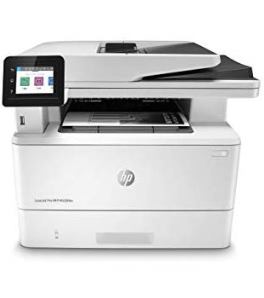

МФУ лазерное HP Color LaserJet Pro M283fdw: 149 отзывов, обзор, плюсы и минусы

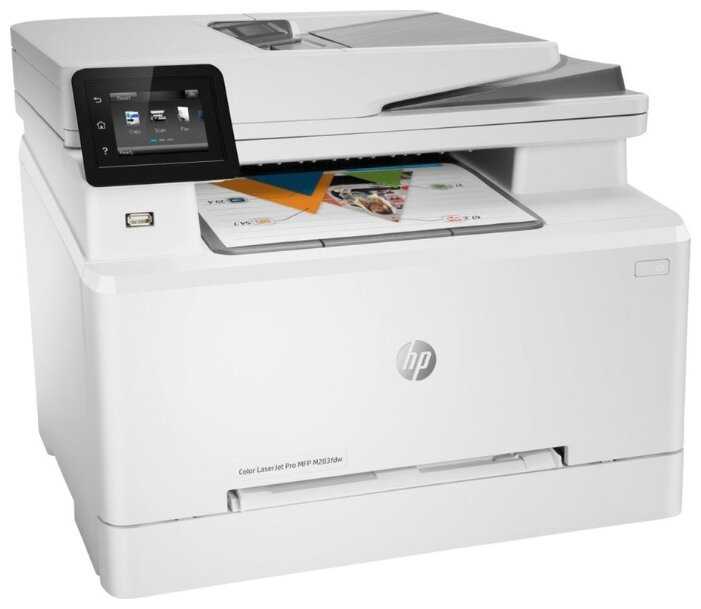
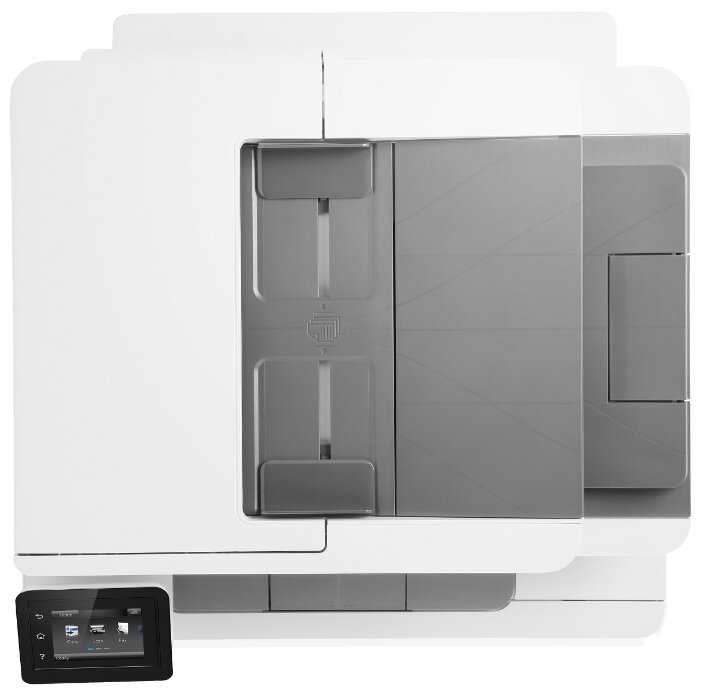
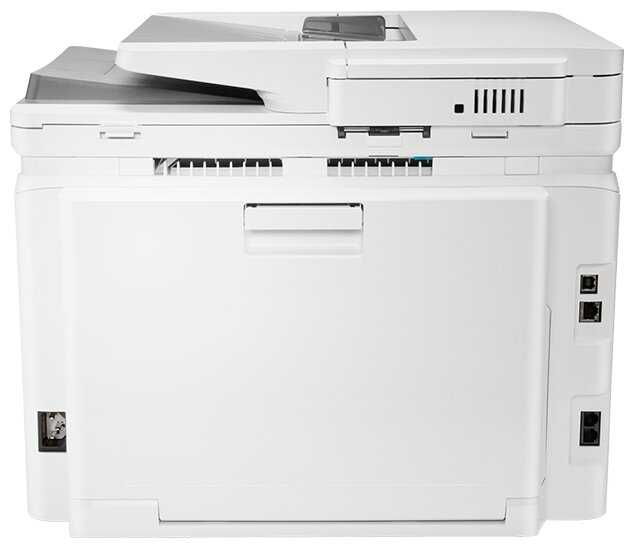


Стоит ли покупать HP Color LaserJet Pro M283fdw?
Обзор HP Color LaserJet Pro M283fdw на основе реальных отзывов
Данное МФУ представляет собой сбалансированное решение для дома и малого офиса, где приоритетом является надежная черно-белая печать документов. Устройство демонстрирует отличную производительность при работе с текстом: лазерная технология обеспечивает четкость линий, скорость до 22 стр./мин. и ресурс до 40 000 страниц в месяц. Компактные габариты и продуманный лоток на 250 листов делают его удобным для помещений с ограниченным пространством. Однако полноценное использование Wi-Fi требует терпения — кнопка WPS часто не срабатывает, и пользователям приходится прибегать к ручной настройке через USB.
Качество цветной печати можно охарактеризовать как удовлетворительное для таблиц и графиков, но неприемлемое для фотографий или креативных материалов. Проблемы с пропуском желтого пигмента и полосами указывают на ограничения в системе подачи тонера. Для задач, где цвет критичен, стоит рассмотреть струйные модели с СНПЧ. Еще одним минусом является отсутствие режима ожидания, что снижает удобство удаленной работы — устройство приходится держать постоянно включенным или активировать вручную.
Экономическая составляющая эксплуатации вызывает противоречия. С одной стороны, стартовых картриджей хватает на 800-900 страниц, а совместимые аналоги снижают стоимость печати. С другой — оригинальные расходники HP остаются одними из самых дорогих на рынке, а их замена требует осторожности из-за риска блокировки прошивкой. Пользователи отмечают, что заправка картриджей «в подвале» становится вынужденным решением, что может повлиять на гарантийные обязательства.
Функциональность сканера и копира заслуживает похвалы: точное воспроизведение документов, поддержка облачных сервисов и USB-накопителя, пакетная обработка через автоподатчик. Однако шумность механики (особенно при сканировании) и отсутствие двустороннего сканирования через АПД несколько снижают впечатление. Для офисов с большим объемом документооборота эти нюансы могут стать критичными.
Идеальная сфера применения устройства — домашние задания, офисная документация и периодическая цветная печать несложных материалов. Оно подойдет семьям со школьниками, фрилансерам и небольшим компаниям, где нет требований к профессиональной цветопередаче. Если же ключевыми критериями являются бесшумность, удаленный доступ и бюджетные расходники, стоит рассмотреть альтернативные модели с более гибким ПО и расширенным режимом ожидания.
Плюсы HP Color LaserJet Pro M283fdw по отзывам покупателей
- После сложной первоначальной настройки Wi-Fi (проблемы с WPS) подключение работает без сбоев.
- Поддерживает одновременное соединение с несколькими устройствами (3 iPhone, 2 MacBook, ПК на Windows).
- Позволяет печатать и сканировать через Wi-Fi, включая отправку файлов по электронной почте напрямую на устройство.
- Габариты устройства (примерно 30×30×30 см) позволяют разместить его даже в ограниченном пространстве.
- Прочный пластик и отсутствие люфтов в механике подчеркивают «брендовость» и надежность.
- Внешний вид гармонично вписывается как в офисный, так и в домашний интерьер.
- Лазерная технология обеспечивает четкие линии без расплывчатости или полос.
- Ресурс стартового черного картриджа — 1350 страниц, что подтверждается экономным расходом тонера.
- Подходит для печати на разных типах бумаги, включая тонкую и плотную (до картона).
- До 22 страниц в минуту в черно-белом режиме, что критично для офисных задач.
- Мгновенный нагрев после включения — устройство готово к работе почти сразу.
- Автоподатчик бумаги вмещает до 250 листов, сокращая необходимость частой дозагрузки.
- Объединяет принтер, сканер, копир и факс (последний редко используется, но доступен).
- Поддержка двусторонней печати и сканирования в облако или на USB-накопитель.
- Сенсорный дисплей с интуитивным меню упрощает настройку без ПК.
- Ресурс картриджей рассчитан на 800-900 страниц даже при активной эксплуатации.
- Возможность использования совместимых картриджей (например, «Кактус») снижает затраты в 2-3 раза.
- Отсутствие перегрева при длительной печати (до 40 000 страниц в месяц).
- Точное воспроизведение оригиналов, включая тексты и графику.
- Функция пакетного сканирования через автоподатчик (требует удаления скрепок).
- Поддержка сохранения отсканированных документов в сетевые папки или на email.
Минусы и проблемы HP Color LaserJet Pro M283fdw по отзывам покупателей
- Кнопка WPS часто не работает, требуется ручная настройка через USB и приложение HP Smart.
- Нестабильность соединения в первые часы, необходимость перезагрузки роутера.
- Ограниченная функциональность мобильного приложения для удаленного управления.
- Невозможность удаленной отправки заданий на печать при выключенном устройстве.
- Автоматическое отключение через 2-6 часов, что неудобно для спонтанной печати.
- Требует ручного включения, в отличие старых моделей с фоновым режимом.
- Цена черного картриджа HP 207X — от 11 500 руб., цветных — от 7 000 руб. за штуку.
- Риск блокировки совместимых картриджей после обновления прошивки.
- Стартовые картриджи в комплекте имеют уменьшенный ресурс.
- Громкая работа при первом включении и печати (до 60 дБ).
- Скрип автоподатчика бумаги, заметный в тихих помещениях.
- Вибрации при сканировании толстых документов.
- Полосы и пропуски цвета (например, желтый оттенок не пропечатывается даже блекло).
- Не подходит для фото: краска слезает с самоклеек, нет детализации в тенях.
- Требует ручной калибровки яркости и контраста для копий.
- Официальное приложение HP недоступно в некоторых регионах.
- Ошибка 79 Service Error объединяет неисправности разного типа (от памяти до сканера), усложняя диагностику.
- Нет двухстороннего сканирования через автоподатчик.
- Несмотря на заявленную компактность, требует выделенного места (вес — около 15 кг).
- Ширина между ножками не подходит для узких тумб (точные размеры не указаны в спецификациях).
- Лоток для бумаги маловат для офисов с ежедневной печатью 100+ страниц.
*Плюсы и минусы, которые пользователи называют чаще всего на основе практического опыта использования.
HP Color LaserJet Pro M283fdw и аналоги в той же цене
Модели от 80 000 до 120 000 ₽ с высокой оценкой. Нажмите на заголовок столбца, чтобы отсортировать.
| Модель | Отзывы | Сравнить | ||||||||
|---|---|---|---|---|---|---|---|---|---|---|
 Brother MFC-L5750DW Brother MFC-L5750DW |
8.1 | 8.1 | 6.5 | 8.0 | 7.9 | 8.8 | 8.8 | 71 | 80 927 ₽ | Сравнить |
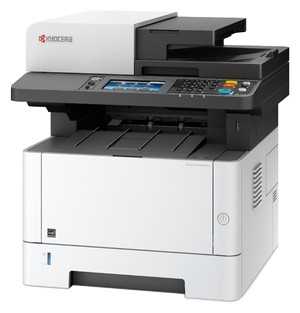 KYOCERA ECOSYS M2640idw KYOCERA ECOSYS M2640idw |
8.0 | 6.8 | 8.2 | 8.9 | 6.5 | 8.2 | 7.8 | 62 | 89 069 ₽ | Сравнить |
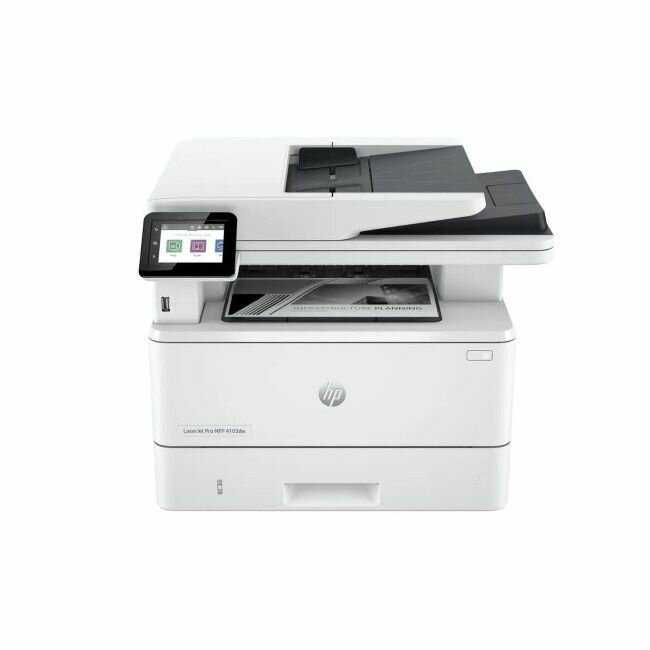 HP LaserJet Pro 4103dw HP LaserJet Pro 4103dw |
8.0 | 6.9 | 6.9 | 8.9 | 8.2 | 7.9 | 8.1 | 64 | 88 694 ₽ | Сравнить |
 HP Color LaserJet Pro M283fdwЭтот товар HP Color LaserJet Pro M283fdwЭтот товар |
7.0по отзывам | — | — | — | — | — | — | 149 | нет в продаже | — |
Отзывы покупателей о HP Color LaserJet Pro M283fdw — 149 отзывов
Пользовались
HP Color LaserJet Pro M283fdw?
Поделитесь своим опытом и помогите другим сделать правильный выбор
- Быстрая двусторонняя печать, удобный автоподатчик, тихая работа
- На работе стоит такой же принтер. Нареканий нет по работе. Хорошая цвето-передача и функции мфу у этой модели.
Кабель USB показался очень тонким по сравнению с моим предыдущим от Epson.
В комплекте 2 кабеля питания на евро и UK.
По печати не могу понять как печатает конкретно этот Мфу...мне показалось очень громко.. не могу понять это из-за того что он новый и у него не все прогрелось или такой звук будет постоянный.. но первое включение было очень громким.
Напечатал он тестовую страницу и уровень чернил, я с них сняла ч/б копию.. на фото видно что там где мониторы не про печатался цвет.. с разрывами получился.. а на листе уровня чернил.. не напечатал желтый цвет хотя бы блёкло серым..шум на видео тоже хорошо слышно..еще при копировании цветного документа на некоторых ч/б буквах есть красные полоски.
В любом случае магазин дает время на проверку мфу 14 дней.. посмотрим улучшится картина или нет.. тогда дополню отзыв.
-
ТТХ соответствуют описанию товара
-
Цена расходных материалов
На сегодняшний день (30..10.2024) цена всех четырёх картриджей почти что 40т. рублей - немногим дешевле самого принтера. 1200 страниц - если вы печатаете раз в месяц - всё ок, если каждый день - разоритесь на картриджах. Их еще и нет в наличии. Далее, по неоригинальным картриджам - принтер их не принимает. Попробую перепрошить принтер, не уверен, что поможет. Вишенка на торте - в интернете полно гайдов по замене чипов на картриджах - так вот, с недавних пор hp заливают свои чипы клеем - т.е., извлечь чип из картриджа, не повредив этот самый чип - задача не для дилетанта
- Крутой МФУ один из лучших на данный момент
- Для дома больше чем достаточно, хорошее качество и скорость печати
- Немного шумноват (но это не критично).
- Функциональный, цветная печать, отличное качество, надежный, компактный, хорошо выглядит
- Не увидели недостатки
-
Качество печати текста и простых рисованных картинок
-
Качество печати цветных фото посредственное, но и принтер позиционируется не для таких целей.
Нет режима ожидания.
Безумно дорогие картриджи...
Довольно стильный и компактный для данного типа устройств, очень сложная внутренняя механика наверное ближе всего по уровню старых добрых ушедших в небытие VHS видео плееров того времени. Нет режима ожидания к сожалению, это значит что без включения принтера вручную невозможно удалённо отправить задание на печать например с телефона, на моём старом струйнике данная функция была что очень удобно.
Если же оставить его включенным, то он выключится через пару часов самостоятельно, можно конечно выбрать время, но там по моему не более 4-6 часов максимум. В комплекте 4 картриджа на 1250 стр. включая чёрный на 1350. Невозможно скачать официальное приложение HP, но оно особо и ни к чему, все функции можно настроить самостоятельно через WEB страницу.
Брал по скидке, не жалею.
- Покупали для начальной школы: много цветной печати, важен цвет и скорость печати, - все есть - принтер цветной, скорость 21 лист в минуту (как в офисном). Также задания в школе приходят на телефон - либо в чате , либо в приложении и нужно печатать по wi-fi, - здесь есть беспроводная передача (несколько типов!). Принтер PRO, для бизнеса, но очень компактный, такой кубик 30*30*30 - в реальности он меньше, чем на картинке. И конечно, очень приятна - цена, 35 % скидки за витринный образец, это очень много. Без учета этого - внешний вид современный, цветной жк, дисплей маленький., свободный угол наклона.
- Конкретно этот образец был с витирины и крайний в Москве, поэтому 5-1 баллов. Но если честно: я не нашел особой потертости, которую мне озвучили в колл-центре. Только пыль.
Сколько стоит HP Color LaserJet Pro M283fdw: история цены
Характеристики HP Color LaserJet Pro M283fdw
| Основные характеристики | |
| Тип печати : | лазерный |
| Цветность печати : | цветная |
| Максимальный формат : | A4 |
| Размещение : | настольный |
| Функции сканера/копира : | копирование, отправка изображения по e-mail, сканирование |
| Количество страниц в месяц : | 40000 |
| Область применения : | малый офис |
| Функции печати : | автоматическая двусторонняя печать, печать фотографий |
| Принтер | |
| Время выхода первого отпечатка (ч/б) : | 10.6 с |
| Время выхода первого отпечатка (цветн.) : | 12.3 с |
| Максимальная ширина отпечатка : | 216 мм |
| Максимальная длина отпечатка : | 356 мм |
| Технология печати : | лазерная |
| Максимальное разрешение по X для ч/б печати : | 600 |
| Максимальное разрешение по Y для ч/б печати : | 600 |
| Скорость ч/б печати (A4) : | 21 стр./мин |
| Количество цветов : | 4 |
| Максимальное разрешение по X для цветной печати : | 600 |
| Максимальное разрешение по Y для цветной печати : | 600 |
| Скорость цветной печати (A4) : | 21 стр./мин |
| Копир | |
| Время выхода первой копии : | 11.4 с |
| Шаг масштабирования : | есть |
| Максимальное количество копий за цикл : | 99 |
| Максимальное разрешение копира по X (ч/б) : | 600 dpi |
| Максимальное разрешение копира по Y (ч/б) : | 600 dpi |
| Скорость ч/б копирования (A4) : | 18 стр./мин |
| Скорость цветного копирования (A4) : | 21 стр./мин |
| Максимальное разрешение копира по X (цветн.) : | 600 dpi |
| Максимальное разрешение копира по Y (цветн.) : | 600 dpi |
| Лотки | |
| Емкость лотка ручной подачи : | 100 шт. |
| Вывод бумаги (максимальный) : | 100 шт. |
| Подача бумаги (стандартная) : | 250 шт. |
| Вывод бумаги (стандартный) : | 100 шт. |
| Подача бумаги (максимальная) : | 250 шт. |
| Расходные материалы | |
| Печать на различных носителях : | глянцевая бумага, карточки, конверты, матовая бумага, пленка, фотобумага, этикетки |
| Ресурс ч/б картриджа/тонера : | 1350 страниц |
| Количество картриджей : | 4 |
| Тип картриджа/тонера : | HP 207A лазерный картридж LaserJet черный (1350 страниц) W2210A, HP 207A лазерный картридж LaserJet голубой (1250 страниц) W2211A, HP 207A лазерный картридж LaserJet желтый (1250 страниц) W2212A, HP 207A лазерный картридж LaserJet пурпурный (1250 страниц) W2213A, HP 207X лазерный картридж LaserJet черный (3150 страниц) W2210X, HP 207X лазерный картридж LaserJet голубой (2450 страниц) W2211X, HP 207X лазерный картридж LaserJet желтый (2450 страниц) W2212X, HP 207X лазерный картридж LaserJet пурпурный (2450 страниц) W2213X, HP 206A лазерный картридж LaserJet черный (1350 страниц) W2210A, HP 206A лазерный картридж LaserJet голубой (1250 страниц) W2211A, HP 206A лазерный картридж LaserJet желтый (1250 страниц) W2212A, HP 206A лазерный картридж LaserJet пурпурный (1250 страниц) W2213A, HP 206X лазерный картридж LaserJet черный (3150 страниц) W2210X, HP 206X лазерный картридж LaserJet голубой (2450 страниц) W2211X, HP 206X лазерный картридж LaserJet желтый (2450 страниц) W2212X, HP 206X лазерный картридж LaserJet пурпурный (2450 страниц) W2213X |
| Минимальная плотность бумаги : | 60 г/м² |
| Максимальная плотность бумаги : | 220 г/м² |
| Ресурс цветного картриджа/тонера : | 1250 страниц |
| Память/Процессор | |
| Максимальный объем памяти : | 256 МБ |
| Процессор : | 800 МГц |
| Частота процессора : | 800 МГц |
| Объем памяти : | 256 МБ |
| Интерфейсы | |
| Интерфейсы : | AirPrint, Ethernet (RJ-45), USB, Wi-Fi |
| Прочее | |
| Совместимость с ОС : | Android, Linux, Mac OS, Windows, iOS |
| Функции факса/телефона : | факс |
| Дисплей : | сенсорный ЖК-дисплей |
| Ширина : | 424 мм |
| Высота : | 338 мм |
| Глубина : | 475 мм |
| Вес : | 18.1 кг |
| Потребляемая мощность (при работе) : | 361 Вт |
| Уровень шума при работе : | 50 дБ |
| Поддержка драйверов и протоколов : | PCL 5c, PCL 6, PostScript, PostScript 3, TWAIN, WIA, веб-интерфейс, прямая печать |
| Диагональ дисплея : | 2.7" |
| Потребляемая мощность (в режиме ожидания) : | 7.8 Вт |
| Комплектация : | документация, кабель USB, кабель питания, комплект стартовых картриджей, телефонный кабель |
| Сканер | |
| Емкость устройства автоподачи оригиналов : | 50 шт. |
| Скорость сканирования (цветн.) : | 22 стр./мин |
| Скорость сканирования (ч/б) : | 26 стр./мин |
| Максимальный формат оригинала : | A4 |
| Оттенки серого : | 256 |
| Тип устройства автоподачи : | одностороннее |
| Тип сканера : | планшетный/протяжный |
| Тип датчика сканера : | контактный (CIS) |
| Глубина цвета : | 24 бит |
| Разрешение сканера по Х : | 1200 dpi |
| Разрешение сканера по Y : | 1200 dpi |
| Разрешение сканера по Х (улучшенное) : | 1200 dpi |
| Разрешение сканера по Y (улучшенное) : | 1200 dpi |
| Максимальный размер сканирования по X : | 297 мм |
| Максимальный размер сканирования по Y : | 216 мм |
| Дополнительная информация : | a:2:{s:4:"TEXT", s:738:"Размеры печатных носителей Letter, Legal, Executive, Oficio 8.5 x 13, A4, A5, A6, B5, B6 (JIS), 10 x 15 см (100 x 150 мм), Oficio 216 x 340 мм, открытки (JIS) (100 x 147), конверты #10 (105 x 241), Monarch, C5, DL, A5-R, пользовательские: от 76 x 127 до 216 x 356 мм Типы печатных носителей Бумага (цветная глянцевая плотная бланковая светлая фото обычная предварительно напечатанная перфорированная переработанная плотная) брошюры прозрачные пленки эти |
Информация о характеристиках носит справочный характер.
Перед покупкой уточняйте характеристики и комплектацию товара у продавца