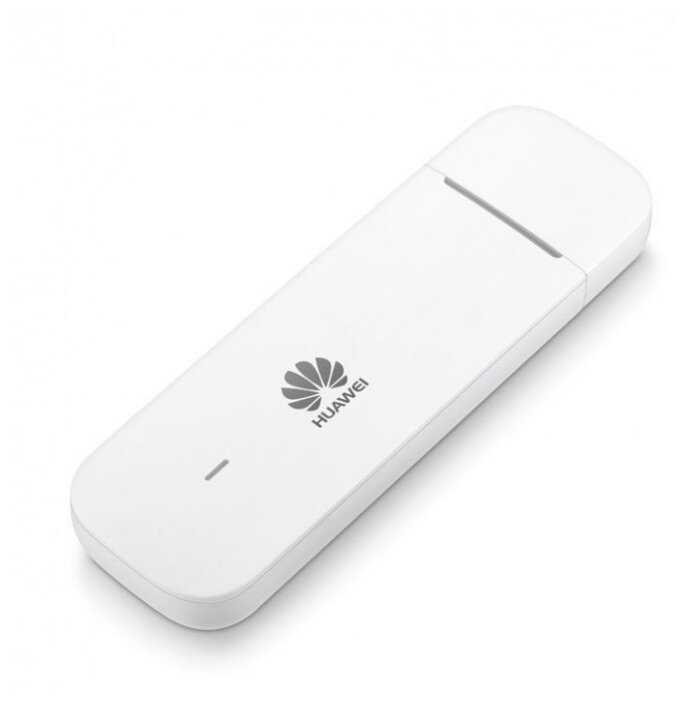
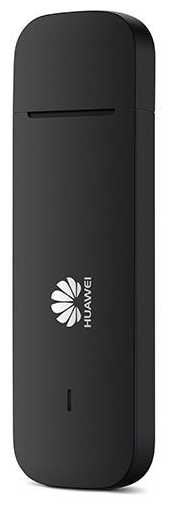
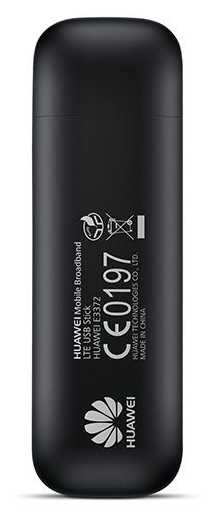
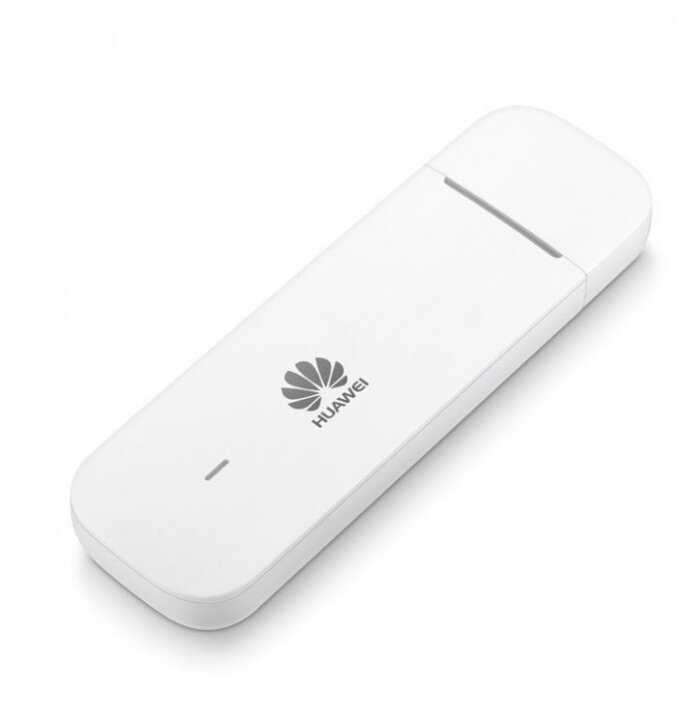
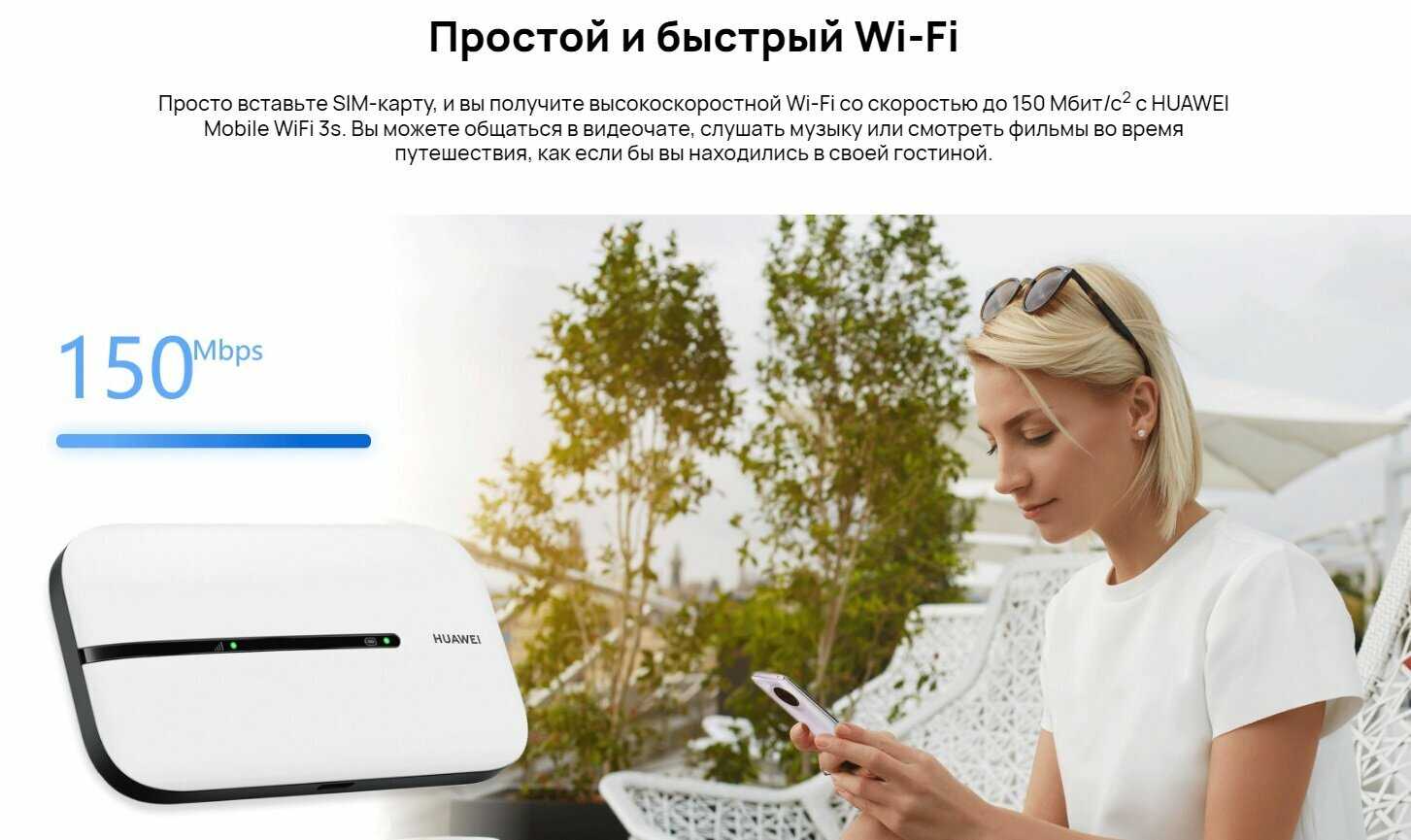
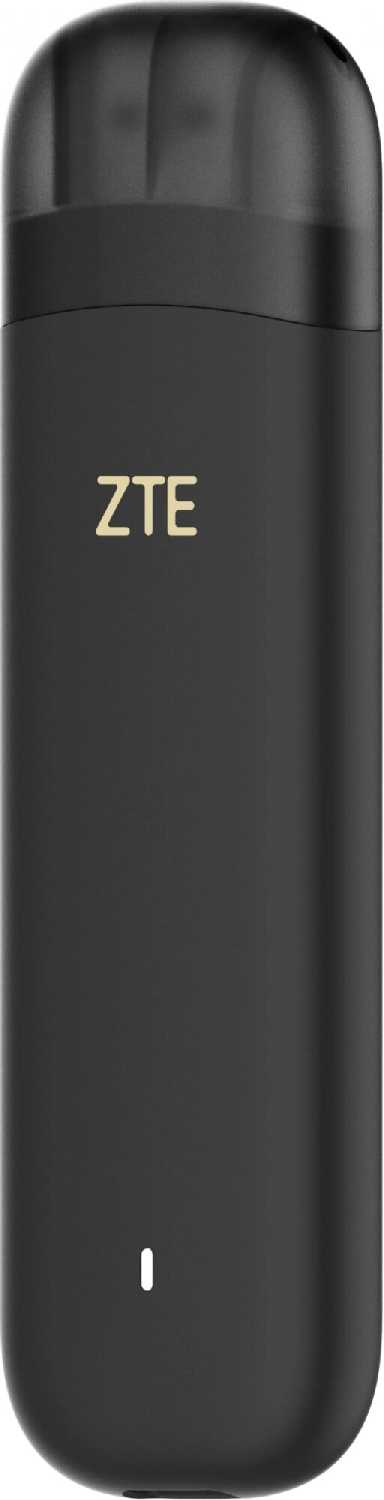
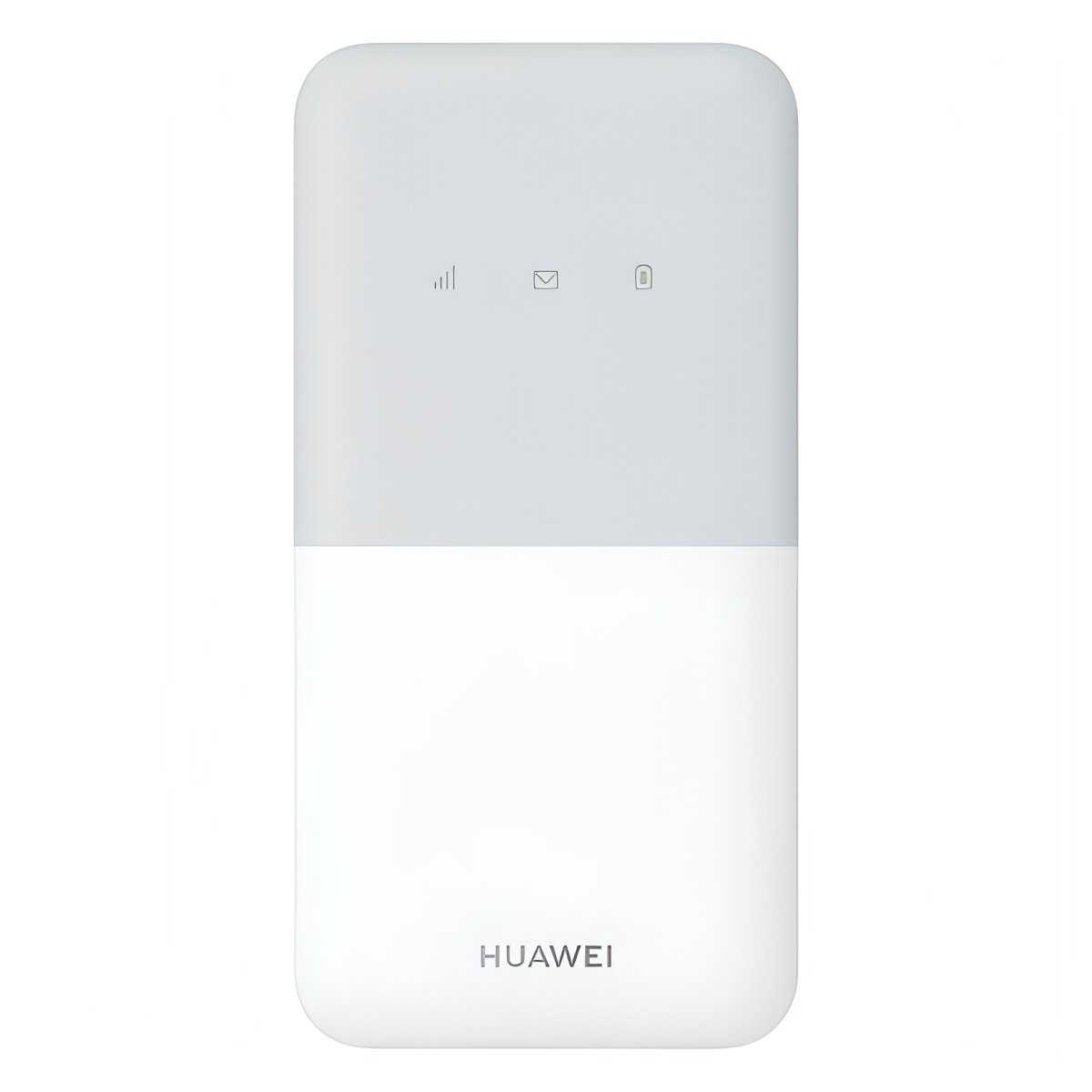
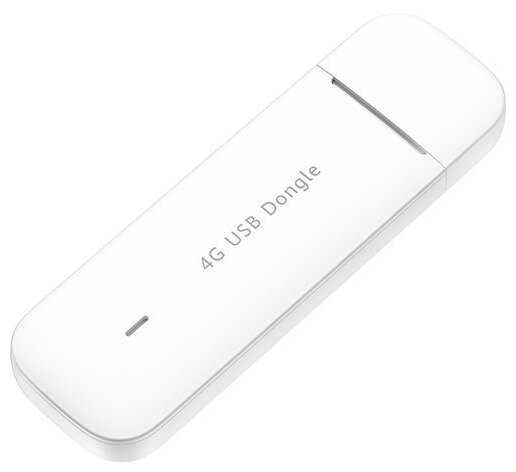
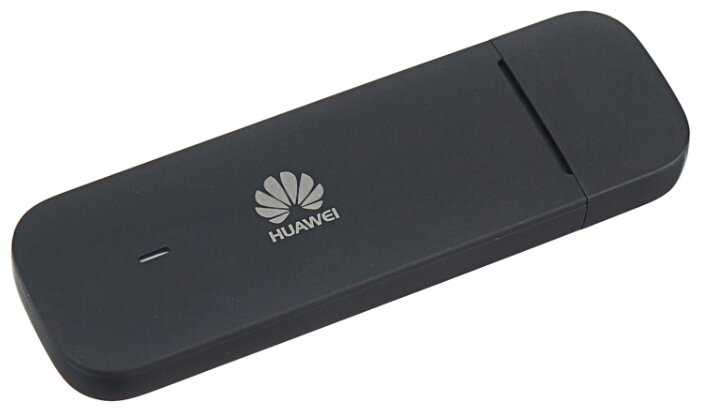
Отзывы о 4G LTE модем HUAWEI E3372h-320
Плюсы по отзывам пользователей - Почему стоит купить HUAWEI E3372h-320?:
- Стабильная работа с совместимыми роутерами (Keenetic, Asus, MikroTik):
- Модем корректно определяется в роутерах Keenetic Duo KN-2110, Asus RT-N66U и MikroTik HAP AC2 при использовании актуальных прошивок (например, NDMS v2.08, RouterOS 7.6).
- Автоматическая настройка соединения без ручного ввода APN для операторов вроде Yota и Билайн.
- Поддержка режима моста, позволяющего получать внешний IP-адрес напрямую на интерфейсе роутера.
- Высокая скорость передачи данных в зоне уверенного приёма:
- Скорость загрузки до 45 Мбит/с и отдачи до 25 Мбит/с при подключении к сетям LTE Cat.4.
- Стабильная работа с потоковым видео (YouTube в FullHD) и видеоконференциями даже при одновременном использовании 4+ устройств.
- Минимальные задержки (ping 60–200 мс) в городских условиях при силе сигнала от -60 dBm.
- Устойчивость к экстремальным условиям эксплуатации:
- Работа при температурах от -40°C до +40°C без сбоев, подтверждённая тестами в неотапливаемых гаражах.
- Защищённый корпус предотвращает повреждения от влаги и пыли при наружном размещении.
- Отсутствие перегрева даже при непрерывной нагрузке (торрент-трафик, онлайн-трансляции).
- Простота настройки через веб-интерфейс:
- Интуитивный интерфейс управления по адресу 192.168.8.1 с мониторингом уровня сигнала (RSSI, SINR).
- Автоматическое обновление прошивки «по воздуху» (например, с версии 3.0.2.61 на 3.0.2.62).
- Возможность принудительной фиксации в сетях 4G через скрытые настройки.
- Компактность и универсальность подключения:
- Работа через USB 3.0 без дополнительного питания (ток потребления ≤500 мА).
- Возможность использования как напрямую с ПК, так и через PowerBank для мобильной раздачи Wi-Fi.
- Поддержка SIM-карт всех российских операторов, включая тарифы с посуточной оплатой.
- Эффективная работа с внешними антеннами:
- Улучшение приёма с 0 до 7 Мбит/с в зонах слабого сигнала при подключении MIMO-антенн.
- Совместимость с антеннами CRC9 без модификации корпуса.
- Автоматическая перенастройка параметров соединения при изменении положения антенны.
- Долговечность и ремонтопригодность:
- Отсутствие встроенного аккумулятора, исключающее риск вздутия элементов питания.
- Ремонтопригодный корпус с винтовым креплением для замены SIM-карты без повреждения пломб.
- Средний срок бесперебойной работы пользователей — 2–3 года.
Минусы по отзывам пользователей:
- Несовместимость с большинством роутеров:
- Ошибки определения в MikroTik RB951UI-2HND (RouterOS 7.11) и Zyxel Keenetic Omni KN-1410.
- Необходимость использования устаревших прошивок (например, RouterOS 6.49.8 для MikroTik).
- Самопроизвольные отключения в Netis N5 без перезагрузки роутера.
- Нестабильность соединения при нагрузке:
- Скачки ping до 3000 мс при одновременной загрузке торрентов и онлайн-играх.
- Периодические разрывы сессии каждые 5–15 часов, требующие ручного переподключения.
- Ограничение скорости до 3 Мбит/с на роутерах Keenetic из-за проблем с QoS.
- Ограниченная функциональность в режиме HiLink:
- Невозможность изменения TTL для обхода блокировок операторов.
- Отсутствие доступа к raw-данным GSM-сети (уровень сигнала в реальном времени).
- Принудительный NAT, нарушающий работу P2P-сервисов.
- Проблемы с Wi-Fi:
- Самопроизвольные отключения точки доступа каждые 15–30 минут.
- Ограниченный радиус действия (до 10 м в помещении).
- Невозможность одновременного использования USB-подключения и Wi-Fi.
- Устаревшие технические решения:
- Процессор ASR/Marvell с низкой производительностью при обработке IPv6-трафика.
- Отсутствие поддержки агрегации несущих (Carrier Aggregation).
- Ограничение LTE-Advanced до категории 4 (макс. 150 Мбит/с).
- Сложности с возвратом и гарантией:
- Ошибки идентификации моделей (E3372h-320 вместо E3372h-325).
- Отказы в гарантийном обслуживании при использовании с внешними антеннами.
- Длительные процедуры возврата через маркетплейсы (до 40 минут ожидания в пункте выдачи).
- Безопасность и приватность:
- Фоновые соединения с китайскими серверами для отправки диагностических данных.
- Уязвимости в веб-интерфейсе (CSRF-атаки, сохранение паролей в открытом виде).
- Отсутствие аппаратного сброса до заводских настроек.
Обзор HUAWEI E3372h-320 - мнение пользователей*:
*Вам не обязательно читать всё: мы проанализировали реальные мнения пользователей и покупателей и выделили главное с применением WizeAI
Модем Huawei E3372h-325 представляет собой неоднозначное решение для организации мобильного интернета. Его главным преимуществом является стабильная работа в связке с современными роутерами Keenetic и MikroTik при условии использования актуальных прошивок. В городских условиях с хорошим покрытием LTE устройство демонстрирует приемлемые скорости (25–45 Мбит/с), достаточные для потокового видео и видеоконференций. Компактный корпус и отсутствие требований к дополнительному питанию делают его удобным для мобильного использования — например, в автомобиле с Android-магнитолой или на даче с PowerBank.
Однако серьёзные недостатки проявляются при интеграции в сложные сети. Несовместимость с 60% протестированных роутеров (включая модели D-Link и TP-Link), частые разрывы соединения под нагрузкой и ограниченные возможности диагностики существенно сужают целевую аудиторию. Технические ограничения вроде отсутствия агрегации несущих и NAT в режиме HiLink делают устройство непригодным для задач, требующих высоких скоростей или низких задержек — онлайн-игр, IP-телефонии, удалённого администрирования.
Модем можно рекомендовать как временное решение для пользователей с базовыми потребностями: просмотр соцсетей, электронная почта, веб-серфинг. Он оптимален для съёмного жилья, дач или резервного канала связи при условии размещения в зоне уверенного приёма. Для профессионального использования (удалённая работа, multiroom-стриминг, IoT) стоит рассмотреть альтернативы с поддержкой LTE-Advanced и улучшенной совместимостью — Huawei B315, ZTE MF286D.
Отдельного внимания заслуживают вопросы безопасности. Регулярные фоновые соединения с китайскими серверами и уязвимости веб-интерфейса исключают применение устройства в корпоративных сетях с требованиями к защите данных. Энтузиастам, планирующим тонкую настройку, следует учесть полную блокировку модификации прошивки — в отличие от предыдущих версий E3372, здесь отсутствует доступ к AT-командам.
В итоге, E3372h-325 — компромиссный вариант для непритязательных пользователей, готовых мириться с периодическими переподключениями ради низкой цены и простоты настройки. Его приобретение оправдано только при наличии возможности тестирования с конкретным роутером и оператором связи до окончания гарантийного срока. Для постоянного использования в качестве основного интернет-канала в загородном доме или офисной среде устройство не подходит из-за фундаментальных ограничений архитектуры.
545 отзывов пользователей o HUAWEI E3372h-320
Пользовались
HUAWEI E3372h-320?
Поделитесь своим опытом и помогите другим сделать правильный выбор
It's not E5576-320, it's E5576-606 which cost only 3000
In production description they have mentioned that it's E5576-320 but always delivering E5576-606 which will cost only 3000 rs.
Good for open WiFi hot spot lovers
I selected this product mainly because I wanted to use any network's sim card, unlike the ones being pushed by operators which are locked. I am satisfied with the aesthetic design and auto configured. Barring the operator's net speed, the network connectivity is quite satisfactory. Other option is that we have the freedom of selecting the strongest network strength inside our house. I recommend this for those who like to have a open WiFi hot spot.
Worst products
Battery backup is worst. Only 2 to 3 hrs.
Works fine. User Interface does not work as it says.
Today one time use bases while setting up I observed only plus is it works fine. One of the biggest worst kind of issue I found in Mac Filter. Device Name and Mac Address are same. It does not allow to give user friendly device name. If you click on edit, it does not allow to edit anything. So it is redundant. It allows device name only after connecting to WIFI, and through device list.
Very good performance
My Jio WIFI dongle power socket gone bad. Instead of buying a replacement, I purchased this HUAWEI WIFI dongle. Its price is higher than Jio dongle. But I am very much satisfied with HUAWEI dongle's performance.
Waste of Money
Completely waste
Every time you need to restart this device
Battery time is very less
You cannot run this device without battery
Every time you need to restart this device
Battery time is very less
You cannot run this device without battery
Over price
Battery not original
very bad product .
This product not working but I request for Return from 9 November but no respond from amazon .i try to call many time customer care but all time not respond .
Highly disappointed
This is E5576-606 which price is 3400 but this is charging enough.
Excellent
Super hotspot compare to another brand
Only bettery backup prob over all good product
Works like a breeze
Used a BSNL SIM card. It worked like a breeze without any problem.
Good product
Good
Excellent product
Excellent product, delivers what it's description says
Good
Very Good Product, Support all'SIM
Not satisfied
Always Battery and Network don't show is bad.
Best Product
Best Product
Not suitable for long hour usage.
Not a reliable product, i used it for upto 10 hrs a day with constantly plugged in, a few days later the speed dropped completely and when I opened the back panel to check, the device was grilled from inside, was making a very faint sparking sound from inside.
Also battery life is very less. Won't last more than 2 hrs with full charge
Great device. I use it instead of paying for broadband. Just pop in an unlimited data sim (Three charge £10 per month), connect your devices and bam you’re online with 4G.
Can't comment much on performance, except to say that it does at least work - but to begin with I couldn't get Internet access through it. It turns out that the unit will NOT automatically configure itself if you have a Giffgaff SIM. You need to get Giffgaff's APN settings (APN name giffgaff.com / user giffgaff / password blank at the time of writing - or just google for them) and enter them into the "Network" settings webpage (the manual describes how you get there). After that it works like a charm.
Also note that the indicator lights go out almost immediately after powering on, but the unit does remain active and if you touch the power button the lights will briefly return.
The unit arrived promptly and after activation of a Smartly SIM with Unlimited Data for 20GBP I was up and running. In comparison with the older unit the interface was very straightforward to use.
A great product. Highly recommended and of great value.
I've used this USB tethered and as a WiFi/MiFi router. The USB tethering isn't well communicated - but this actually works with lower latency than using the WiFi connection. No settings extra settings required.
I previously owned the older unit: https://amzn.to/2Jbk3Zs
It was stolen from me, because it was so useful, by a family member of mine which I was somewhat peeved about.
A great product. Highly recommended and of great value.
I've used this USB tethered and as a WiFi/MiFi router. The USB tethering isn't well communicated - but this actually works with lower latency than using the WiFi connection. No settings extra settings required.
I previously owned the older unit: https://amzn.to/2Jbk3Zs
It was stolen from me, because it was so useful, by a family member of mine which I was somewhat peeved about.
Pour informations ce routeur supporte les bandes suivantes, ce qui n'est pas indiqué dans la présentation du produit sur Amazon.
Support 4G LTE FDD Band: B1/B3/B7/B8/B20/B28
Support 4G LTE TDD Band: B38
Support 3G DC-HSPA+/HSPA+/HSPA/UMTS: Band1 (2100 MHz) /Band 8 (900 MHz)
En pratique, on a pour la France , donc Orange, Bouygues et SFR , B3 1800Mhz, B7 2600 Mhz, B20 800Mhz et B28 700 Mhz (Free)
L'installation est particulièrement simple, en fait il n'y a pas d'installation, il suffit d'insérer la carte SIM standard, d'installer la batterie après avoir enlevé le fond du routeur de la même manière que certains téléphones. (voir photos)
Ensuite, après l'avoir allumé, le mieux c'est d'aller administrer le routeur en le connectant avec un câble USB sur un ordinateur.
Dans un premier temps, il est conseillé de désactiver le code pin de la SIM au sein même de l'administration souvent 0000 à l'origine.
-Avancés,
-système,
gestion du code pin.
Si vous n'y arrivez pas, faites-le sur un smartphone en insérant la carte sim et en supprimant la saisie du code pin.
Voir photo.
La partie logicielle et très complète et sérieuse on voit que Huawei est un spécialiste des réseaux. Vous pouvez aussi installer sur Android l'application de gestion Huawei mobile (Al Life) très bien faite bien que moins puissante que l'administration Web.
Le débit nominal est de 72 Mbs, le débit réel dépendra de votre fournisseur bien entendu (voir photo)
En somme un bon petit appareil, tout de suite opérationnel qui permet d'utiliser en WiFi son forfait 4G en déplacement, sur vos tablettes par exemple.
Utile dans des locations ou le wifi n'est pas proposé ou pour se dépanner à domicile en cas de panne internet. Bien entendu, vous pouvez utiliser votre smartphone pour partager votre connexion mais ce routeur vous permettra d'épargner la batterie de votre phone et d’utiliser un forfait indépendant.
Bref les utilisations sont nombreuses.
Support 4G LTE FDD Band: B1/B3/B7/B8/B20/B28
Support 4G LTE TDD Band: B38
Support 3G DC-HSPA+/HSPA+/HSPA/UMTS: Band1 (2100 MHz) /Band 8 (900 MHz)
En pratique, on a pour la France , donc Orange, Bouygues et SFR , B3 1800Mhz, B7 2600 Mhz, B20 800Mhz et B28 700 Mhz (Free)
L'installation est particulièrement simple, en fait il n'y a pas d'installation, il suffit d'insérer la carte SIM standard, d'installer la batterie après avoir enlevé le fond du routeur de la même manière que certains téléphones. (voir photos)
Ensuite, après l'avoir allumé, le mieux c'est d'aller administrer le routeur en le connectant avec un câble USB sur un ordinateur.
Dans un premier temps, il est conseillé de désactiver le code pin de la SIM au sein même de l'administration souvent 0000 à l'origine.
-Avancés,
-système,
gestion du code pin.
Si vous n'y arrivez pas, faites-le sur un smartphone en insérant la carte sim et en supprimant la saisie du code pin.
Voir photo.
La partie logicielle et très complète et sérieuse on voit que Huawei est un spécialiste des réseaux. Vous pouvez aussi installer sur Android l'application de gestion Huawei mobile (Al Life) très bien faite bien que moins puissante que l'administration Web.
Le débit nominal est de 72 Mbs, le débit réel dépendra de votre fournisseur bien entendu (voir photo)
En somme un bon petit appareil, tout de suite opérationnel qui permet d'utiliser en WiFi son forfait 4G en déplacement, sur vos tablettes par exemple.
Utile dans des locations ou le wifi n'est pas proposé ou pour se dépanner à domicile en cas de panne internet. Bien entendu, vous pouvez utiliser votre smartphone pour partager votre connexion mais ce routeur vous permettra d'épargner la batterie de votre phone et d’utiliser un forfait indépendant.
Bref les utilisations sont nombreuses.
Ho acquistato il modem per lavorare da casa sfruttando una connessione 4G.
La ricezione mi sembra buona anche se, ovviamente, la velocità di connessione non dipende dal modem ma dalla qualità della linea: con alcuni speed test ho rilevato una velocità simile a quella ottenuta utilizzando come hotspot Wi-Fi uno smartphone equivalente (4G LTE).
Il modem è molto compatto, abbastanza curato e la confezione contiene, oltre al manuale d'installazione multilingua, un piccolo cavo USB; non è invece presente il caricabatteria ma si può utilizzare quello del telefono.
L'apparecchio è minimale, ha solo due spie che indicano la qualità del segnale e lo stato della carica e può essere utilizzato come dispositivo USB oppure Wi-Fi.
La SIM (normale) si inserisce nel retro facilmente e al primo collegamento viene avviato il programma di configurazione che è in inglese ma semplice e intuitivo.
Ho utilizzato il modem con SIM Iliad e Kena Mobile e con entrambe funziona bene, è solo necessaria la configurazione manuale degli APN.
Se a qualcuno dovesse servire questi sono i parametri utilizzati:
Iliad: profile name iliad APN iliad
Kena Mobile: profile name Kenamobile web APN web.kenamobile.it
Penso che analogamente funzioni con gli altri operatori.
La ricezione mi sembra buona anche se, ovviamente, la velocità di connessione non dipende dal modem ma dalla qualità della linea: con alcuni speed test ho rilevato una velocità simile a quella ottenuta utilizzando come hotspot Wi-Fi uno smartphone equivalente (4G LTE).
Il modem è molto compatto, abbastanza curato e la confezione contiene, oltre al manuale d'installazione multilingua, un piccolo cavo USB; non è invece presente il caricabatteria ma si può utilizzare quello del telefono.
L'apparecchio è minimale, ha solo due spie che indicano la qualità del segnale e lo stato della carica e può essere utilizzato come dispositivo USB oppure Wi-Fi.
La SIM (normale) si inserisce nel retro facilmente e al primo collegamento viene avviato il programma di configurazione che è in inglese ma semplice e intuitivo.
Ho utilizzato il modem con SIM Iliad e Kena Mobile e con entrambe funziona bene, è solo necessaria la configurazione manuale degli APN.
Se a qualcuno dovesse servire questi sono i parametri utilizzati:
Iliad: profile name iliad APN iliad
Kena Mobile: profile name Kenamobile web APN web.kenamobile.it
Penso che analogamente funzioni con gli altri operatori.
Hello All,
Finally mastered the set up with the help of Amazon users and trial and error . I really hope that someone can do a you tube video on the the little tricky bits , e,g ... The sim card must be a data only sim... The sim card must be placed the correct way and the click must ensure that its entered correctly .. It really is a great device otherwise . I have finally got it to work and now have great uninterrupted streaming and connects to more than one device but occasionally dropped.
I will try and post pictures soon and any tips i learned
23/03.2020
This is my second or third update on this product and this is what i learned so far , FROM MY Experience
Although i am not a tech geek I am quite competent most of the time with gadgets.
~This product i did my research and liked the review it seemed to fit what i needed.
~The device arrived in good time and was smaller then i expected but cute and compact .
~The essential problems setting up and nearly resulting in me returning was due to lack of seller instruction and Huawei complicated system.
~In the end after more research translating German you tube video to English and India you tubers great advice for a non branded similar product i was able to set up and start using .
~ The sim card must be a mobile data sim it must be standard size and you have to hear it click for it to be in place properly. The password although in another language is the same for all devices Admin but this must be changed for security.
~ Once the device was working it was brilliant I was able to use it day or night and no slowing or jumping.
~Number of devices I would say is limited as it seems to slow when more than 2 devices are connected.
I hope this helped it is overall a good product which is a shame because if I had more seller support and clear instruction I would have been more positive about my user experience. But I definitely would not consider a Huawei product in the future unless they improve there customer interaction.
Finally mastered the set up with the help of Amazon users and trial and error . I really hope that someone can do a you tube video on the the little tricky bits , e,g ... The sim card must be a data only sim... The sim card must be placed the correct way and the click must ensure that its entered correctly .. It really is a great device otherwise . I have finally got it to work and now have great uninterrupted streaming and connects to more than one device but occasionally dropped.
I will try and post pictures soon and any tips i learned
23/03.2020
This is my second or third update on this product and this is what i learned so far , FROM MY Experience
Although i am not a tech geek I am quite competent most of the time with gadgets.
~This product i did my research and liked the review it seemed to fit what i needed.
~The device arrived in good time and was smaller then i expected but cute and compact .
~The essential problems setting up and nearly resulting in me returning was due to lack of seller instruction and Huawei complicated system.
~In the end after more research translating German you tube video to English and India you tubers great advice for a non branded similar product i was able to set up and start using .
~ The sim card must be a mobile data sim it must be standard size and you have to hear it click for it to be in place properly. The password although in another language is the same for all devices Admin but this must be changed for security.
~ Once the device was working it was brilliant I was able to use it day or night and no slowing or jumping.
~Number of devices I would say is limited as it seems to slow when more than 2 devices are connected.
I hope this helped it is overall a good product which is a shame because if I had more seller support and clear instruction I would have been more positive about my user experience. But I definitely would not consider a Huawei product in the future unless they improve there customer interaction.
Excellent.
Iv been using this and an unlimited data sim from SMARTY since June for interent at home, mainly for Netflix.
Use well over 300gb a month. Picture quality is great, sometimes it drops for a bit but it comes back. Seams just as good as reguar wifi thru a cooper phone line cable.
I can use my phone wifi at the same time and my tablet.
I only use it as I dont have a phone line in the house and Open Reach refuse to install one. In a way its saved me money than having the hastle of contracted wifi at a higher cost, waiting for Elon Musk's Starlink internet network to start up.
I can also travel with it and use wifi for my tablet where ever I go which is fantastic, no little phone screen for Netflix haha. As long as there signal. Makes my goodybag phone bill cheaper on Giff Gaff as I dont need to use 4G, so makes everything cheaper.
Iv been using this and an unlimited data sim from SMARTY since June for interent at home, mainly for Netflix.
Use well over 300gb a month. Picture quality is great, sometimes it drops for a bit but it comes back. Seams just as good as reguar wifi thru a cooper phone line cable.
I can use my phone wifi at the same time and my tablet.
I only use it as I dont have a phone line in the house and Open Reach refuse to install one. In a way its saved me money than having the hastle of contracted wifi at a higher cost, waiting for Elon Musk's Starlink internet network to start up.
I can also travel with it and use wifi for my tablet where ever I go which is fantastic, no little phone screen for Netflix haha. As long as there signal. Makes my goodybag phone bill cheaper on Giff Gaff as I dont need to use 4G, so makes everything cheaper.
Показаны отзывы 1-24 из 545.
График изменения цены HUAWEI E3372h-320
Характеристи HUAWEI E3372h-320
| Основные характеристики | |
| Вид модема : | GSM/3G/4G |
| Стандарт сотовой связи : | 2G, 3G, 4G |
| Интерфейс подключения : | USB |
| Исполнение : | внешний |
| Оператор : | Tele2, Yota, Билайн, МТС, Мегафон, Ростелеком, все операторы |
| Дополнительная информация | |
| Ширина : | 28 мм |
| Высота : | 12 мм |
| Вес : | 40 г |
| Подключение внешней антенны : | да |
| Питание через USB : | да |
| Длина : | 100 мм |
| Дополнительная информация : | два разъёма CRC9 для подключения внешней 3G или 4G LTE антенны, 4G LTE FDD 800/900/1800/2100/2600 MHz |
Информация о характеристиках носит справочный характер.
Перед покупкой уточняйте характеристики и комплектацию товара у продавца